Assignment 5-RADIOSS Interfaces & Study of Effect of Notches Challenge
Radioss interfaces & study of Effect of Notches
Aim: To generate the 2D mesh for the bumper assembly and run analysis on crash tube by using difference contact type and comparing the results.
Given Model:
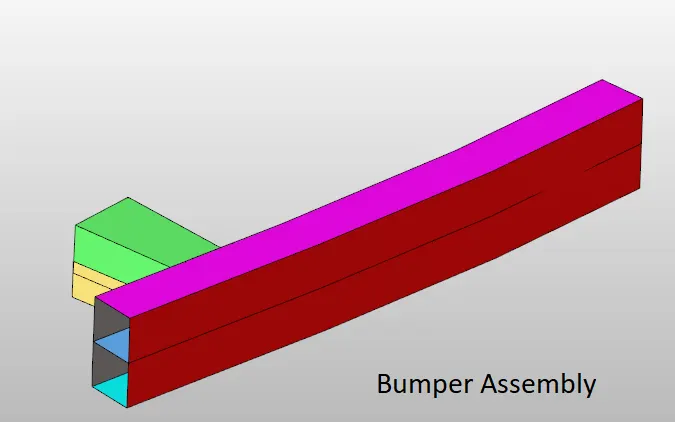
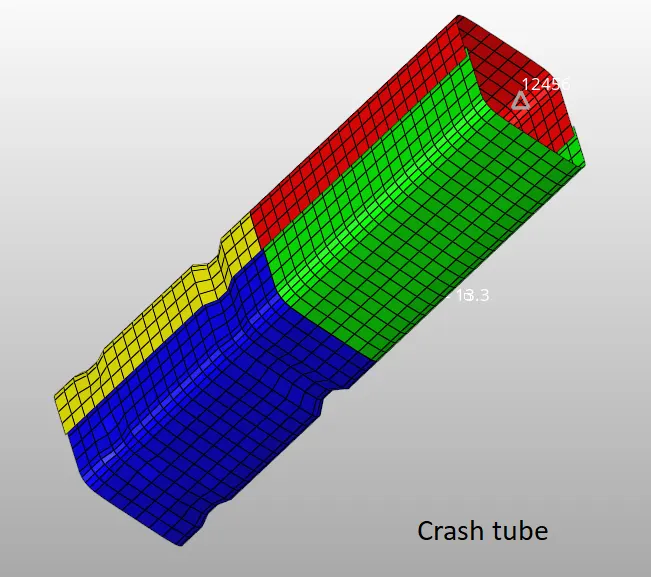
Procedure:
Case 1: Creating 2D mesh.
- To create 2D mesh with mesh size of 6mm. To create 2D mesh go to 2D >> automesh >> select surface >> mesh.
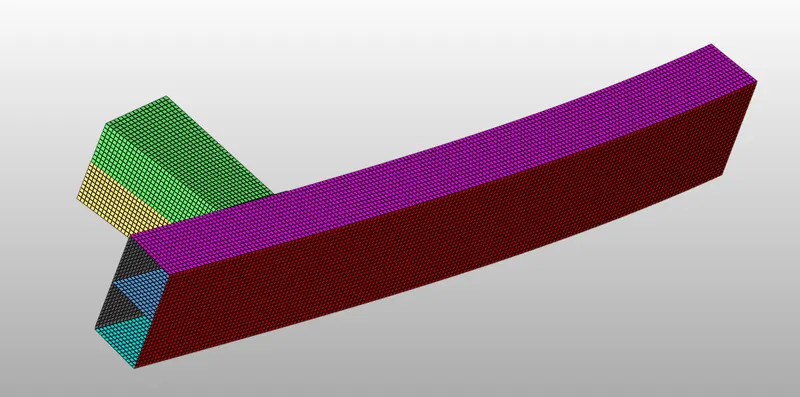
Case 2: Run analysis on crash tube.
- To run analysis import the crash tube rad file and go to analysis >> radioss >> select the path to save the files >> -nt 4 in options >> radioss.
- After the simulation, Energy error is verified and should be between the -15% to 5%.
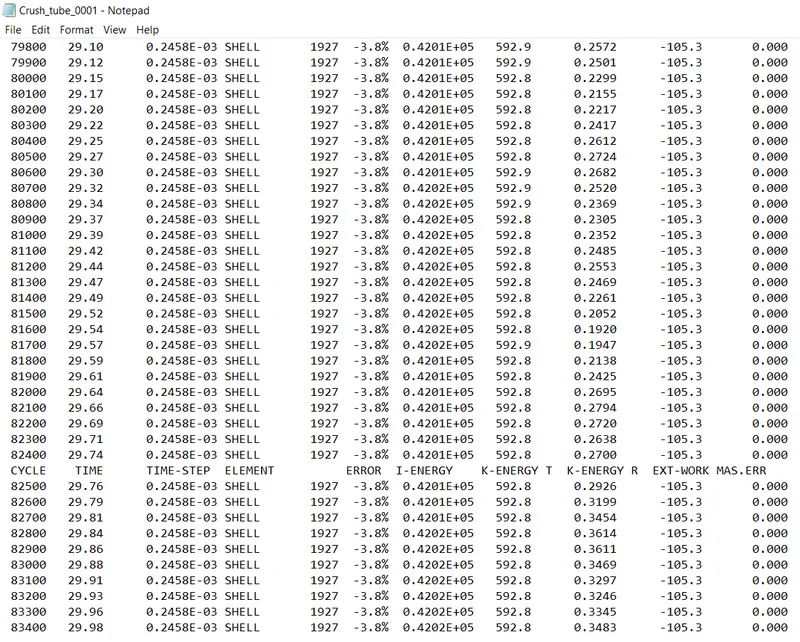
- Now check the displacement and von mises contour.
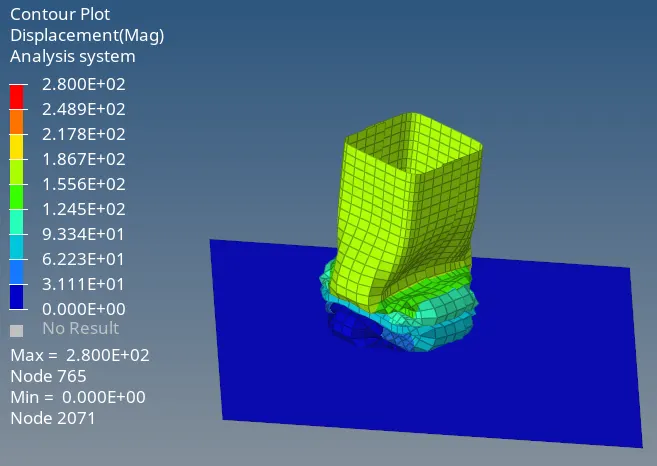
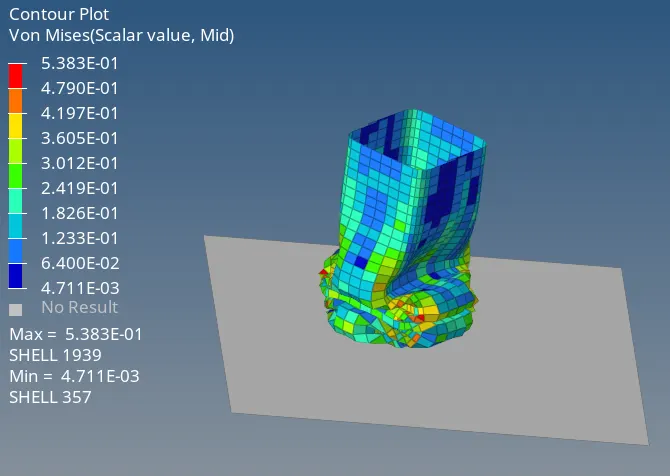
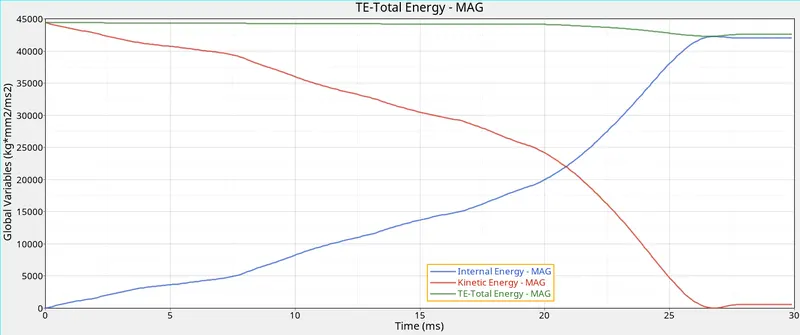
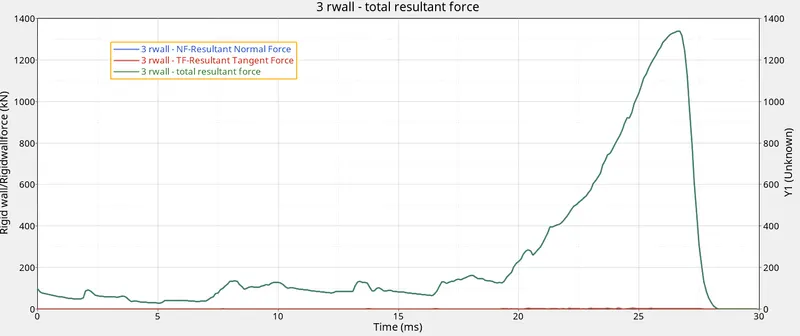
- Now plot the graphs between energy, rigid wall forces vs time.
Graph 1: Energy vs Time.
Graph 2: Rigid wall forces vs Time.
Case 2: Changing Inactive value to 6 and run the analysis
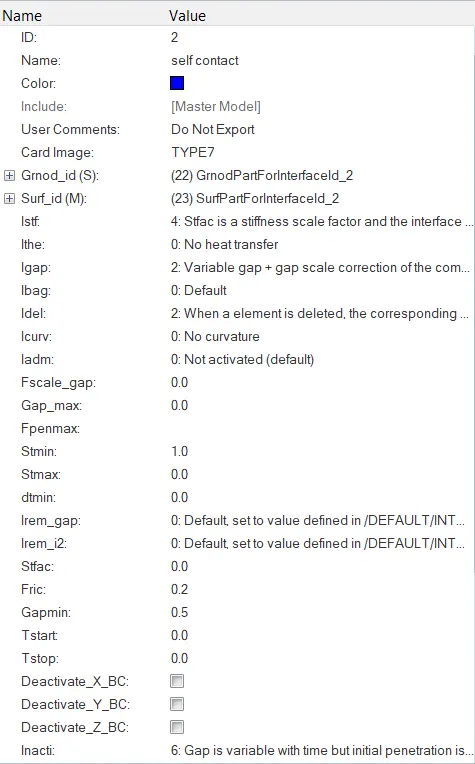
- Import the crash tube rad file and click on self contact and then change the inactve value to 6.
- Now choose the path to save the files and run the analysis.
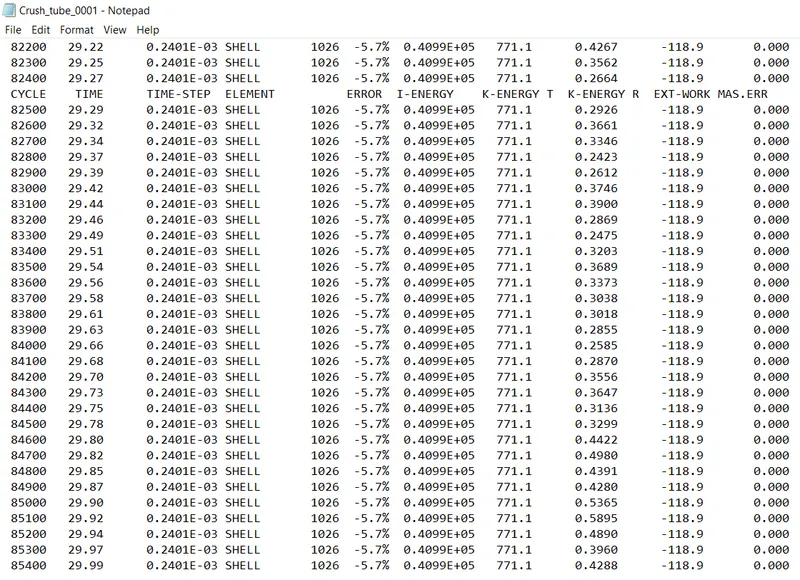
- After running the simulation check for the energy error. The value should be in between -15% to 5%.
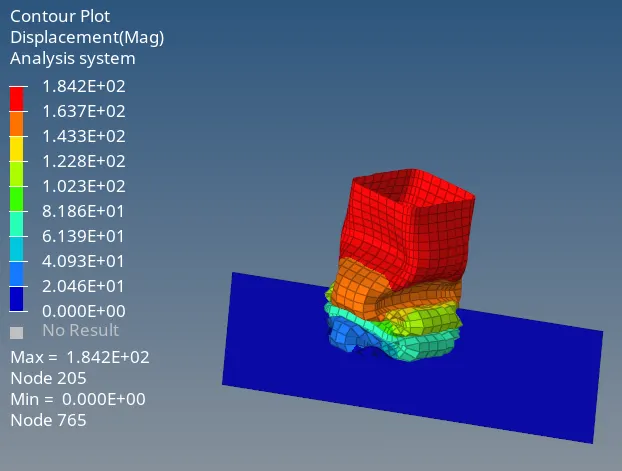
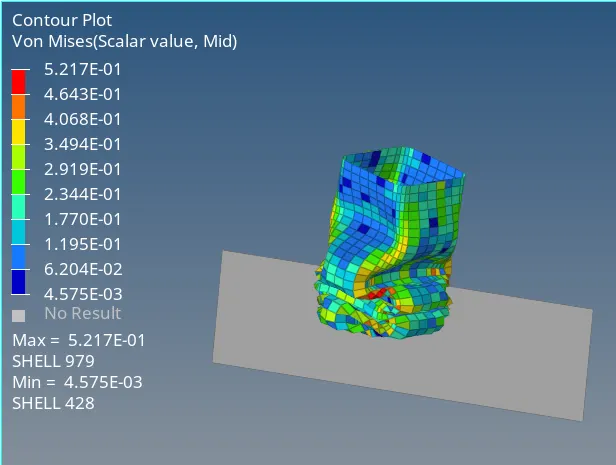
- Now check the displacement and von mises contour.
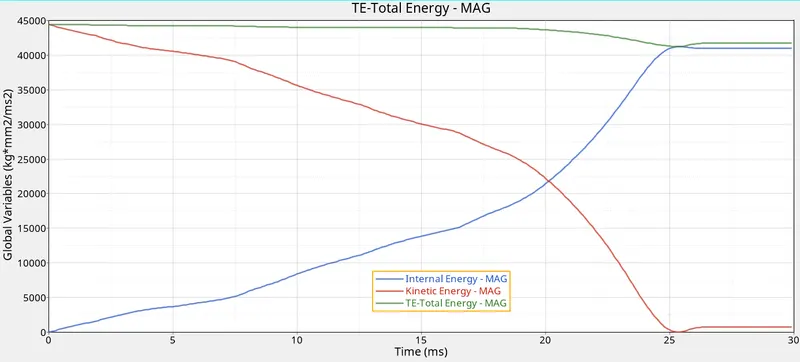
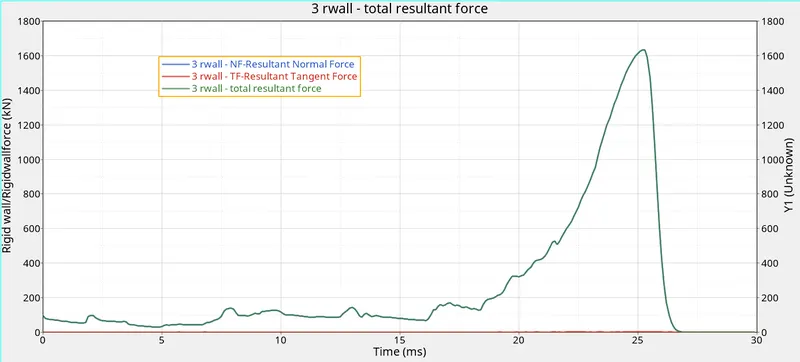
- Now plot the graphs between energy, rigid wall forces vs time.
Graph 1: Energy vs Time.
Graph 2: Rigid wall forces vs Time.
Case 3: Creating new type 11 contact and run the analysis.
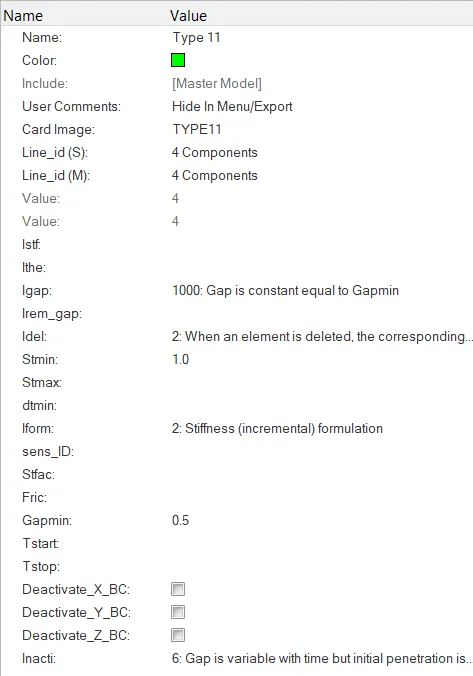
- Import the crush tube rad file and create a type 11 contact. To create the type 11 contact, go to model tab >> right click and choose create >> contact.
- After creating the contact choose all the parameters as recommended and run the analysis.
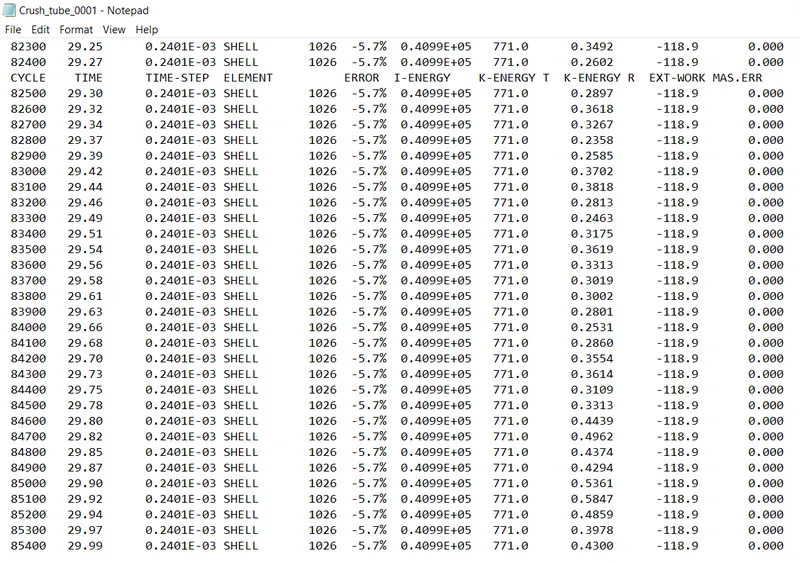
- After running the simulation check for the energy error. The value should be in between -15% to 5%.
- Now check the displacement and von mises contour.
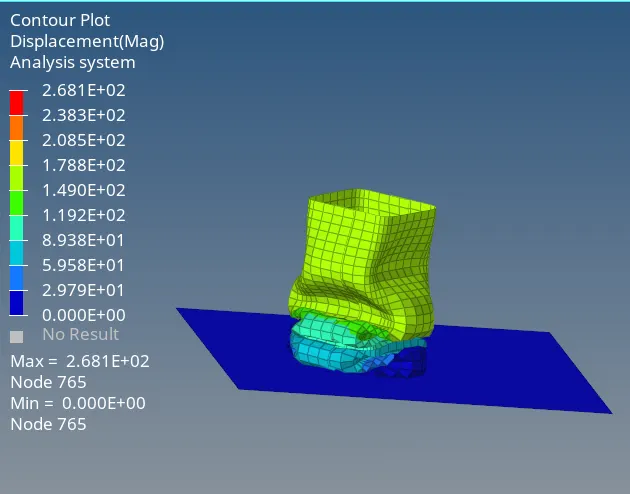
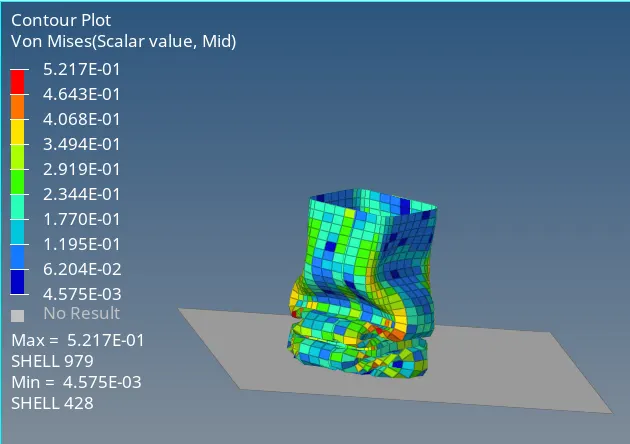
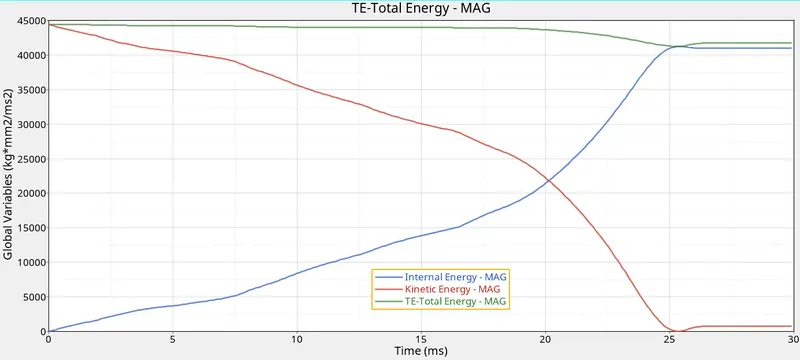
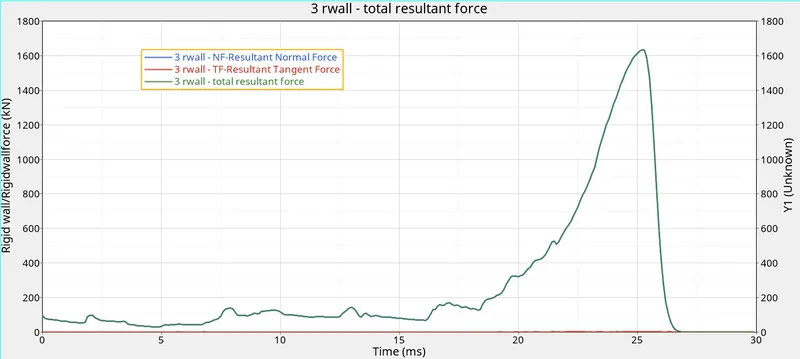
- Now plot the graphs between energy, rigid wall forces vs time.
Graph 1: Energy vs Time.
Graph 2: Rigid wall forces vs Time.
Case 4: Removing the notches and boundary conditions on rigid body wall.
- After importing the rad file notches need to be removed in the model. To remove the notches, go to geom >> node edit >> allign node.
- After removing notches run the analysis.
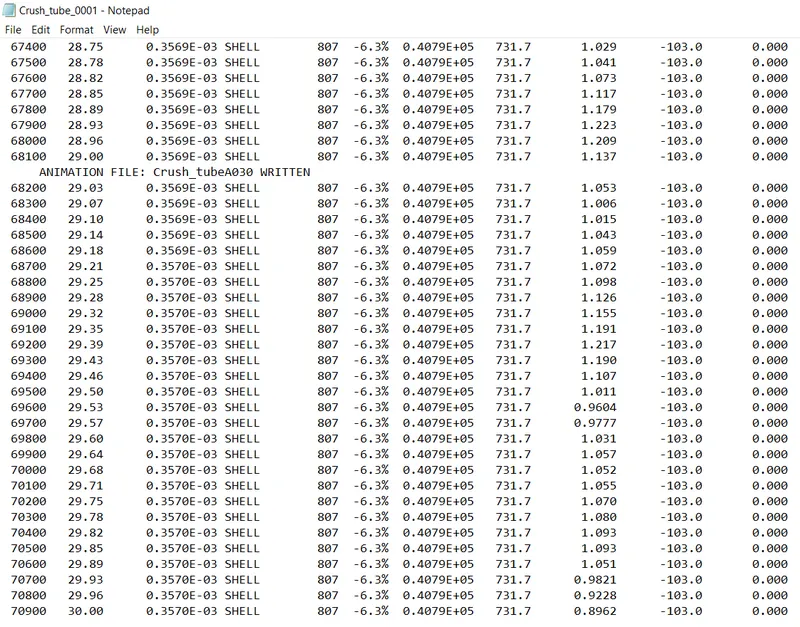
- After running the simulation check for the energy error. The value should be in between -15% to 5%.
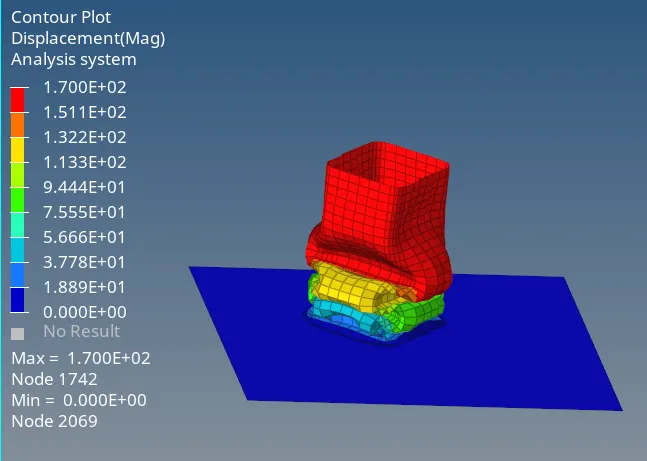
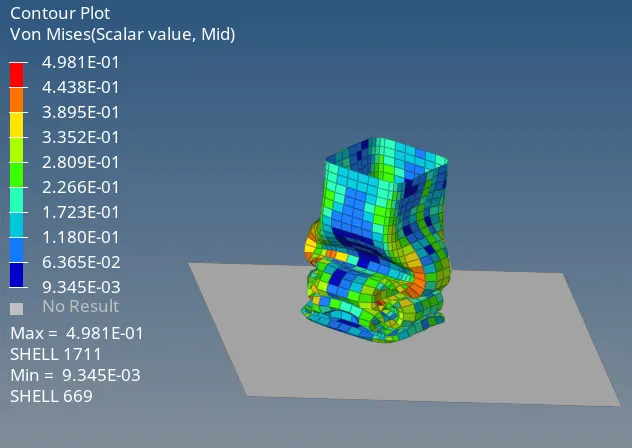
- Now check the displacement and von mises contour.
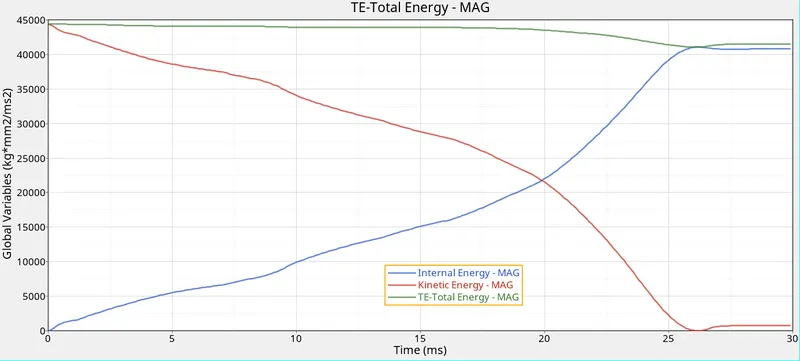
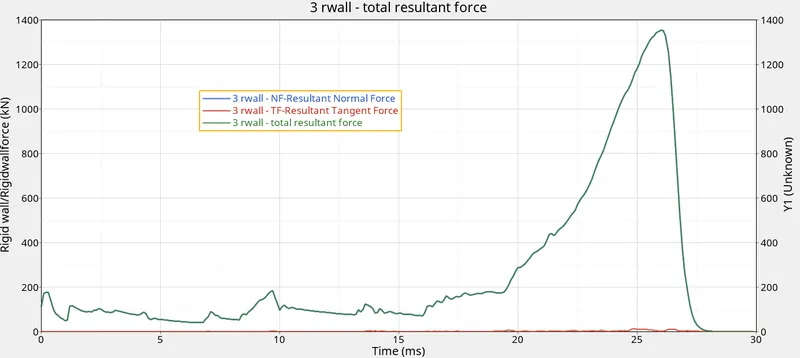
- Now plot the graphs between energy, rigid wall forces vs time.
Graph 1: Energy vs Time.
Graph 2: Rigid wall forces vs Time.
Case 5: Creating new notch at the middle and run the analysis.
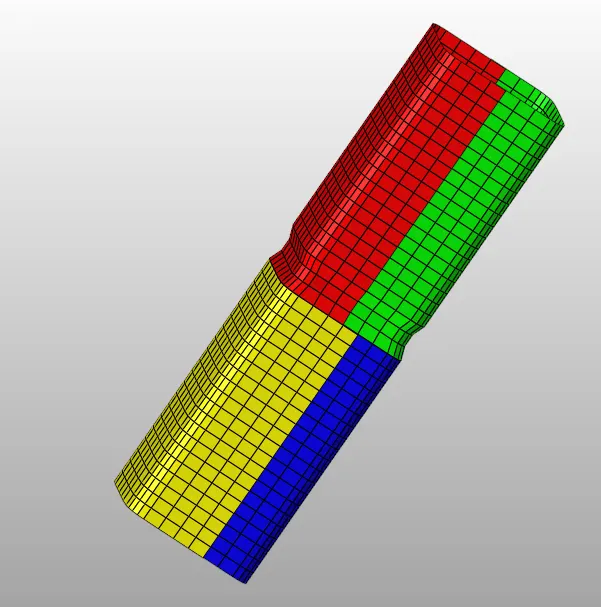
- After importing the rad file, notch need to be created at the middle of the tube.
- To create the notch translate option is used. After creating the notch run the analysis.
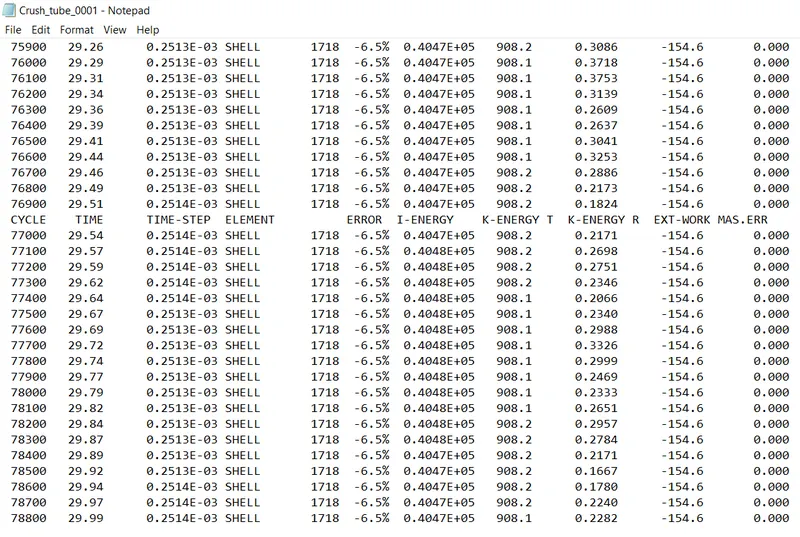
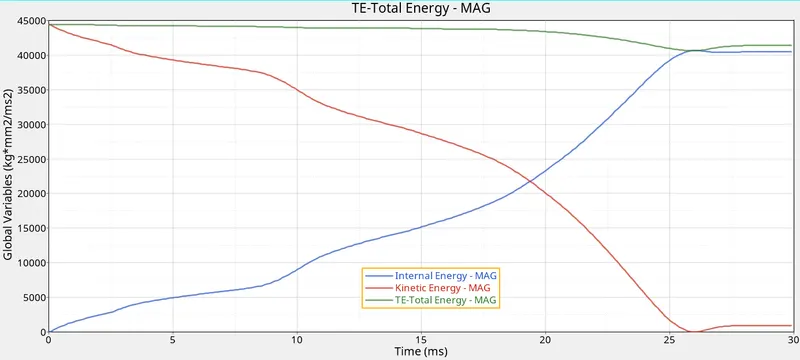
- After running the simulation check for the energy error. The value should be in between -15% to 5%.
- Now check the displacement and von mises contour.
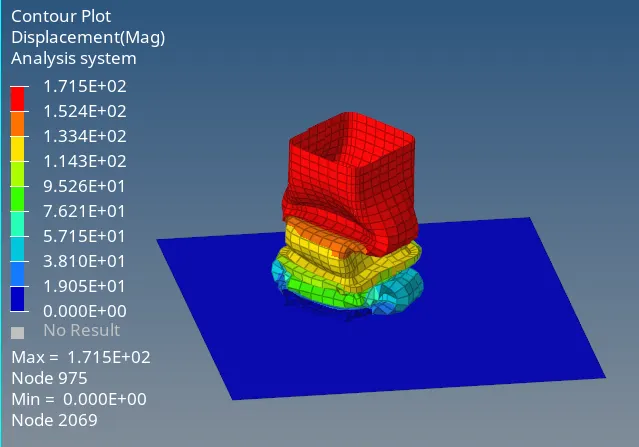
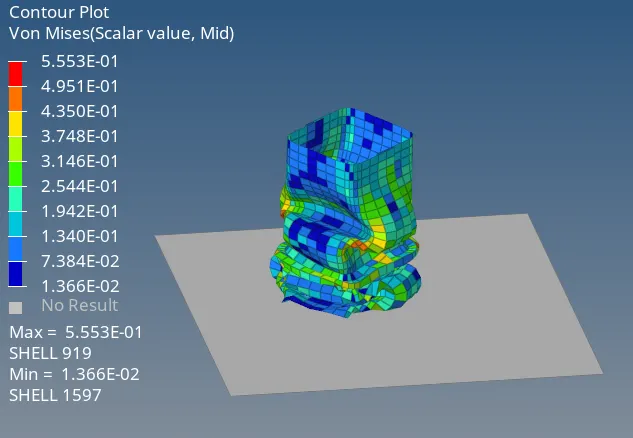
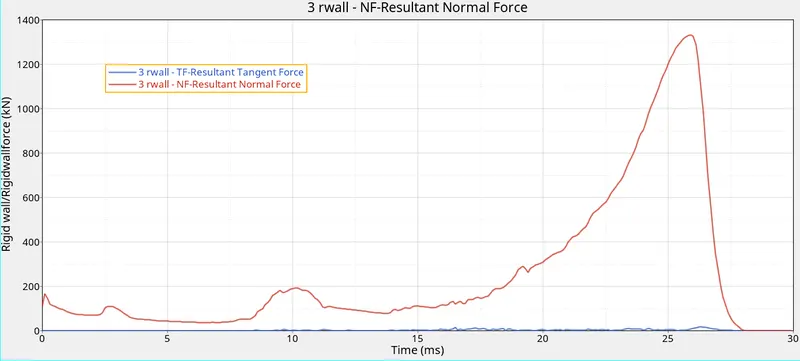
- Now plot the graphs between energy, rigid wall forces vs time.
Graph 1: Energy vs Time.
Graph 2: Rigid wall forces vs Time.
Case 6: Creating notches with nodes only from opposite two faces.
- After importing the rad file, notch need to be created on opposite faces of the tube.
- To create the notch translate option is used. After creating the notch run the analysis.
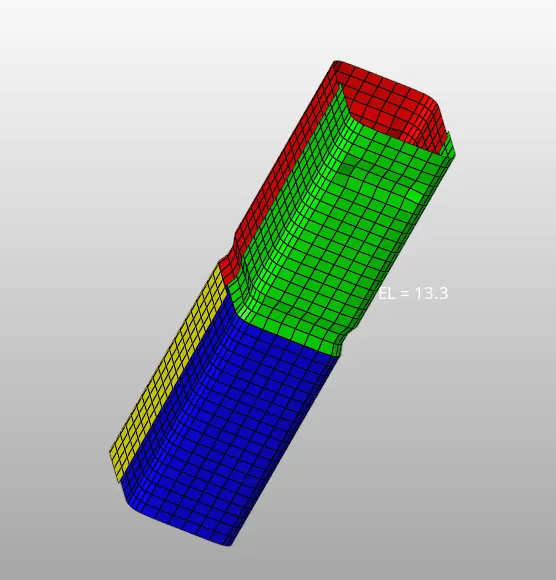
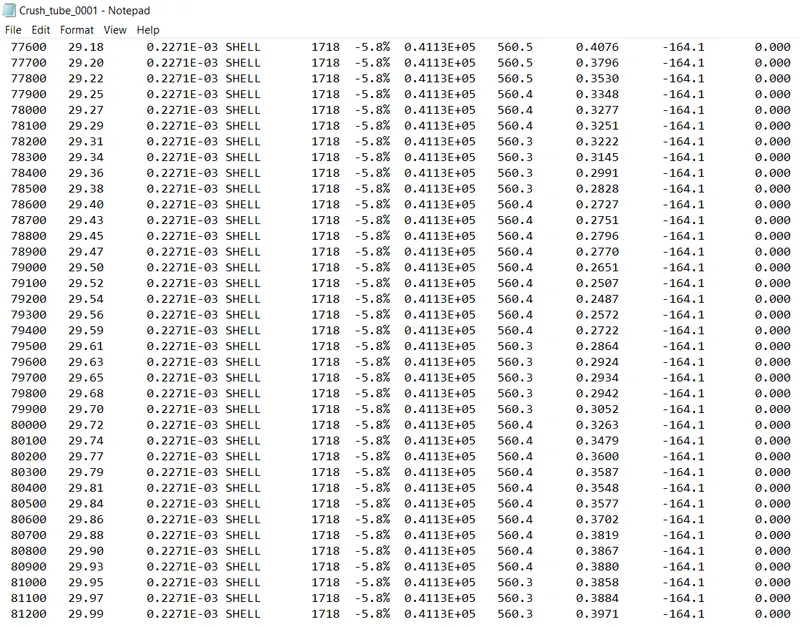
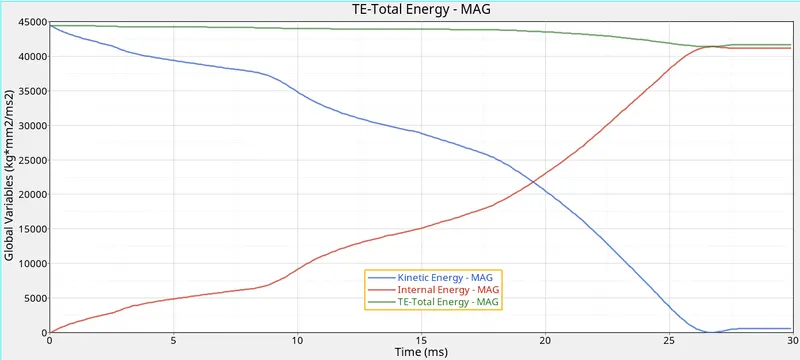
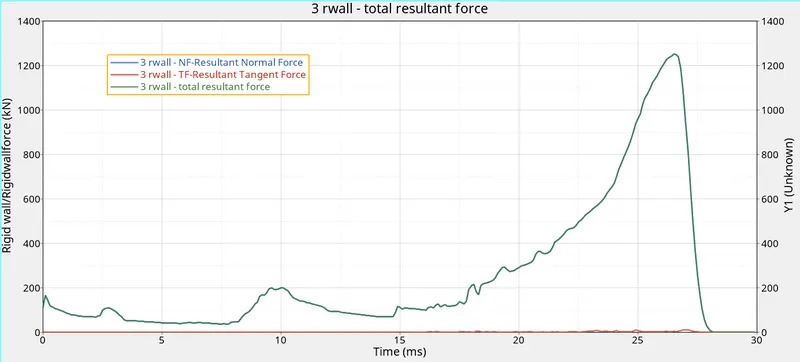
- After running the simulation check for the energy error. The value should be in between -15% to 5%.
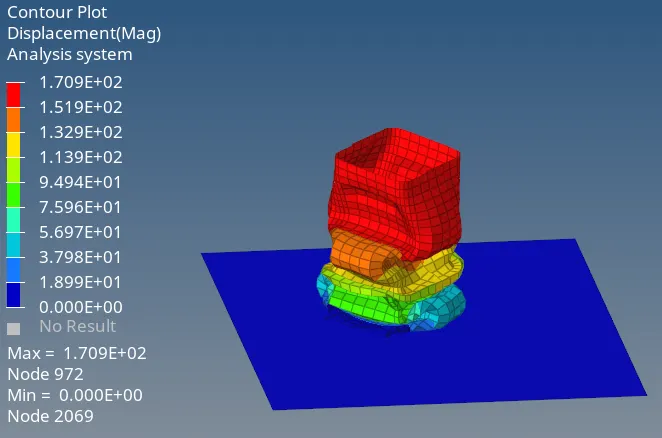
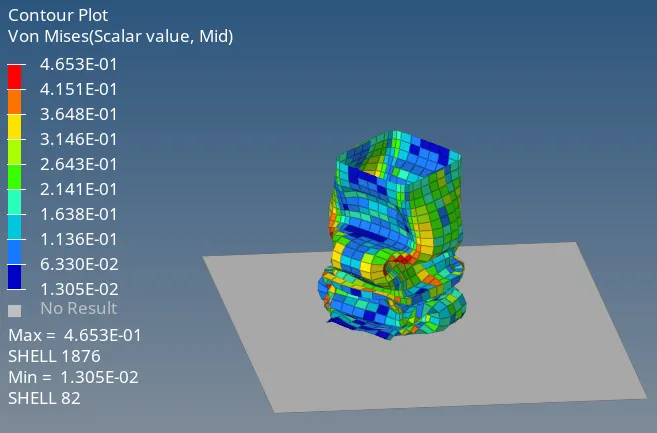
- Now check the displacement and von mises contour.
- Now plot the graphs between energy, rigid wall forces vs time.
Graph 1: Energy vs Time.
Graph 2: Rigid wall forces vs Time.
| Case | No. of cycles | Energy Error | Mass Error |
| 1. | 83400 | -3.8% | 0 |
| 2. | 85400 | -5.7% | 0 |
| 3. | 85400 | -5.7% | 0 |
| 4. | 70900 | -6.3% | 0 |
| 5. | 78800 | -6.5% | 0 |
| 6. | 81200 | -5.8% | 0 |
- Deformation at the notches occurs first and then at plane surface.
- Cycle time and time step increases due to change in interface type i.e (type 7 + type 11) in case 3 compared to case 2.
- When notches removed, the stress level in the tube is low.
- The more the notches in the tube the less the energy error is present.
- Mass error is constant throughout the simulation in all cases.
Conclusion:
For the given models, 2D mesh is created for the bumper assembly and analysis is carried out for the crash tube by changing different contact type, making notches and the results are compared.