Assignment 7-Side Pole Crash Simulation Challenge
SIDE CRASH SIMULATION CHALLENEGE
Aim:
To perform Side Crash test for Car BIW structure using Hypermesh and Radioss.
Objective:
Neon side crash -BIW
- Check unit system and either follow [Mg mm s] or [Kg mm ms].
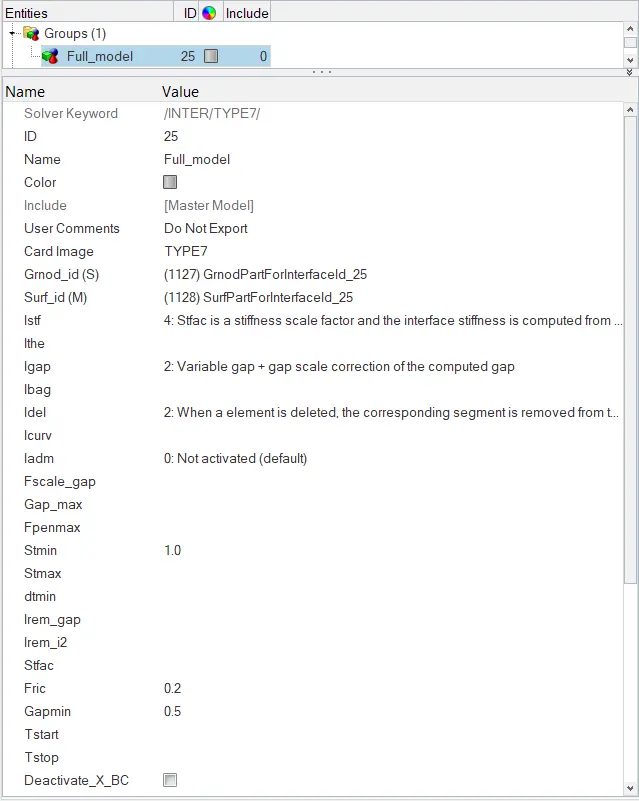
- Create appropriate interface, friction 0.2 and recommended parameters.
- Make sure of no penetrations and intersection.
- Correct rigid bodies if any issues.
- Create rigid wall with friction 0.1.
- Compare the model weight with the full scale 300k nodes model and use added masses to reach target weight 700kg while getting CG about the required range.
- Initial velocity 35 mph.
- Use model checker to ensure good quality.
- Time-step :0.5 to 0.1 microseconds.
- Run 80 ms.
Output requests:
- Sectional force in the cross member.
- Intrusion at B pillar, hinge pillar and fuel tank region. Provide recommendation on what can help to reduce Fuel tank intrusion.
- Peak velocity of inner node of the door.
Procedure:
Check unit system and either follow [Mg mm s] or [Kg mm ms]:
- To check the units one can, use any of the following procedure.
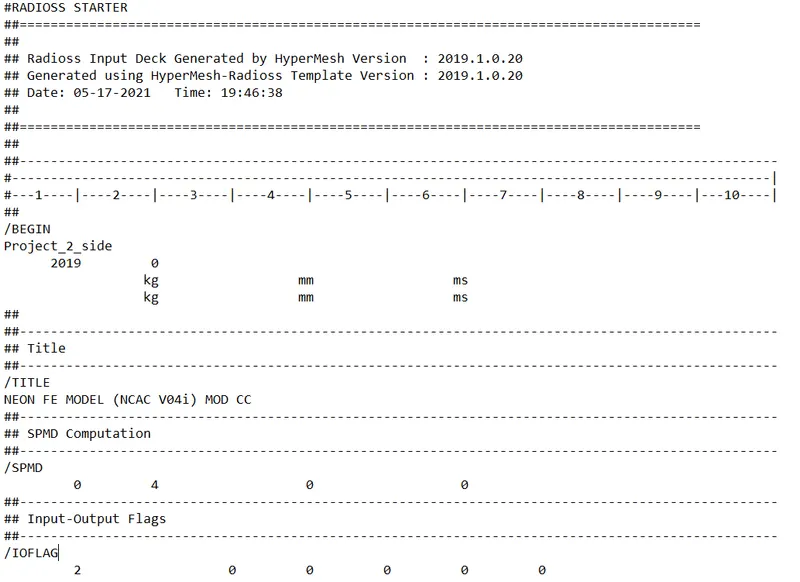
- By looking into the starter file: Open 000.rad file, at the beginning the units will be displayed.
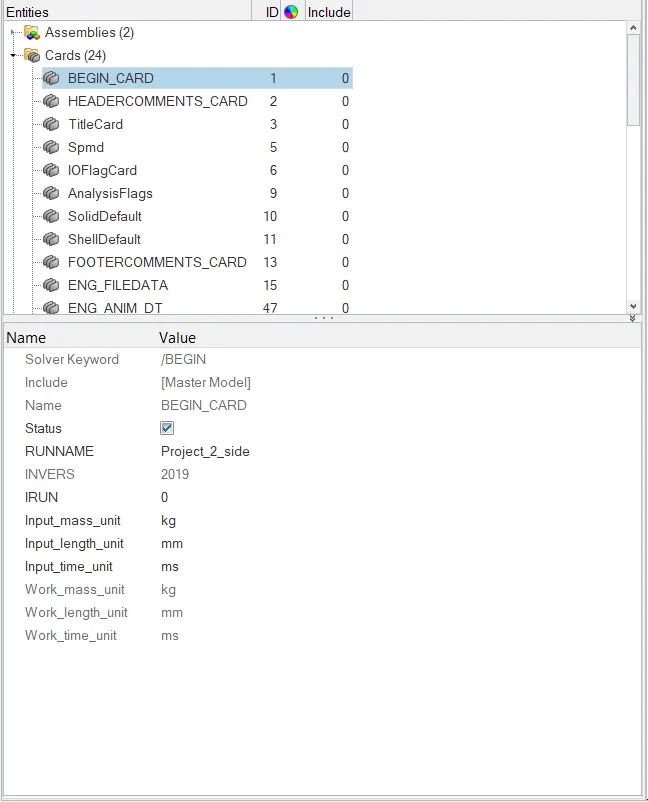
- In hypermesh: Open the 000.rad file in hypermesh, navigate to model browser and then in cards there will be a begin card. By clicking on the card units will be displayed.
Create appropriate interface ,friction 0.2 and recommended parameters:
- To create the interafce, go to solver browser >> right click and select inter >> type 7.
Checking for Penetrations and Intesections:
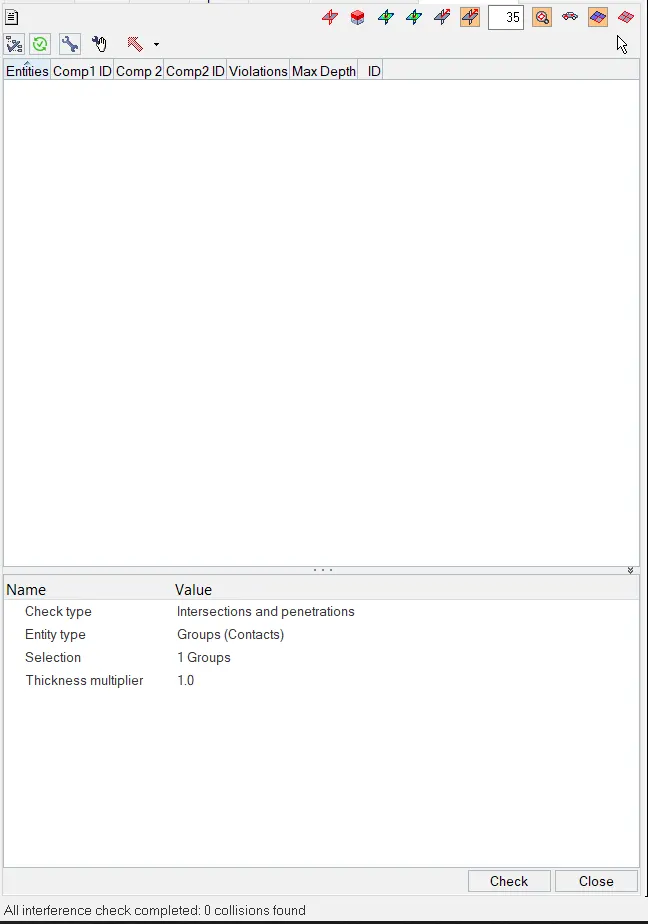
- After providing the interface, we need to check for penetrations. To check this, go to Tools >> Penetration check >> select the group >> check.
- There are no penetrations and intersections are found. So we can move onto the next step.
Create rigid wall with friction 0.1:
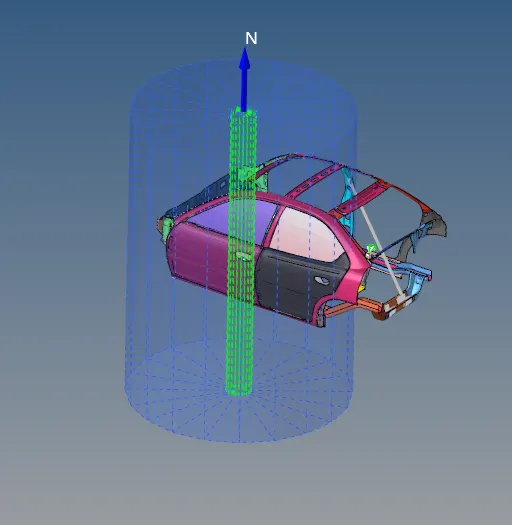
- To create a Rigid wall, go to solver browser >> right click and select Rwall >> Cylinder. Give the appropriate X,Y and Z coo-ordinates, radius as 250, friction as 0.1 and Search distance as 1000 to create the Rigid cylinder.
Adding masses to reach target weight 700kg while getting CG about the required range:
- To check the mass and COG, go to tools >> mass details >> mass, cog and inertia. Now by clicking on the COG we can get the co-ordinates of the COG. Create a node using the co-ordinate values.
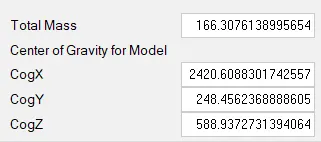
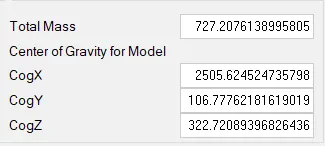
- The COG is not at the correct location, so to change the COG to the correct location mass need to be added. To add mass, right click in the solver browser >> create >> admass >> right click on grnode >> select the nodes >> assign the mass.
Assigning Initial velocity 35 mph:
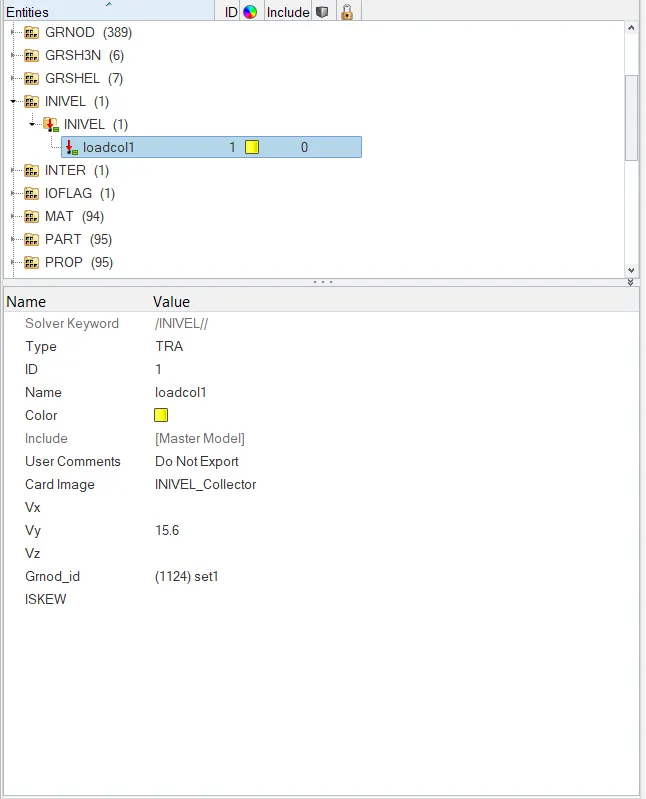
- To assign Initial velocity to the model, right click in solver browser >> boundary conditions >> Invel.
Assigning Time-step to 0.5 ms and run to 80ms.
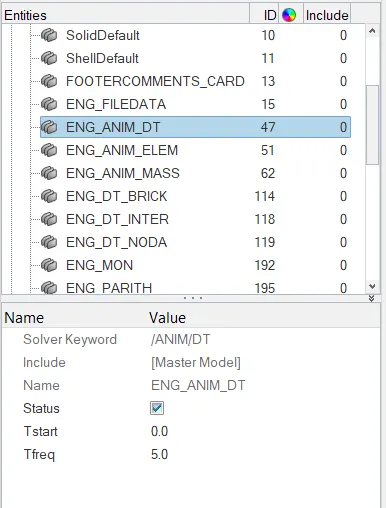
- To assign the time step, go to model browser >> cards >> ENG_AMIT_DT >> Tfreq = 5.
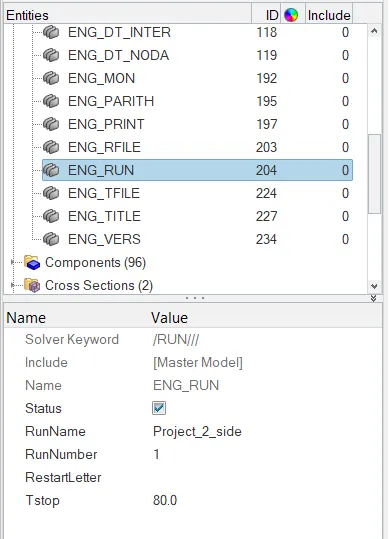
- To assign the run time, go to model browser >> cards >> ENG_RUN >> Tstop = 80.
Output requests:
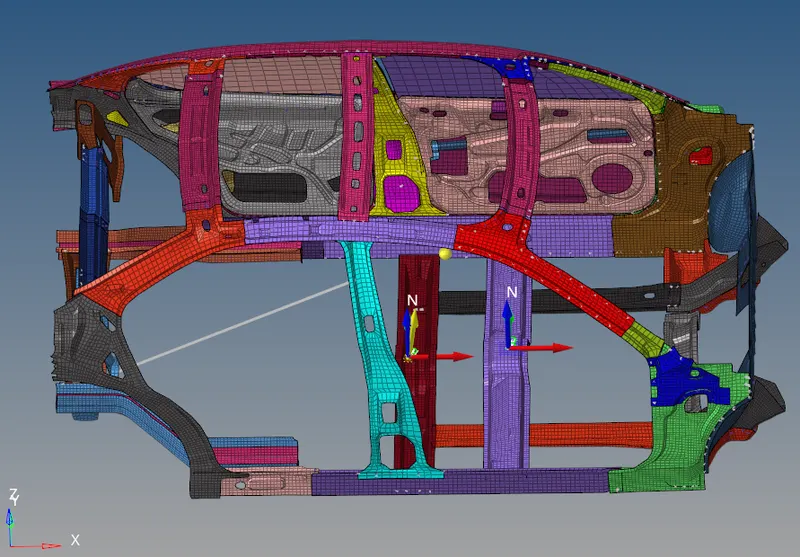
Before requesting for output requests, a frame and skew should be created at the indicated node and then the frame or skew is assigned to the section / intrusion.
To create a frame, right click in solver browser >> create >> frame >> MOV >> select the origin >> x-axis >> xy plane >> create.
Creating Skew is similar to creating a frame. To create a Skew, right click in solver browser >> create >> skew >> MOV >> select the origin >> x-axis >> xy plane >> create.
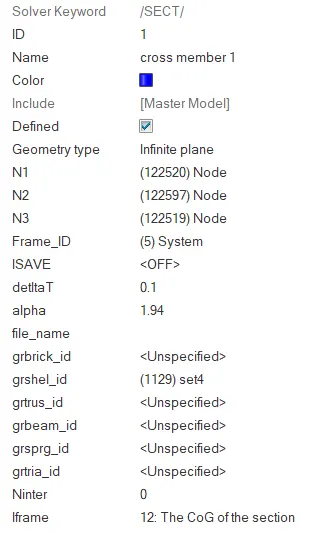
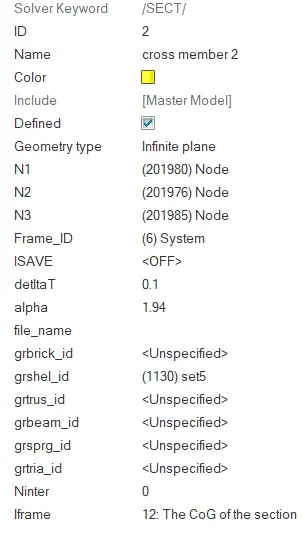
Sectional force at Cross members: Sections need to be created on both the cross members. To create a section, right click in solver browser >> create >> SECT >> SECT. The N1, N2 and N3 values should be equal the origin, x-axis and xy plane nodes of the frame and remaining properties are assigned as shown in the figure below.
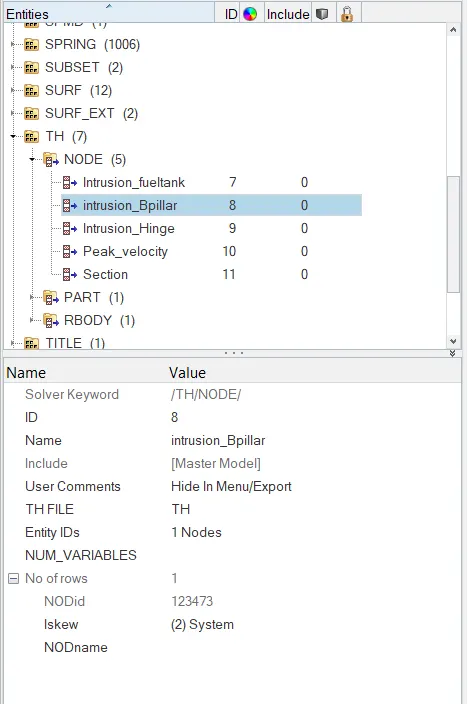
Intrusion at B pillar,hinge pillar and fuel tank region :Intrusion is created to check the displacement occured due to collosion. To create an intrusion, right click on solver browser >> TH >> NODE >> select the node >> select the skew which was created previously.
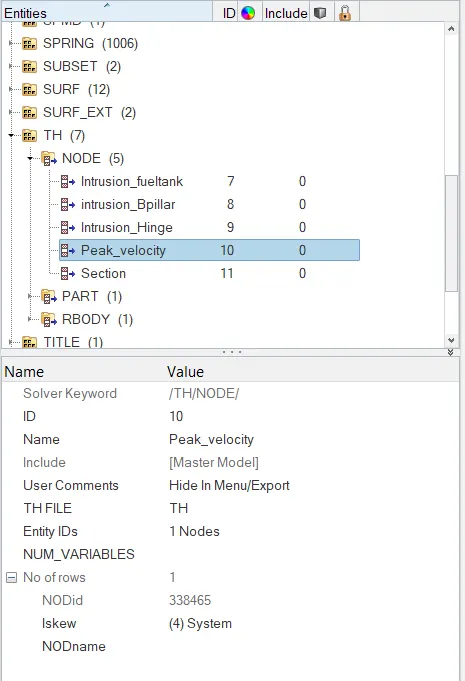
Peak velocity of inner node of the door:
To check the peak velocity at inner node of the door, intrusion is created. The skew creation is different. For the B-pillar, Hinge and fuel tank the skew is exactly created opposite to the node where forces and displacements are measured but for peak velocity the origin of the skew should match the node where the displacement should be measured.
- Now the model is ready to run the simulation. To run the simulation, go to analysis >> radioss >> select the path to save the files >> radioss.
Results and discussion:
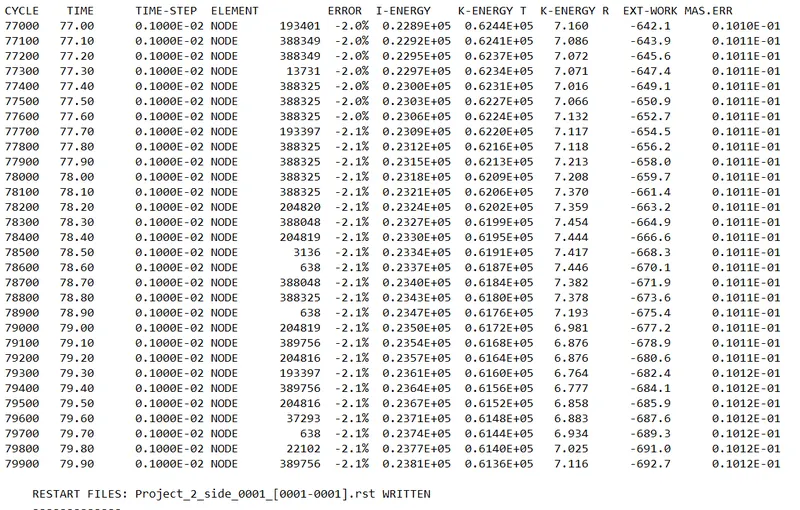
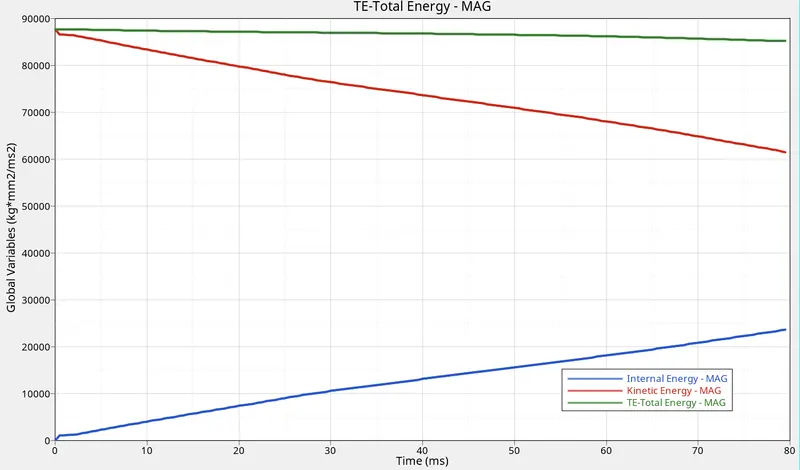
- Now open the 000.out file to check the energy and mass error. The energy error should be in between -15% to 5% and mass error should be in between 0% to 5%.
- To check displacement and von mises stress contour plots, open the H3D file in hyperview.
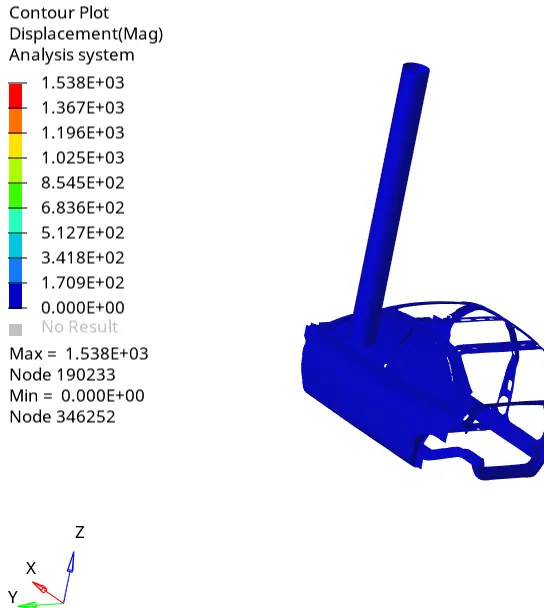
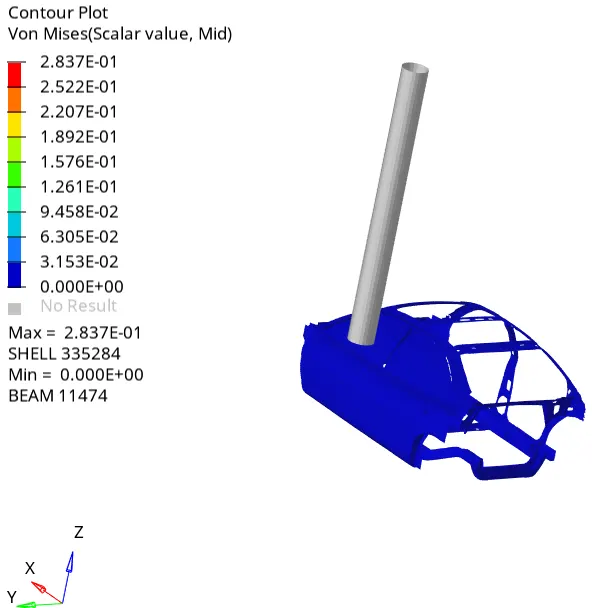
- Now open the Hypergraph and open the T01 file to check the forces vs time graphs.
Energy graph:
Sectional Forces:
In Cross member 1 and 2:
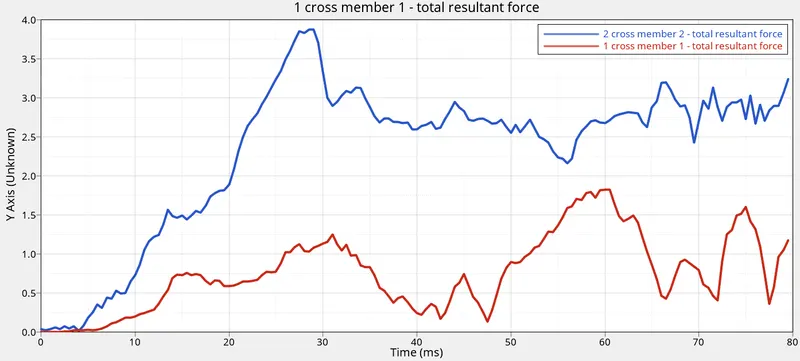
- Max forces are transmitted by cross member 2 as it is very near to the pole.
- Max force in Cross member-1 is 1.8KN and in Cross member-2 is 3.9KN.
B-Pillar Intrusion:
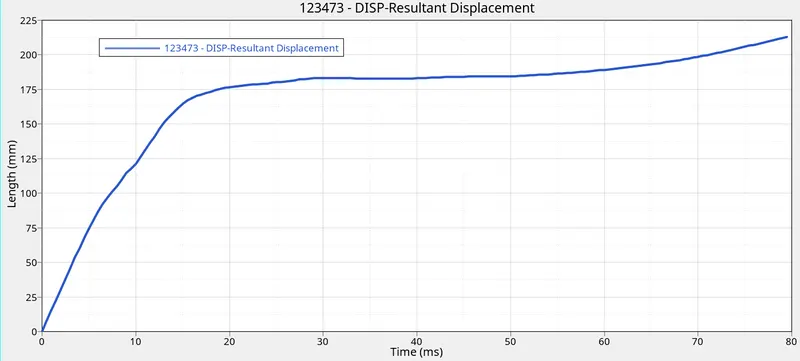
- The displacement in B-pillar is 212.5mm.
Hinge Intrusion:
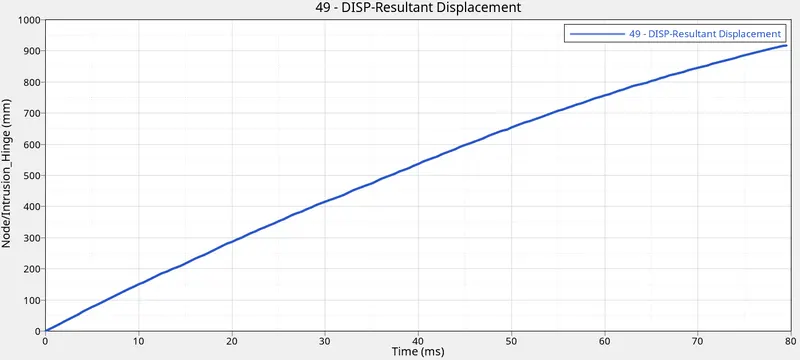
- Maximum displacement in hinge is 920mm.
Fuel Tank Intrusion:
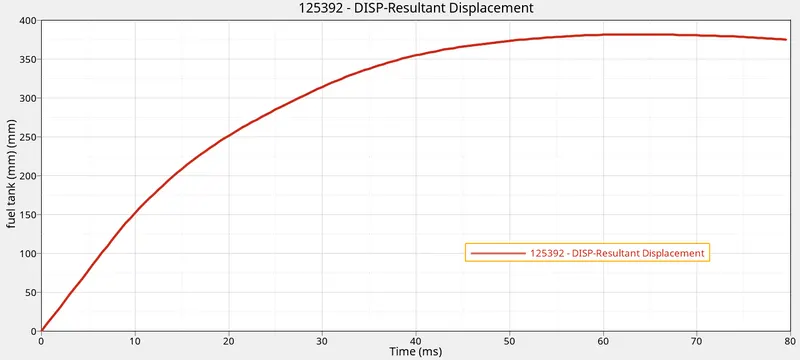
- Maximum displacement in 325mm.
Peak velocity at inner node of door:
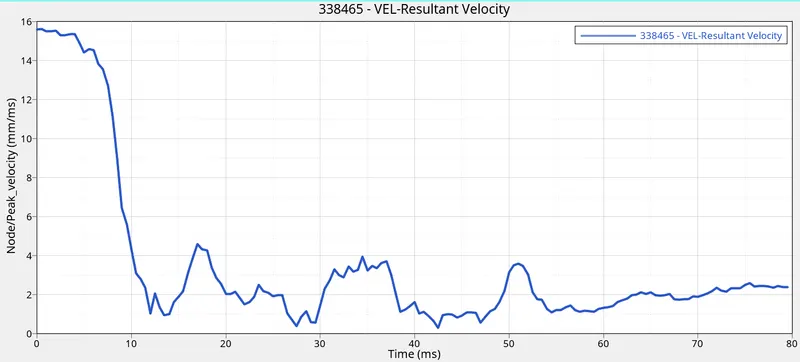
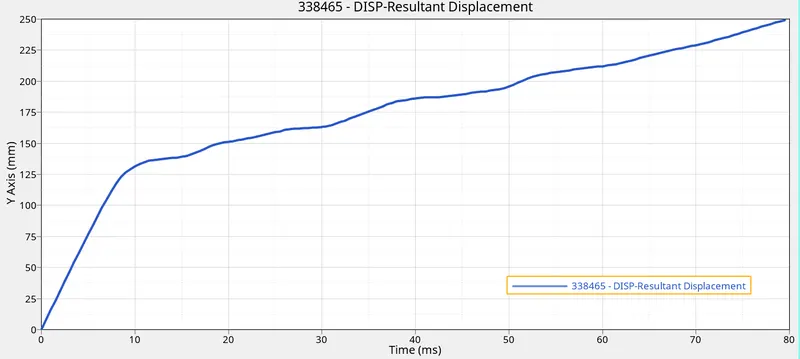
- Maximum displacement for inner door node is 250mm.
Conclusion:
- For the given Neon car side model, side pole crash simulation has been carried out by a creating a type 7 interface, created cross sections and intrusions for the requested output and mass is added to get the COG to the correct location.
- Maximum displacement is obtained in hinge i.e 920mm and the maximum force is obtained in cross member 2 i.e 3.9KN.
Google drive link:
https://drive.google.com/file/d/13zl4lUlb3QVboDQEl9i_yWiIlea81Jzu/view