Week 12:Project-1-Meshing of Door Inner Panel Challenge
MESHING OF INNER DOOR PANEL
Aim: To extract the mid surface and generate the mesh for inner door panel with in the given quality criteria.
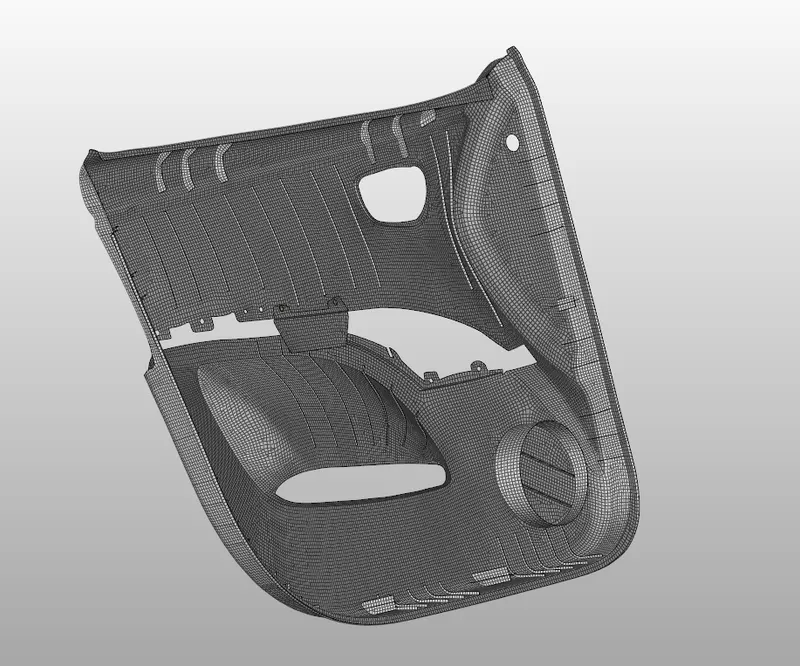
Given Model:
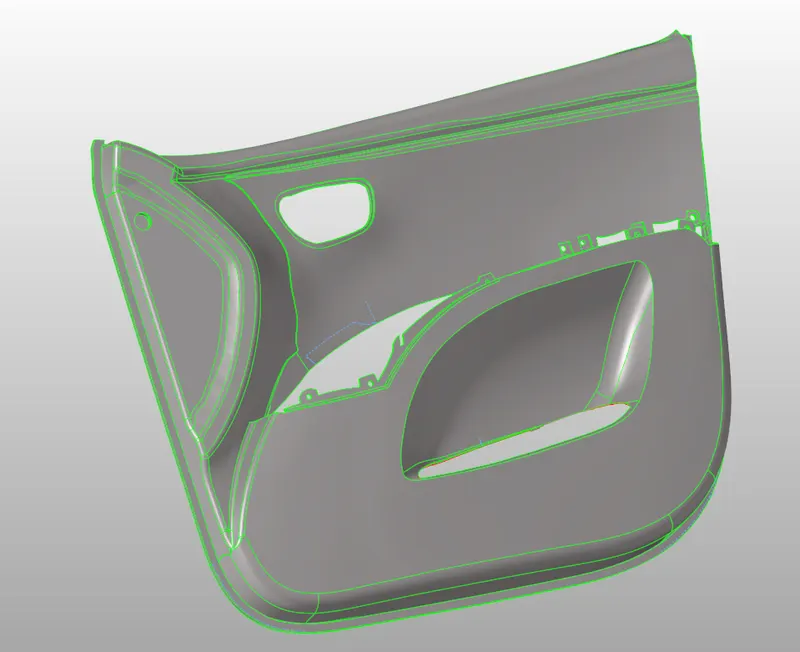
Procedure:
- Importing geometry and cleanup.
- Extracting the midsurface for the geometry.
- Meshing the geometry within the given quality criteria.
- Assigning thickness.
Quality Criteria:
|
S. No |
Quality Criteria |
Value |
|
1. |
Target element Length |
4 |
|
2. |
Min length |
2 |
|
3. |
Max length |
6 |
|
4. |
Skewness |
45 |
|
5. |
Warping |
15 |
|
6. |
Taper |
0.5 |
|
7. |
Min angle Quad |
45 |
|
8. |
Max angle Quad |
135 |
|
9. |
Min angle tria |
20 |
|
10. |
Max angle tria |
120 |
|
11. |
Tria % |
10 |
Procedure
- Importing Geometry and clean up:
- To import the geometry, go to file >> Import >> select the file >> Import.
- After importing the geometry, the geometry is checked for any missing surfaces or triple cons. If there are no errors present in the geometry then the geometry is ready for the mid-surface extraction.
- Extracting mid surface for the geometry:
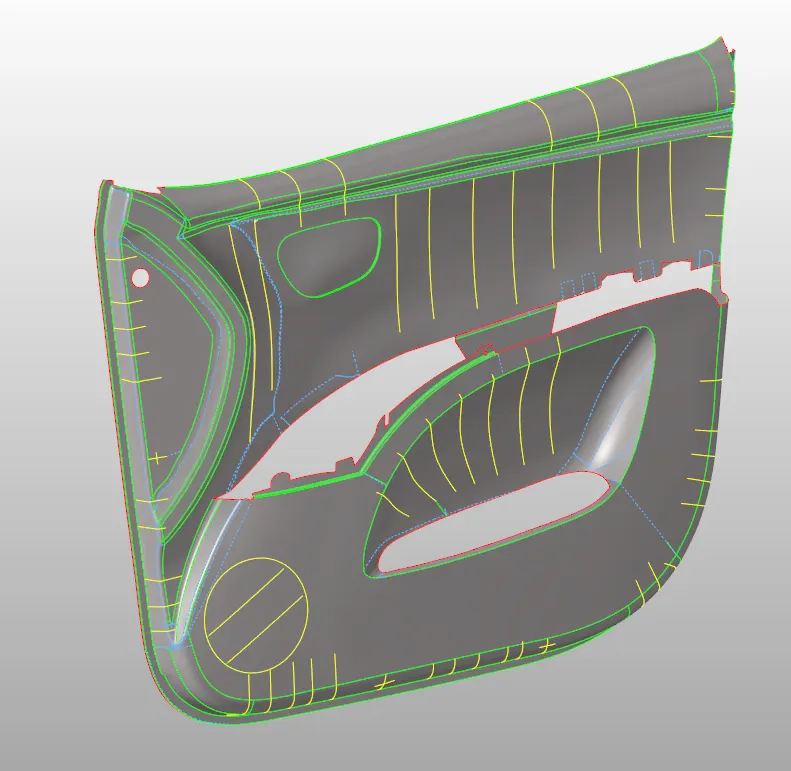
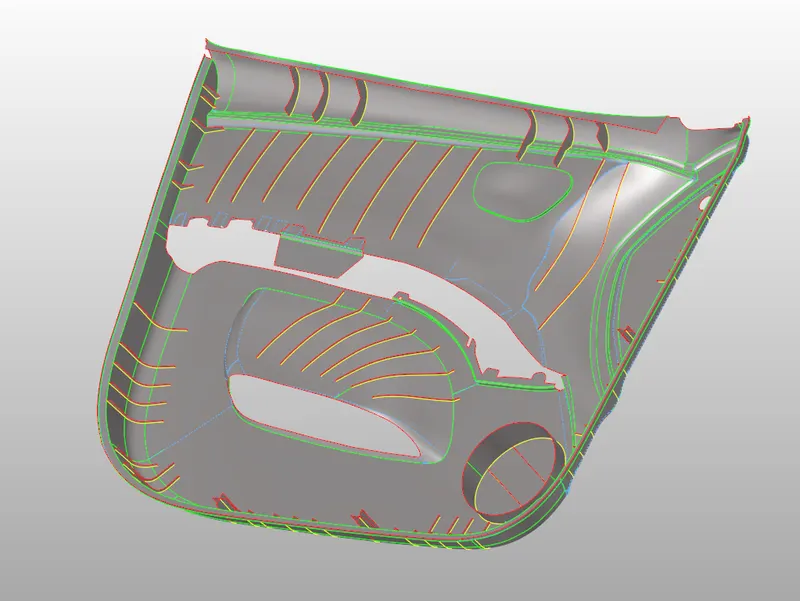
- Mid-surface can be extracted either using automid or manually (using offset option). In this challenge the automid is failing to give the accurate mid-surface so manual mid-surface option is used.
- To manually extract the mid-surface, go to surface edit >> offset >> enter offset value >> select the surfaces >> select duplicate >> offset.
- After extracting the mid-surface, it is checked for any geometrical errors like needle faces, missing surfaces and triple cons.
- Meshing the geometry with in the given quality criteria:
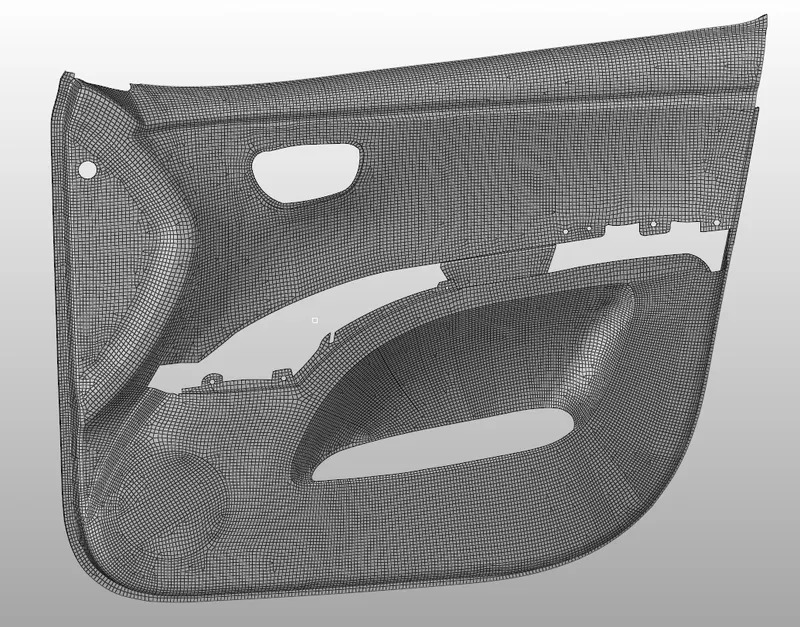
- Before generating mesh, the geometry is cut into smaller rectangles for good mesh flow.
- To generate mesh, go to 2D >> auto mesh >> select the surface >> mesh. To edit the mesh for proper flow, the elements are selected and meshed again.
- If any elements are failing for quality then cleanup tools option which is present in quality index can be used.
- Assigning thickness:
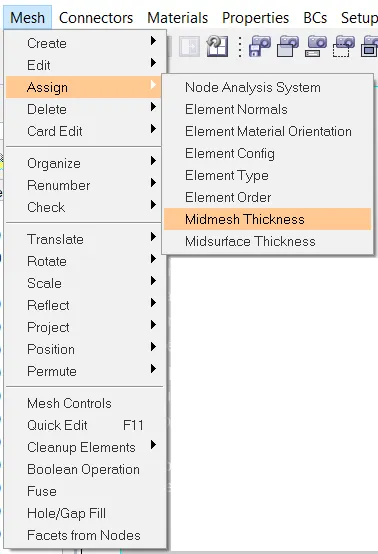
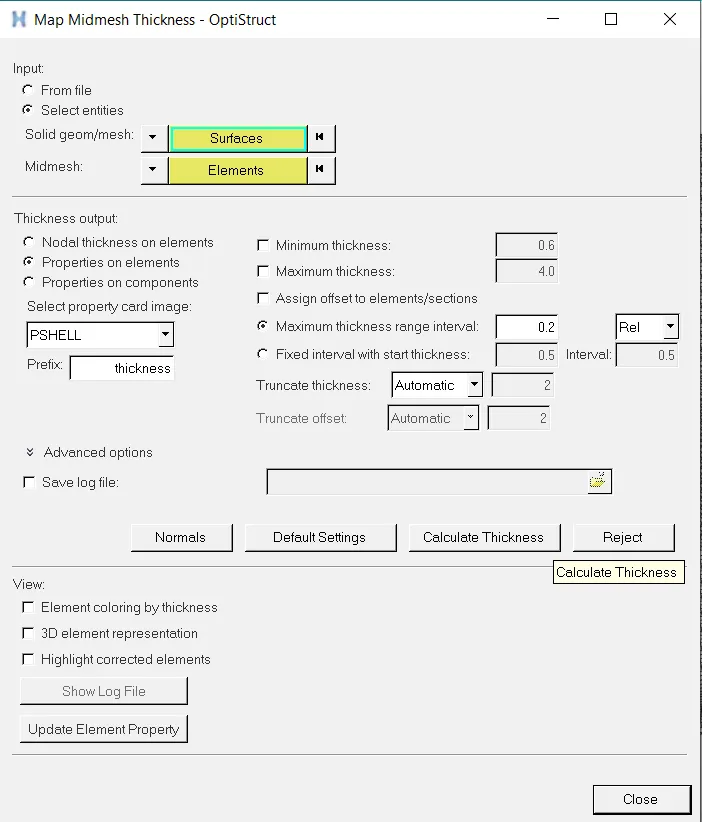
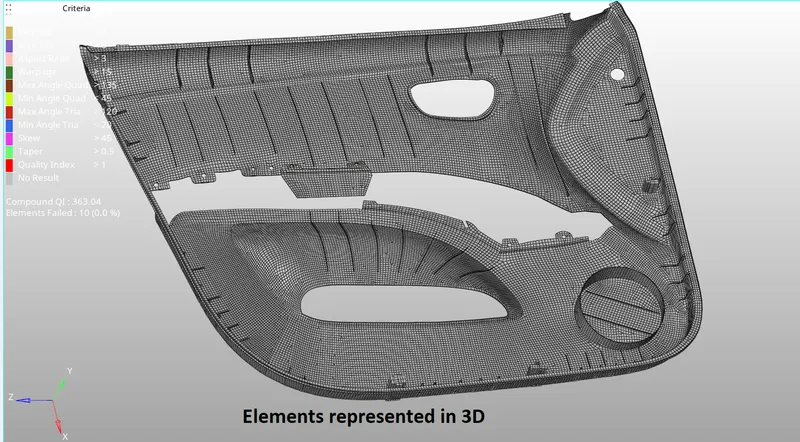
- In the model the thickness of the ribs is different, calculating thickness and assigning it to each rib takes time so automatic thickness is used. To use the automatic thickness, go to mesh >> assign >> midmesh thickness >> select surfaces and elements >> enter property name >> calculate thickness.
Conclusion:
For the given model mid surface is extracted and mesh is generated with in the given quality criteria.