FE modelling of car Rear Suspension System using ANSA
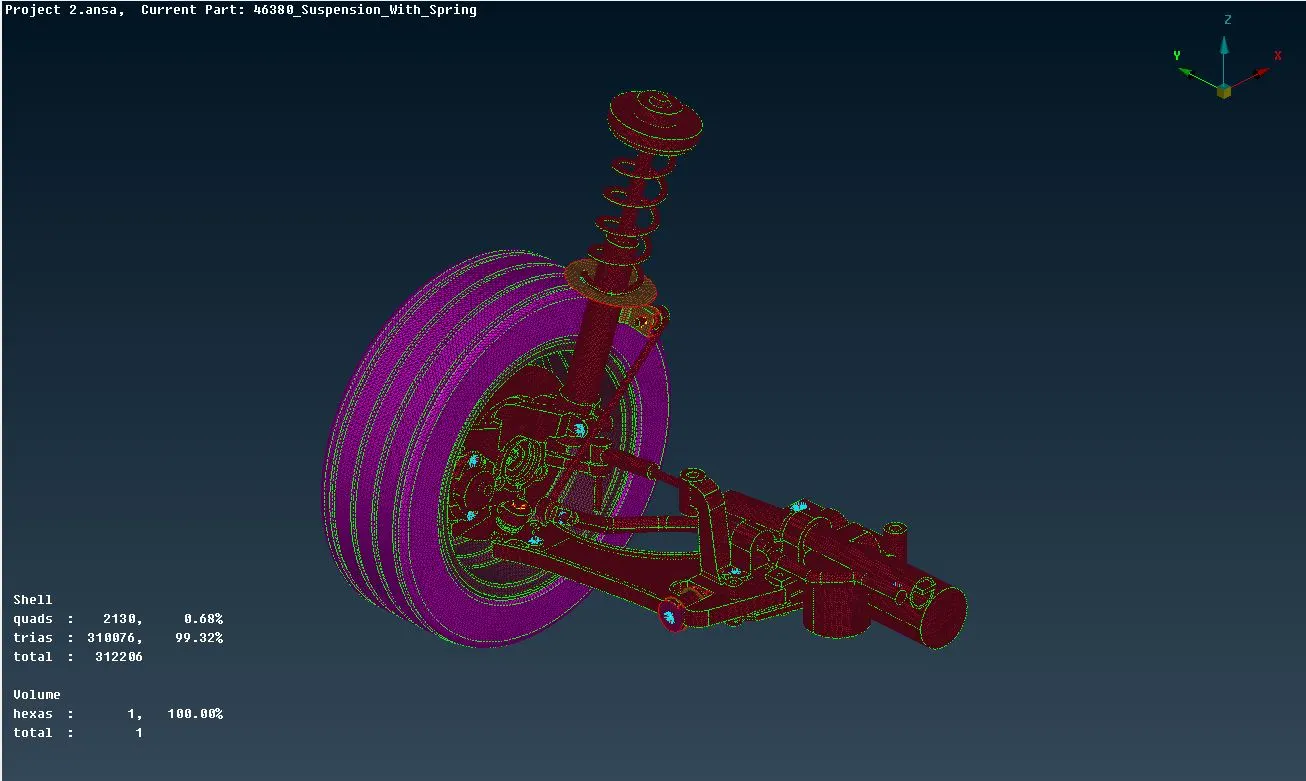
AIM : To perform structural pre-processing on the available CAD model of Car Rear Suspension system.
OBJECTIVES :
- To perform geometrical cleanup on the model.
- Parts which are less than 5 mm thick are to be modelled with midsurfacing.
- Remaining parts are to be modelled as 3D volumes.
- To mesh the system properly according to the provided quality criterias.
- To deploy appropriate connections between the individual parts for NVH simulation.
THEORY :
Suspension is the system of tires, tire air, springs, shock absorbers and linkages that connects a vehicle to its wheels and allows relative motion between the two.
There are two major types of dependent rear suspension: the solid axle used on rear-wheel drive vehicles, and the beam axle used on front-wheel drive vehicles.
PROCEDURE :
- The raw CAD model is imported in ANSA.
- The missing faces are regenerated manually.
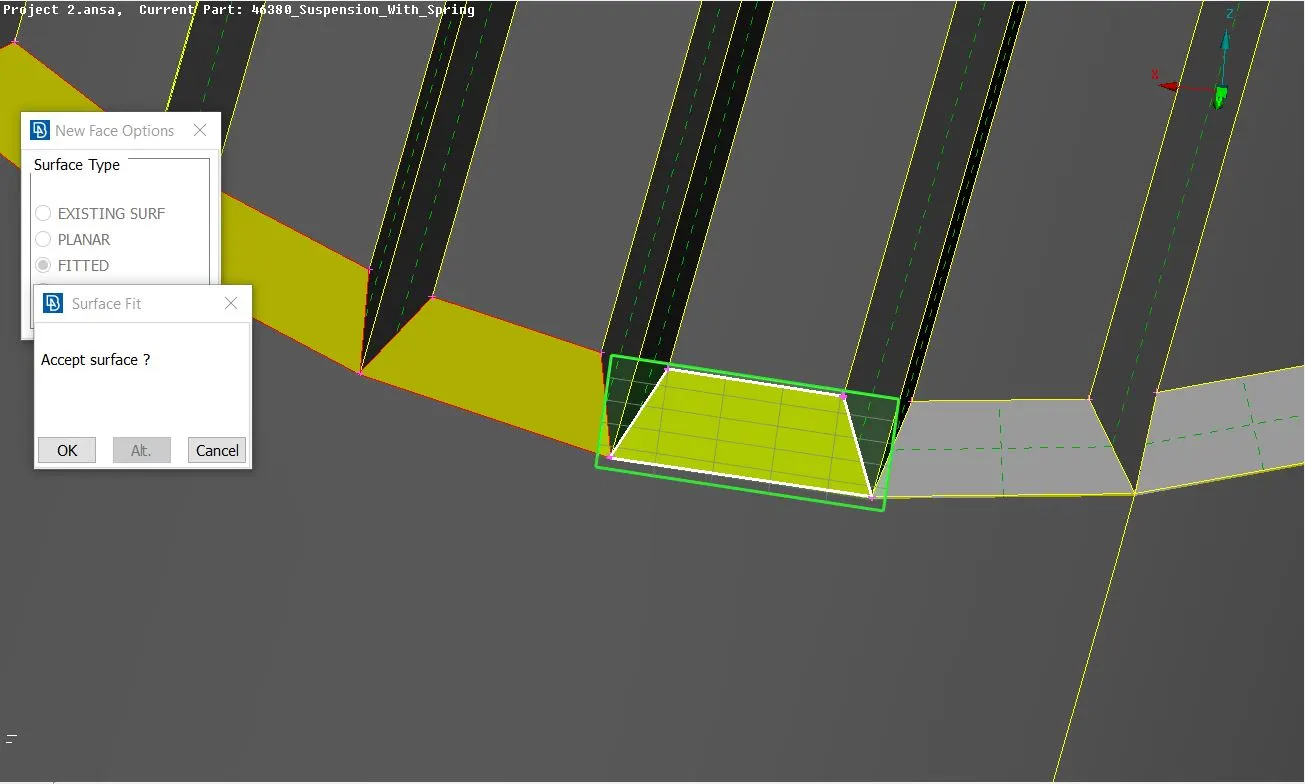
- Topology is performed using Faces - Topo command to stitch adjacent faces together.
- Faces are oriented properly using Faces - Orient - Visible command.
- Checks - Geometry is performed to remove any geometrical irregularities and imperfections.
- Most of the geometrical errors found are eliminated by the automatic fix command wherein ANSA uses pre-fed algorithms. The remaining erorrs are removed manually.
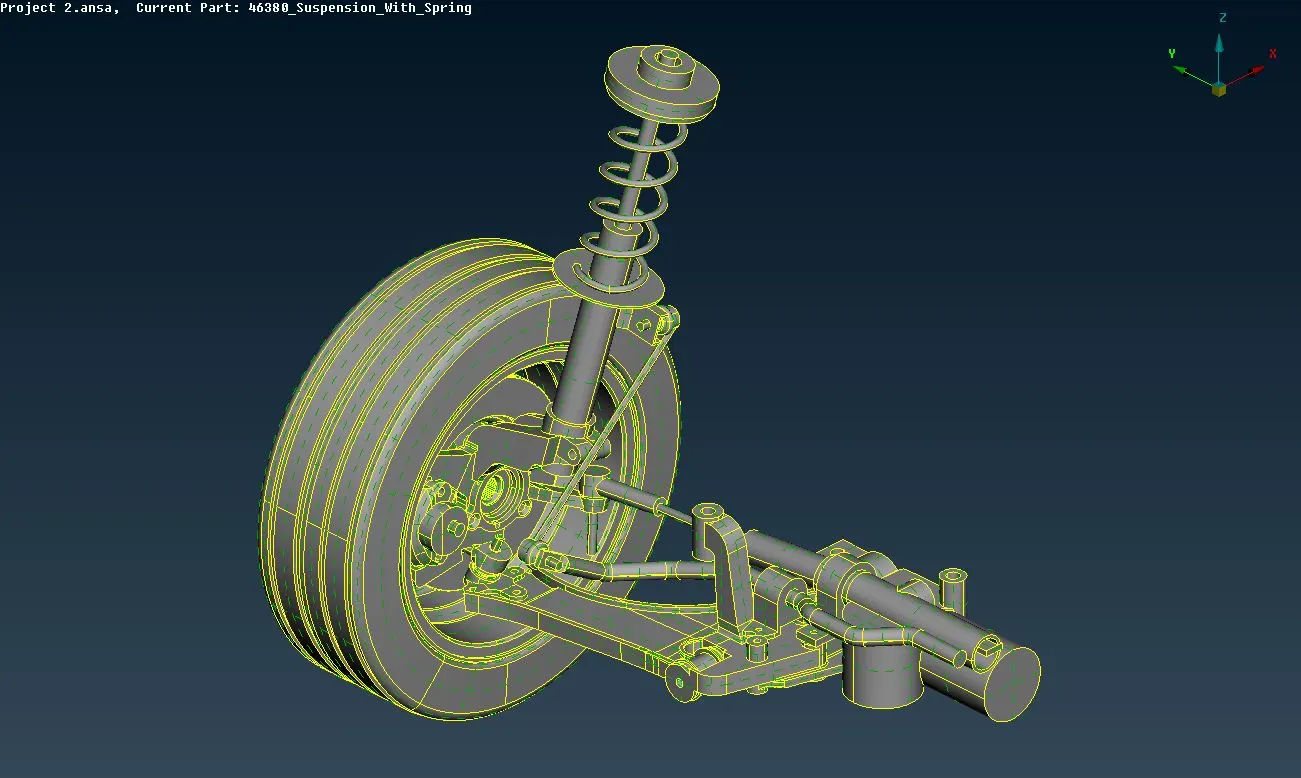
- The thickness of each individual part of the component is measured to decide whether to model it as a solid or by midsurfacing as required.
- Accordingly the midsurfaces of parts which are less than 5 mm thick are midsurfaced using Faces-Offset command. PID with proper thicknesses are assigned.
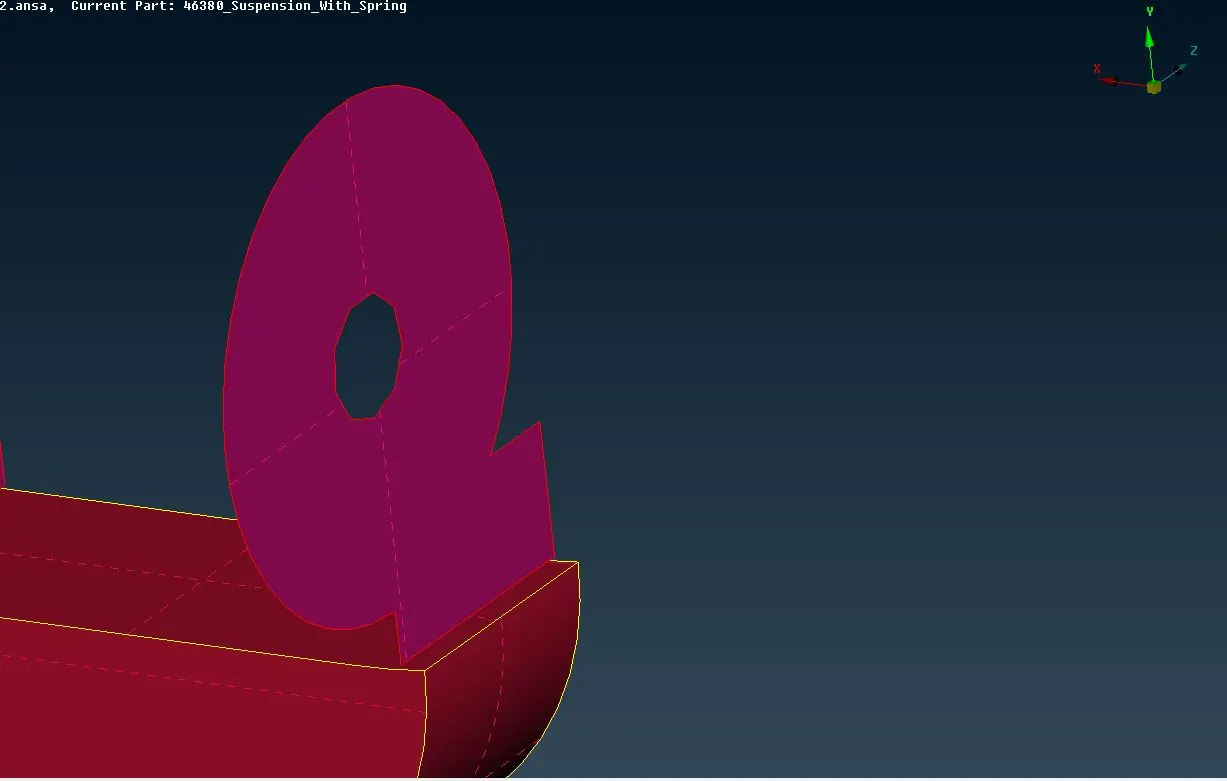
- In order to reduce the complexity of mesh, small areas are defeatured by uncutting unnecessary cons.
- In order to account for the minimum length criteria, the DACH divide operation is performed at some fillet regions.
- After the geometry cleanup, the body is ready to be meshed.
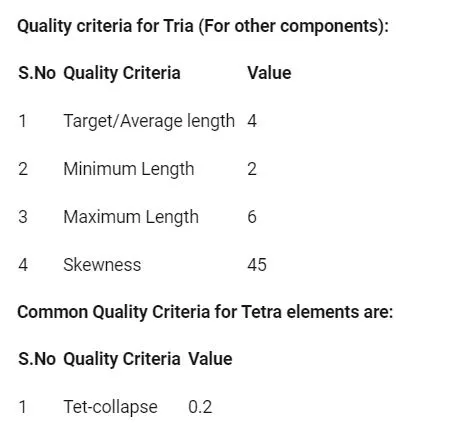
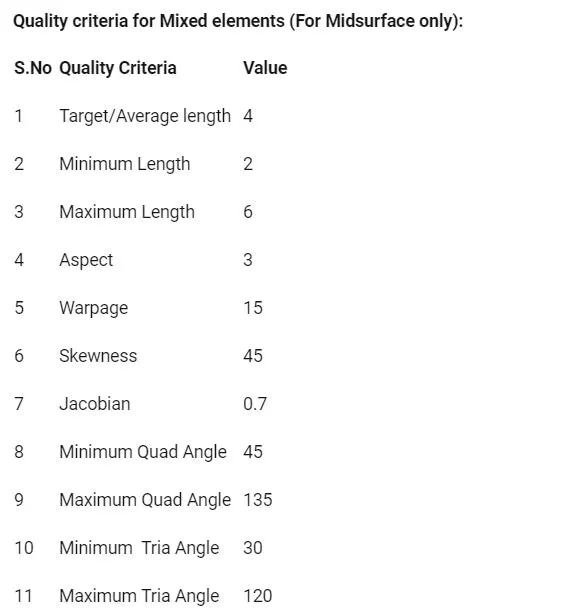
- The quality criteria is provided and the mesh parameters are set up as per the required case.
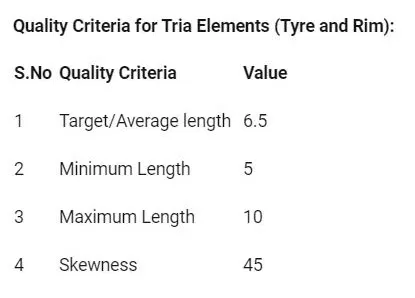
Shell meshing :
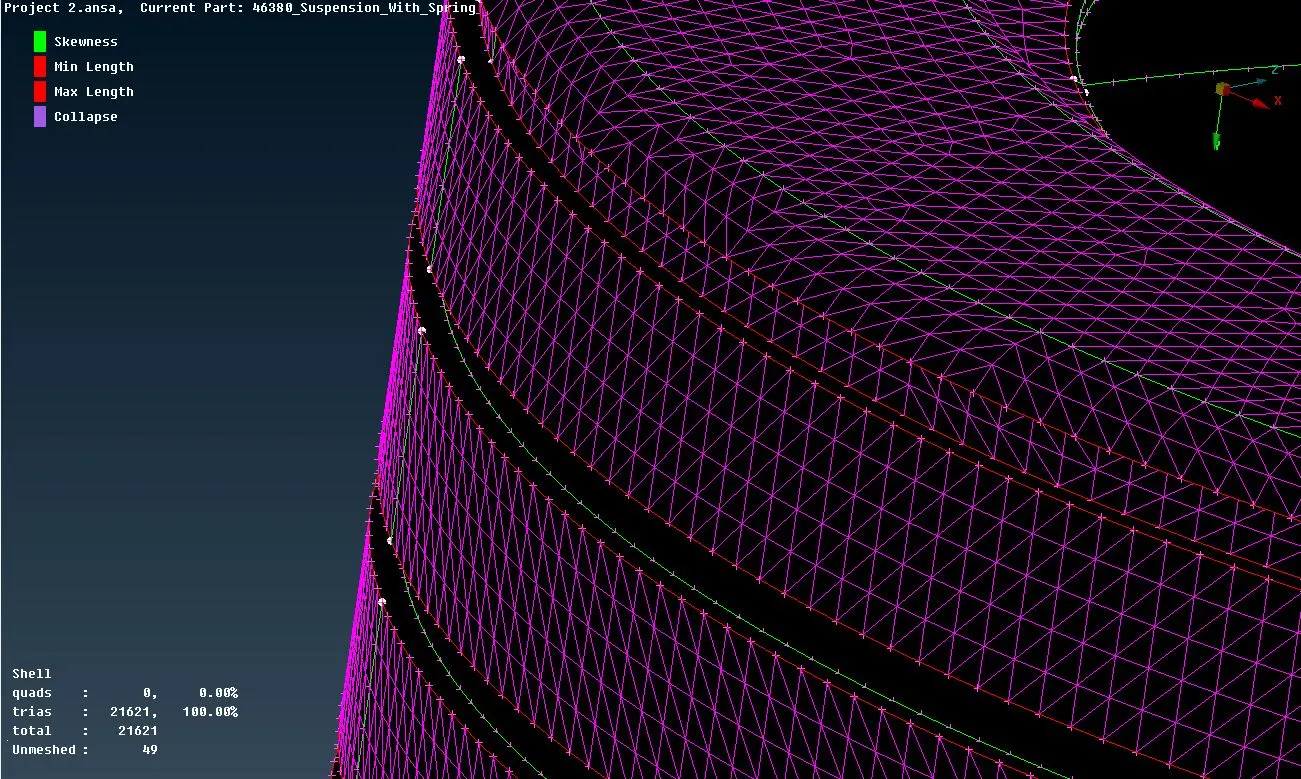
- By using Spotmesh option under Mesh generation mdoule, the shell mesh is deployed manually.
- Ortho tria elements are deployed over curved faces while normal tria elements are deployed at flat faces in order capture the features properly.
- Also, if possible, fillets are captured with multiple rows of elements rather than one. This results in a better mesh flow.
- In order to properly access the inside faces, the commands under Faces-Draw tab are used (Or, And, Not, etc).
- Now, the off elements are removed by switching ON the hidden mode. The best way to deal with such off elements is by using the MV Surf command under Grids module.
- Similarly, the shell mesh for the midsurfaces is done as per their respective quality criteria.
- Finally a fine surface/shell mesh is achieved.
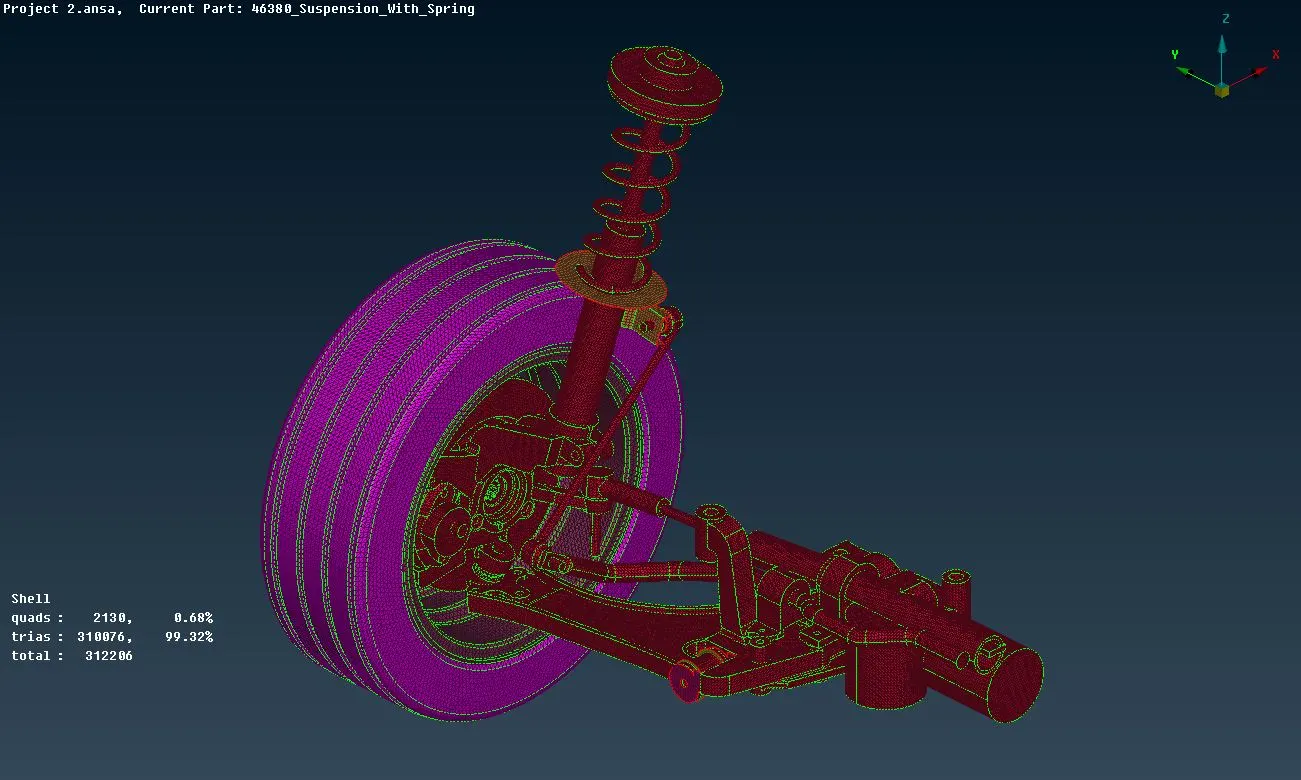
Volume meshing :
- Now the VMesh tab is opened.
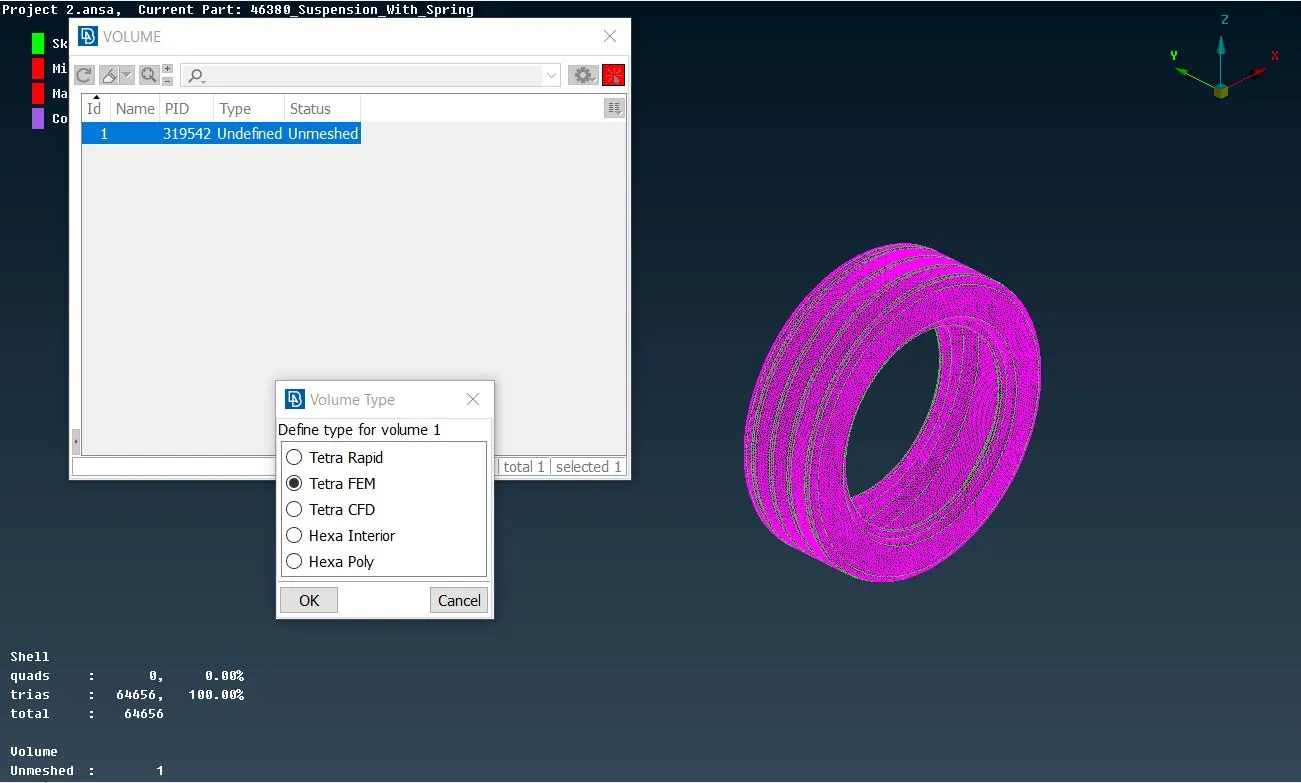
- In order to fill the volume inside with tetra elements, first the volume need to be defined using the Define button under Volumes module. For this, it needs to be ensured that it is a closed volume (if any open faces are present, ANSA won't consider it as a closed volume and thereby volume mesh cannot be deployed).
- After defining the volume, a proper solid(volume) PID is assigned to it.
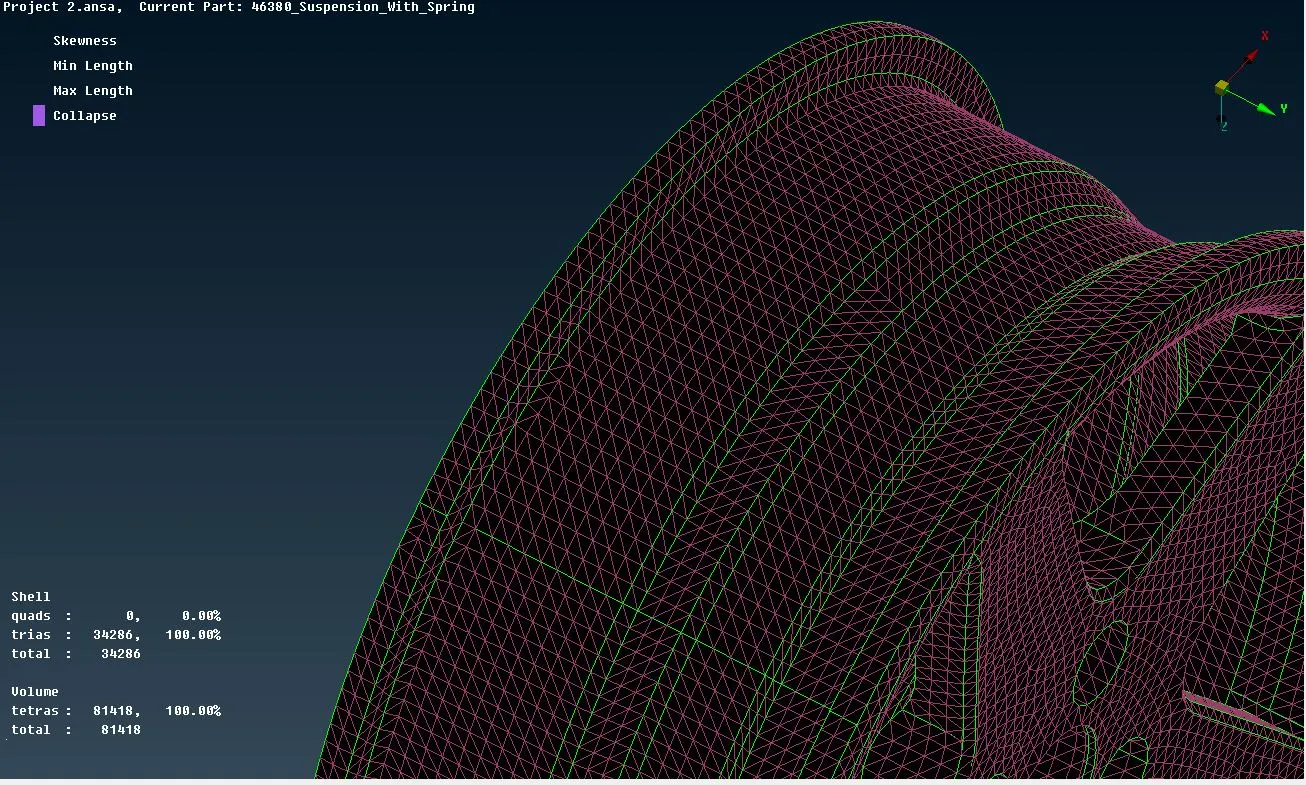
- Now, the tetra elements are deployed either by Tetra Rapid or Tetra FEM commands under Unstructured Mesh module, each of which gives a slight different mesh flow. Both these use inbulit ANSA algorithms for deploying the tetra mesh.
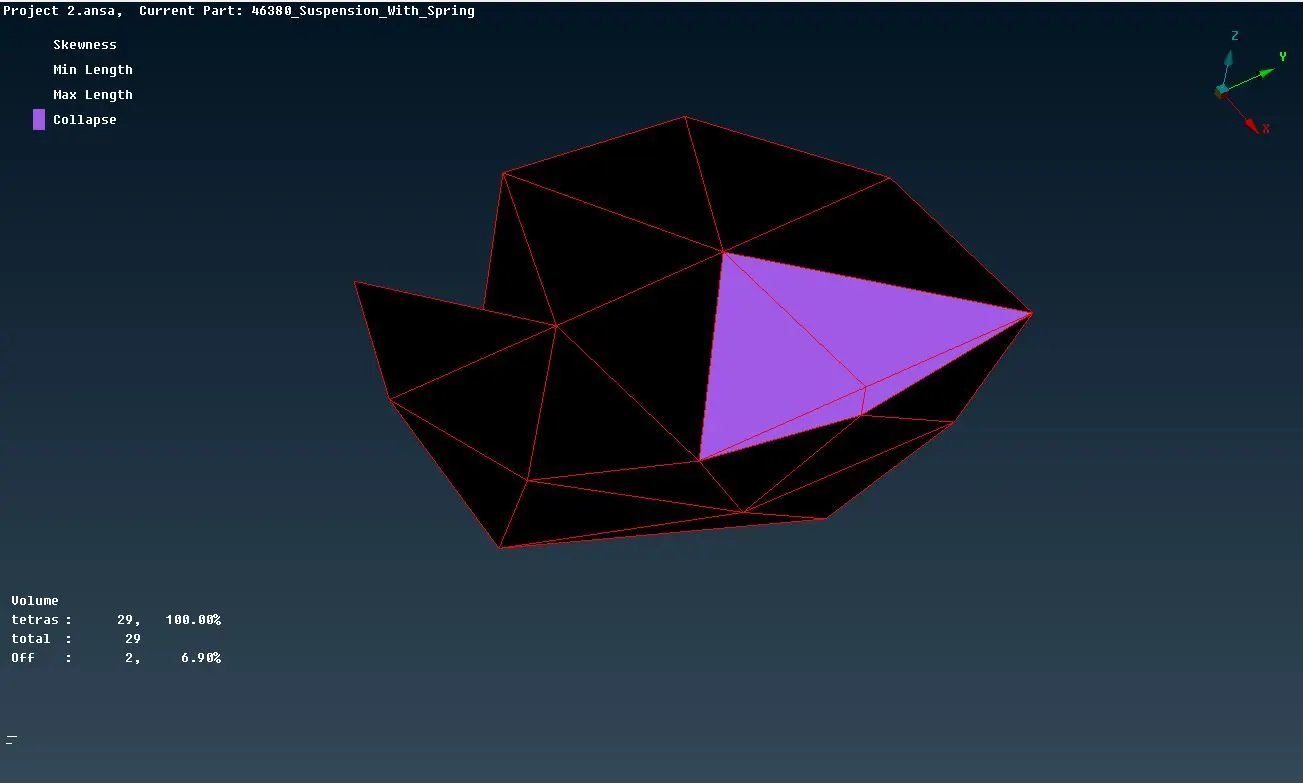
- The view is switched to hidden mode to deal with the off elements. The most important quality that the model needs to be checked for is Collapse or Tet Collapse. The elements failing under this criteria are to be necessarily removed.
- Finally, the model is checked for any irregiularities on the surface such as peaks or kinks. For removing such irregularities, commands like Grids-MV Free, Grids-Align, etc are used.
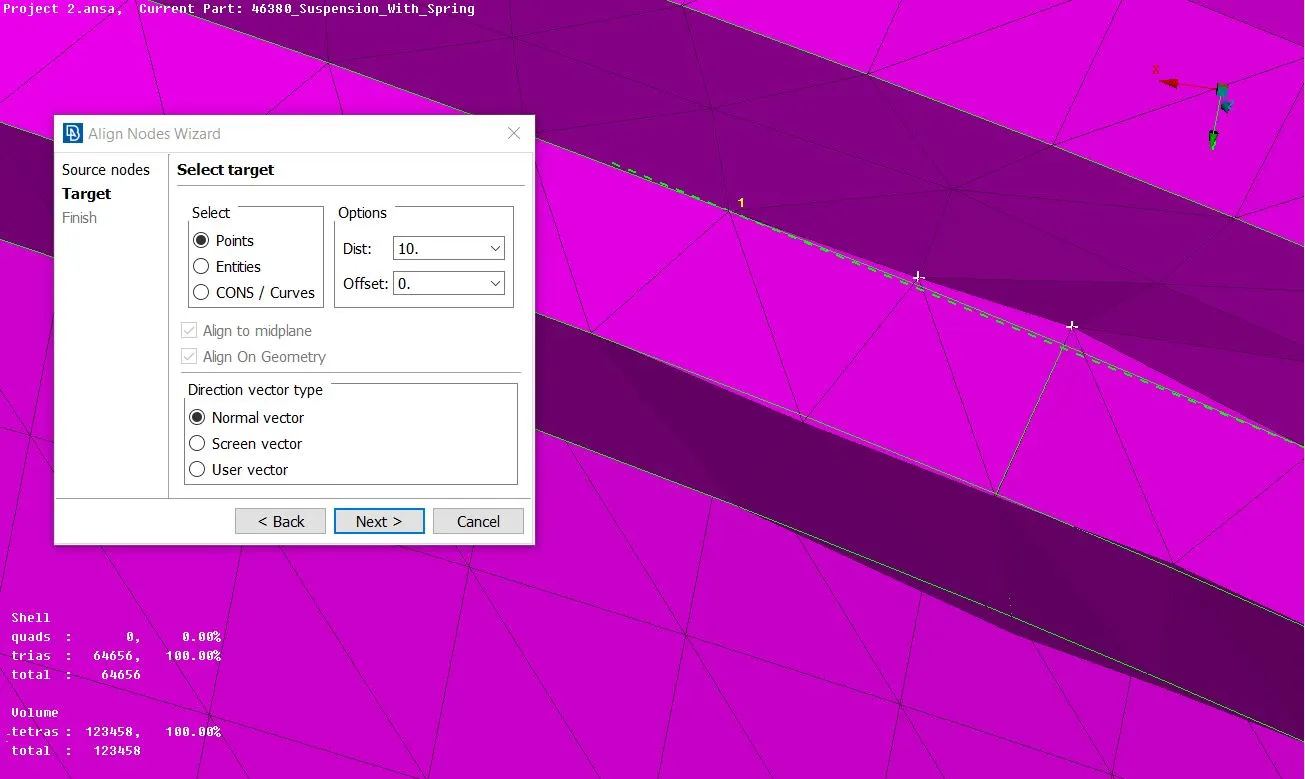
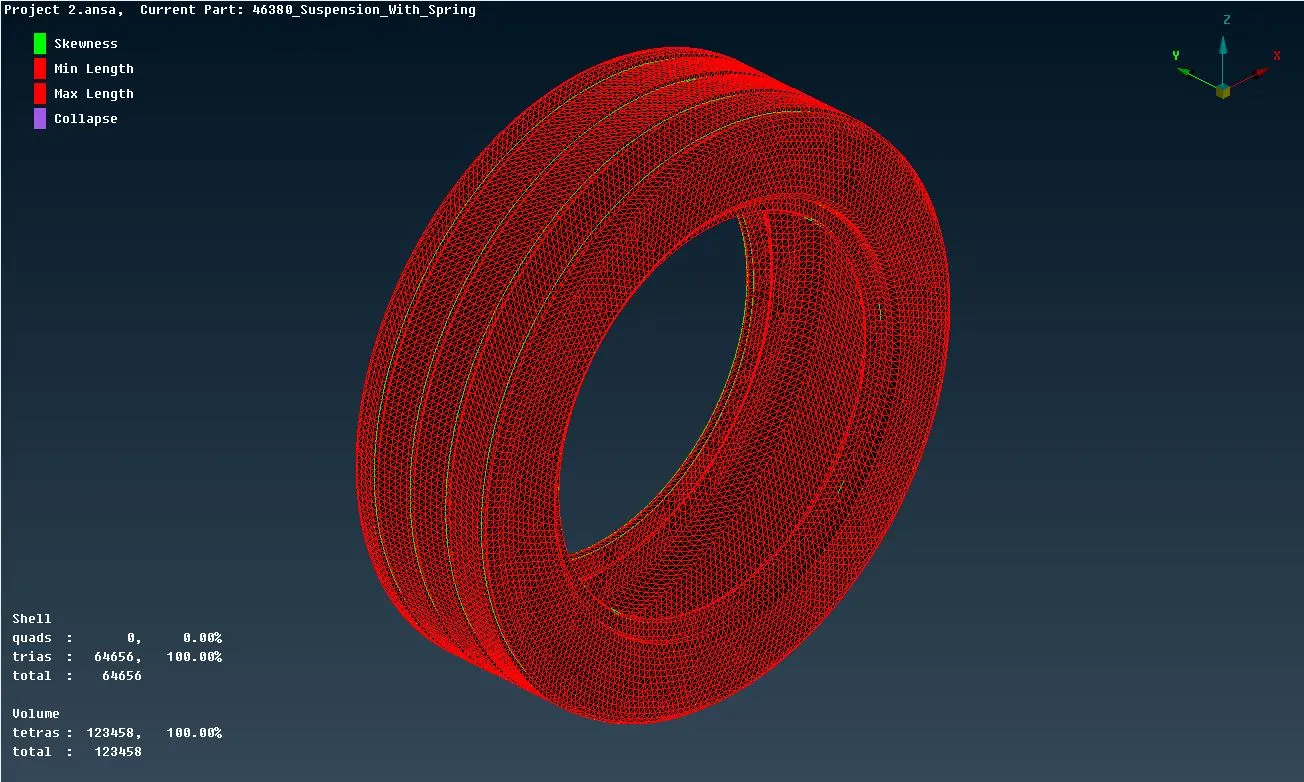
- The FE is now released off the geometry.
Connections :
- Now, the FE subsystem is ready for establishing the connections.
- For this, the NASTRAN deck is opened.
- Adjacent parts are rigidised by using simple many nodes RBE2 connections.
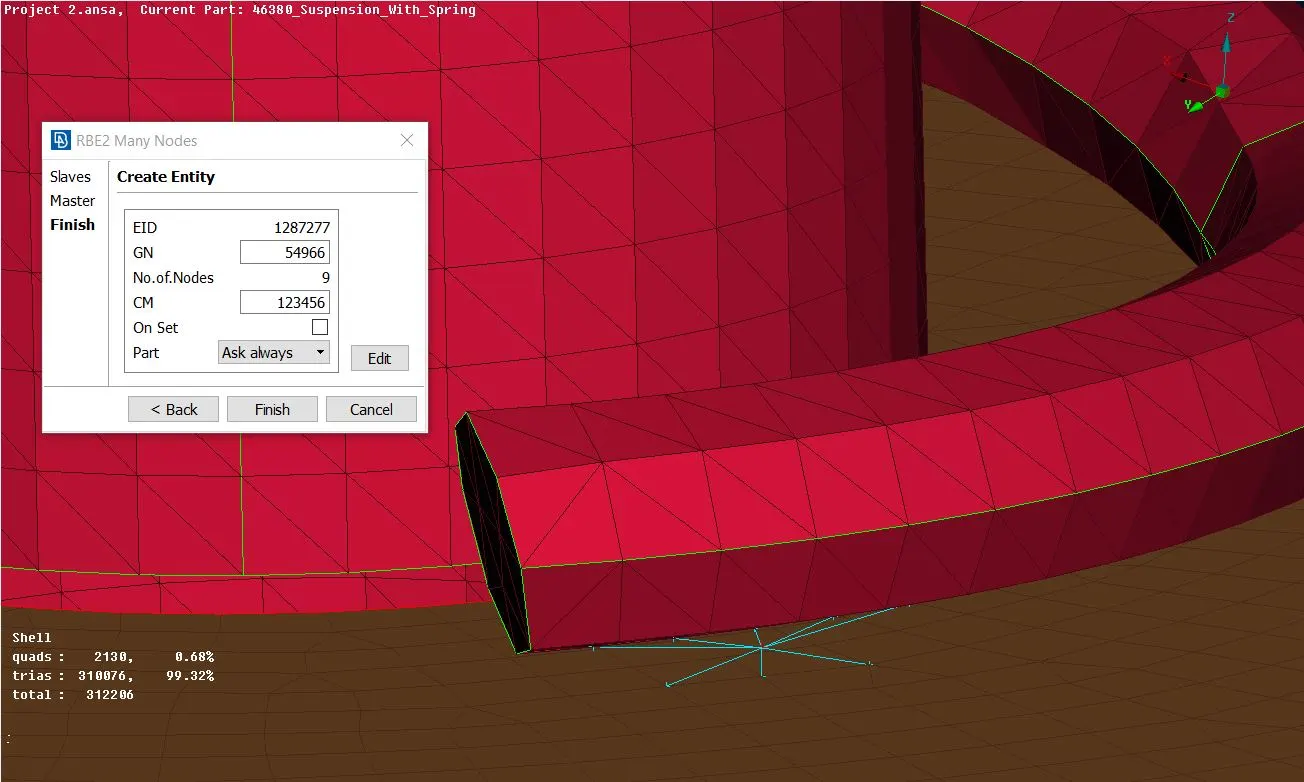
- While deploying all the connections, specifying the proper constrained Degrees of Freedom is an important task and is to be done correcly.
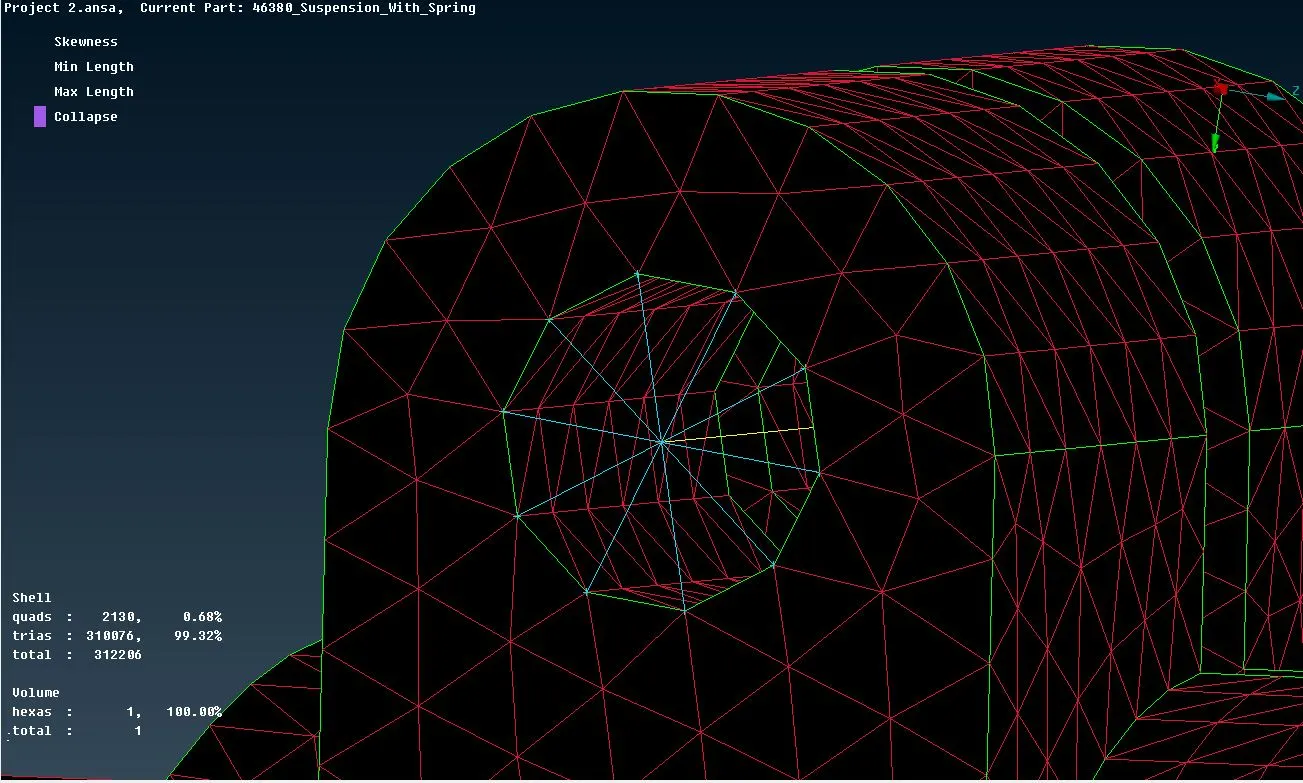
- Bolt connections are established either by using the Two Nodes - RBE2 command or by using the bolt connection method.
- Similarly, spot weld connections are deployed by using the connection manager. For, the weld material a solid PID is created. For spot welds, the FE representation used for NVH is RBE3-HEXA-RBE3.
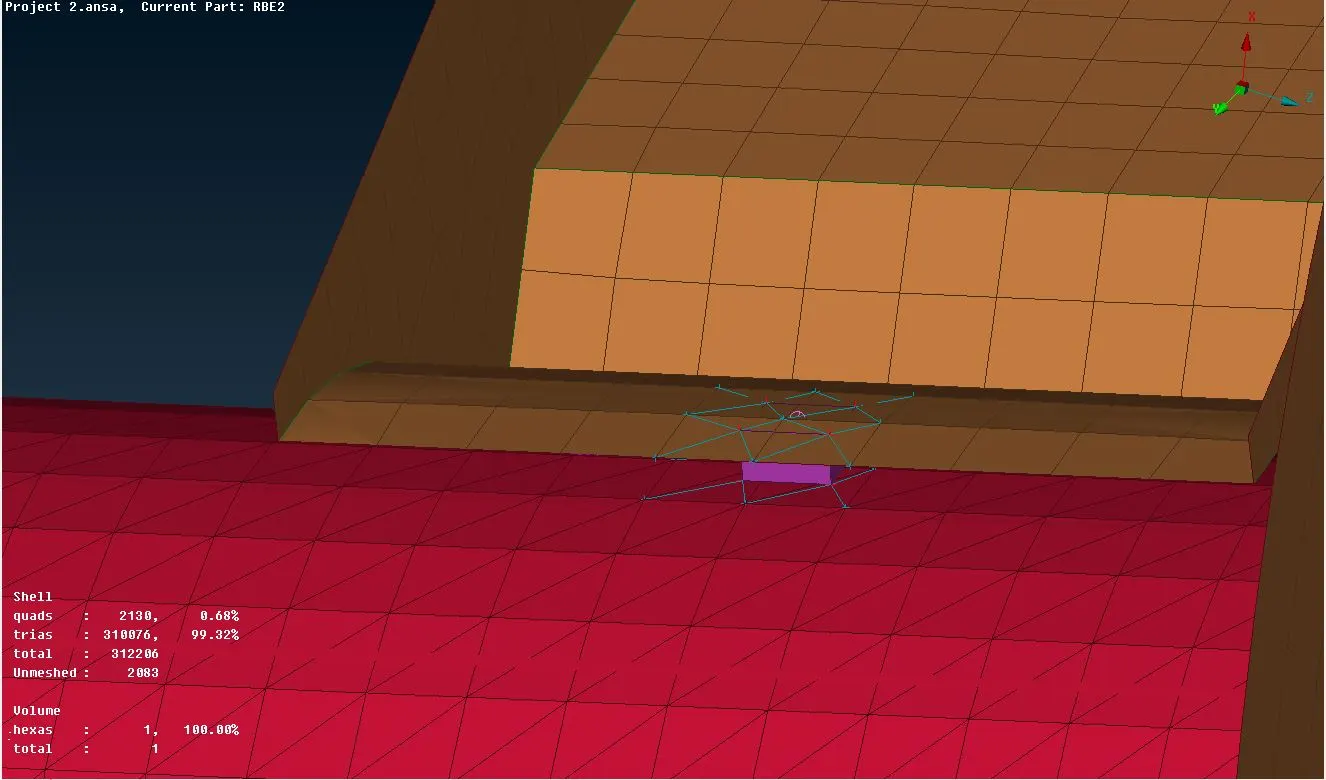
- Finally, the system is done with preprocessing.
LEARNING OUTCOMES : Got to learn quite a few things -
- How to perform a volumetric mesh over a solid body.
- How to efficiently model the car suspension system since it is very a complex part to model.
- How to remove any surface dents after deploying the volumetric mesh.
The ANSA file of the model is attached with the report for reference.
https://drive.google.com/file/d/1xkWKNPPUxMMt43f26FG7NVM2DoefpZ3a/view?usp=sharing