Gear Shift Indicator model using Simulink Stateflow
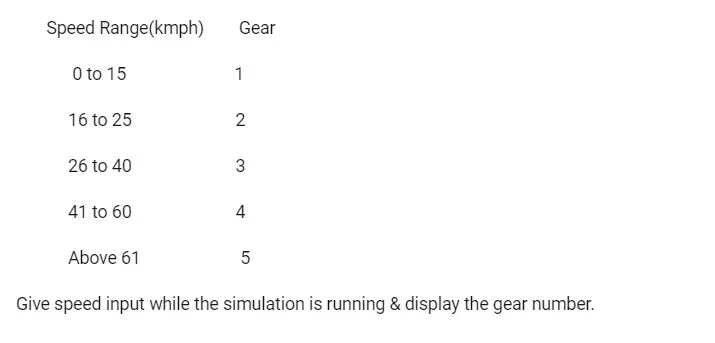
AIM : To make a Simulink chart for the 'Gear shift' logic as per below conditions :
SOLUTION :
Gear Shift Logic :
Stateflow Model -
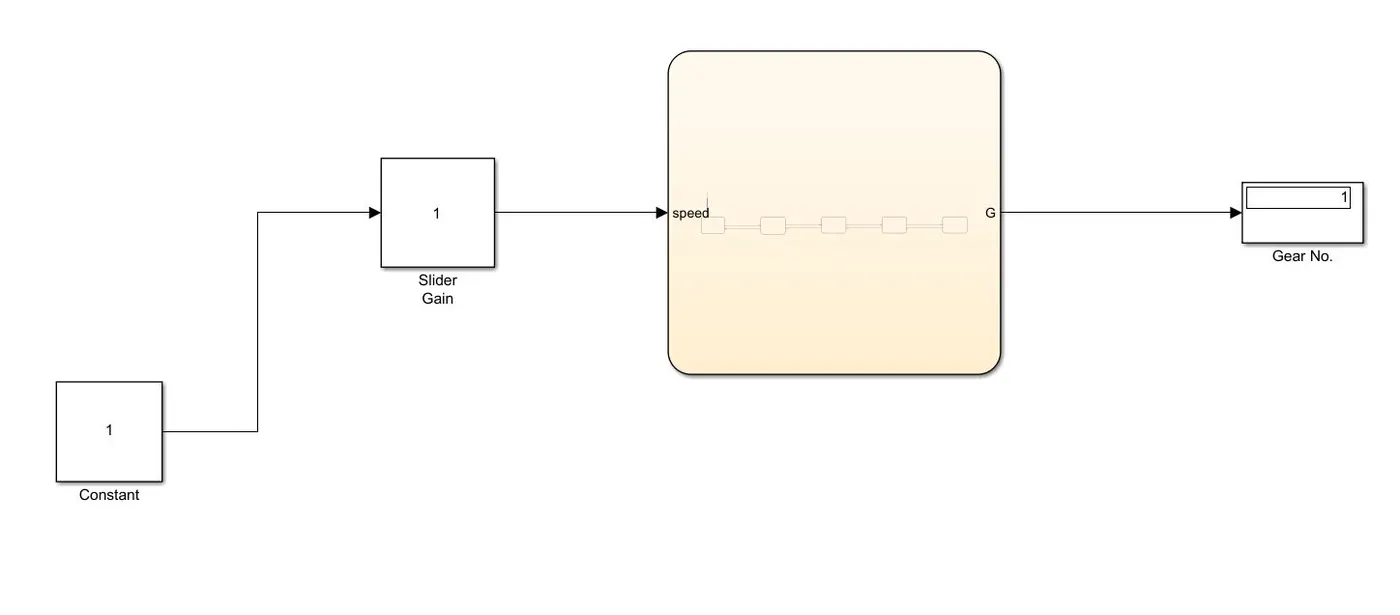
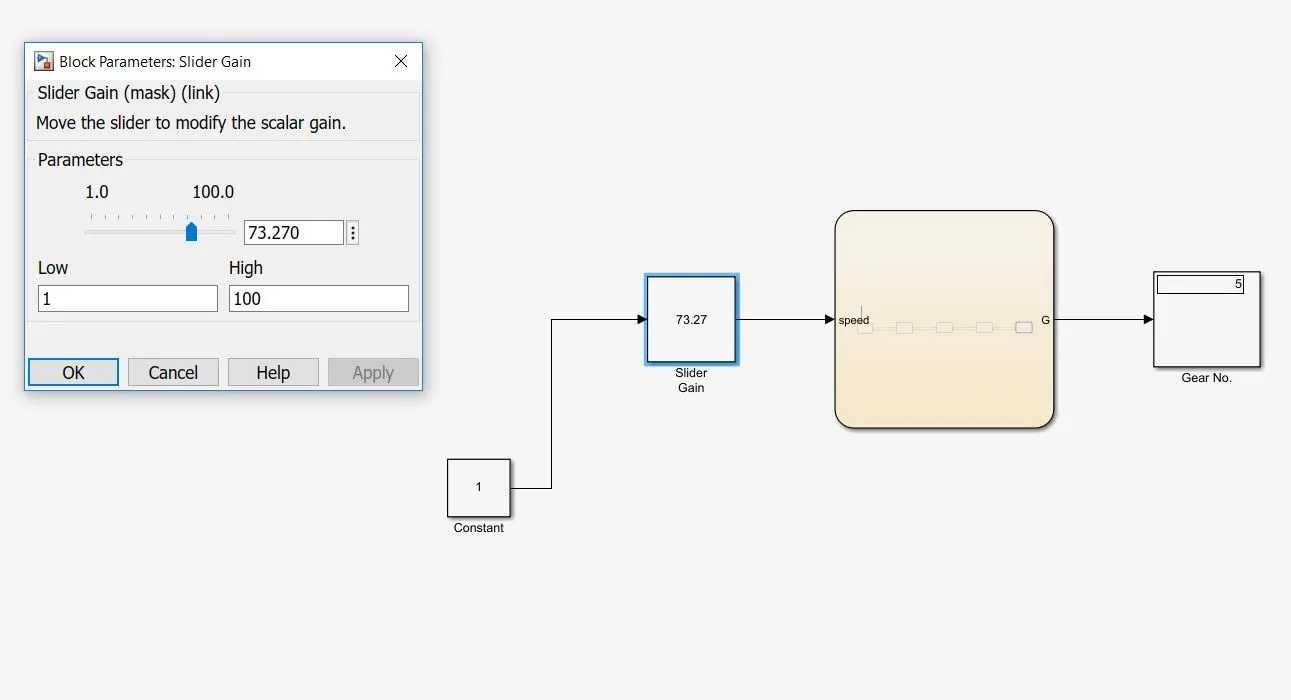
- The Chart is added from the Simulink library.
- In order to be able to give the speed input while the simulation is running, a Slider Gain block is added.
- To visualize the number of engaged gear, a simple Display block is used.
Stateflow Chart -
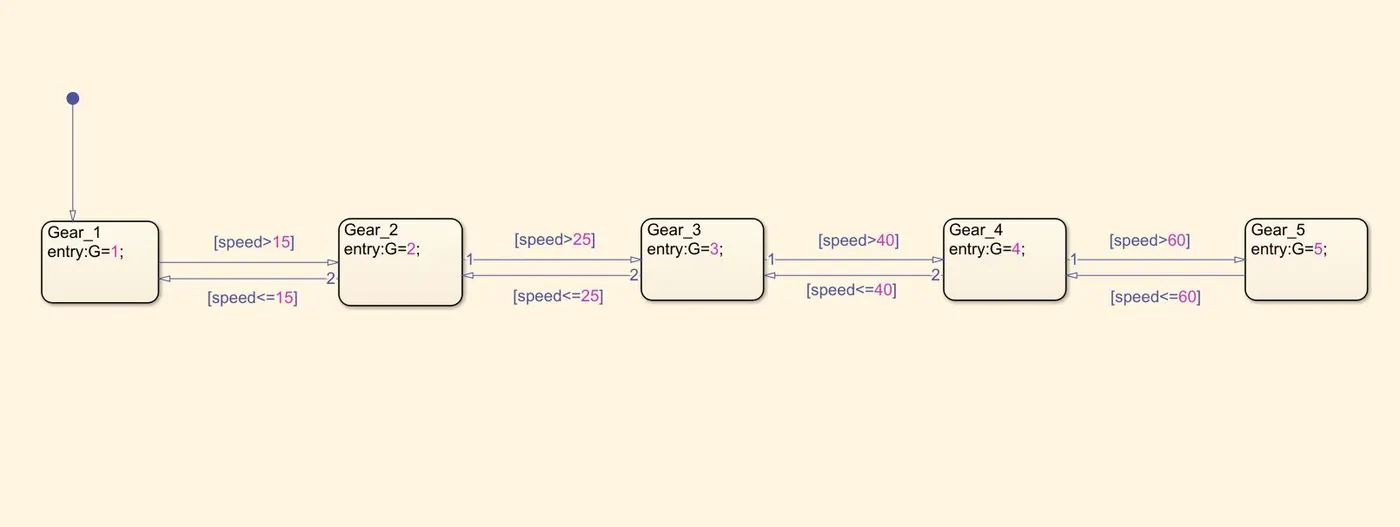
- Inside the chart, the required conditions are implemented using the State blocks.
- Here, G is common output parameter used for all the states, which is then connected to the Display block in the main model.
- Each of the step comes into play as per the provided conditions.
For example, if the speed is below 15, gear 1 is in engaged condition. But if the speed goes beyond 15, gear 1 disengages and gear 2 gets engaged.
Result :
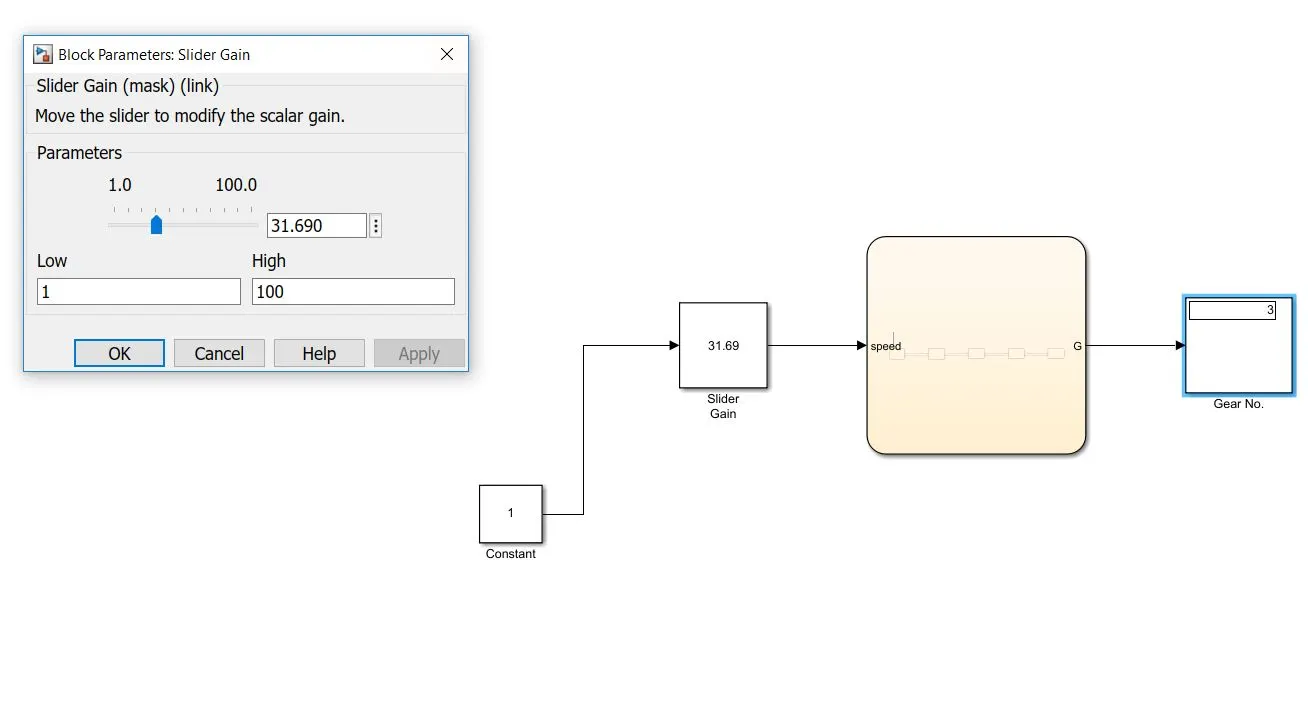
- In order to change the input while simulation is running, the simulation time is kept infinite.
- Now, while the system is getting simulated, the slider of the Slider Gain is moved randomly and simultaneously, the engaged gear number is visualised using the Display block.
https://drive.google.com/file/d/1UbrtkhauY25D885on7Rv2XrDwFRZg7ZM/view?usp=sharing