Meshing of Cross-Car-Beam with connections for NVH simulation
AIM : To prepare the given Cross-Car-Beam CAD model for NVH simulation by accessing the midsurface, meshing it and then deploying all the necessary connections.
PROCEDURE :
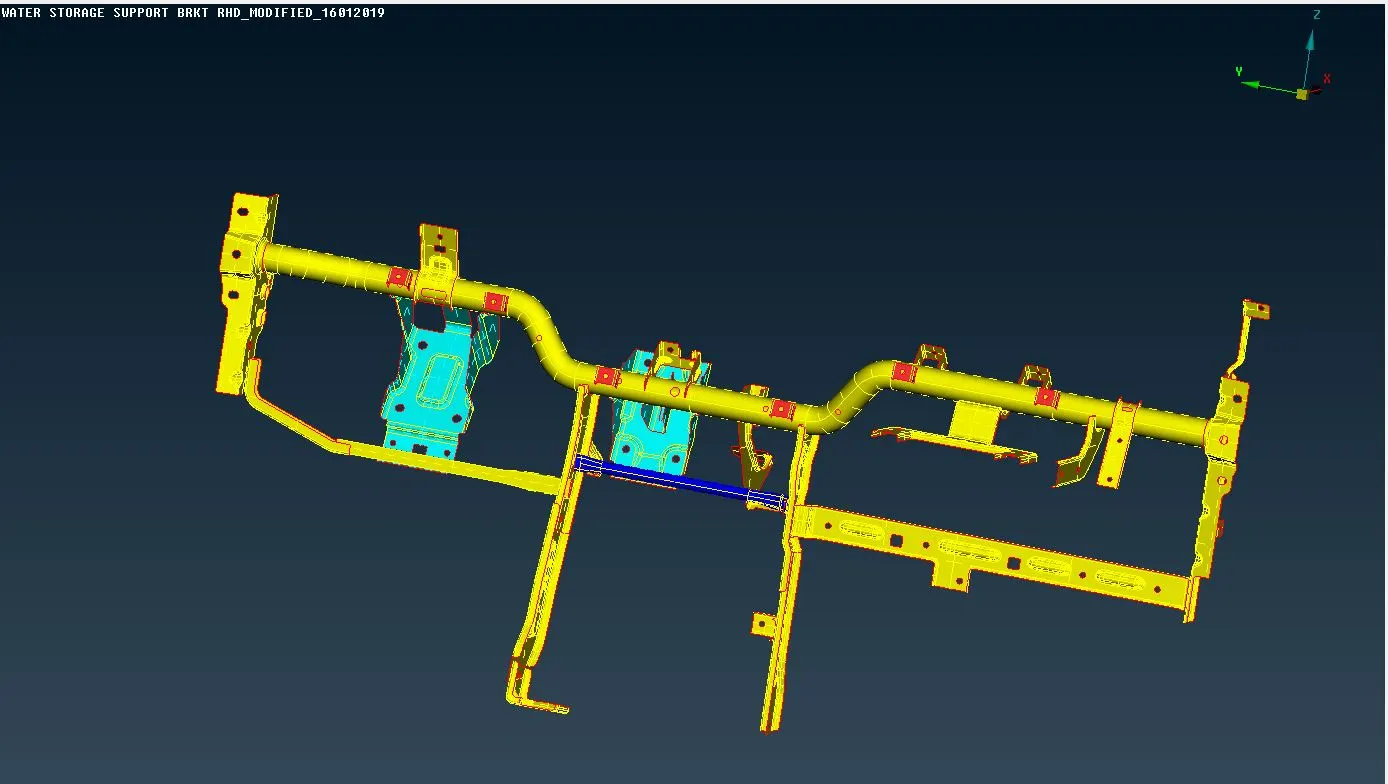
- The raw CAD model of the CCB is imported in ANSA.
- As a part of geometric cleanup, Topology is performed over the model to stich all the adjacent entities.
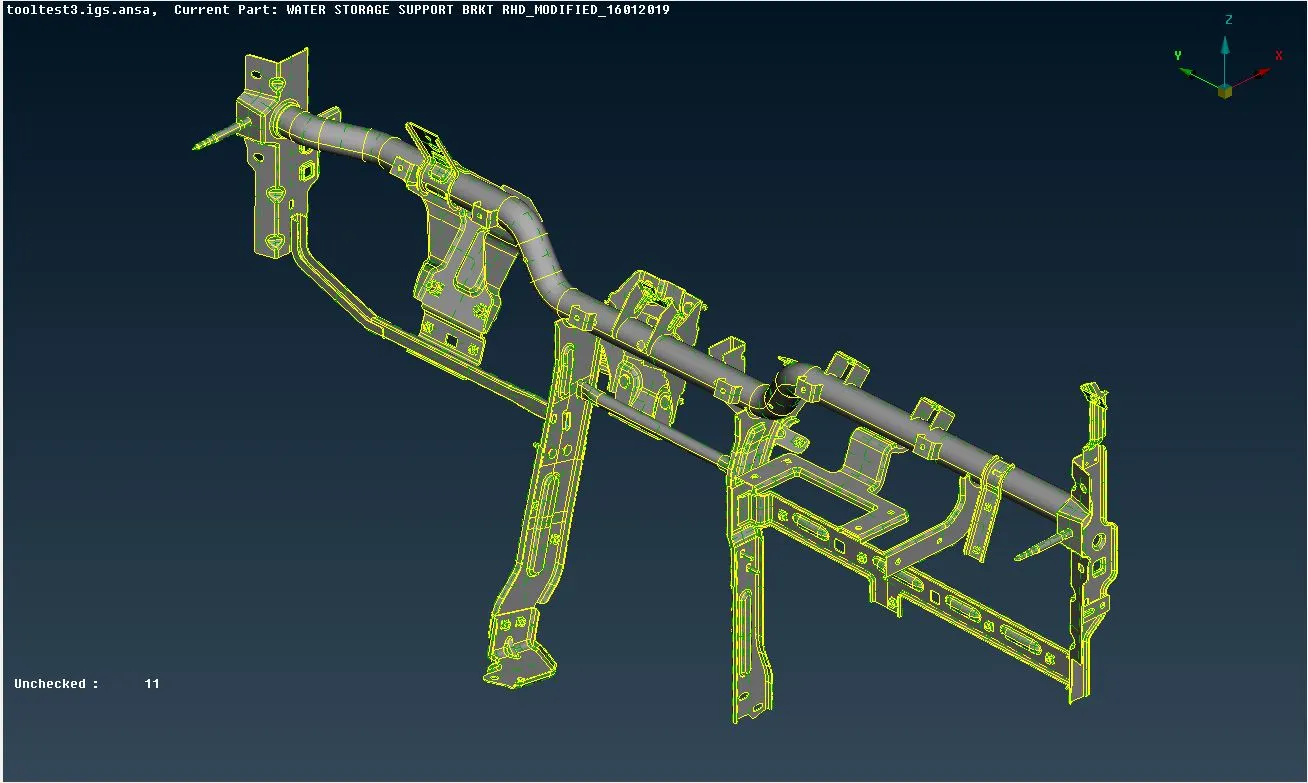
- After specifying a 1mm perimeter and macro lengths (to refine the geometry), the Check-Geometry operation is performed.
- Since, the nut and bolt CADs are not needed to be modelled while meshing, all these are stored in a separate lock, just for the sake of easing the operations.
- Now, the model is ready for extracting the midsurface.
- Accordingly, the thicknesses of individual parts are measured.
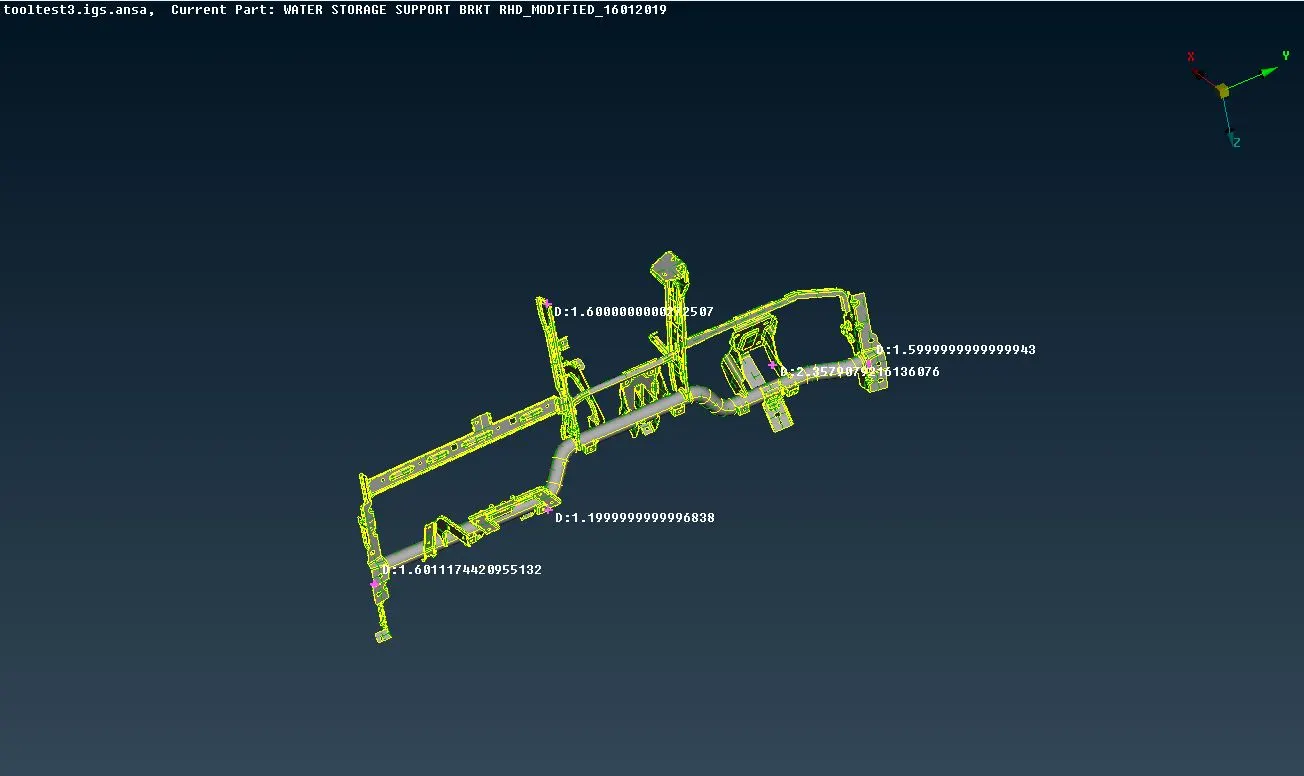
- Skinning operation is performed on all these individual parts by using the Mid. Surface-Skin command under the Faces module button.
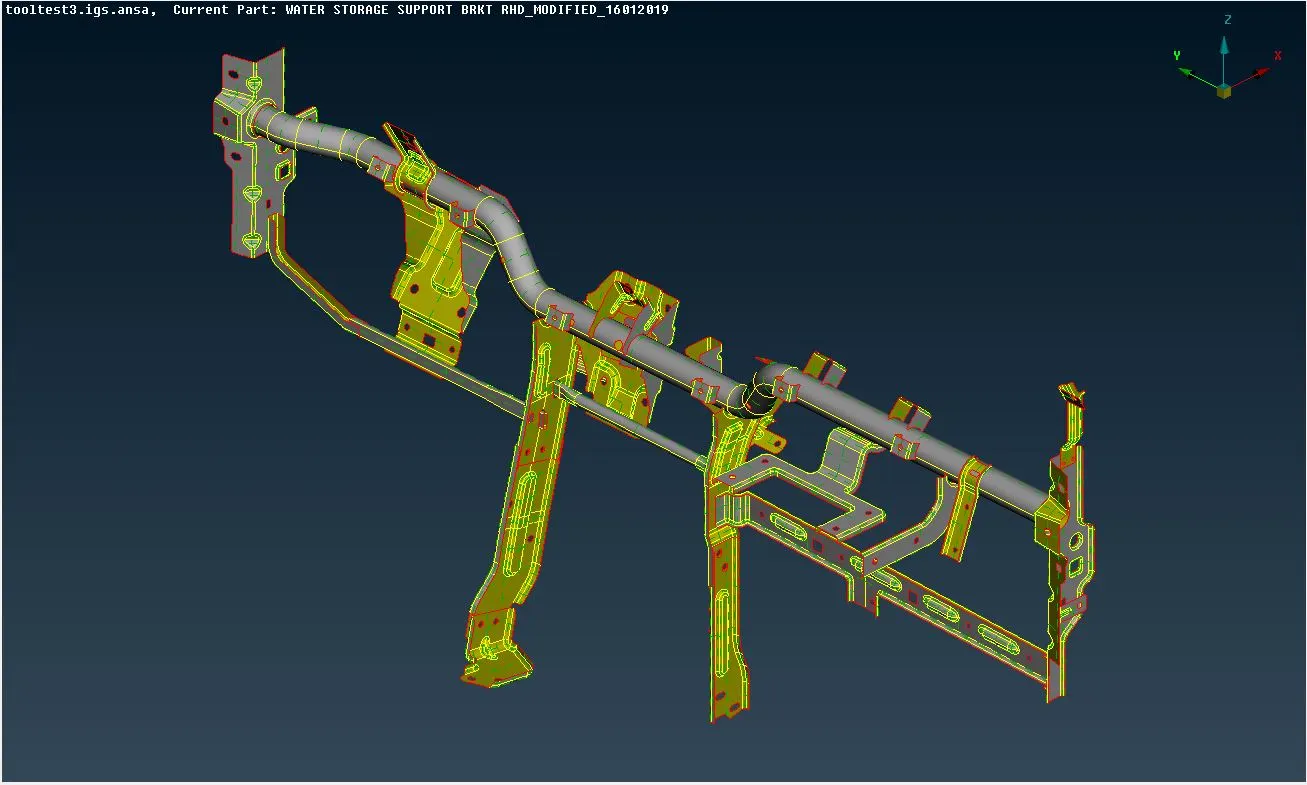
- Similar Geometric cleanup is performed on the complete midsurface as done earlier.
- Unnecessary cons are removed and defeatured in order to ensure no complications in the mesh deployment.
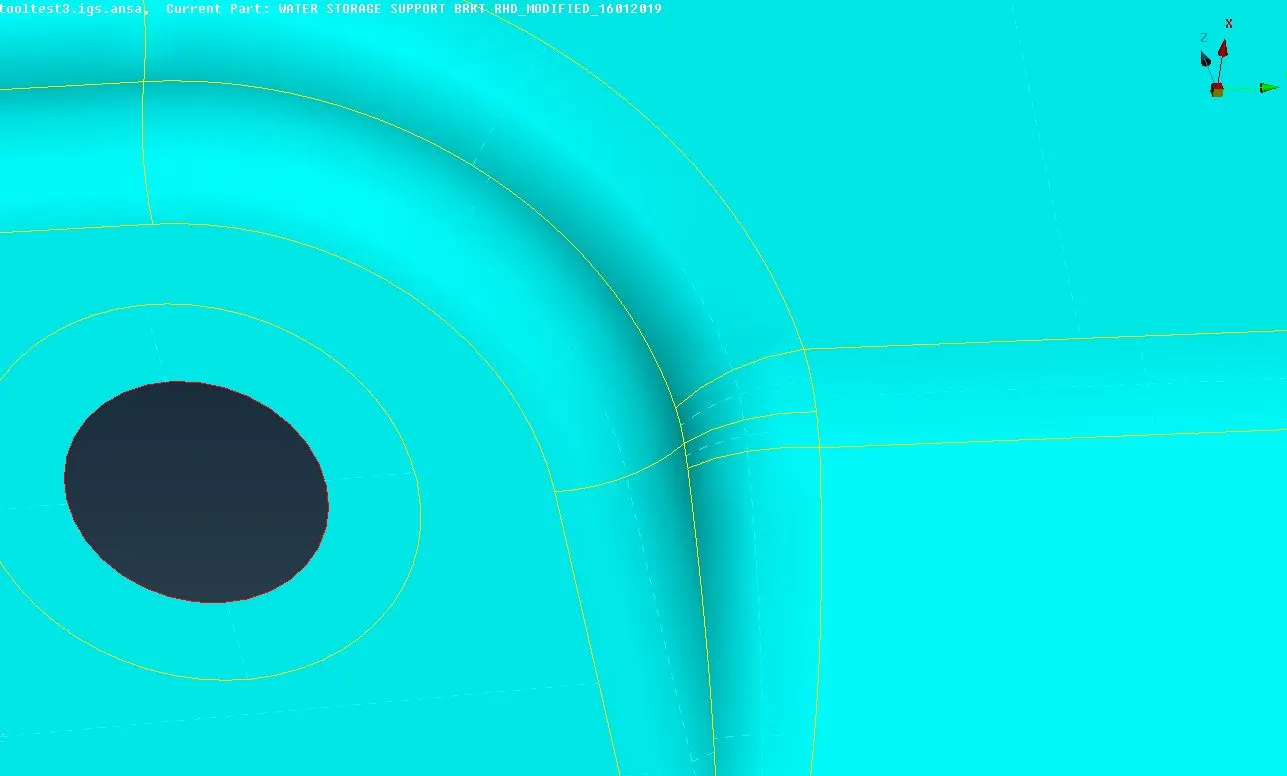
- Different PIDs are assigned to the individual parts based upon their thicknesses.
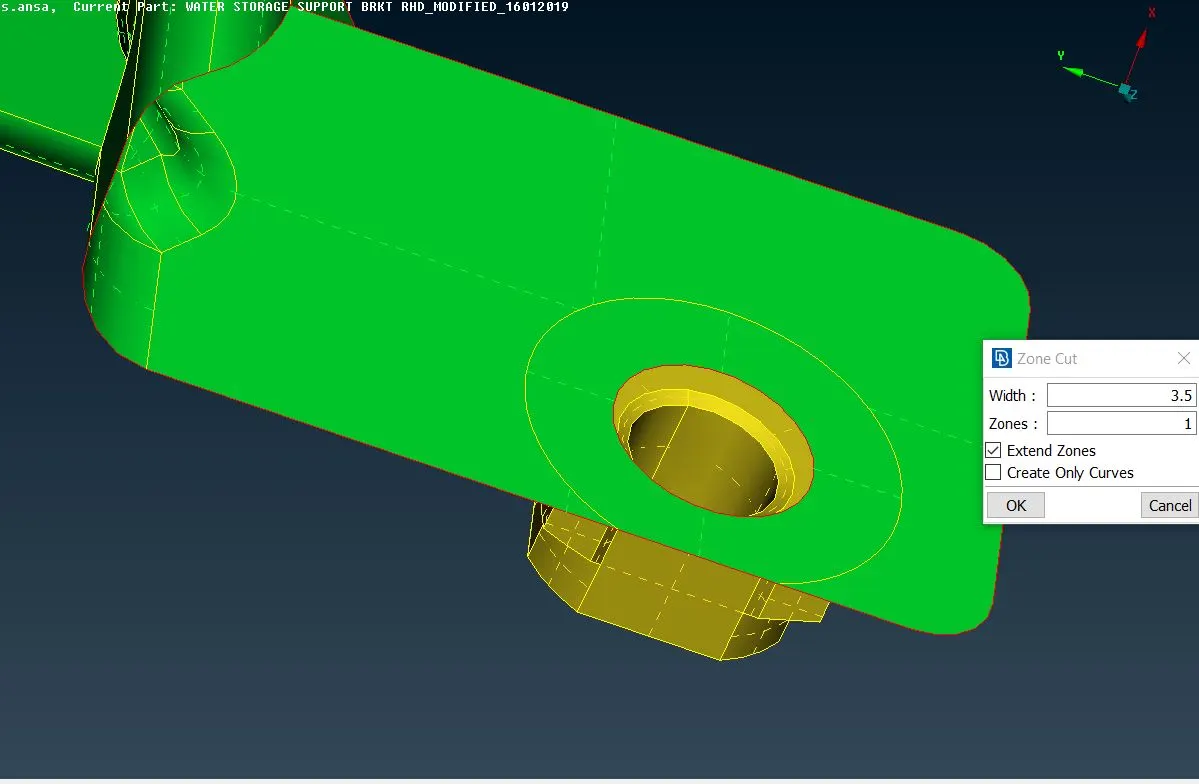
- Zone cuts are performed around the holes where bolt CADs are present using the Zone Cut button under Faces module in Topo section. This zone cut helps in deploying washer elements around the hole.
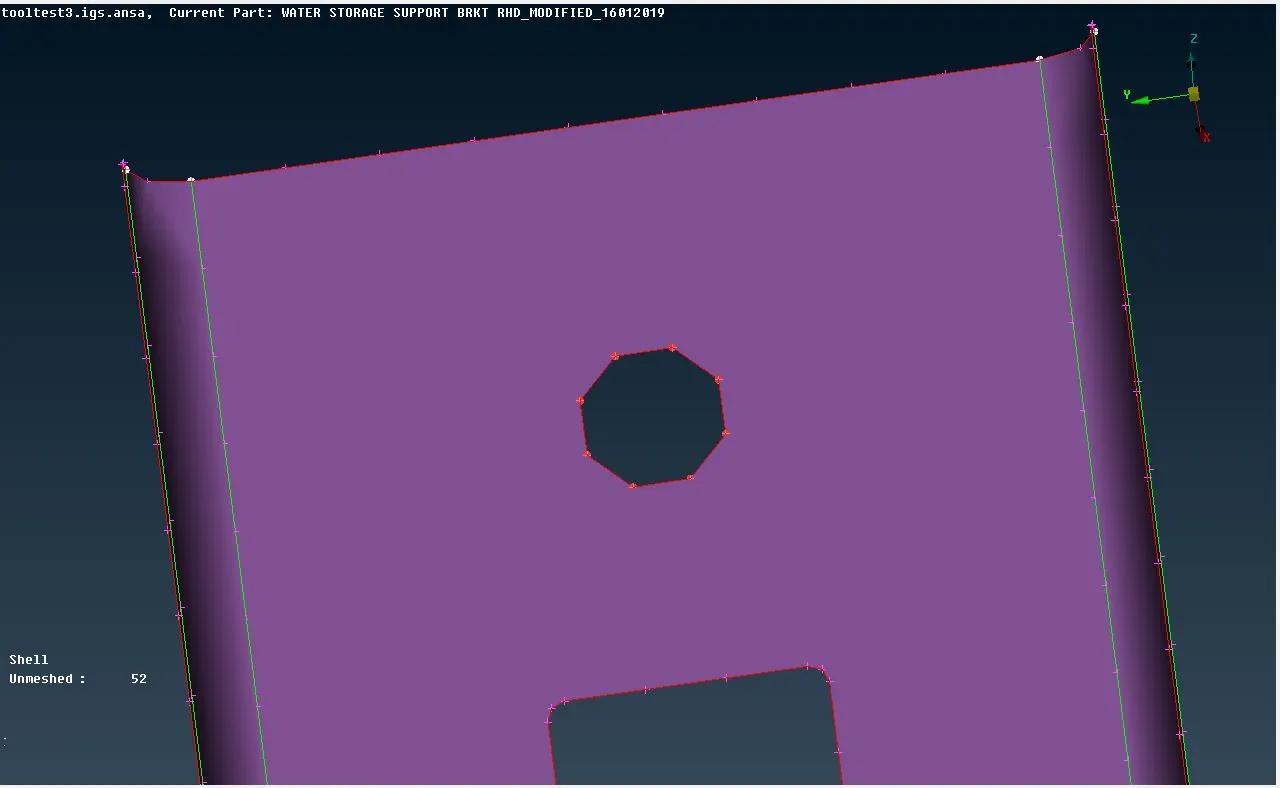
- Also, all the hole features are captured with even number of nodal points and are alligned in accordance with the nearby perimeters in order to ensure a good mesh around the holes. The Slide command under Perimeters module button is used for this.
Meshing :
- Now, the model is ready to be meshed.
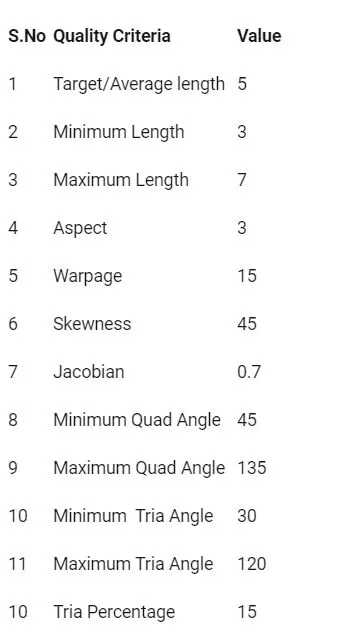
- Accordingly, the given Quality criterias are provided and the meshing parameters are set up.
- By using the Spot Mesh command under the Mesh Generation module button, the mesh is deployed. Accordingly, ANSA uses it's pre-fed algorithm for this purpose. To get an even better mesh flow, the Reconstruct command under Shell Mesh used once or twice, as per our convenience.
- Furthermore, cuts can be performed at few places to improvise the mesh flow. However, such cuts need to be rejoined after establishing the mesh.
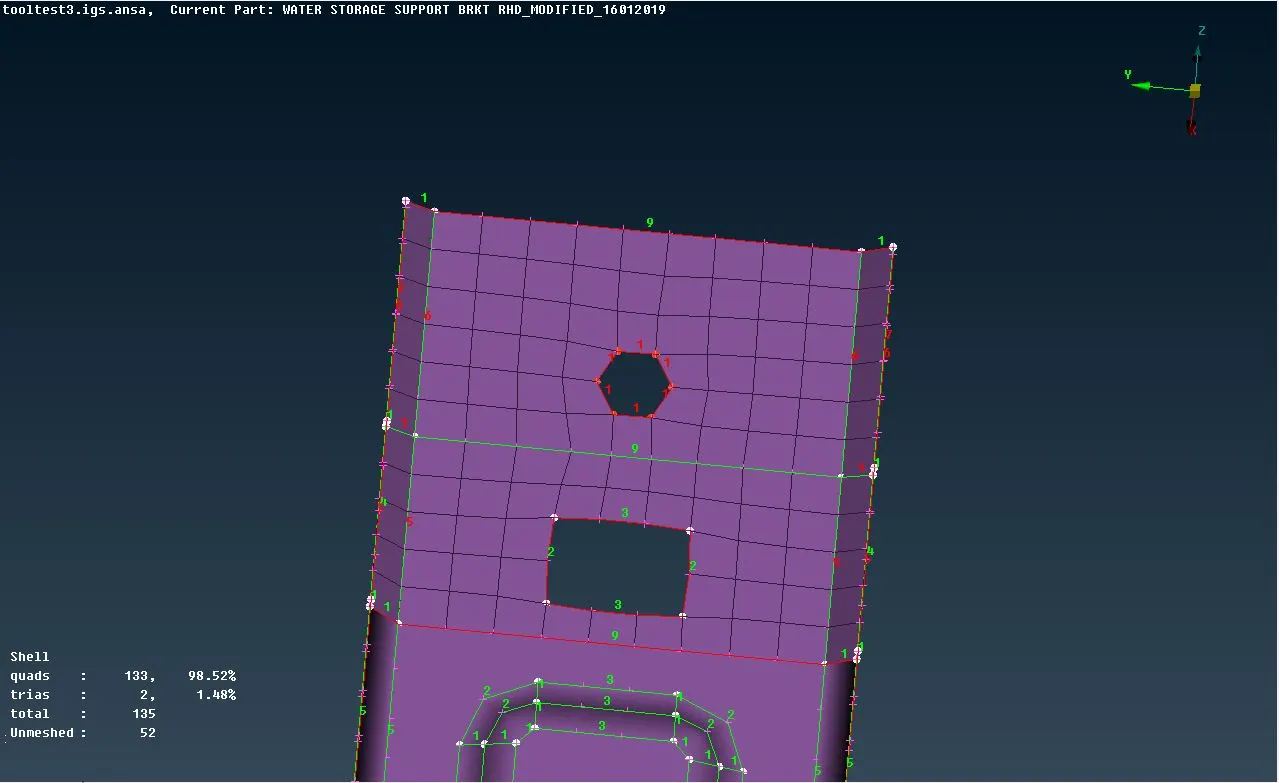
- The tria concentration is kept as low as possible.
- The off elements are removed by switching ON the Hidden mode. Finally, a good and satisfactory mesh flow is achieved.
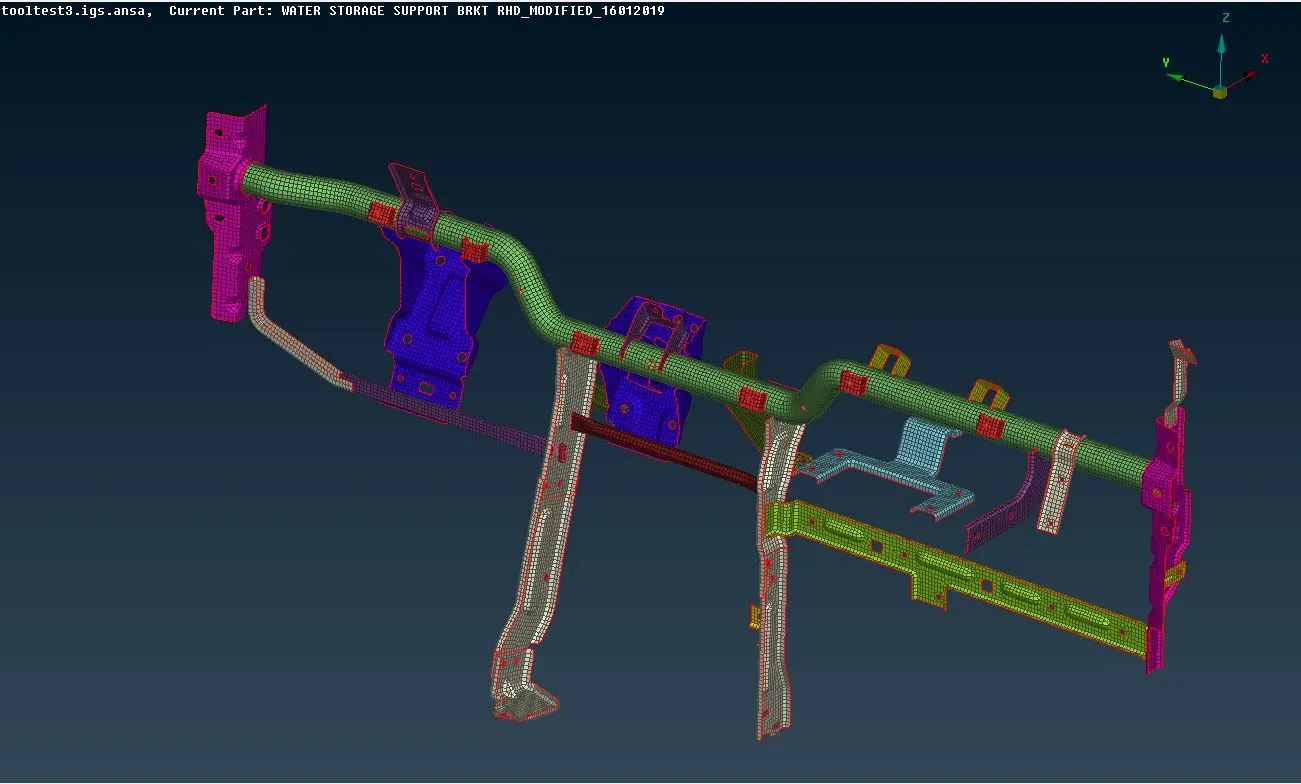
- The FE is released of the geometry using the Elements - Release command. Now, the FE has no relation with the CAD geometry.
- By this, the meshing of the entire CCB subsystem is completed.
Connections :
- Now, the FE subsystem is ready for establishing the connections.
- For this, the NASTRAN deck is opened.
- The holes are rigidised by deploying the RBE2 - Many Nodes connection.
- Holes with nut/bolt CADs are rigidised by capturing one row of adjacent elements of the perimeter.
- While deploying all the connections, specifying the proper constrained Degrees of Freedom is an important task and is to be done correcly.
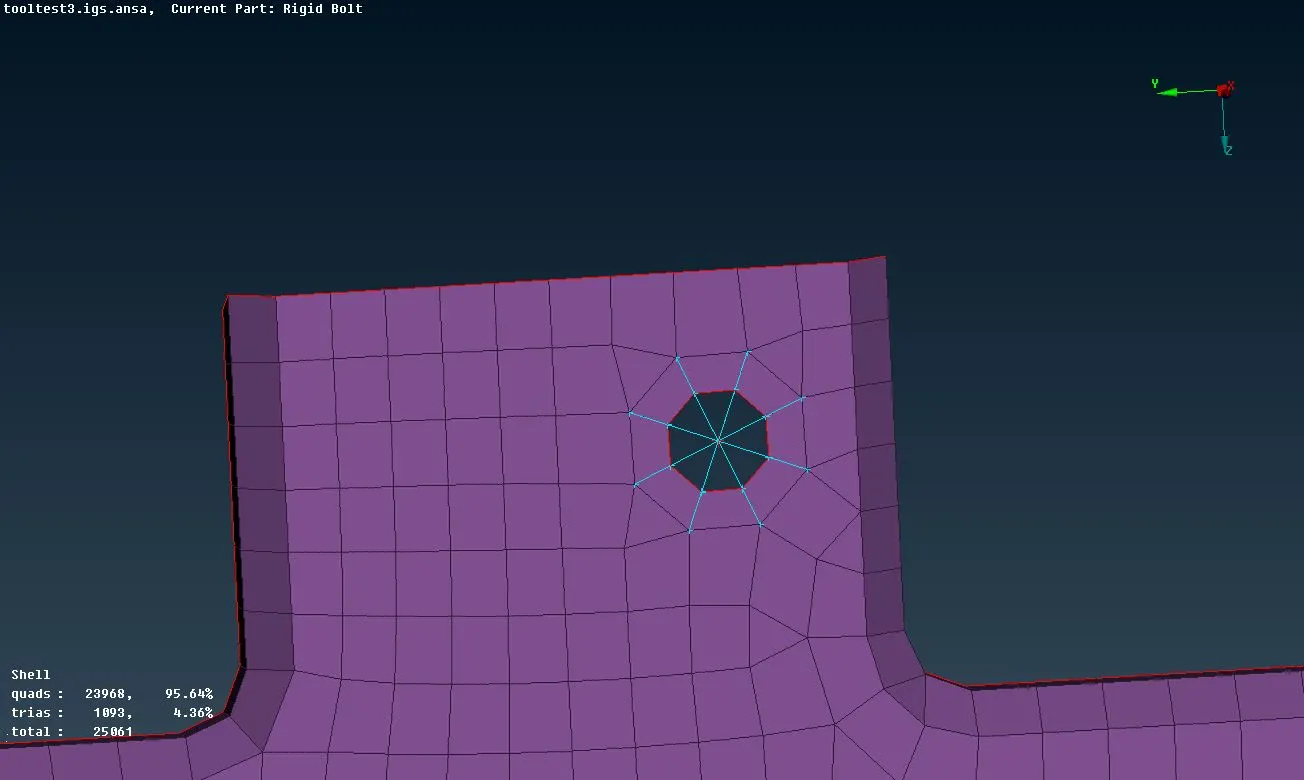
- Bolt connections are established either by using the Two Nodes - RBE2 command or by using the bolt connection method. The bolt connection method involves dropping a 3D point at the COG at one of the holes, converting it into bolt connection and then using the connection manager to realize the connection.
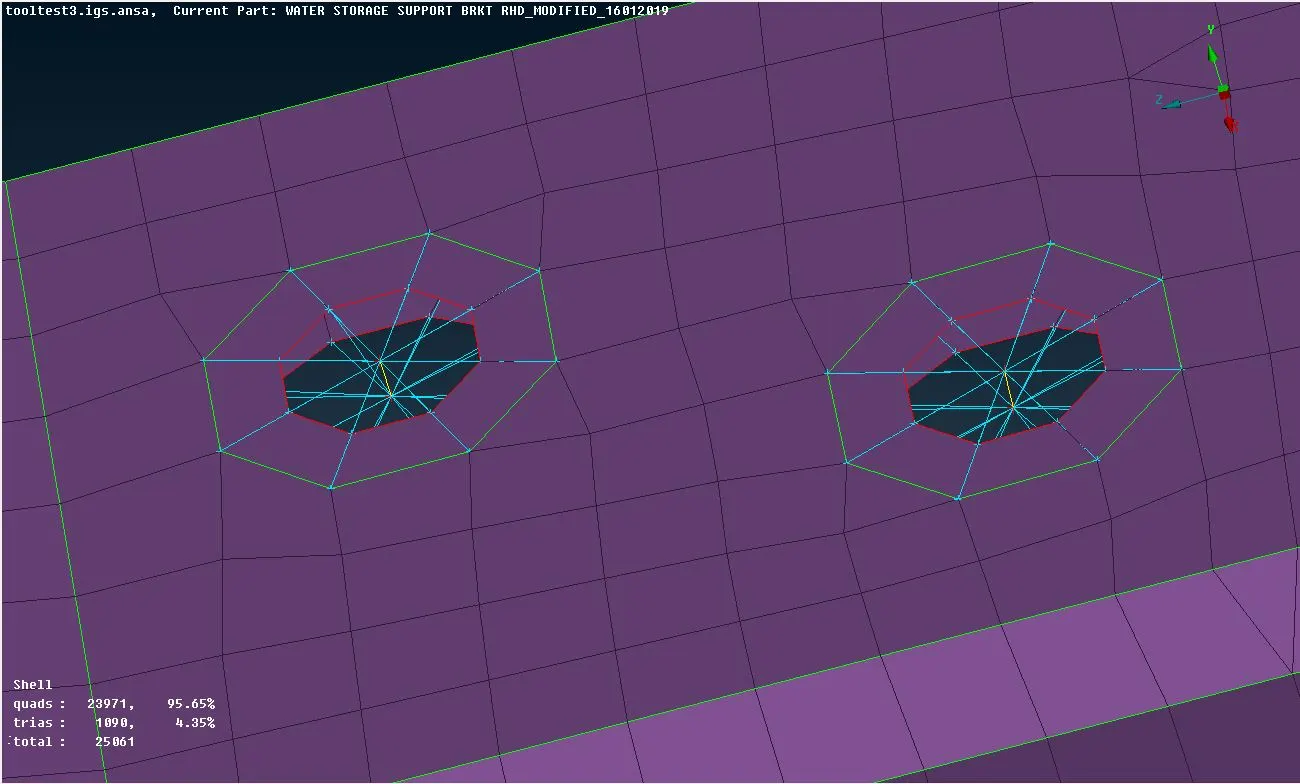
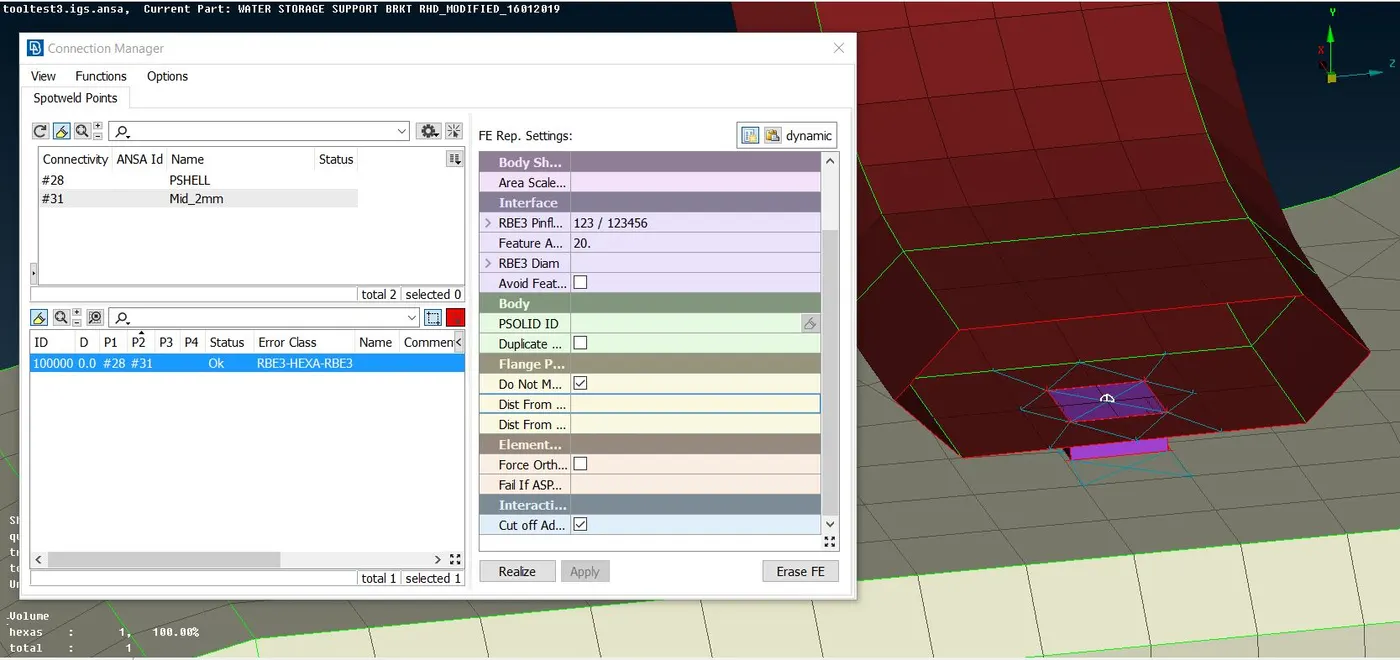
- Similarly, spot weld connections are deployed by using the connection manager. For, the weld material a solid PID is created. For spot welds, the FE representation used for NVH is RBE3-HEXA-RBE3.
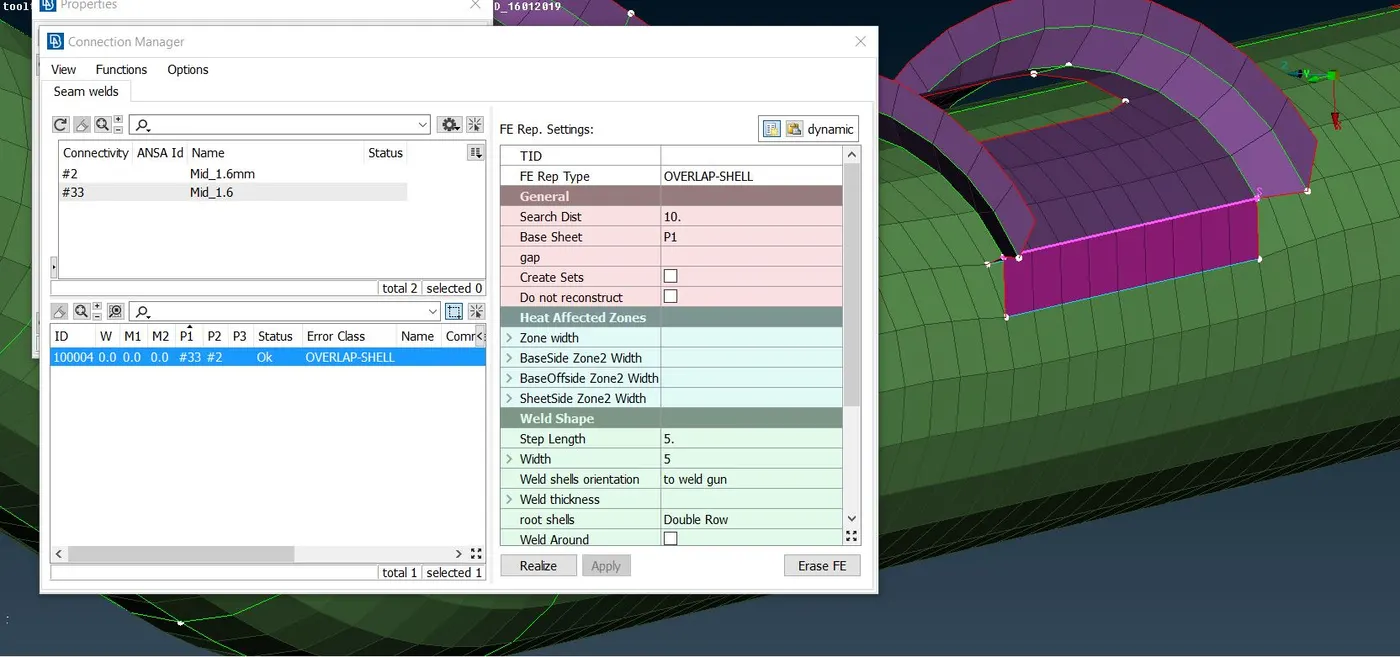
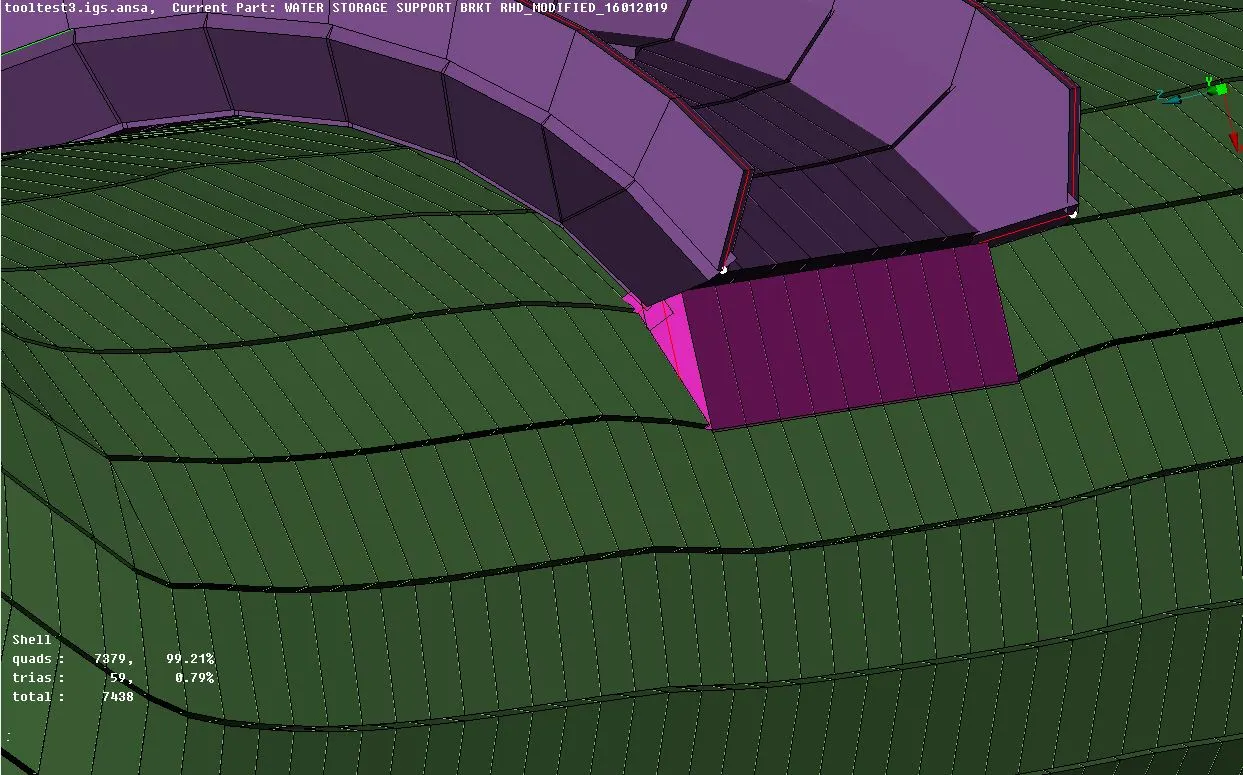
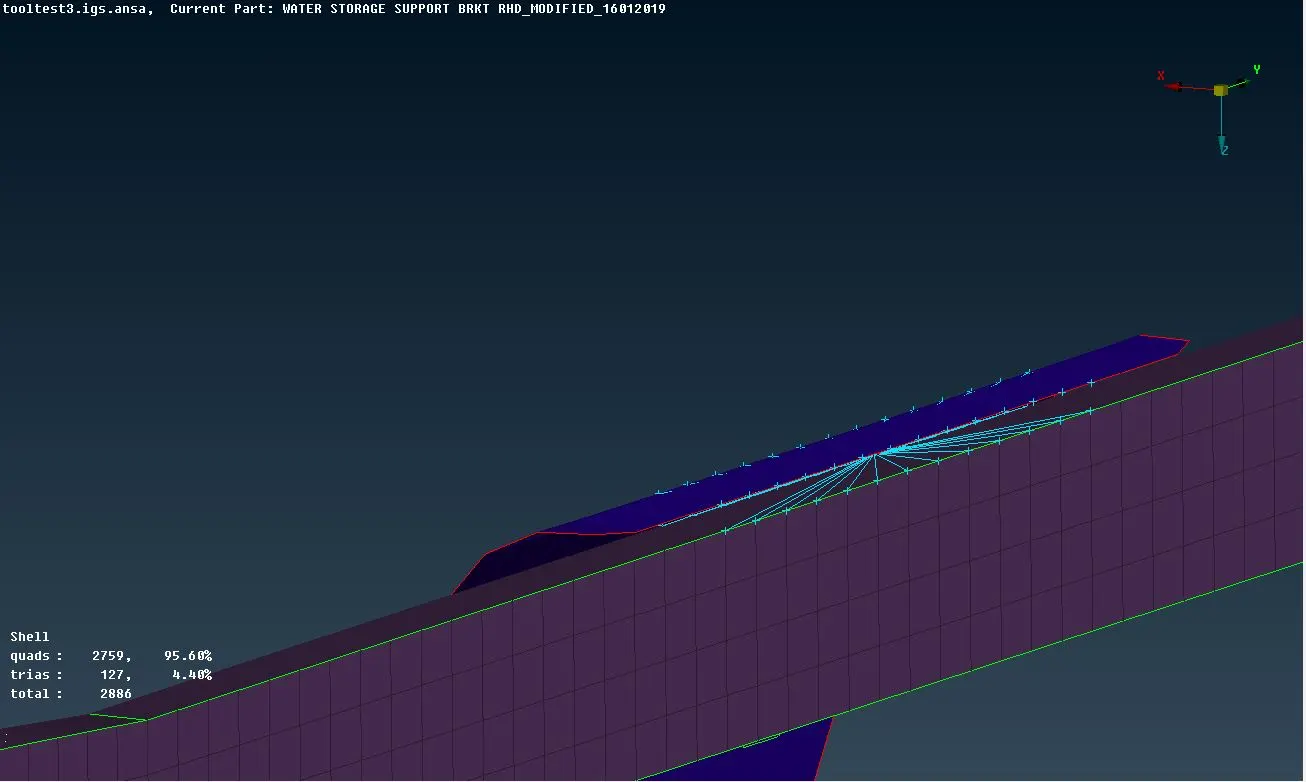
- Seamweld connections are deployed where adjacent parts are connected by using seam welds. For this a curve is created from the FE, it is then converted into seam weld connection and then the connection manager is used to realize the connection.
- A seperate shell PID is provided for the weld material. The thickness of the seamweld PID is given as the average thickness of the two parts between which the seamweld is to be deployed.
- The FE representation used for parallel parts is OVERLAP-SHELL and for inclined parts is Y-JOINT SHELL.
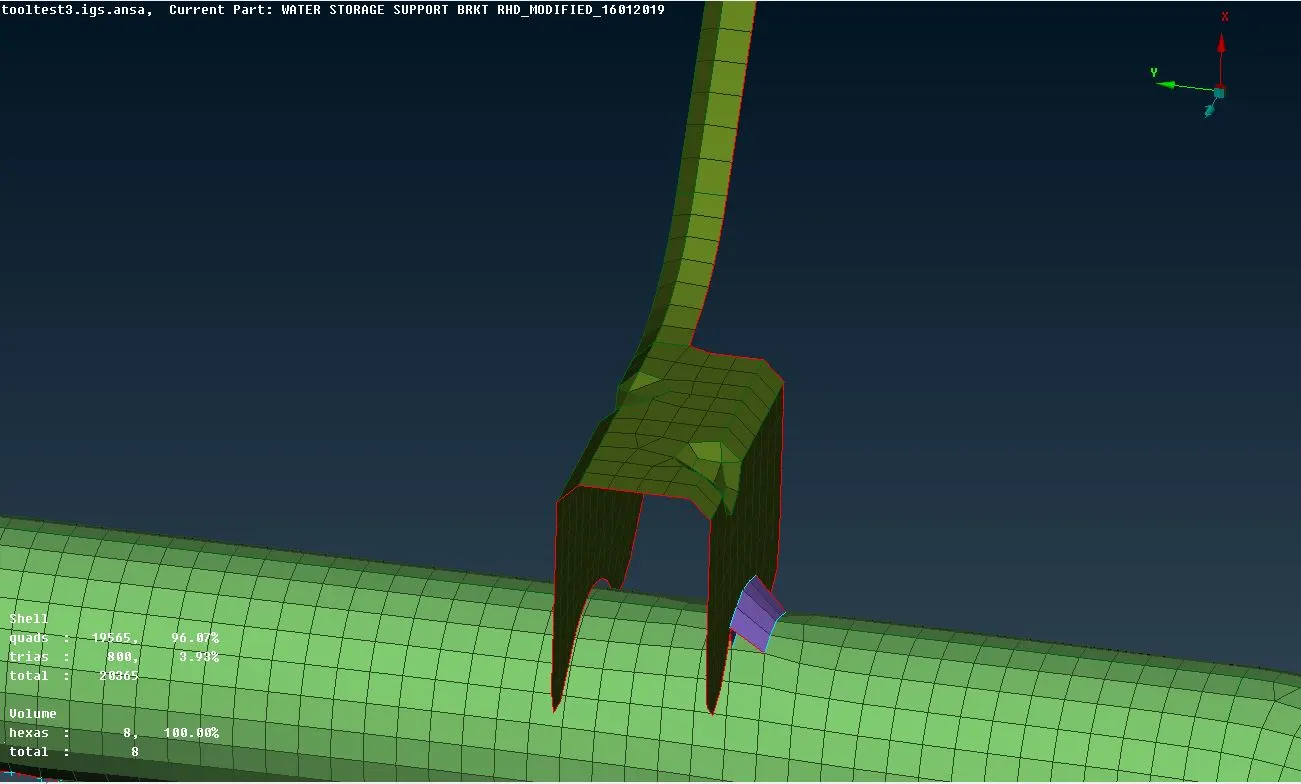
- At some places, deploying seam weld connection is not possible if the connection is very near to a hole or perimeter. At such places, a simple clustered RBE2 connection is deployed between the connected parts.
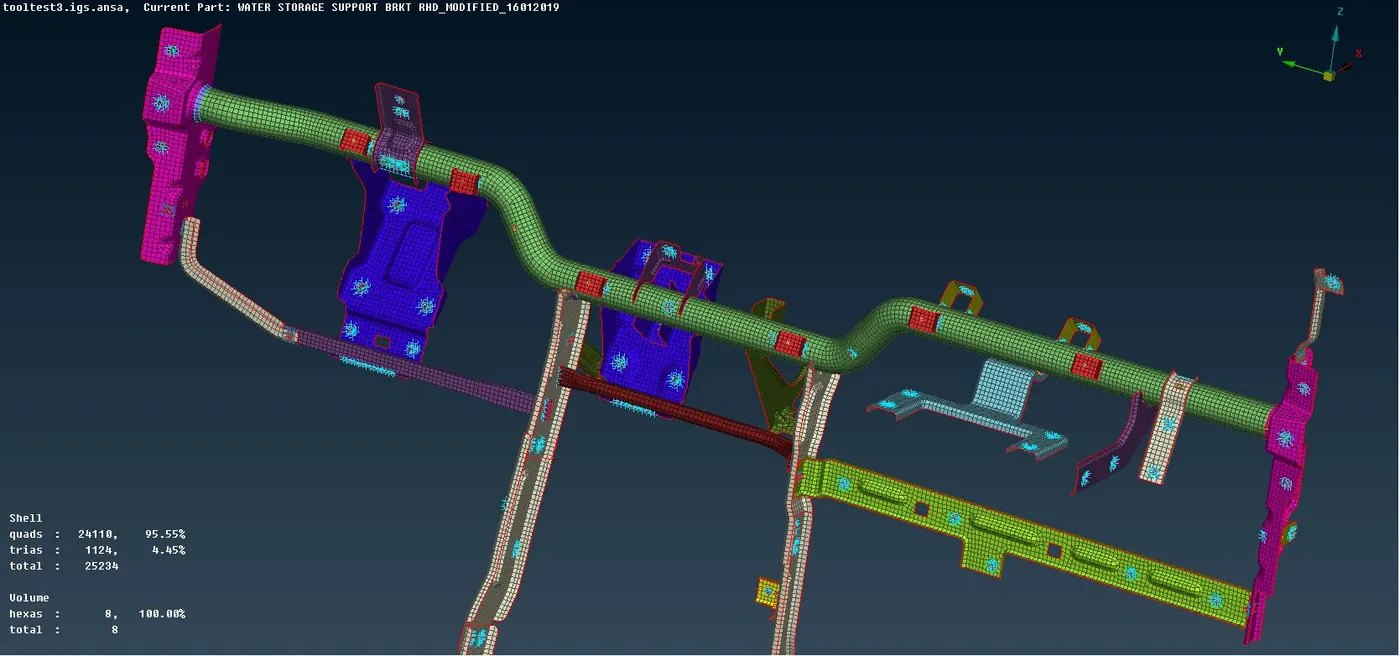
- Below is the snapshot of the complete Cross Car Beam FE subsystem with proper connections necessary for NVH simulation.
Sharable Google drive link for the file -
https://drive.google.com/file/d/1qQvTTpyFX670mIjkF2WCr9daorfrrH-S/view?usp=sharing