Meshing of bottle cap using ANSA
AIM :
To check for geometrical errors in the given plastic component (bottle cap) and mesh it. After meshing, proper thickness has to be assigned to the component.
PROCEDURE :
- The CAD model is inported in ANSA.
- The faces are oriented properly in entity mode.
- The geometry is cleaned up removing any irregularities and imperfections.
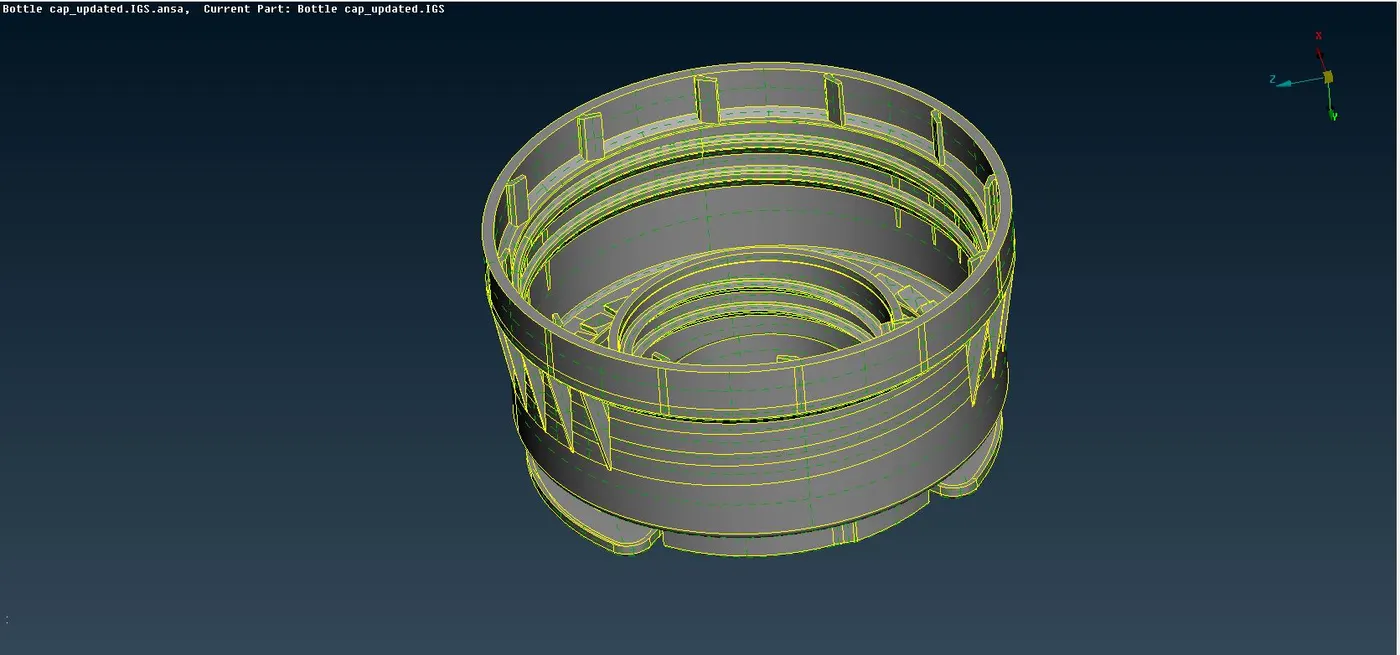
Mid-Surface extraction :
Instead of meshing the whole 3D body, only the mid-surface (2D surface) is extracted, and after its geometry cleanup and processing, it is meshed. This mid-surface is nothing but a representation of its parent 3D body. This results in saving of process time and computational cost.
- Since the thickness is varying, the part needs to be carefully handled while extracting the midsurface.
- Since, the plastic component is of variable thickness, small faces such as ribs needed to be carefully extended upto the neighbouring entities.
Threads and teeth extraction :
- Though it is impossible to capture trapezoidal threads after enabling thickness to shell elements, these can be easily captured as rectangular threads. Accordingly, their midsurface is extracted and extended upto the base.
- Similarly, the teeth can be captured by considering these as rectangular tilted entities and after that their midsurface is extracted and extended upto the base.
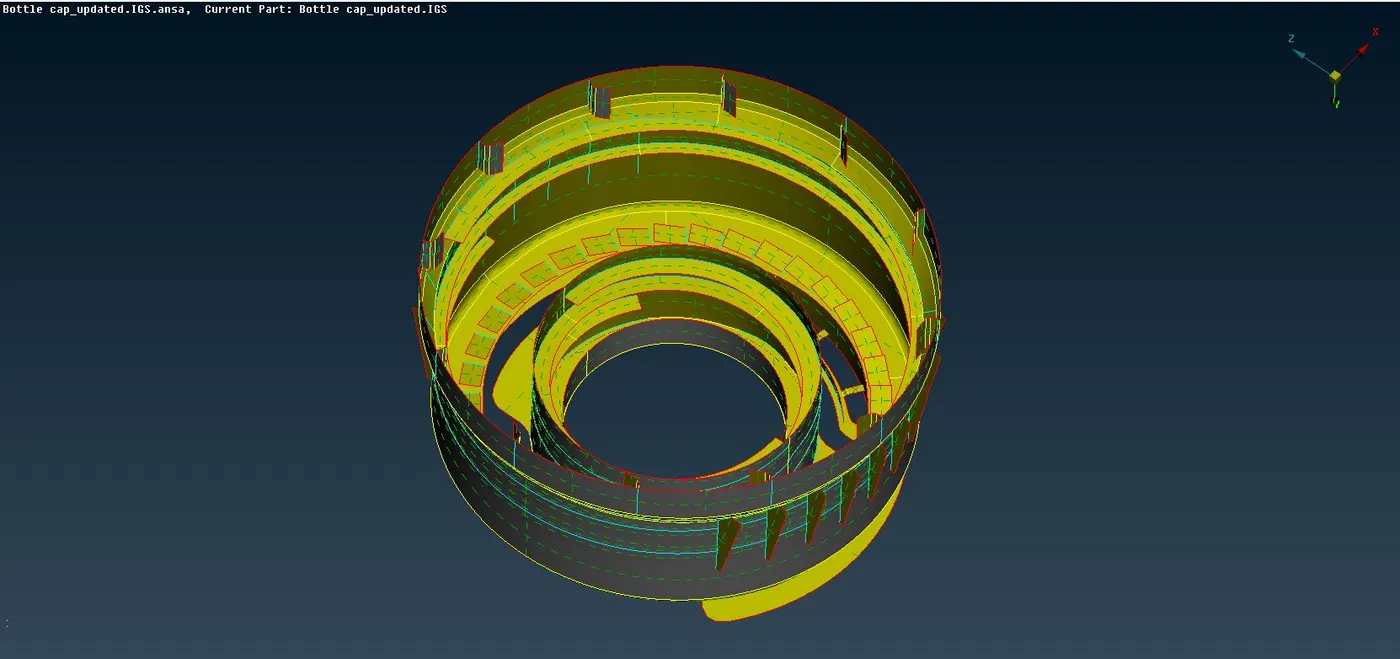
- Proper PIDs are assigned to individual entities as per the default PIDs that have been provided based on their thicknesses.
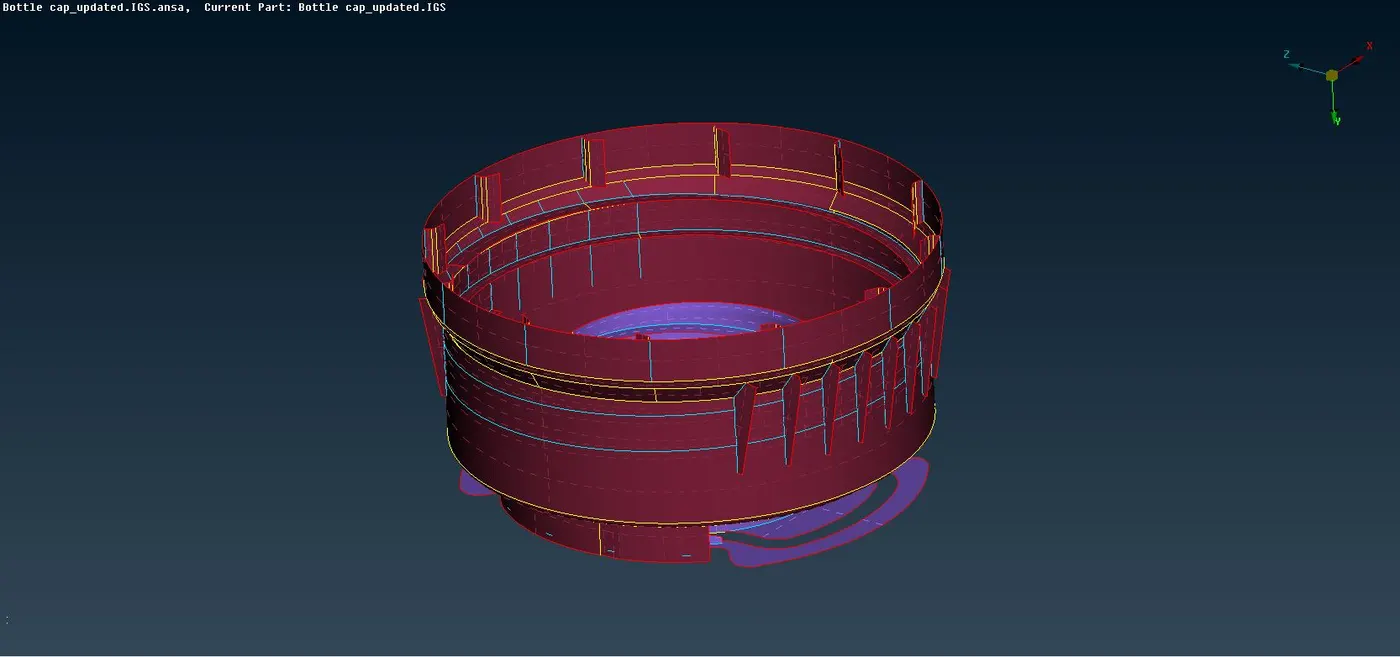
- A final geometric cleanup is performed on the midsurface.
Mesh generation :
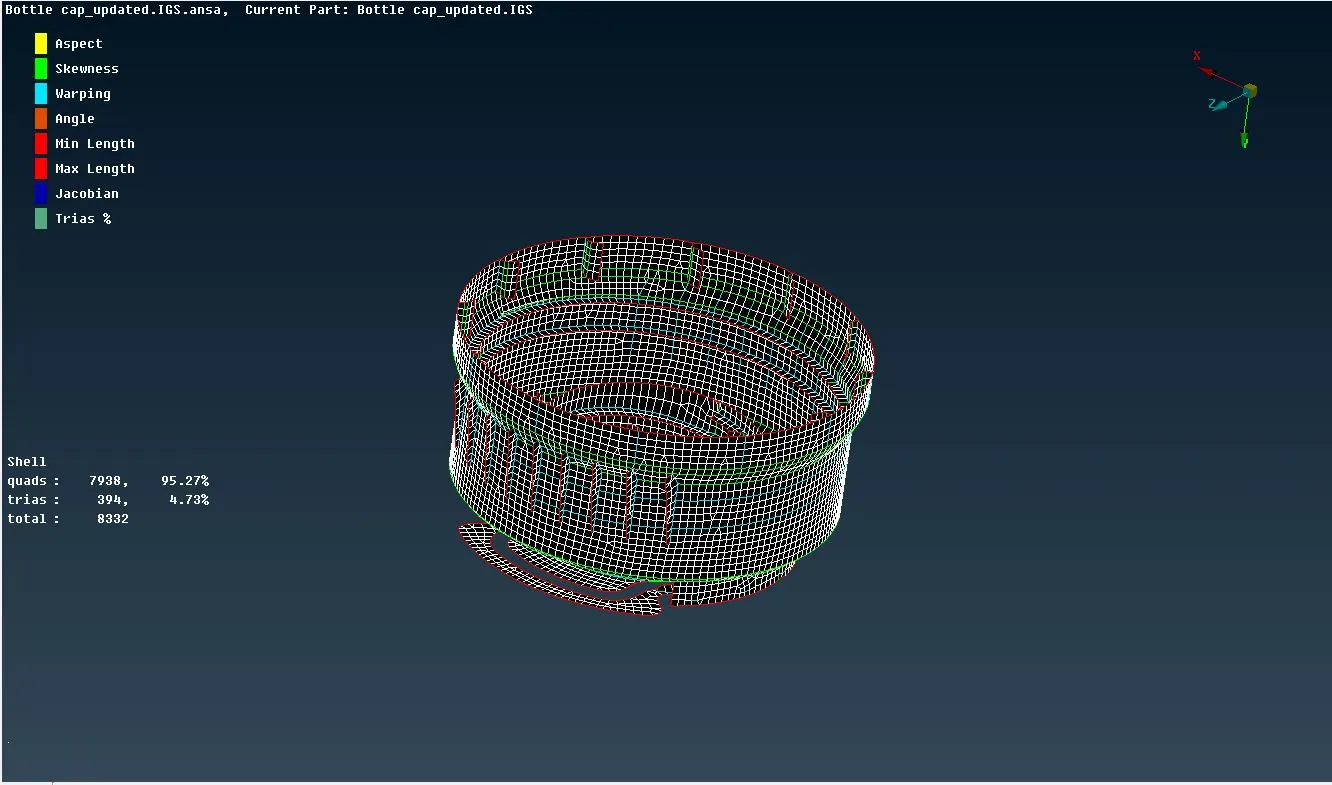
- The quality criteria is setup as per specified instructions and the mesh paramters are adjusted.
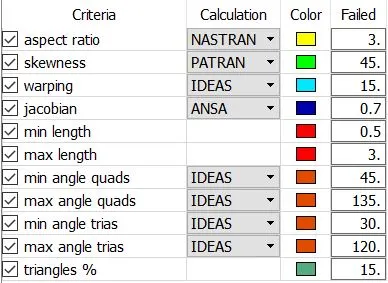
- The part is now ready to be meshed. Accordingly the mesh is generated using the Best command and reconstructed to ensure a smooth flow.
- However, the mesh is further improvised using the different commands such as Swap, Split, Improve, etc to remove the off elements and to minimise the concentration of tria elements.
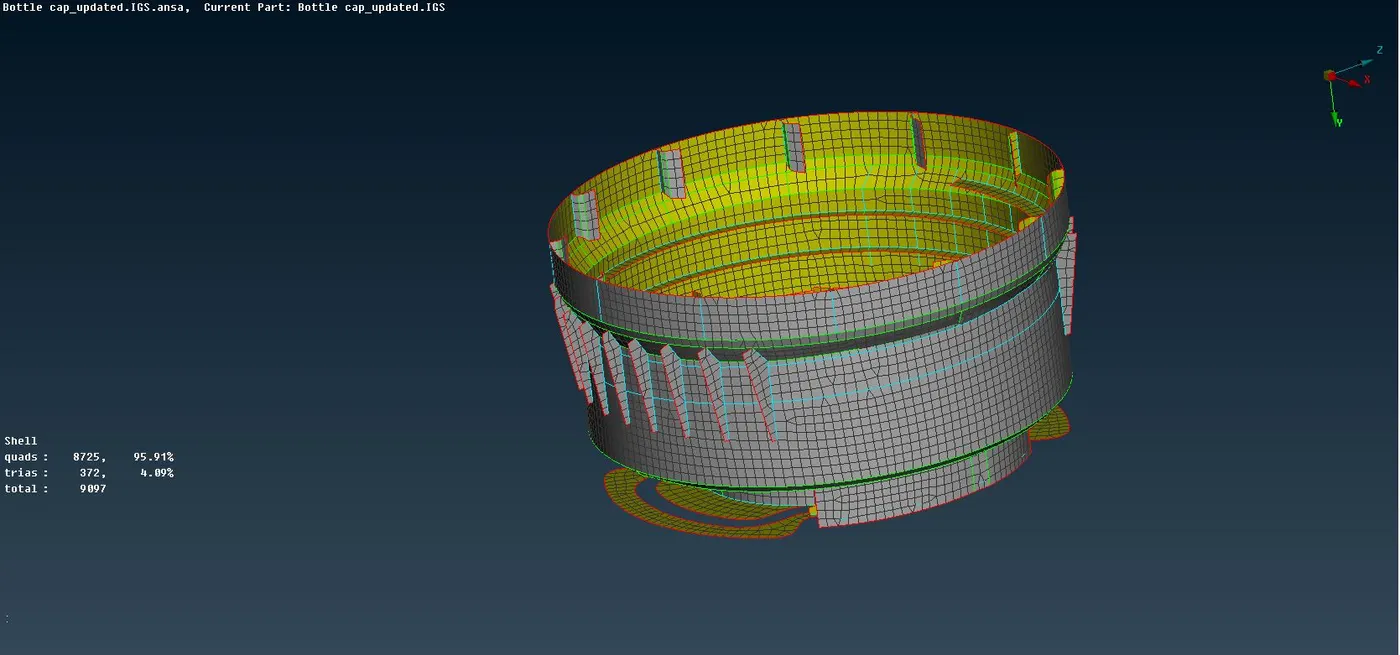
- To remove the off elements, the hidden mode is turned ON. By using proper tricks and commands, the off elements are removed.
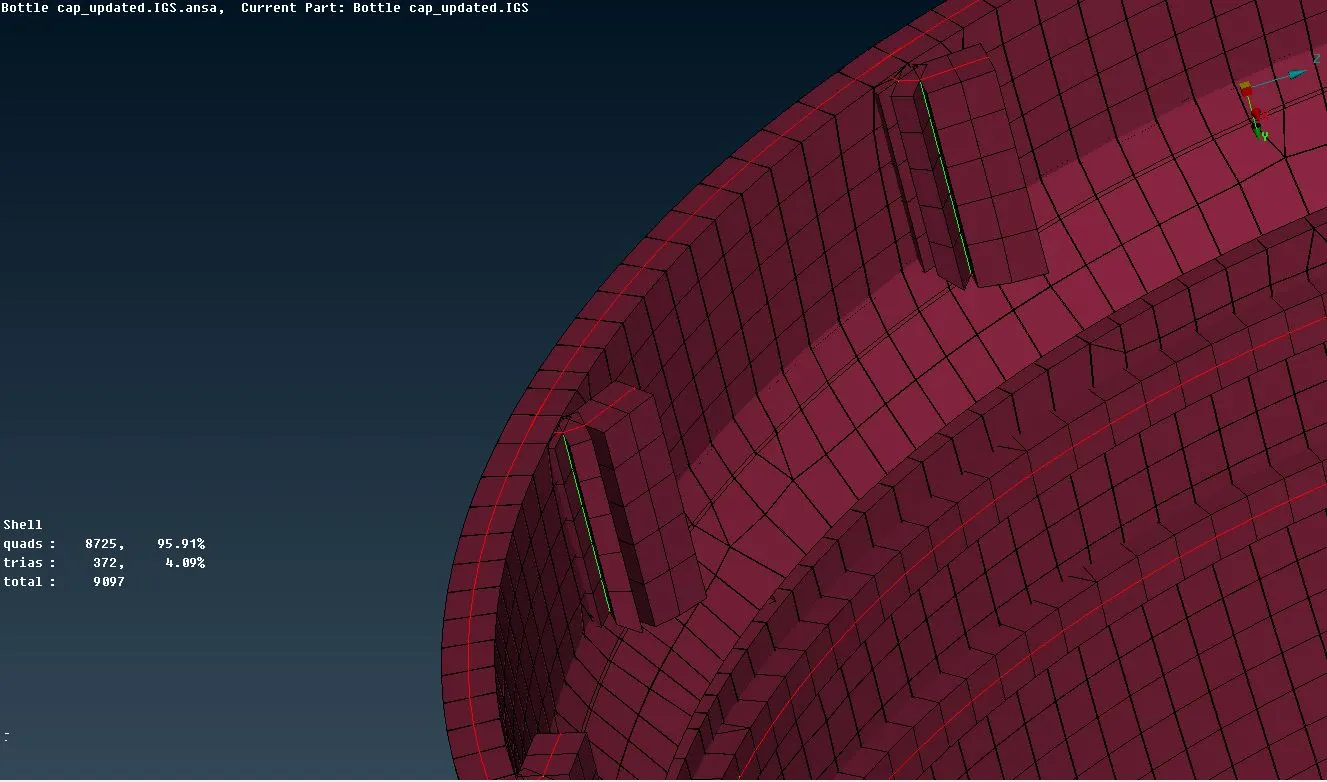
- To view the mesh on the parent solid body insted of the midsurface, the draw shell as solid option is turned ON in the Presentation parameters.
Sharable google drive link for the project -
https://drive.google.com/file/d/1MGZ4USnMgkuxO2igv3hBh1qXBgCUEnpw/view?usp=sharing