Crash Tube simulation using Radioss
OBJECTIVES :
- To mesh the bumper assembly with a mesh size of 6mm.
- To run the crash tube model as it is.
- To change the Inacti=6 and run.
- To create the type 11 contact and run.
- To remove both notches and remove boundary condition on rigid body node and run.
- To create a new notch in the middle, select the whole section and run.
- To create a new notch with nodes only from opposing 2 faces and run.
PROCEDURE :
- The Bumper assembly is imported in HyperMesh.
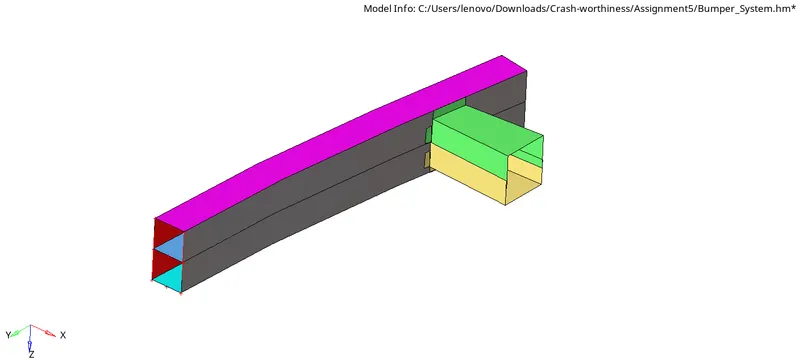
- To check if there are any geometrical errors in the model, the visual mode is switched to by topo mode.
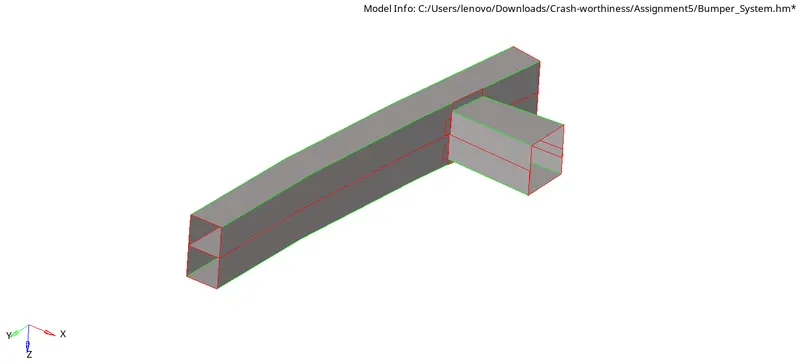
- As we can see, there are many free edges available in the model which need to be dealt with.
- The adjacent faces with improper connectivity are stitched together with the help of toggle command.
- Faces are extended properly to adjacent surfaces using the surface edit - extend command.
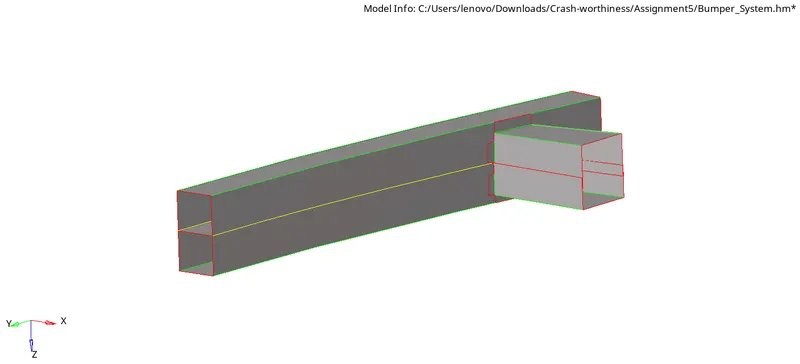
- Now, the model is ready to be meshed.
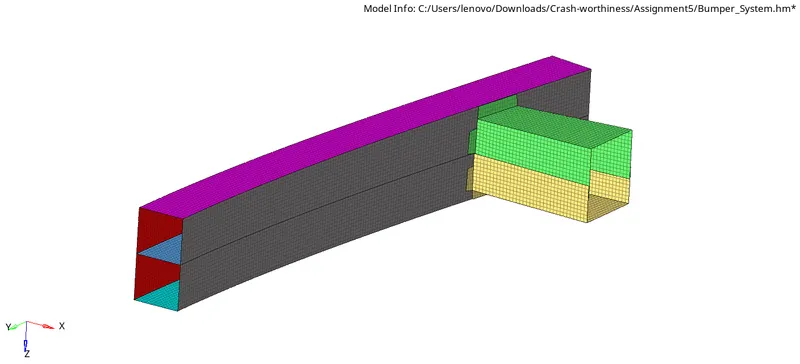
- Mesh is deployed using the 2D - Automesh panel.
Here, the element size is specified as 6mm and the mesh type chosen is mixed. - The mesh is deployed by considering one surface at a time.
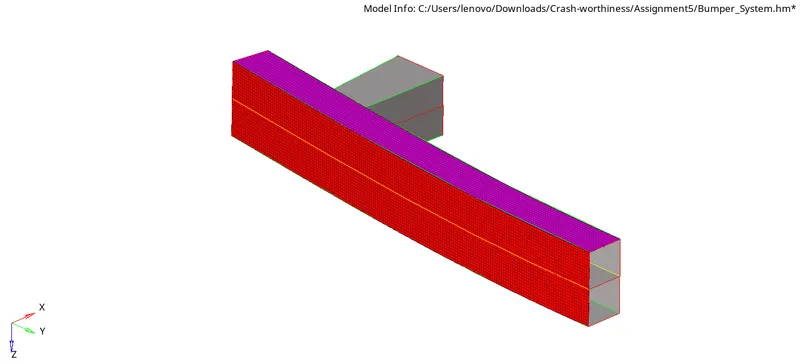
- While doing so, tria elements are kept as minimum as possible.
- At places where rotating quads are formed, such areas are remeshed.
Rotating quads are avoided by introducing a couple of tria elements in such places. - Eventually, a fine mesh is created.
Case I : To run the crash tube model as it is.
- The model is imported in HyperMesh.
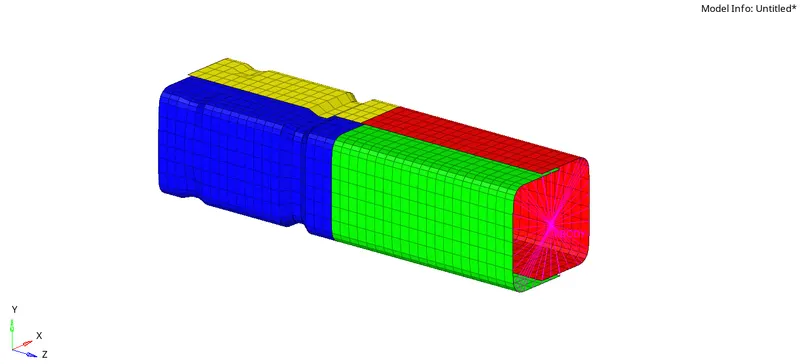
- As we have to run the simulation as it is, let us first have a look at the property and material cards available by default.
- The material card chosen here is the Johnson-Cook i.e. the PLAS_JOHNS card.
Density (rho) = 7.85e-06 kg/mm^3 = 7850 kg/m^3
young's modulus = 210 kN/mm^2 = 210 GPA
Poisson's ratio = 0.3
Yield stress = 0.206 kN/mm^2 = 206 MPa
Plastic hardening parameter (b) = 0.45
Plastic herdening exponent (n) = 0.5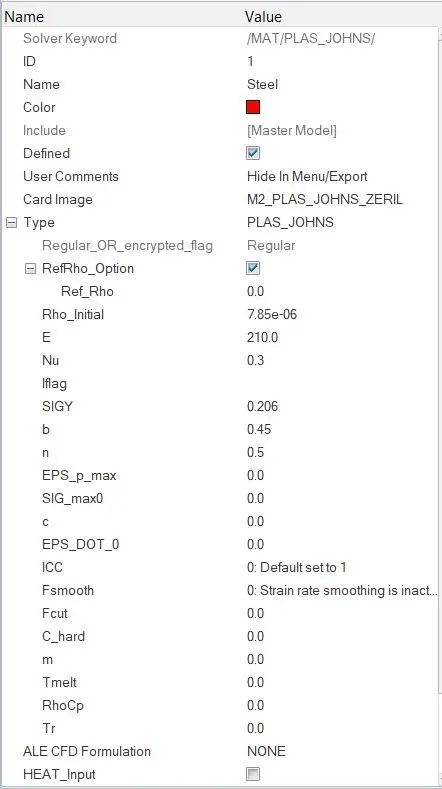
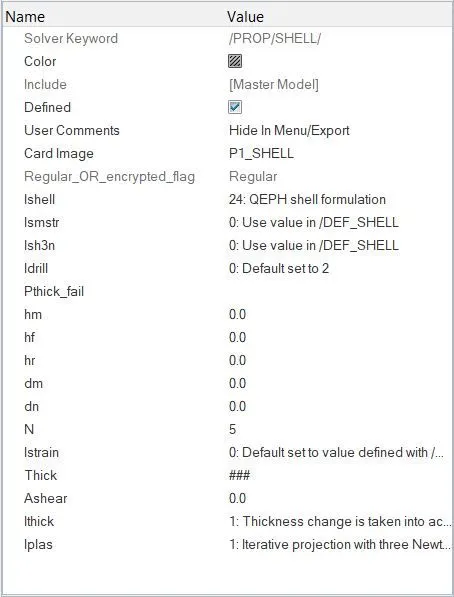
The property card flags have the recommended values for shell formulation.
Number of integration points is kept as 5.
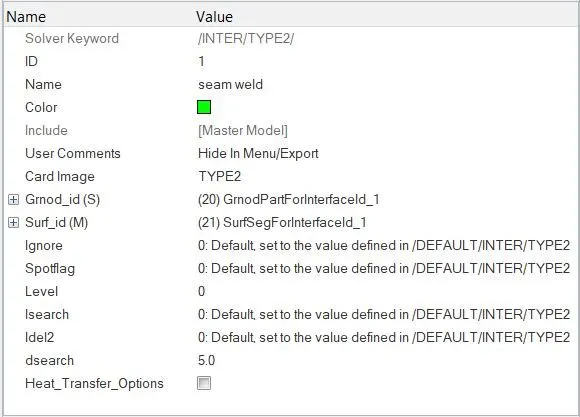
There is no Failure_Johnson card defined here. - There are two contact interfaces defined here - one for the seam weld and the other for the self contact (crushing).
- The flags in seam weld interface are left with the default values as the prime focus of this simulation is the self penetration of the tube.
- Shown below are the chosen flags in the self contact interface.
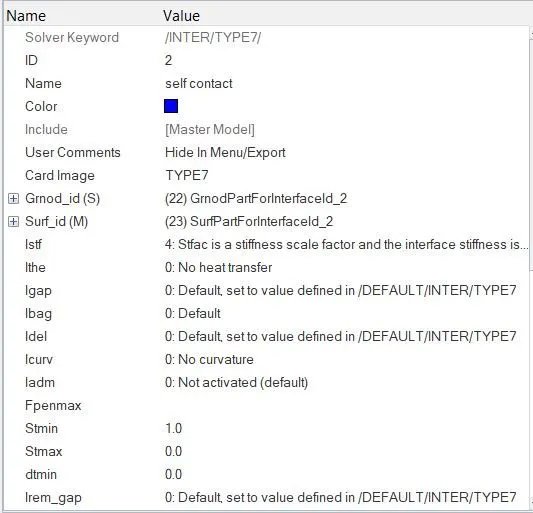
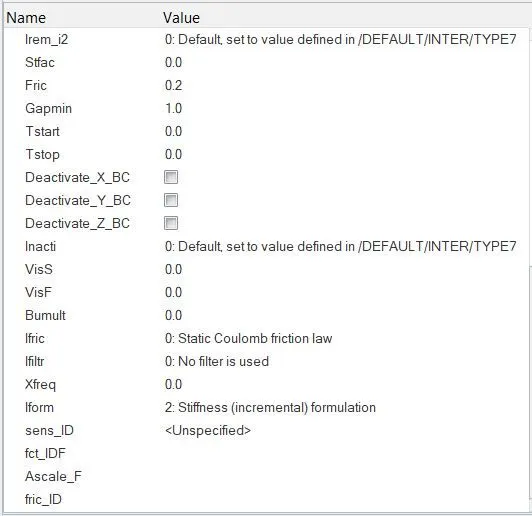
The Type7 card is used to study the self contact simulation of the tube. This card corresponds to the 'Nodes to Surface' interactions.
Advantages of Type7 - it can handle impact from any direction (normal/oblique); stiffness variation is linear in Type7 which helps to curb the penetration problem.
Istf = 4 corresponds to the stiffness being chosen as the minimum of the slave and master side stiffnesses.
The minimum stiffness Istf is kept at 1 kN/mm which keeps a check on the stiffness value due to the non-linear behaviour of the imaginary spring element.
Stfac value is kept at 0 which means that there is no stiffness scaling factor available to give a bit of cusioning effect when penetration occurs.
Iform = 2 corresponds to the stiffness based friction formulation.
Gapmin specified here is 1 mm.
As we can see, the Inacti flag is kept as 0, wherein the initial penetration of the slave nodes into the master segments is simply going to get ignored.
However, this might lead to a situation of instability.
Shown below is a place where this condition of initial penetration might occur since the distance between the two parts is 2.1 mm there.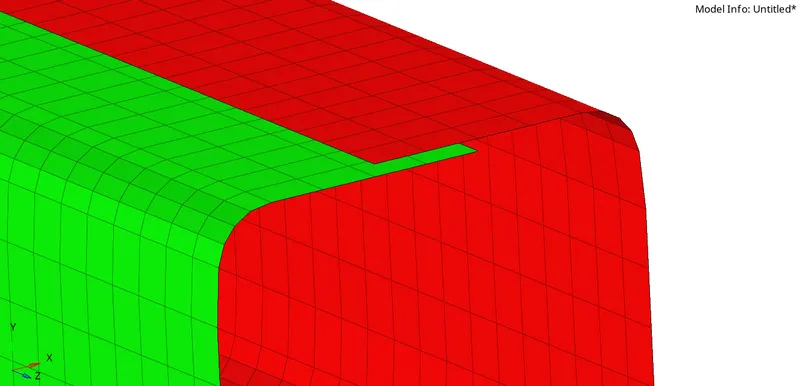
Rest all the flags are left with their default values. - Here, no initial penetrations are encountered by the solver. Reason for this is, since the Igap flag is kept at 0, by default, it gets assigned a constant value equal to that of the Gapmin i.e. 1mm.
Now, as long as the penetrated slave nodes come under this value, the interface card will not be activated and the solver does not see any penetartions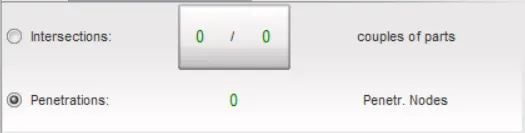
- Since, the Tstop = 30 ms and Tfreq = 1 ms, there will be a total of 30 steps generated.
- The model is now ran for simulation and the results are analysed.
Results :
- The H3D file is opened in HyperView to visaulize the animation.
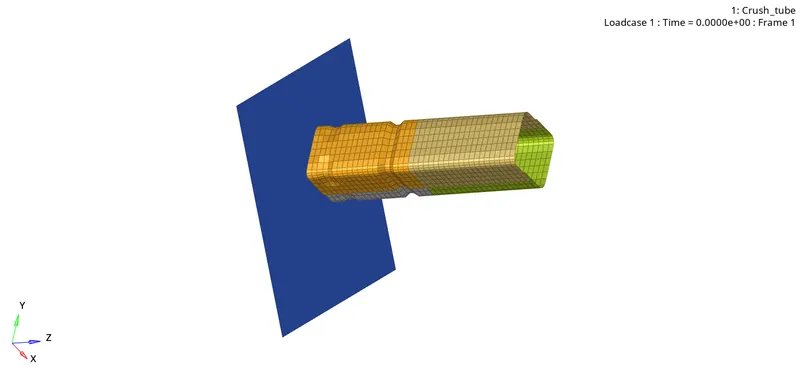
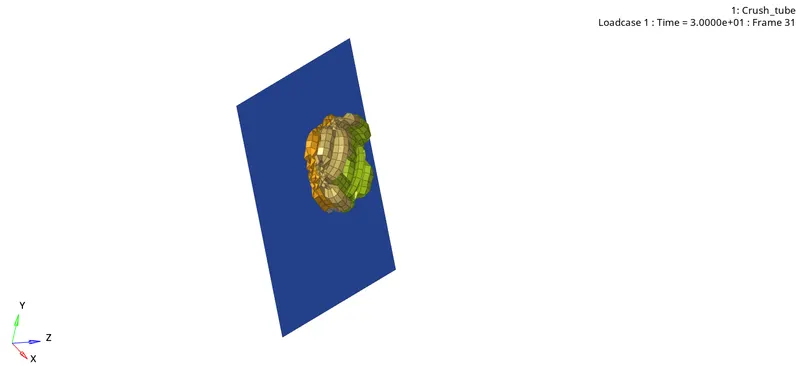
- The effect of the notch can be best studied with the help of Von Mises contour.
The von Mises stress is used to predict yielding of materials under complex loading from the results of uniaxial tensile tests. The Von Mises stress satisfies the property where two stress states with equal distortion energy have an equal Von Mises stress. - Due to the notch present, stress concentration occurs at the place.
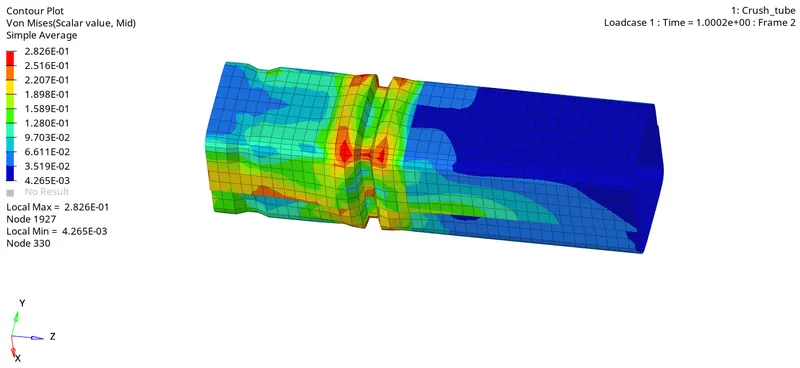
As we can see, the notch region has relatively higher stress values than the surrounding regions.
As the crash progresses, the notch kind of stands as an obstacle for the deformation propagation through the tube.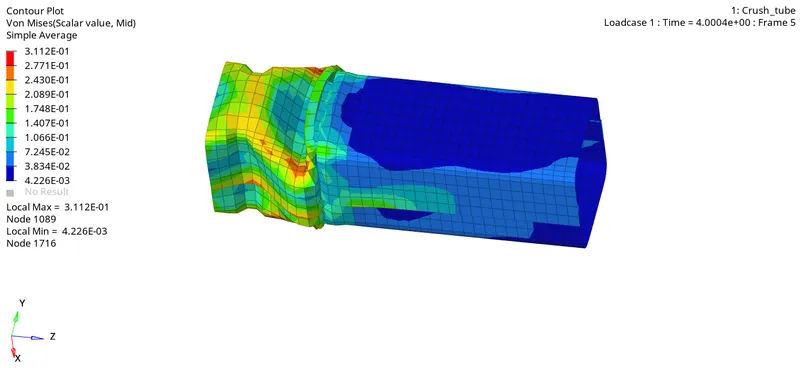
Once the impact reaches the notch, the crushing continues further.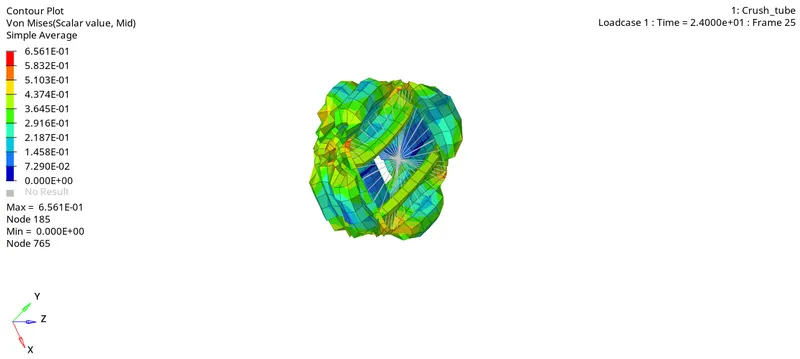
The maximum stress value is 0.695 GPa. - The T01 file is opened in HyperGRaph 2D window to plot the required plots.
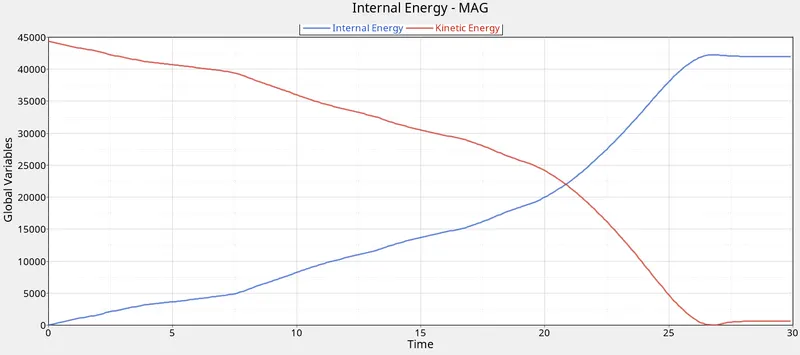
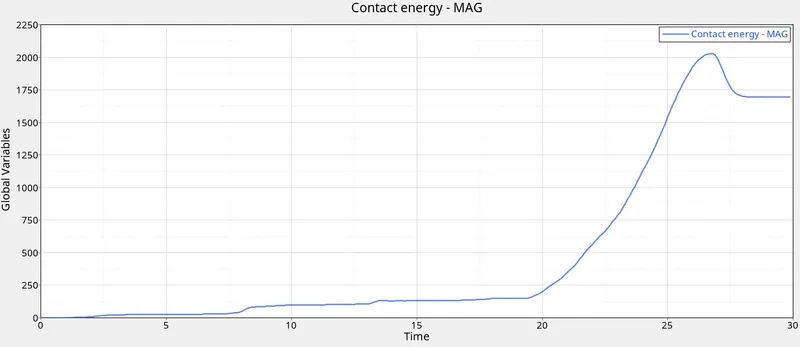
The Internal Energy of the tube goes on increasing as the deformation continues.
The magnitude of contact energy spikes up after about 20 ms.
maximum Contact Energy = 2029 J (approx).
The deformation stops after about 26 seconds, when the graph becomes horizontal.
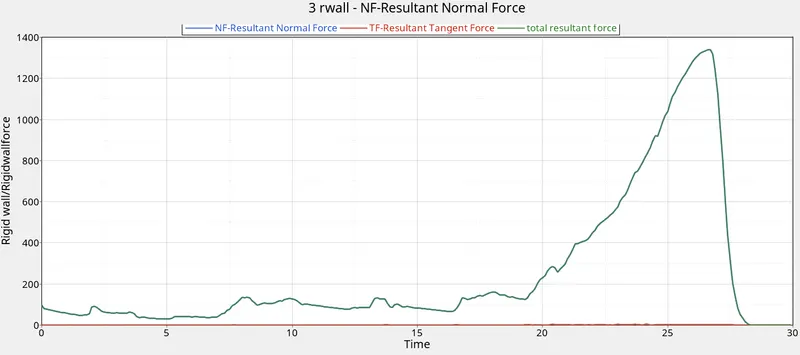
Among the rigid wall forces, the normal force that is the impacting force is the dominating one, which is why the magnitude of the frictional force is almost zero and the total energy curve nearly overlaps with that of the normal force.
The force magnitude shoots up in the end because, the rigid body element with mass definition is present at the rear end.
Maximum Contact force (Normal force) = about 1338 kN. - The energy error at the end of simulation is found to be -3.8% which is within the stable output tolerance range.
The mass error being 0.00 throughout.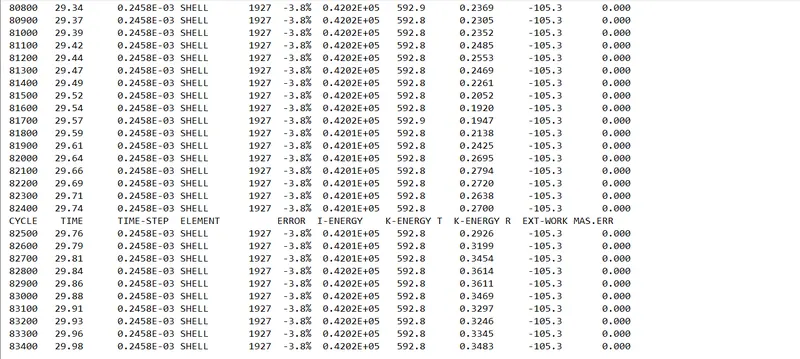
Case II : To change the Inacti=6 and run.
- As asked, now the Inacti flag is changed to 6, keeping rest all the values same.
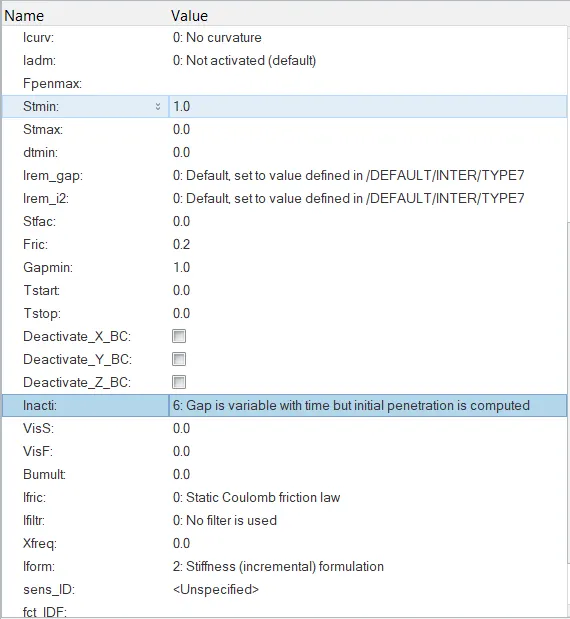
Inacti = 6 is where the solver takes initiative to deal with the initially-penetrated nodes.
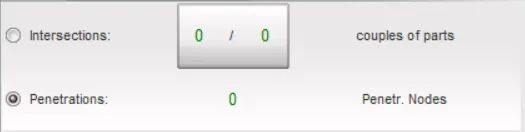
The Inacti=6 flag removes the initial penetration, by reducing and scaling of the gap. - Here, too, no initial penetrations are encountered by the solver.
Results :
- The Von-Mises stress contour is shown below -
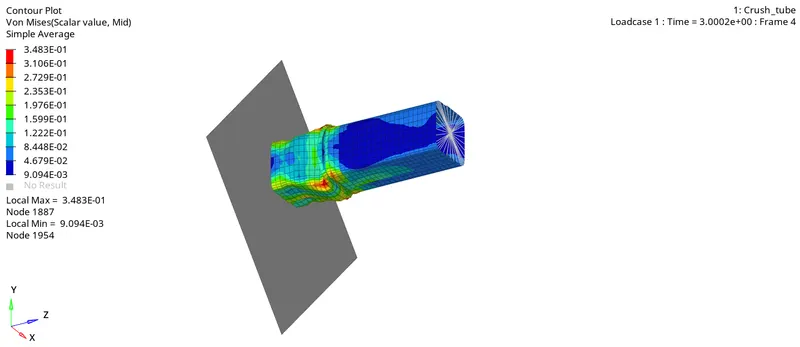
The stress variation is exactly the same as in the previous case. - The output plots from HyperGraph are shown below -
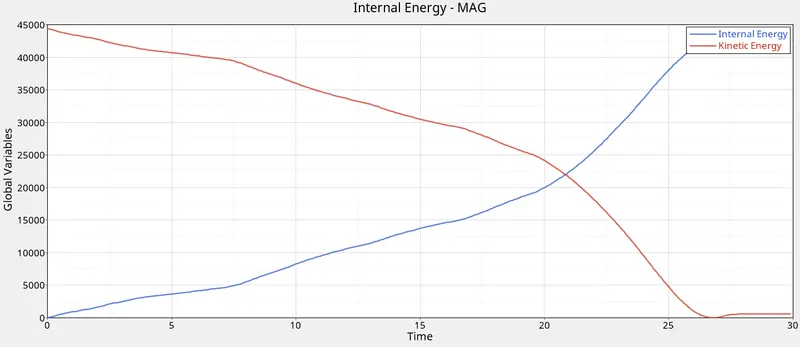
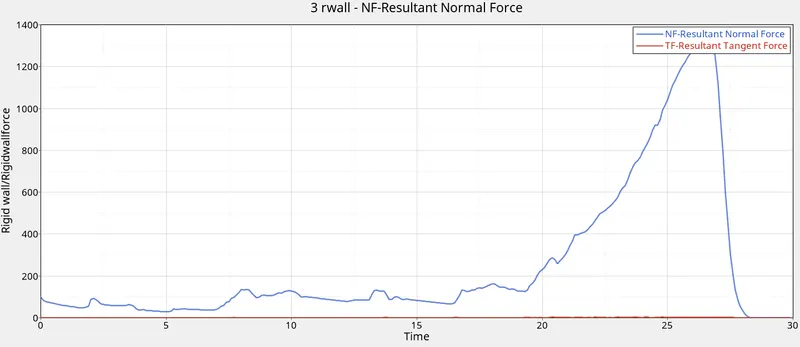
- In this case too, energy error at the end = -3.8% and mass error = 0.00
- As we can see, the outputs in both the above cases are literally the same.
This must be due to the fact that the solver did not encounter any initial penetrations in either of the two case.
Case III : Create the type 11 contact and run.
- We know, the Type11 contact corresponds to the edge to edge contact interface.
- The Type7 contact fails to account for the edge penetrations from the slave side towards the master segment.
This is where, addition of Type11 contact card helps.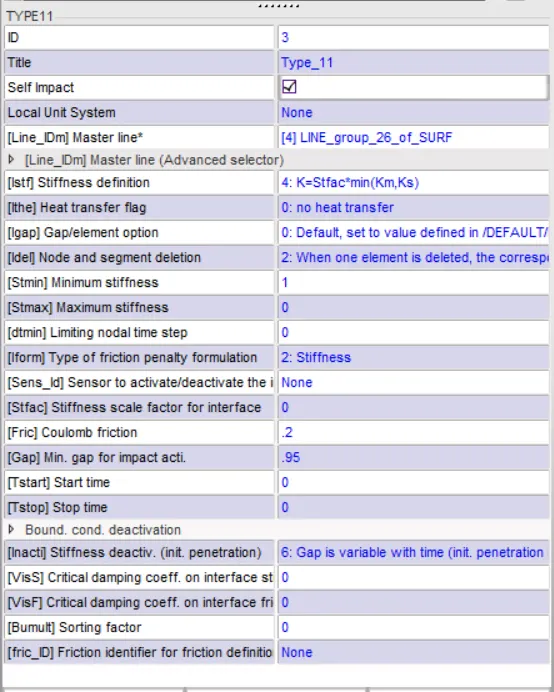
All the important flag values are chosen as per the recommended values. Rest all the parameters are kept as in Type7 card.
The self impact option is ticked so as to ensure the self penetration of the tube nodes.
The Istf is chosen as 4 to decide the interface stiffness as per the minimum value between the slave and stiffness sides.
The Gapmin is kept slightly lower than that in the Type7 card.
All the unsupported cards are deleted from the HyperCrashnwindow and the model is rand for simulation.
Results :
- Von Mises contour in HyperView :
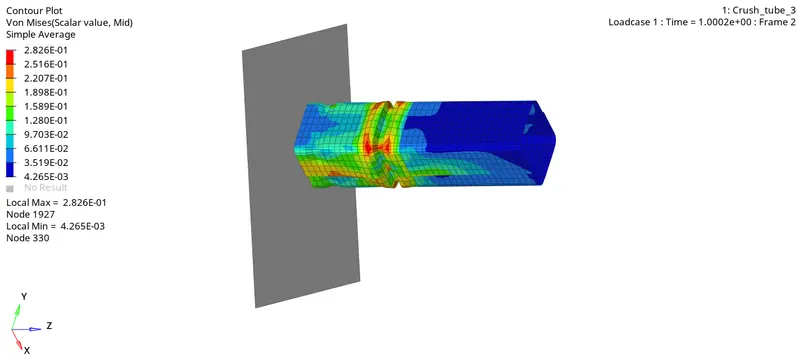
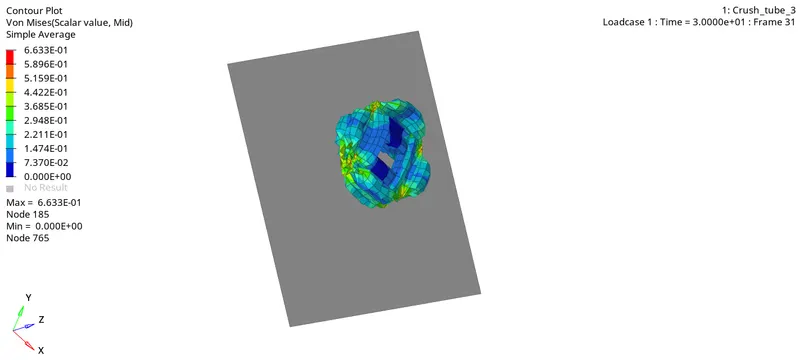
In this case, maximum stress magnitude is 0.663 GPa.
Like we discussed earlier, the notch helps in suppressing down the stress wave from propagating further. However, there is a bit of stress concentration at the notch zone. - Plots in HyperGraph :
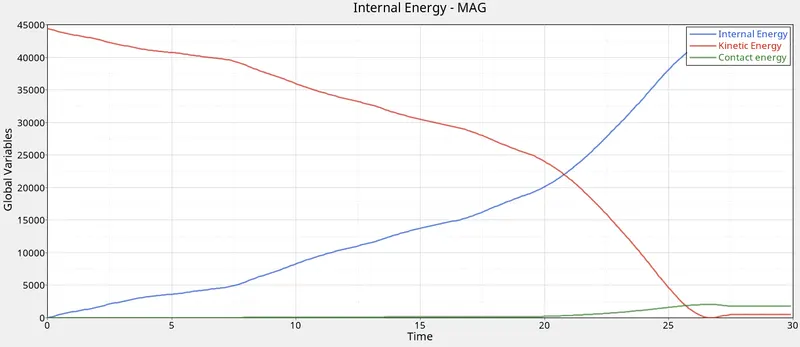
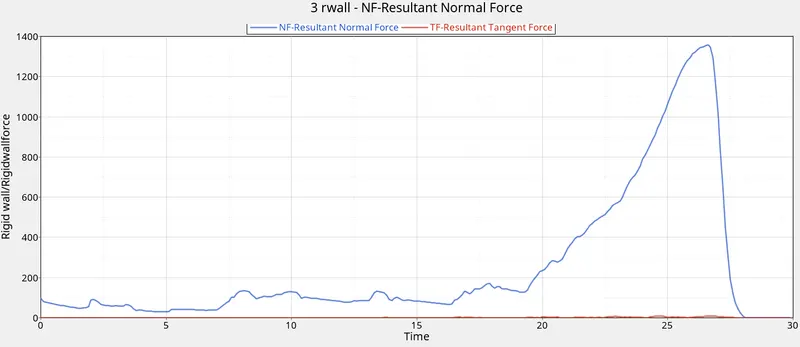
The plots for energies and R-wall forces are pretty much similar to those in the earlier cases.
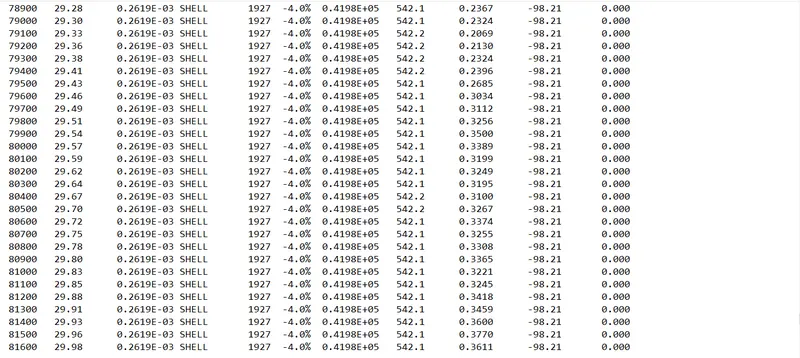
maximum contact force = about 1357 kN. - The energy error at the end of simulation is found to be -4.0%.
Case IV : Remove both notches and remove boundary condition on rigid body node then run.
- The model from the last simulation is importer in HyperMesh.
- The Boundary Condition is removed by importing the model in HyperCrash window.
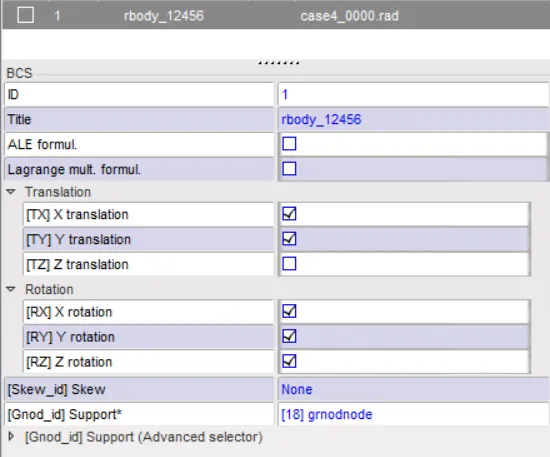
This means that there are no translational and rotational constraints on the component now. - To remove the notch, Geom-node edit-align command is used.
The nodes in the notch section are alligned using the adjacent nodes.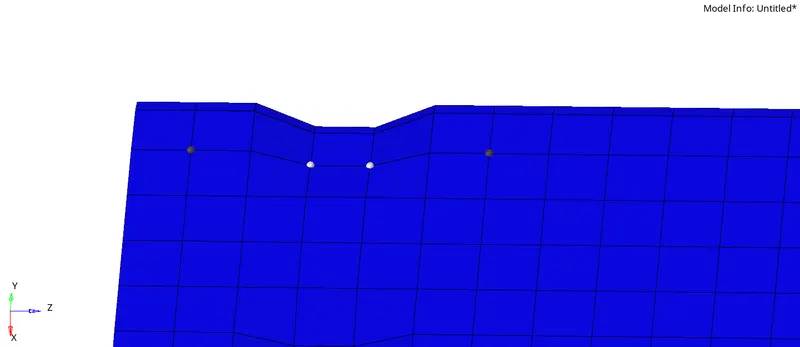
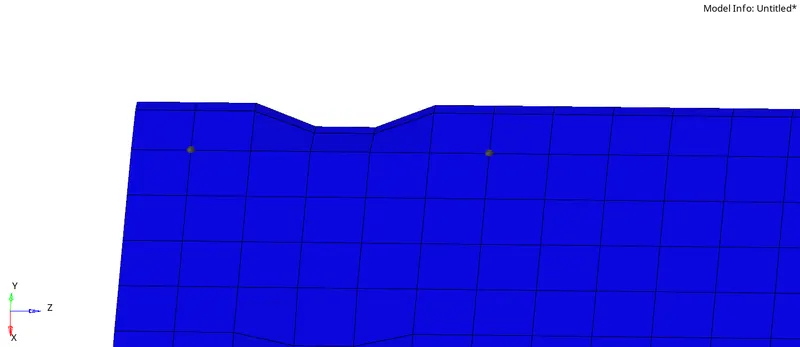
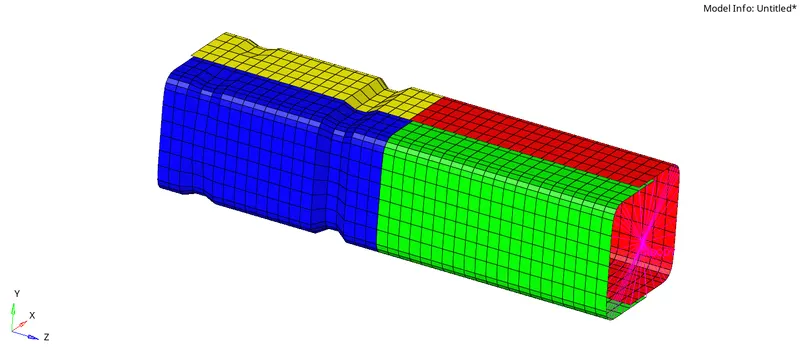
The model without the notches is shown below -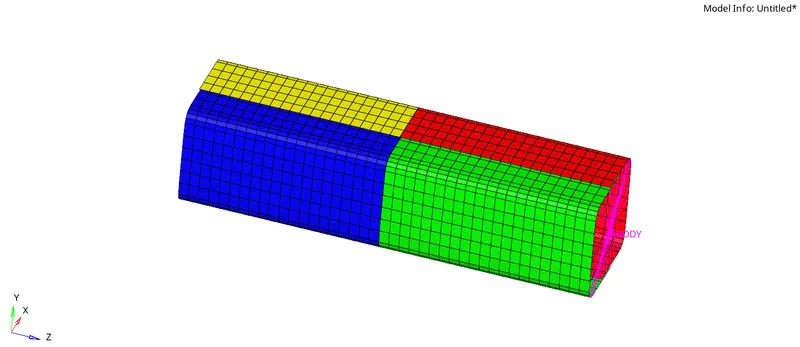
- This model is now exported as rad files and ran for simulation.
Results :
- Von Mises stress contour is shown below -
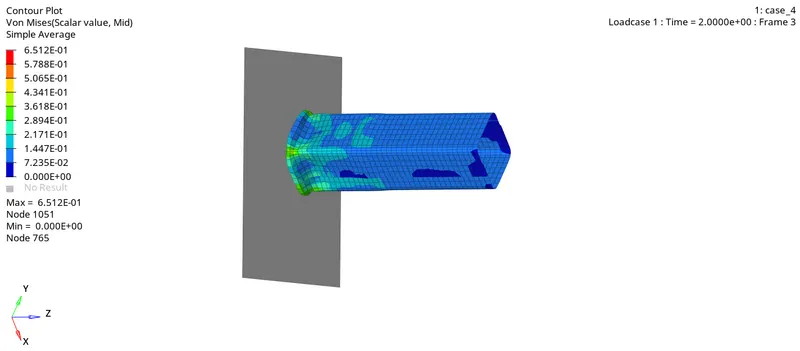
As we can see, the stress starts developing even at the tail end, as soon as the impact starts. This was not the case when notches were present.
The maximum stress value for the simulation is 0.651 GPa. - The plots from HyperGraph window are shown below -
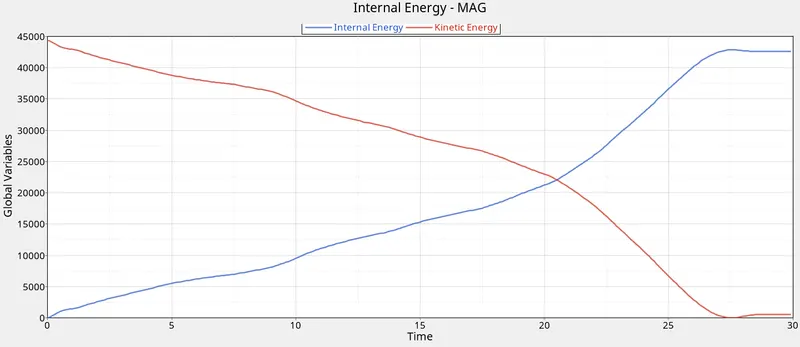
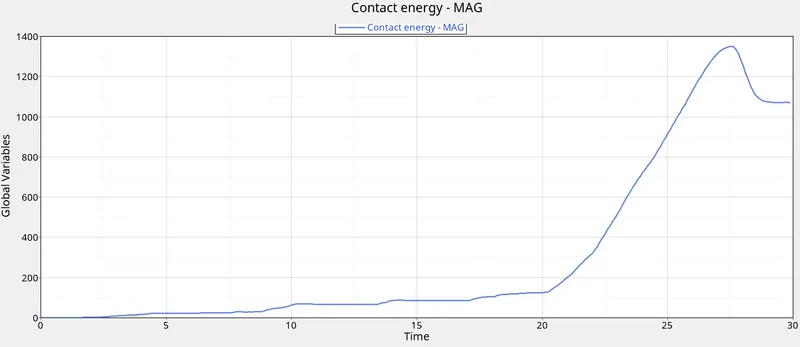
One thing to notice here is, the magnitude of Contact Energy in this case is much lesser than that in the cases with notch present.
maximum Contact Energy value = about 1346 J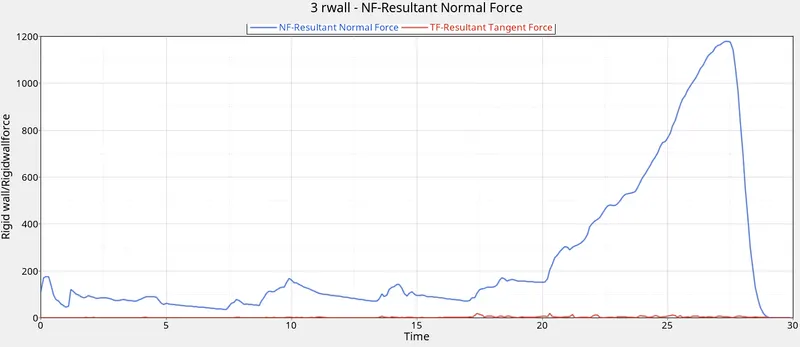
The R-wall forces plot is quite similar in this case as well.
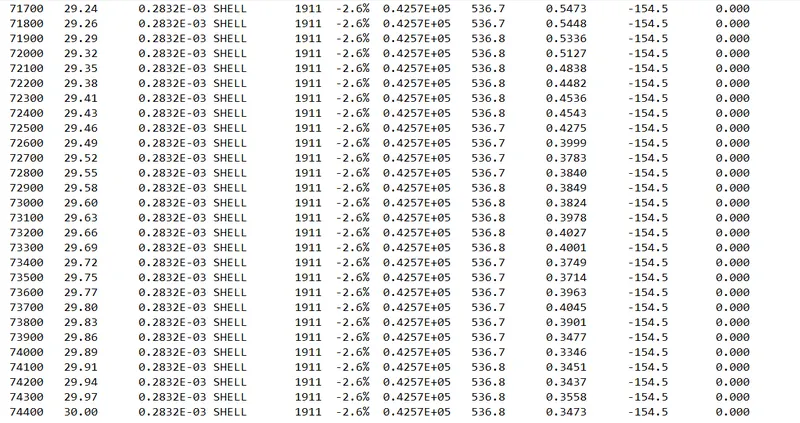
However, the maximum contact force magnitude in this case is a little lesser than the earlier cases when notches were present - about 1178 kN. - The energy error in this case reached to a value of -2.6% at the end of simulation.
Case V : Create a new notch in the middle, select the whole section and run.
- The model file from the previous simulation (without notches) is imported in Hypermesh.
- A central notch is created with the help of Tool-Translate command.
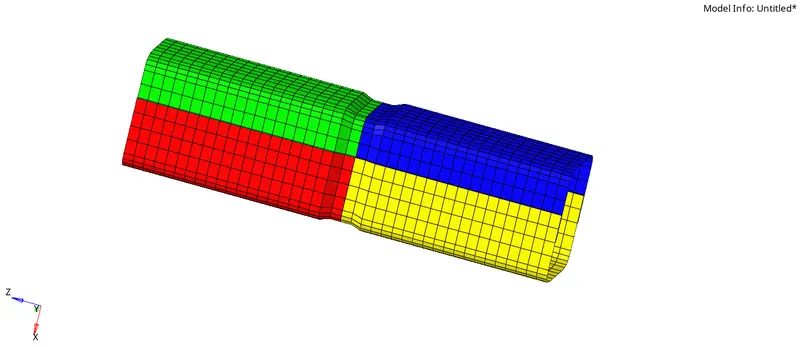
- This file is now exported as rad files with the name case_5 and the model is then ran for simulation.
Results :
- The Von Mises stress contour is shown below -
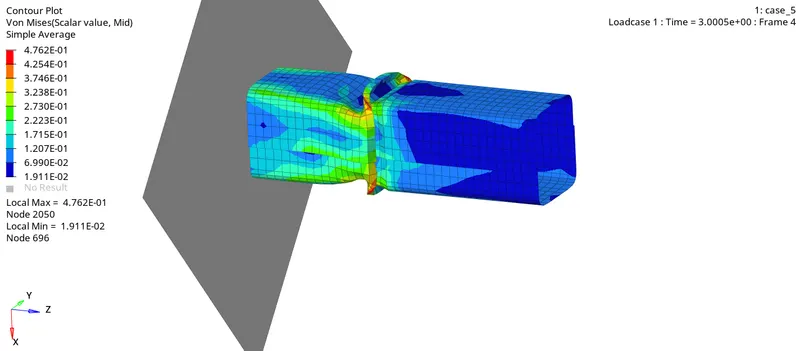
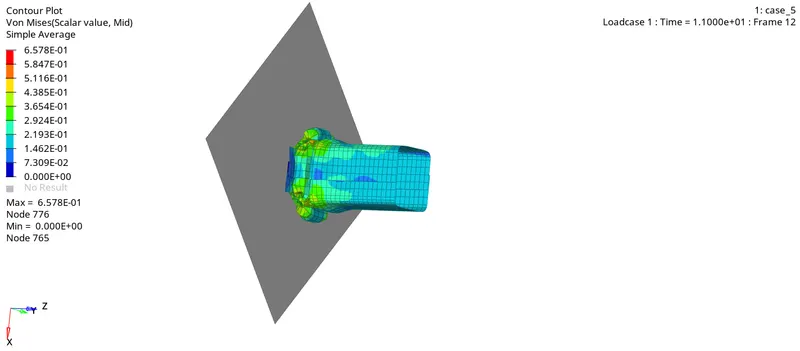
As we can see, the stress concentration is seen in the notch zone.
The maximum stress value is 0.657 GPa. - Plots from HyperGraph window -
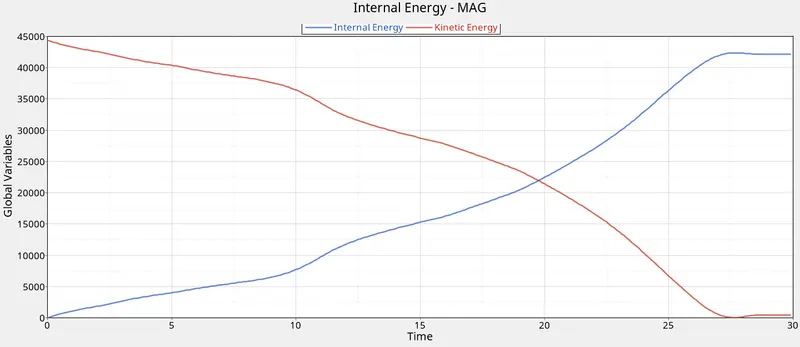
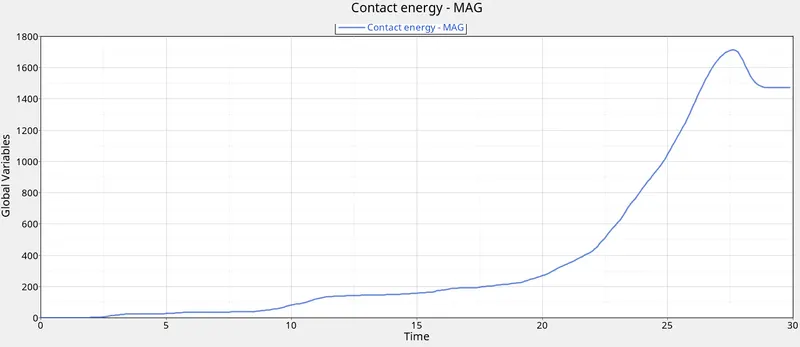
The maximum value of contact energy in this case is about 1715 J.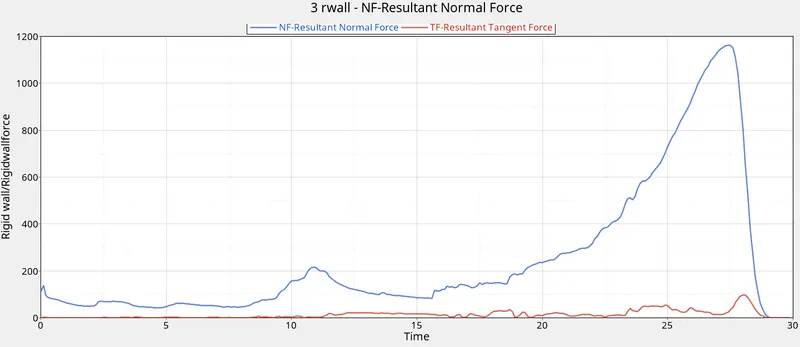
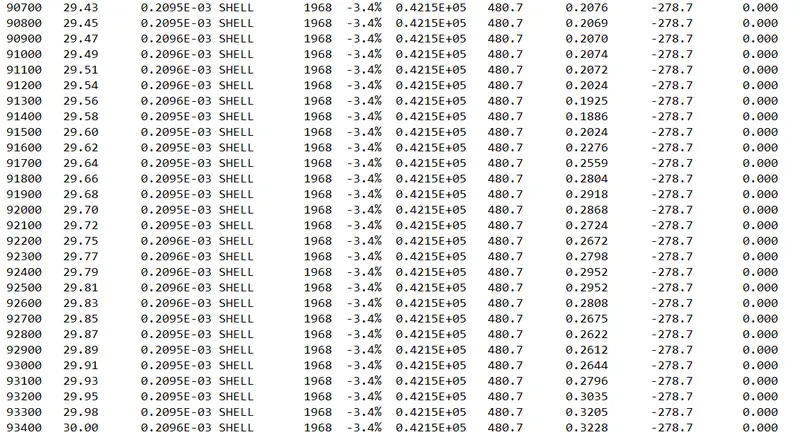
Here, the maximum contact force value is 1163 kN (approx). - Energy error in this case at the end of simulation is -3.4% which is quite acceptable.
Case VI : Create a new notch with nodes only from opposing 2 faces and run.
- The model from previous simulation is imported in Hypermesh.
- From the notch present, nodes from 2 opposing faces are alligned to the adjacent nodes, such that the notch is now only present on the remaining 2 opposite faces.
For this, node edit-align command is used.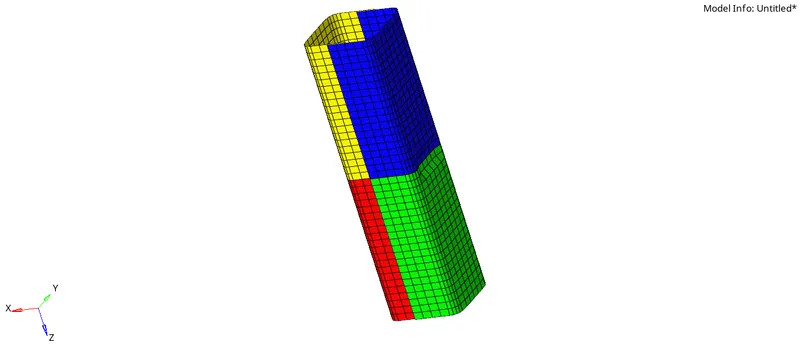
- This model is now exported using the name case_6 and then ran for simulation.
Results :
- Von Mises stress contour from HyperView :
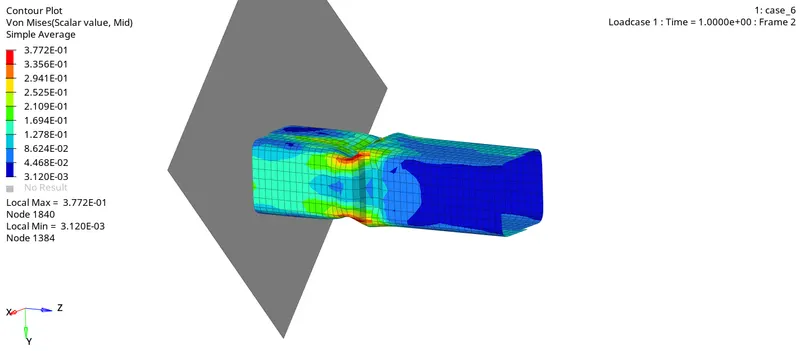
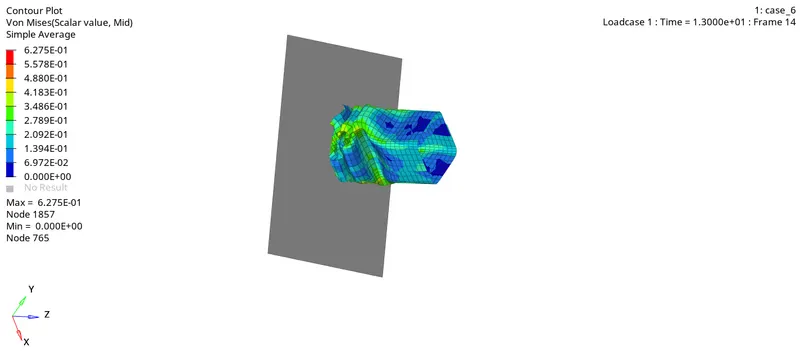
The maximum stress value in this case is 0.627 GPa. - Energy plots from HyperGraph 2D -
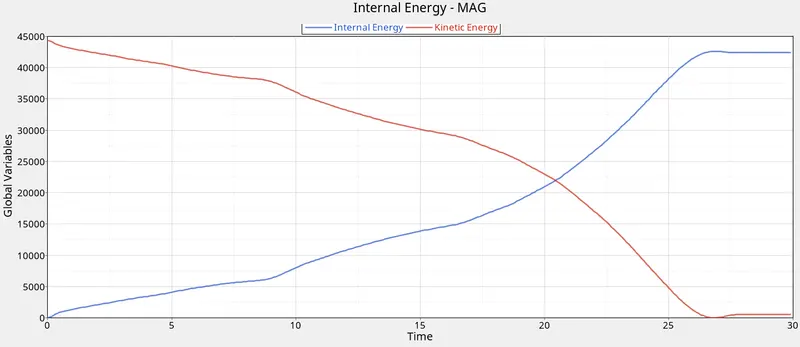
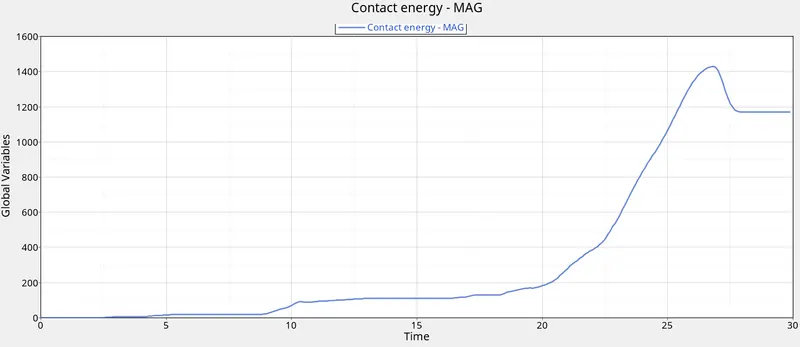
The maximum Contact Energy value is about 1429 J.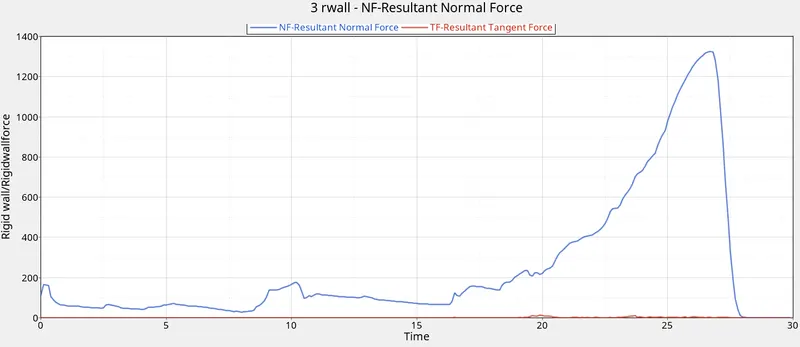
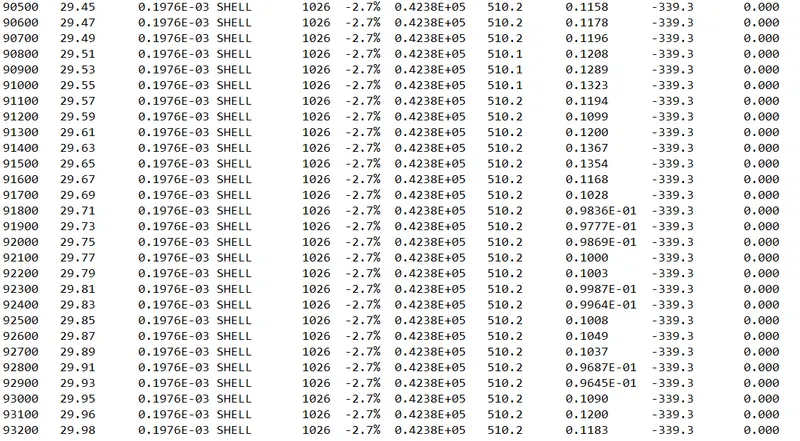
The maximum magnitude of Contact (Normal) force is approximately 1326 kN. - Energy Error at the end of simulation is -2.7%.
CONCLUSION :
The following things are concluded from the simulations and study done above -
- Energy error in all the cases of simulations is within the acceptable limits.
This means that the results are very much stable. - The minimum Contact Energy is achieved in the 4th case at 1346 J while the max. value is reached in the first 2 simulations (2029 J).
- The mimimum Contact force (Normal force) is involved in the Case V with a value of 1163 kN.
However, the Case IV also has a fairly low value of 1178 kN. - This means that the Case IV with no notches gives fairly better results than the other cases.
However, presence of a notch results in supressing down the stress wave, thereby reducing the jerk feeling.
As we can see, in the final simulation i.e. Case VI, the maximum value of Von-Mises stress is about 627 MPa which is the least in all the simulation cases. - So, to conclude, it can be said that by placing Notches of proper size and at the accurate places, we can arrive at even better solutions.