Wiring harness design in CATIA V5
AIM:To flatten the harness assembly completed in “ week 4 challenge” & to place the flattened view on drawing sheet.
The following connectors are to used for making the electrical harness layout
- DT06-4S
- DT06-6S
- DT06-2S
- DT06-08SA
Connectors Layout Design:
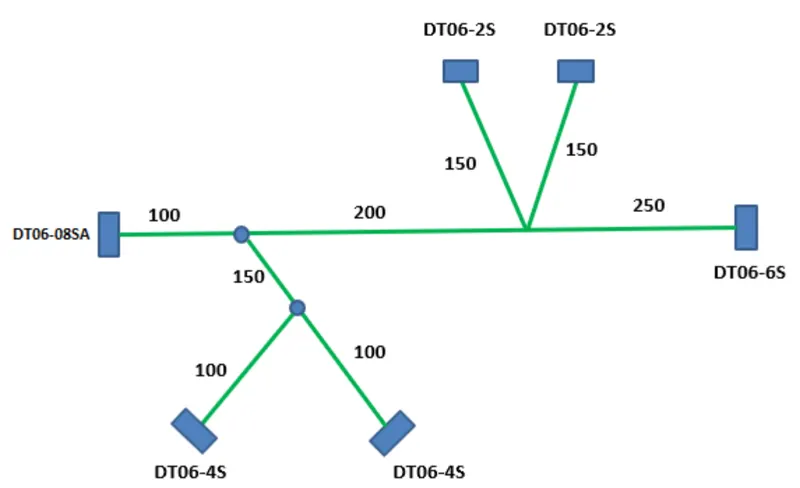
For converting the mechanical component into electrical component these are the stes to be followed:
- First download the components(DT06-4S,DT06-6S,DT06-2S,DT06-08SA) from the link.
- Provide the required geometrical parameters like points,axis system.
- The points are to be created by using point>>between command at the bundle entry point and the connector connection point.
- Create an axis system at the connector connection point.
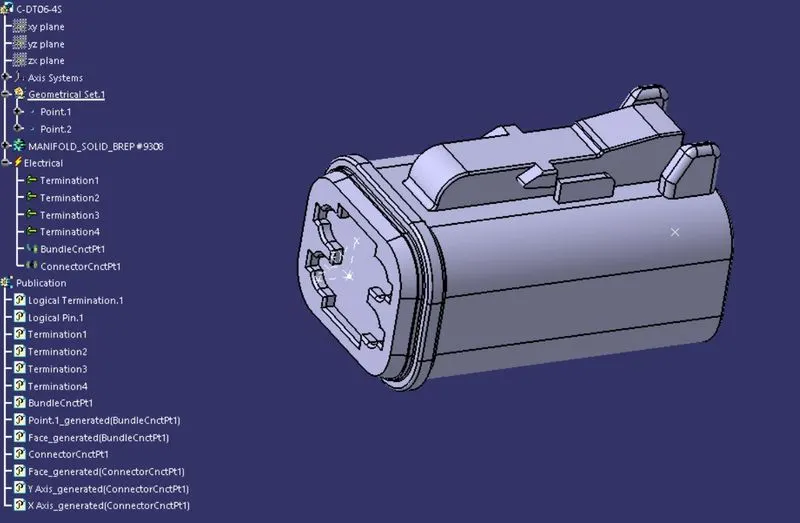
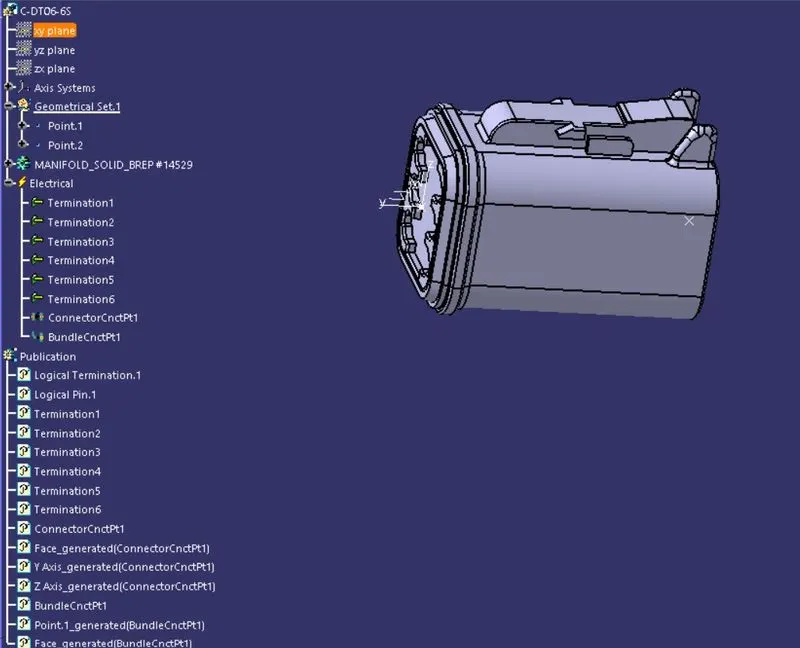
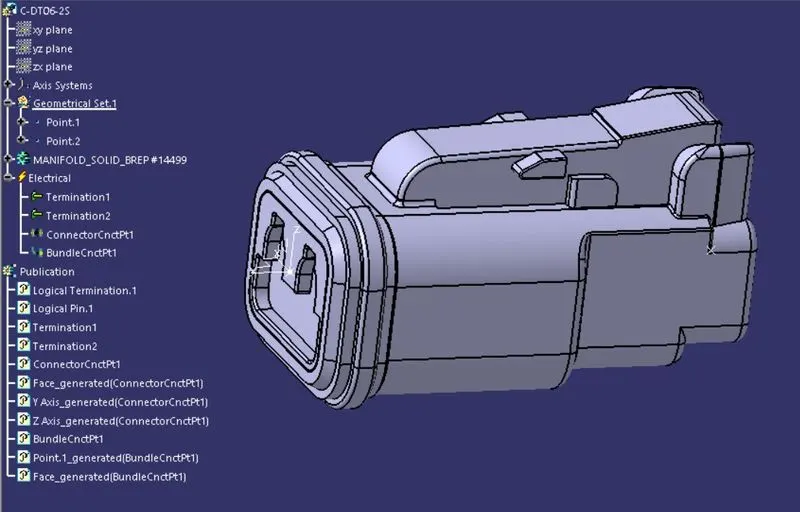
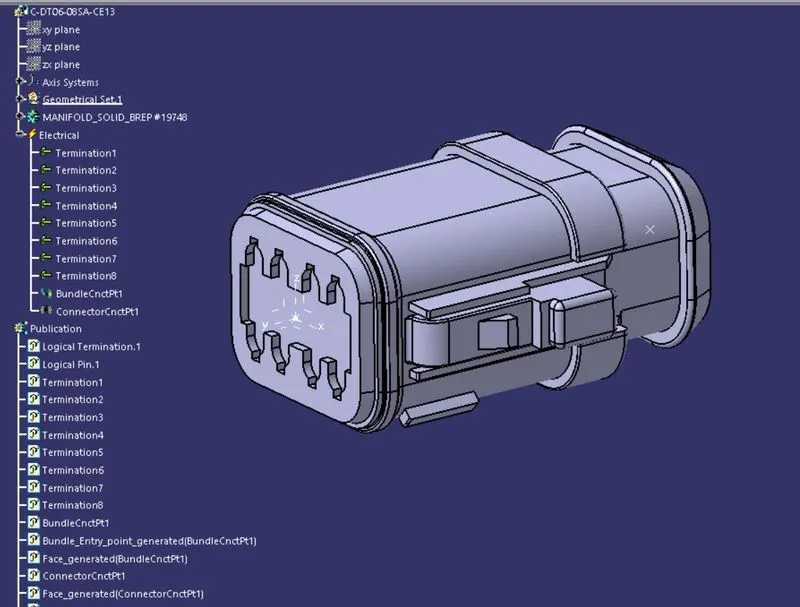
- Now Switch to Electric Part Design and define the part as connector in catia v5, give no. of termination according to the conncetor type.
- Define Bundle connection point.
- Define connector connection point.
1.DT06-4S:
2.DT06-6S:
3.DT06-2S:
4.DT06-08SA:
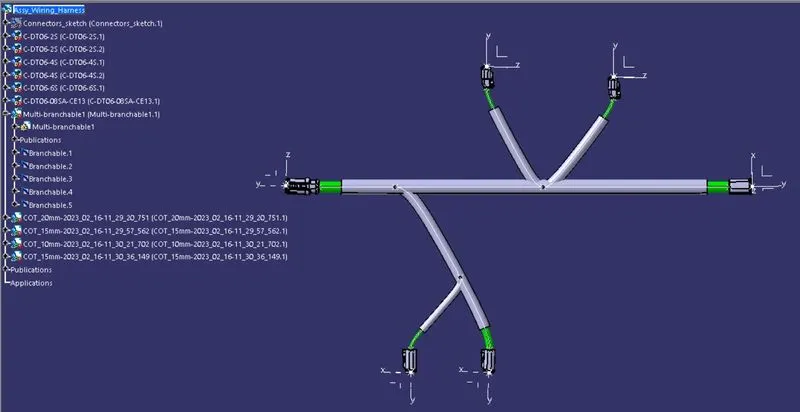
Now goto "Electrical harness assembly ",import the conncetors and place them in the posiiton according to the layout and then define the bundle eletcrially by using "Gemotrical bundle" option and then by using Multi branchable document make branches between the connectors.Once it is done add protective coverings over the branches and make the ends 30mm gap blw the conncetors and the branches.
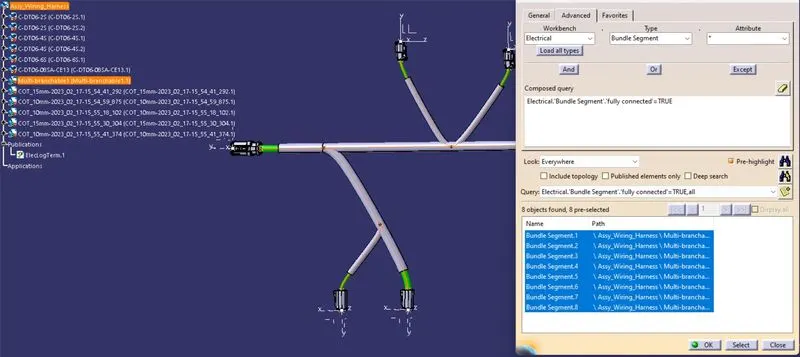
BUNDLE CONNECTIVITY CHECK:
For proper flattening of the bundle in Bundle flattening assembly, we need to ensure that the bundle created is fully connceted.
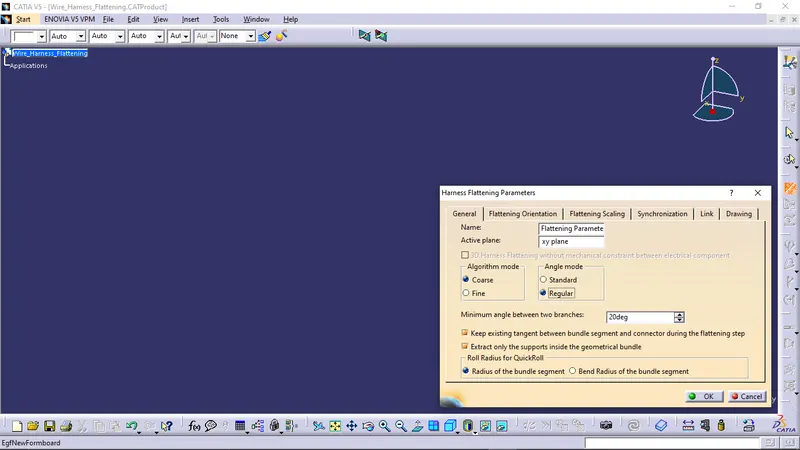
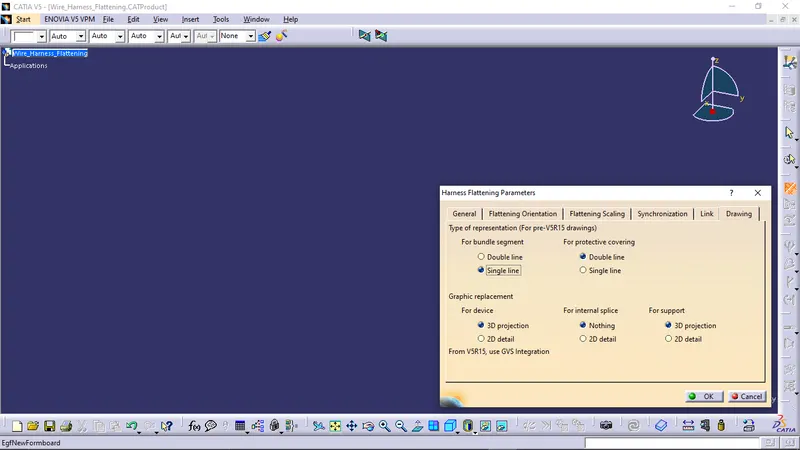
The Harness assembly is to be falttened by using the flttening assembly,for that create a new product file and siwtch to "ELECTRICAL FLATTENING ASSEMBLY WORKBENCH"and by using Harness flattening parameters edit the parameters as shown in the below fig.
Select the 'Extract' option from the "Electrical Harness flattening workbench" and select the Geometric bundle product in the wire harness assembly product file.Then wire harness assembly is imported to the Wire flattening product file with '_EHF' extension added to the geometric bundle assembly name & by using flatten command make the bundle flat as per the given layout.
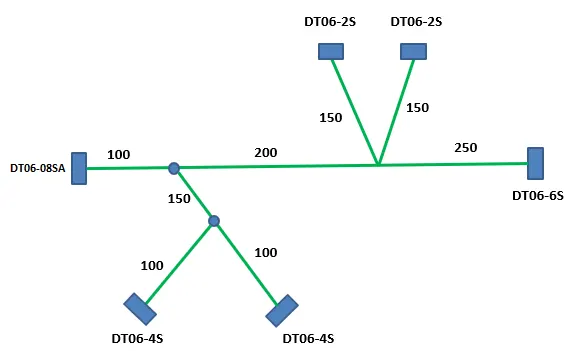
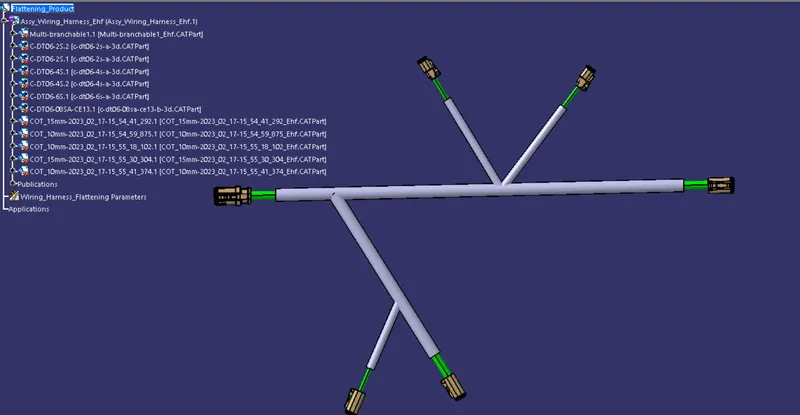
Now we need to create a drawing file for the flatten part,for that craete a new drawing file and by usinf the front view option select the view of the bundle and adjust it according to the layout and make neccessary settings for that.
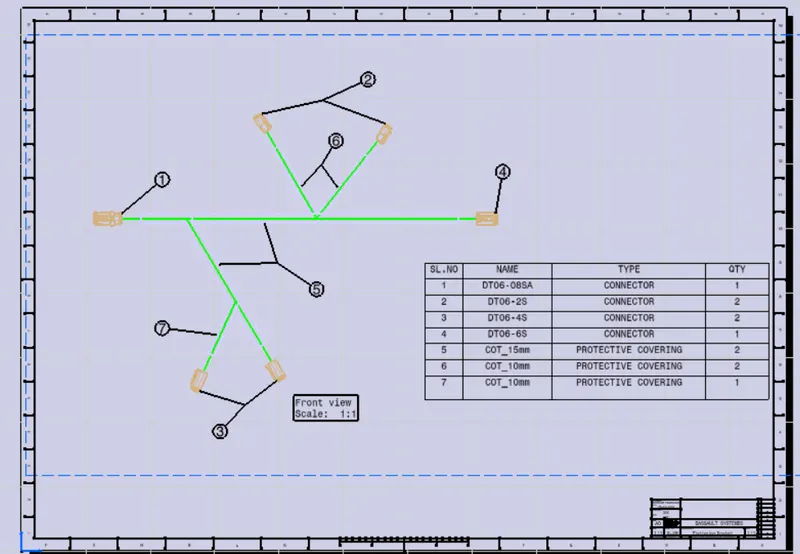
CONCLUSION:The harness assembly is flattened from the "Electrical flatten assembly "by using the reuired commands and the drawing sheet is aslo created for the flatten assembly.