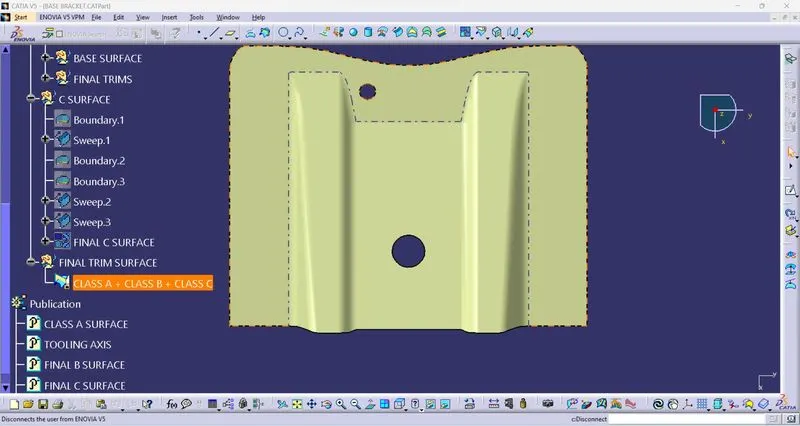
Base Bracket Design
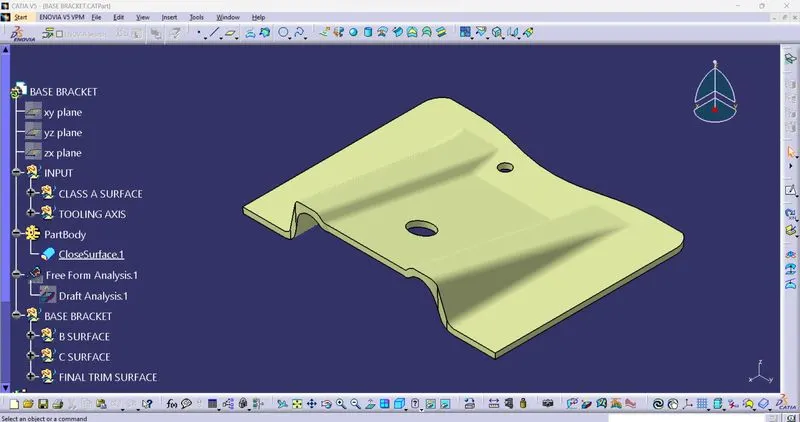
TOOLING AXIS: For creating the tooling axis ensure proper direction for it,for that check the given CLASS A SURFACE in all the directions.By looking into it we can say that z axis is the best suitable direction.Create a dummpy tooling axis by creating a point in the center of the top hole adn create a line along the z direction.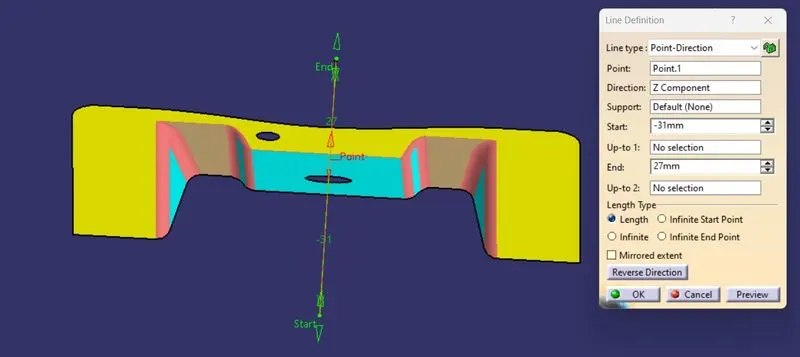
Create a plane at the center by yz plane along the reference point 1 and then intersect the given surface with the palne created.Then we can have the curves along the plane direction.create 2 lines on the lines of the curves and by using bisecting option select the line 1 and line 2 and point 1 as ref.Then we can get the bisecting line.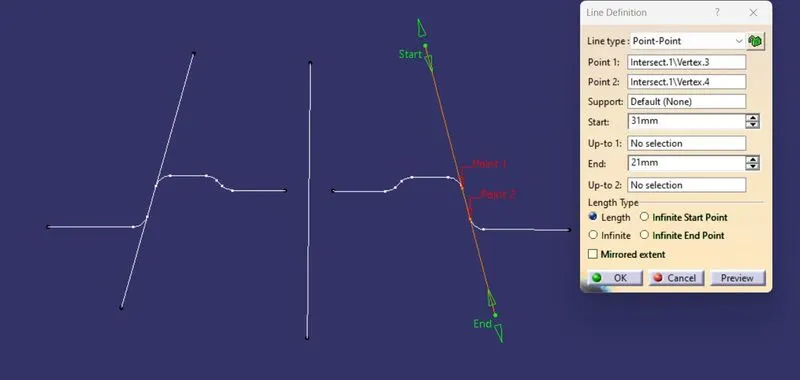
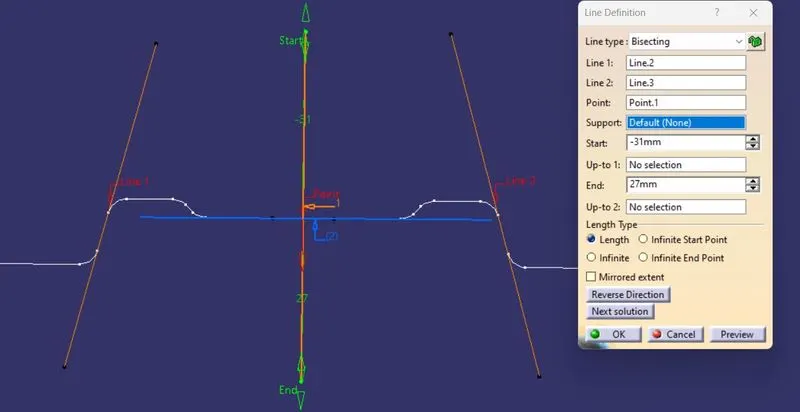
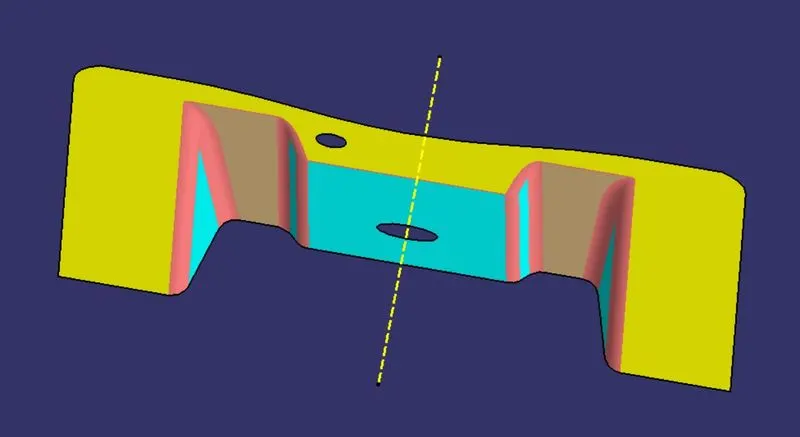
The final bisected line is highlighted using the properties and hide all the unnecessary commands.as shown in above fig.
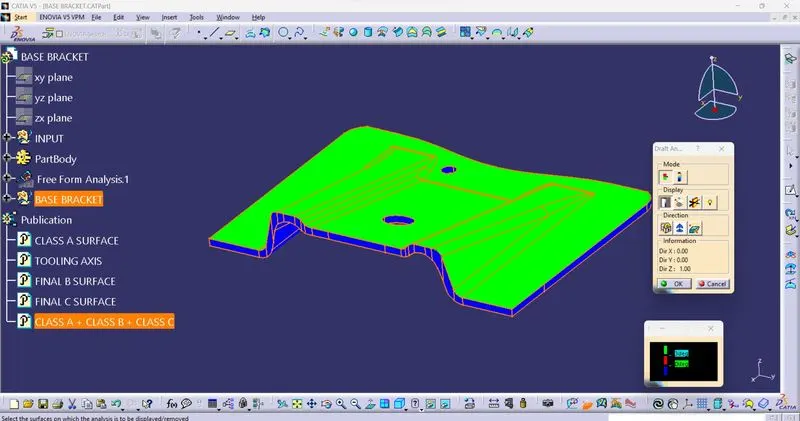
DRAFT ANALSYIS: Select Feature draft analysis command and goto mode options which shows 3 colors(blue, red,green).The green is preferable and set the draft angle to 3 deg.Then goto display option and click on analsyis under running point and check the angles on all thesides os the surface,and goto direction option selection compass and drag it into the tooling axis and fit in it such that the w face should coincide with the tooling axis.If the surface is in blue color change it to green by using flip option in the directions.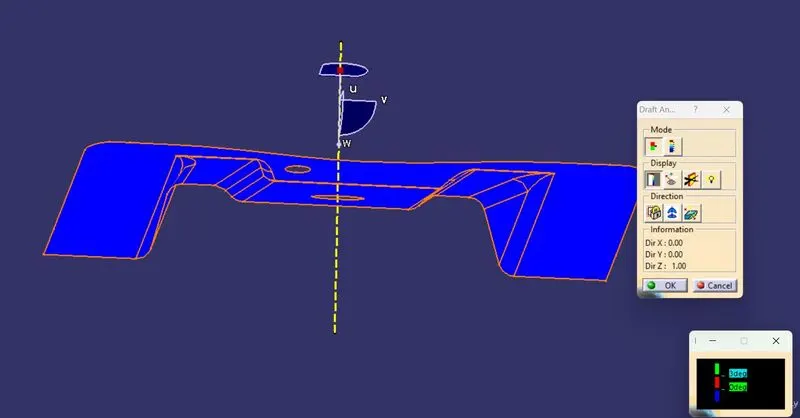
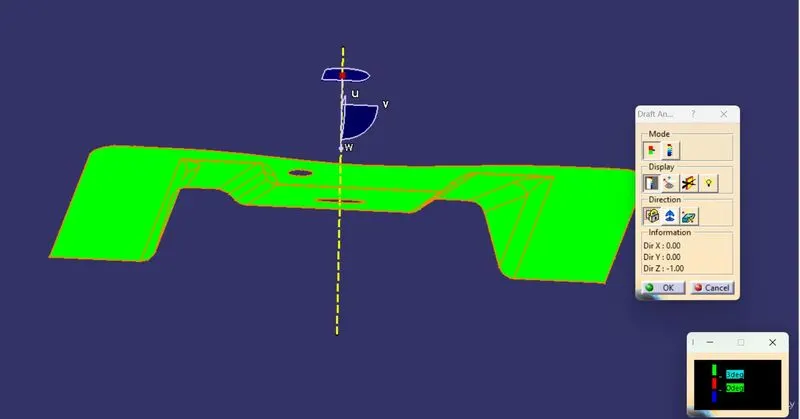
Once the process is completed click on lock otpion to lock the draft direction.