Week 9 Tension and Torsion test challenge
NTRODUCTION:
Tensile Test:
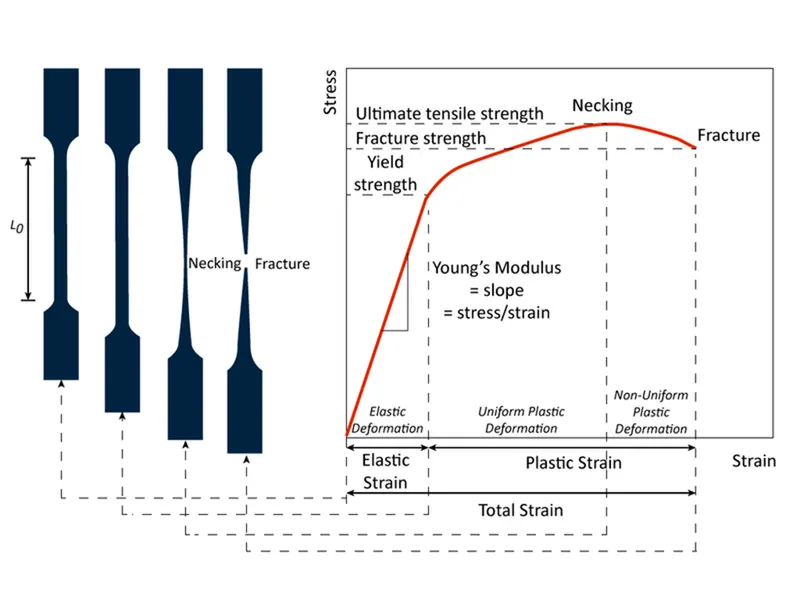
- Tensile testing, also known as tension testing, is a fundamental material science and engineering test in which a sample is subjected to a controlled tension until failure. Properties that are directly measured via a tensile test are ultimate tensile strength, breaking strength, maximum elongation and reduction in area. From these measurements the following properties can also be determined: Young's modulus, Poisson's ratio, yield strength, and strain hardening characteristics. Uniaxial tensile testing is the most commonly used for obtaining the mechanical characteristics of isotropic materials. Some materials use biaxial tensile testing. The main difference between these testing machines being how load is applied on the materials.
Torsion Test
- In the field of Solid mechanics, torsion is the twisting of an object due to an applied torque. Torsion is expressed in either the Pascal (Pa), an SI unit for newtons per square metre, or in pounds per square inch (psi) while torque is expressed in newton-metres (N·m) or foot-pound force (ft·lbf). In sections perpendicular to the torque axis, the resultant shear stress in this section is perpendicular to the radius.
- In non-circular cross-sections, twisting is accompanied by a distortion called warping, in which transverse sections do not remain plane. For shafts of uniform cross-section unrestrained against warping, the torsion is:
PROCEDURE:
Case-1 : Tension test
- Open the ANSYS Workbench software. Under the Analysis system select the Explicit Dynamics and wait for few seconds to pop up the window, which contains Engineering data, Geometry, Model, setup, Solution and Results.
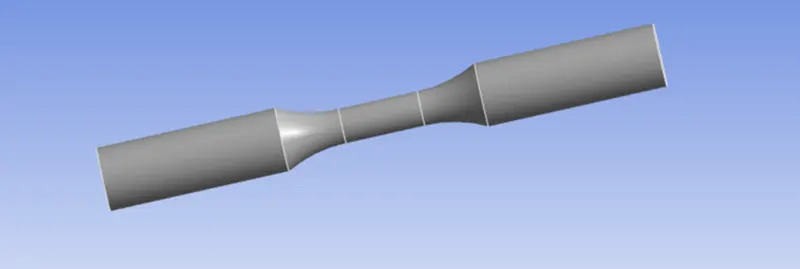
- Under geometry import the Tensile Test model.
- Update the model by right click and edit the Model for Preprocessing.
- Wait for few seconds and ANSYS Mechanical will open as shown below. Rename the model as Specimen.
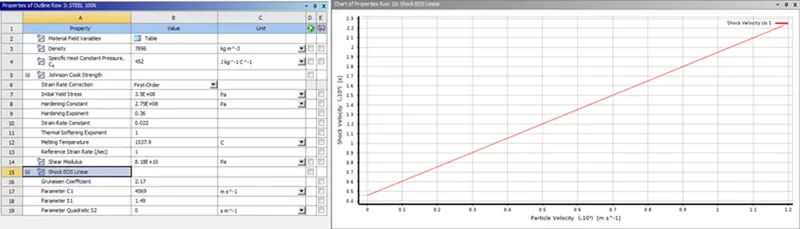
- Assign the material to the model. Right click on engineering data and under engineering data sources select explicit materials and assign Steel 1006 to the specimen.
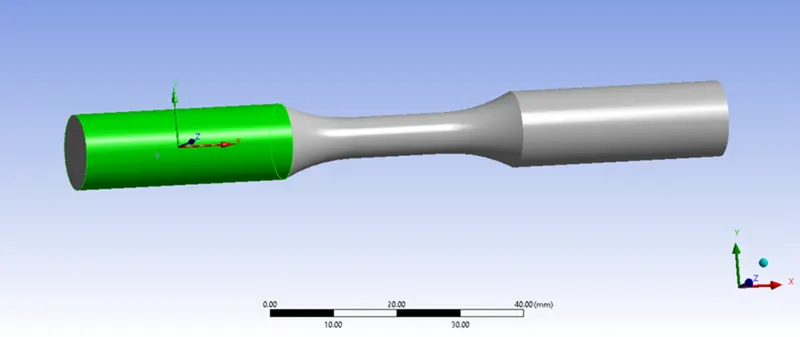
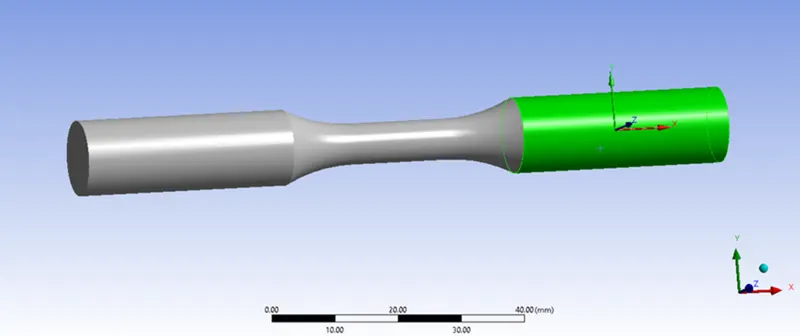
- Create two co-ordinates system for the model and select the faces as shown below.
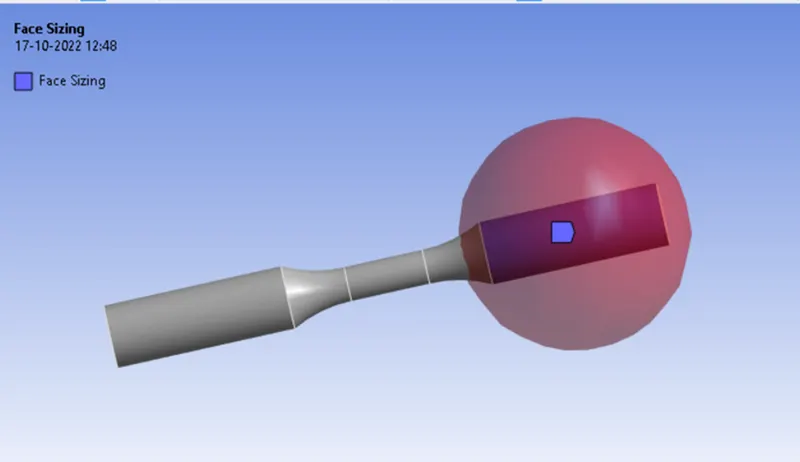
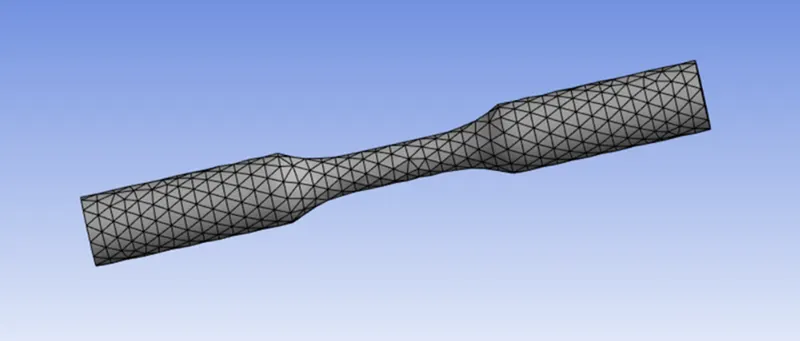
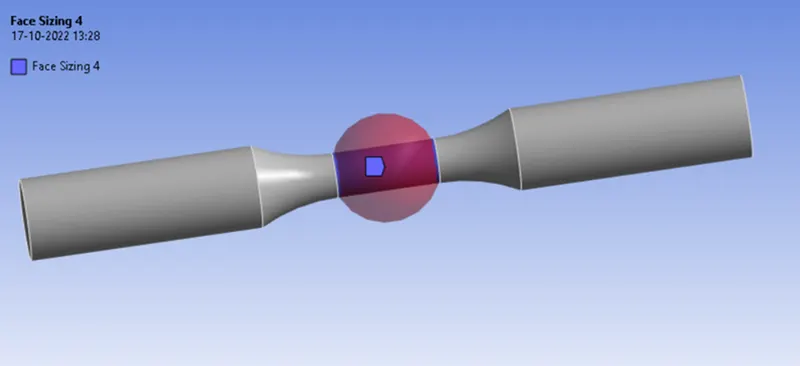
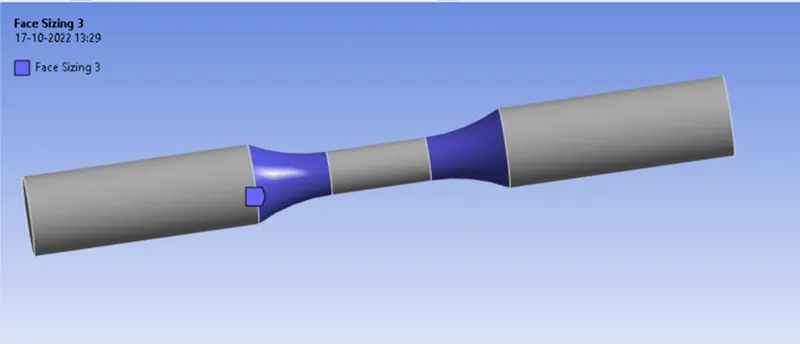
- In ANSYS automatic mesh will be performed with Default mesh size, so insert method and select the specimen and choose method type as tetrahedranes and select the sizing option, select the face as shown below, change type as sphere of influence assign radius=22mm and element size as 3mm, and perform the same method for other side of the specimen as shown below.
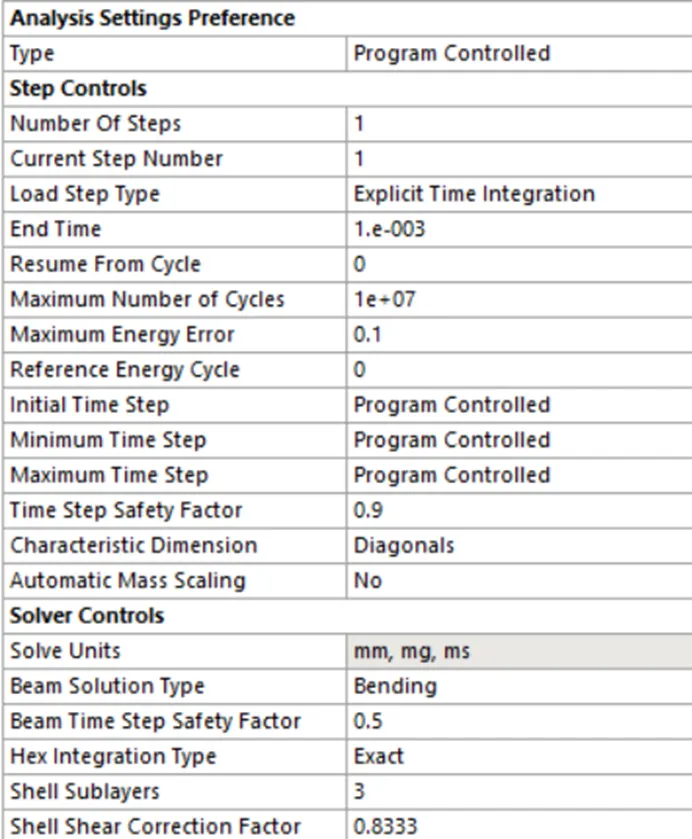
Analysis settings:
- Displacement: Insert a Displacement and select the face as shown below and make y and z as zero and assign a magnitude of 18mm in X-axis.
- Now request for the outputs such as equivalent stress, equivalent elastic strain, Total deformation. and after simulation is completed click on the solution and click on work sheet, then request for temperature.
- SOLVE the solution and we can see the simulation run under solution information.
Case-2: Torsion test
- For torsion test open Ansys work bench and duplicate the tensile test we had did and rename it as torsion test, and click on model edit.
- Then apply a mesh size of 1.5mm to the face by using sizing option as shown below. Again insert sizing and change type as sphere of influence, sphere of radius as 8mm and size as 1mm.
- Insert a cylindrical co-ordinate system and select the face as shown below and insert a new co-ordinate system, change type as cylindrical and direction as shown below.
- Finally clear generated data and solve and we can see the simulation run under solution information.
SIMULATION RESULT:
Case-1 : Tension test
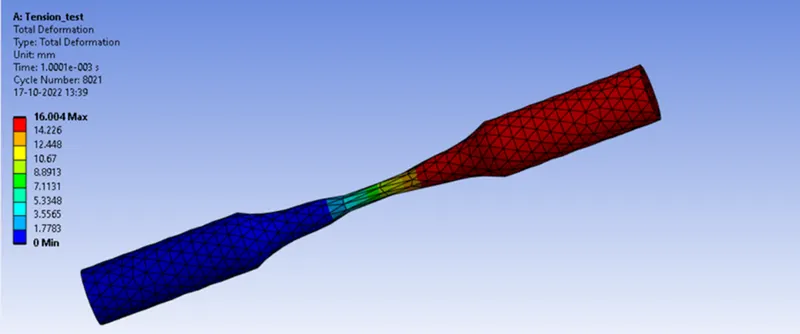
- Total Deformation -
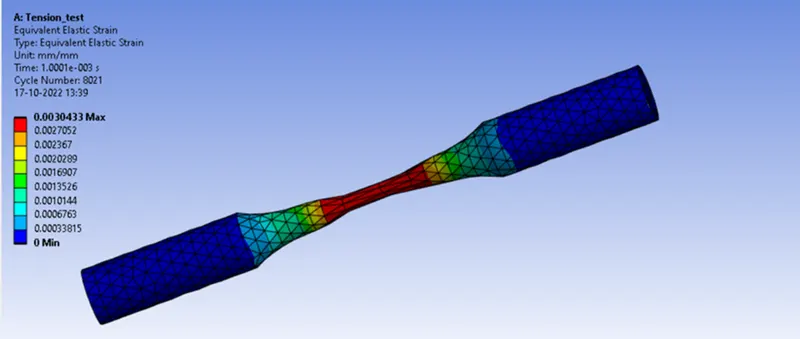
- Equivalent Strain-
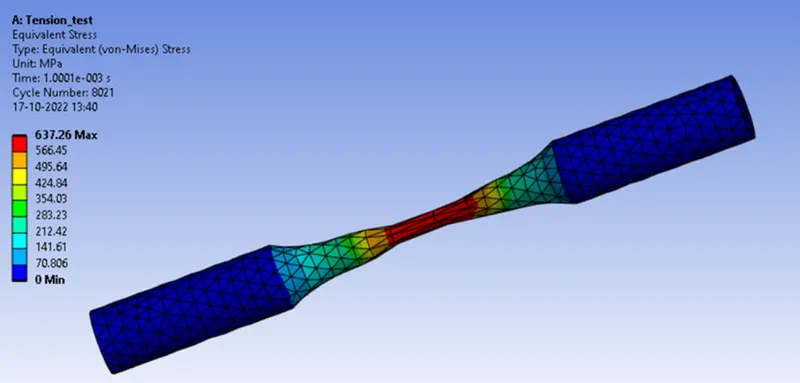
- Equivalent Stress-
Case-2: Torsion test
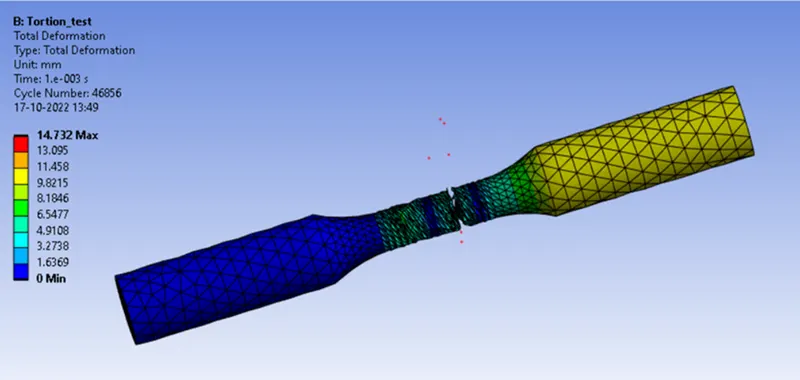
- Total Deformation-
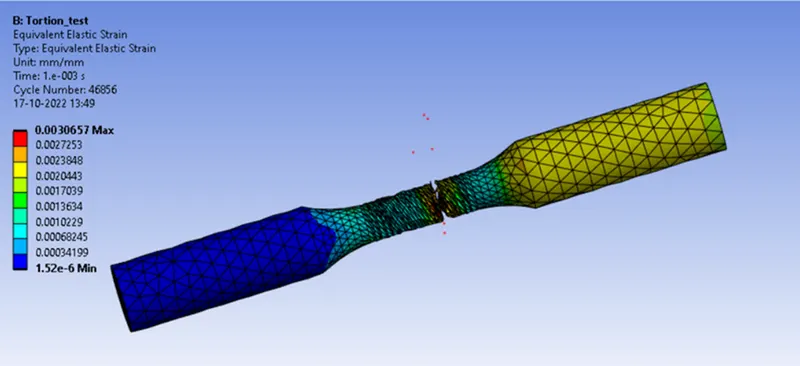
- Equivalent Strain-
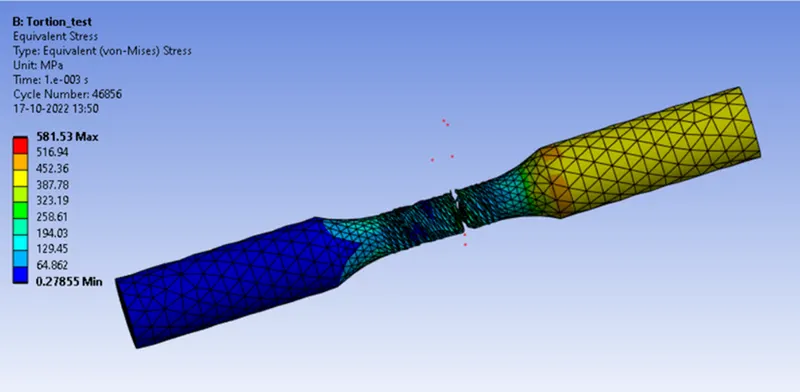
- Equivalent Stress-
Tabular results:
- Tension test:
|
Sr No. |
Equivalent Stress (MPa) |
Equivalent Elastic Strain |
Total Deformation (mm) |
Temperature (°C) |
|
1. |
Max: 637.26 Min: 0 |
Max: 0.00304 Min: 0 |
Max: 16.004 Min: 0 |
Max: 241.75 Min: 22 |
- Torsion test:
|
Sr No. |
Equivalent Stress (MPa) |
Equivalent Elastic Strain |
Total Deformation (mm) |
Temperature (°C) |
|
1. |
Max: 581.53 Min: 0 |
Max: 0.003065 Min: 0 |
Max: 14.732 Min: 0 |
Max: 442.83 Min: 22 |
CONCLUSION:
- From the above results we can conclude that the maximum equivalent stress of 637.26 MPa is experienced in tension test and the maximum equivalent stress of 581.53 MPa is experienced in torsion test. The total deformation of 16.004mm is experienced in tension test and the total deformation of 14.732mm is experienced in torsion test. The Maximum Temperature of 241.75°C is experienced in tension test and the Maximum Temperature of 442.83°C is experienced in torsion test.