Week - 8 - Morphing
AIM: To practice and apply the Morphing techniques on the given models and morph the model as given in the question.
PROCEDURE:
Steps
- First we have to import the CAD model to the ANSA software to practice
- As we already know , after the model is imported to ansa we have to perform the topo logical cleaup on the model.
- Aftre the cleanup we have to do the geometry check in the checks manager which is present in the tools modules
- After the geometry check is completed, we have to check the orentation of the model.
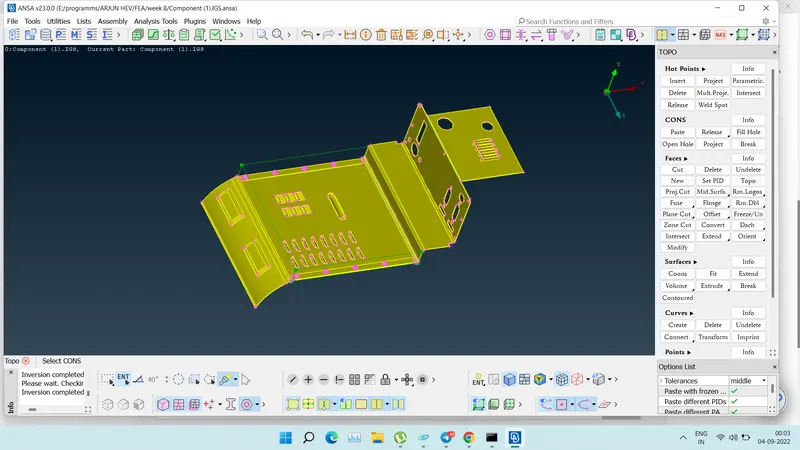
- Then switch to MORPH MODULE, for creating a box ,as we have to first create a box to morph the model.
- To create a box go to NEW command in the BOXES option which is in the MORPH MODULE.
- After going into NEW we will be directed to another NEW MORPH.
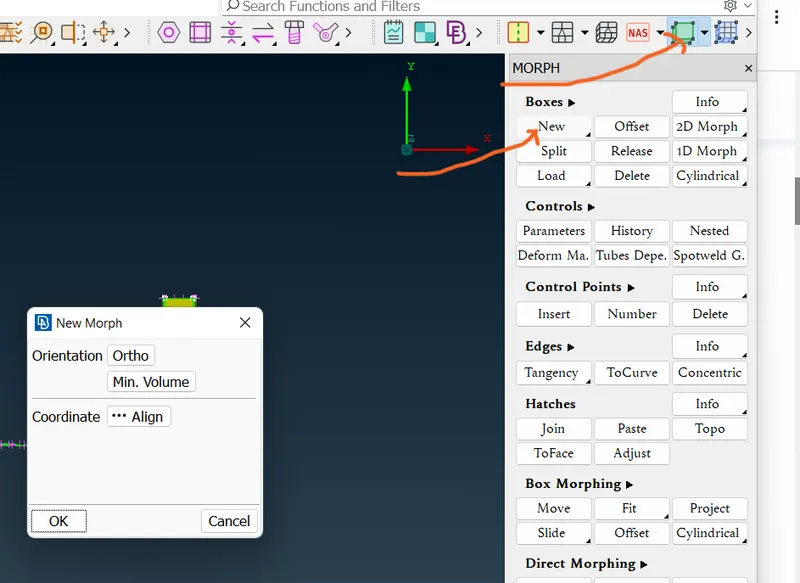
- In new morph wiondo we have to select ORTHO and As we have geometry we have to select GEOMETRY to create a BOX. Apart from this we also have NODES and FE ENTITIES for FE models and Mid surfaces.
- MORPH MODULE
- Before morfing
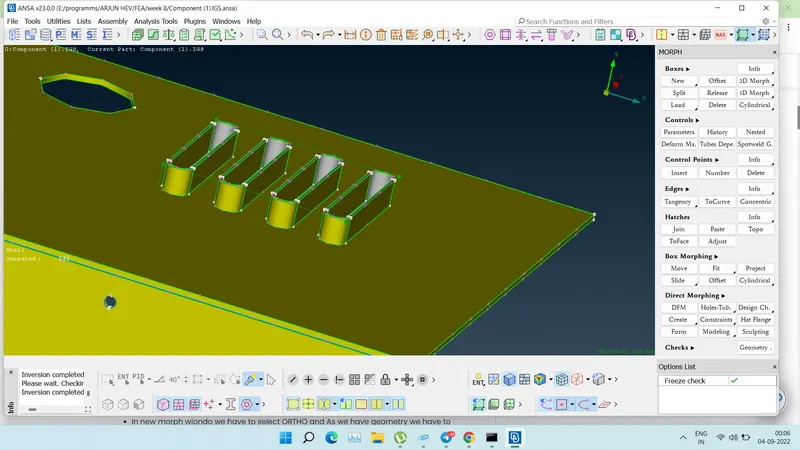
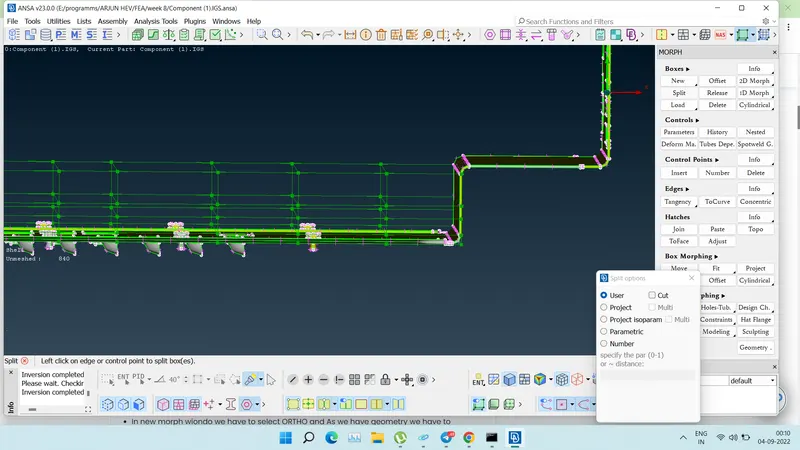
- After the box is created , We have SPLIT command in BOXES where we can split the which we have created so that it helps the user to morph the model according to the user.
- MORPHE MODULE
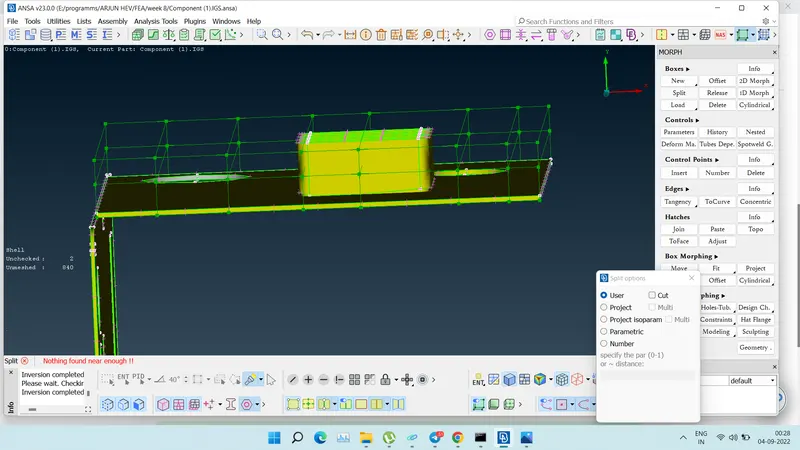
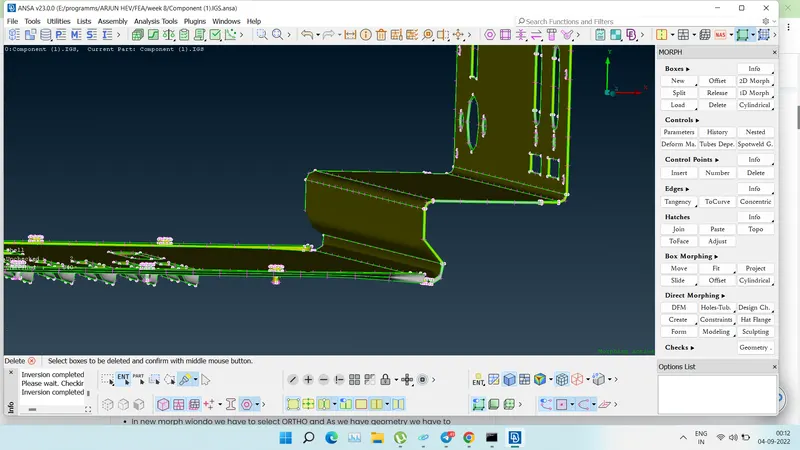
- After creating the box, To change the length of any particular part in the model we have go to BOX MORPHING OPTION In MORPH MODULE.
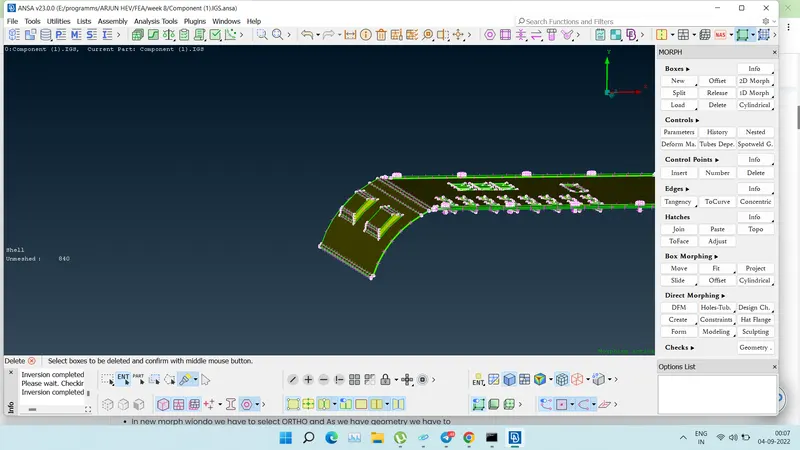
- In BOX MORPHING we have a command called MOVE which helps to change the length of the geometry in the partiular part where the box is created.
- After morfing
- MORPH MODULE< BOX MORPHING
- Before morfing
- After morfing
- Before morfing
- After morfing
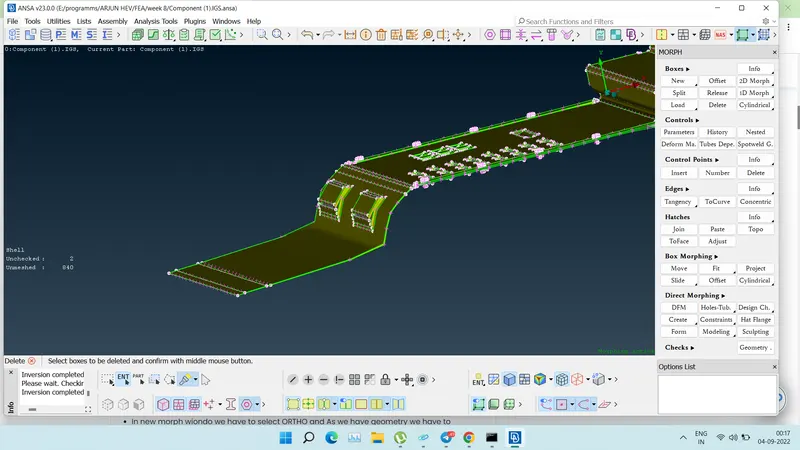
- Finally we have morphed or changed the Length of the given model 1 by creating BOX and SPLITING THE BOX and MOVING accoring to the user working on it.
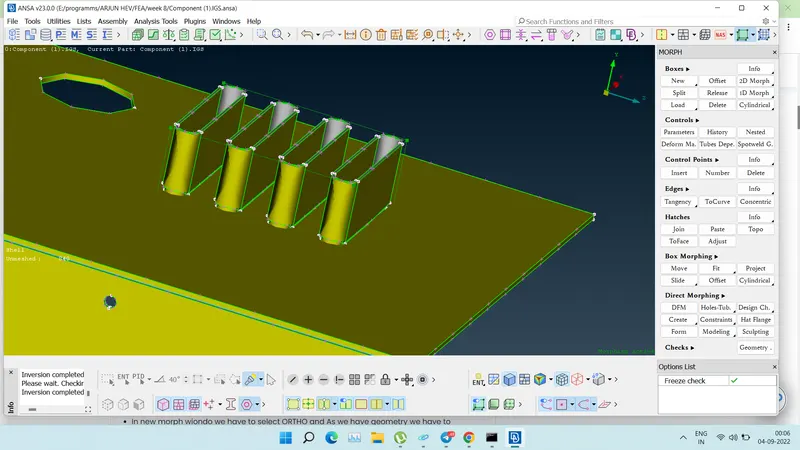
2) Perform morphing for the Model-2 and Increase the Height of the Dog houses and Ribs. (Refer Red annotations in the below image to understand what are Dog houses and Ribs)
- Do topological and geometry cleanup on the model 2
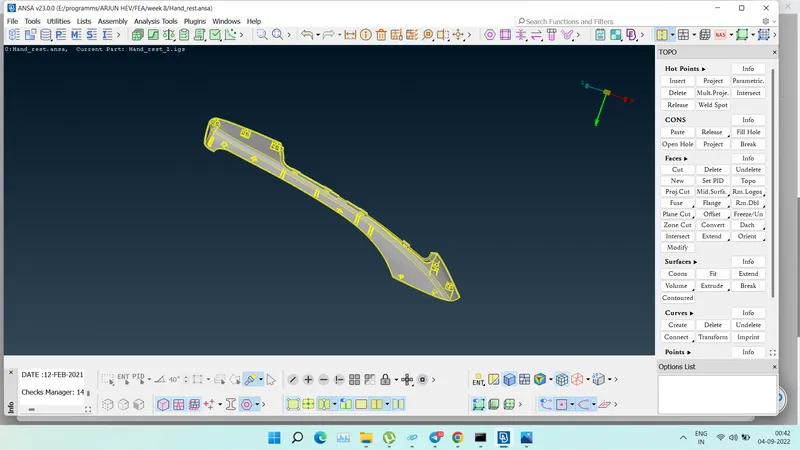
- Now, switch to MORPH MODULE to create boxes in the areas which are need to morphed in model 2. i.e, the height of the dogs houses and the ribs in the model 2which are showed in the image 9.
- Before that , measue and store the length of the dog houses and ribs in model 2 to check whether the length is changed or not.
- Now, follow step 2 to create the box.
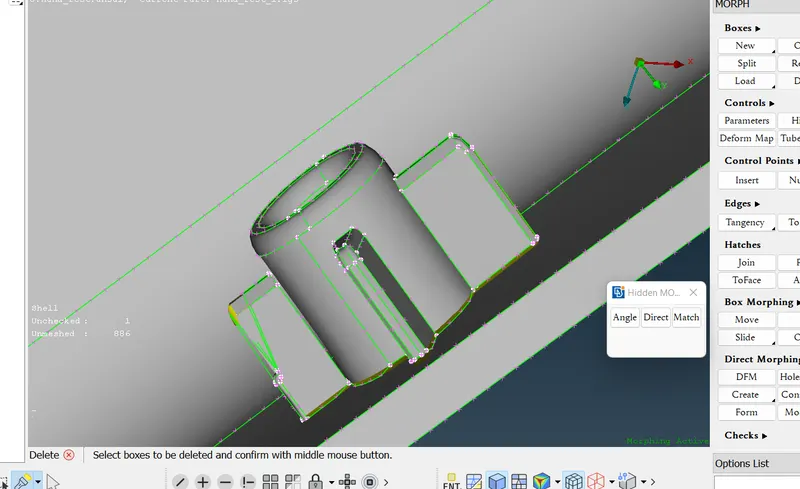
- Now, switch to MORPH MODULE to create boxes in the areas which are need to morphed in model 2. i.e, the height of the dogs houses and the ribs in the model 2which are showed in the image 9.
- Before that , measue and store the length of the dog houses and ribs in model 2 to check whether the length is changed or not.
- Now, follow step 2 to create the box.
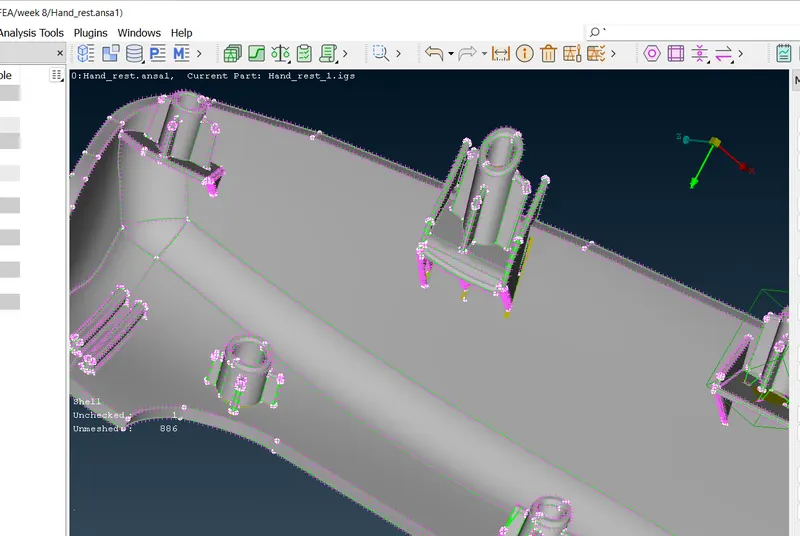
- Now, follow Step 4 and change the length or height if the given dog houses and ribs in the model 2 by using move command in BOX morphing option in MORPHE MODULE.
- MORPH MODULE< BOX MORPHING
- Finally the height of the dog houses and the ribes are changed by morphing.
Applications of Morphing
Morphing is the process of adpatation of CAD of computational grids (Mesh morphing) to change the shape of the Finite element grid.
Morphing is mainly applied in circumstances when certain design changes need to be studied in an existing design, morphing operations requires much less time than creating a completely new CAD/FE model.
Automobile Industry
Morphing is extreamely useful in studying effect of design changes, like changes in vehicle Structure with small changes in design, evaluation of design concepts starting from the morphed predecessor models, retrofit design and Aerodynamic modelling.
Ship Design
In recent times Morphing have been used extensively in Ship hull design as it reduces time and can gnerate enough parametric possibilities for improvements in Hull design, one of the most important aspect of ship designing.
Biomedical Research
Morphing is actively used in biomedical research in areas such as determintion the biomechanical response of a structure, implant positioning and virtual bone modelling.
Turbine Design and Analysis
Mesh and Shape Morphing is Applied in Aerodynamic stress Analysis in turbine/helicopter blades
LEARNING OUTCOMES:
- Learned how to import the geometry.
- Learned how to do geometry check and clean the geometry.
- Learned how to change the oreantation of the model.
- Learned how to create a new box for morphing.
- Learned how to split the box created.
- Learned how to how to change the lenght of the area in the geometry where box is created by wsing MOVE command and entities of the box.
- Learned how to how to morph the FE MODEL.
CONCLUSION:
Finally, we practiced and learned MORPHING on Model 1 and Changed the Height if the dog houses and ribes which are maked by creating Boxes and MORPHING.