Week -2
- Door bell using simulink.
For making a model of door bell on simulink we need following source from library browser.
- Pulse generator
- Battery
- Switch
- Solenoide
- solver
- Ideal transitional motion sensor
- Electrical refrence.
Below fig shows the model for Door bell.
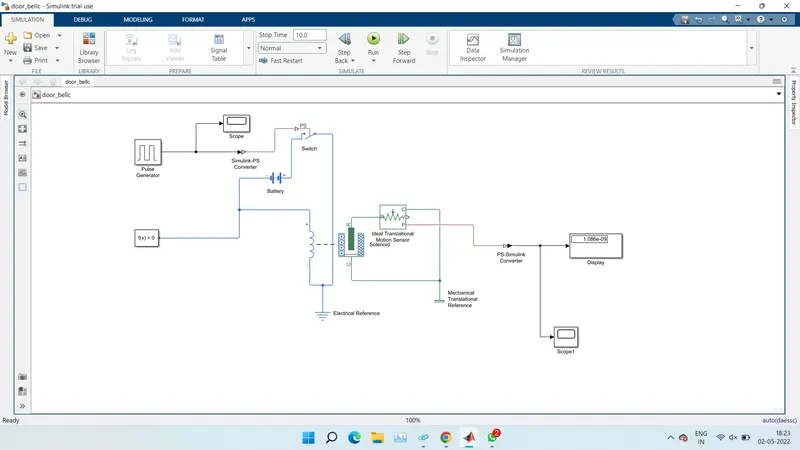
fig=Door bell
By the above model of doorbel we got the fpllowing results of pulse generator and amplitude of trasitional motion sensor.
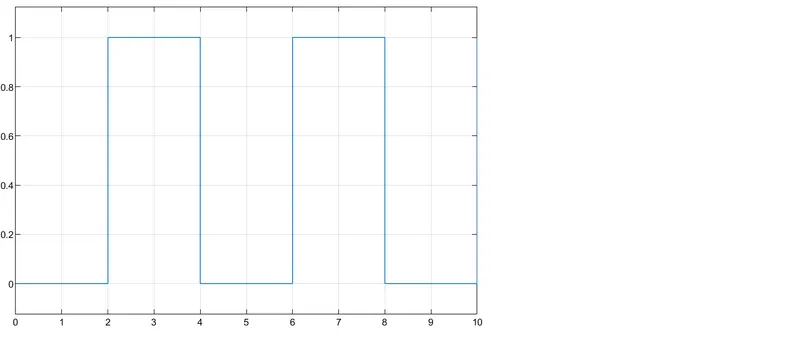
fig=pulse generator.
The below fig shows the amplitude of ideal transitional sensor.
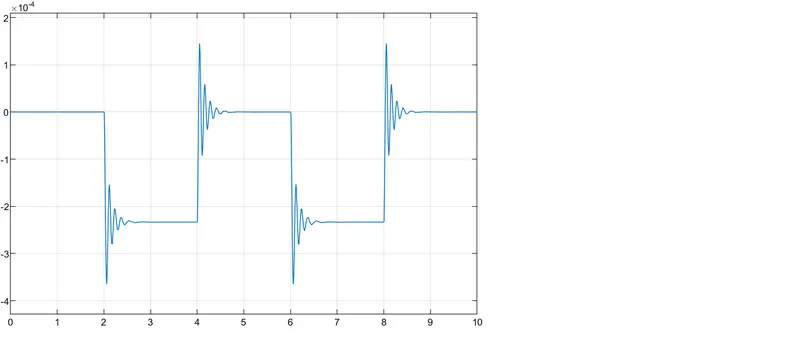
from the above results we can see the aplitude and pulse generated during the ringing of door bell for given condition by keeping the below conditions of pulse generator and sensor.
- Pulse generator.
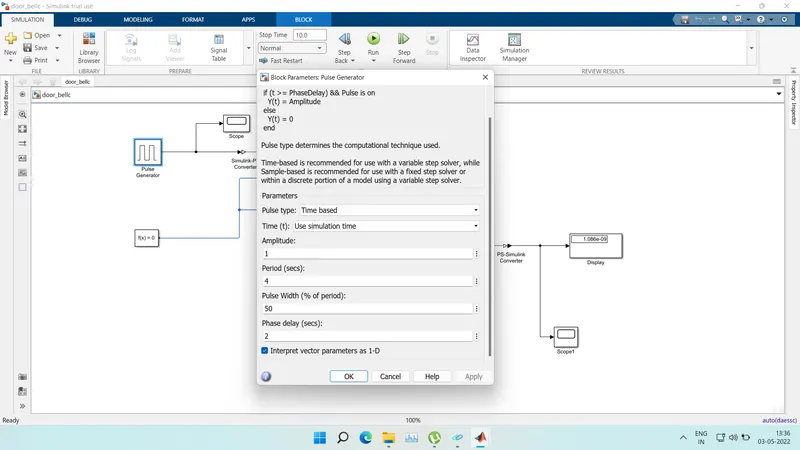
fig=pulde generator.
- Switch
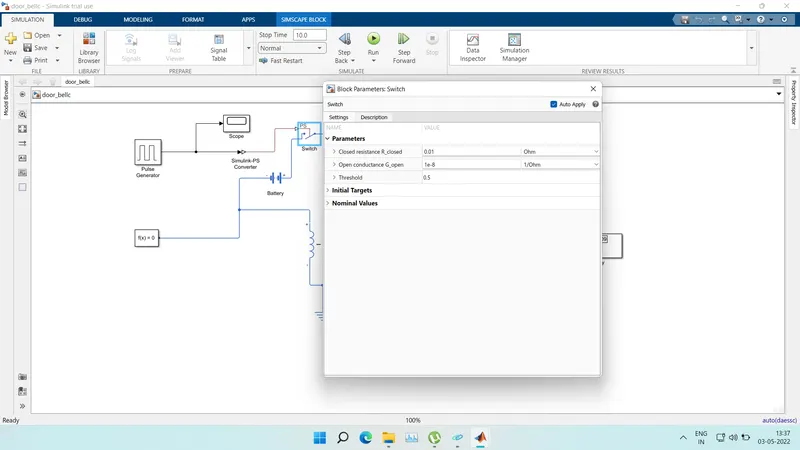
fig=switch
- Use a thermistor to sense the temperature of a heater & turn on or turn off the fan as per the below conditions:
The below fig shows the simulink Model of thermistor to sense the temperature of a heater & turn on or turn off the fan as per the below conditions.
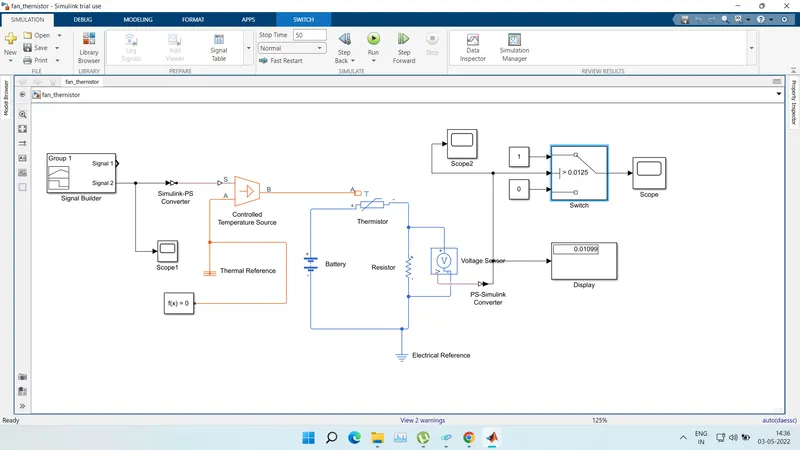
fig-Thermister fan model
There are different types of models used for making the simulink model of above mensioned problem.
such as
- Signal builder
- simulink tops convertor
- scope
- Contreolled temprature source
- Battery
- Earth refrance
- Ps to simuink convertor
- Switch
- Display
- Thermister
- Resister
- Thermal refrance.
Below shown in fig are the results obtaining from the signal builder and thermistr scope .
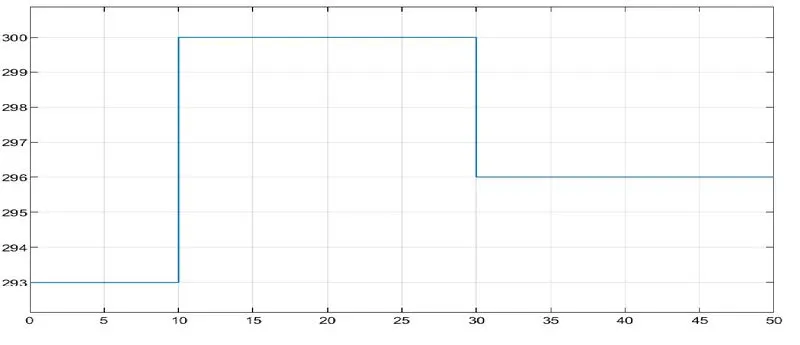
fig=signal builder output
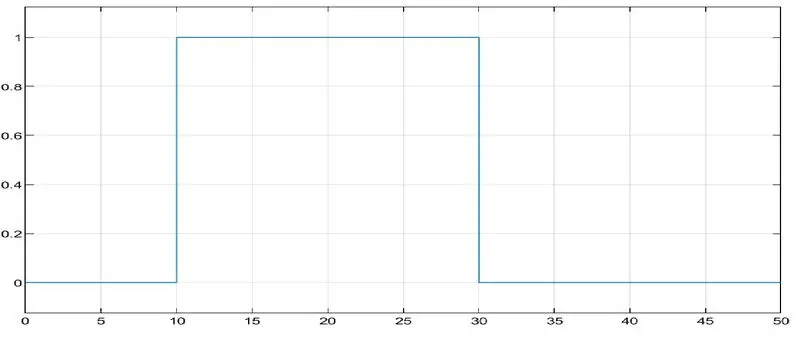
fig=Thermister output
From above results we can see that model of simulink which is used to sense the temp of thermister ,and we can also see in the scope the graph for the given specific input as mensioned in the problem.
Temperature source: 20 °C from 0 to 10 seconds, 27 °C from 10 to 30 seconds, 23 °C from 30 to 50 secondsFan conditions: ON if the temperature above 25 °C, OFF otherwise