Week 5 Sphere pressing on a plate
OBJECTIVE:
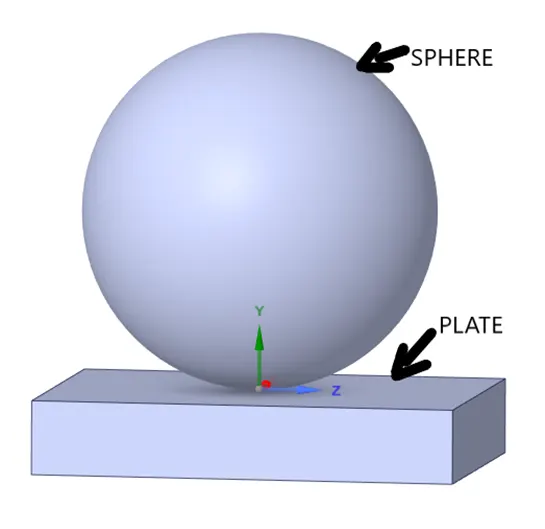
- The objective of this challenge is to perform a static structural analysis and to simulate a sphere pressing on a plate by using Structural steel for both sphere and plate but the material of the plate must be Non Linear. And to Press the sphere onto plate 4mm downwards and retract it, as well as we have to capture the plastic peformation of plate.
INTRODUCTION:
- A sphere is a geometrical object in three-dimensional space that is the surface of a ball. Like a circle in a two-dimensional space, a sphere is defined mathematically as the set of points that are all at the same distance r from a given point in a three-dimensional space. A plate is a geometrical object, which is having some thickness and it is treated as solid. In this challenge we have both sphere and plate, we have to know the deformation of the plate, so the plate is assigned with non linear Structural steel while the sphere is assigned with general structural steel material.
PROCEDURE:
- Open the ANSYS Workbench software. Under the Analysis system select the Static structural and wait for few seconds to pop up the window, which contains Engineering data, Geometry, Model, setup, Solution and Results.
- Under geometry import the Sphere pressing on a plate model.
- Update the model by right click and edit the Model for Preprocessing.
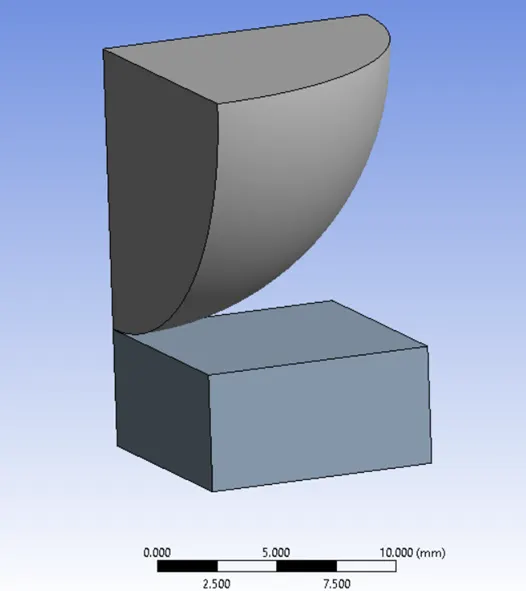
- Wait for few seconds and ANSYS Mechanical will open as shown below. As the given model is two planes of symmetric region, we has used only quarter part of whole geometry. So that the simulation time will be reduced as well cost will be reduced. Under geometry rename it as sphere and flat plate.
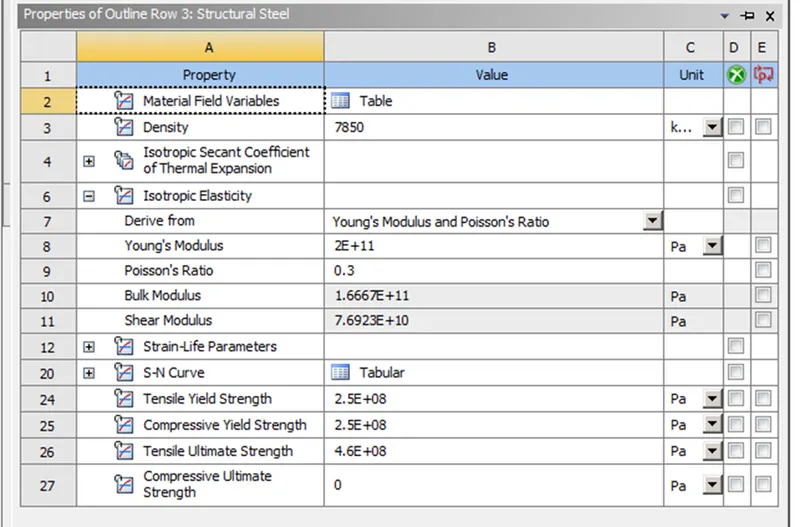
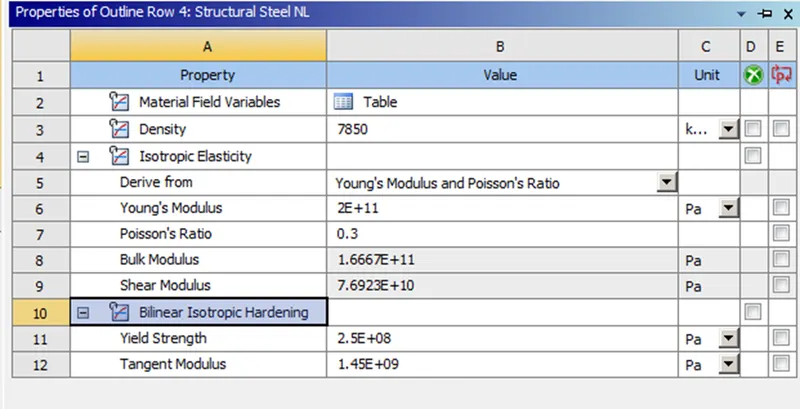
- Assign the material to the model, as in our case we have general structural steel and non-linear structural steel, we have concentrated on deformation of plate so assign the structural steel material to the sphere and non-linear structural steel to the plate.
- Material properties of a structural steel-
- Frictional contact between the Sphere and the plate is Defined with a frictional coefficient of 0.74 based on the standard table. So delete the default contact and create a new manual contact region and select the face as shown below.
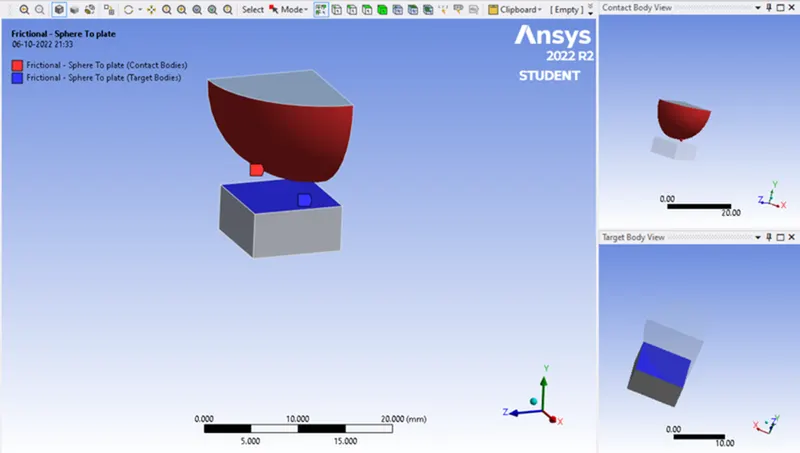
- Insert a fixed joints for the plate in order to act stable . So click on Static structural, go to insert and select Fixed support. select the face as shown in below.
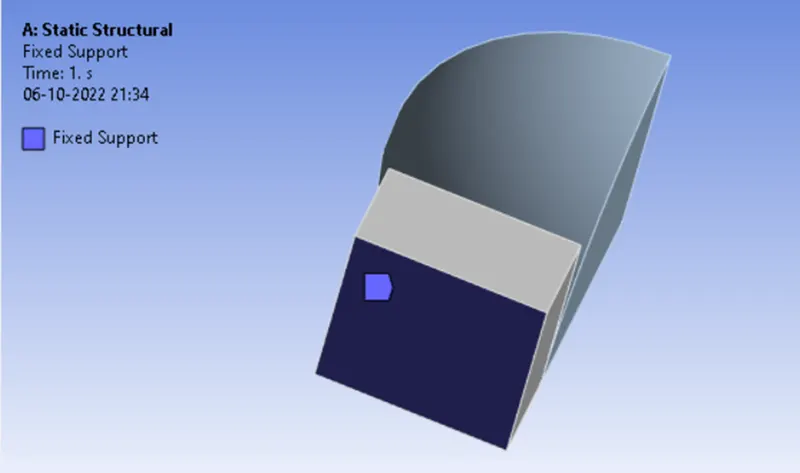
- We have to displace the sphere onto plat by 4mm, so click on Static structural, go to insert and select Displacement. select the face as shown in below. Give the values for the displacement of sphere as shown in the below table as well as in order to know whether the plate is deformed plastically add to more step with o value, so that the sphere will come to its original position.
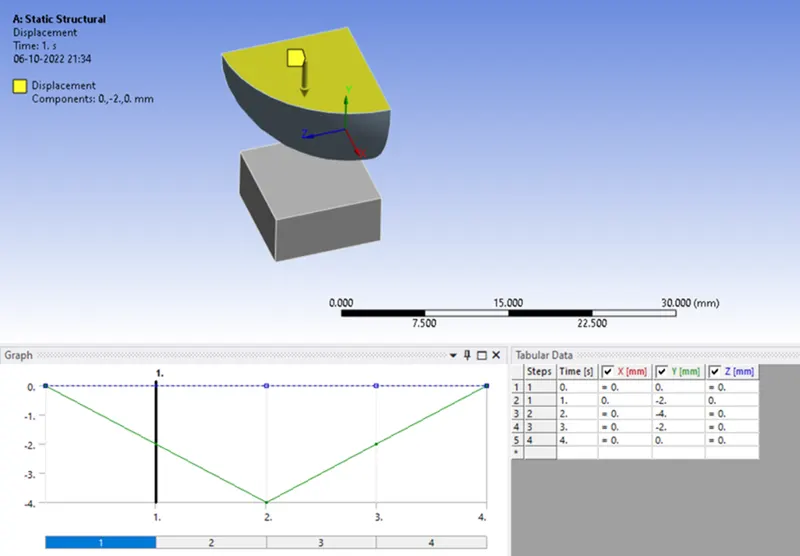
- In ANSYS automatic mesh will be performed with Default mesh size and change the mesh size as 1mm for the plate and 2mm for the sphere (i.e. Ansys student version will have a limited number of elements and nodes.) As it is a solid we have to use element type as tetrahedranes. So click on mesh and select the insert option. Under insert option select the method and select the geometry as well as under the method, select the tetrahedrons.
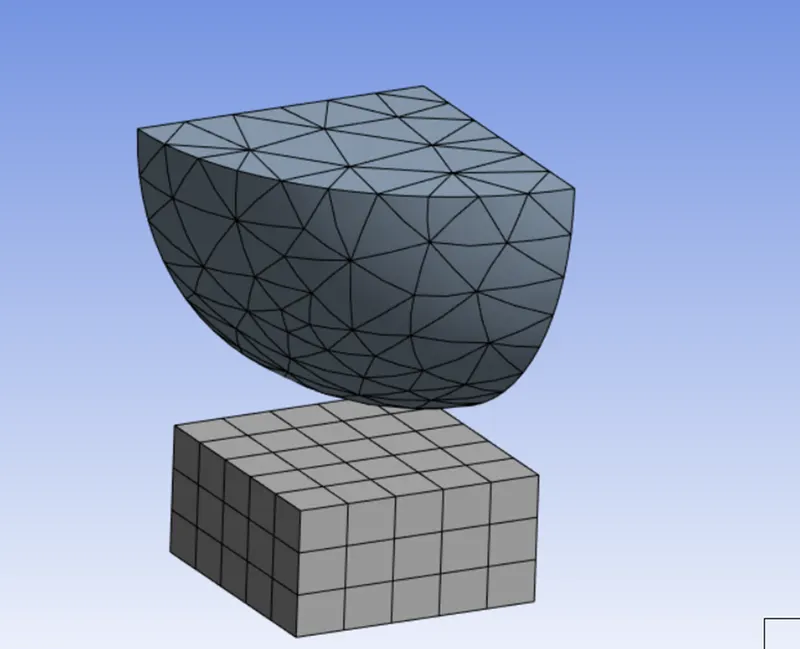
- As we had chosen quarter part of the whole model we have make symmetric for the respected faces. So from the tool bar insert symmetry, choose the faces as shown below and select the axis normal to respect face.
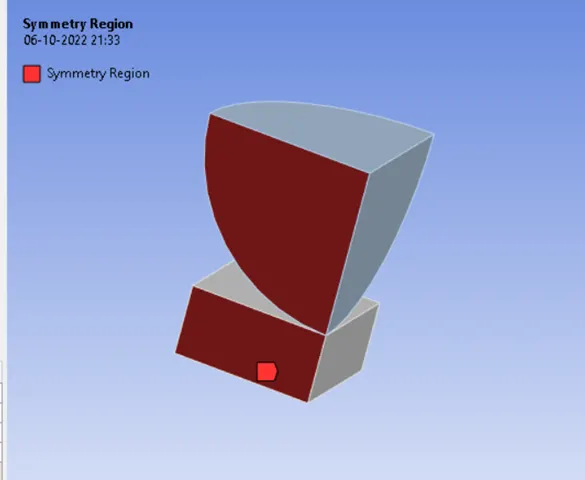
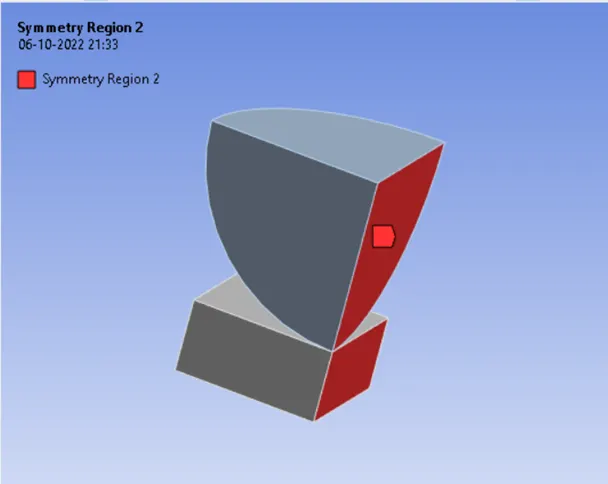
- Analysis settings Change no. of steps as 4, large deflection on, solver type as direct.
- Now request for the outputs such as equivalent stress, equivalent elastic strain, total deformation and plastic strain.
- SOLVE the solution and we can see the simulation run under solution information.
RESULT:
Simulation results for Sphere pressing on a plate is as shown in below:
- DIRECTIONAL DEFORMATION:
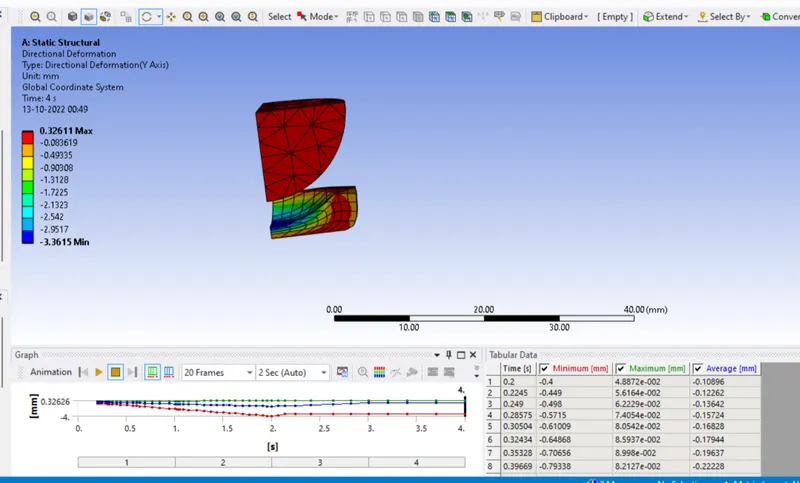
- EQUIVALENT STRESS ON PLATE-
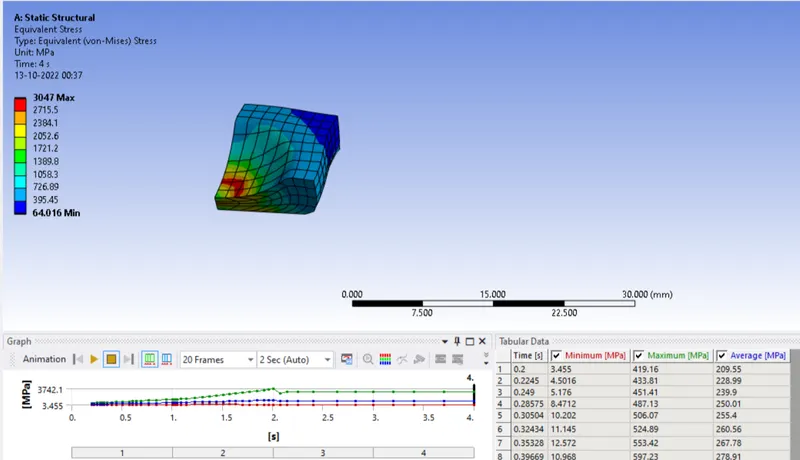
EQUIVALENT STRESS ON BODY
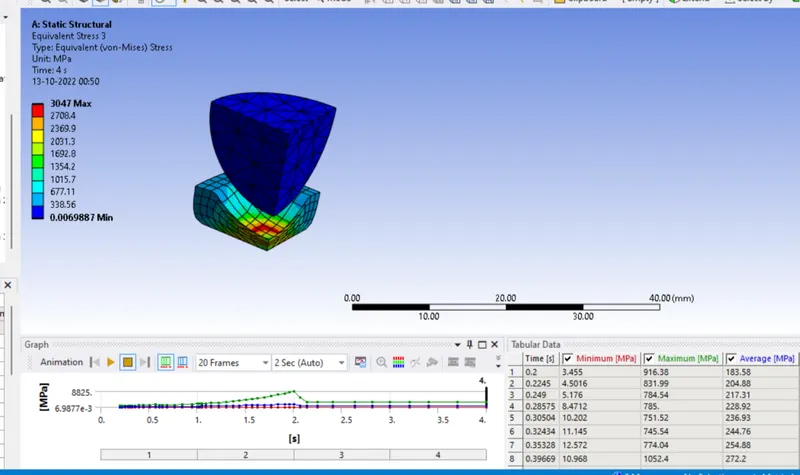
- EQUIVALENT ELASTIC STRAIN ON PLATE-
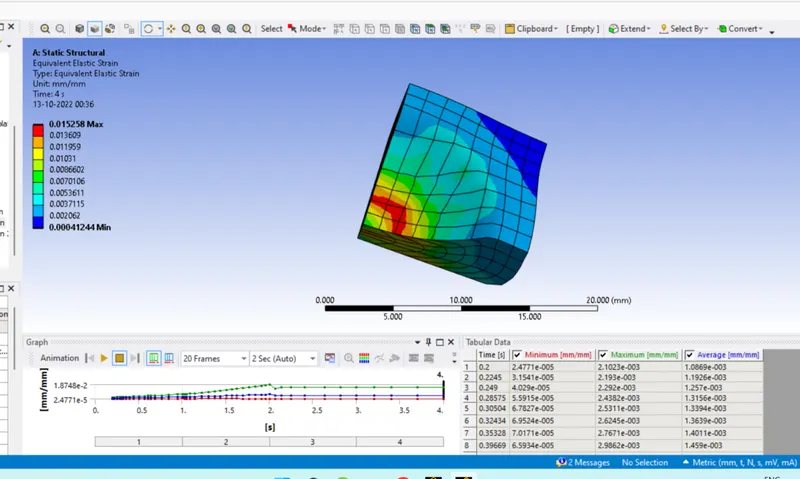
- EQUIVALENT ELASTIC STRAIN ON SPHERE-
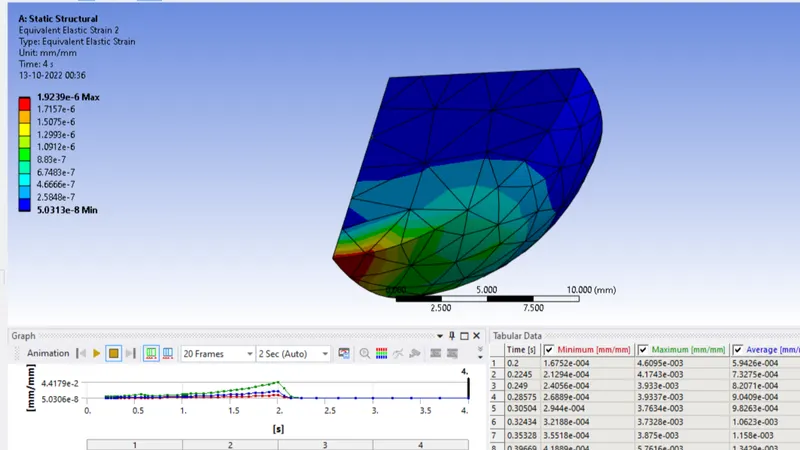
Animation
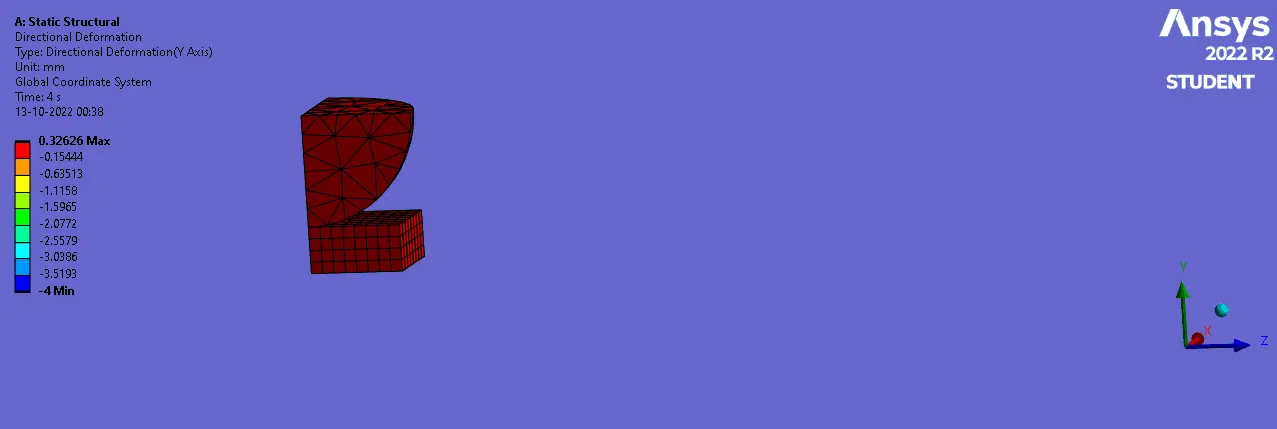
TABULAR RESULT:
|
Sr no. |
Equivalent stress on plate (MPa) |
Equivalent elastic strain on plate |
Equivalent elastic strain on Sphere |
Directional Deformation Y-axis (mm) |
Equivalent elastic strain |
Equivalent Plastic Strain |
|
1 |
Max: 3047 Min: 64.016 |
Max: 0.015 Min: 0.000412 |
Max: 1.92E^-2 Min: 5.03e-8 |
Max: 0.326 Min: -3.3615 |
Max: 0.01363 Min: 5.7397e-8 |
Max: 1.7581 Min: 0 |
CONCLUSION:
- From the above table we conclude that the Max Equivalent stress on plate is 3047 MPa. and Max Equivalent elastic strain on plate is 0.015. The directional deformation in Y-axis is 0.326 mm. Equivalent Plastic Strain is 0.0152. Grid Dependency test is performed and the results with current mesh size is better than the default mesh. Further reducing the element size will gives results closer to the current value and the time for simulation will takes more, when compared with the current value.