Assignment 1-2D Meshing Challenge
OBJECTIVE:
For the given three parts, carry out the following:
Geometry Clean-up
Extracting the Midsurface
Midsurface clean up
Defeaturing the holes < 5mm
2D quad mesh with target element length 5mm
Property assignement to assign thickness.
PART1:
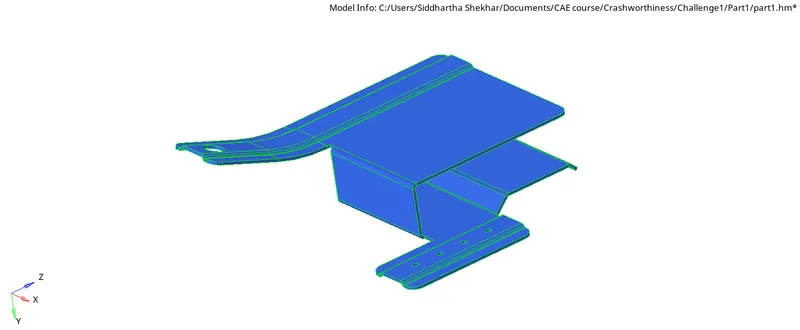
Fig1: Imported Model.
Geometry Clean-up
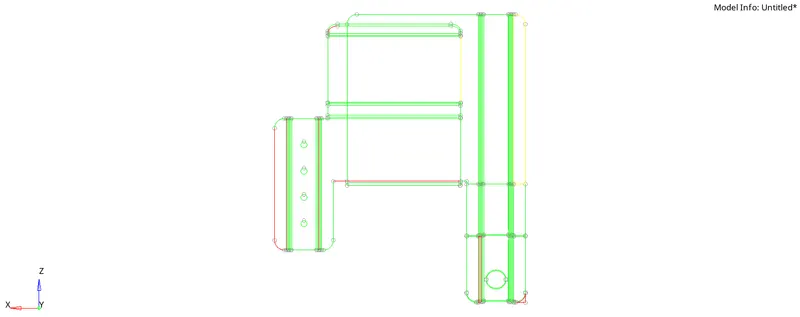
fig2: Wireframe view to highlight the free edges and broken geometry in the part
Press F11 (Quick edit) >> Toggle Edge.
Geometry can be stitched for the broken geometry
Missing surfaces can be created by using Surface >> Skin >> Choose lines >> Create,
Stitch using Toggle edge if necessary.
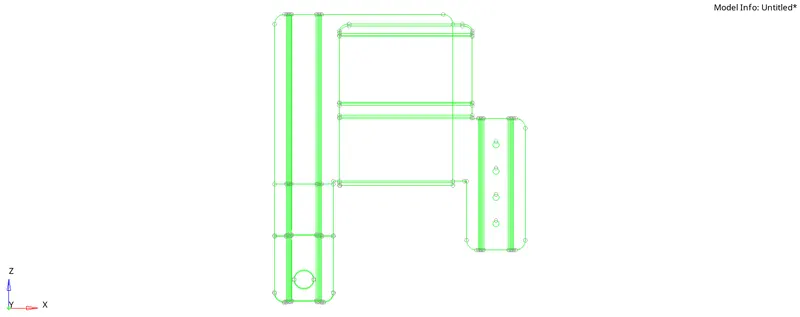
Fig3: Stitched geometry in wireframe.
Generating Mid-surface:
Using Surface edit >> Offset >> Choose surface >> Enter offset value >> Checxk normals and assign direction to offset (+ or -) >> Offset.
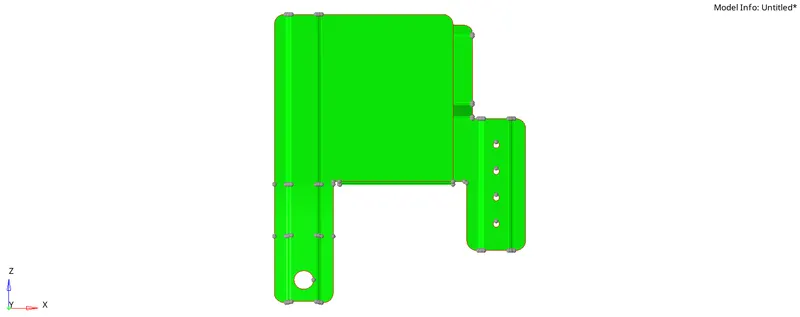
Fig4: Mid-surface
Stitchinhg the broken geometry in mid-surface
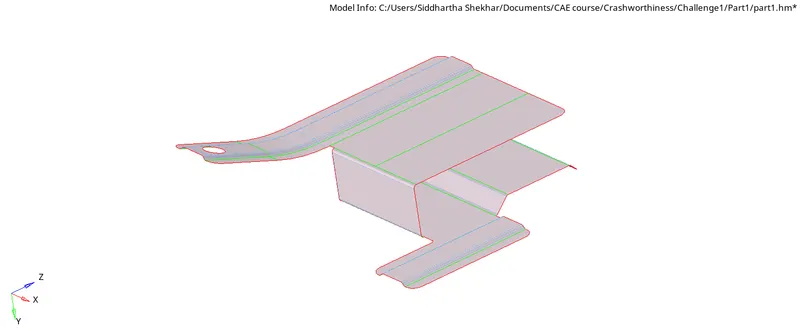
Fig5: Final mid surface
Defeaturing Pin holes:
Defeature >> Pin holes >> enter max hole size >> choose surface >> find >> delete
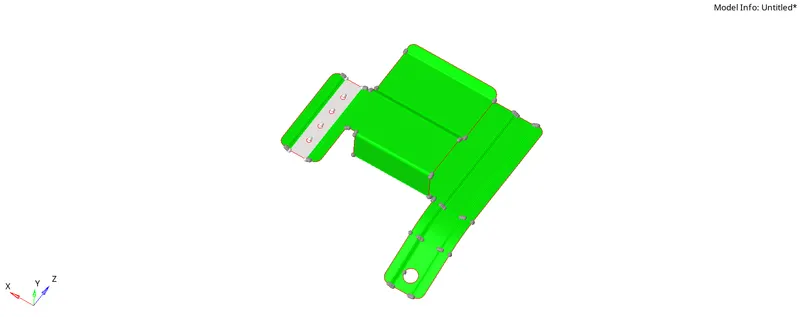
BEFORE DEFEATURING
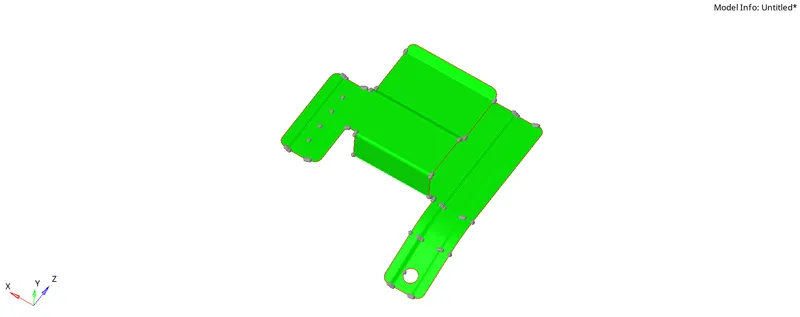
AFTER DEFEATURING
MESH:
Criteria settings:
Max size = 7
Min size = 3.5
Target size = 5
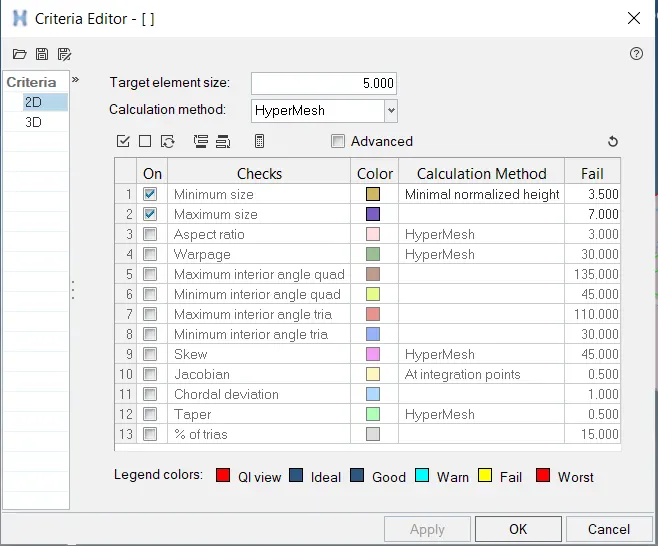
Fig6: Criteria file for the mesh
FINAL MESH:
F12>>Automesh>>Choose surface >> 5mm > Create
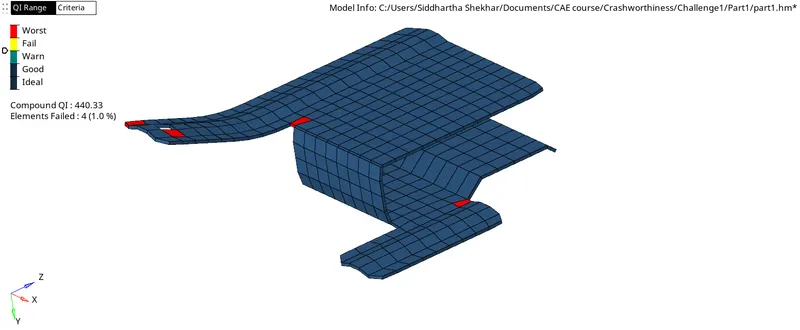
Property assigned:
Part1, T = 0.9mm
Material Assigned:
E = 201 GPa
`rho` = 7.86`times``10^-6` Kg/`mm^3`
`v` = 0.30
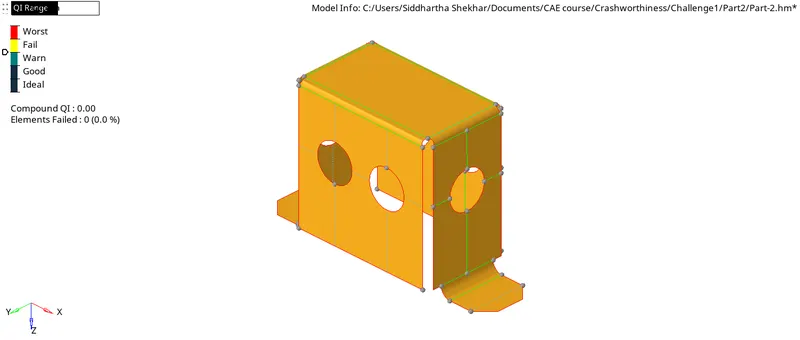
PART 2:
Midsurface:
Mesh:
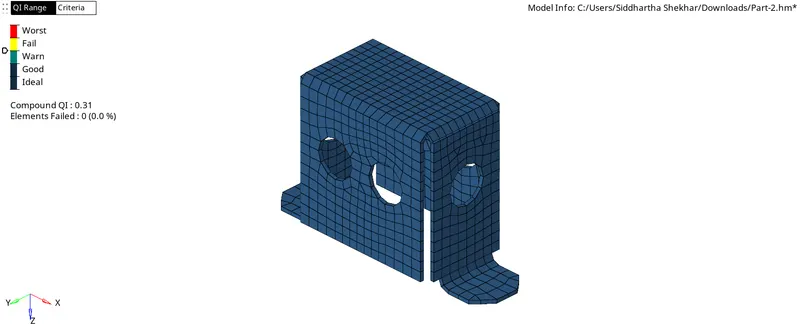
Property assigned:
Part_2, T =2.0mm
Material Assigned:
E = 201 GPa
`rho` = 7.86`times``10^-6` Kg/`mm^3`
`v` = 0.30
PART 3:
Midsurface:
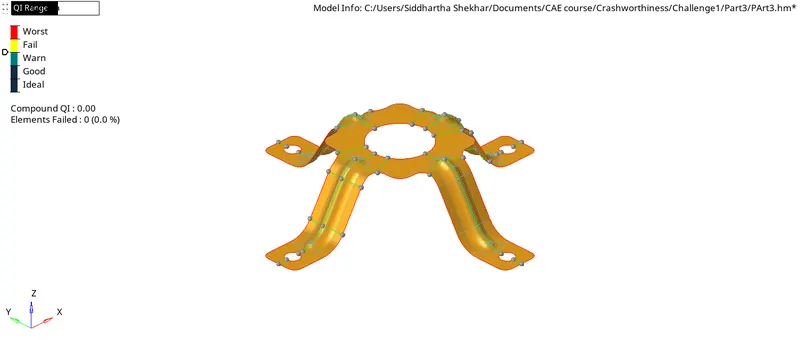
Mesh:
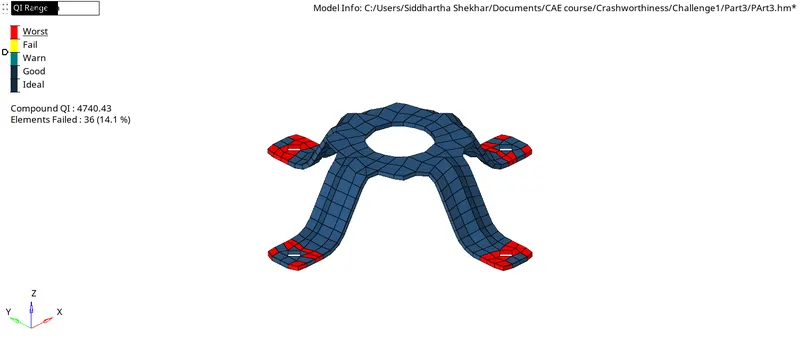
Property assigned:
Part_2, T =1.8mm
Material Assigned:
E = 201 GPa
`rho` = 7.86`times``10^-6` Kg/`mm^3`
`v` = 0.30