Wiring harness design in CATIA V5 - 3D modeling Week 5 & 6 Challenge
WIRING HARNESS DESIGN IN CATIA V5 – 3D MODELLING WEEK 5 & 6 CHALLENGE
AIM:
To Route the given harness layout in Electrical workbench also make assumption for harness bundle diameters by Using the connectors provided. After completion of routing.
- Check the bundle Continuity. Add snap of result in submission
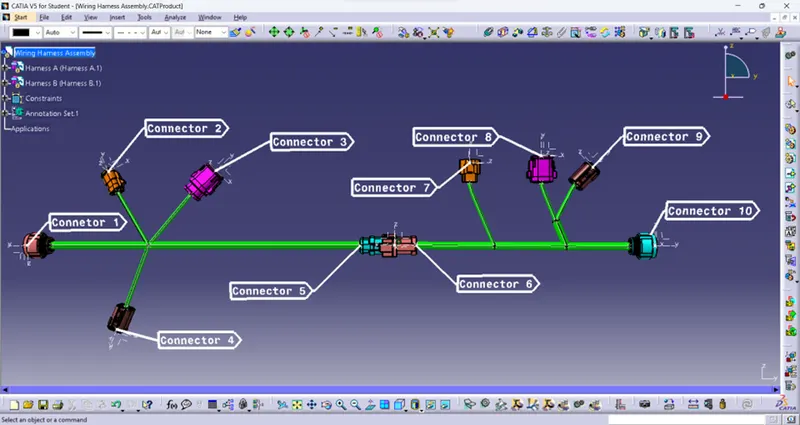
- Add annotation to all connectors. Make an assumption for annotations like connect 1 ,2 etc
- Check for the bundle warning. Add snap.
- Generate CAT.Part of harness assembly and convert is in. igs format.
DESIGNING OF WIRING HARNESS:
GIVEN CONNECTORS:
- 1.C-ydts26f15-35snv001-99-3d
- 2.C-dt06-3s-cp01-99-3d
- 3.C-dt06-08sa-ce04-99-3d
- 4.C-dt06-08sa-ep07-99-3d
- 5.C-dt06-08sa-ce13-99-3d
- 6.C-dt04-08pa-c017-99-3d
- 7.C-1-174357-2-e-3d
- 8.C-dt06-08sa-ce01-99-3d
- 9.C-dt06-08sa-ep07-99-3d
- 10.C-ydts26f15-35snv001-99-3d
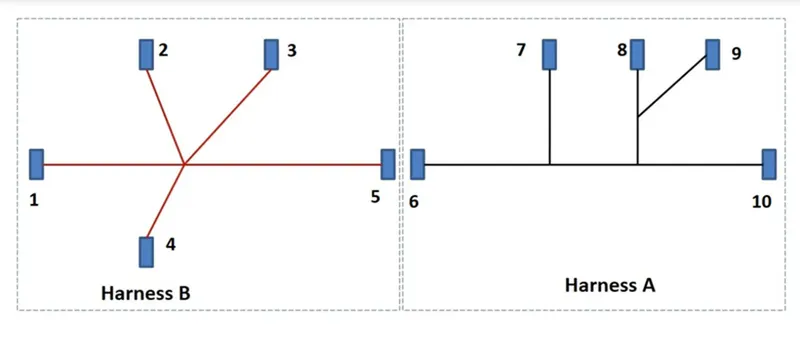
GIVEN HARNESS DIAGRAM:
ELECTRICAL DEFINITION:
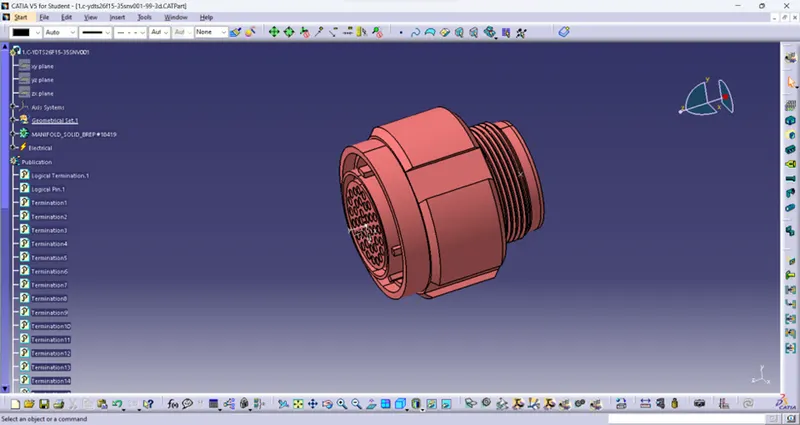
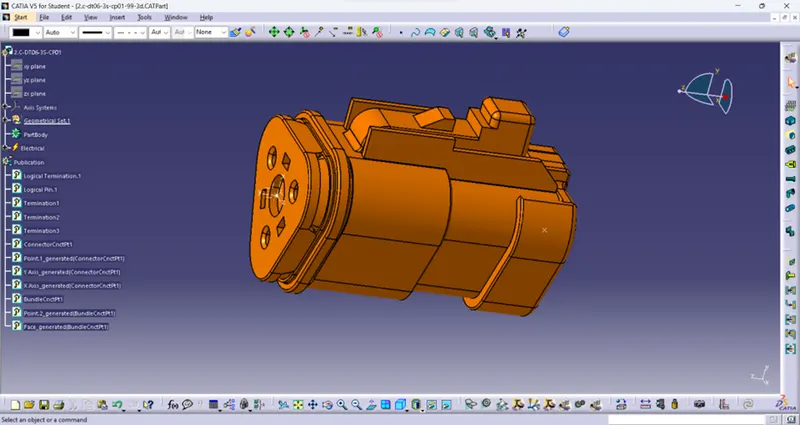
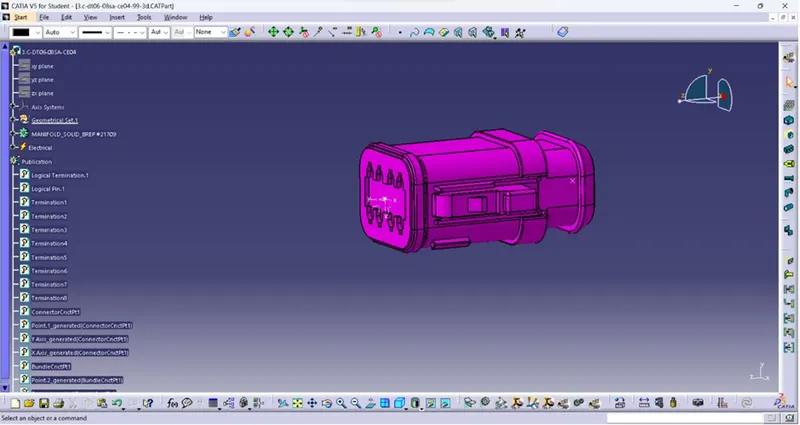
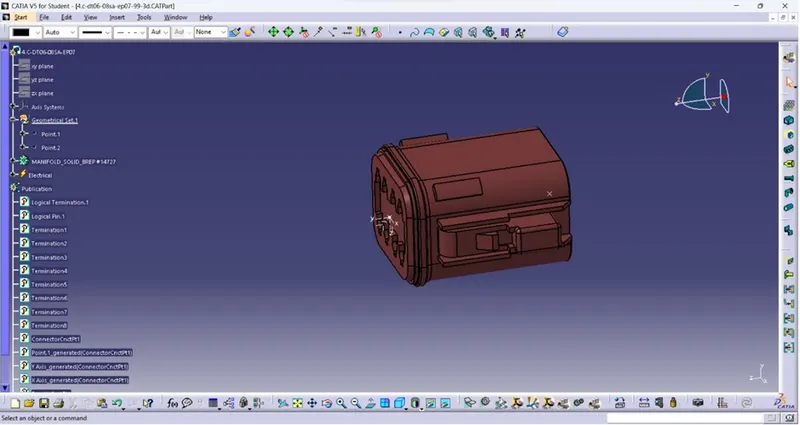
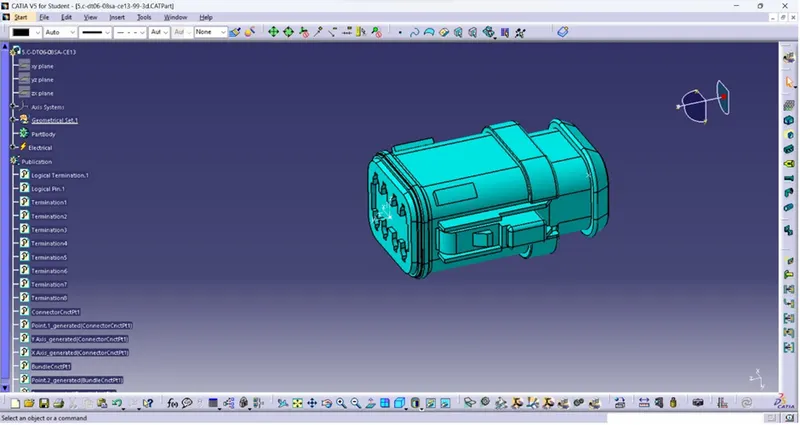
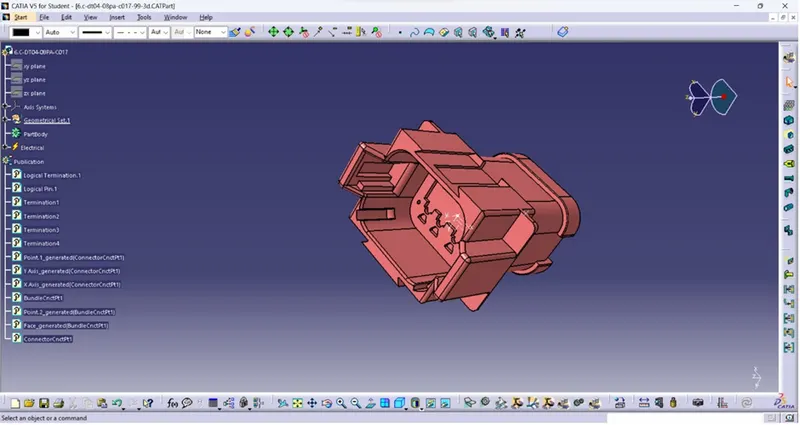
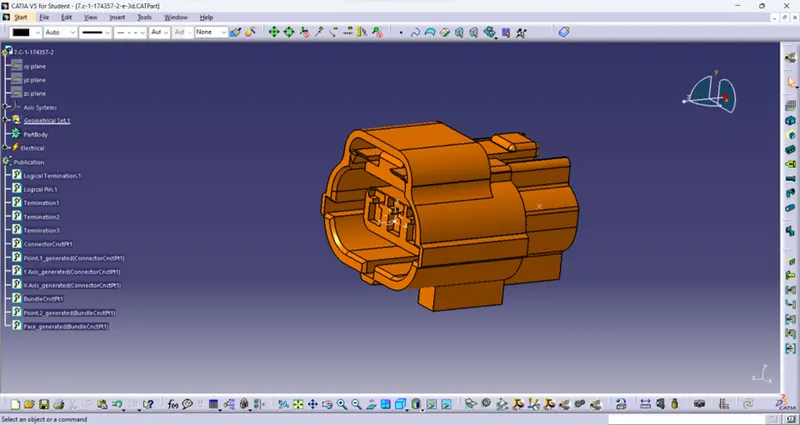
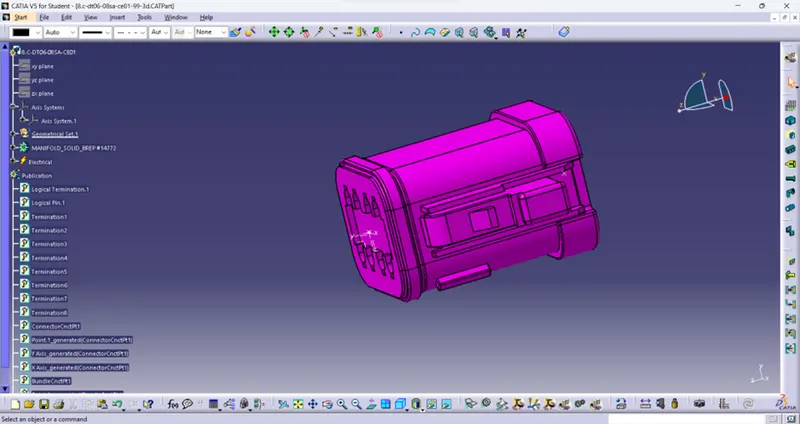
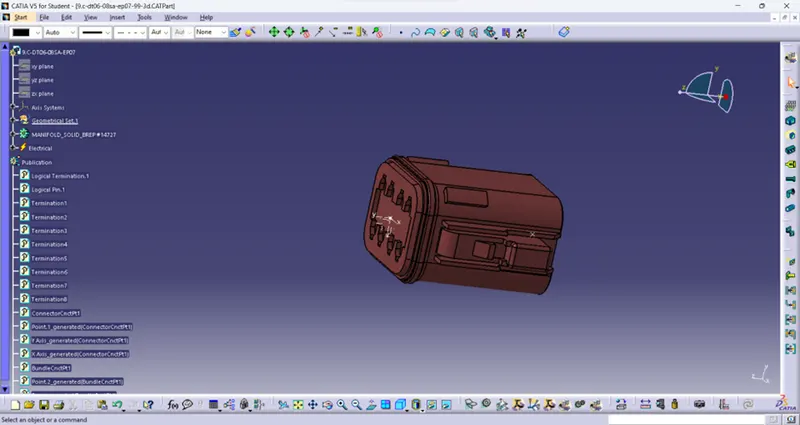
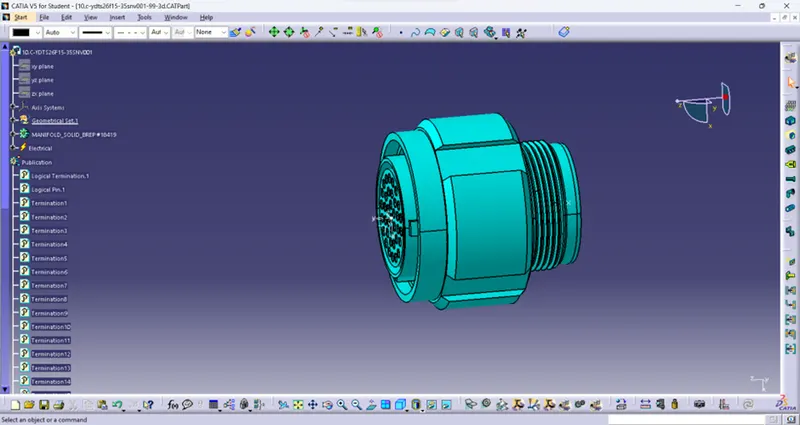
For each connector initially the part is defined as electrical by giving number of terminals in it and by creating point and Axis connector connection point and bundle joint point are done in all connectors as shown below.
- 1.C-ydts26f15-35snv001-99-3d
- 2.C-dt06-3s-cp01-99-3d
- 3.C-dt06-08sa-ce04-99-3d
- 4.C-dt06-08sa-ep07-99-3d
- 5.C-dt06-08sa-ce13-99-3d
- 6.C-dt04-08pa-c017-99-3d
- 7.C-1-174357-2-e-3d
- 8.C-dt06-08sa-ce01-99-3d
- 9.C-dt06-08sa-ep07-99-3d
- 10.C-ydts26f15-35snv001-99-3d
CATALOG CREATION:
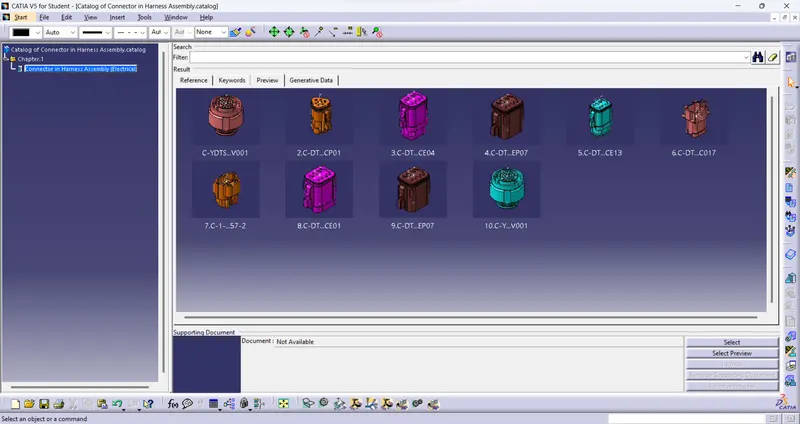
After electrical definition all the connectors are stored in the Catalog which is created for this assemble. Catalog of Connector in Harness Assemble is shown below.
HARNESS A DESIGN:
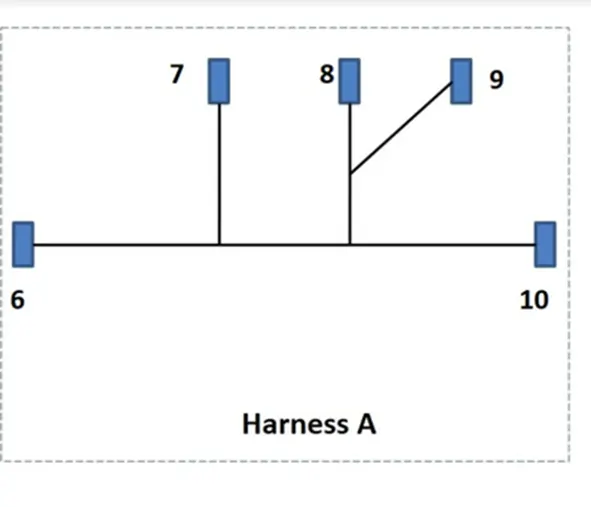
For Harness A Connectors 6,7,8,9,10 are used here. All 5 Connectors are Placed at the position which reference given below.
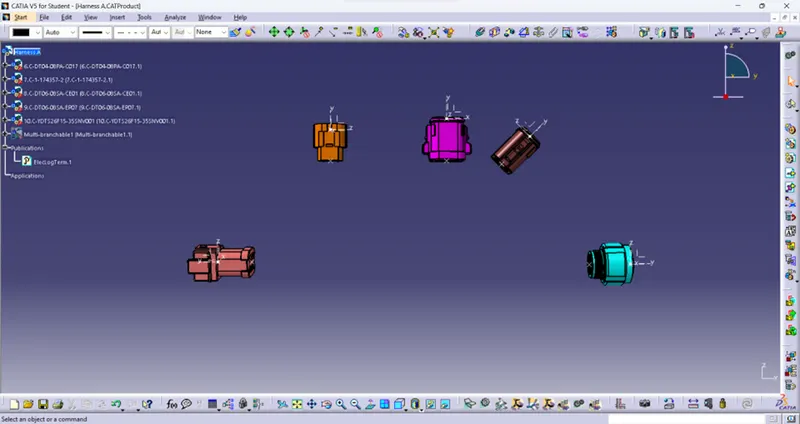
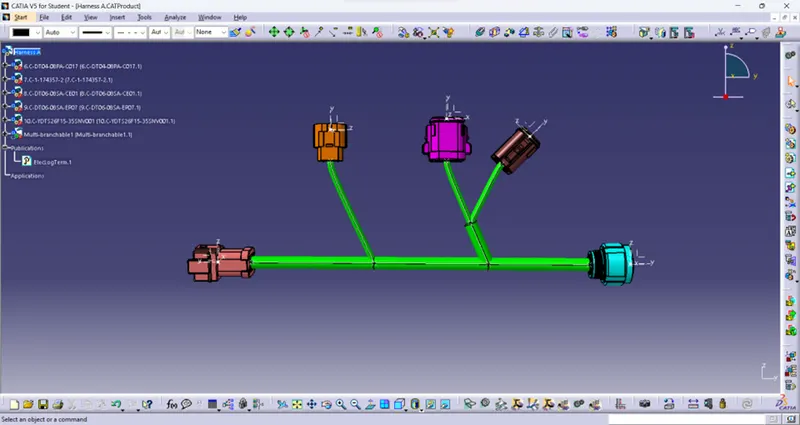
Then the wiring is done by connect between connectors as radius 10mm by selecting geometrical bundle point also create branch point for multi branchable at the radius of 5mm. Harness A is shown below.
HARNESS B DESIGN:
For Harness B Connectors 1,2,3,4,5 are used here. All 5 Connectors are Placed at the position which reference given below.
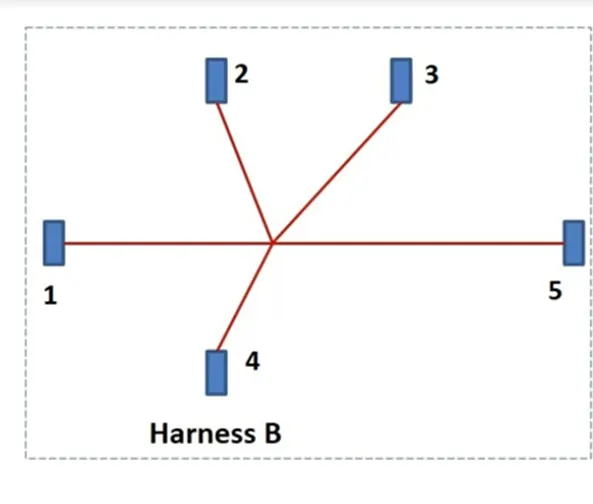
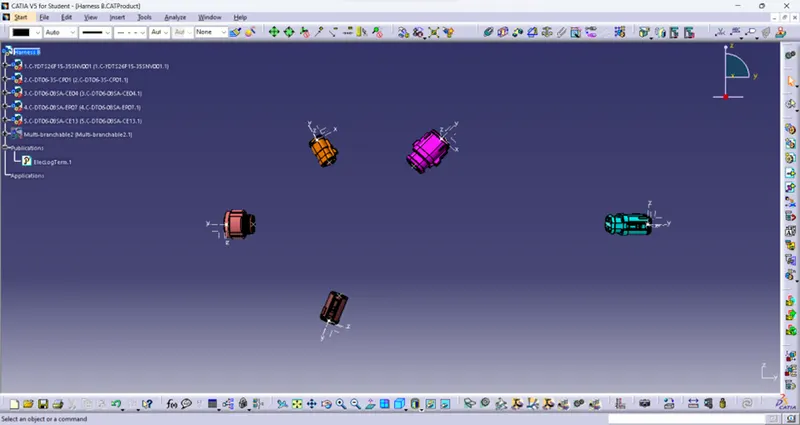
Steps followed for harness A is used here for creating Harness B. Resultant Harness B is shown below.
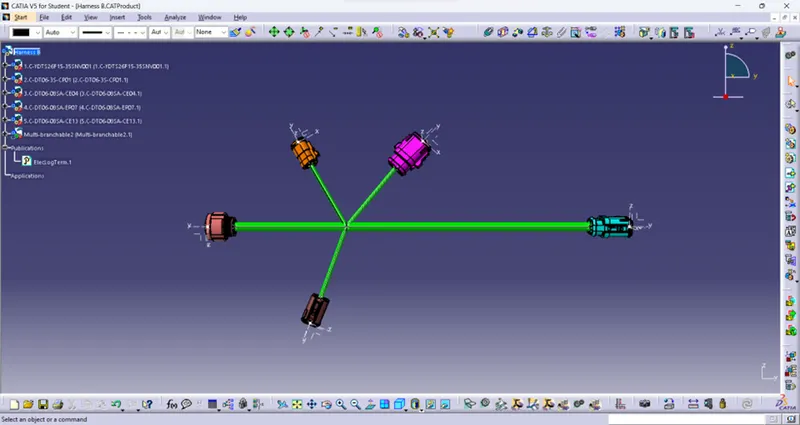
ASSEMBLE OF HARNESS A & B:
Both Harness A and B are opened in Electrical Assembly Design in a single file for assembly. Then by clicking Connect Electrical Device option then Selected Connector 5 and Connector 6 and assemble is done through Connector Connection Point. Resultant Assemble Harness part is shown below.
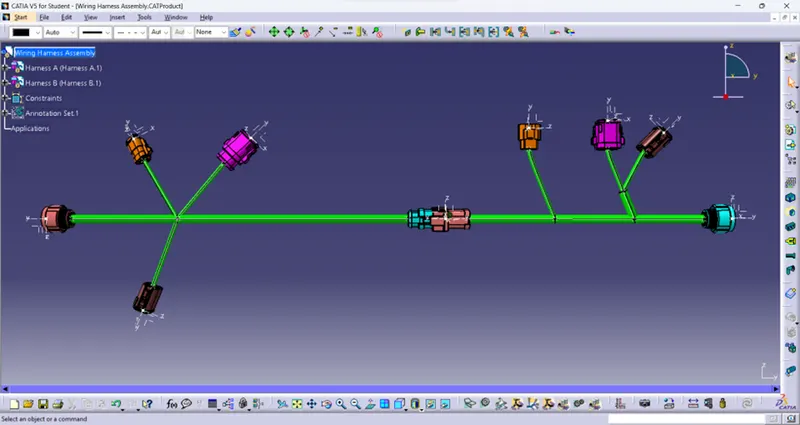
ANNOTATION:
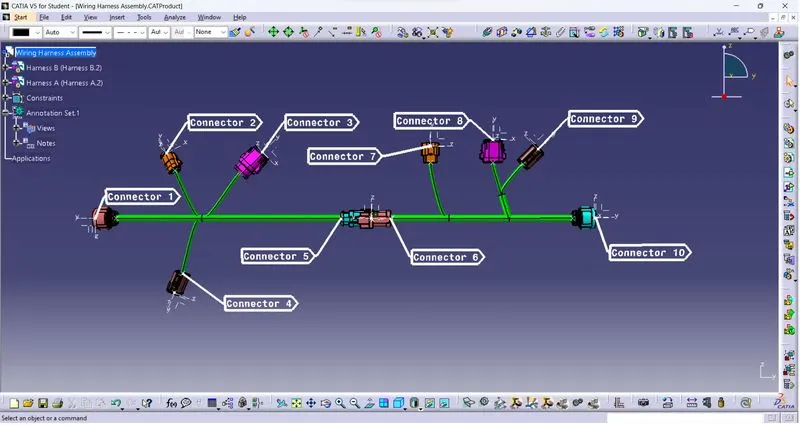
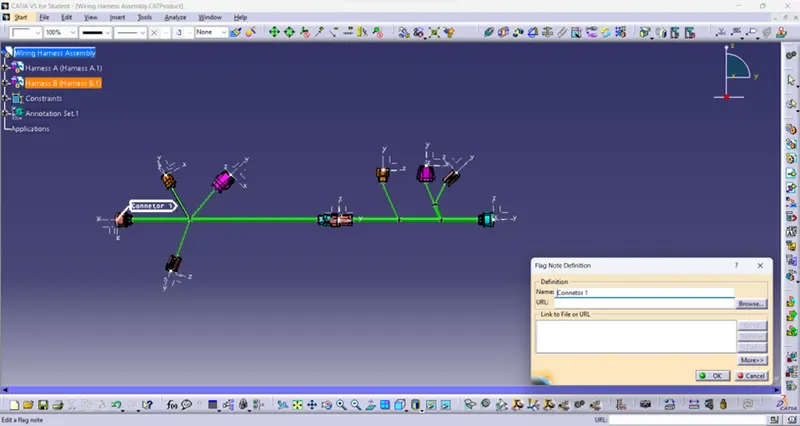
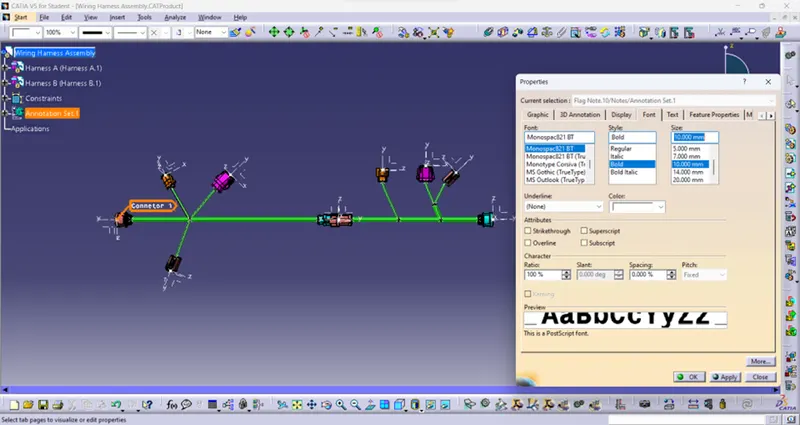
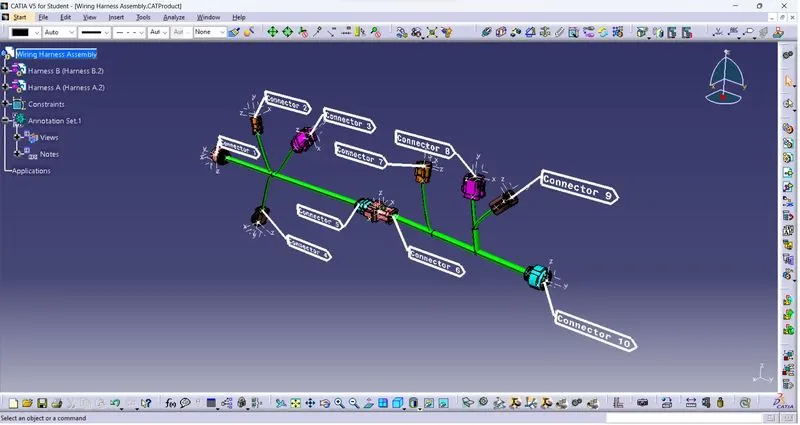
Assemble part is opened in Assembly Design section by click the View from reference icon then select front view or the parallel face of front view in connector. Next step is click Flag Note with Leader icon select the connector point which to Annotate then enter the Name, Size. Colour, Style for it as given below.
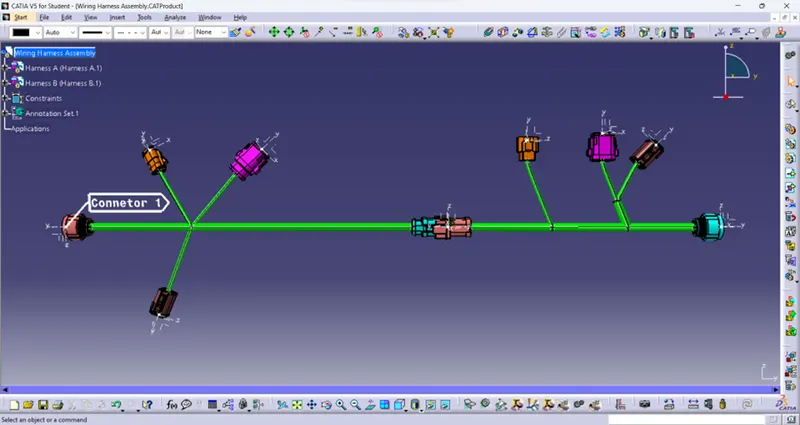
Annotation of Connector 1 is shown below.
Above steps are followed for all connectors and the annotation of an Assembled harness is shown below.
CHECKING BUNDLE WARING:
Here for both Harness A & B there is no RED lines are not shown. So the bundle connection is OK.
HARNESS A:
HARNESS B:
CHECKING BUNDLE CONTINUITY:
It is done by select Edit --> Search --> Advanced --> ‘Electrical’ as Workbench, ‘Bundle segment’ as Type and ‘Fully Connected’ as Attribute --> TRUE as Attribute criterion --> Ok.
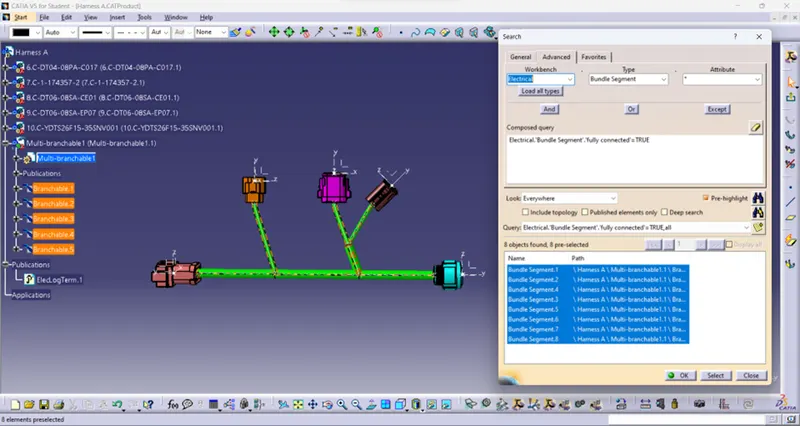
Harness A:
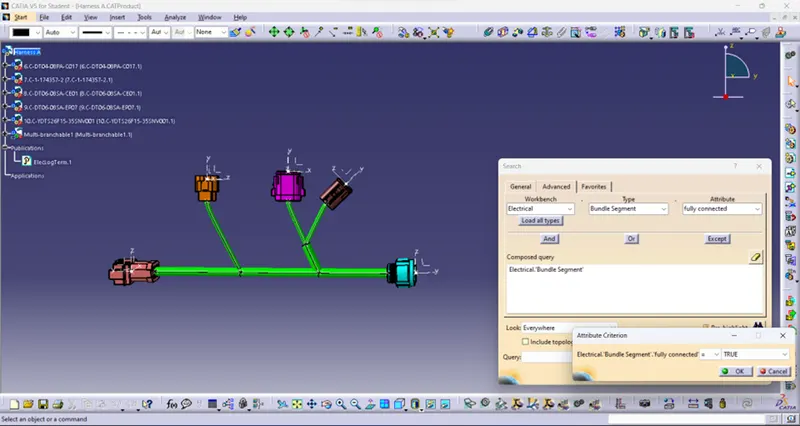
Then click Search icon result is shown below.
Harness B:
Similarly same step is followed here for the bundle continuity check the result is shown below.
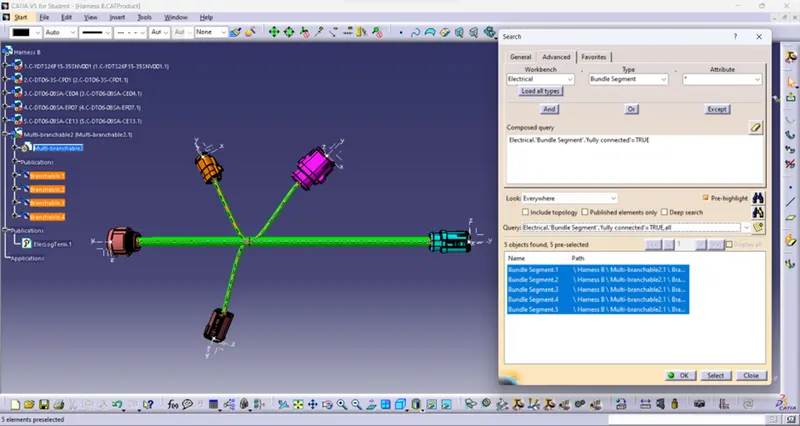
CREATION OF CATPart AND .igs FILE:
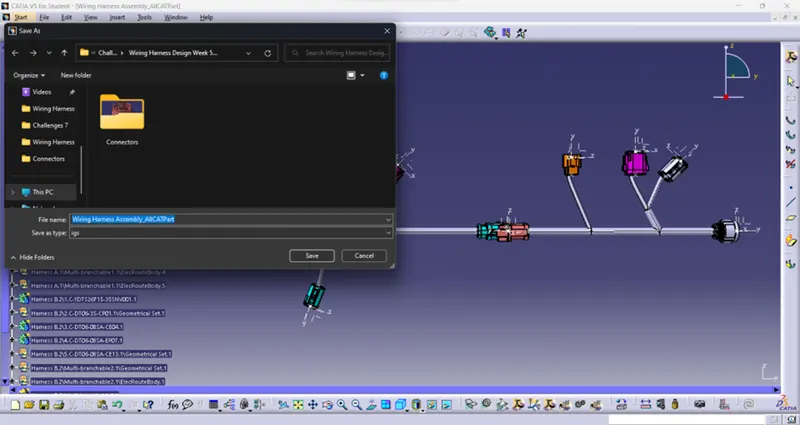
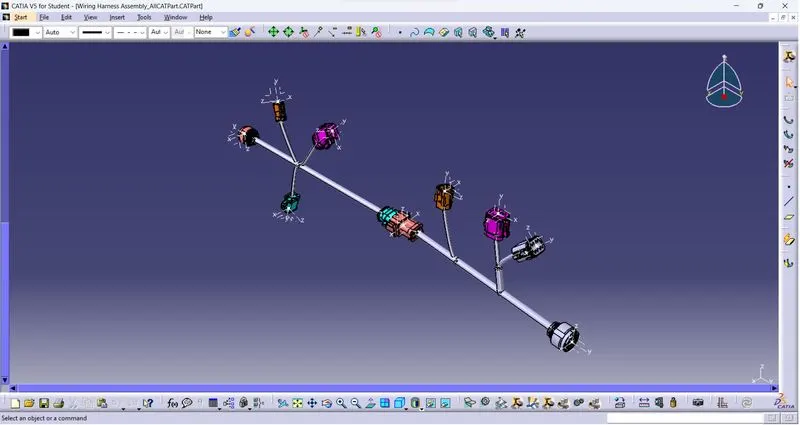
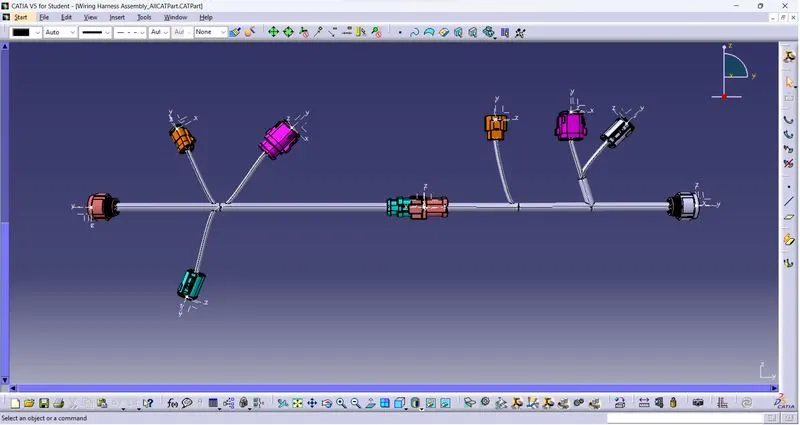
The assembled file is open in Mechanical Assembly workbench --> Tools --> Generate CATPart from Product then select file name and click Merge all bodies in one body then the CATPart file is created as shown below.
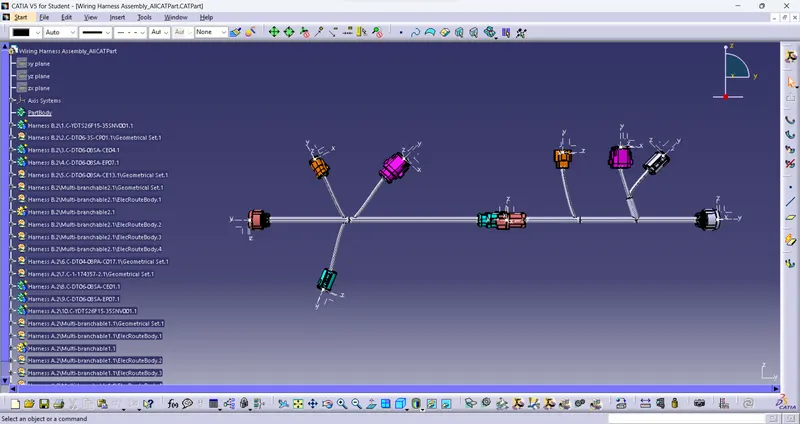
That CATPart file is used to create the .igs file by click File --> Save as --> select file format as .igs --> Save.
CONCLUSION:
Thus the Wiring Harness Assembly is done by given connector which is harness in two parts then assembled together and given Properties are checked then created CATPart and .igs file.
CATPart file:
Isometric view:
Front view:
Wiring Harness Assembly:
Isometric view:
Front view: