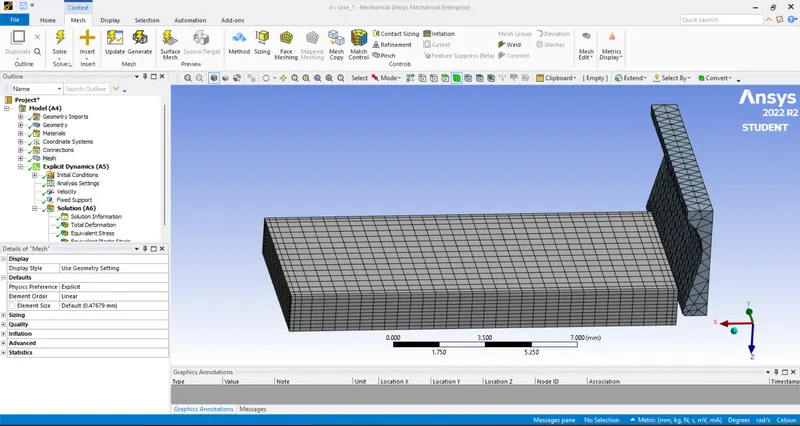
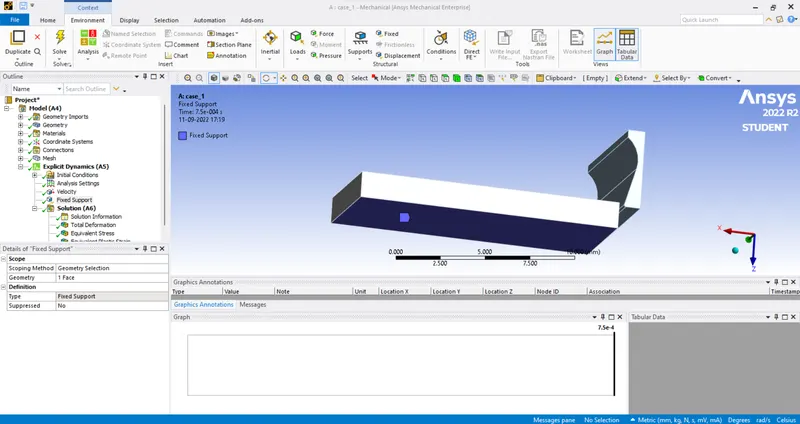
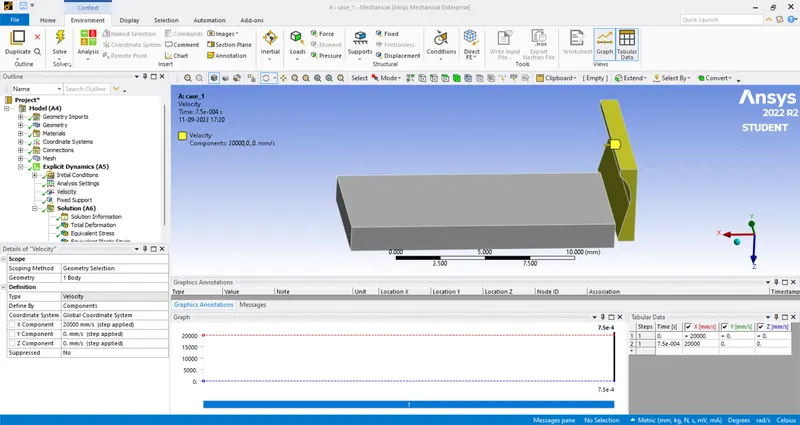
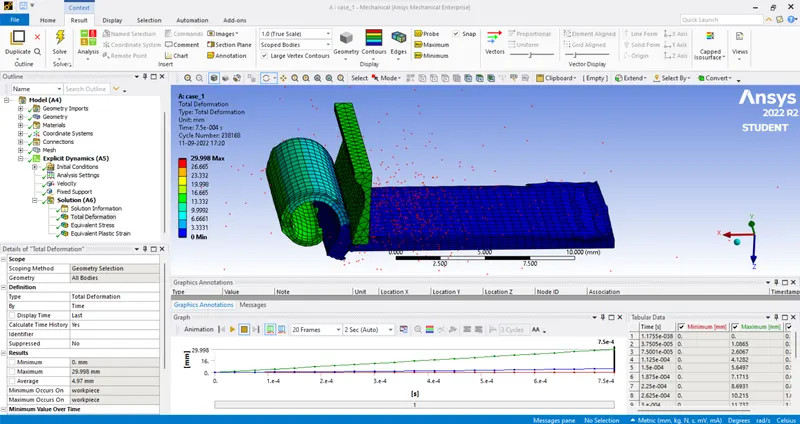
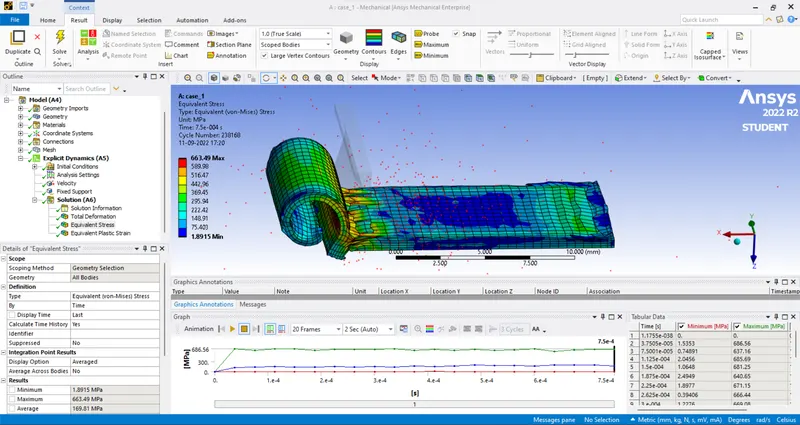
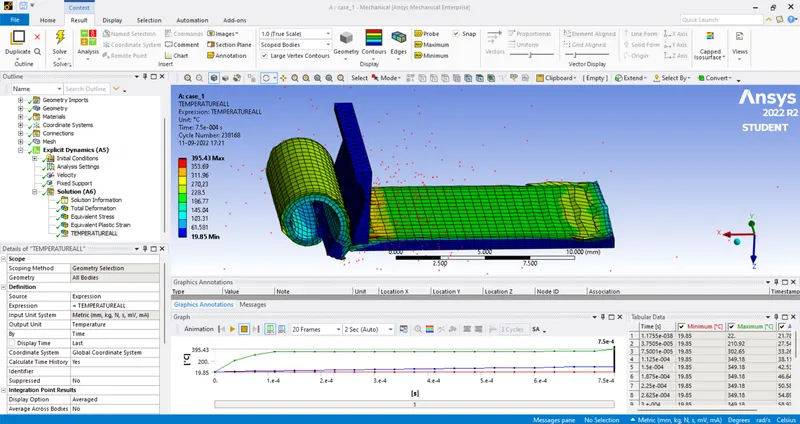
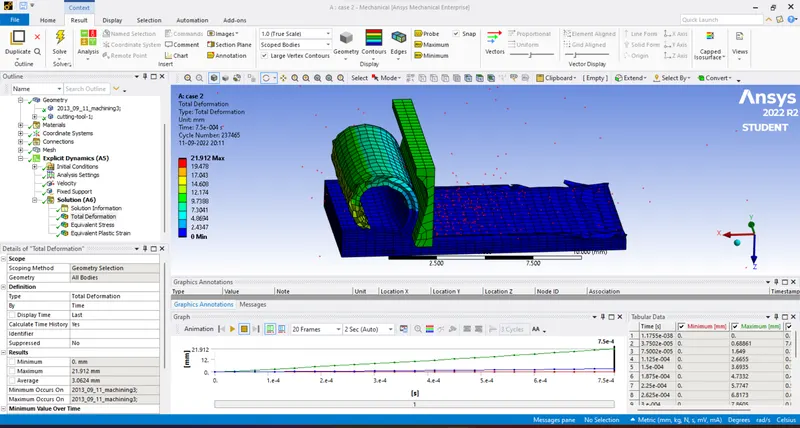
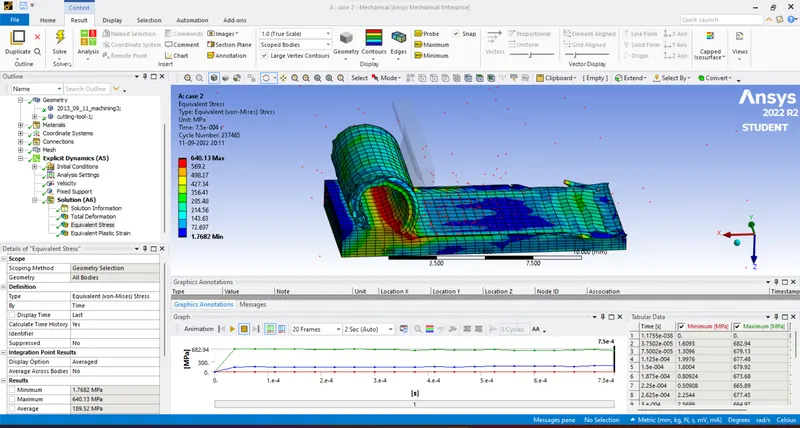
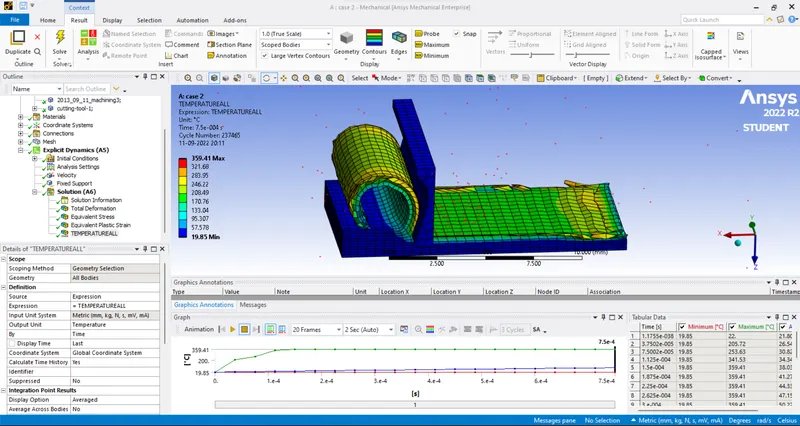
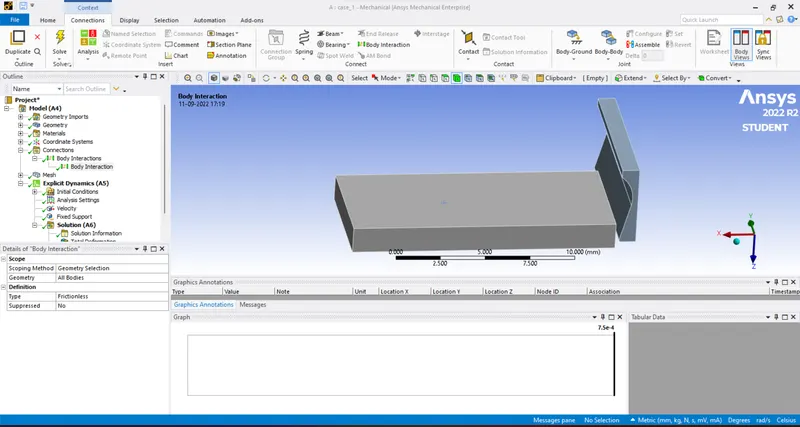
Machining with planer Objective: To perform the explicit dynamics stimulation for planner machining using ANSYS workbench. Procedure: Importing the given CAD model in space claim in order to check any geometry malfunction. then assigning properties and material for the geometry. body intersecting connection is provided…
Klyne Pereira
updated on 15 Sep 2022
Project Details
Leave a comment
Thanks for choosing to leave a comment. Please keep in mind that all the comments are moderated as per our comment policy, and your email will not be published for privacy reasons. Please leave a personal & meaningful conversation.
Other comments...
Read more Projects by Klyne Pereira (28)
Week 12 Challenge
Week 12 challenge Objective: to create a mold using the different components given by splitting into core and cavity. Procedure: In the previous challenge we created sliders for the component since there are many undercuts formed, we need to create ejector pins in order to separate cavity from…
02 Dec 2022 03:40 AM IST
Week 9 Challenge
Week 9 challenge Objective: to create a mold using the different components given by splitting into core and cavity. Procedure: First we need to open assembly file and then insert the component which was made in the previous part now we need to edit the core part in order to create a slider …
01 Dec 2022 11:31 AM IST
Project 1
Project challenge Objective: to create a mold using the different components given by splitting into core and cavity. Procedure: importing the given geometry in SolidWorks and analyzing the geometry if there are any mistakes. first in the toolbar we need to go to the mold design option and then we have to choose draft…
14 Nov 2022 02:40 AM IST
Week 7 Challenge
The part which was created in the above challenge is now opened in assembly file, now we need to open the cavity part and change its transparency and we need to sketch in order to create the sliders. a solid slider body is formed which needs to be fitted in the cavity block the slider is cut extruded so that it may fit…
14 Nov 2022 02:19 AM IST
Week 10 Bullet penetrating a Bucket Challenge
Bullet penetrating a bucket Objective: to perform a stimulation using ANSYS workbench for a bullet penetrating a bucket and also to determine total deformation and equivalent stress and other behaviors. Procedure: in order to start first we need to assign material for the component, the materials are going to be 3…
15 Sep 2022 03:24 AM IST
Week 9 Tension and Torsion test challenge
Tension and torsion test Objective: To perform Tension and torsion test for a given component and to determine total deformation and temperature. Procedure; importing the given geometry and assigning specific material for the component. first, for tension test we need to give a coordinate system for both left and…
15 Sep 2022 03:23 AM IST
Week 9 Machining with Planer Challenge
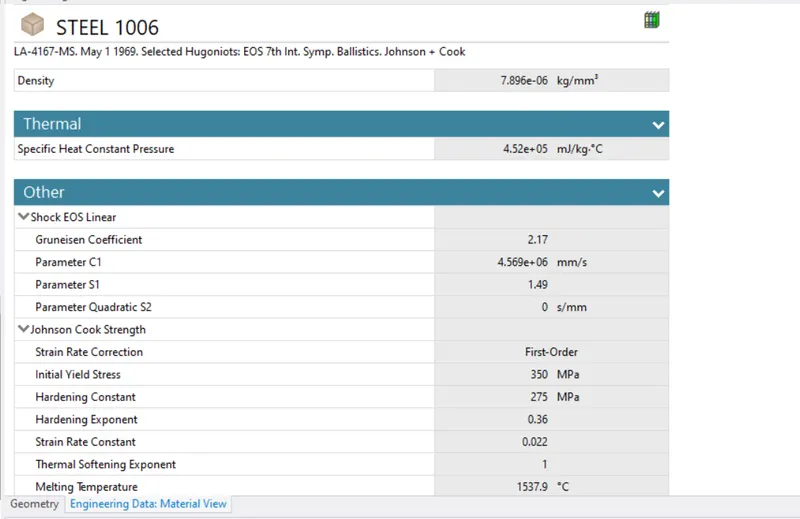
Machining with planer Objective: To perform the explicit dynamics stimulation for planner machining using ANSYS workbench. Procedure: Importing the given CAD model in space claim in order to check any geometry malfunction. then assigning properties and material for the geometry. body intersecting connection is provided…
15 Sep 2022 03:23 AM IST
Week 11 Car Crash simulation
Car Crash simulation Objective: To perform three different values of thickness for the car body and to analyze total deformation and equal stress on the model. Procedure: first we need to import the model in mechanical module and also to assign material for the model. For the car body we need…
15 Sep 2022 03:22 AM IST
Week 8 Worm Gear Challenge
Worm Gear Objective: to perform a transient structural analysis of a worm gear and to determine the equivalent stress, equivalent strain and total deformation. Procedure: first, we need to import the model and assign material for the geometry, We need to open it in space claim in order to check whether any abnormalities…
06 Sep 2022 04:15 AM IST
Week 8 - Universal Joint
Universal joint Objective: Two perform transient structural analysis on a joint with spring using three different materials as structural steel, stainless steel, titanium alloy. and to find equivalent stress and total deformation and also to compare the result. Procedure: first, we need to assign materials for the…
06 Sep 2022 04:15 AM IST
Week 7-Long Piston With Cam
Long piston with Cam Objective: To perform a transient analysis on a piston and a cam mechanism I need to run analysis with frictionless contact, frictional contact with frictional coefficient of 0.1,0.2 for the following cases. Procedure: Importing the given geometry and assigning material for the geometry. now we…
06 Sep 2022 04:14 AM IST
Week 5 Sphere pressing on a plate
Sphere pressing on a plate Objective: To perform analysis add stimulate sphere pressing on a plate Using structural Steel for both sphere and plate With the material of nonlinear. and should I have a displacement of 4MM downwards. Procedure: first we need to input engineering materials with specified property.,then…
06 Sep 2022 04:12 AM IST
Week 4- Rolling operation
Rolling operation Objective: To stimulate the rolling operation on a work piece of a copper material and to determine equivalent stress and equivalent plastic strain. Procedure: Importing the given component and assigning Copper NL material. We need to modify the geometry by increasing the workpiece to 60mm. And…
23 Aug 2022 03:04 PM IST
Week 3 Sheet metal Bending challenge
Sheet metal bending Objective: Stimulating sheet metal bending with three different materials of aluminum alloy 1199, copper alloy nl, magnesium alloy nl. and to find out equivalent stress, directional deformation, equivalent strain. Procedure: assigning the material properties for the given component and updating…
23 Aug 2022 03:04 PM IST
Week 4 -Wire Bending Challenge
Wire bending Procedure: Assigning the material property for the given component. now we have to assign contacts between the wheel, wire and lever. The contact used will be frictional from wire to lever. Now we have to assign a revolute joint in order to rotation of the wheel after the operation is complete we now…
23 Aug 2022 03:03 PM IST
Week 2 Railwheel and Track
Rail wheel and track Objective: stimulating the rail wheel and track using static structural material in order to evaluate the result. Procedure: importing the geometry in mechanical module and assigning material for the component. Now we have to assign contacts for the rail wheel and track, the contacts are frictional-…
23 Aug 2022 03:03 PM IST
Week 3 Verification of Weld Joints
Verification of weld joints Procedure: First, we need to assign Material for the Weld joint four different cases. now we have to open space claim in order to check the components proper or not. Now we have to define contact faces of the wealth geometry by selecting the contact or target bodies. define the type of contact…
23 Aug 2022 03:02 PM IST
Week 2 Bevel Gear Challenge
Bevel gear Objective: To perform grid dependency test with bevel gear four different mesh sizes. Grid dependency test: The grid dependency test is which analysis begins with the coarse mesh and is made finer for each run until the results do not change significantly. Procedure: First, we need to open model in space…
23 Aug 2022 03:02 PM IST
Week 1 Spur Gear Challenge
Spur Gear Aim: to perform static structural analysis on spur gear using ansys Objective: To carry out add analysis or per game with different materials to find out equivalent stress ,total deformation, stress intensity. to choose material based on results. Procedure: first we need to import 3D model of spur gear…
13 Aug 2022 05:10 PM IST
Week 1 Stress Concentration on a Plate with hole
Stress concentration on a plate with hole Aim: Stress concentration on a plate with holes Objectives: To design A plate with hole Model to design A plate with three holes with different diameters To find out maximum deformation and stress development in the above models Comparing the results of two cases Procedure: …
13 Aug 2022 05:09 PM IST
Week 12:Project 2-Meshing of Rear Wheel Holder challenge
Meshing of rear wheel holder Import the given geometry in iges form. deleting the solid from the geometry by using the option delete>>solids>>delete entity. Now we have to extract mid surface from the original component by using the option geometry>> midsurface>> extract. After the mid surface is done now we have to…
21 Jul 2022 01:05 PM IST
Week 12:Project-1-Meshing of Door Inner Panel Challenge
Meshing of door inner panel The first step is to import the given geometry in iges form. In order to perform mid surface we need to defeature the fillets and other surfaces So that proper meshing will be produced. Geometry>> Defeature>>surf fillet. After Defeaturing We have to do an elemental cleanup. Now we have…
21 Jul 2022 01:04 PM IST
Week 9-Creation of 1D Connectors Challenge
creation of 1d connectors Importing the given geometry After importing, we have to do a mid-surfacing for individual components. If there are problems with the geometry, we have to do geometric cleanup. After mid surfacing, we have to assign material, property for individual components and also, we have to give a thickness…
03 Jun 2022 04:58 AM IST
Week 8-3D Tetra Meshing Challenge
3D Tetra Meshing Housing Model : Import the given model in iges form. Delete the solids using delete entities option. After performing the above task, Now do a 2D mesh Using automesh option, With element size as 5mm And use trias as only option. After meshing check for minimum and maximum length Using element check…
03 Jun 2022 04:58 AM IST
Week 6-Meshing of Hood Challenge
HOOD MESHING Objective: Two extract…
12 Apr 2022 01:47 PM IST
Week 4-1D Element Creation Challenge
1D Element creation Objective : To create 1D element for a given…
18 Mar 2022 03:06 AM IST