Week 4-1D Element Creation Challenge
1D Element creation
Objective :
To create 1D element for a given Component.
Importing the geometry:
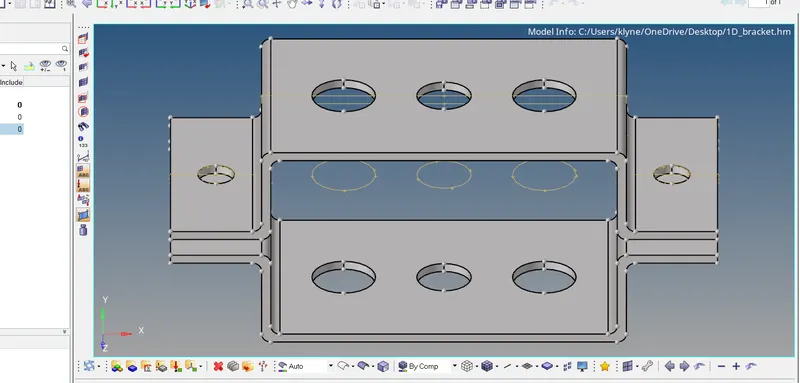
The first step is to import the given model Using Import option in Hyper works software.
Mid surface:
First, the upper bracket is mid surfaced Using mid surface tool.
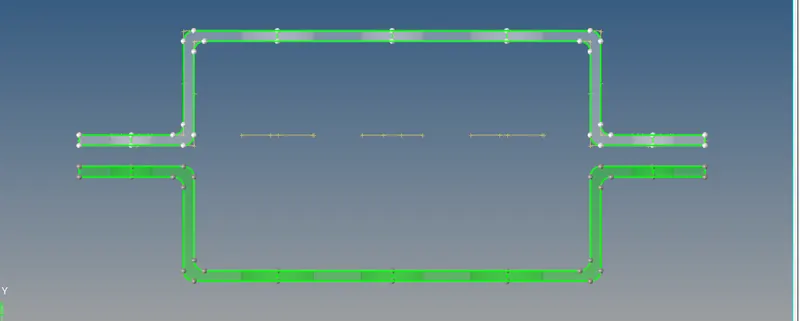
Then the bottom bracket is mid surfaced Using mid Surface Tool.
Meshing and properties:
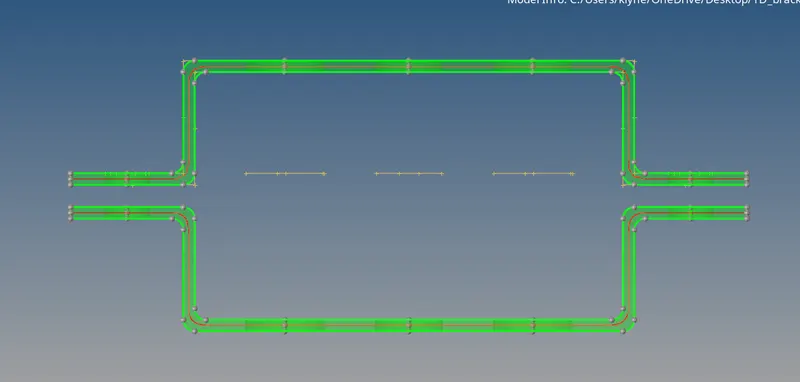
For upper and lower bracket First, the Material is assigned and then properties are given. Then we Apply a washer splitter of 5mm, and then we do mesh for the whole component.
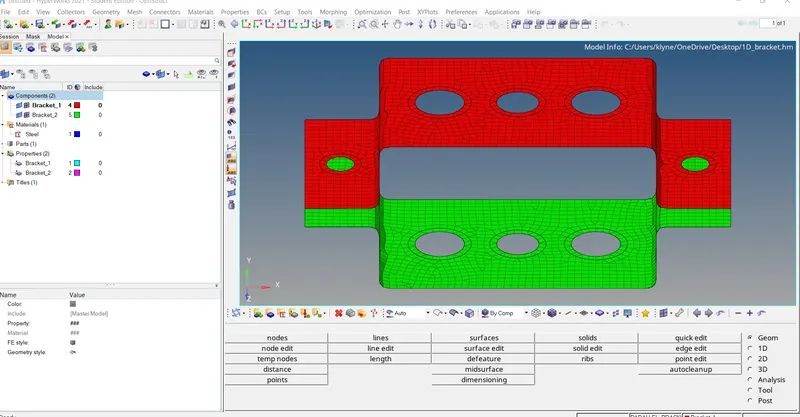
RBE 2 And RBE 3:
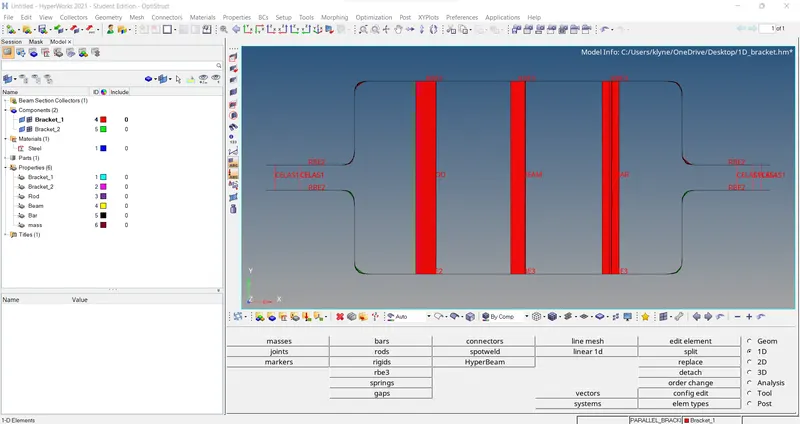
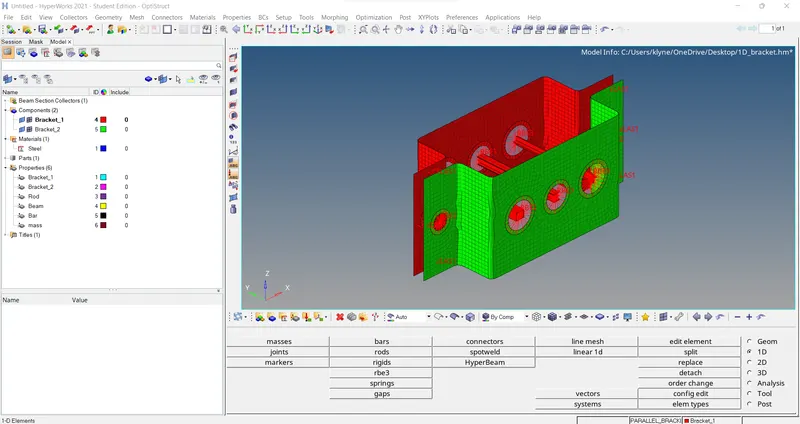
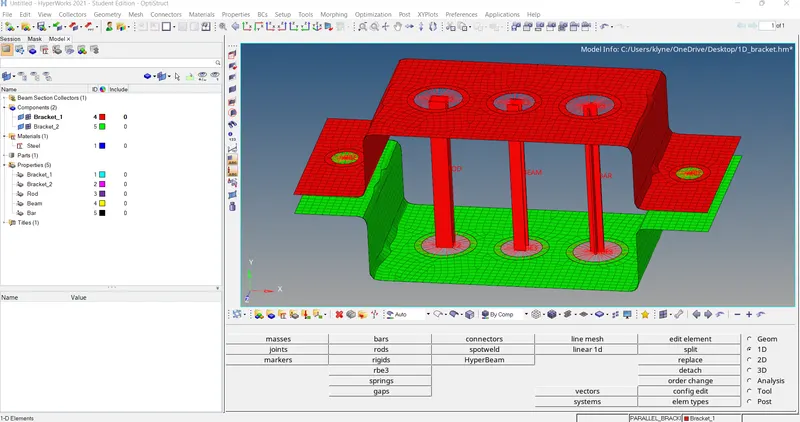
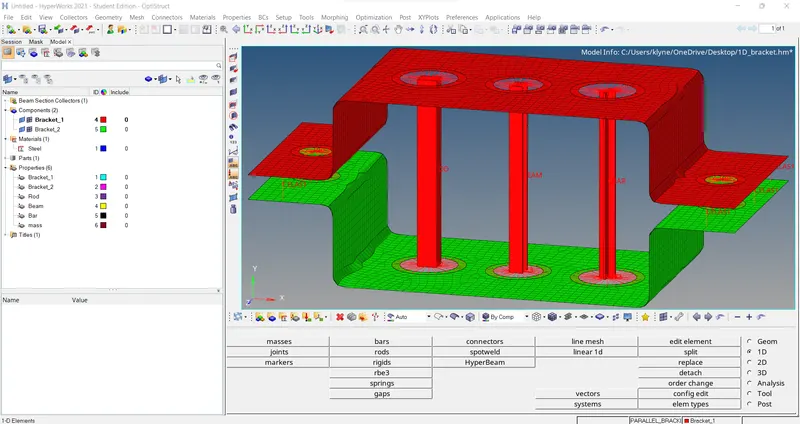
We assign RBE2 link for a,d,e as given in the question, and we assign RBE3 Link for b,c and we assign Spring mass for F.
Cbar,Cbeam,Crod:
In 1D Element option we choose cbar,cbeam,crod for particular places.
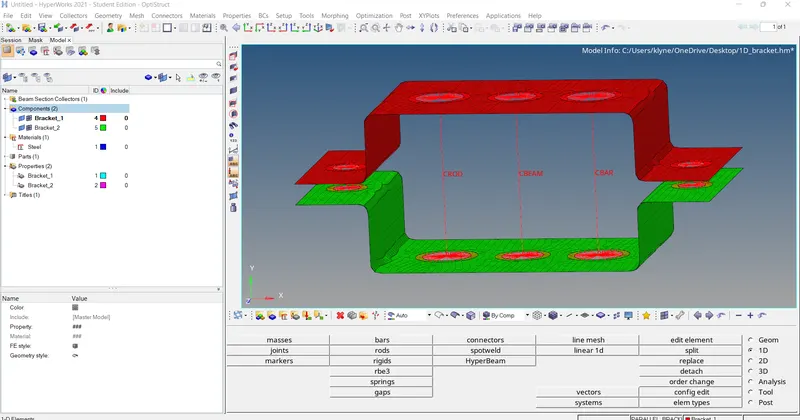
Hyper mesh cross-section.
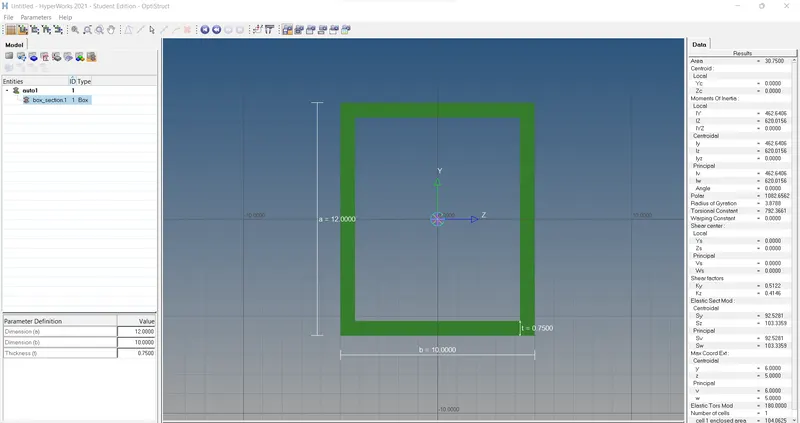
Box Cross section: Dimension a= 12 mm
Dimension b=10 mm
Thickness t= 0.75 mm
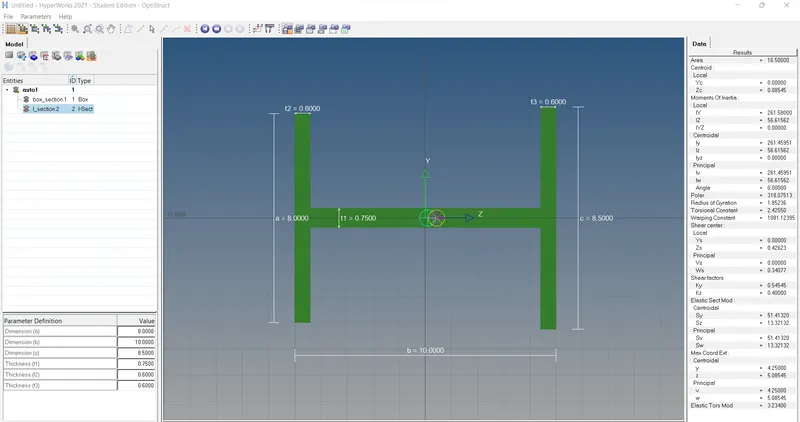
I cross section: Dimension a= 8 mm
Dimension b= 10 mm
Dimension c= 8.5 mm
Thickness t1= 0.75 mm
Thickness t2= .6 mm
Thickness t3= .6 mm
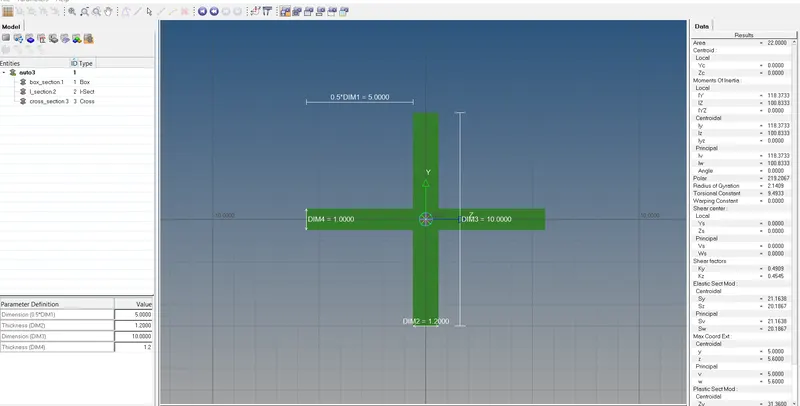
X Cross section: Dimension DIM1= 5 mm
Thickness DIM2= 1.2 mm
Dimension DIM3= 10 mm
Thickness DIM4= 1.2mm
Assigning properties for Rod, bar and beam Using update option in 1D.
Then converting 1D traditional element to 1D detailed element.
Conclusion:
Extracting mid surface for the Given component and applying Appropriate Properties and Material And also giving cross section for the 1D Element and converting into Solid Element.