AIM: To write a program to slove the second order Ordinary Differential Equation that determine the motion of the simple harmonic montion of the pendulum and create a animation of the motion of the pendulum.
OBJECTIVES:
1.To write a report to slove the ODE.
2.Then to make plot of Time vs angular acceleration.
3.create a animation of the pendulum motion.
PROCEDURE:
1.first i started writing the program with clear all,close all and clc to remove the all the last program command.
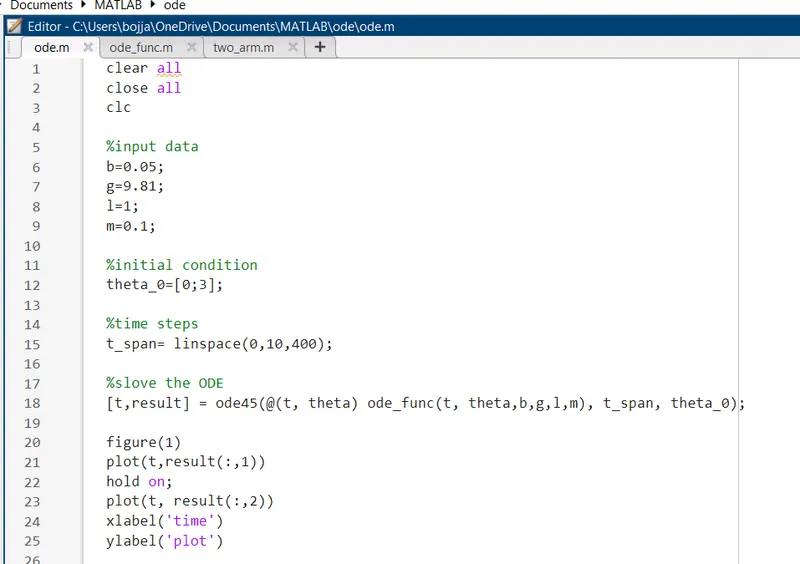
fig:main part of the program
2.then i have given the all the input values for the pendulum. the initial condition of the pendulum is "theta_0" the [0;3].
3. then i taken the time steps 0 to 10 in between this i need to get 400 iterations.
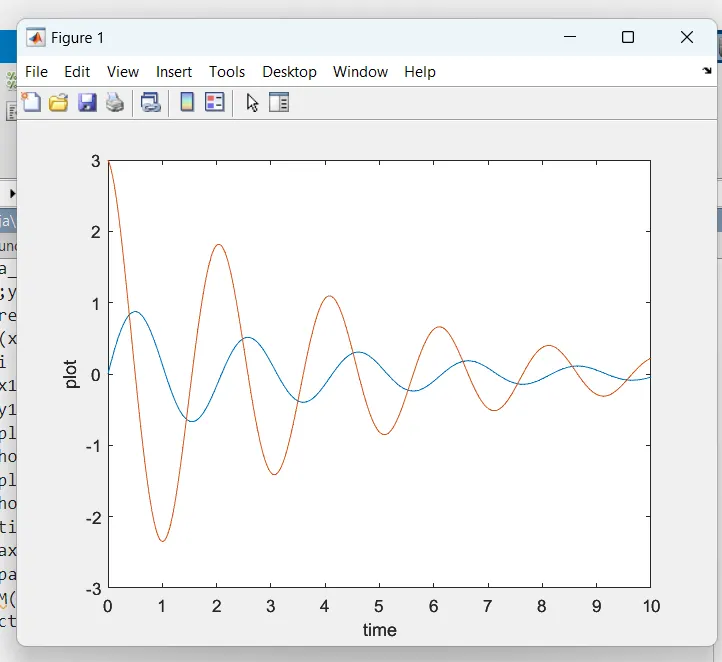
4.then i went to write a function code to the run the main code.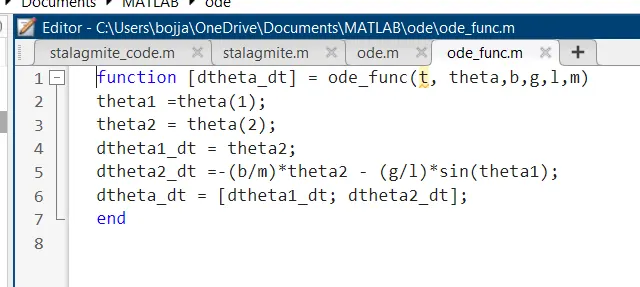
fig: functuion code.
5. here the dtheta_dt is the output arrgiment ,ode_func is the function code name and the t,theta,b,g,l and m are the input arrgiments.
6.here the theta1 is variable to store the theta(1) and the theta2 is to store the theta(2).
7.then the remain all are the formulas and the dtheta_dt is ton store the dtheta 1 and 2 values.
{dtheta1_dt = theta2;
dtheta2_dt =-(b/m)*theta2 - (g/l)*sin(theta1);
dtheta_dt = [dtheta1_dt; dtheta2_dt];}
8. then i went to main code and i write a formula the to slove the ODE and here we write the t,result that is to input first and then output next.
{[t,result] = ode45(@(t, theta) ode_func(t, theta,b,g,l,m), t_span, theta_0);}
9.ode45 is the slover to slove the ODE program. them [@(t,theta)] is to slove the program without this it con't slove the program it show the error.
10. then i plot the graph between time and result column 1 and result column 2 respectivlily.
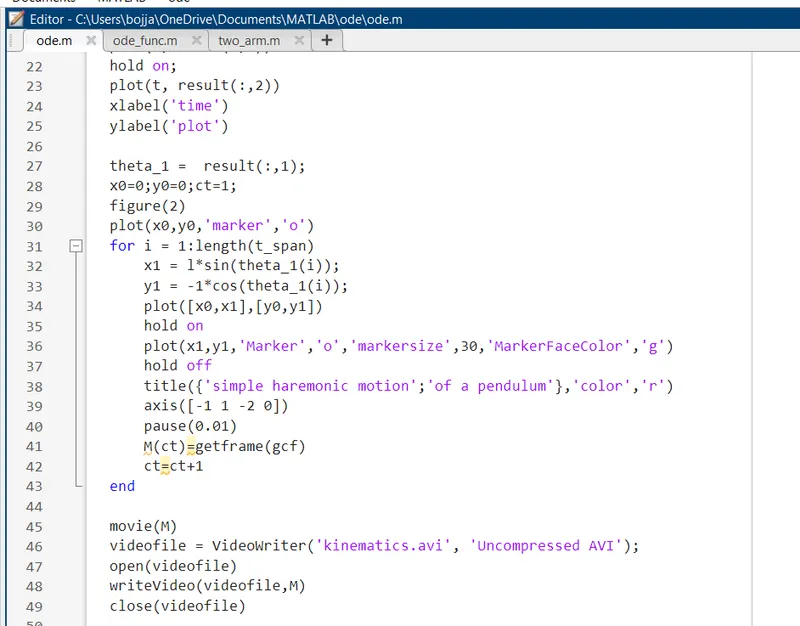
fig: this for the for loop to create the plot.
11. here the initial conditions is xo and yo and the maker 'o' is to make starting lpoint of the string of the pendulum.
12. then then i made a for loop for change of the time frome one to 400. then X1 and Y1 are the points to ball of the pendulum.
13. then i attached the point 1 and 2 to make the string of the pendulum and i used hold on command to store rhe last stage of the program the run along with next line of the program.
14. then i made the ball size circle in the plot to indicate the ball with the green color. then hold off command to show the next command of the program.
15. then in given axis limit to move pedulum in the limit onlyn and video part should be 0.01 length.
16. here get frame is to capture the figure as a frame and ct is the variable to stor the th figures gcf is to create all capture figure into movie creation. ct = ct+1 to repeat for 400 time.
17. then i create a animation the is store in the fuile name of "kinematics.avi".
ERRORS:
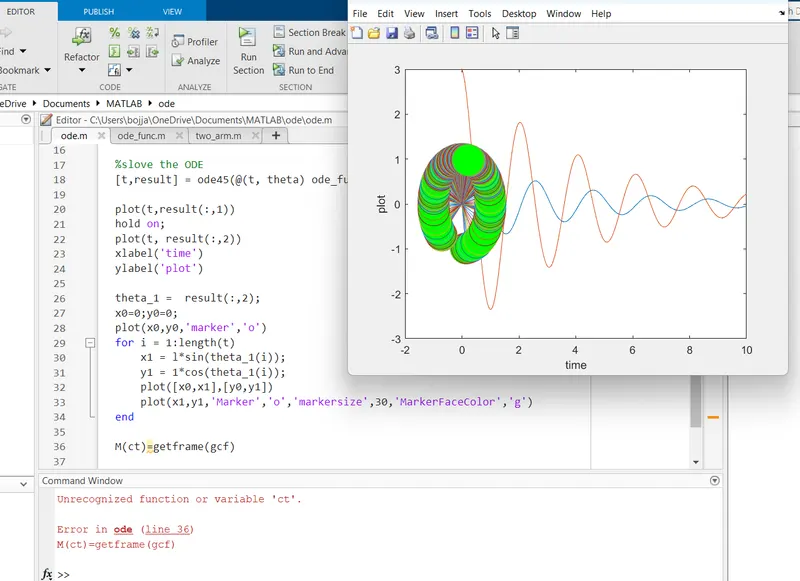
1. this the major error i got in the program here animatiuon is also in the same plot then i correct the error by changing the Y1 with + sign to - sign and i remove single quotation and i write M(ct) line inside the for loop and i add the ct=ct+1 and i eend the for loop .
2. them add the animation part to create the video.
3. here all the errors ib got is the syntax error only.
OUTPUT:
te above linke is the animation prat of the proram.
RESULT:
hence i sloved the ODE equation by program of the MATLAB software and i created a video animation of the pendulum.
CONCLUSION:
here i make a animation of the pendulum make by proagram and i can slove the ODE equation by using the program.