Week 4 Challenge : CFD Meshing for BMW car
Aim:to clean the the all geometrical errors,make the appropriate PIDs and make the meshing to the different PIDs according to the given target lengths given by CFD meshing on the BMW car.
objcetives:the meshing done by ansa software on the BMW car.
Procedure:
1. First I was taken the model into the ansa software.the model consists of lot of errors in the model.
2.then I was deleted the half part of the model i.e car. Except logo of car. after the clear of the geometrical error i used the transfrome option and copy the antheir half part of the body by selecting the three piont method on the option.
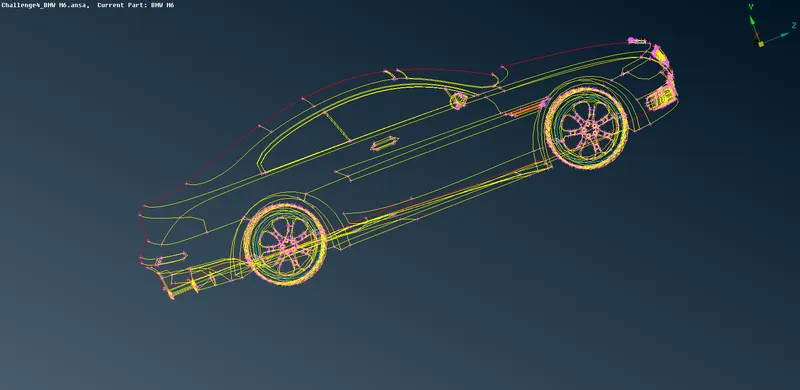
fig.car half part
3.then I started correcting the error in the model.i started with the top grill.the grill consists of the single cones and lot of unwanted surface inside the grill.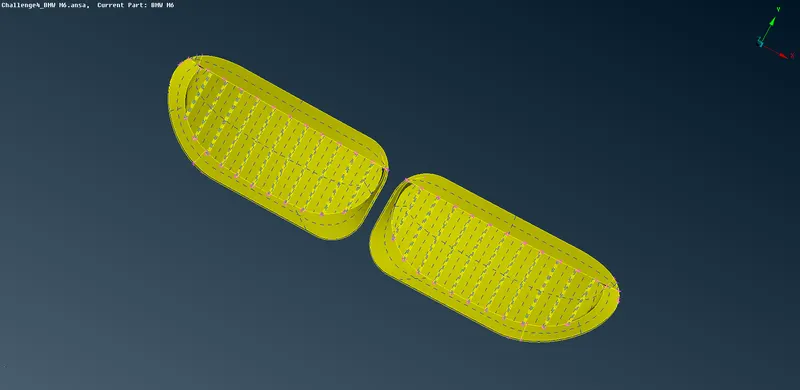
fig.top grill
4.on the top grill i was deleted the back surface and creat the new surface on the grill by closed the from inside of the grill. at the base of the grill i was made cut option to closed the back side surface then i deleted the unwanted surface after the new surface made. then the processed is repeated all the grill and at last grill i was used the extend option to the upper surface.
5.then i made a plane cut option to creat upper back surface to closed the grill.then made geometry check to know the errors then i got all interscetion errors i got. then i redused the all the errors.
6.then i went to the bottom grill i deleted the unwanted surface and i made the geomerty check i got the single, thriple cone and crack error on the grill surface then i projected the bottom of the first grill to the back surface then i deleted the bottom surface and created the new one.then i repeated the all the steps of the first part of the grill to all the grills.
7.then i made all thee geomerty check to correct the errors and made the grill. the same process is repeated for the side grill.
8.then i went to the side part of the car door, i deleted the all the unwanted surface i redused the sinle cone error of the part. 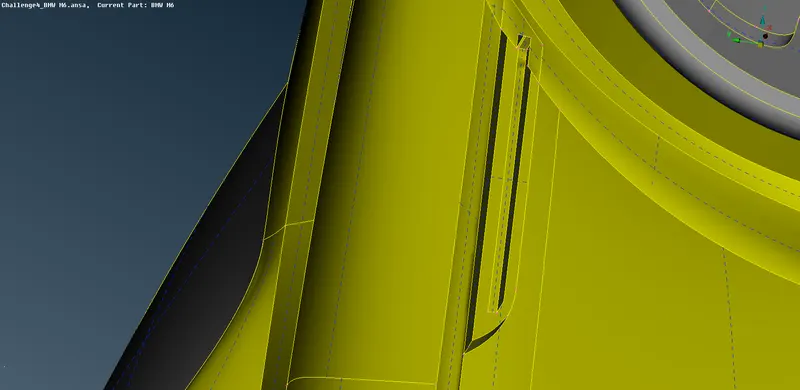
fig: side part of the car
9.the i went to the side mirror i deleted the unwanted surface from the part and created the corrcet surface and made the part.i reduced the triple cones.
10.then i wented to the side mirror and i deleted the wanted sufrace and created the hollw inside the mirror.
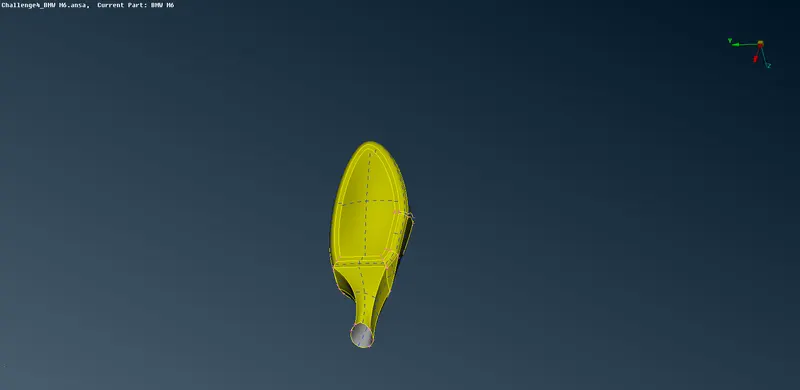
fig. side mirror
11.then i went to the body part first i deleted the all the unwanted surface then correct the all the single cone errors and triple cone errors.
12.then i went to the bottom part of the i used the cones to curve option to known the base position of the all the curves to create the new surface and i do the all surface good and i uesd the cones extend option to join the cones to closed the bottom surface.the n i deleted the intersecting part at the tyre position of the body part.
13.i reduced the all intersceting part backside of the car body and i made a good surface of the car body.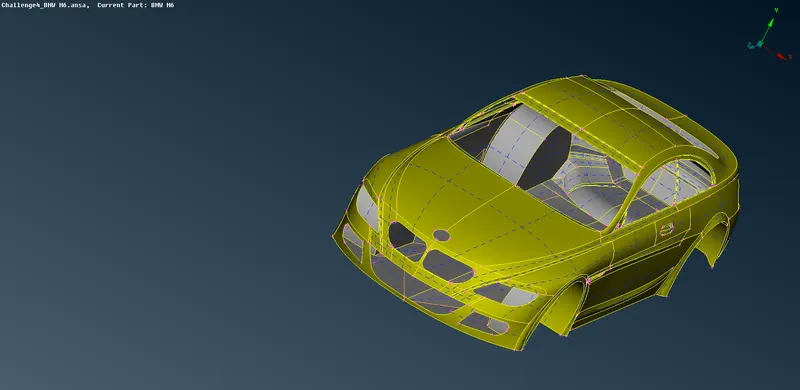
fig. car body
14.then i went to the car tyres i used fine option to correct the face surface and the tyre part having only needle face error on the grip positon of the tyre.i made the tyre all the error to correct the tyre.
15.i went to the car glass and i deleted the all unwanted surface. reduced the triple cone error the glass.
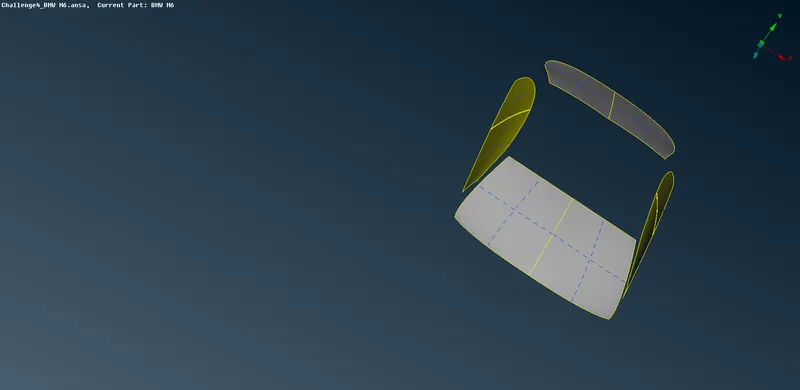
fig. car glasses
16.then i went to the all the back lingths it having small surface and i deleted the all small surface and i used the cones to curve option the new surface to deleted the old surface at the edge of the cone.
17. i went to the logo part it having the all single and triple cone error on the logo and also intersceting surface on the cone the i deleted and created the good surface on the logo part and also i used the fine option to error the surface of the logo.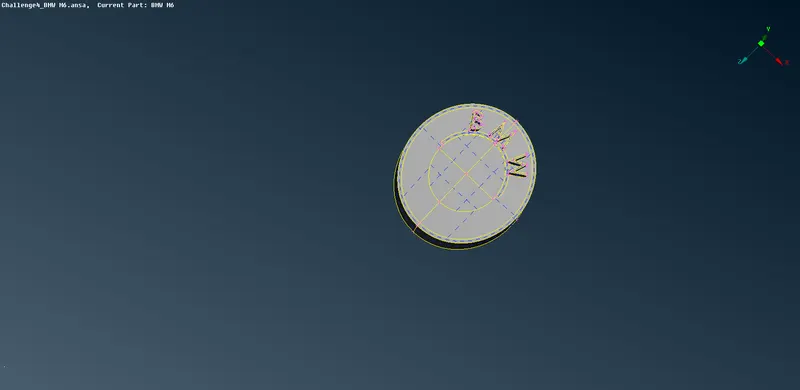
fig. logo
18.all the parts of car geometrical error are clear then i went to the to the PIDs i set all PIDs according to their parts and i deleted the empty PIDs by using the compress option on the main deck.then i went to the meshing on the part of the car according the given target length.
19.i went to the mesh deck and i set the mesh parameters according to the target length,meshing critira as set and i uesd the option spacing selected the part and i went to the cfd mesh option then the mesh is genrated on the grill with length of 1mm.
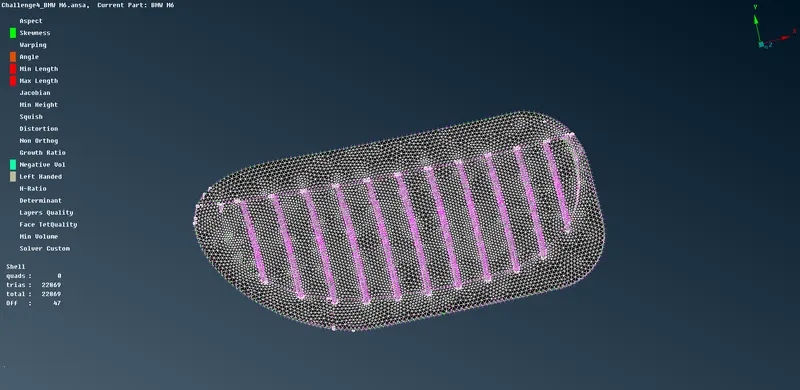
fig. grill with cfd meshing.
20.then i repeated the meshing procedure to genrated for all car part with the given target length. after the meshing i went to the wind tunnel.
21.first i creat a point on the front surface of the car with th given length 6x.
where x = the length of the car.
sides i used length of 3x from the outer point of the car.
back side of the car 4x from the died end point of the back of the car
22.this points are created based on the front point with the calculated and created.then i made a cruves by joining the points then created a new face and then i used the offset opion and creat the top part of the wind tunnel.
23.then i closed all the side by using the new opion. then i went to the volumeteric meshing i used the define opion to known the all volume and i deleted the other volume except our required volume and then i started the meshing the car.
learning outcomes: i learn the cfd meshing ,i known the all command pratice and i known the clear of all the topological errors and know the creation new surface based on the the points.
result: hence i got the required volume to genrate the volumetric meshing.
conslusion: i learn lot of command in the ansa software and with out correcting the geometrical error the volumetric meshing volume is not get to done volumetric meshing of requried part
https://drive.google.com/file/d/1EJTY8szEwWcIQsYPzxk1jaH4Y1549QBB/view?usp=sharing