Week 3 Challenge : CFD meshing on Turbocharger
Aim:To check the geometrical error and correct and make the appropriate volumes,make pids and the meshing according to the give target length and also do the volumeric meshing on the turbo charge.
objectives:By using ansa software do the meshing.
give target length:
blade stage 1=1mm
blade stage 2=1mm
shaft rotor=1mm
impeller=2mm
turbo casing=5mm
compressor casing=5mm
inlet casing cover=5mm
procedure:
1.first opean the ansa software and inport the raw model of turbo charge into it.
2.then check the model to identfy the error in the in the model.
3.the i turn the model into wireframe model to know the correct the errors.
4.then i correct the single cones and triple cone error in the model. the model is corrected by using options like "new" to convert single cines into double cone and then unnessary triple cone are romove and correct the model.
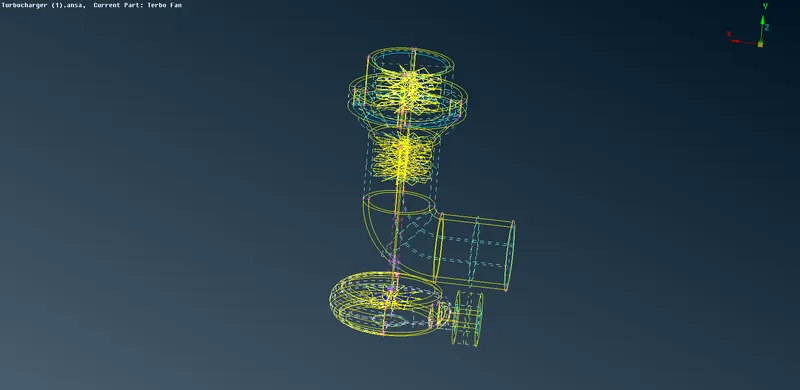
fig.no:1 wireframe model of the corrcet turbo charge.
5.then i close the inlet and outlet of the casing and also the compressor of the turbo charge.
6.then i created the pids for each and every part according their parts and the name of the pids also given.
7.started the meshing the parts first i started the shaft and blades with the mesh length 1mm by select the option mesh qulity and mesh length on the main deck.And option "length" in the mesh deck.show the popup like "paremeter" and "mocro". then i set length 1mm.
8.then i repeated the process for impeller but the length is 5mm.
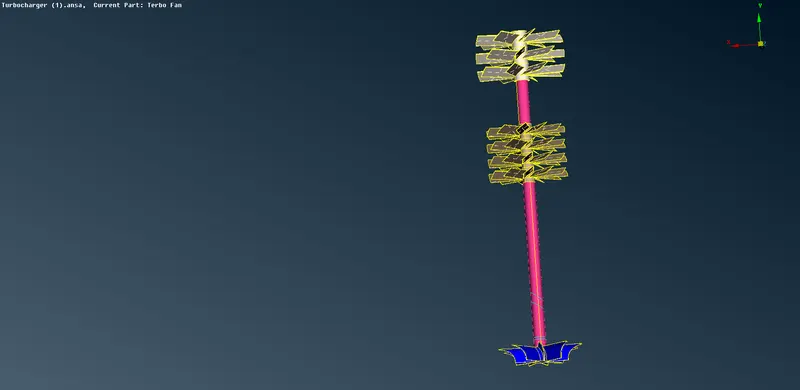
fig.no:2 the shaft,blades and the impeller without mesh.
9.then i repeat the procedure for the casing and the compressor with mesh length is 5mm.
10.then i went to the volumetric mesh deck and i select the option "define" show the popup "whole db" then i click ok on it.then show the approprite volume to do the mesh but i delect the un wented volumes and i started the meshing by selecting the option "tera cfd". then it show me popup the "volume"and "solid" clicke option and select the whole model for both volume and solid. but it take much time to complete the mesh.
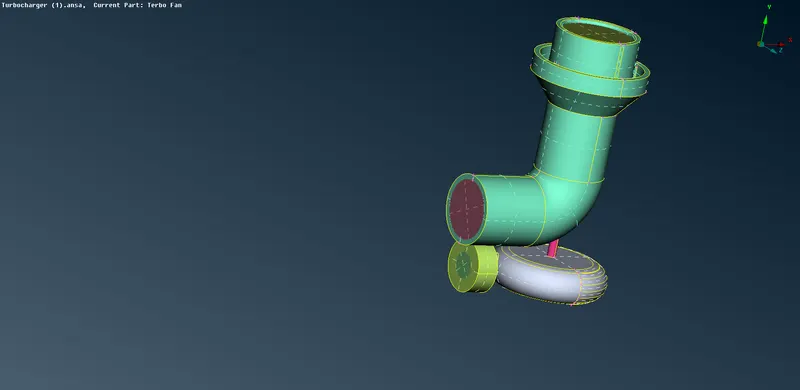
fig.no:3 whole model without meshing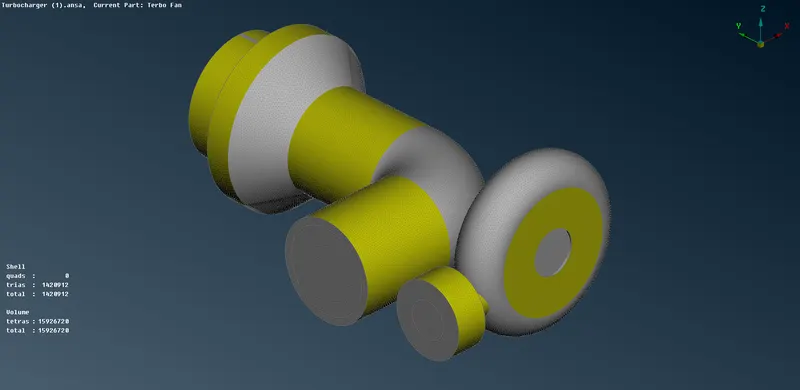
fig.no:with meshing.
Errors outcomes:
only the triple cones that are required in the model.
learning outcomes:
i learn that how to correct the single cone and triple cone error in the model.learn how to mesh object and volumetric mesh on the model also learned.
Result:hence i done the surface meshing and volumetric meshing on th turbo charge is done by using ansa software.