Week 5 Challenge : Surface wrap on Automotive Assembly
Aim:To do surface wrap on the engine, gearbox and transmission models by merge the three model into one model with the target length 3mm.
Objective: By using the ansa software to do the surface wrap.
procedure:
1.first in take the raw model of the engine in to ansa sortware.
2.then i check the geometric check it show me lot of errors in the model.
3. i deleted the unchecked surface directly,then i remove the unwented surface to the engine by using the delete option on the main deck.
4.then i hide the all the engine required parts first and check the all the parts are hiden or not then i selected all then unwanted parts and deleted the surfaces.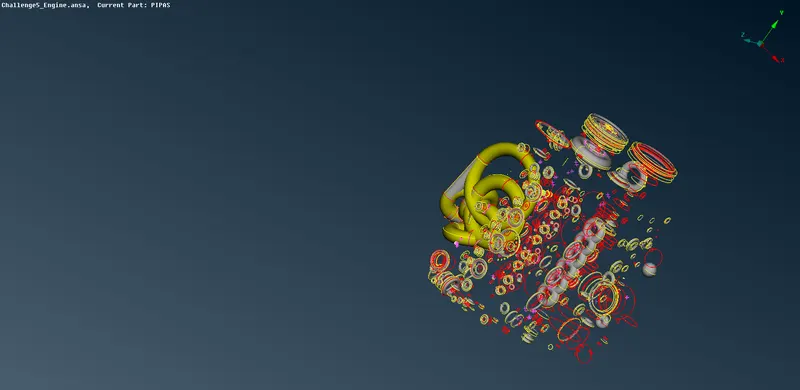
fig. this all are the unwanted parts in then engine raw model.
5.then i check the each and every part checking then unwanted surfaces inside the parts are deleted.
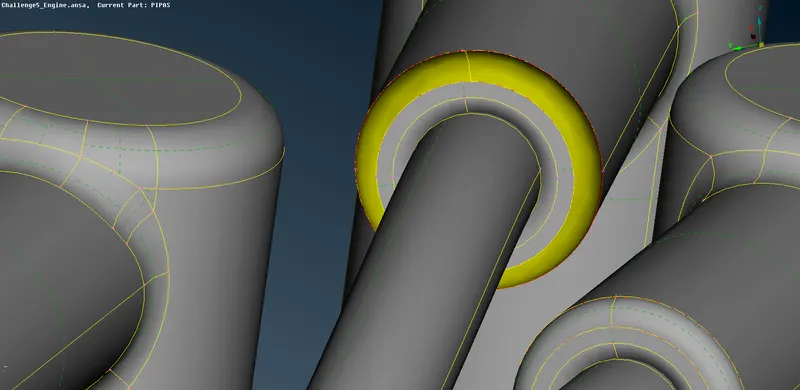
fig. the unwanted surface inside the engine.
6.then i hide the upper part of the pipe and i seen the unchecked surface inside the pipe then i deleted the surface ,i used the option view all in the bottom deck.after the deleting of the inside surface i used the topo option to join the single cones.
7.i repeated the process for the all the part which having same like this inside surface.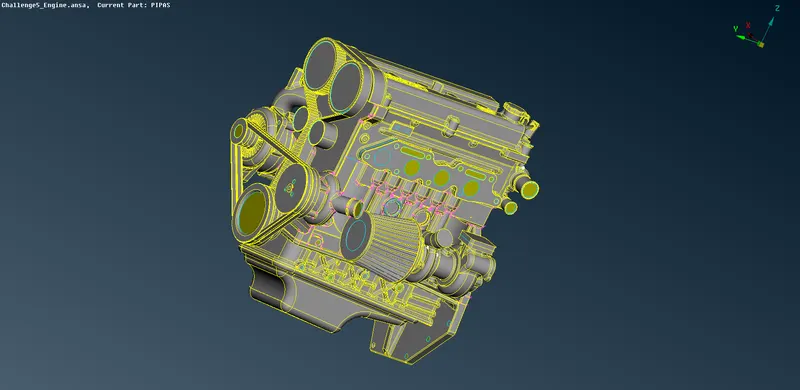
fig.engine without errors
8.then i closed the all the holes on the engine surface to mesh the outer surface of the engine . then i remove the belt on the engine.
9.then i went to the gear box and then i check geometric check it show the all the errors on the gear box.
10.it having the inside error in the gear box triple cone and single cone but i correct the errors which are equired to surface wrap only.
11.remove the error on the surface of the gear box and closed the all the hole on the gear box to closed to done surface wrap on the gear box.
13.then i in take raw model of the transmission part into the ansa software and started the chacking the all the error on the surface. first i deleted the all the uncheck surface by showonly option by rigth click on the on unchecked opton and i selected the all of them and deleted them.
14.then i go with the triple on the on the nuts fitted on the top surface of the transmission.i deleted the not required surface.
15.after the reduced all the error on the them deleted i closed the all holes on them.then i went to the option called file in that it show the option merge option.
16.then select the merge option then it show the file that are to merge them with other part i select the option file engine and gear box with transmission part.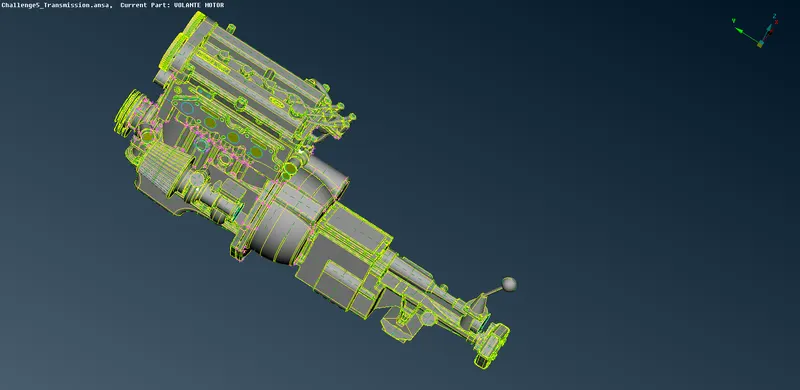
fig. all the part are merged
17.then i went to wrap option on the mesh deck by click on the option wrap and it show the popup i select empty and duoble click on them it show anotheir popup i select the name, then i click on quantity on the and send all the PIDs in the meshing then i click on ok then it started the meshing it take some time to complete.
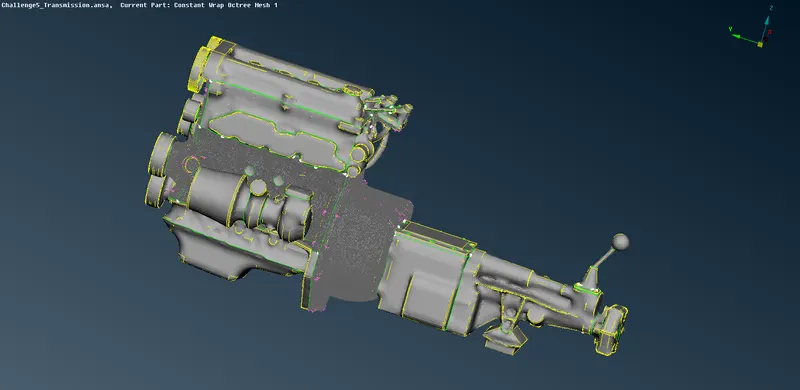
fig.meshed parts
learning outcomes: i learn the process of making surface wrap on the elements and mergeing of the elements also learned.
result:hence mergeing and surface wrap on the three elementes completed.
conslusion: i known the process of making the surface wrap and the mergeing the parts togetheir and also the process of correcting the errors.
https://drive.google.com/file/d/1m1ojD5ebUaSBCv5mNRLQSFdlbrxU1zSQ/view?usp=sharing