Advanced Sheet Metal Design Using NX Cad Challenge_5_Odd Shaped Enclosure
Odd Shaped Enclosure Design
Objective:
To design the odd shaped enclosure in Siemens NX Cad.
Introduction:
Sheet metal is metal formed by an industrial process into thin, flat pieces. Sheet metal is one of the fundamental forms used in metalworking, and it can be cut and bent into a variety of shapes.
The thickness of sheet metal starts from 0.5 mm and goes up to 6 mm and anything above that is a metal plate. The thin sheet metal is easy to form, while still providing great strength.
Design Methodology:
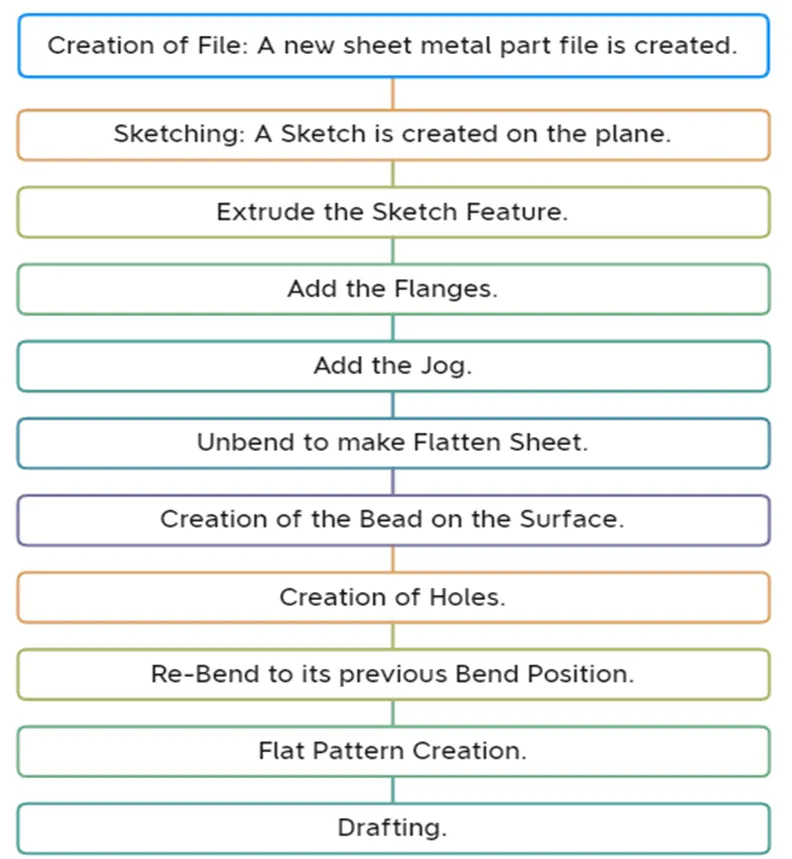
Description of Tools:
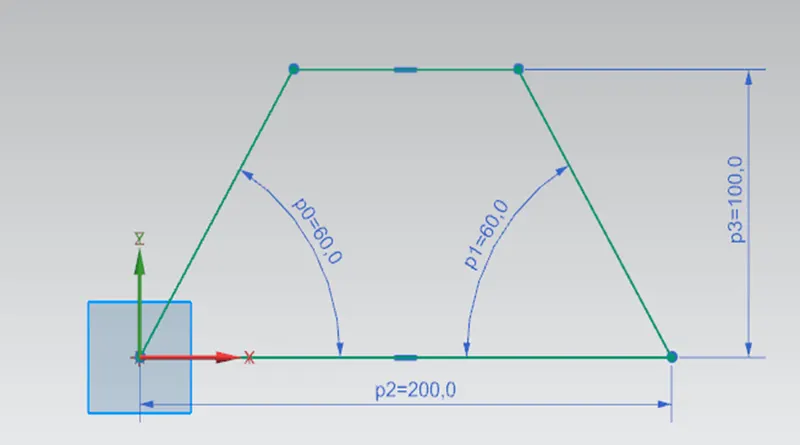
Sketch:
The feature is used to create the basic sketch for design on the desired plane and Extrude is generated on it.
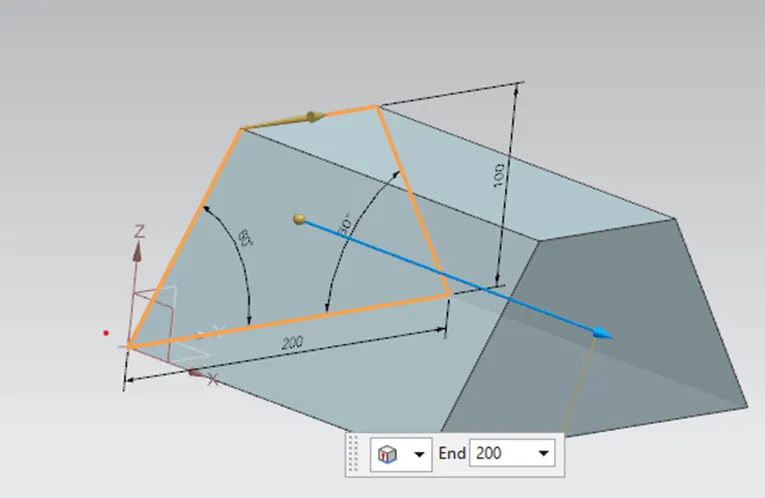
Extrude:
By extruding a section along the vector to convert 2D sketch into 3D model.
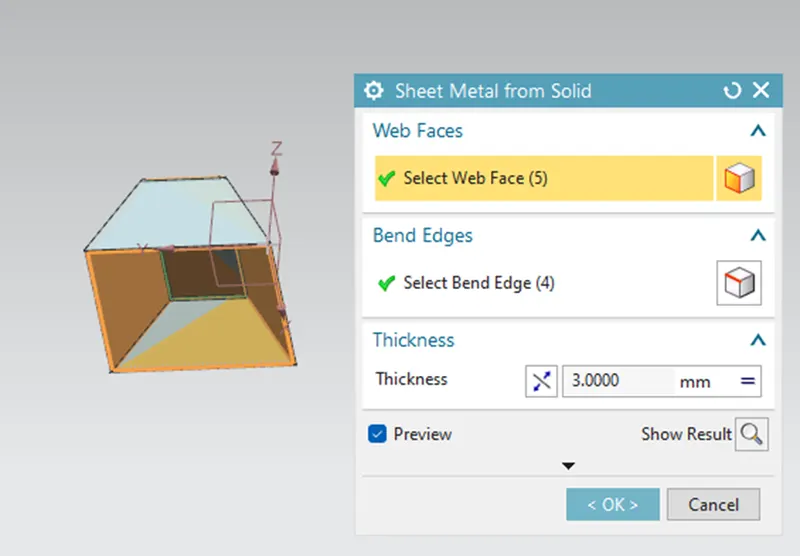
Convert to Sheet Metal:
This feature is used to create the sheet metal from solid body by ripping edges, cleaning up the geometry and converting to a sheet metal body. First I have selected 5 faces out of 6 faces in web face section. In the bend edges section, 4 edges are selected to create the sheet metal body.
Flange:
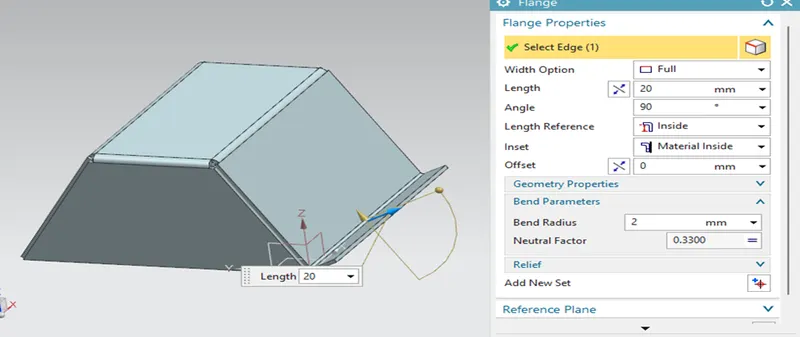
The flange feature is used to add extra material to the existing edge at an angle with required length. Here in this, flange is created at angle of 90 degrees with distance of 20mm length.
Jog:
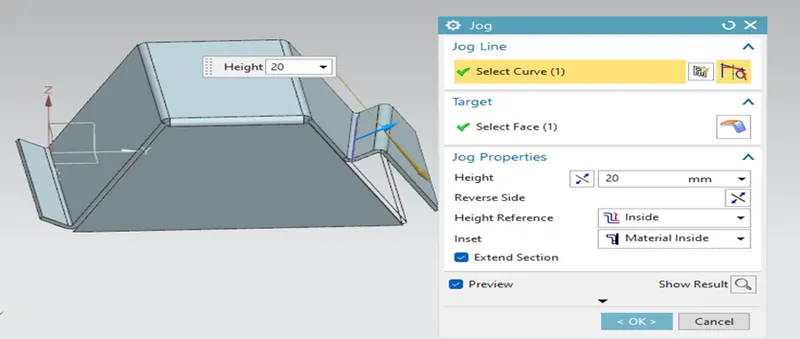
The jog Feature is used to modify the model by lifting material on one side of sketch line, adding a flange between the two sides.
Unbend:
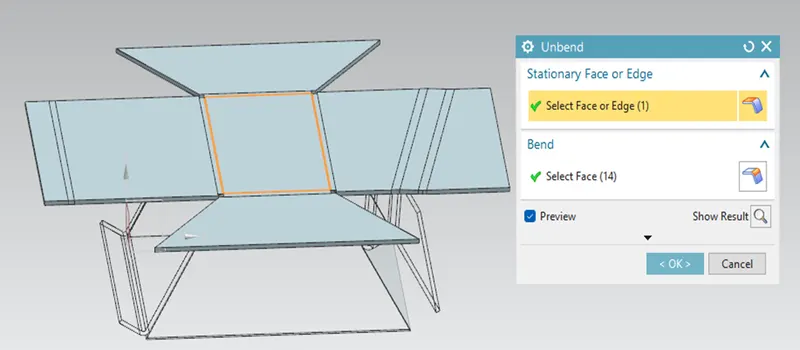
The un-bend feature is used to flatten the bend surface. For the marking and sketching on flat sheet metal before the actual operation. This Un-bend feature allow to do that activity in Siemens NX Cad.
Beads:
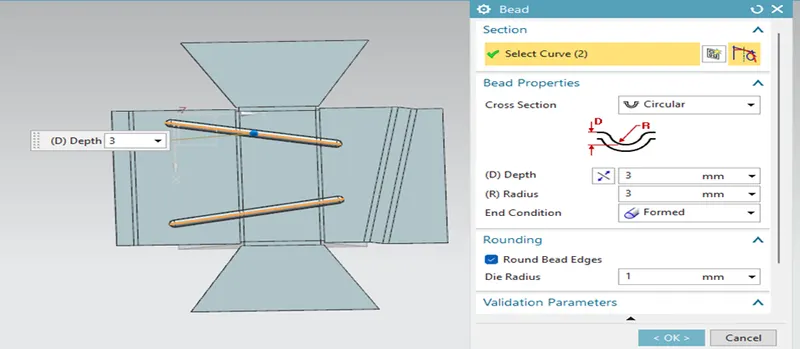
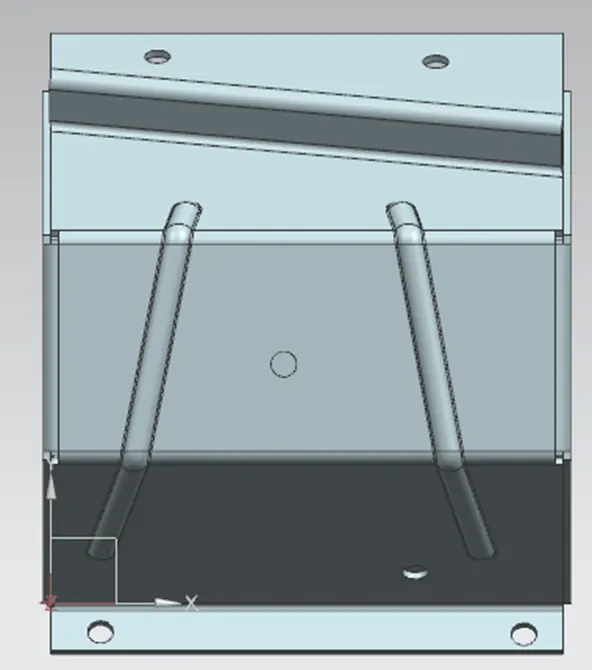
To create a beads which are elongated recesses which are stamped into the sheet metal parts to increase the stiffness. Here the bead is in circular with depth of 3mm and radius of 3mm.
Hole:
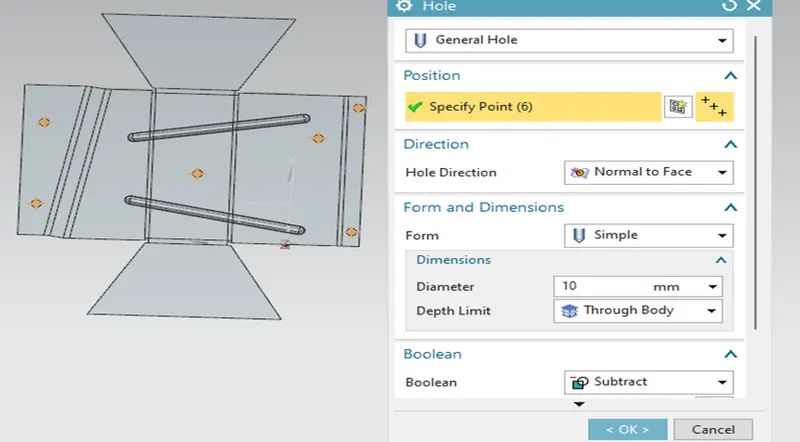
The Hole feature is used to generate the holes with definite parameter.
Re-bend:
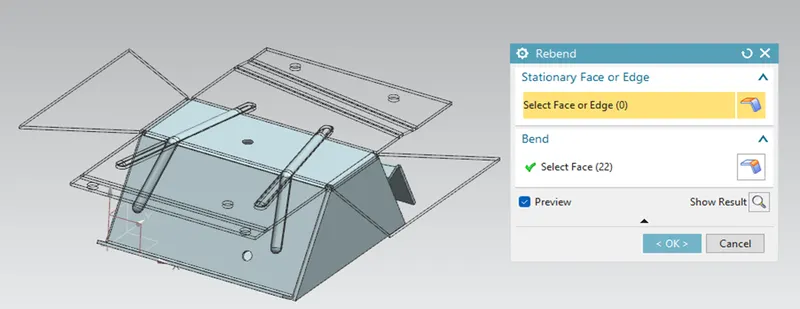
The re- bend feature is used to regains to its previous bend position along with any feature added after the unbend feature. Re-bend the faces by selecting them in reverse order of bend to attain the actual sheet metal product.
Flat Pattern:
Feature Tree:
Drafting:
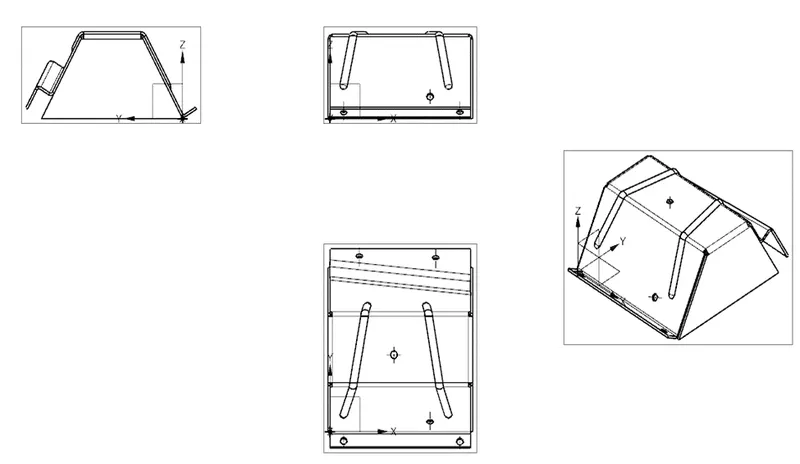
Modal Views:
Isometric:
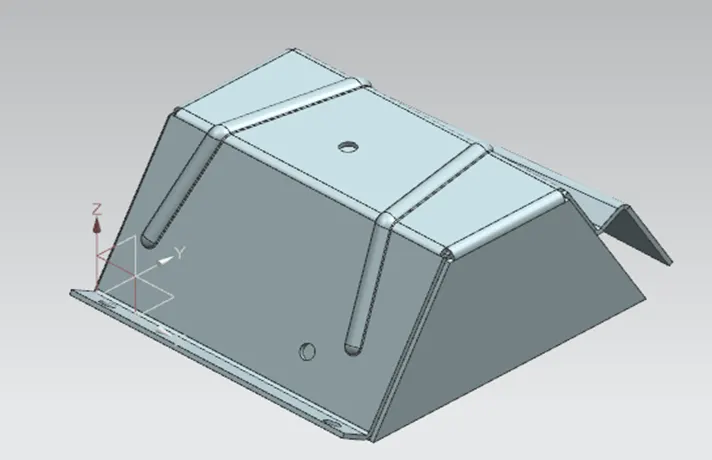
Front View:
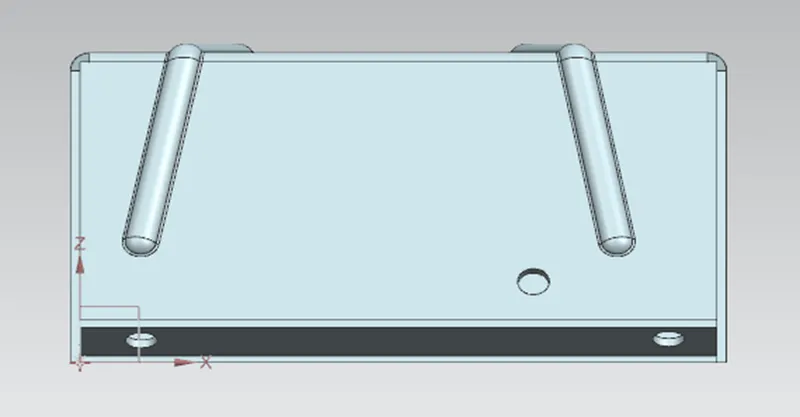
Side view:
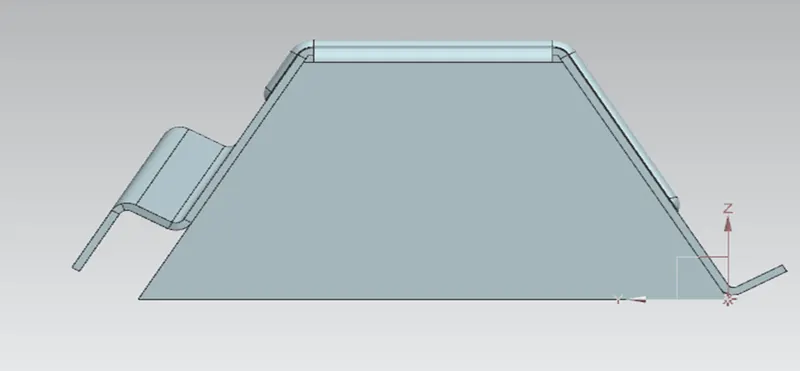
Top view:
Conclusion:
The desing of the odd shaped enclosure is completed using Siemens NX and the model views are attached.