Advanced Sheet Metal Design Using NX Cad Challenge_7_ Metal bracket-II
Title :- Design of sheet metal bracket using NX CAD.
Objective :- To design a sheet metal bracket using NX CAD.
Introduction :-
NX sheet metal design software incorporates material and process information in sheet metal-specific modeling features: bends, flanges, tabs, cutouts, beads, dimples, louvers, corner and edge treatments, patterns and other formable features. You can also quickly convert solid models to sheet metal components, and create sheet metal parts that enclose other components. NX Sheet Metal specific features such as flanges, tabs, jogs, corner conditions, and drawn cutouts & many more along with productivity enhancements such as automatic bend reliefs. The software also provides common modeling features typically used in sheet metal design, such as holes and slots, as well as other essential capabilities such as copy, paste, and mirror. The application provides defaults for sheet-metal-specific properties such as material thickness, bend radius, and bend relief.
Design methodology :-
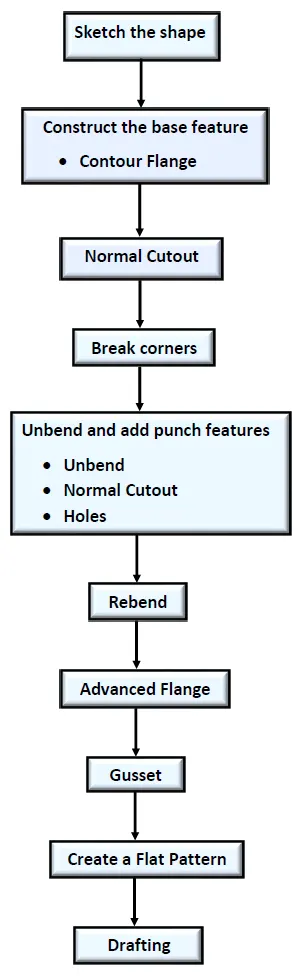
Description of Features :-
1) Sketch :- A sketch is a combination of two-dimensional (2D) entities such as lines, arcs, circles, and so on. This is used to create a basic sketch of the design on the specific plane.
2) Contour Flange :- It creates a base feature by extruding a sketch along a vector or adds material by sweeping a sketch along an edge or chain of edges.
3) Normal Cutout :- It is used to cut the material by projecting sketch onto the model and then cutting perpendicular to the faces intersected by the projection.
4) Break Corner :- It is used to rounds or chamfers a sharp corner of a tab or flange.
5) Unbend :- It is used to flatten a bend and the material adjacent to the bend.
6) Hole :- It is used to add holes to one or more solid bodies. In this design general hole with 6mm diameter is used.
7) Rebend :- It is used to restore an unbend features to its previous bent state, along with any features added after the unbend feature.
8) Advanced Flange :- It adds a flange along an edge using a bend angle or a reference face. The edge and reference face can be curved.
9) Gusset :- It creates a stiffening gusset on the part. It improves the strength of sheet metal surface.
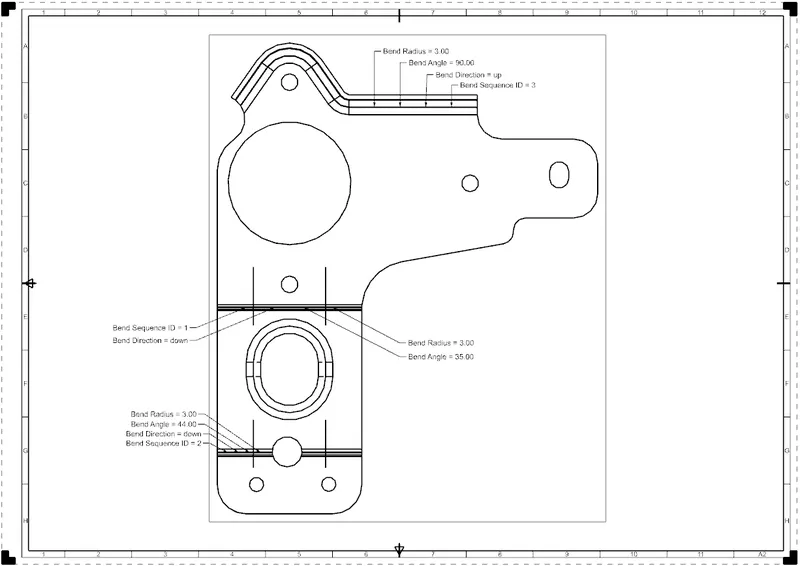
10) Flat pattern :- It creates a flat pattern feature from the formed sheet metal part.
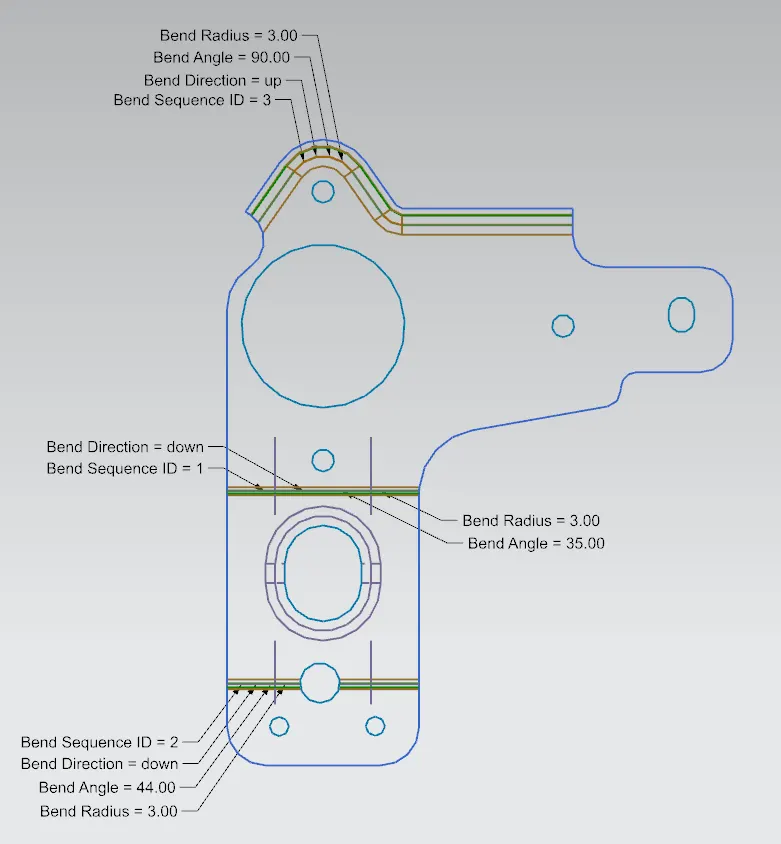
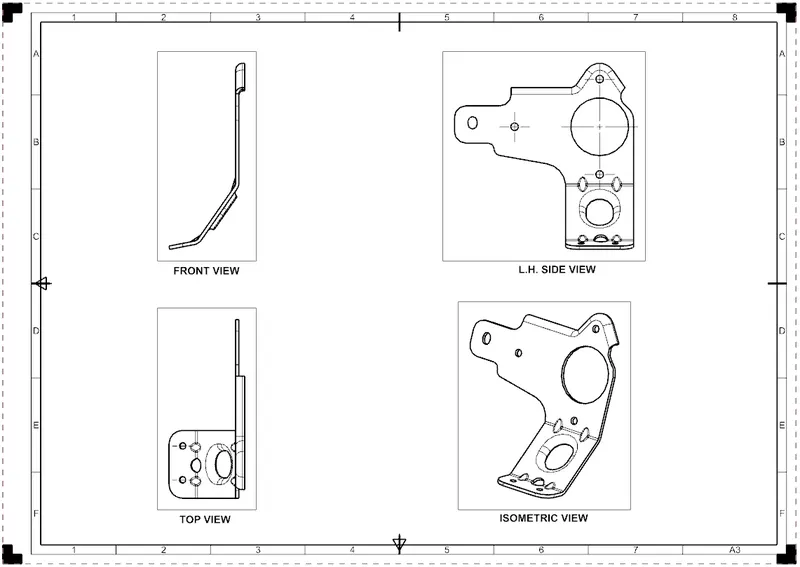
Different Views of Bracket
Top View :-
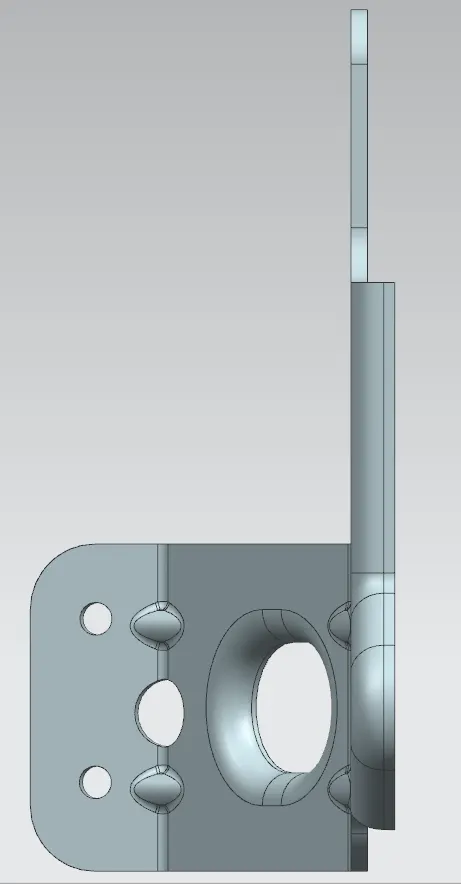
Right Side View :-
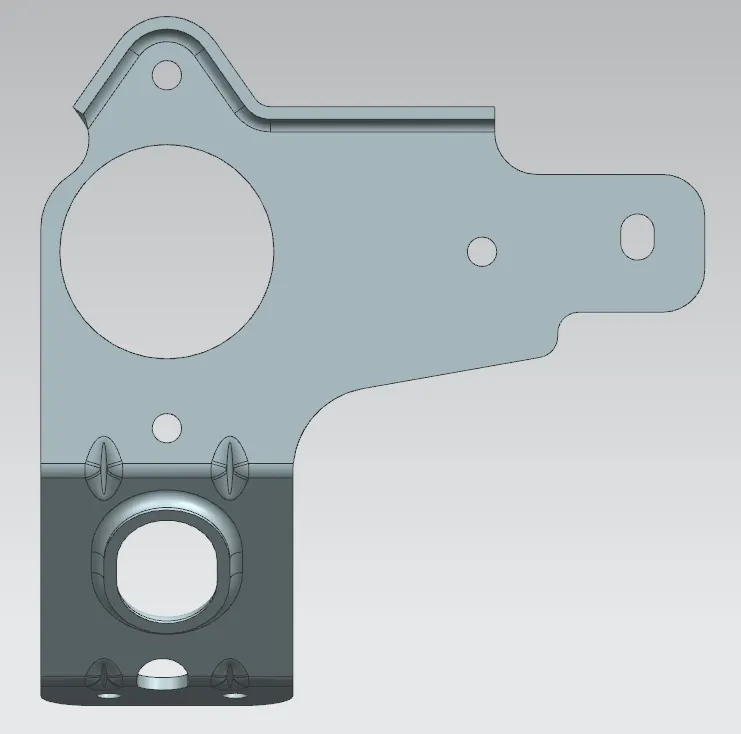
Front View :-
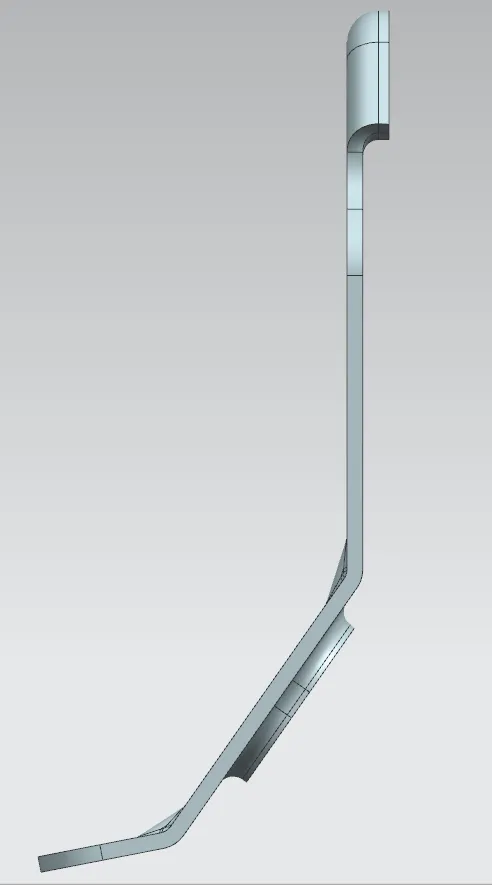
Left Side View :-
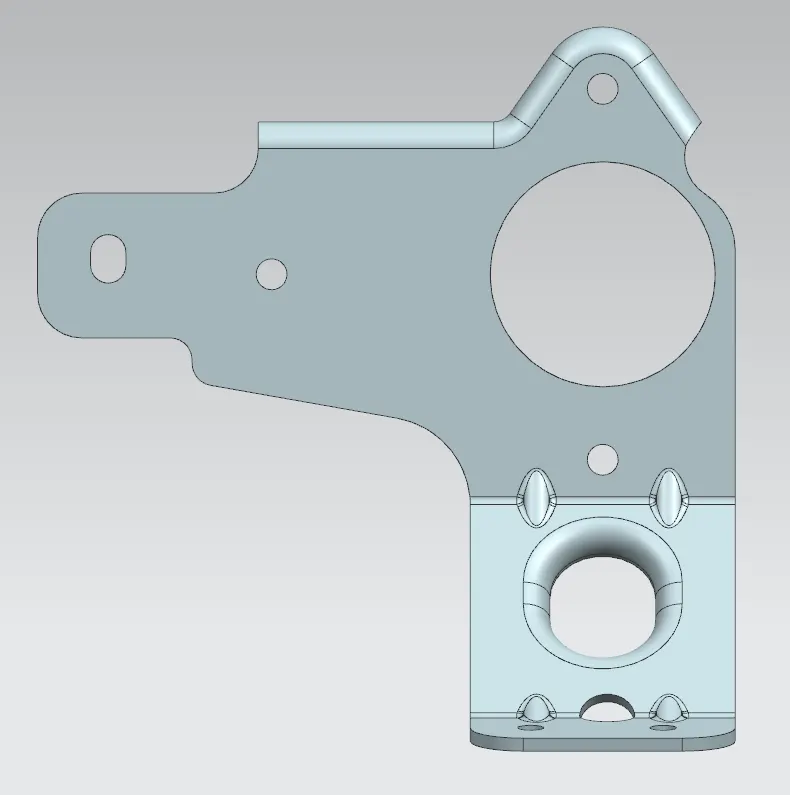
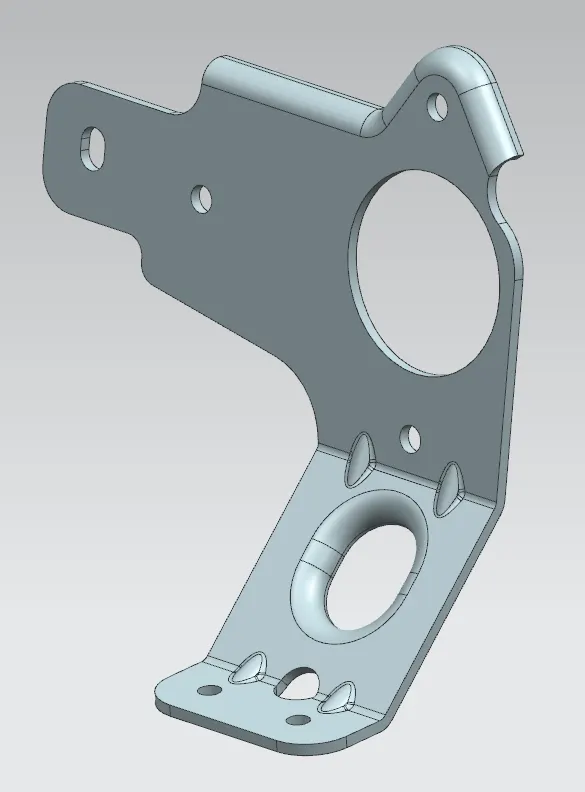
Isometric View :-
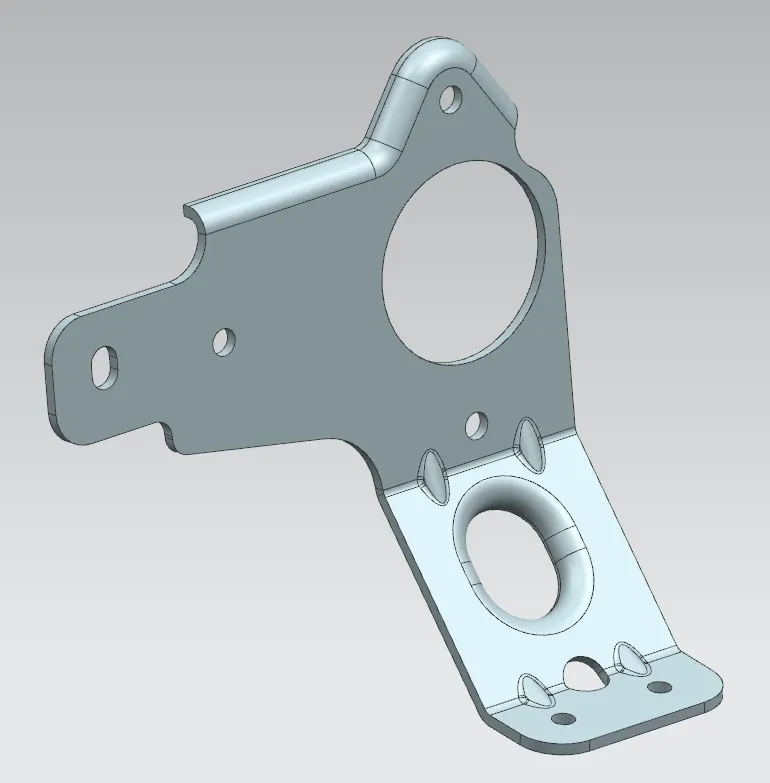
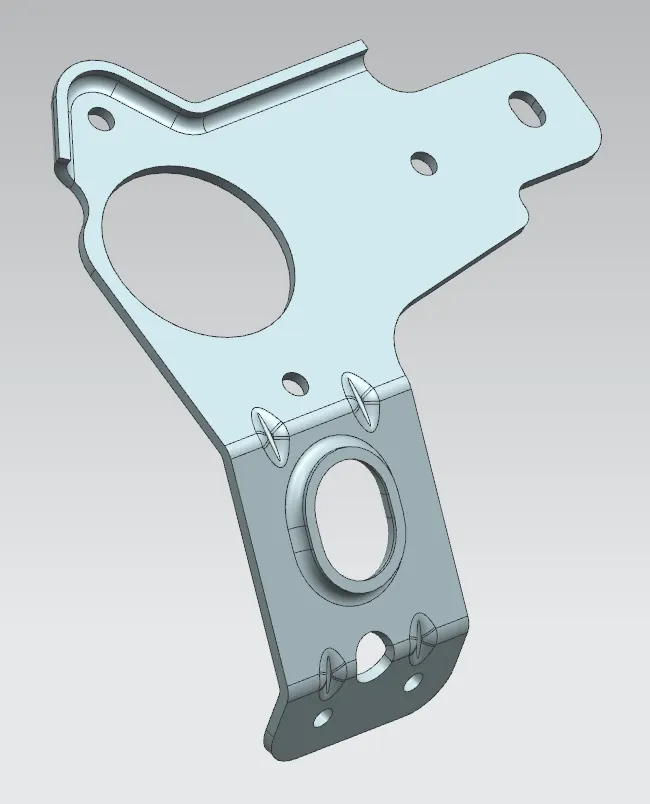
Drawing Sheets :-
Conclusion :-
Thus the sheet metal bracket has been designed using NX CAD.