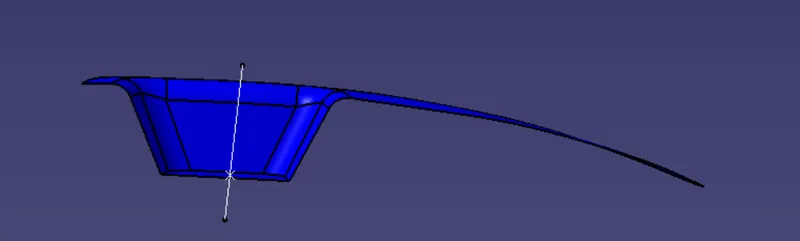
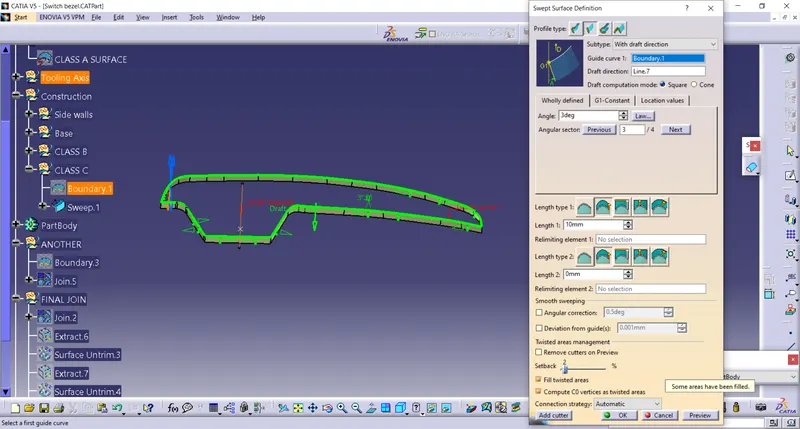
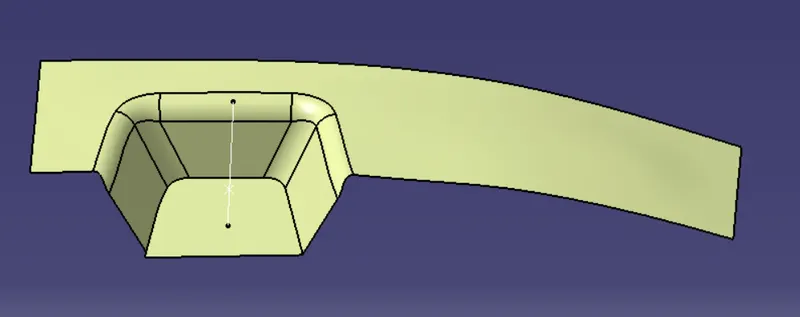
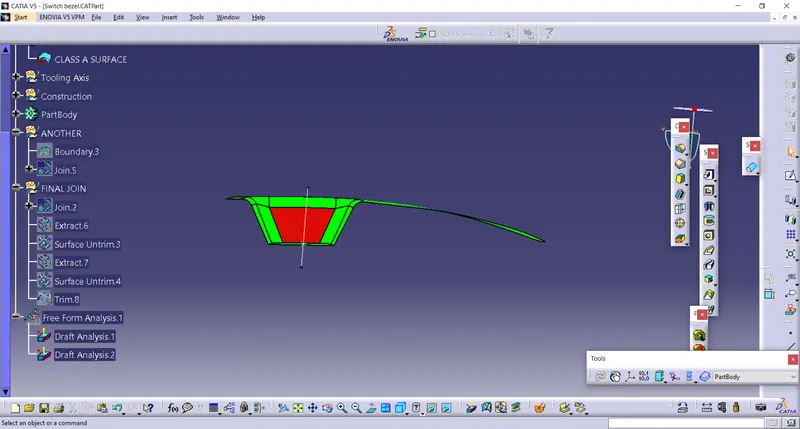
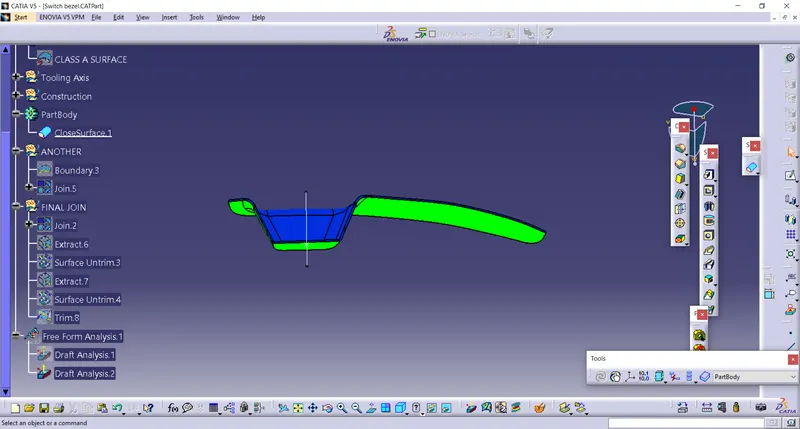
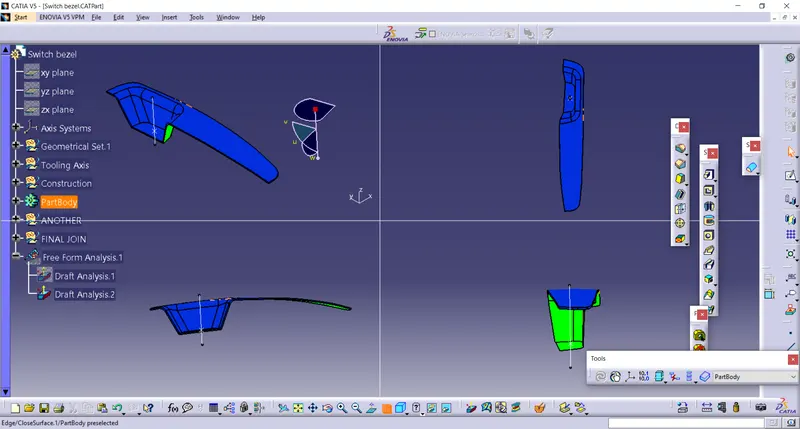
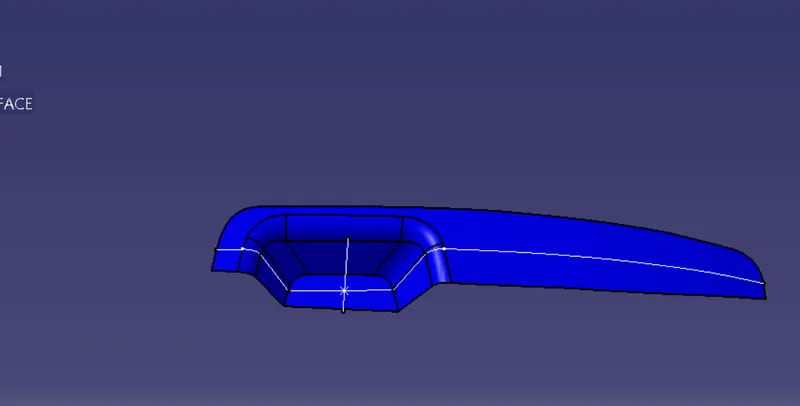
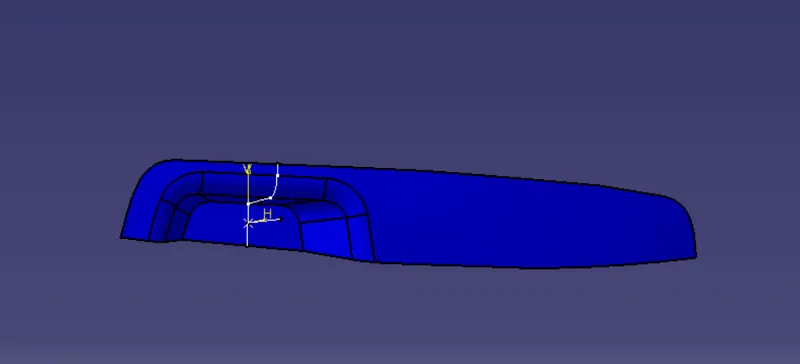
create a tooling axis first Class A surface is imported and checked for boundary. 2. Axis is created on the point and intersect line using zyplane and point. bisecting line has been created using. 4. on this side there is no part on opposite side. 5. So we created using to normal to the bisecting line…
SHRIKANT URKANDE
updated on 10 Aug 2022
Project Details
Leave a comment
Thanks for choosing to leave a comment. Please keep in mind that all the comments are moderated as per our comment policy, and your email will not be published for privacy reasons. Please leave a personal & meaningful conversation.
Other comments...
Read more Projects by SHRIKANT URKANDE (26)
Week 8 - Challenge 6 - Core & Cavity Design
create a tooling axis first Class A surface is imported and checked for boundary. 2. Axis is created on the point and intersect line using zyplane and point. bisecting line has been created using. 4. on this side there is no part on opposite side. 5. So we created using to normal to the bisecting…
16 Aug 2022 07:01 PM IST
Week 8 - Challenge 3 - Coin Holder Design
CREATING TOOLING AXIS 1.Extract any surface from the class A. 2. Take a point on that surface and create a line normal to the surface. CLASS B SURFACE The Class B surface is created by taking offset of 2.5mm from the Class A CLASS C Class c is create with the sweep comand with reference…
16 Aug 2022 11:14 AM IST
Week 9 - Project 1 - Door Trim Lower with Engineering Features
CREATING TOOLING AXIS 1.Extract any surface from the class A. 2. Take a point on that surface and create a line normal to the surface. CLASS B SURFACE The Class B surface is created by taking offset of 2.5mm from the Class A There are some patches is also found during creation. These patches are fillied by fill…
16 Aug 2022 07:26 AM IST
Week 9 - Attachment Feature Creation - Challenge 2
CREATING TOOLING AXIS 1. Extract surface and take a point on that. 2. create line using normal to surface. CLASS B class b surface is created by using offset command . During creating some patches are formed to closed that we used fill commaand with guide. CLASS C The class c surface…
13 Aug 2022 12:56 PM IST
Week 9 - Attachment Feature Creation (Ribs & Screw Boss) - Challenge 1
CREATING TOOLING AXIS 1. Extract surface and take a point on that. 2. create line using normal to surface. CLASS B class b surface is created by using offset command . During creating some patches are formed to closed that we used fill commaand with guide. CLASS C The class c surface is…
12 Aug 2022 03:09 PM IST
Week 8 - Challenge 4 - Bumper
CREATING TOOLING AXIS 1. First we extract part from the class A surface. 2. Then point is taken on that extract. 3. Then line is created by using b=normal to surface. CLASS B class b surface is created by using offset command . CLASS C The class c surface is created with reference to surface at…
10 Aug 2022 07:19 AM IST
Week 8 - Challenge 2 - Switch Bezel Design
create a tooling axis first Class A surface is imported and checked for boundary. 2. Axis is created on the point and intersect line using zyplane and point. bisecting line has been created using. 4. on this side there is no part on opposite side. 5. So we created using to normal to the bisecting line…
10 Aug 2022 06:55 AM IST
Week 10- Assembly Workbench
Model Drawing 1 Part models procedure Given part is created with the given dimension in mechanical part design workbench. The images are follow. After creating all the part by given dimension it all loads in mechanical assembly workbench . Then by using constraints it is align properly. Coincidence constaint,…
05 Aug 2022 08:02 AM IST
Week 8 - Challenge 1 - Base Bracket Design
create a tooling axis first Class A surface is imported and checked for boundary. 2.Then a duming tooling axis is created. As shown in figure. Axis is created on the point and intersect line using zyplane and point. bisecting line has been created using two lines . this bisecting line and line…
27 Jul 2022 09:35 AM IST
Project 2
logic behind the wire harness First the main supply will come from the top by the interconnector. That connector will give supply to remaining connector. We use two connector for tail light and one connector for number plate light. The main branch has two bundle point one for left side connector and one for…
01 Jul 2022 09:17 PM IST
Project 1
Define the connector Load the connector in mechanical part design give points and plane. Then go to the electrical part design and define it as a connector and give bundle connection point and connector conection point and also cavity connection for the connector. Define cavity as an support then as cavity. Likewise…
30 Jun 2022 12:00 PM IST
Wiring harness design in CATIA V5 - 3D modeling Week 7 Challenge
procedure for defining connector into elctrical part Download the connector from the given link. Load the connector in mechanical part design and given point and axis by using point definition and axis definition. Then go to the elecrical part design and define it as a connector. Give bundle point and connector connection…
21 Jun 2022 03:59 AM IST
Wiring harness design in CATIA V5 - 3D modeling Week 5 & 6 Challenge
procedure to check bundle continuity. press control plus then one pop up will come. In this select go to advanced then select workbench electrical ,type bundle segement, and attribute fully connected. Then attribute criterion select false and select ok. Then click on red colour highlight part to see any branch is disconnnected…
20 Jun 2022 03:59 AM IST
Wiring harness design in CATIA V5 - 3D modeling Week 4 Challenge
Q1. Route the following harness layout in Electrical workbench. Make assumption for harness bundle diameters. Use Following connectors as shown in layout diagram. Add protective covering on all branches connected to DT06-2S & DT06-4S connectors. Keep end extremity at 30mm (from connectors end) Download connector 3D…
18 Jun 2022 12:22 PM IST
Wiring harness routing & packaging Rules Week 3 Challenge
harness routing and packaging procedure to define p clamp as electrical support. Download the file from given link. P clamp (the link) then load the file in mechanical part design. for p clamp it has one entry and one exit . so define point on both entry and exit by using point defination as shown in…
17 Jun 2022 08:13 AM IST
Wiring harness design in CATIA V5 - 3D modeling Week 2 Challenge
Wire harness design using catiav5 Question Q1. Download following connectors & Connector clip cad data from given link & define it as Electrical Connector using Electrical Part design Workbench. Define all the necessary properties to Connectors & Clip. The connectors are:…
15 Jun 2022 11:59 AM IST
Benchmarking
Benchmarking What is benchmarking? Benchmarking in automobile industry involves structured comparison between similar products, service or process on same dimension of performance. …
13 Jun 2022 08:21 AM IST
Underbody Coating
Underbody coating Underbody coating is a treatment done for the protection of the underbody of car from the moisture of dusting elements, pollution and road. It also helps to protect inner body parts, frame rails, inner cavities and other places where physically it is not possible to reach but they are expose…
07 Jun 2022 01:06 PM IST
Project
04 Jun 2022 03:43 AM IST
Week - 4
19 May 2022 10:53 AM IST
Week -2
04 May 2022 07:30 PM IST
Project 2 - Rankine cycle Simulator
clc clear all close all % giving description to all process fprintf("Rankine cycle simulator \n"); %input from user P1 = input ("\n Enter the turbine inlet pressure (in bar): "); T1 = input ("\n Enter the turbine inlet temperature (Degree celcius): "); P2 = input ("\n Enter the turbine pressure (in bar): "); fprintf("\n")…
25 Apr 2022 04:41 PM IST
Project 1 - Parsing NASA thermodynamic data
close all clear all clc % C:\matlab_program\images\ f=fopen('THERMO.dat','r'); %file header fileheader=fgetl(f); % for second line S=fgetl(f); % second line data is split using command S=strsplit(S,' '); % in numeric values it is converted global_low_temp=str2num(S{2}); global_mid_temp=str2num(S{3}); global_high_temp=str2num(S{4});…
07 Apr 2022 07:29 AM IST
Week 4.1 - Genetic Algorithm
function code: function f = stalagmite (input_vector) x = input_vector(1); y = input_vector(2); f1 = sin((5.1*pi*x)+0.5)^6; f2 =sin((5.1*pi*y)+0.5)^6; f3 = exp(-4*log(2)*((x-(0.0667))^2)/(0.64)); f4 = exp(-4*log(2)*((y-(0.0667))^2/(0.64))); f = -(f1*f2*f3*f4); main code: clc clear all close all % defining our search space…
04 Mar 2022 01:14 PM IST
Week 2- 2R Robotic Arm Challenge
%clear all %clc %close all % INPUT % length of first arm l1 = 1; % length of second arm l2 = 0.5; % Angle of first arm theta1= linspace(0,90,20); % Angle of second arm theta2 = linspace(0,90,20); videofile=VideoWriter('Forward_kinematic_of_robotic_arm.avi','Uncompressed AVI'); open(videofile) figure('Name','2R-ROBOTIC…
12 Dec 2021 04:59 AM IST
Week 3 - Solving second order ODEs
% ode_func.m % run this first standalone tab function [dtheta_dt] = ode_func(t,theta,b,g,l,m) theta1=theta(1) theta2=theta(2) dtheta1_dt=theta2 dtheta2_dt=-(b/m)*(theta2)-(g/l)*(sin(theta1)); dtheta_dt=[dtheta1_dt;dtheta2_dt]; end % main_program.m clc close all clear all % Q1 : write a program for solving ODE % Inputs…
28 Nov 2021 03:10 PM IST