Week- 5 - Solid meshing
challenge5-solid meshing:
objectives:To mesh the given mirror with 2D mesh with the given quality criteria and converted into 3d tetramesh.
procedure:
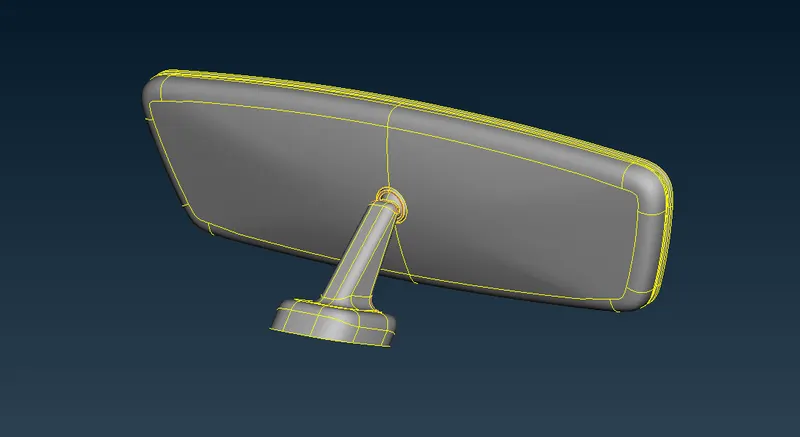
img:original geometry of thr side mirror
- first open the cad model in ansa open⇀choose the folder⇀select the file⇀click"open".
- once the file has been imported check the geometry whether it has error in the surface,search for check option in search bar or go to tool⇀check⇀geometry.
- click the option in check geometry to identify the type of error so check all the boxes in the check option and click"excetute"
- once the error has been identified try to remove the error in the check manager itself by click the error by ctrl+A ,and right click and choose fix option to fix the error ,some error cannot be fixed that we should be fixed manually.
- use the tools from the topo to remove the error in the geometry toolslike,HOT POINTS:insert,delete/CONS:paste,release/FACES:cut,delete,new,datch,extend ,intersect,and cut.
- we will be using the obove commans which will be mostly used to cleanup the geometry,once the geometry clleaned again once check the geometry in check manager
- go to mesh panel;in mesh panel go to perimeter⇀length⇀select the geometry for perimeter and give the length as same size as element target length.
- do the same this for macros,once we done with that insert the parameter file and quality file. we can find the option in the top side of the GUI .
- try to slpit the geometry in regular way and try to mesh with the mixed element for to have a good convergence in mesh flow.we mesh this hood for crash analysis so by meshing this hood with type we can achieve good flow and always try to reduce the tria elements.
- for spliting go to the mesh module⇀macros⇀cut⇀and split the surface in regular shape.
- For meshing go to the mesh module⇀mesh generation⇀best⇀click the surface were we want to mesh and middle click on the mouse.mesh the surface with the tria elemnts for planer surface and use ortho tria for curved/filler surface.
- always recontruct the mesh once the mesh is done for recontrsuct go to the mesh module⇀shell mesh⇀recontruct⇀click the surafce we want to reconstruct.
- once the mesh is done for particular surface try to remove the tria elements and give better flow for the mesh in that surface.
- do the same thing for all the components ,by using the smooth option we can easily reduce the quality criteria.where ever the elements is failing use smoooth option or reconstruct the mesh.
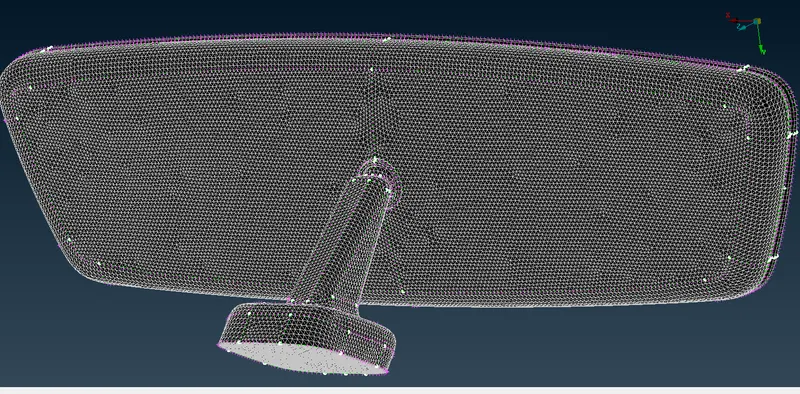
img:2D mesh of the side mirror
- once the 2d mesh is completed go to the volume deck and define the each part as volume and then mesh the model with tetra rapid.
- volume deck⇀define⇀manual⇀select the part to define⇀middle click on the mouse.go to the list anf select the volume and right click and select the remesh option,and click the tetra rapid option to generated volume .
- once the 3d mesh is generated ,check for tet collapse,thats the only patrameter we have to check in the 3d tetra mesh.
- if any element is failing for tet collpase then go to improve option and select box were we have to improve and middle click then the element will clear quality,sometime it wont a the time we can use move option to clear the quality
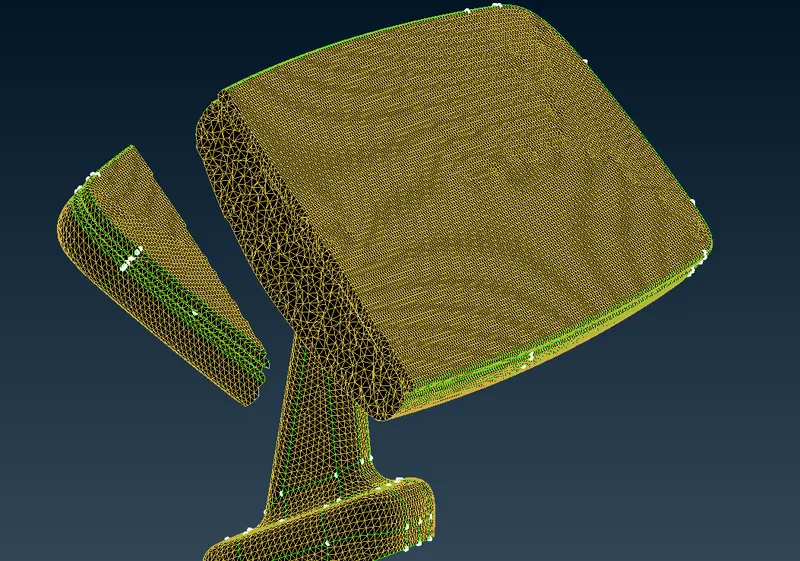
img:unstructred mesh is generated in the volume.
result:
- geometry cleanup is done before meshing.
- meshed the components ith 2d mesh with the given quality parametrs and criteria and then converted into 3d tetramesh.
- checked for failed elements min/max length for 2d mesh and tet collpase for 3d tetra mesh and repaired it
learning objectives:
- learned basic tools in ANSA for geometry cleanup.
- learned how to capture the feature using ortho triangle
- learned how to split a geometry and meshed the surface with good quality and mesh flow
- learned how to reduce the element quality error.
- learned how to convert 2d mesh into 3d tetra mesh.