Week - 8 - Morphing
Week - 8 - Morphing:
objectives:To morph the given cad in the cad level itself,and match with the given image.
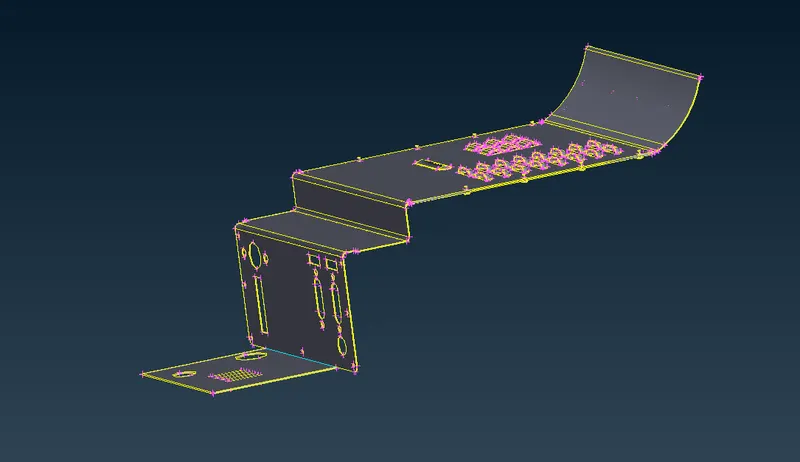
img:orginalmodel(model1)
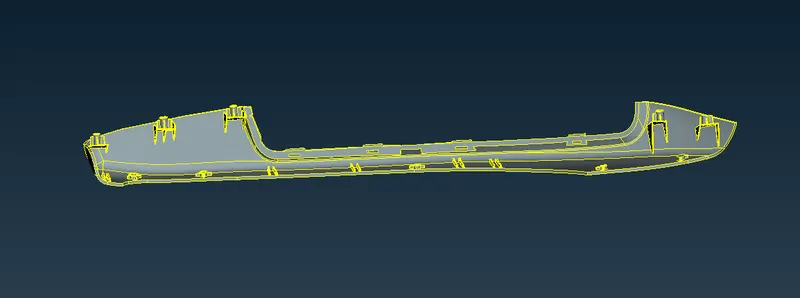
img:original model(model2)
procedure:
- first open the cad model in ansa open⇀choose the folder⇀select the file⇀click"open".
- once the file has been imported check the geometry whether it has error in the surface,search for check option in search bar or go to tool⇀check⇀geometry.
- click the option in check geometry to identify the type of error so check all the boxes in the check option and click"excetute"
- once the error has been identified try to remove the error in the check manager itself by click the error by ctrl+A ,and right click and choose fix option to fix the error ,some error cannot be fixed that we should be fixed manually.
- use the tools from the topo to remove the error in the geometry toolslike,HOT POINTS:insert,delete/CONS:paste,release/FACES:cut,delete,new,datch,extend ,intersect,and cut.
- we will be using the obove commans which will be mostly used to cleanup the geometry,
- once geometry if good then go to the morph module and select the ortho option from morph module⇀new⇀boxes⇀select FE entittes⇀select the area⇀middle click on mouse button,now the area have handle we can change the area by controling with the handles.
- now go to move option moprh module⇀move⇀select the handle⇀and u can control the shape of the model.
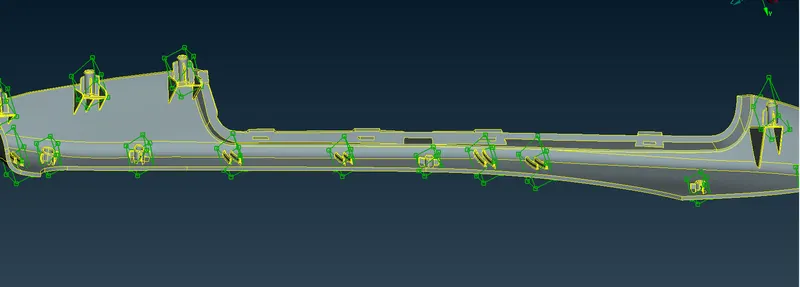
img:morphed model of the model2
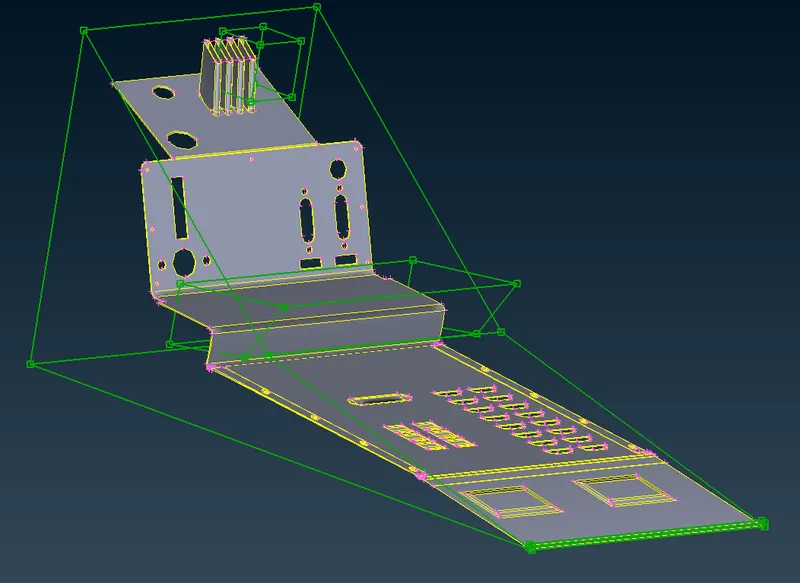
img:morphed model of the model1
advantage of morphing:
Morphing techniques provide an exciting new possibility for the analysis of the biomechanical role of shape, independently or interaction with loading and material properties.
application:
- It is very widely used in aircraft structure ,allows for active shape change under different flight conditions ,which can provide additional aerodynamic benefits to the overall performance.
result:
- The given cad models is morphed as per the image.
learning outcomes:
- learned how to morph a component
- learned how to use the box cammand to create handles
- learned how to split the given boxes to approximately shape the given component.