Week - 4 - Crash Box Simulation
Week - 4 - Crash Box Simulation:
objectives:
- To simulate a crash test for a crash box in lsdyna and plot the result for the respective output that has been stated.
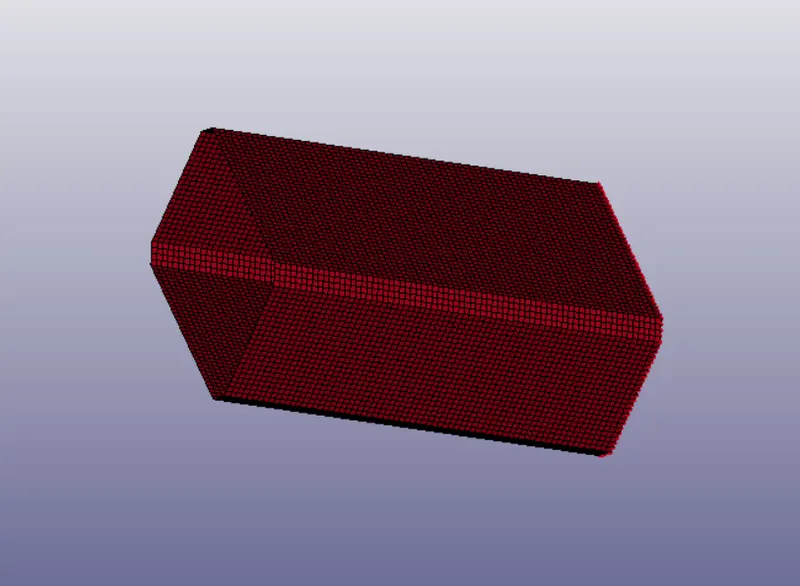
procedure:
- import the keyword file to the ls dyna,FILE>open>k file>ok
- As we know in LS-DYNA every entities are created by the *KEYWORDS,so now we have to create a deck by using *KEYWORD to make it ready for it to solve the problem.
- first thing create *MAT and *SECTION for the both the cellphone and the ground.
- Go to the Keyword manager and click on 'all'.
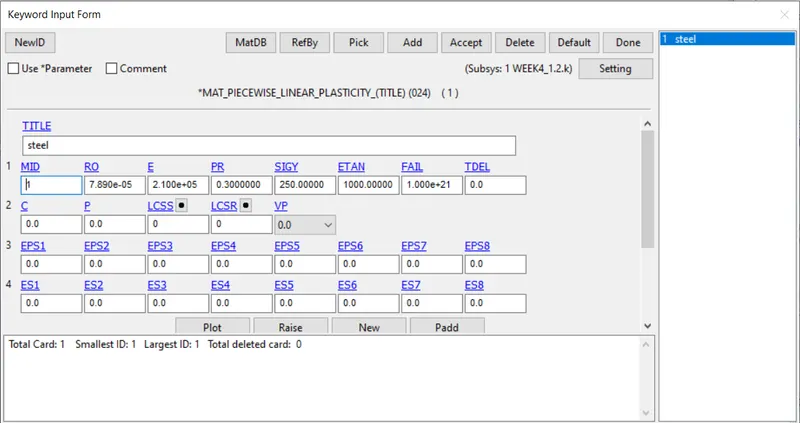
- create a *SECTION for the part and enter the thickness as 1.2 same for the next model we have to enter the thickness of 1.5. for reduce the hourglass I used ELFORM16 which increases integration points and also i give NIP2 which increase the integration point along thickness
- There is a chance of getting hourglass as we subject this crashbox for bending.
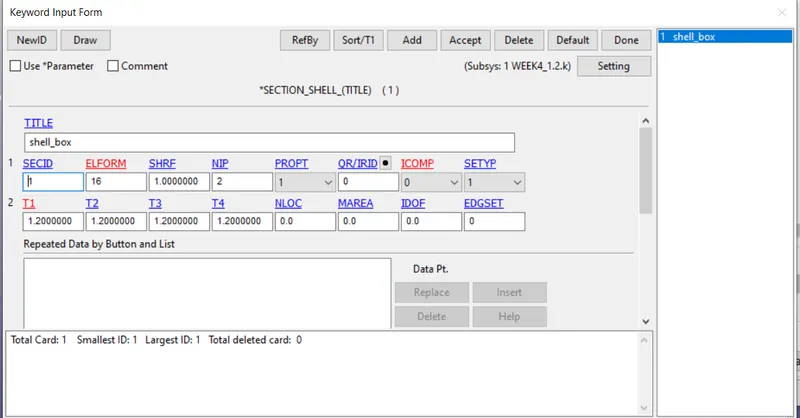
- Once *SECTION and *MAT is created associated with the *PART
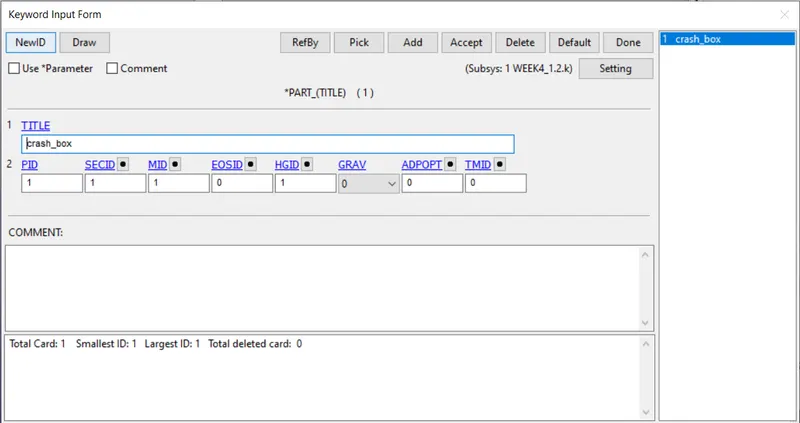
as in this you can also see that i gave a HGID,to give the hourglass ID you need to create a *HOURGLASS (measure the hourglass for individual component) and once the *HOURGLASS is created associated with the respective part.
- If you use *CONTROL HOURGLASS it measure the global hourglass energy.
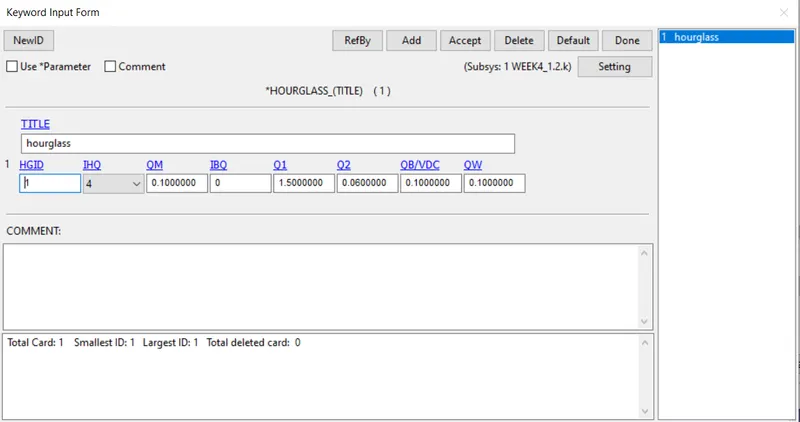
- I gave IHQ as 4 as per the problem to increase my stiffness response,there are many for more u can refer the manual to give IHQ.
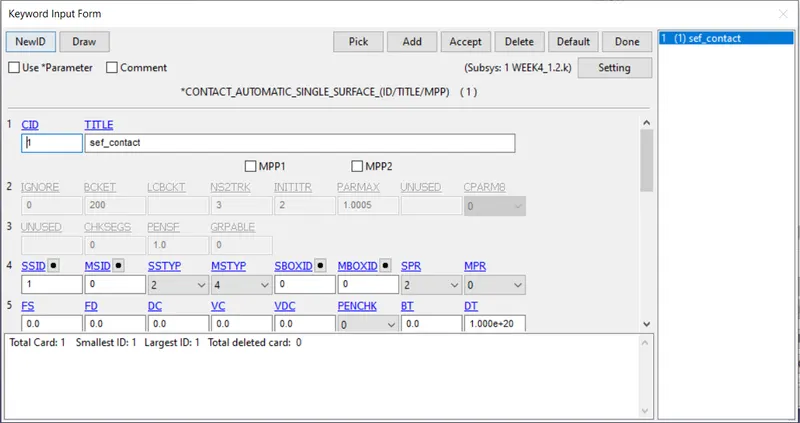
- as i know it will be self contact because of the given velocityu and mass, I request for *CONTROL_AUTOMATIC_SINGLE_SURFACE,so it is going to self contact give the set for the slave to insert on the card.
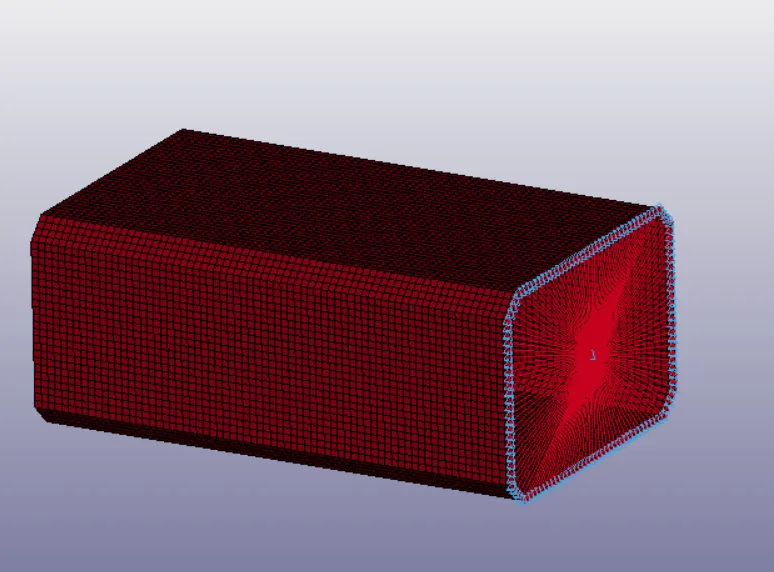
- create a CNRB at the tail of the crashbox and add mass on the middle node.
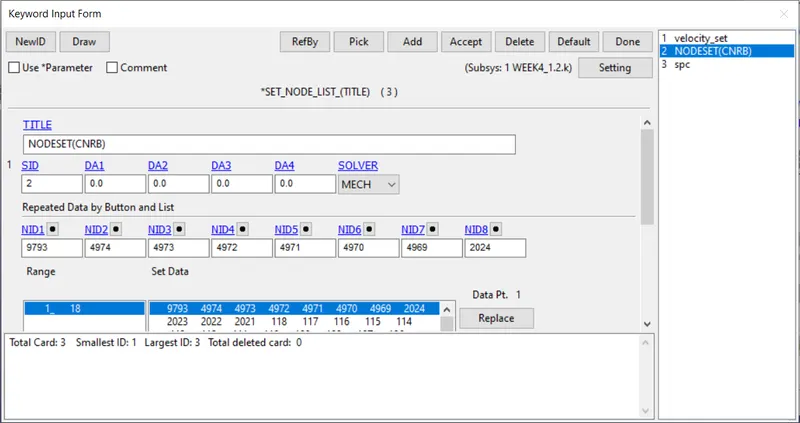
- create a SPC at the tail end for constranint motion because in real crashbox the tail will be fixed.
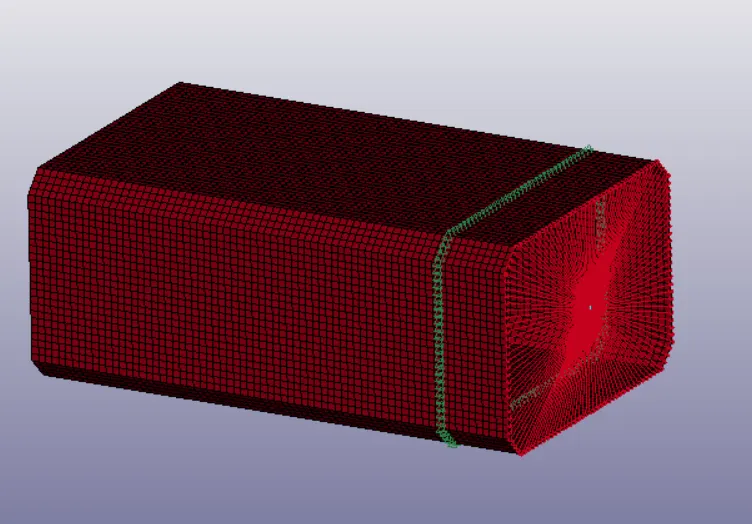
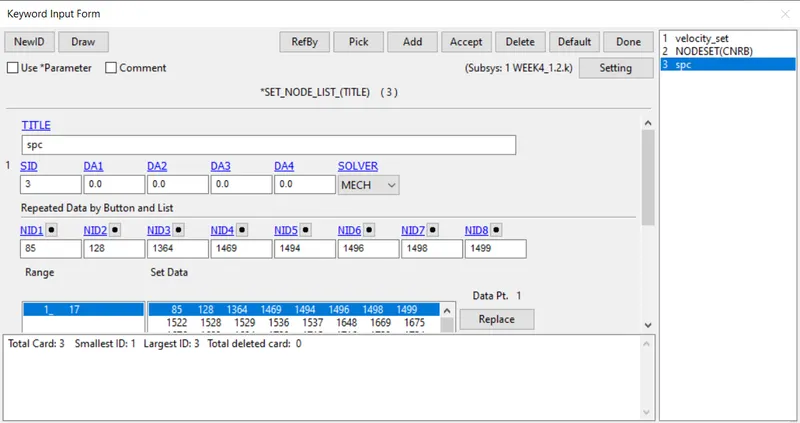
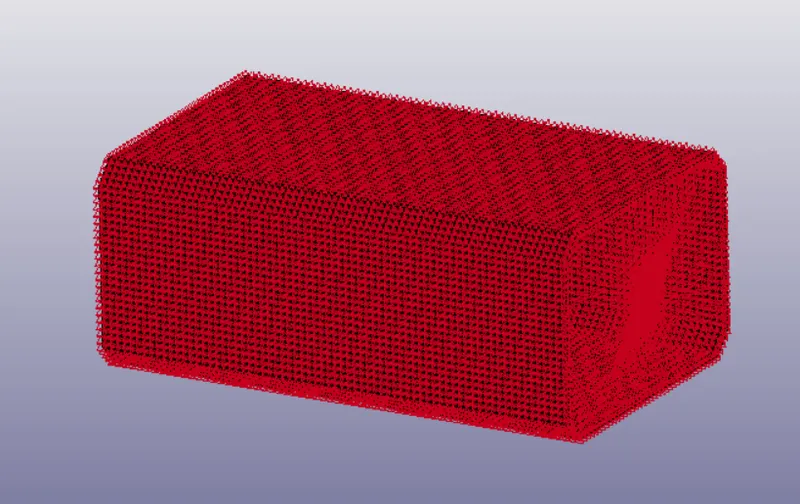
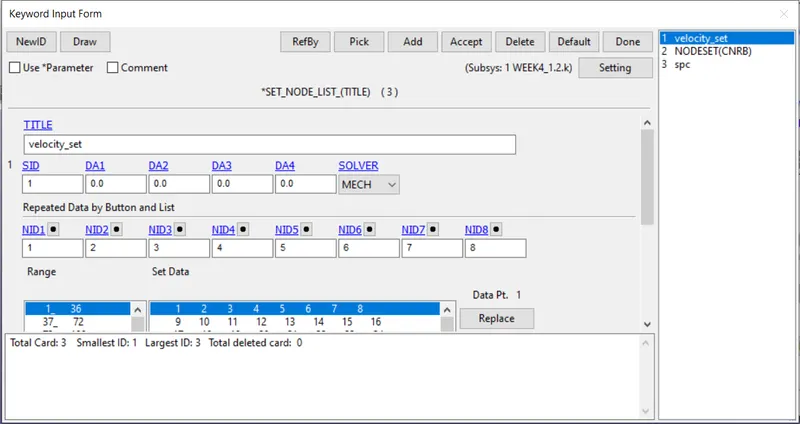
- create a velocity card from the *INTIAL and enter the velocity about the which axis you want to give the velocity.before that we need to create a set to give the velocity.when creating set for applying velocity you also add up the CNRB as we have applied mass on it.Give velocity about axis 13.44mm/ms.
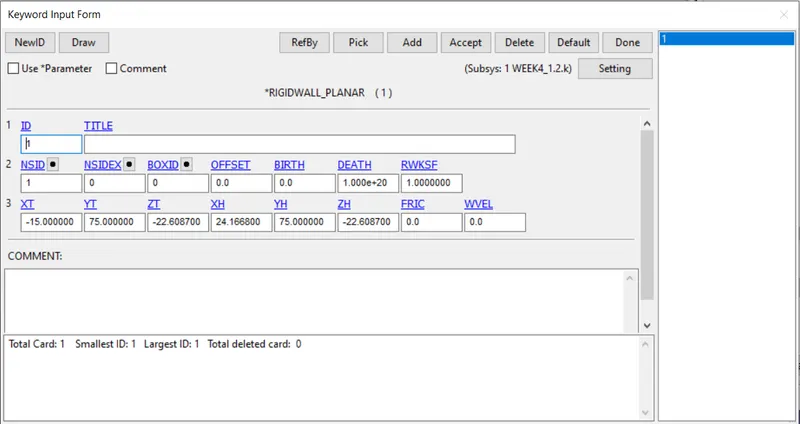
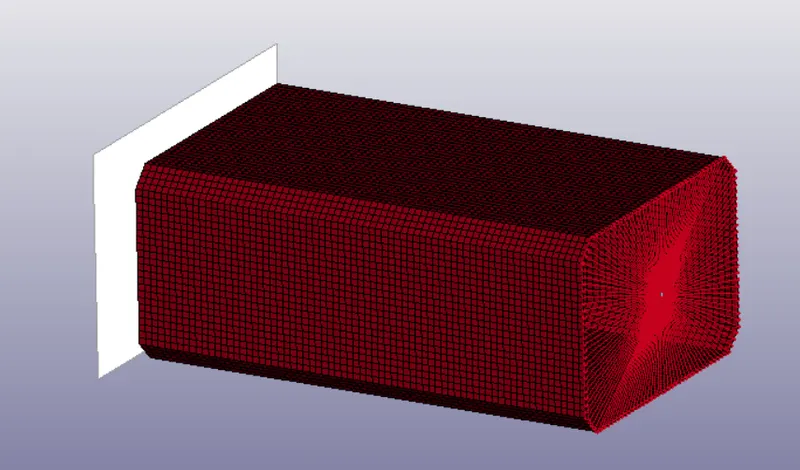
- Add *RIGIDWALL keyword and translate at the distance of 15mm as we following (g,ms,mm)
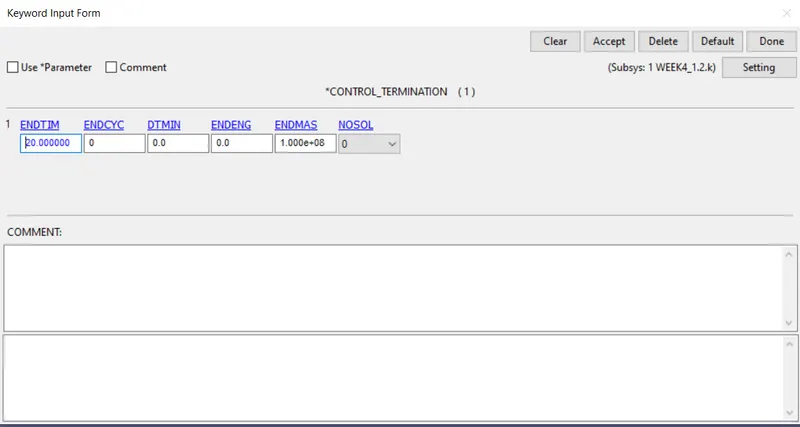
- I gave the control termination as 20ms(millisecond)
- even requesting *GLSTAT you cant measure the hourglass energy,so create a *CONTROL_ENERGY keyword
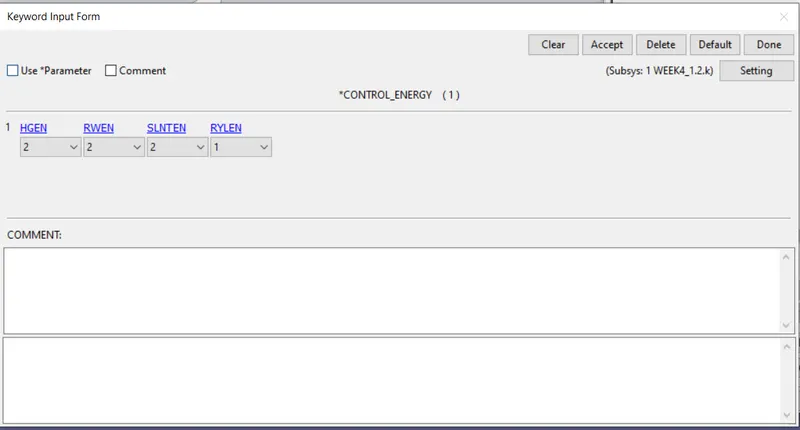
give HGEN and SLNTEN as 2 ,as it can give the output at *GLSTAT and *SLEOUT card.
- The keywords that ive used is
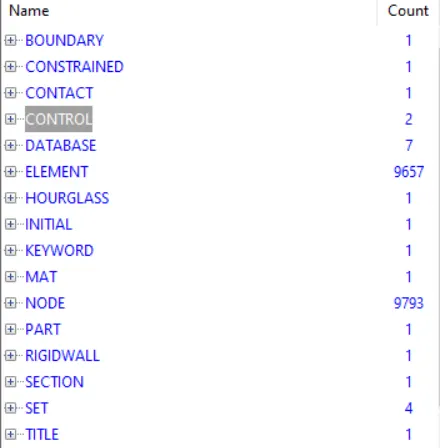
- At last request for ascii and binary output files from the *DATABASE
- In ascii request for GLSTAT(total energy),SLEOUT(sliding energy due to contact),SECFORC(cross section force),RCFORC(contact force),and enter the value at DT as 0.05.
- In binary request for D3PLOT(animation)
- save the file and run it in ls manager or ls run.
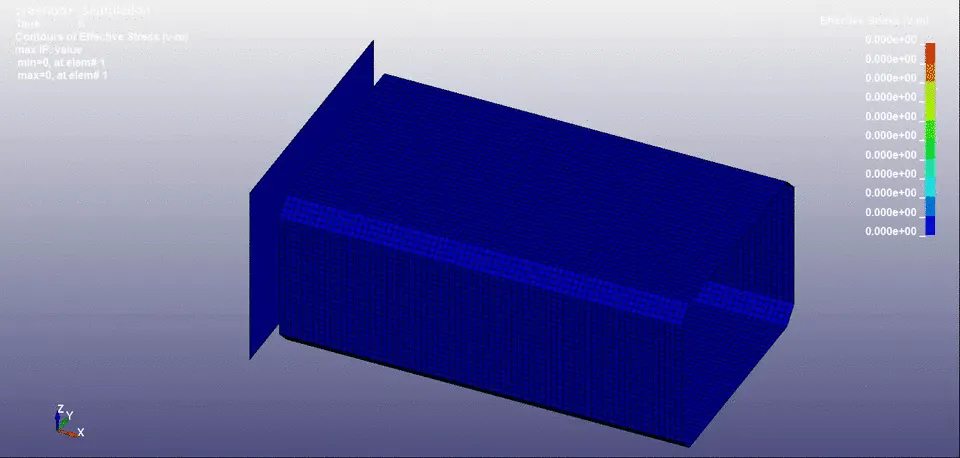
stimulation of 1.2mm thickness crashbox
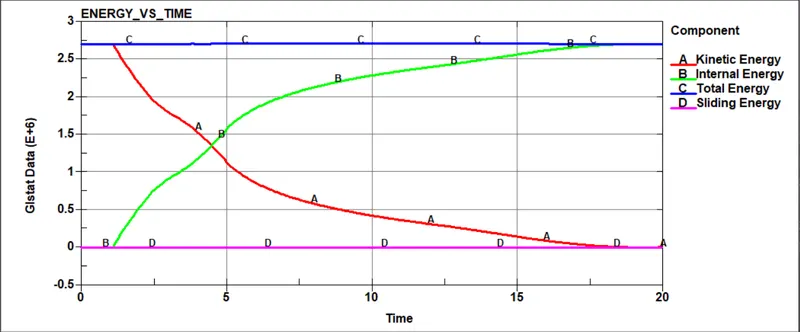
ENERGY VS TIME:
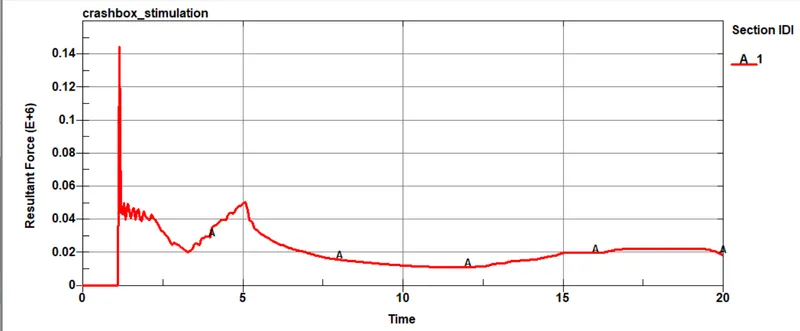
CROSS-SECTIONAL FORCE:
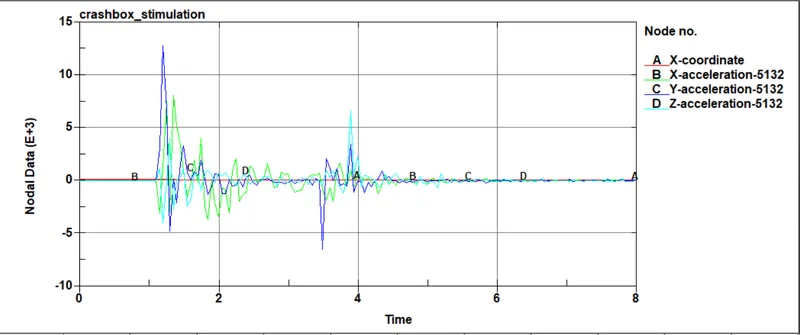
ACCELERATION PLOT:
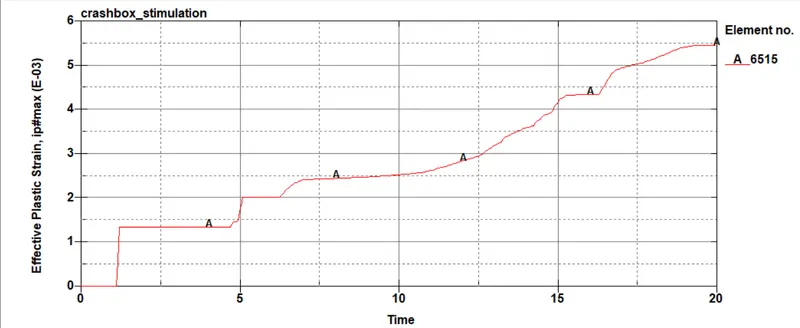
EFFECTIVE PLASTIC STRAIN:
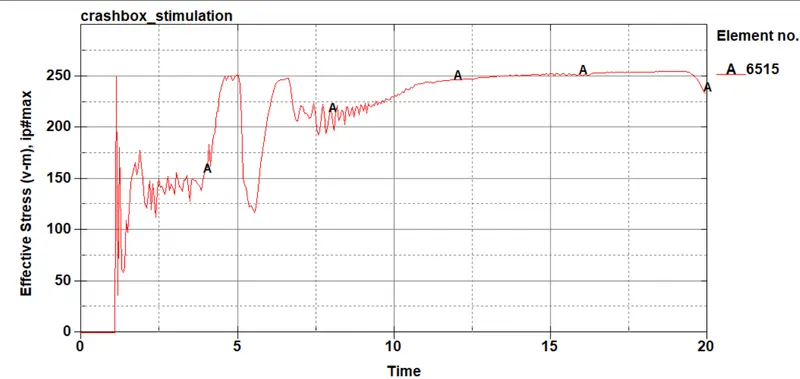
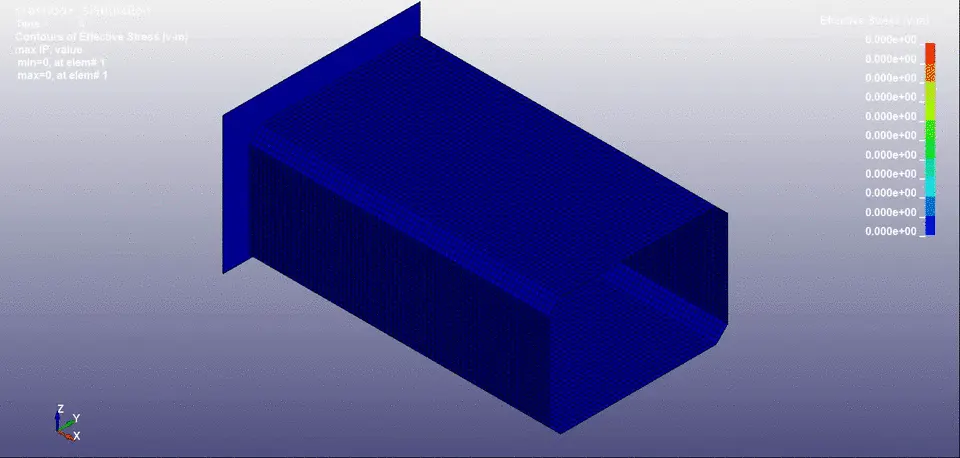
EFFECTIVE PLASTIC STRESS:
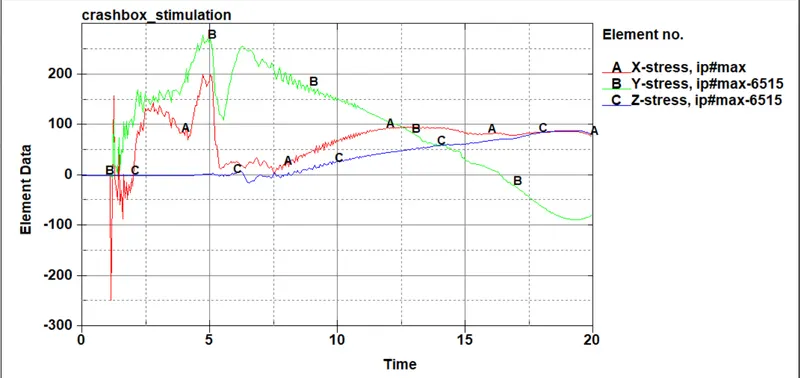
DIRECTIONAL STRESS ALONG THE LENGTH:
DIRECTIONAL STRAIN ALONG THE LENGTH:
- For all the three axis the strain is same 5e-1
-----------------------------------------AS DO FOR THE THICKNESS 1.5---------------------------------------------------------------------------------------
OUTPUT FOR 1.5MM THICKNESS
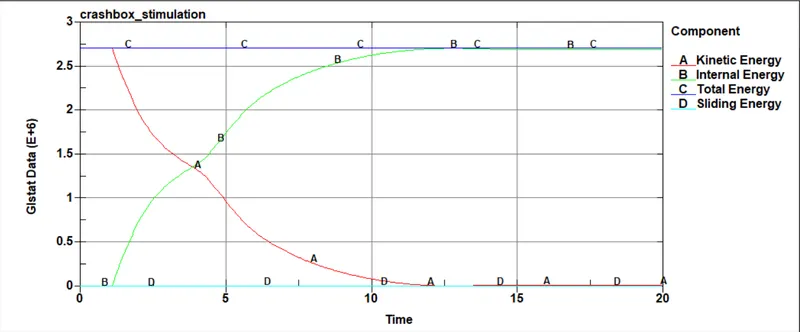
ENERGY VS TIME:
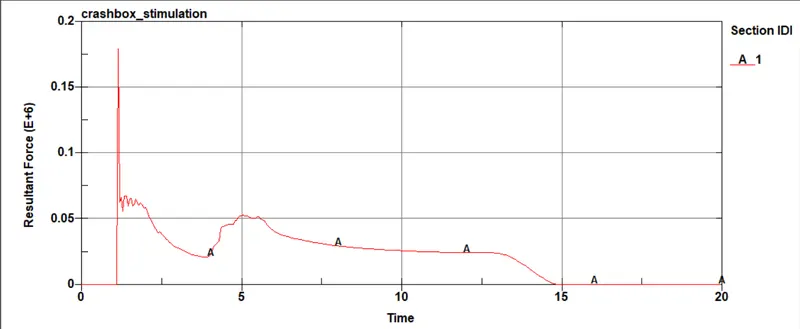
force at the given crosssection:
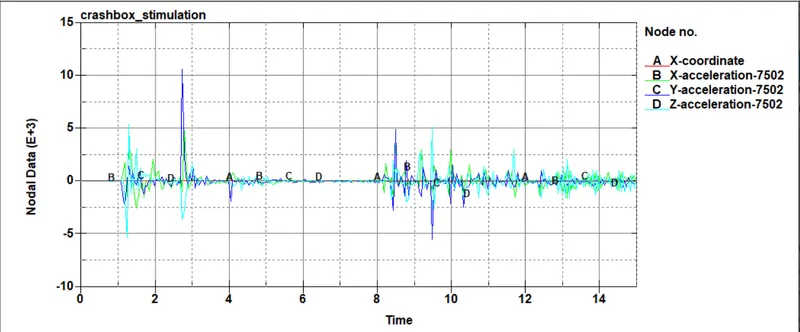
ACCELERATION PLOT:
EFFECTIVE PLASTIC STRAIN:
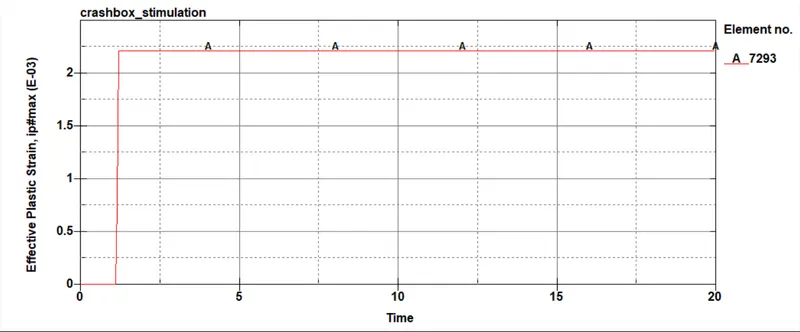
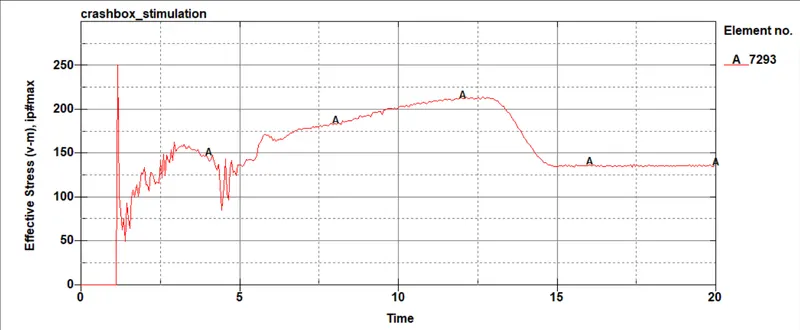
EFFECTIVE PLASTIC STRESS:
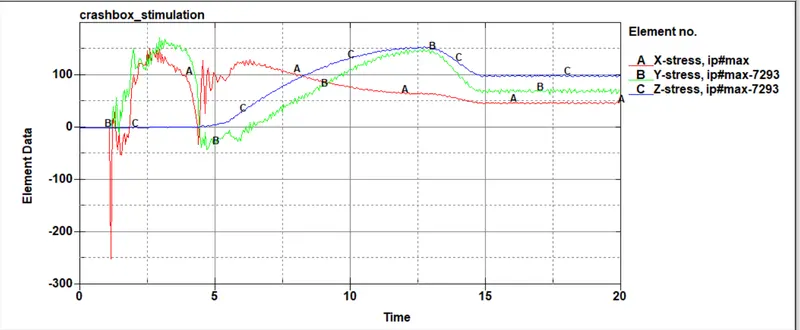
DIRECTIONAL STRESS ALONG THE LENGTH:
DIRECTIONAL STRAIN ALONG THE LENGTH:
- For all the three axis the strain is same 5e-1
WHEN COMPARING THE ACCELERATION
- 1.5 thickness has maximum acceleration at x is 3.54mm/ms2 at 2.45.
- 1.2 thickness has maximum acceleration at x is 5.67mm/ms at 1.83
WHEN COMPARING THE EFFECTIVE SRAIN
- 1.5 thickness has maximum strain of 2.23
- 1.2 thickness has maximum starin of 5.4
WHEN COMPARING THE EFFECTIVE STRESS
- 249 g*mm/ms for 1.5mm thickness
- 262 g*mm/ms for 1.2mm thickness
link for 1.2-https://drive.google.com/drive/folders/1_VnqJrznL1Fw62Z8n990LbHBljPfndYU?usp=sharing
link for 1.5-https://drive.google.com/drive/folders/1nMX1ikBLgFGklxixbfZ3dncBhZvuiCXF?usp=sharing
result:
- crashbox analysis has been performed
- keywords are assignesd to represent al the entities
- stimulation are done
- stated results are ploted and compared
learning objective:
- learned how to assign keywords to represent the entities.
- learned how to create CNRB and add mass on the independent noide.
- learned how to create a hourglass card for individual component
- learned how to create rigidwall using *RIGIDWALL keyword.
--------------------------------------------------------------------------------------------------------------------------------------