Week - 3 Drop test Challenge
Week - 3 Drop test Challenge:
objectives: To perform a drop test in ls dyna by using the given model.
procedure:
- open the file in ls dyna FILE>open>k.file>ok.
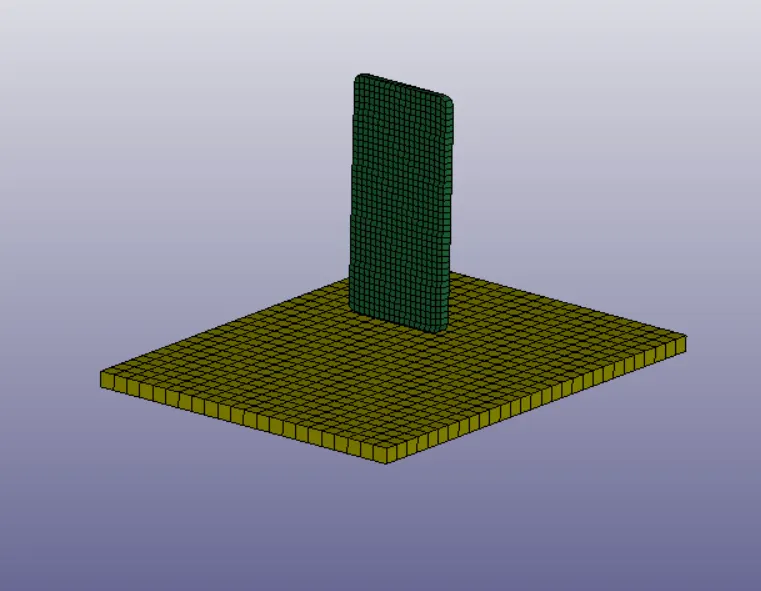
img:model of cellphone and ground
- As we know in LS-DYNA every entities are created by the *KEYWORDS,so now we have to create a deck by using *KEYWORD to make it ready for it to solve the problem.
- first thing create *MAT and *SECTION for the both the cellphone and the ground.
- Go to the Keyword manager and click on 'all'.
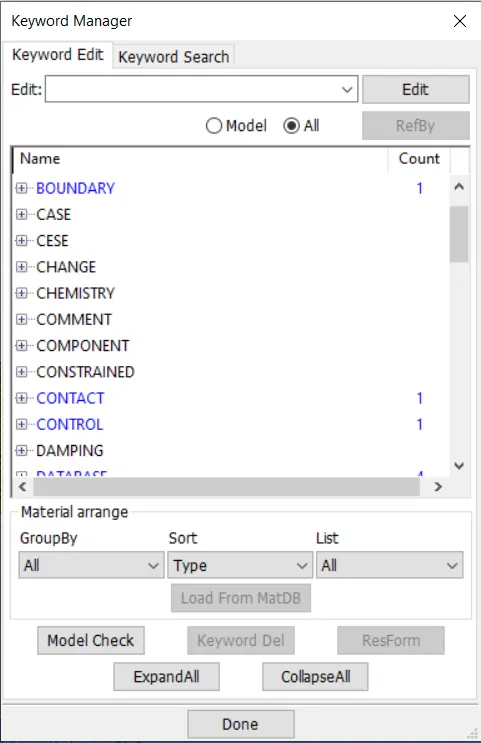
img:keyword manager
- go to the *MAT and choose 024-MAT_PIECEWISE_LINEAR_PLASTICITY as the material model,and enter the properties.Create two MAT_24 for the mobile and the ground and give diffrecnt material property for the mobile and the ground.
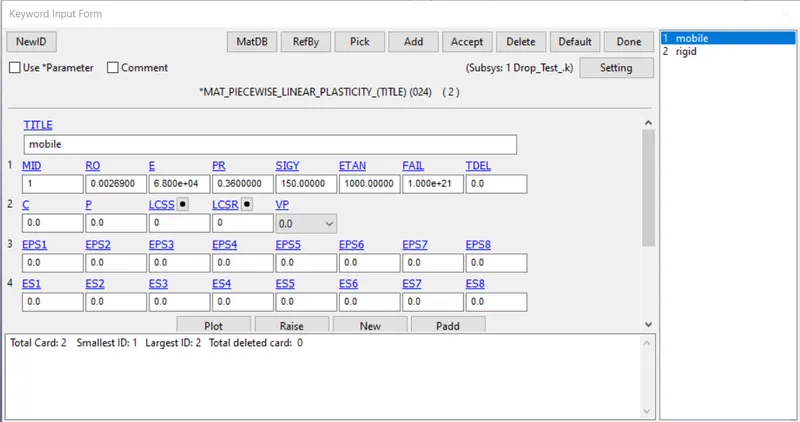
img:024-MAT_PIECEWISE_LINEAR_PLASTICITY CARD
- And go to *SECTION for to create a section for the both mobile and the ground,sincde it both are solid we create a *SOLID card.ELFORM let be 1 for both the part.create a specific SECID for both the *SECTION.
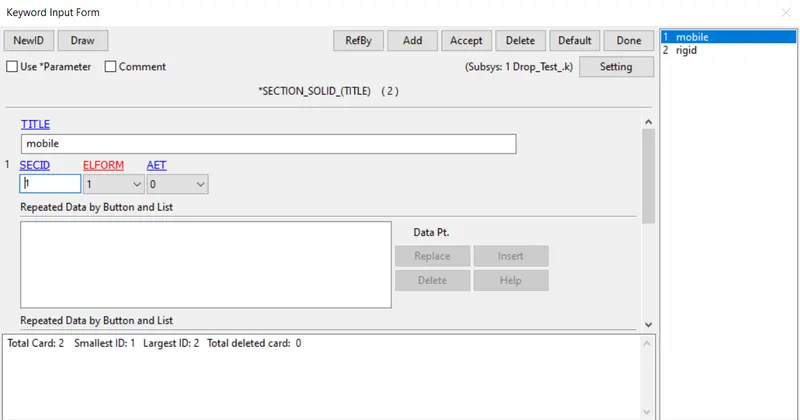
img:*SECTION_SOLID
- Now it time to associated with rhe part go to the part keyword and assign the both *SECTION and *SOLID to the *PART.
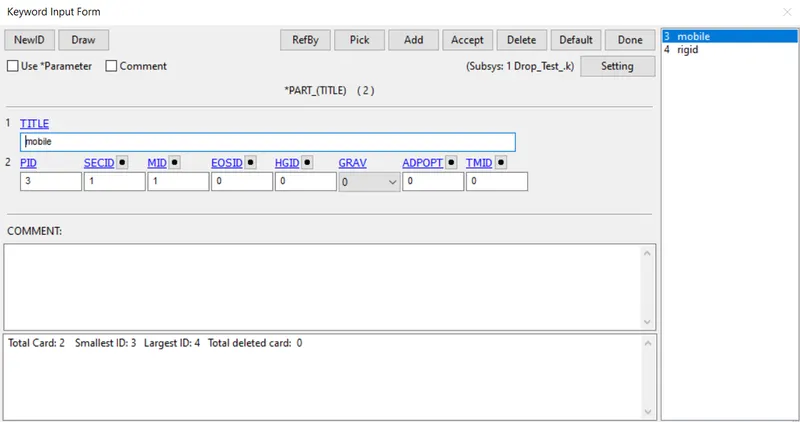
img:*PART card
- before giving velocity to the mobile phone we have to create a set because the mobile phone has many nodes to considered to give the velocity for the entire mobile phone.So go to the create entity>set>set_node>cre>select the mobile as part,so nodes of the part will be selected and give the name for the set.
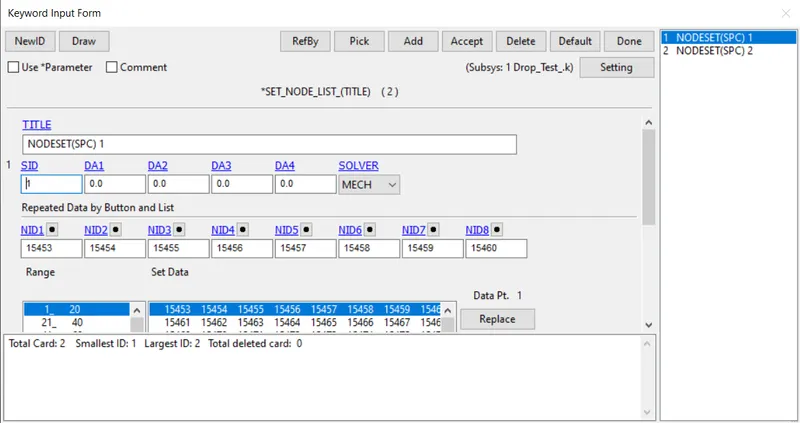
img:*SET_NODE_ card
- now go to the *INTIAL card for give the velocity for the mobile phone,keyword manager>INTIAL>VELOCITY and enter the nodeset_ID which we created for the mobile phone.Enter the velocity as -15mm/ms at z axis.
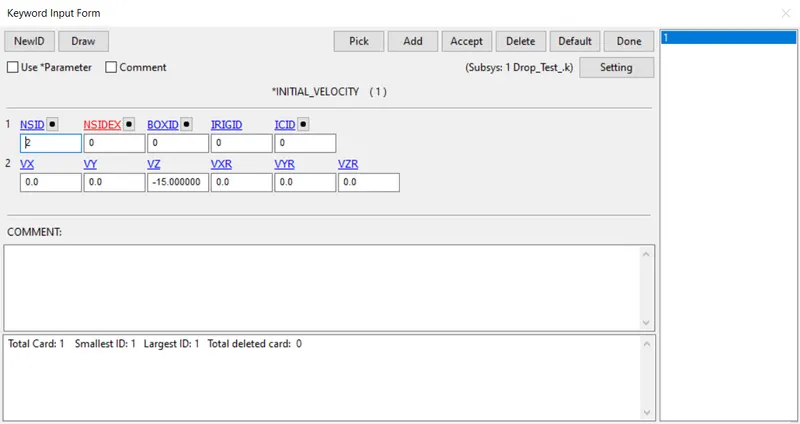
img:*INTIAL_VELOCITY
- Now go to the create entity>spc>enter the Nodeset_ID and click ok.
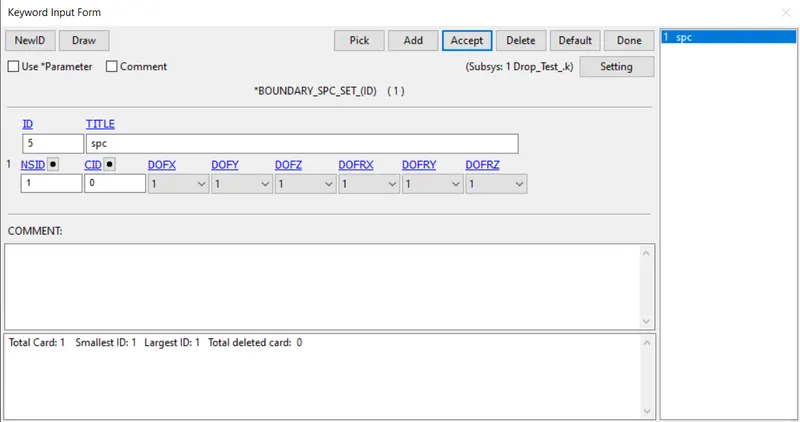
img:*BOUNDARY_SPC_SET
- Now it time to create a contact between the two parts we dont want the mobile to peneterate into the ground,so go to the keyword manager>all>*CONTACT>*AUTOMATIC_SURFACE_TO_SURFACE.As we already create a node set enter the ID in SSID and MSID,in this case mobile phone is a slave so give SSID and the ground is the master so give MSID
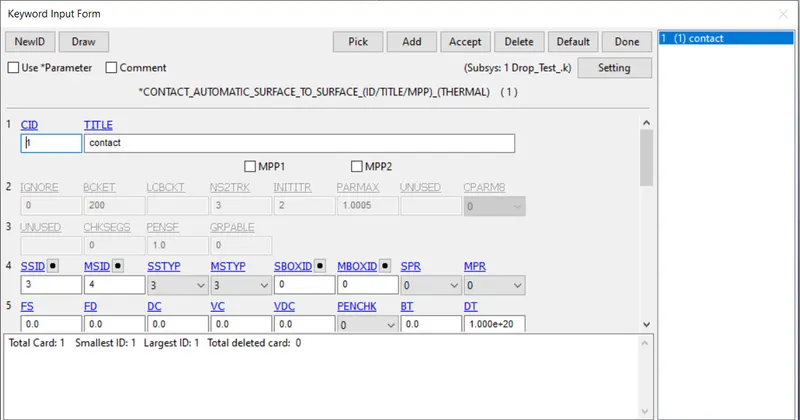
img:*CONTACT_SURFACE TO SURFACE card.
- give the *TERMINATION time for the model so go to the keyword manager>all>*CONTROL>TERMINATION.
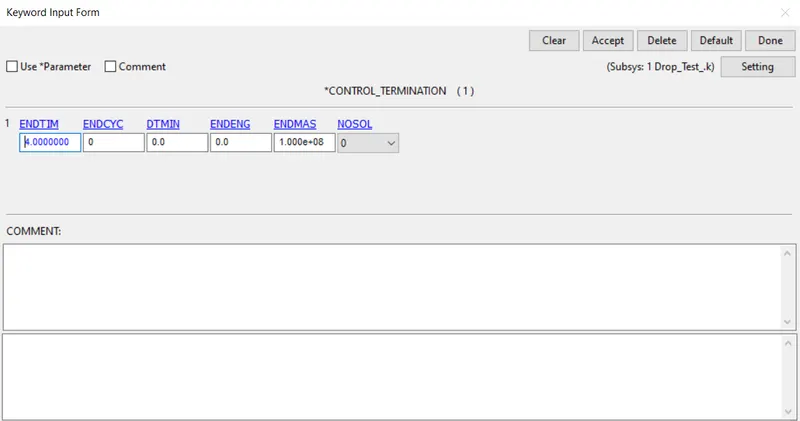
img:*CONTROL TERIMINATION Card
- Go to the keyword manager>all>*DATABASE>ascii and req for GLSTAT,RCFORC same like go to the binary and requesst for D3PLOT req everything for DT as 0.05ms.
- save the file as k file and run the stimulation using either ls run or ls manager.
- once the output fileas are derived open the binary D3PLOT in ls prepost and run the animation.
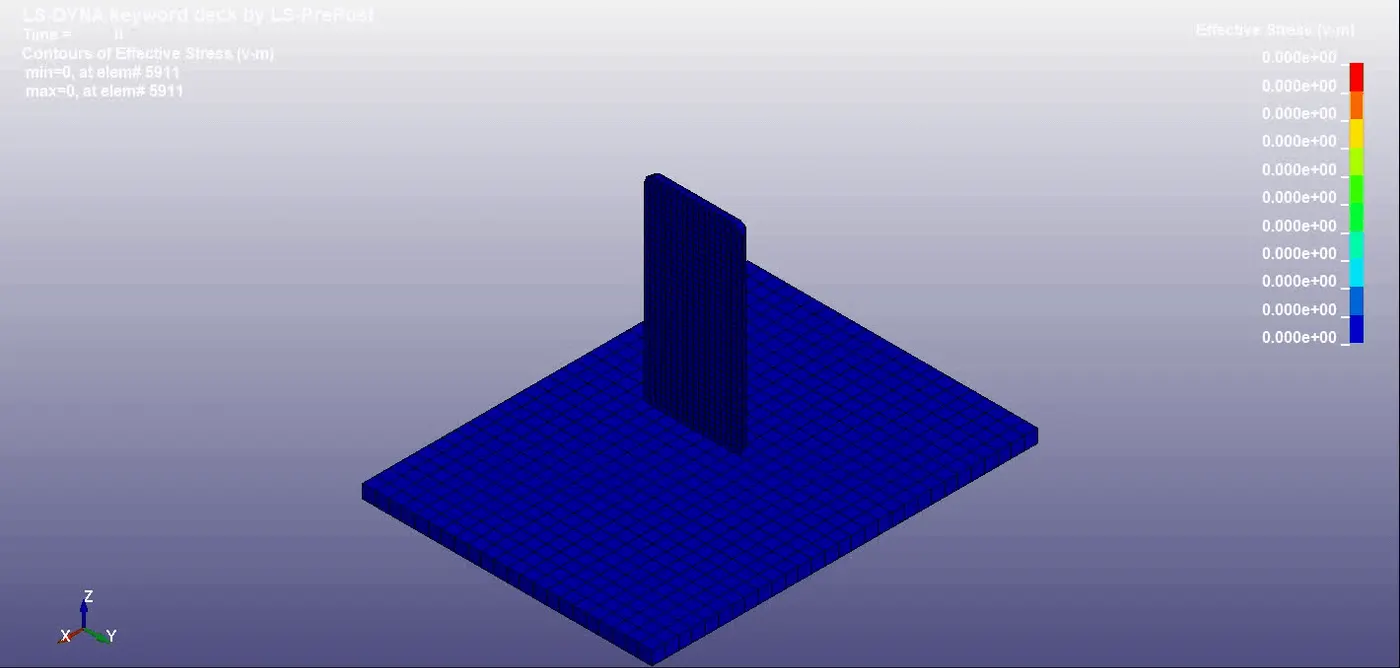
GIF:stimulation
link:https://drive.google.com/drive/folders/1_iIKdBwmEqApeP6pFRKsUFvjQ9P9TB1E?usp=sharing
Result:
- created different *keywords for to represent all the entities in the GUI.
- model check as been done to check for any error in the keywords.
- stimulation has been done.
learning objectives:
- leaned how to create a keywords for to represent the entities
- learned how to stimulate the model.
- learned how to request for the different output files.
---------------------------------------------------------------------------------------------------------------------------------------------------------------------------------