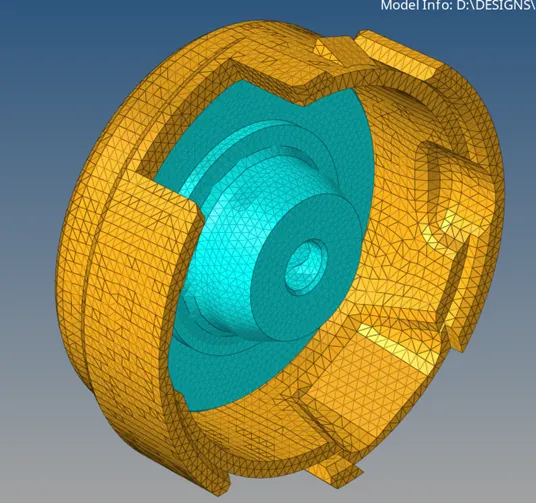
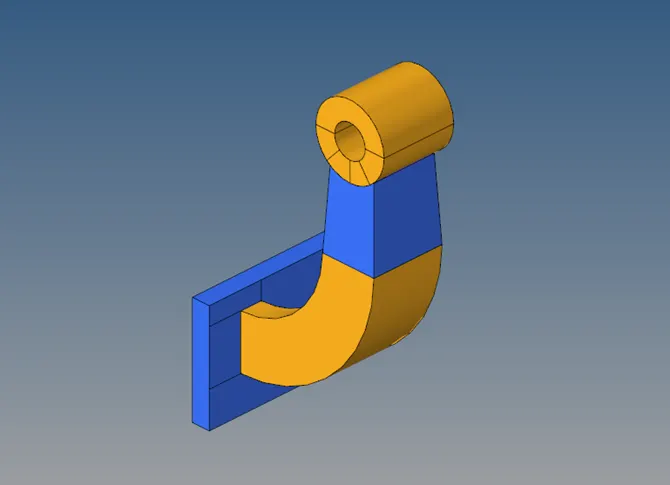
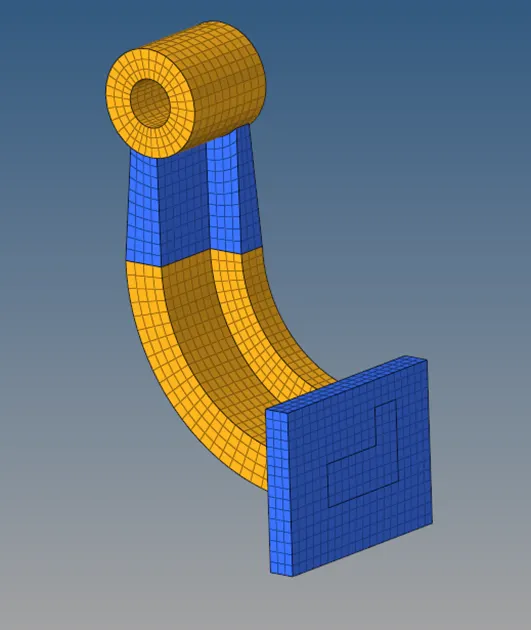
The speed of the sound is 5188.75 m/s where, E = 210000 N/mm2 and ρ = 0.0078 g/mm2 The time taken by the shock wave to travel the entire length of rail is 0.0019 s . Where l = 1000 mm and c = 5188.75 m/s. Objective: To 3D mesh the given models and satisfy the criteria Model 1: Procedure: Import the model Clean-up the…
Dipraj Sain
updated on 04 Mar 2023
Project Details
Leave a comment
Thanks for choosing to leave a comment. Please keep in mind that all the comments are moderated as per our comment policy, and your email will not be published for privacy reasons. Please leave a personal & meaningful conversation.
Other comments...
Read more Projects by Dipraj Sain (22)
Assignment 3-2D Element Formulation Challenge
Objective: To run the simulation of a given model and plot the rigid wall forces with designated shell properties. Procedure: Change the animation steps to 60 in 0001.rad Change the run time to 55 ms. In 0001.rad Case 1: Import the solver deck 0000.rad Without making any changes, run the simulation using Analysis >…
18 Mar 2023 07:28 PM IST
Assignment 2-RADIOSS Engine File Editing & 3D Meshing Challenge
The speed of the sound is 5188.75 m/s where, E = 210000 N/mm2 and ρ = 0.0078 g/mm2 The time taken by the shock wave to travel the entire length of rail is 0.0019 s . Where l = 1000 mm and c = 5188.75 m/s. Objective: To 3D mesh the given models and satisfy the criteria Model 1: Procedure: Import the model Clean-up the…
04 Mar 2023 06:34 PM IST
Assignment 1-2D Meshing Challenge
Objective: To extract the midsurface of the given model and generate 2D mesh on it according to given criteria. Model 1: Procedure: Clean-up the geometry – Check for free edges, missing surfaces, extra surfaces. Take the help of quick edit tools. Extract the midsurface – Use auto-midsurface tool. Try out the different…
16 Feb 2023 06:10 PM IST
Week 12:Project 2-Meshing of Rear Wheel Holder challenge
Aim: to extract the midsurface and mesh it CAD model: Procedure: Midsurfacing: Used 2D > midsurface > auto midsurface The method used was offset+planes+sweep After midsurfacing is generated, topology clean-up is done Symmetrical features are deleted Some dome shaped features were removed according to the question…
17 Jan 2023 04:26 PM IST
Week 9-Creation of 1D Connectors Challenge
Aim: To mesh the given model and establish various connections between the components Model: Procedure: Import the model or geometry Perform geometry and topology clean-up Set meshing parameters Perform mesh on the surface with trias using 2D > automesh Improve the mesh flow by using rebuild and remesh Use 2d > connectors…
14 Jan 2023 05:22 AM IST
Week 12:Project-1-Meshing of Door Inner Panel Challenge
Aim: to extract the midsurface of the given model and mesh it and assign thickness to the 2D elements. Procedure: Clean up the geometry. Eliminate any free edges. Offset the surface manually to create midsurface. Create midlines on top surfaces of ribs and trim the midsurface using the same lines Generate midsurface…
14 Jan 2023 05:18 AM IST
Tool Test 1
COMPONENT SWITCH PANEL
31 Dec 2022 05:54 AM IST
Week 8-3D Tetra Meshing Challenge
Aim: To create 3d mesh of the given models. Model 1: Procedure: Import the model or geometry Perform geometry and topology clean-up Set meshing parameters Perform mesh on the surface with trias using 2D > automesh Tria element should be used for plane surfaces and R-tria element should be used for curved surfaces…
28 Dec 2022 05:28 PM IST
Week 6-Meshing of Hood Challenge
Aim: To extract the mid-surface and mesh the given model. Procedure: Import the model Extract the midsurface of the components one by one using Geom > midsurface tool. The Offset method was used in this case If the midsurface was symmetrical then one half was deleted The surface was split wherever necessary to improve…
03 Dec 2022 06:53 AM IST
Week 4-1D Element Creation Challenge
Aim: to mesh the given model and establish connections with various 1D elements. Procedure: Import the given model Extract the midsurface with Geometry > midsurface tool Assign properties to the midsurface Mesh it with 2D > automesh with an average element size of 5 mm Create RBE2 and RBE3 links wherever…
19 Nov 2022 03:26 PM IST
Project - 2 - Meshing on the suspension Assembly
Aim: to mesh the given model of rear wheel suspension. Objective: Check for geometrical errors Generate mesh for the outer surface of the parts that have variable thickness above 5 mm Generate the midsurface of parts that have thickness of 5 mm or less Generate the solid mesh and 2D mesh of midsurfaces Maintain the given…
26 Oct 2022 04:58 PM IST
Project 1 - 2D meshing on the instrumental Panel
Aim: to mesh the given model of console. Objective: Create the mid-surface of all the components Check for geometrical errors Generate mesh for the mid-surface Maintain the given mesh element quality criteria The mid-surface and the mesh is generated at a time by the option Faces > Mid-surface > Casting. With…
14 Oct 2022 04:30 PM IST
Week - 8 - Morphing
Morphing: I used morphing to increase the size and shapes of various structures within the models. Steps: Hexahedral morphing boxes are created with the help of Boxes > New option Align the boxes with the help of Align feature within the New option if necessary. Split the boxes into smaller boxes to localize morphing…
06 Oct 2022 05:36 PM IST
Week 6 - Creating connection for Rear door
Aim: To establish connections in the part wherever is deemed necessary to make the model rigid without compromising certain degrees of freedom to achieve best possible simulation. Procedures: At first the potential connection points are identified. Then kind of connection is figured out. Suitable connections are…
23 Sep 2022 03:54 PM IST
Tool Test-2
Solid mesh of intake manifold.
14 Sep 2022 05:16 AM IST
Week- 5 - Solid meshing
Aim: to mesh the given model of rear-view mirror. Objective: Check for geometrical errors Generate mesh for the outer surface Generate the solid mesh Maintain the given mesh element quality criteria Geometry clean-up is done using the Checks > Geometry option, where a list of all the geometry…
11 Sep 2022 06:23 PM IST
Tool Test 1
COMPONENT SWITCH PANEL
05 Sep 2022 06:30 PM IST
Week - 4 - 2D meshing for Plastic components
Aim: to mesh the given model of bottle cap. Objective: Create the mid-surface of all the components Check for geometrical errors Generate mesh for the mid-surface Maintain the given mesh element quality criteria At first the mid-surface is generated using the Faces > Offset or Faces > Mid Surface…
21 Aug 2022 04:08 PM IST
Week 3 - 2D meshing for sheet metal
Aim: to mesh the given model of hood. Objective: Create the mid-surface of all the components Check for geometrical errors Generate mesh for the mid-surface Maintain the given mesh element quality criteria At first the mid-surface is generated using the Faces > Offset or Faces…
25 Jul 2022 06:48 PM IST
FINAL INDEPENDENT PROJECT
Assembly of Atmospheric Train Objective: To model parts and assembly of an atmospheric train. In this course, Ultimate Solidworks, I learned how to model an atmospheric train as my independent project. I used different features and tools to design it. Suitable appearances were applied and photo realistic images were rendered.…
09 Sep 2021 01:59 PM IST
Assembly of Yacht
Radar Mast front side isometric feature manager tree Assembly of Yacht Objective: To model parts and assembly of a Sunseeker Predator Yacht. In this course, Ultimate Solidworks, I learned how to model a yacht with the help of Solidworks. In order to do that I had to model some individual parts viz. hull, superstructure,…
25 Nov 2020 06:25 AM IST
Photo Realistic Rendering
Assembly of Chopper Model Objective: To create individual parts and assembly of the same of an American Chopper. in this course, Ultimate Solidworks, I had to create a model of an American Chopper. To do that I had to build each part individually with proper dimensions, apply proper and appropriate appearance to them and…
25 Oct 2020 05:26 AM IST