FINAL INDEPENDENT PROJECT
Assembly of Atmospheric Train
Objective: To model parts and assembly of an atmospheric train.
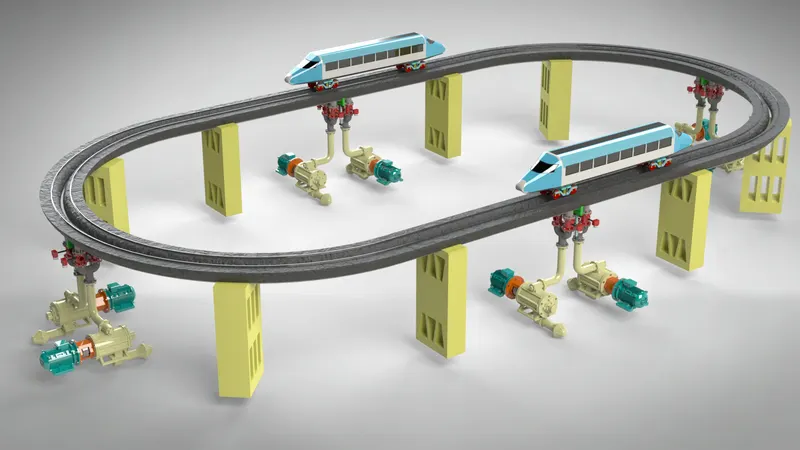
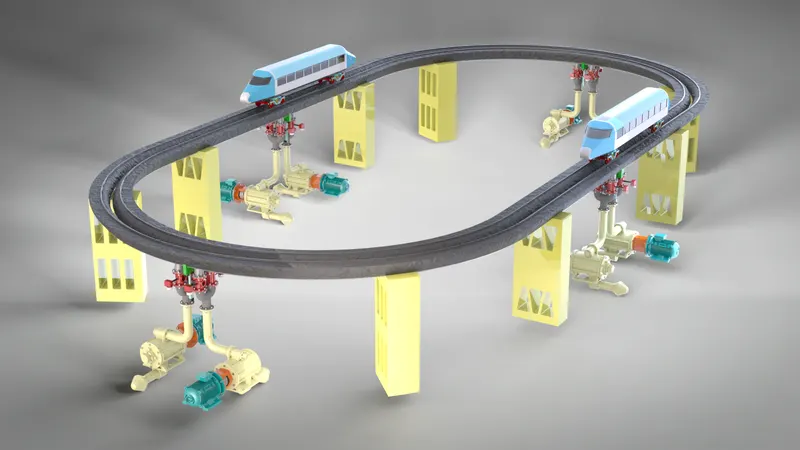
In this course, Ultimate Solidworks, I learned how to model an atmospheric train as my independent project. I used different features and tools to design it. Suitable appearances were applied and photo realistic images were rendered.
Design methodology:
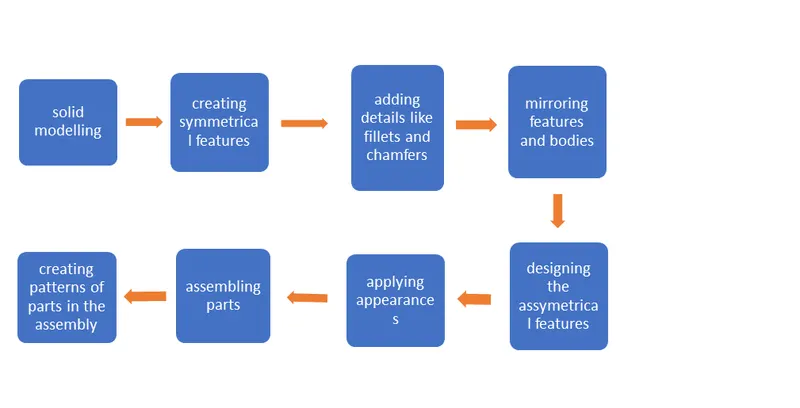
The features or tools that I used to make the parts are:
- Sketch- it is a simple drawing of the part drawn on a 2d view. It forms the base of any modelling as it contains the greatest number of dimensions. To form a sketch a lot of tools and entities are available which are basically 2d shapes like line, circle, arc, polygon, spline, etc. and functions like trim, mirror, pattern, extend, smart dimension etc. These functions make the drawing or sketching easy and accurate.
- Scale entities- with this tool sketch entities can be scaled down or up with respect to a selected point.
- Extrude Boss/Bass- This function converts the 2d sketches into 3d models. It actually extends a closed boundary profile in a direction perpendicular to the plane of sketch. There are other options of choosing the start and end positions of the extension which makes it quite handy.
- Revolve- This tool makes a 3d object out of a closed profile by rotating it about a fixed axis. The axis generally is a part of the same sketch.
- Extrude Cut- it is the same as extrude. The only difference being is that it removes material instead of adding any.
- Revolve cut: just like extrude cut it also removes material in the same method and direction as the Revolve function.
- Fillet: this tool is used to give the sharp corners a smooth rounded look. One can change the radius both symmetrically and asymmetrically.
- Chamfer: it is like inserting a third face between two other faces that are at an angle and share the same edge. This third face takes the place of the common edge and gives rise to two new edges.
- Lofted Base/Base: this feature allows you to create a complex structure whose cross-section(s) follow(s) a specific path. We can set more than two profiles as cross-section. This same feature can be used to add or remove material.
- Dome: as the name suggests this feature adds dome to faces irrespective of being planar or non-planar. Even irregular shaped faces can be used to make this feature.
- Combine: it adds more than one solid bodies and converts them into one solid body.
- Offset: multiple sketch entities can be shifted to both their sides by a specified amount.
- Trim Entities: it erases the part of sketch entities that overhangs beyond other entities or is in between other two entities.
- Split: this command can divide one or several bodies into separate parts. The division is governed by other sketch or or plane or surface.
- Dynamic Mirror: this mirrors the sketch entities that are drawn about a selected line in real time.
- Circular Pattern: it creates copies of a feature, body, sketch entities or even parts in an assembly in a circular path with specified number of instances and spacing.
- Linear Pattern: it creates copies of features, bodies, sketch entities or parts in a linear path (it can be in two axes as well) with specified number of instances and spacing.
- Curve Driven Pattern: it creates a pattern of features or bodies along a custom made curve. Both equal spacing and set space between the objects can be used to create the pattern.
- Mirror: it copies and places selected bodies or features on the other side of a plane or face at an equal distace.
- Appearances: with this tool the colour of a feature, face, body or part can be changed with the preloaded appearances in the library.
- Revolve surface: it uses a sketch and an axis from the same sketch to create a revolved surface.
- Thicken: it takes any surface to create a solid by extruding the surface in the normal direction
- Mirror Components: it is the same as mirror and places a copy of selected components across a plane. The mates are carried over to the new component.
- Curve Driven Component Pattern: it is used to make a pattern of components along a selected curve in an assembly.
The individual parts are:
- rail
- pump and motor set
- thrust carriage
- passenger carriage
- bogie
- three way pneumatic valve
- pipeline
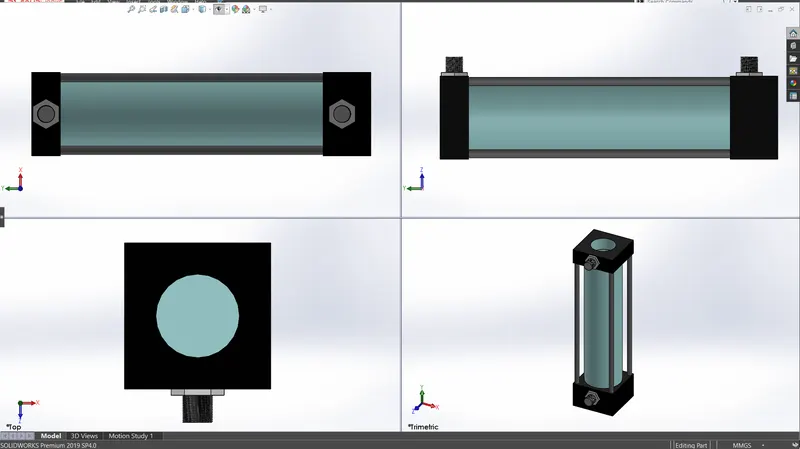
- hydraulic cylinder
- piston and gate
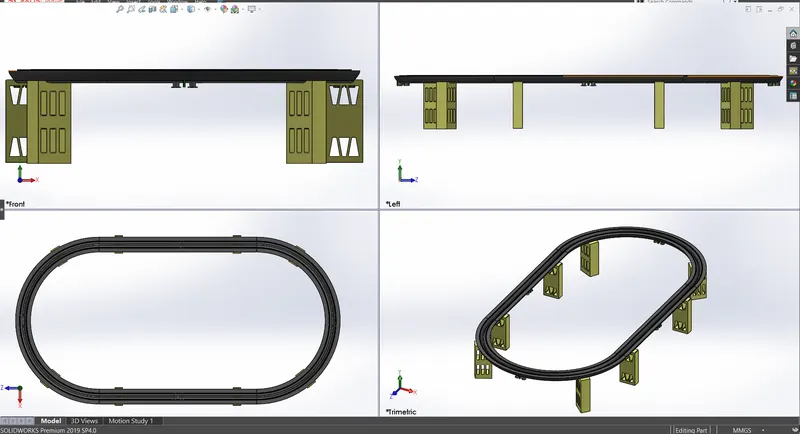
Rail:
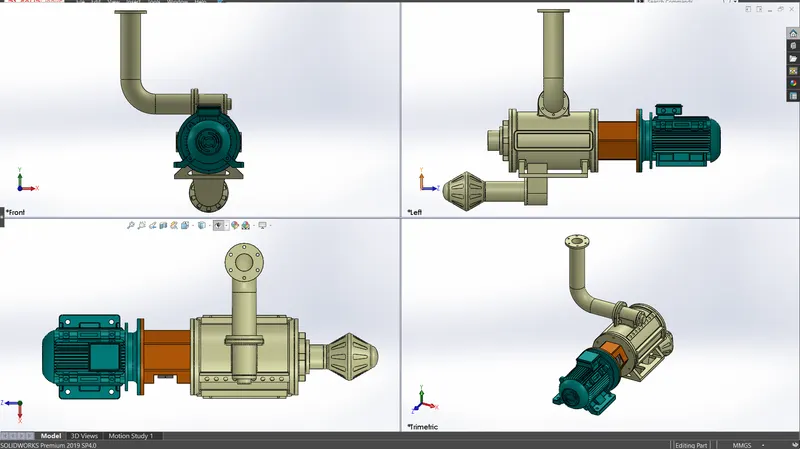
Pump and Motor set:
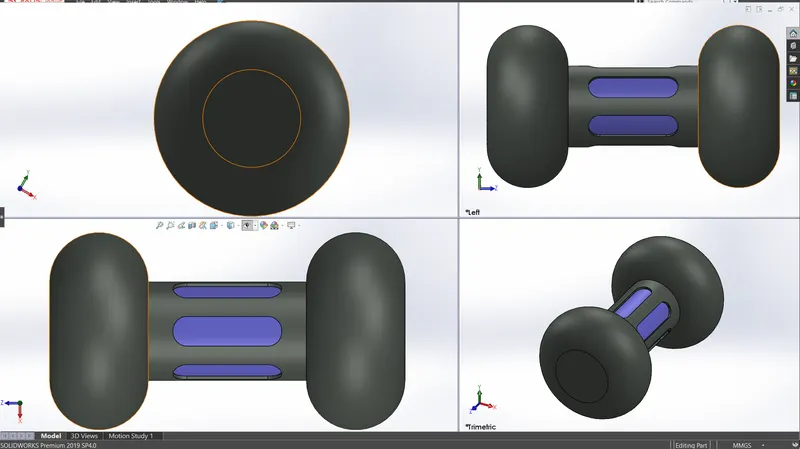
Thrust Carriage:
Passenger Carriage:
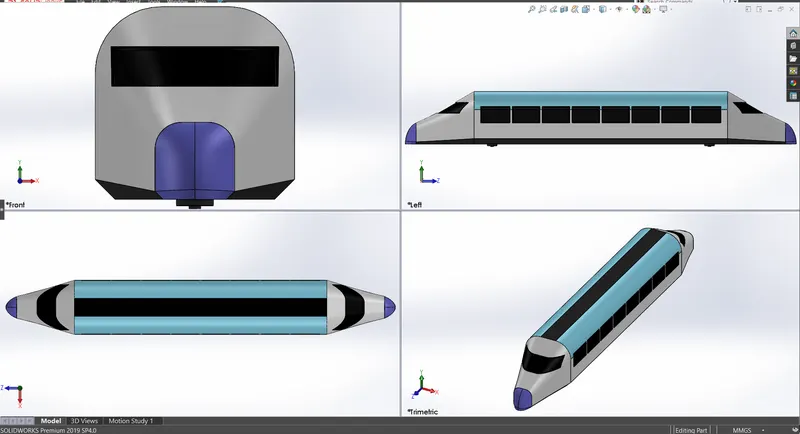
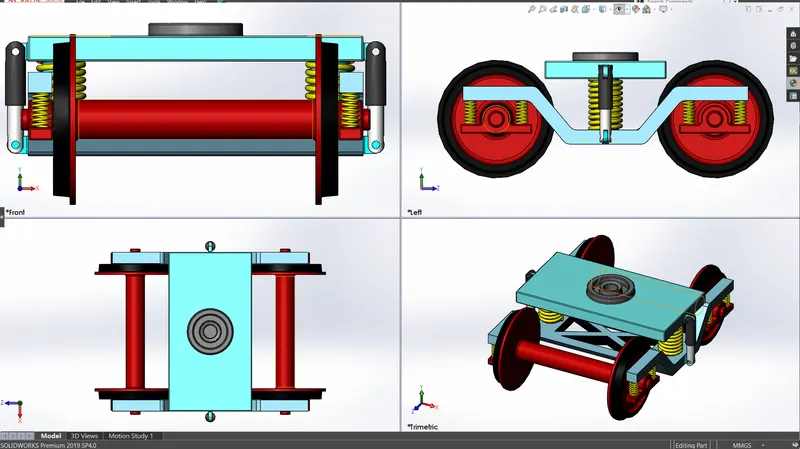
Bogie:
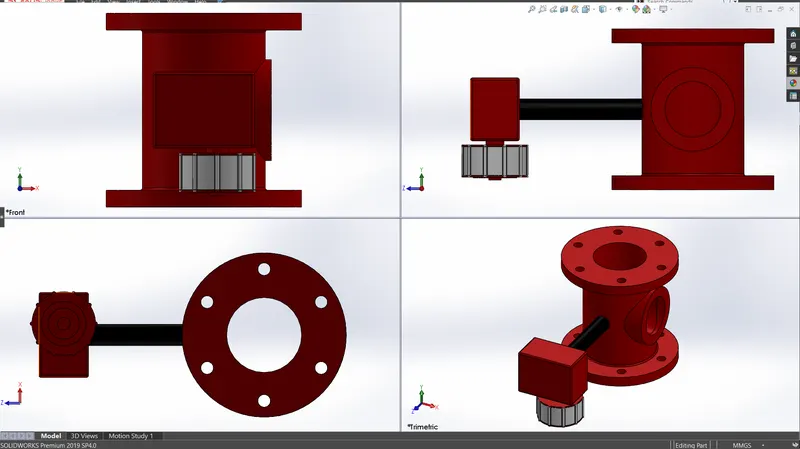
Three-way Pneumatic Valve:
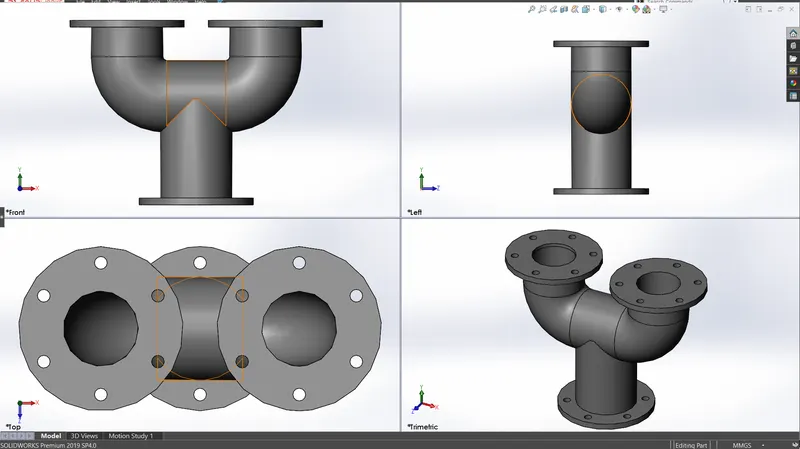
Pipeline:
Hydraulic Cylinder:
Piston and Gate:
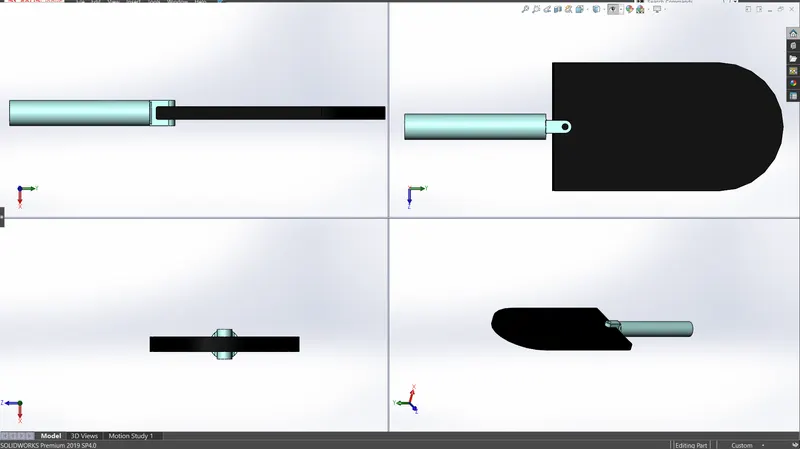
The Working Principle:
This train uses atmospheric pressure to move. A pressure difference is created between the two sides of the thrust carriage which will be sliding inside the air tubes. A vacuum pump creates a low pressure in front of the thrust carriage and atmospheric pressure builds up on its backside. The passenger carriage is coupled with the thrust carriage with strong magnets. There are partitions throughout the stretch of air tube which makes it possible for multiple trains to run on the same track.
Calculation:
Considering artificial high pressure and low pressure created by air pumps.
Assuming perfect vacuum.
Weight of a single compartment = 45 ton (3-tier self gen. WSGCN)
∴ Weight of 5 compartments = 225 ton
Area of a tube = 0.785 m2
∴ Net area of 2 tubes = 1.57 m2
Assuming a speed of 70 km/hr(19.44 m/s) with an acceleration time of 10 sec, the force required will be
F = m.a = = 437500 N
∵ there are total of 2 tubes with 2 thrust carriages the force to be implied on each thrust carriage = 437500/2 = 218750 N
∴ the gauge pressure of each air pump = 278662.42 N/m2 ∾ 278663 N/m2
Volume increased in the tube when the thrust carriage moves = 19.44×0.785 = 15.26m3/s
∴ delivery capacity of the pump will be 15.26m3/s
Rendered images:
Conclusion:
- Modelling each parts and assembling them is done.
- Rendering photo realistic images is done.