Assignment 1-2D Meshing Challenge
Objective: To extract the midsurface of the given model and generate 2D mesh on it according to given criteria.
- Model 1:
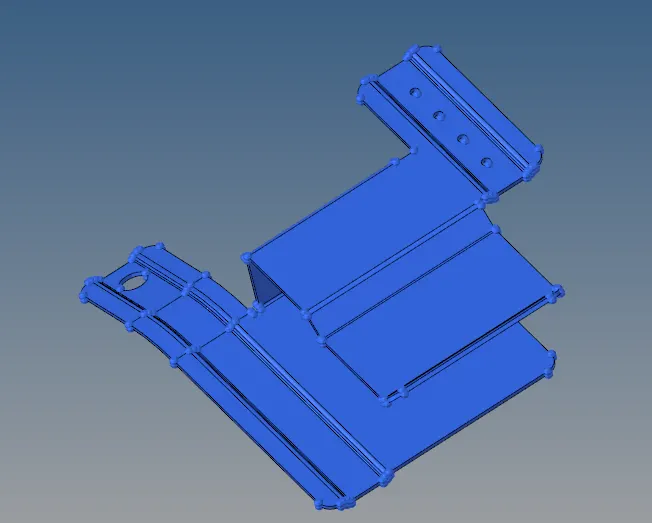
- Procedure:
- Clean-up the geometry – Check for free edges, missing surfaces, extra surfaces. Take the help of quick edit tools.
- Extract the midsurface – Use auto-midsurface tool. Try out the different options in it and see which one gives the best result.
- Clean-up the geometry – Use auto-cleanup tool to defeature some parts and plug holes that are less than 5 mm. Touch up on areas that require improvement on clean-up.
- Mesh the midsurface – Set the mesh criteria. Mesh adjacent surfaces to cover the whole model. Use smooth, remesh or rebuild to improve the mesh flow.
- Free edge and equivalence correction – Check for free edges with Tool > edges option. Work on them if there is any. Check for equivalence from the same option and equivalence the nodes. Increase the tolerance as needed but do not go above the minimum element length.
- Assigning thickness – Create a property and set its thickness. Assign the property to the component carrying the mesh elements.
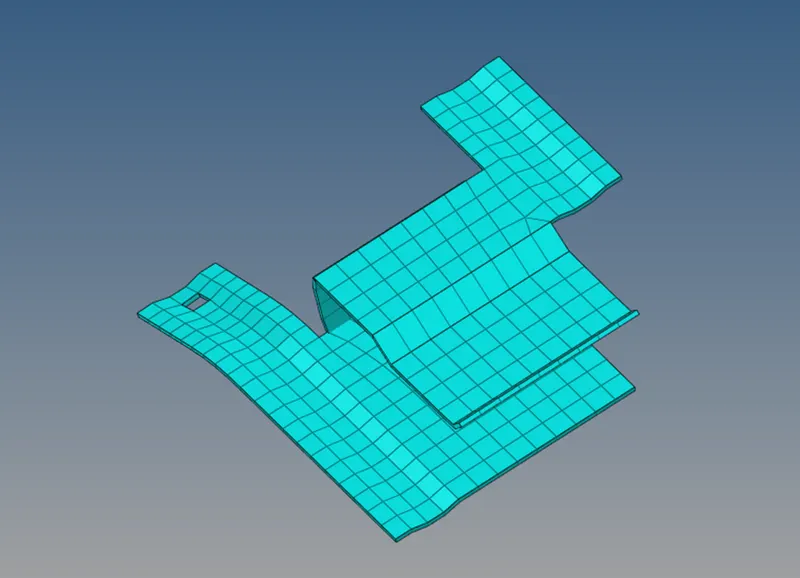
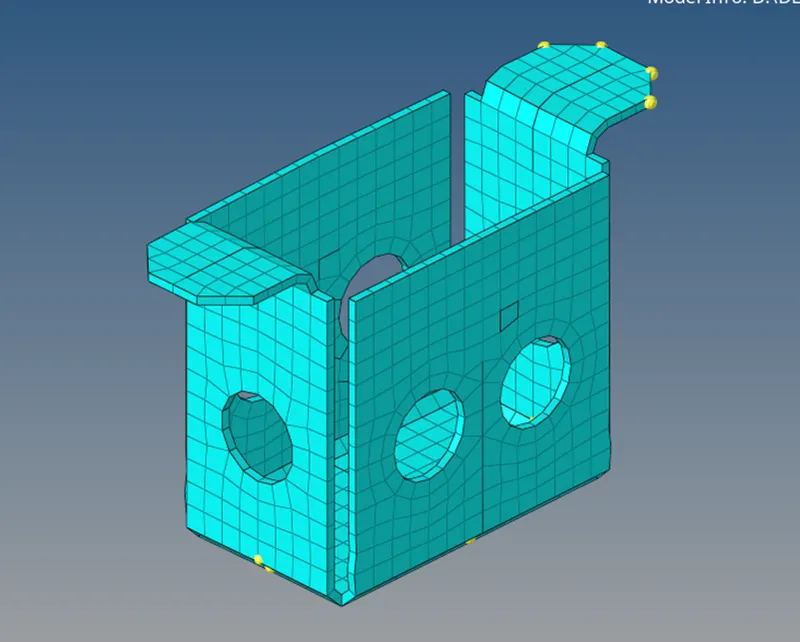
- Conclusion: Due to geometry clean-up and defeaturing the FE representation is a little different than the actual model. It can be minimized by reducing element size but that would take up a lot of resources and time. At the end it is the balance of accuracy and time which needs to be decided by engineers.
- Result:
- Model 2:
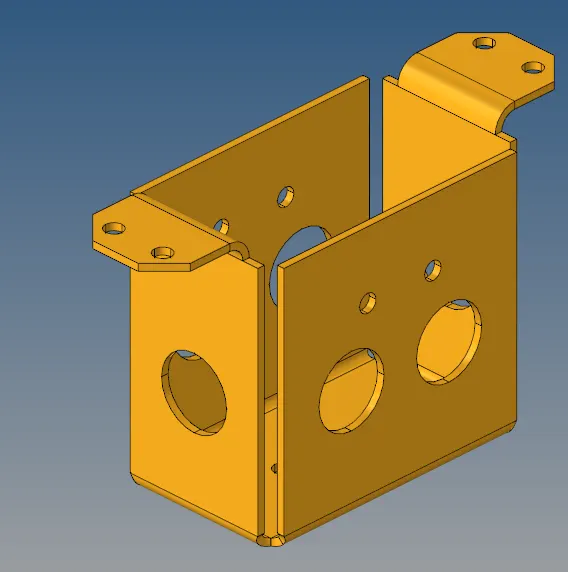
- Procedure:
- Clean-up the geometry – Check for free edges, missing surfaces, extra surfaces. Take the help of quick edit tools.
- Extract the midsurface – Use auto-midsurface tool. Try out the different options in it and see which one gives the best result.
- Deleting 3/4th of the geometry – Since the model is symmetrical about two axes, only the part in one quadrant is required. So, rest of it is deleted.
- Clean-up the geometry – Use auto-cleanup tool to defeature some parts and plug holes that are less than 5 mm. Touch up on areas that require improvement on clean-up.
- Mesh the midsurface – Set the mesh criteria. Mesh adjacent surfaces to cover the whole model. Use smooth, remesh or rebuild to improve the mesh flow.
- Reflect – Tool > reflect option is used twice to create the whole model from 1/4th elements.
- Free edge and equivalence correction – Check for free edges with Tool > edges option. Work on them if there is any. Check for equivalence from the same option and equivalence the nodes. Increase the tolerance as needed but do not go above the minimum element length. This process should be repeated after each reflect operation.
- Assigning thickness – Create a property and set its thickness. Assign the property to the component carrying the mesh elements.
- Conclusion: since the model is symmetrical about two axes, the work is reduced by a lot. Again the FE representation is a little off.
- Result:
- Model 3:
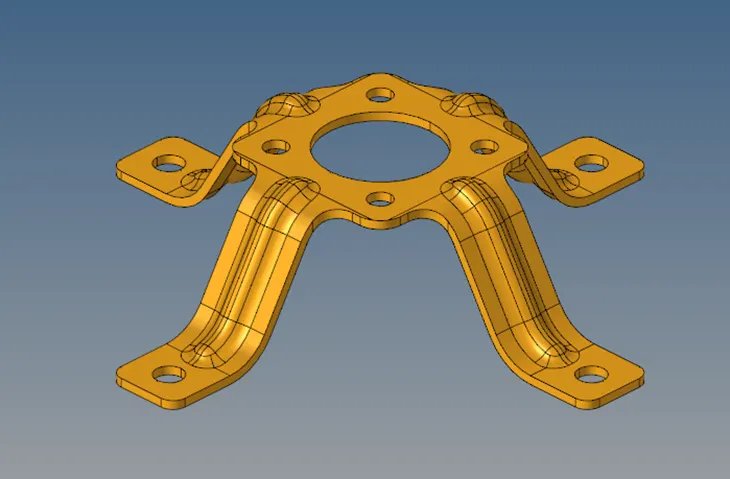
- Procedure:
- Clean-up the geometry – Check for free edges, missing surfaces, extra surfaces. Take the help of quick edit tools.
- Extract the midsurface – Use auto-midsurface tool. Try out the different options in it and see which one gives the best result.
- Deleting 3/4th of the geometry – Since the model is symmetrical about two axes, only the part in one quadrant is required. So, rest of it is deleted.
- Clean-up the geometry – Use auto-cleanup tool to defeature some parts and plug holes that are less than 5 mm. Touch up on areas that require improvement on clean-up.
- Mesh the midsurface – Set the mesh criteria. Mesh adjacent surfaces to cover the whole model. Use smooth, remesh or rebuild to improve the mesh flow. In this case only half of the remaining midsurface was meshed because the 1/4th midsurface was again symmetrical about an axis.
- Reflect – Tool > reflect option is used twice to create the whole model from 1/4th elements.
- Free edge and equivalence correction – Check for free edges with Tool > edges option. Work on them if there is any. Check for equivalence from the same option and equivalence the nodes. Increase the tolerance as needed but do not go above the minimum element length. This process should be repeated after each reflect operation.
- Assigning thickness – Create a property and set its thickness. Assign the property to the component carrying the mesh elements.
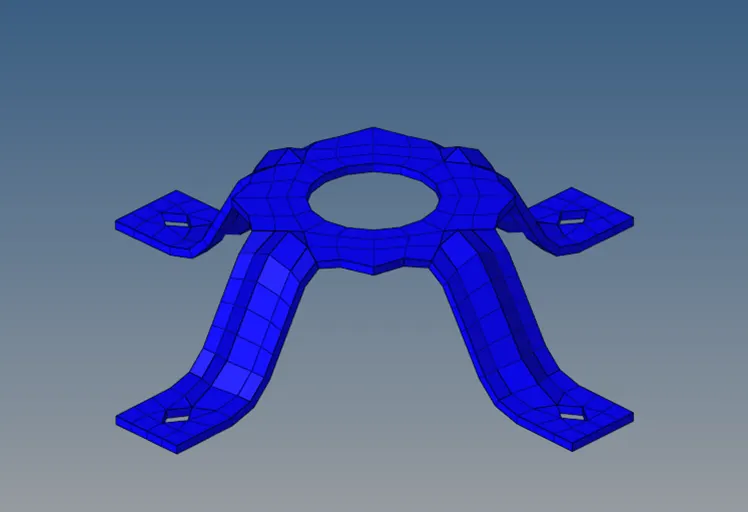
- Conclusion: since the model is symmetrical about two axes, the work is reduced by a lot. Again, the FE representation is a little off.
- Result:
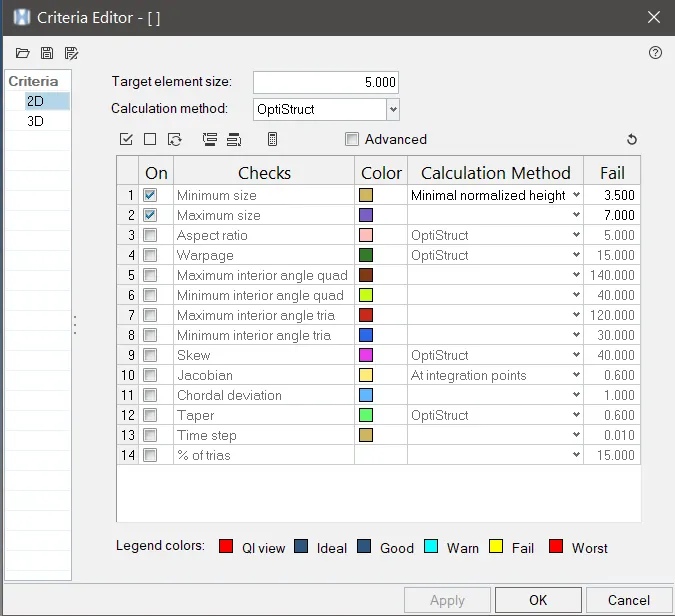
Mesh Criteria: