Advanced Sheet Metal Design Using NX Cad Challenge_6_Bracket
ADVANCED SHEET METAL DESIGN USING NX CAD - BRACKET DESIGN.
Objective: To design sheet metal part for Bracket as per the procedure by using NX-CAD software with suitable commands on Sheet metal work bench to achieve the final product and also to perform drafting for the bracket.
Introduction: NX CAD software, the digital product development solution from Siemens, includes a set of state-of-the-art tools for designing sheet metal components. Using familiar terminology, NX Sheet Metal Design provides the design professional with a complete set of tools to efficiently create and manage sheet metal parts based on the knowledge of material properties and manufacturing processes.
NX Sheet Metal Design tools incorporate material and bending information, enabling the model to represent both the formed component and flattened blank shapes. The sheet metal design tools within NX allow companies to apply defaults based on both industry and company best practices to the values used in the creation of sheet metal parts. For example, bend radii and neutral factor values can be set to commonly used values to encourage re-use and save design time. Folded and unfolded views of sheet metal components can be used in both the 3D environment, as well as downstream in 2D documentation and for manufacturing.
Design methodology:
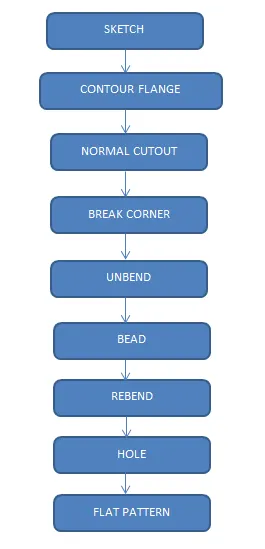
Description of Tools used:
SKETCH: It is the 2D representation of the model with respect to the plane or view.
CONTOUR FLANGE: It’s a command is used to make a sheet metal extrusion by using defined sketch as per requirement
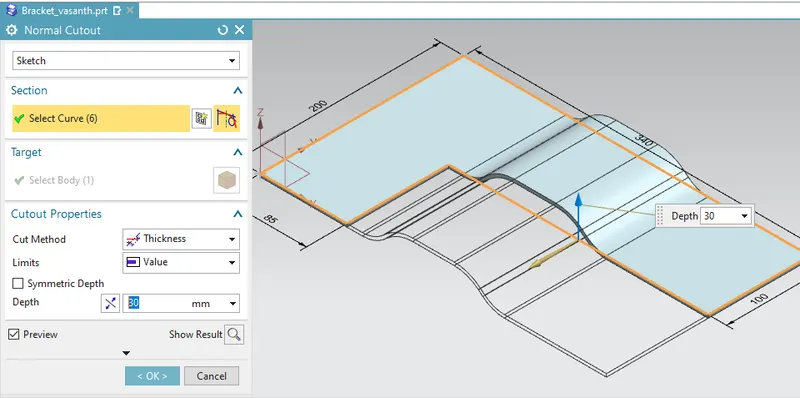
NORMAL CUTOUT: It is used to make a cut out using given diagram
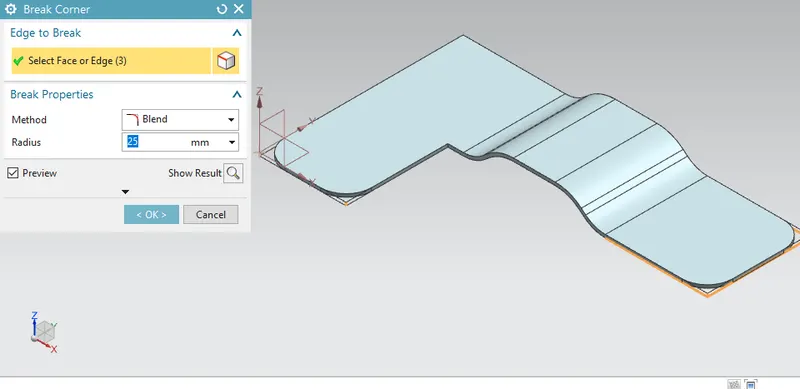
BREAK CORNER : Command used for make a fillet at the sharp edge corner sheet metal
UNBEND: Flattens a bend and the material adjacent to the bend.
BEAD: Lifts material along the counter of a sketch that simulates a stamping tool.
REBEND: Restores an unbend features to its previous bent state, along with any features added after the unbend feature.
HOLE: Adds a hole to one or more solid bodies in a part or assembly.
FLAT PATTERN: Flat pattern tool is used to automatically create a flattened version of a sheet metal part and prepare model for manufacturing. The flat pattern feature remains the last feature in the part navigator and maintains the flat model view.
Procedure:
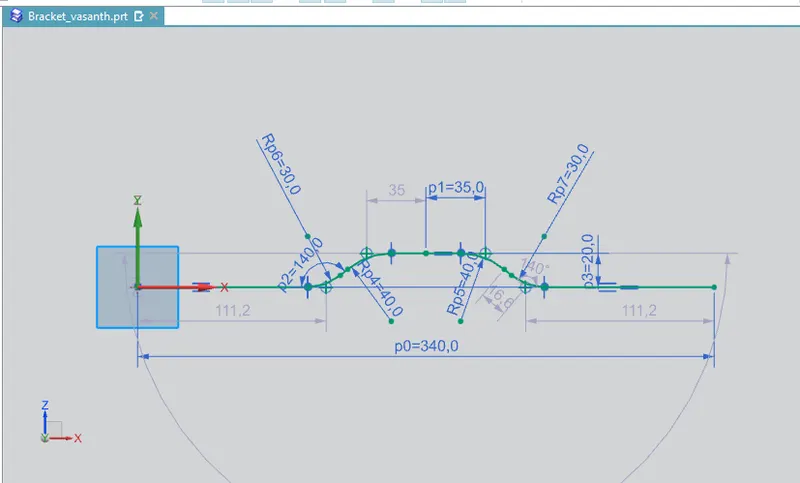
- In this Modelling of the Bracket Design we will create a profile in XZ plane.
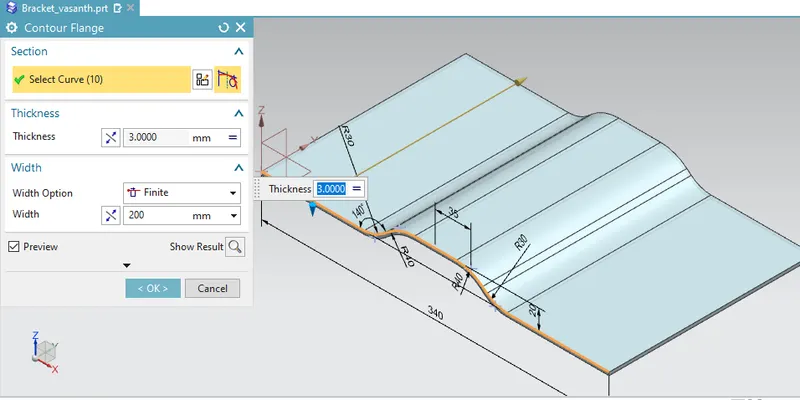
- After the creation of the profile we will use Counter flange as shown in the figure.
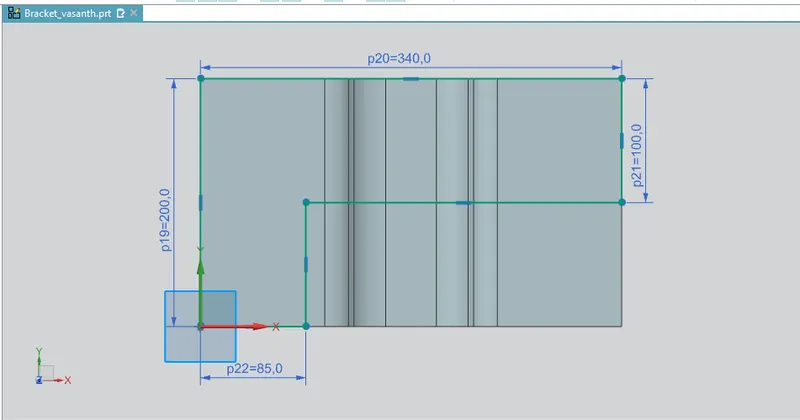
- After that we will create a profile to create a normal cut out through the Sketch in the XY plane and create a required profile.
4.After that we will create a break corner as shown in figure at different corners with the different corners with the different radius and make smooth edges for the sheet metal.
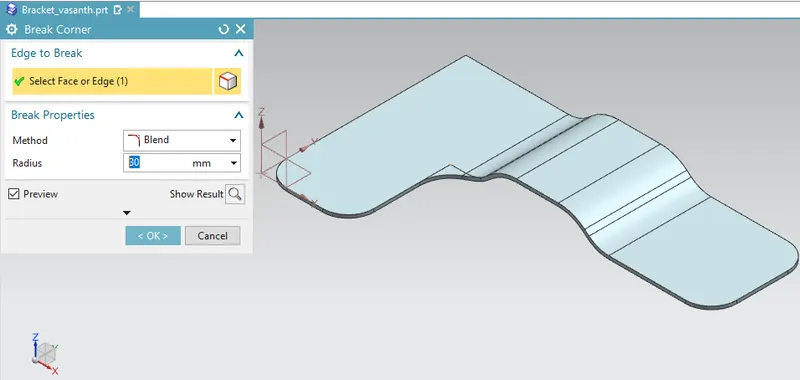
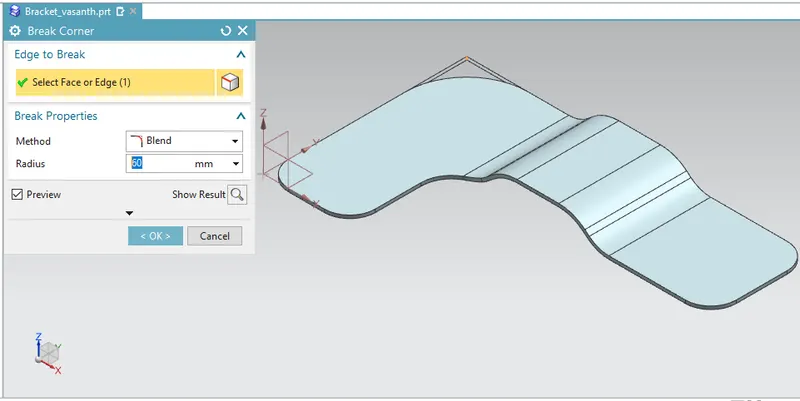
- After this we will create a bead by using the sketch on surface by unbending the sheet metal. With depth and rounded edges of required dimensions as shown in the figure.
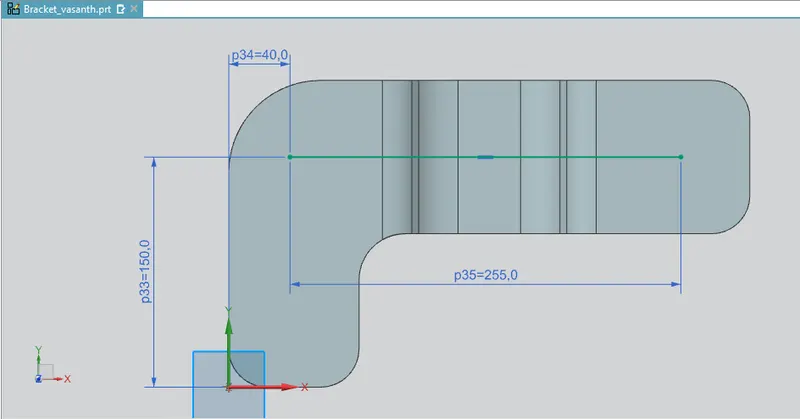
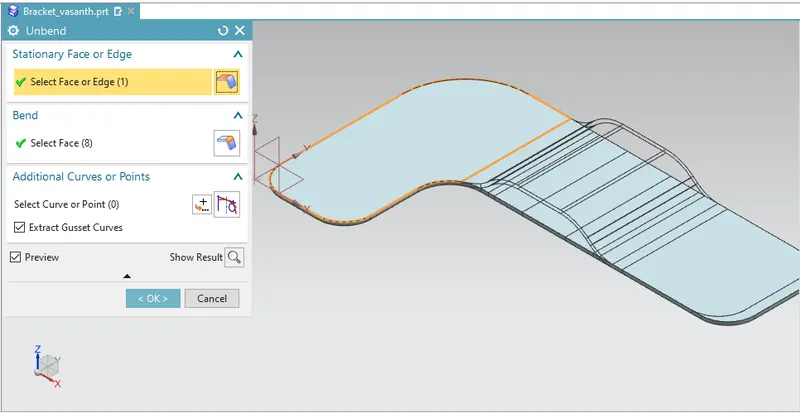
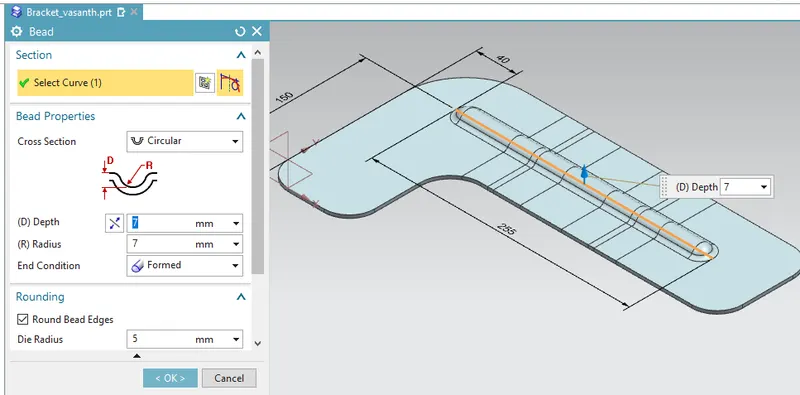
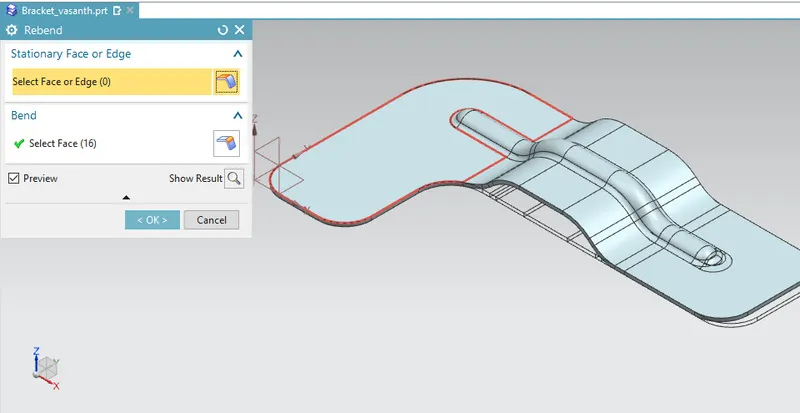
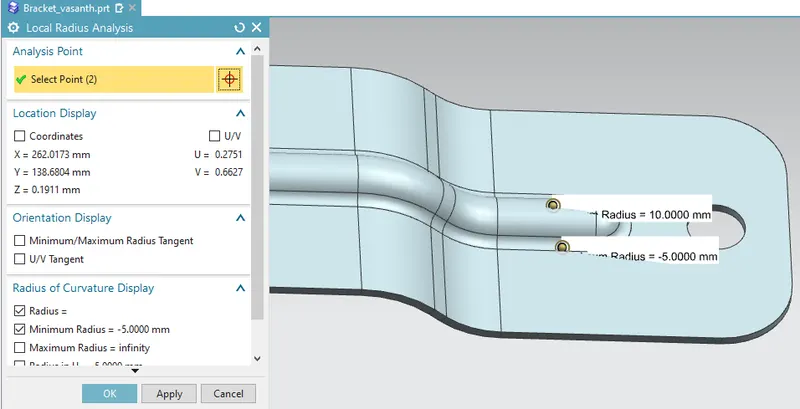
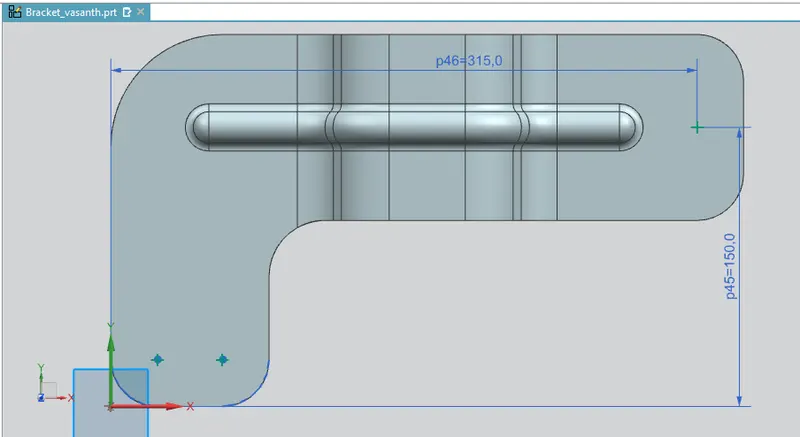
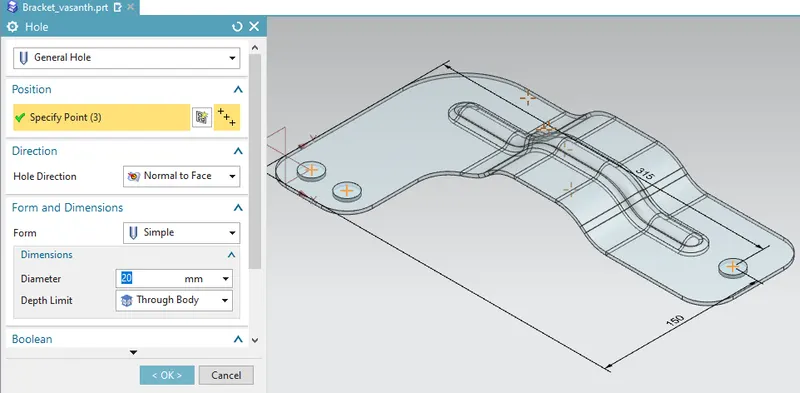
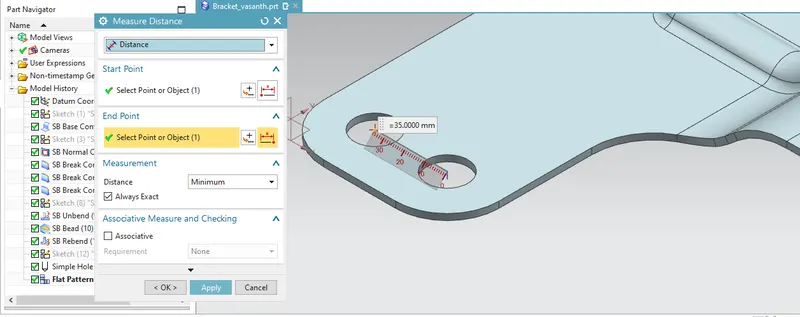
- We measure the minimum radius on the bends and beads After that we will be creating points on the sketch surface and creating holes on the surface at points and create holes as shown in the figure.Measure the distance between the holes using Measure distance.
7. Create a flat pattern and its flat pattern draft of the bracket as shown below.
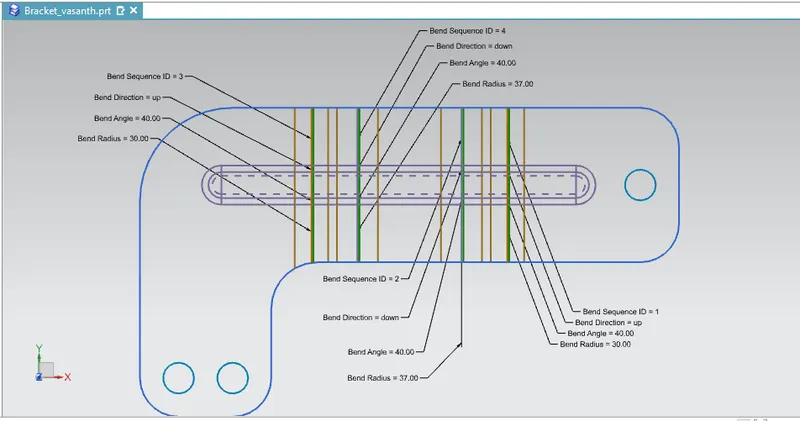
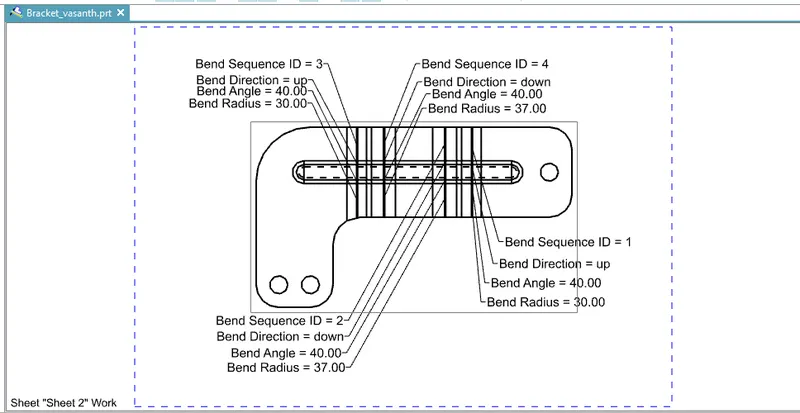
Various type of view:
1.Drawing draft of the views:
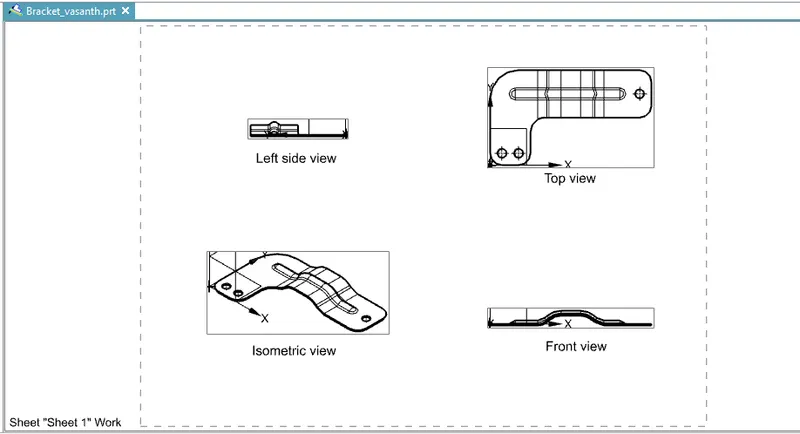
2.Top view:
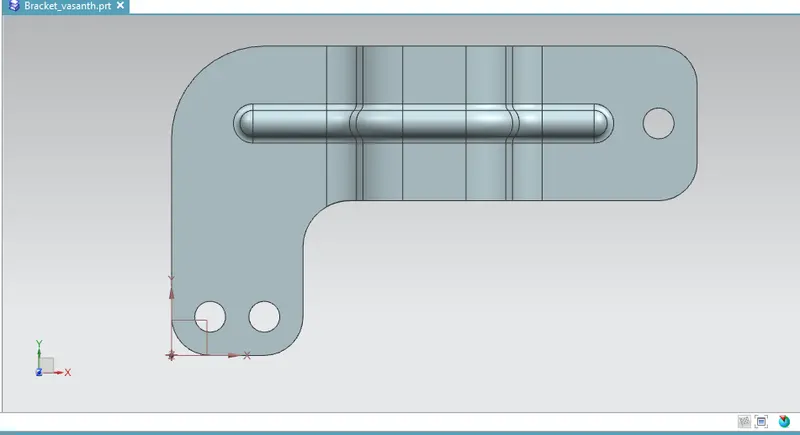
3.Front view:
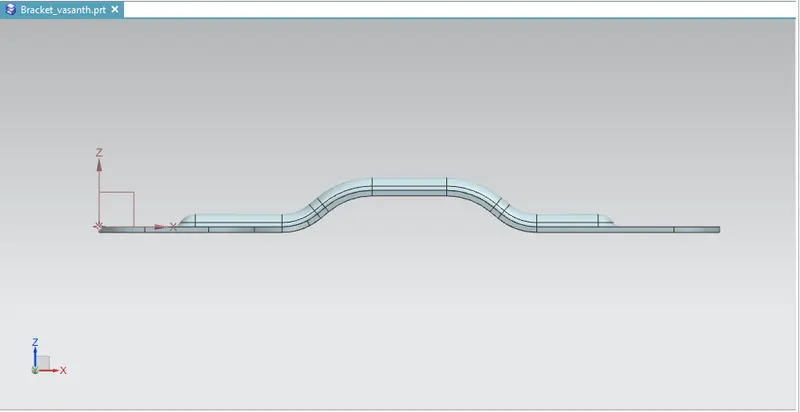
4.left side view:
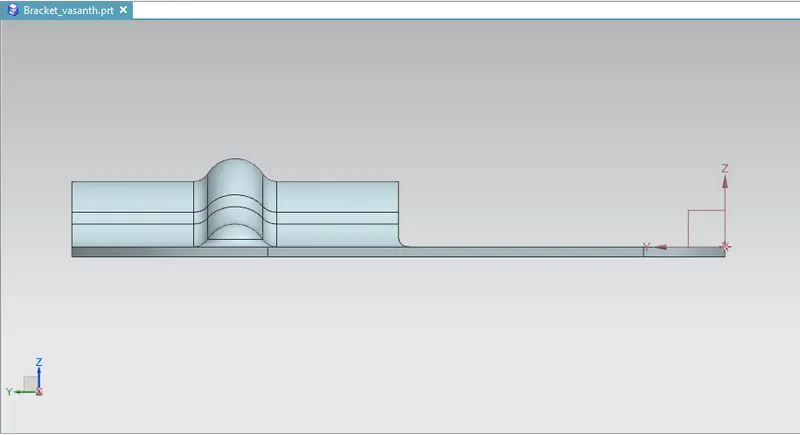
5.Isometric view:
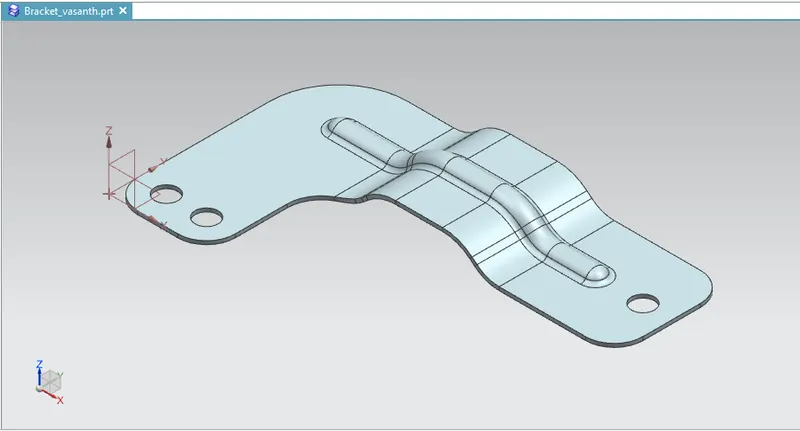
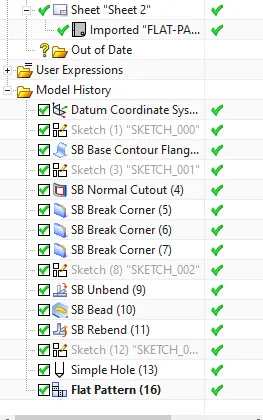
6.Part Navigator:
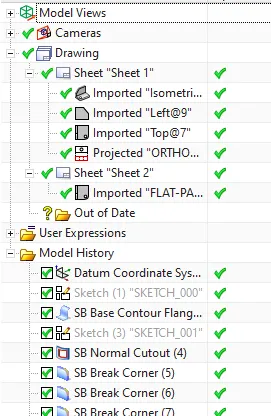
Conclusion:
In this Bracket design we have made use of the several different sheet metal tools and feature knowledge to create the required modelling for the sheet metal.