3D MODELLING AND RENDERING OF YATCH
3D MODELLING AND PHOTO REALISTIC RENDERING OF SUNSEEKER PREDATOR YATCH
INTRODUCTION:
SolidWorks is a 3D modelling CAD software by Dassault Systems used by Automobile Design Engineers to create Automobile parts, machines, and other components which needs to be designed prior to production and manufacturing. This Software is a High Professional CAD software where including modelling, there are numerous other options like Sheet metal designing, Surface modelling, Drafting, Rendering etc., which has a professional way of approach. It is a prominent software in which from modelling of a product to final rendering is done inside this only software without any third party applications until its necessity. In this project, I learnt almost every method from creating models to final rendering of a product in many ways which are easy and in a professional way of approach.
OBJECTIVE:
- Create individual components of Sunseeker Predator Yatch
- Give appearances to every part and add Decals whenever necessary.
- Assemble the designed parts to make a Yatch prototype.
- Create a rendered image of the assembly using PhotoView 360.
- Final render in Solidworks Visualize using Camera and light setup and produce Photo-Realistic Images of Yatch.
DESIGN METHODOLOGY/APPROACH:
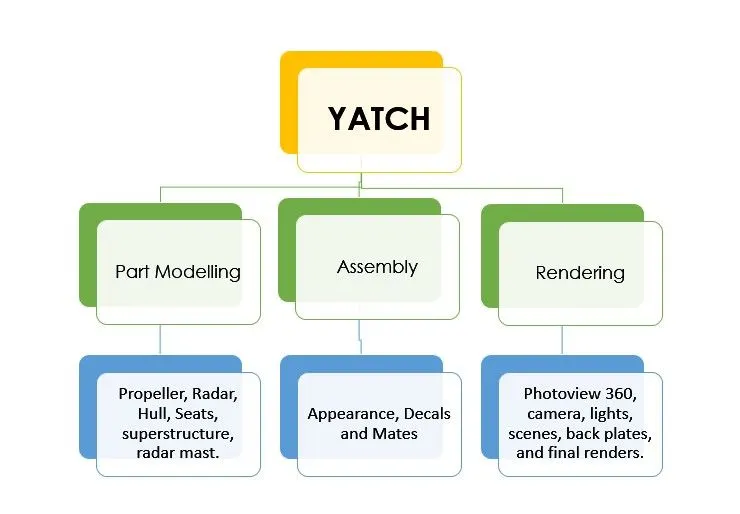
PART MODELLING:
This topic includes designing of various parts required for assembling the entire Sunseeker Predator Yatch.
1. PROPELLER:
A propeller is a type of fan that transmits power by converting rotational motion into thrust. A pressure difference is produced between the forward and rear surfaces of the airfoil-shaped blades, and a fluid (such as air or water) is accelerated by the pressure difference. This inturn helps the yatch to move forward or backward depending on the direction of fan rotation.
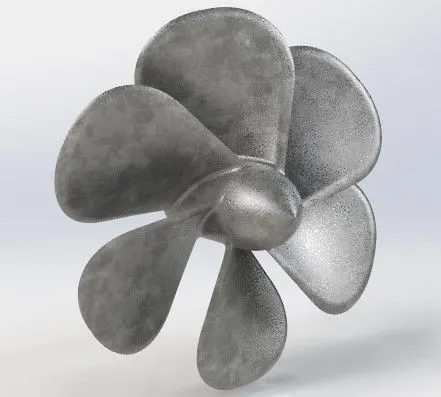
FEATURES:
- Revolve.
- Loft
- Circular Pattern
- Extrude cut
- Fillet
2. RADAR:
A Radar is a device used to identify nearby ships and unknown obstacles to keep passengers and yatch safe from hitting them.
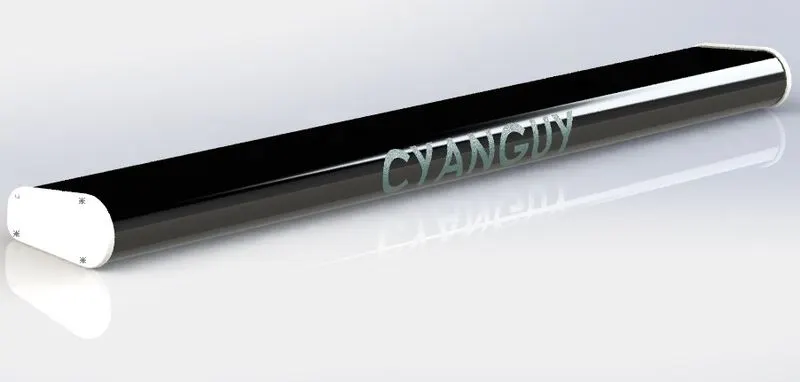
FEATURES:
- Extrude boss/base
- Mirror Objects
- Text Projection on surface
- Fillet
3. RADAR MAST:
Radar Mast holds Radar on top of it which helps it to identify the same using some radio signals.
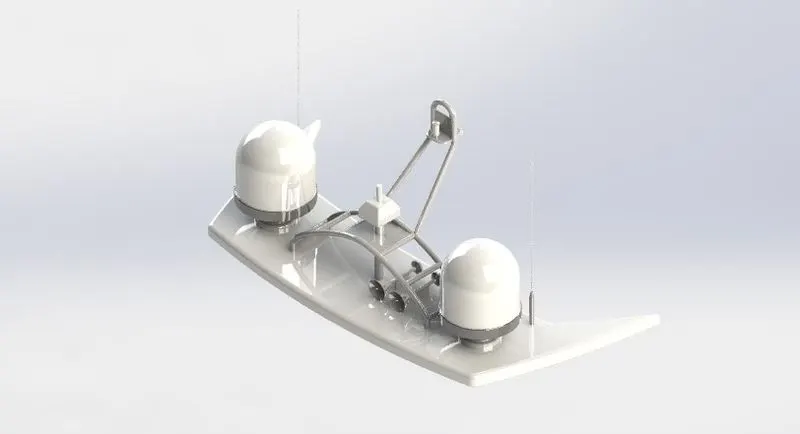
FEATURES:
- Revolve
- Extrude boss/base
- Extrude cut
- Swept boss/base
- Dome.
- Mirror.
- Fillet
- Project Curve
4. HULL:
A hull is the watertight body of a ship or boat. The hull may open at the top, or it may be fully or partially covered with a deck. Atop the deck may be a deckhouse and other superstructure, such as a funnel, derrick, or mast. The line where the hull meets the water surface is called the waterline.
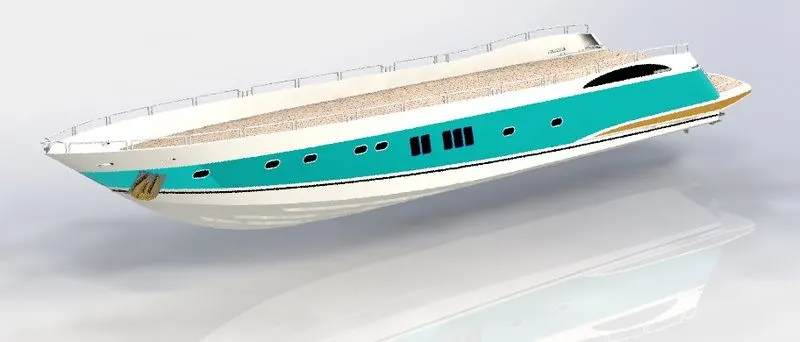
FEATURES:
- Surface loft
- Surface swept
- Geometry patter
- Linear pattern
- knitting
- Surface boundary
- Project curve
- Helix
- Surface offset
- split
- split line
- Shell
- Extrude Cut.
5. SUPER STRUCTURE:
A superstructure is an extended construction of any building or platform that rises above the rest of the building or platform in a distinct manner. superstructure means to add a construction to an already existing structure. In ships this is the name given to the part of the ship that emerges from the deck.
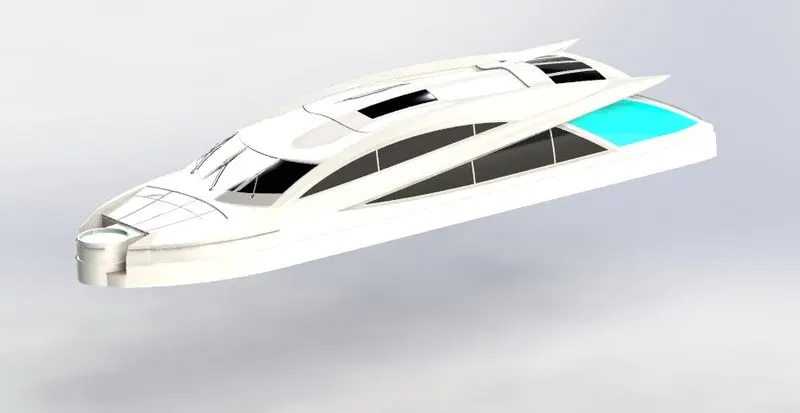
FEATURES:
- Project Curve
- Swept surface
- Surface loft
- Boundary Surface
- Surface extend
- Surface Trim
- Surface knit
- Surface fill
- Delete face
- Surface offset
- Ruled surface
- Thicken
- Split surface
- Cut surface
- Dome
6. FRONT SEAT:
This seat is placed in the front of the yatch for a better ocean view for passengers.
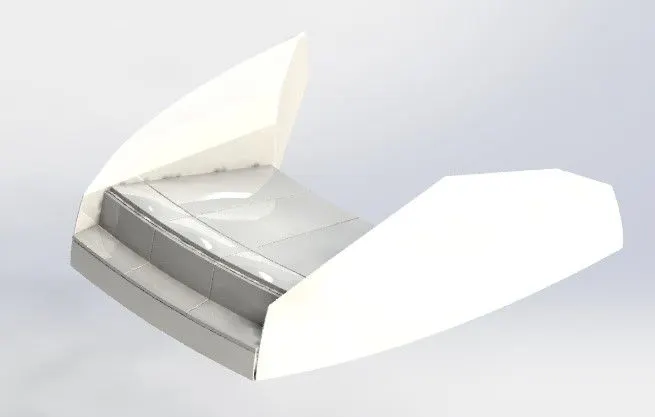
FEATURES:
- Solid extrude
- Extrude cut
- Surface loft
- Dome
- Mirror
- Surface swept
7. MIDDLE SEAT:
This seat is placed in the middle of both front and rear seats. This seat has a table included which makes it a little more comfortable for keeping items.
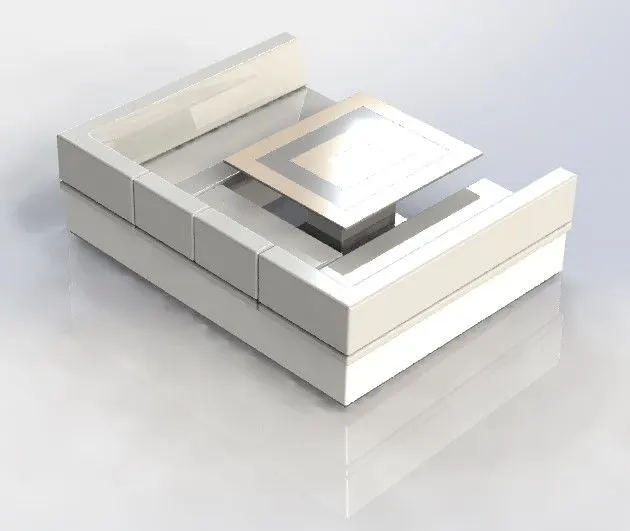
FEATURES:
- Boss Extrude
- Cut Extrude
- Fillet
- Chamfer.
8. REAR SEAT:
This seat is placed in the rear side of the Yatch and can comfort upto 4 people.
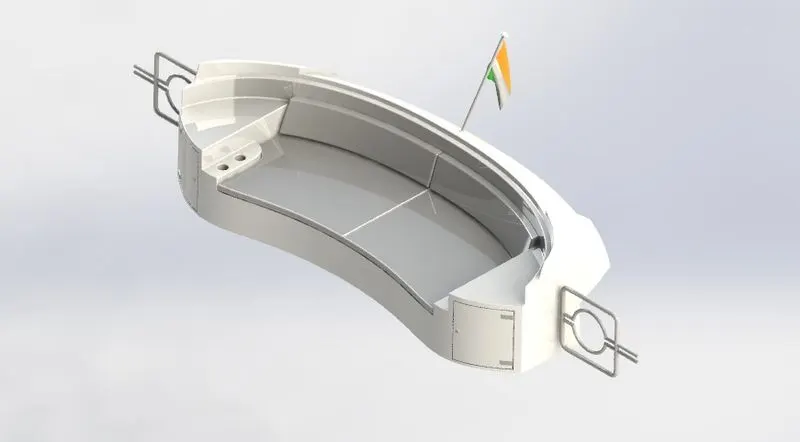
FEATURES:
- Offset surface
- Surface loft
- Surface trim
- Surface knitting
- Extrude cut
- Boss extrude
- Sweep.
- Mirror
9. GARAGE DOOR:
This door is used to prevent water from going inside the garage and destroy the vehicle kept inside.
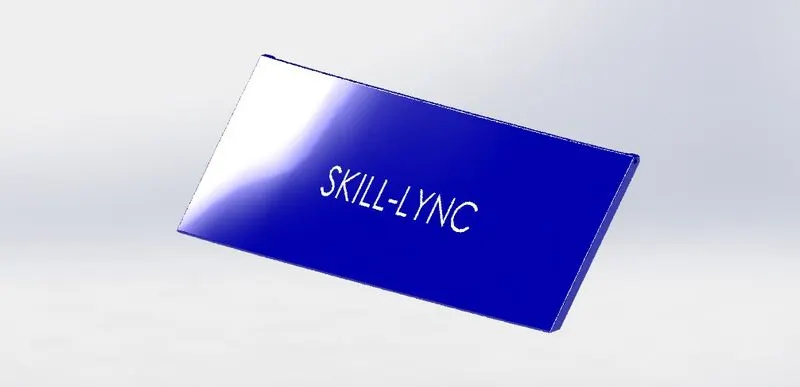
FEATURES:
- Extruded Boss/Base
- Extruded Cut
- Mirror
- Chamfer
- Fillet
- Text Projection
- Shell
ASSEMBLY OF SUNSEEKER PREDATOR YATCH
PROCEDURE:
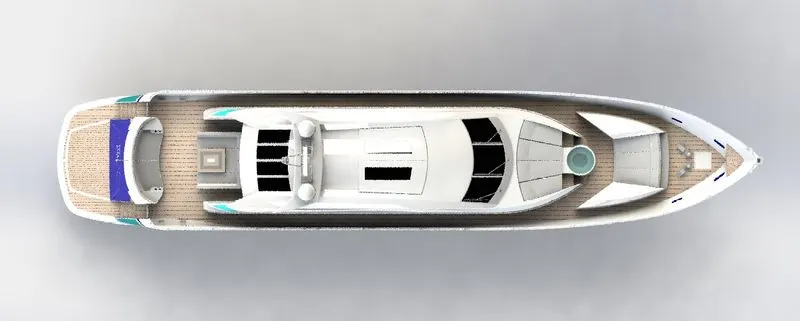
- First of all, all the part model are open in assembly.
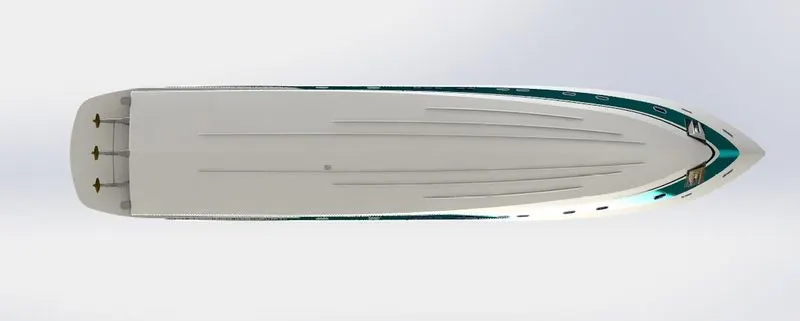
- Then, the Hull part is initially used as the first part.
- After inserting the Hull inside the assembly, click ok to place it in the default plane.
- Insert the other part model one by one and make them mate with each other
- Make sure the part models mates are fully defined.
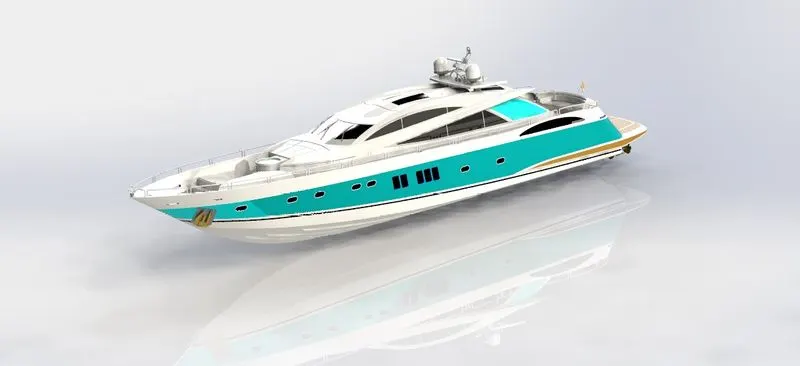
- After mating all parts the Chopper is assembled.
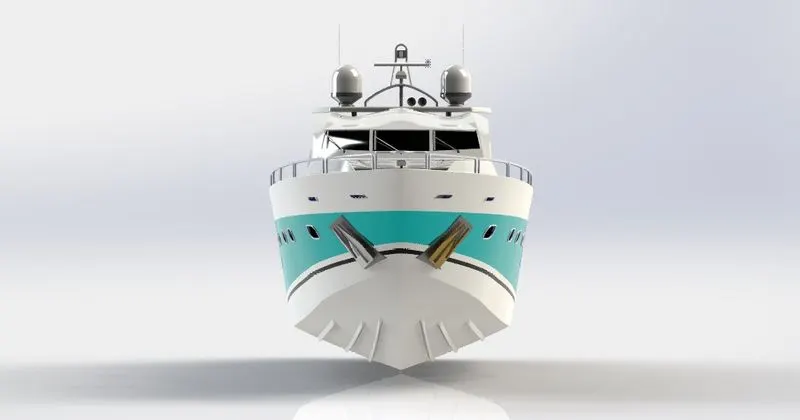
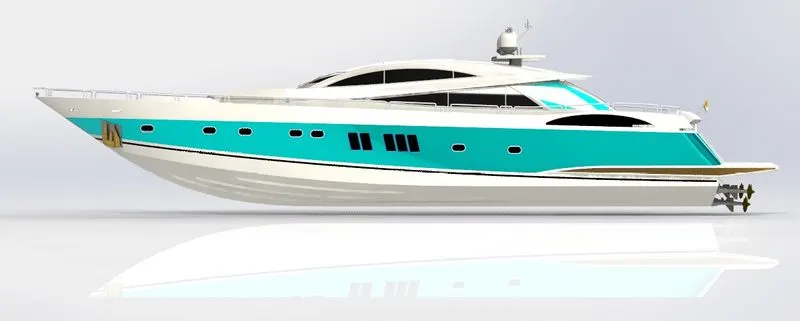
FEATURES:
- Mates
- Appearances
- Decals
MATES:
Mates are used to keep component in relation to one another and produce the resultant product.
Some of the well-known mates are:
- Coincident
- Concentric
- Parallel
- Lock
- Width
- Tangent
APPEARANCES:
For each and every component the appearance is given. In case of Yatch the appearance is chosen as White for primary color in display manager.
DECALS:
Decals are added to chopper to make it more realistic making it a real chopper model. It can be achieved by selecting ‘Add Decals’ under ‘Edit Decal’ option in display manager.
INTRODUCTION TO SOLIDWORKS VISUALIZE
To make a professional level rendering only SolidWorks is not enough. There are applications which pops the product to next level making ultra HD photo quality image. And that is where the SolidWorks Visualize comes into the picture.
SolidWorks Visualize allows to leverage 3D CAD models to create photo quality content in the fastest and easiest way. It also let us to create animations, 360 spins, etc.
By adjusting some options like light and camera and scenes for HD background one can hardly tell the difference between a real image and a photo realistic image done in rendering.
The Version I am using for rendering models is SolidWorks Visualize 2018. While the later version provides additional features as well.
PHOTO REALISTIC RENDERING
Rendering is a process of creating a real life like images of part model by adding scenes, lights, camera views, etc.
It can be done in both
- Photoview 360
- SolidWorks visualize.
Since photoview 360 has limited option available for rendering, solidworks visualize is used since it is created for photo realistic rendering purpose.
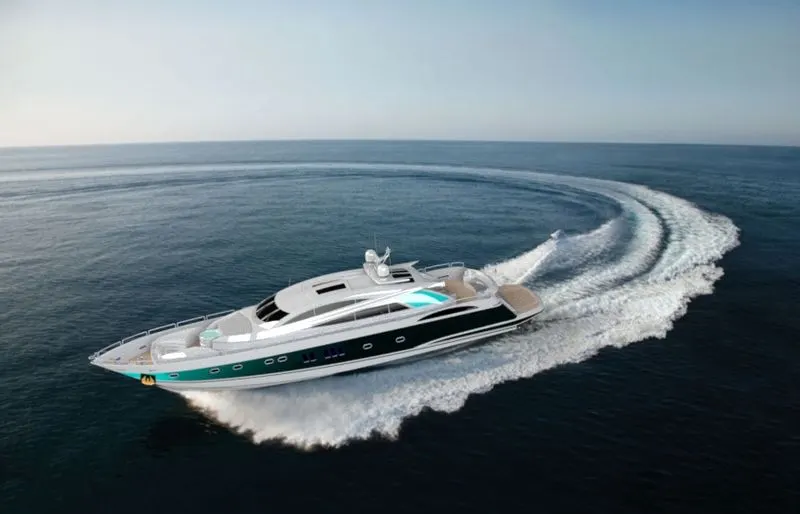
RENDERED IMAGES OF SUNSEEKER PREDATOR YATCH
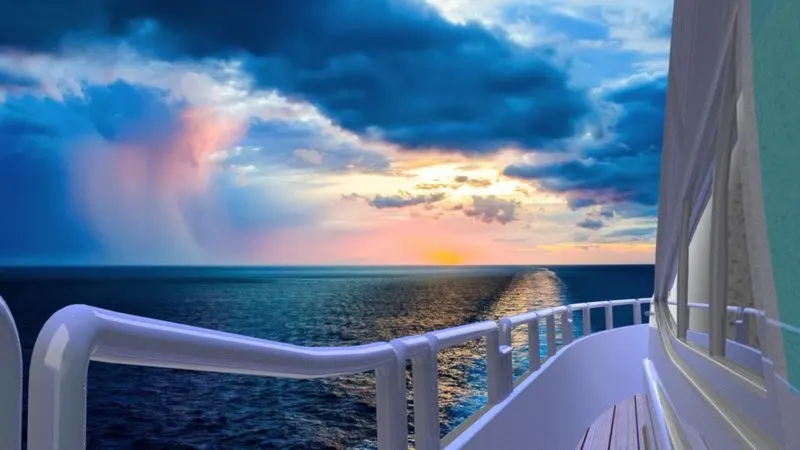
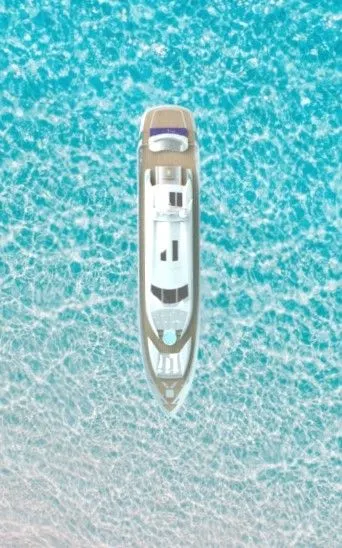
Here are some of my rendered images of Sunseeker predarator yatch. I hope you like them.
CONCLUSION:
- Thus, by using SolidWorks, the part modelling and appearances are successfully designed and pasted in a professional way of approach.
- By Using SolidWorks assembly, Yatch parts are assembled using mates and are fully defined in the software.
- By using Solidworks Visualize, the assembled part of the Yatch is rendered and using camera, setting light and scenes, the Yatch is converted into a photo realistic model.
- By doing this Project, I have learnt the commands, tools and features used in SolidWorks CAD software and SolidWorks Visualize.