Week 8 - Challenge 1 - Draft Analysis on a Fan Cover
OBJECTIVEVE :-
To Draft Analysis on fan cover using Catia V5 Software with suitable Tooling Axis
DRAFT ANALYSIS :-
Drafts are defined on molded parts to make them easier to remove from molds.
There are two ways of determining the objects to draft: either by explicitly selecting the object or by selecting the neutral element, which makes the application detect the appropriate faces to use.
Major Industries use the minimm Draft angle is 3 degrees.
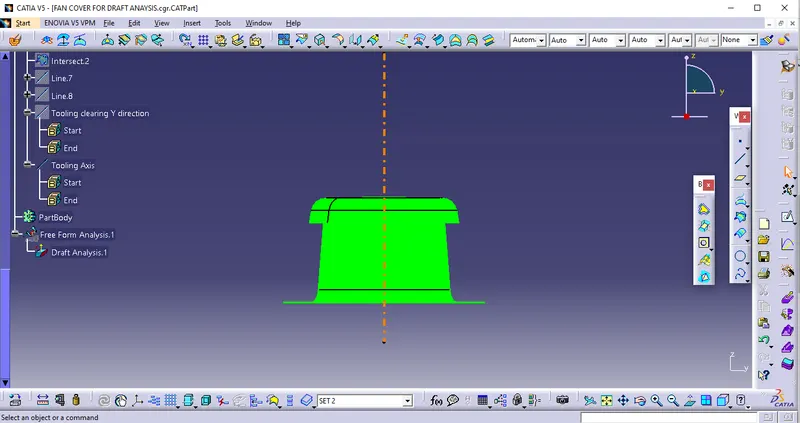
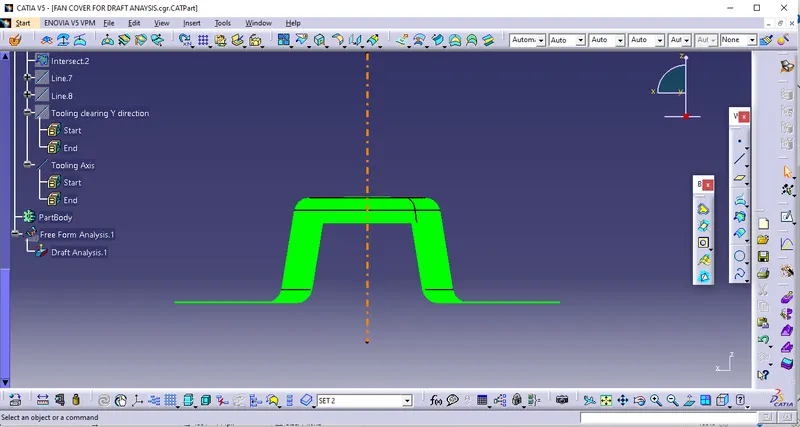
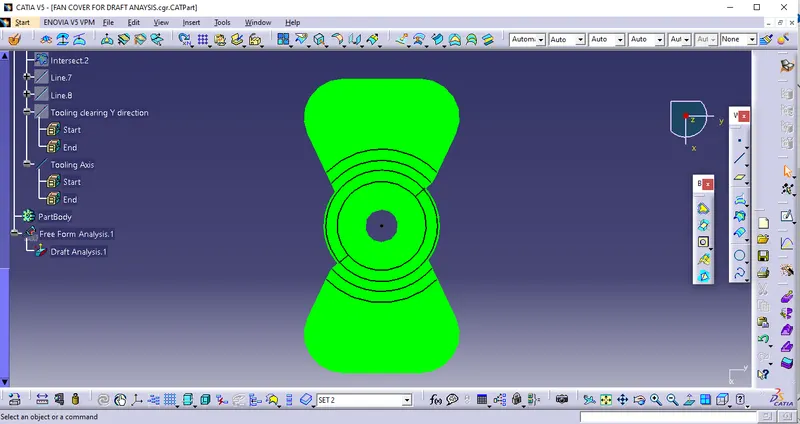
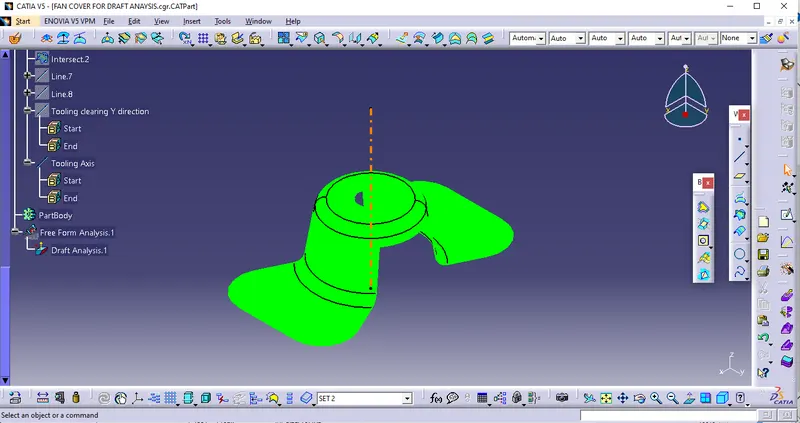
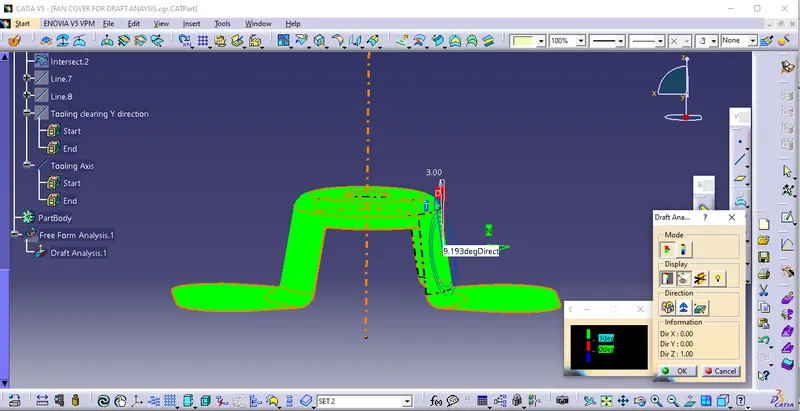
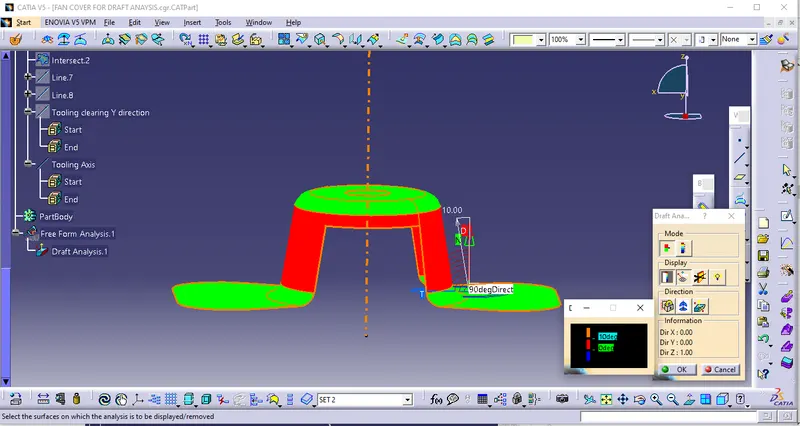
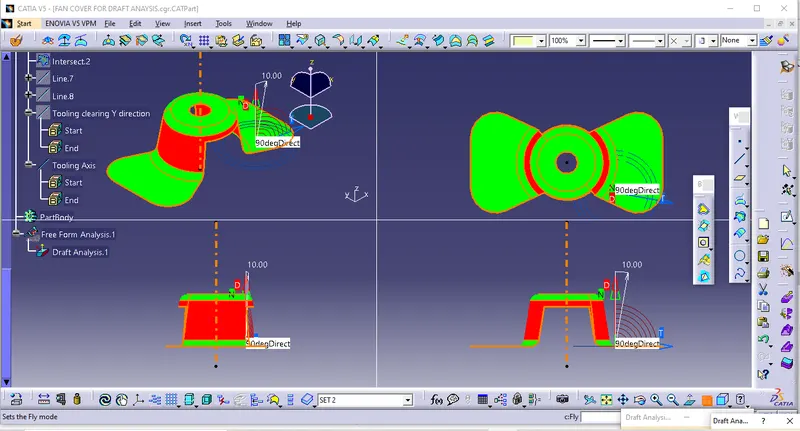
Draft analysis is done after completing the design before starting the production. For plastic parts easy to eject from mold, to reach high productivity the draft angle is an important role in this production. so we did the draft analysis after completing the design. In this draft analysis, we check whether the draft angle for all the surfaces is suitable for production or not. For that Go to insert select analysis in that select feature draft analysis. In the draft, analysis select Use the compass For current draft direction option. Drag the compass and put it on the tooling axis. Now click on the lock option to lock the compass. Now using the mode's set draft angle it shows the color varia
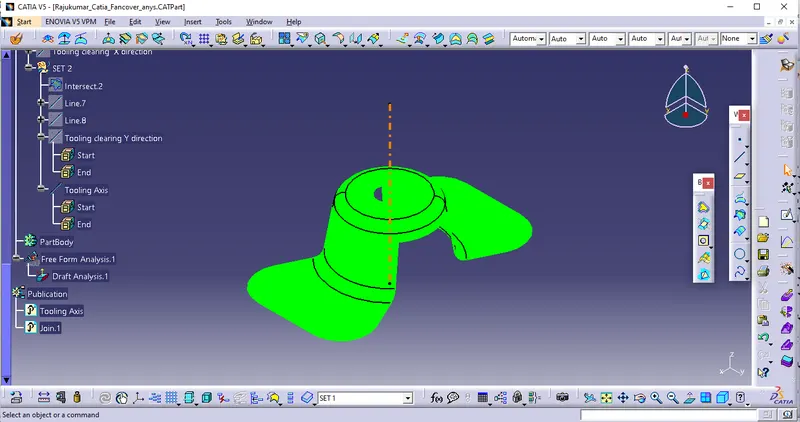
PROCESS OF TOOLING AXIS CREATION -
What is the Tooling Axis ?
Tooling Axis means Direction In which The Mold opens Or Core and Cavity Opens.
Create a Axis system On a Point
Create intersecting line on the ZX- plane and Class -A surface
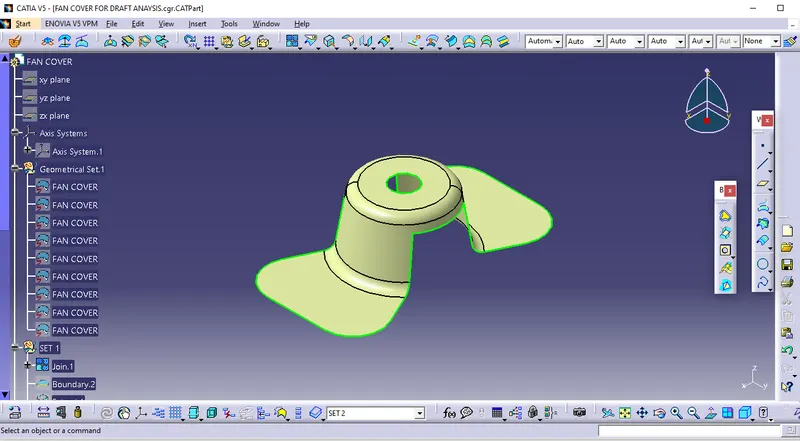
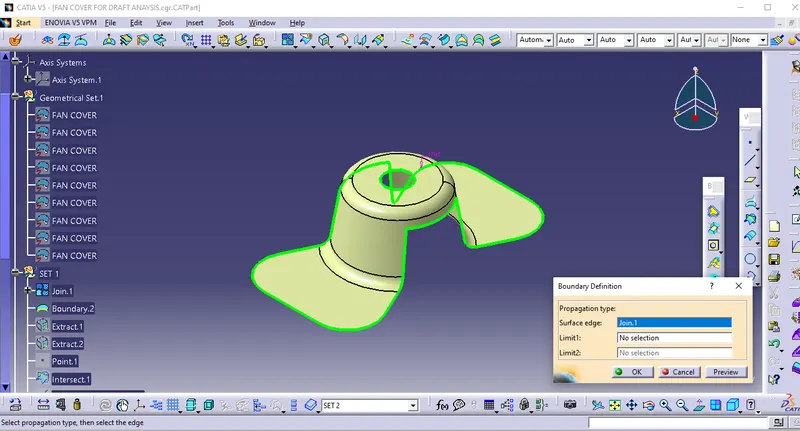
Next, find the tooling axis of the component (Tooling axis is the direction in which the mould opens or the core and cavity opens).
For determining the tooling axis, we have to intersect the component in X and Y planes and create individual axes. Finally, create a bisection of both the X and Y axes to form the final tooling axis.
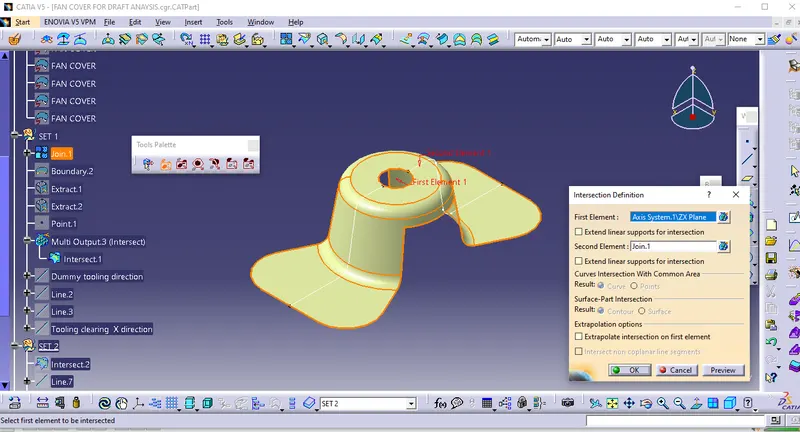
Further produces the lines by using Surface points
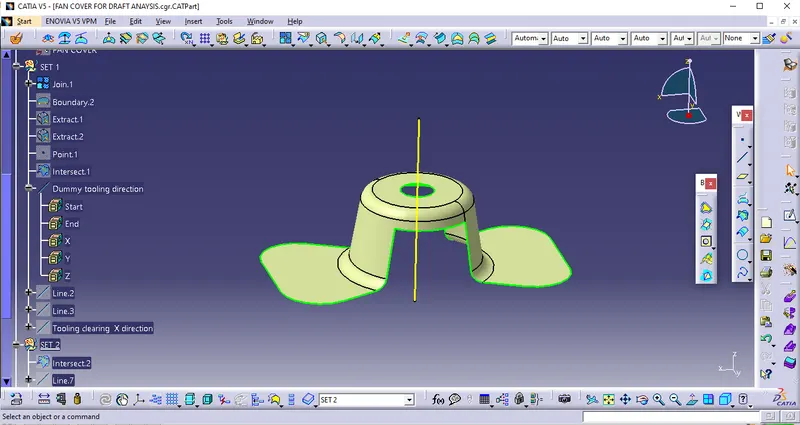
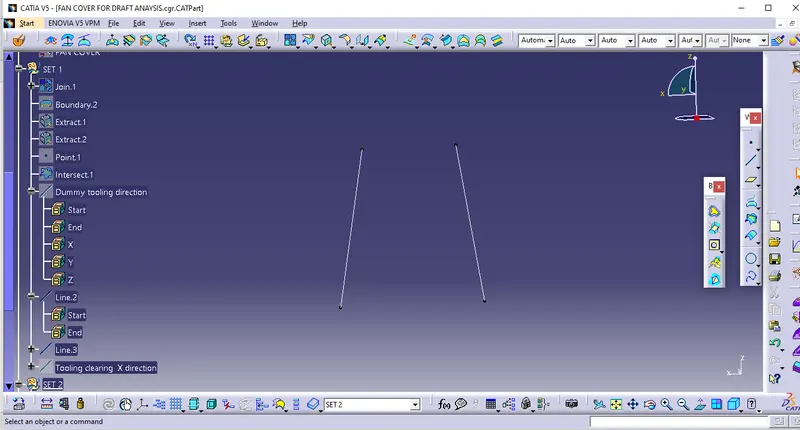
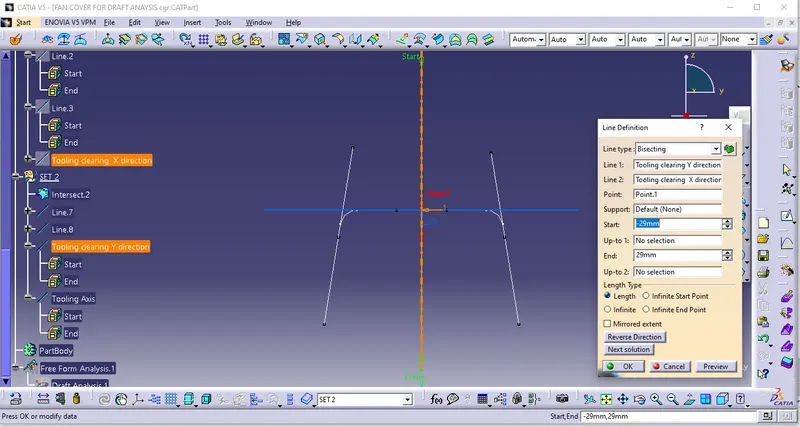
Finally Create the Bisecting line that is called as the Tooling clear in X- Direction.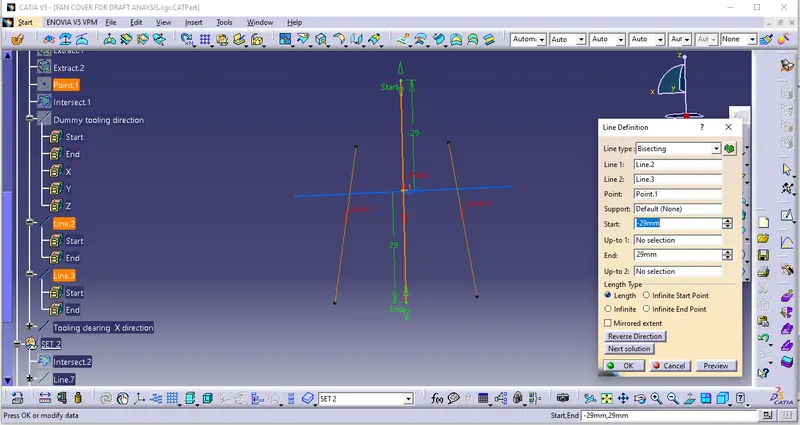
Again we create the Same process on YZ -plane and Class -A surface, further produces the lines by using Surface points, Finally Create the Bisecting line that has the Tooling clear in Y- Direction.
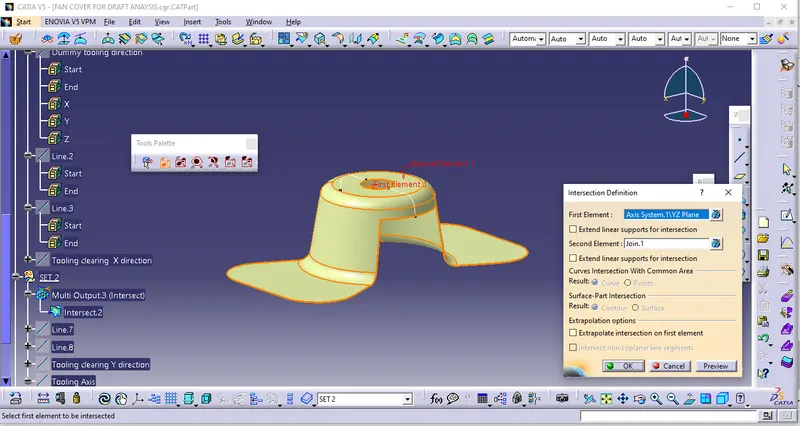
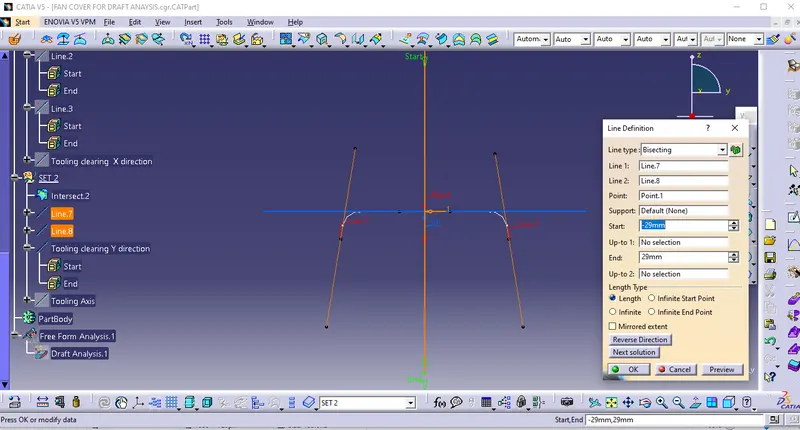
Finally create the bisector line with Tooling clear in X- Direction and Tooling clear in Y- Direction.That Bisector line is Called as the Tooling axis.
PROCESS OF DRAFT ANALYSIS –
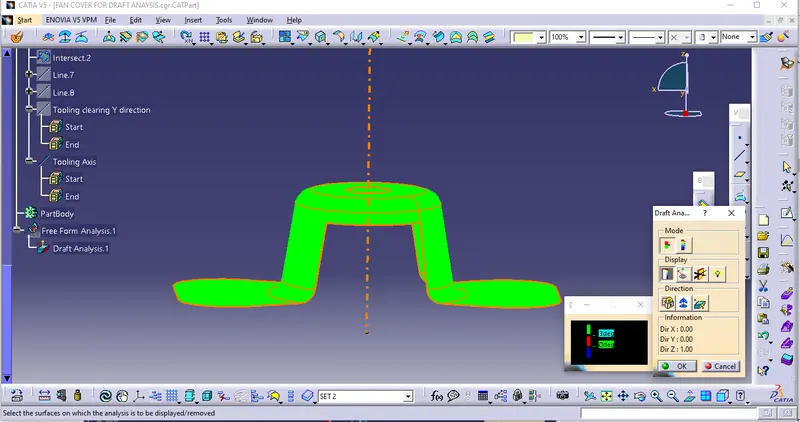
Go for draft analysis (INSERT - ANALYSIS - FEATURE DRAFT ANALYSIS )
This can be done with the dragging of the compass with respect to Tooling axis.
Dragging Method -Begin clicking on the compass direction icon within the draft analysis dialogue box. This will be snap the compass onto the Tooling axis
Publications
Standard Views