Mechanical · PG program

Post Graduate Program inMechanical Engineering Essentials Program

A comprehensive course on programming for Mechanical Engineers using Matlab. This course is highly suited for beginners

Duration
32 weeks
Content
21 hours
Courses
5
Projects
13
Mode
Online
Overview

What you'll
be able to do.

  • This is a fundamental course that teaches the basics of MATLAB.
  • The students will learn to script and solve thermodynamic equations using MATLAB during this course.
  • In this course, the students will learn the fundamentals of python coding with basic commands.
  • Upon completion of this course, students will gain knowledge on understanding the complex coding logic, debug the code and implement the coding logic for real-time applications and for future projects.
  • The course provides fundamental knowledge of multibody dynamics
  • Students will create models in SOLIDWORKS, set up the physical problem, and perform simulations using the Flow Simulations tool.
  • The course helps the student to virtually showcase their work by designing and simulating their ideology in Solidworks
  • The course will introduce the students to the various FEA simulation types in SolidWorks
  • The course will teach Linear/Nonlinear Analysis.

Why this program

  • Students will get to know about various commands and solvers in MATLAB that will be useful for simulating real-world systems and automating the processes.
  • The students can make their coding logic for their simulation projects.
  • This course will strengthen the student's portfolio to get better grants and scholarship opportunities for MS Admits, explore options in Research & Development, and land that much-coveted job in top core companies.
  • A hands-on approach where the various Motion Study tools in SOLIDWORKS will be demonstrated.
  • Introduced to part design and assembly and learn to perform motion analysis on the assembly in SOLIDWORKS
  • The concepts of the Computational Fluid Dynamics (CFD) and the flow Simulation tools in SOLIDWORKS.
  • The student will learn how to perform FEA analysis using the Solidworks Simulation module. the students will also be given a brief introduction to the FEA method of solving problems.
  • After pursuing this course, the students can either opt to pursue higher education or can explore many job opportunities in this domain.
  • Higher education can be pursued in:
    • Machine Learning
    • Computer Science
    • Mechatronics
    • and many other subjects.
  • They can work for any company where programming is needed. IT/ITeS industry requires many people with this knowledge.
Tools you'll use
MATLABSOLIDWORKSPython
Curriculum

5 courses,
33 modules.

Get the full syllabus ↓
  1. 01FEA using SOLIDWORKS10 modules
    1. Introduction to FEA W01
      • What is FEA?
      • Different types of Analysis Methods
        1. Analytical Method
        2. Experimental Method
        3. Numerical Method
      • FEA explanation with cantilever beam
      • Stress-Strain plot
      • General steps followed in FEA
      • Mesh elements
        1. H-refinement
        2. P-refinement
      • Summary
    2. Introduction to Types of FEA analysisW02
      • Structural Analysis
      • Static Analysis
      • Dynamic Analysis
      • Difference between Static and Dynamic Analysis
      • Linear and Nonlinear Analysis
    3. Introduction to SOLIDWORKS Simulation EnvironmentW03
      • Important SOLIDWORKS modelling features
        • SOLIDWORKS Sketch
        • SOLIDWORKS Features
      • Introduction to SOLIDWORKS Simulation
      • Performing a Simple Cantilever Load Analysis
    4. Performing Basic FEA Analysis using SOLIDWORKS SimulationW04
      • Static Linear Analysis
      • Static Nonlinear Analysis
      • Dynamic Linear and Nonlinear Analysis
    5. 1D/2D and 3D FEA AnalysisW05
      • Situations where 1D, 2D and 3D simulations are used
      • Performing 1D simulation in SOLIDWORKS
      • Performing 2D simulation in SOLIDWORKS
      • Performing 3D simulation in SOLIDWORKS
    6. Parametric/Design StudyW06
      • What is a parametric study and why is it used?
      • Advantages of performing a parametric study
      • How to access parametric study in SOLIDWORKS?
      • Performing a parametric study on a wine bottle
    7. Buckling AnalysisW07
      • What is buckling?
      • Difference between bending and buckling
      • Relationship between buckling shape and types of fixtures
      • Performing a buckling analysis in SOLIDWORKS
    8. Fatigue AnalysisW08
      • What is a Fatigue Analysis?
      • Applications of Fatigue Analysis
      • Application of SN Curve in Fatigue Analysis
      • Endurance Limit
      • Stress Analysis of S-hook
      • Fatigue Analysis of S-hook
        • Constant Amplitude Fatigue Study
        • Variable Amplitude Fatigue Study
        • Harmonic (Fatigue of Sinusoidal Loading)
        • Random Vibration (Fatigue of Random Vibration)
    9. Drop TestW09
      • What is a drop test?
      • How do you access drop tests in SOLIDWORKS?
      • Performing a drop test of a PCB board
      • Discussion of results
    10. Frequency AnalysisW10
      • Reason for Performing a Frequency Analysis
      • Natural Frequency and Resonance
      • Mode Shapes
        Types of Solvers in SOLIDWORKS Frequency Analysis
      • Frequency Analysis of Support Brackets
      • Discussion of Results
  2. 02Flow Simulation using SolidWorks6 modules
    1. Introduction to CFD and SOLIDWORKS Flow SimulationW01
      • An Introduction to the Concepts of Computational Fluid Dynamics (CFD)
    2. Steady-state Simulation of a Pipe FlowW02
      • You will learn to model simple geometry using SOLIDWORKS.
      • You will also learn how to set up a fluid study in SOLIDWORKS, and understand the necessary boundary conditions, along with the initial conditions to run the simulation.
      • In this module, you will learn how to change the mesh settings as well.
      • Also, the following topics are covered in this week,
        • Simulating flow through a pipe.
        • Parametric studies and grid dependency tests.
        • Concepts of global maxima and global minima.
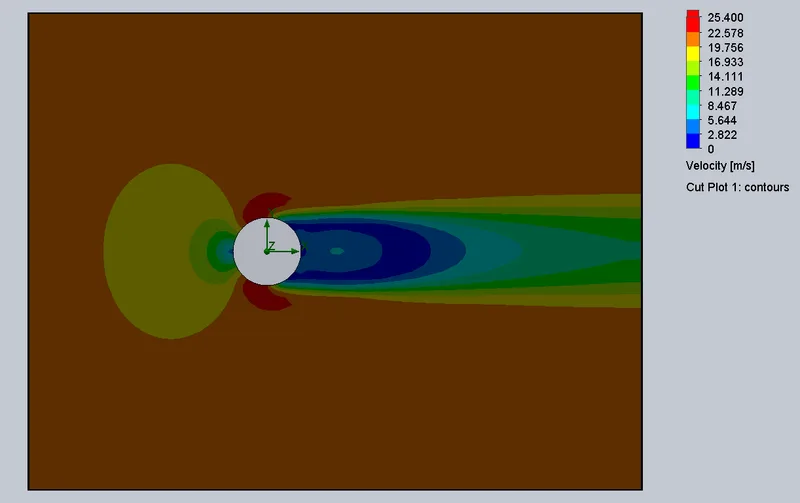
    3. Transient Flow Simulation of Flow over a CylinderW03
      • You will be introduced to the concepts of external simulation and transient analysis. You will be learning how to calculate the total flow time and output time step.
    4. Flow Over an AirfoilW04
      • You will learn how to import the NACA airfoil data into SOLIDWORKS to create airfoil geometry.
      • You will also learn how to
        • Simulate the flow over a 2D NACA airfoil.
        • Calculate the drag and lift forces for the various angles of attack.
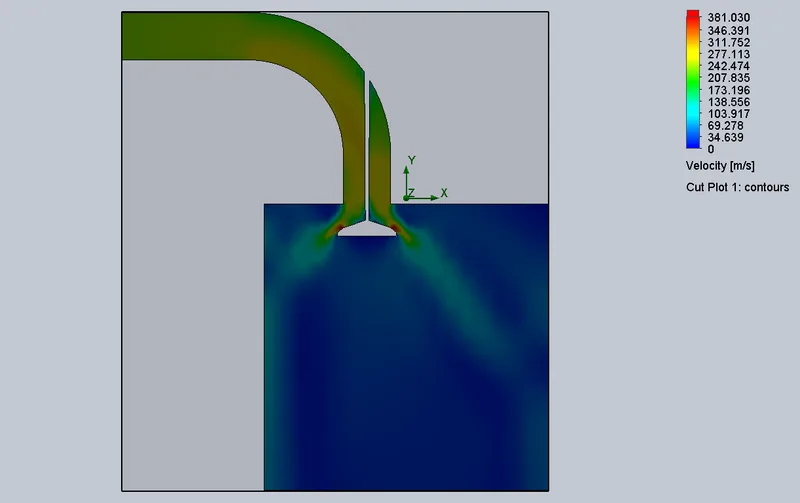
    5. Flow over an IC Engine ValveW05
      • You will be learning the effect of the valve lifts over the mass flow rate. You will learn how to create flow trajectories.
      • And perform the following calculations,
        • Perform transient analysis at different valve lifts
        • Create a plot of lift vs mass flow rate
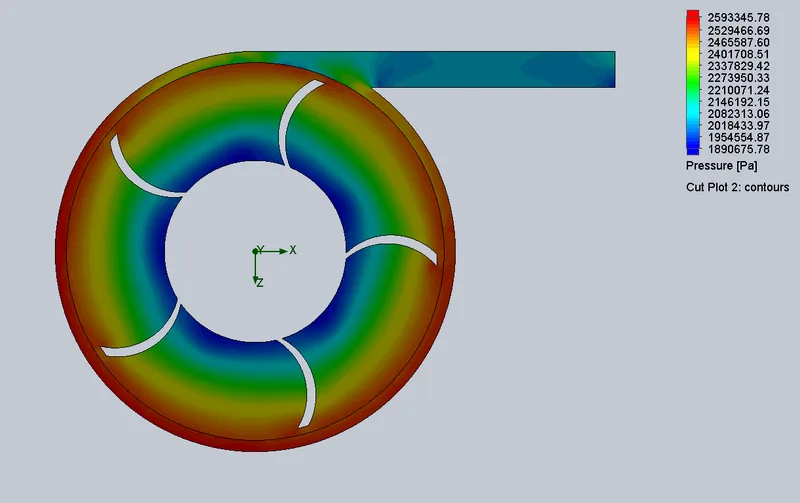
    6. Flow-through a Simple Centrifugal PumpW06
      • In this module, you will be introduced to the concept of a moving reference frame while also learning about the rotating body feature in SOLIDWORKS.
      • You will complete the following projects within this module:
        • Using the MRF approach to simulate flow through a centrifugal pump
        • Plotting a pump performance curve
  3. 03Multi Body Dynamics using SolidWorks (Engineering Analysis)5 modules
    1. Design and MBD Simulation on Geneva MechanismW01
      • You will be introduced to motion study in SOLIDWORKS.
      • You will learn the concepts of the Geneva mechanism and their types.
      • You will also learn how to model and assemble the external Geneva mechanism, and how to perform a motion study on it.
      • You will learn how to plot the contact force between the parts.
      • In this module, you will study the following,
        • Understanding the basics of modeling and assembling in SOLIDWORKS
        • Pre-processing the model for the motion analysis and running a simulation
        • Post-processing the simulation to get the results as plots
    2. Design and MBD Simulation on a Machine ViceW02
      • You will be introduced to the machine vice and will learn to model and assemble the machine vice
      • You will learn about screw mates and how to perform motion studies on it
      • These are the things you will learn in this module:
        • Introduction to the screw mate
        • Tracing the displacement of the movable jaw
    3. Design and MBD Simulation on Planetary Gear TrainW03
      • You will learn the concepts of the planetary gear train and gear terminology.
      • You will learn how to import the standards gears in SOLIDWORKS to do the motion study.
      • Topics given below will be covered in this module:
        • Learning the basic gear terminology to model a gear
        • Understanding the speed and torque variation
        • Learning about the application of gear mate
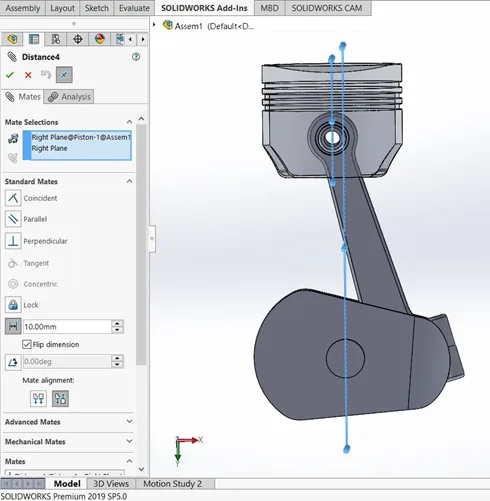
    4. Design and MBD simulation on IC engine Piston AssemblyW04
      • You will learn about the concepts of the IC engine piston kinematics and you will learn how to design and do the motion study.
      • You will study the following in this module
        • Understanding the effect of wrist pin offset in the piston displacement.
        • Assigning the material to the parts
    5. Design and MBD simulation on IC Engine Valve TrainW05
      • You will learn to model the IC engine valve train.
      • You will learn the effect of spring in the valve train.
      • You will learn how to calculate the cam lift and will design the cam based on it
      • These are the topics you will study in this module,
        • Understanding the application of the CAM
        • Performing a calculation to model the CAM as per the valve lift specifications.
        • Studying about the damping coefficient and the free length of spring
  4. 04MATLAB for Mechanical Engineers6 modules
    1. Introduction to MATLABW01

      MATLAB has a series of commands and functions that instruct the program to perform a task. Just like any other programming language, it has a syntax that defines the rules of the symbols and characters used to write a code. It is important for learners to understand the MATLAB syntax, basic commands, and functions to write effective programs.

      This week will cover

      • MATLAB syntax and commands
      • Methods and ways to use commands in different scenarios
      • Manipulation of calculations and comparisons
      • Use of arrays.
      • Functions (plotting, creating animations, creating figures, and more)
    2. Forward Kinematics SimulatorW02

      Forward kinematics is the process of determining the position of a robot’s end-effector by using kinematic equations with known values of angular velocities and joint parameters. It is important for learners to understand how MATLAB can be used to determine the unknown values in the kinematic equations, as well as simulate the movement of the manipulator.

      This week will cover

      • Manipulator motion using ImageMagick
      • Simulation of a 2R robotic arm manipulator
      • Creating a movie clip with the spatial motions of a robotic arm
      • ‘For’ loop in programming
      • Working of the “hold on” command
      • Arrays and linspace commands
    3. Air Standard Cycle SimulatorW03

      The air standard cycle considers air as the working fluid which goes through heat addition and heat rejection. This is a thermodynamic closed loop cycle in which heat energy is converted into mechanical power. By using MATLAB, the pressure and volume diagram of air standard cycles can be plotted and simulated. It is important to understand how to solve for the kinematic equations involved in the air standard cycle, and how to plot the diagram using MATLAB.

      This week will cover

      • Solving piston kinematics equation to calculate volume trace
      • PV diagrams for different operating conditions.
      • Thermodynamic relationships
      • Pressure-volume variations
      • Order of the program
      • Plots & legends used in the graphs
      • Piston kinematics
    4. Vibrations and DynamicsW04

      Vibrations and dynamics are at the core of physical systems. Most mechanical engineering systems are dynamic in nature. These systems can be represented by equations of motion that form a set of ordinary differential equations (ODEs). It is important for learners to understand how to solve these ODEs, and their application in a real-world context.

      This week will cover

      • Backward difference formula (BDF) and forward difference formula (FDF) methods to solve ODEs
      • Real use of differential equations
      • How differential equations relate to real-world applications
      • Solving differential equations
      • ODE solvers, syntax of ODEs, and various supplementary commands
    5. Curve Fitting and RegressionW05

      Curve fitting is used to understand the relationship between different variables by constructing a curve that fits best through a series of data points. Regression analysis identifies the strength of the relationship between two or more variables. This lets engineers understand the relationship between system input and output, as well as predict how the system will behave in the future. Curve fitting and regression can both be done using MATLAB. It is important to understand curve fitting and regression analysis when working with physical systems in MATLAB.

      This week will cover

      • Polynomials and their best fits
      • PolyFit and PolyVal commands
      • Calculating errors
      • Sum of squares regression (SSR)
      • Sum of squares error (SSE)
      • Sum of squares total (SST)
    6. Genetic AlgorithmW06

      The genetic algorithm is based on Charles Darwin’s theory of natural selection in which each step identifies the ‘best’ set of parents to reproduce children. Overtime, the continuous process of doing this yields an optimal population. In the same way, the genetic algorithm can be applied to optimization problems and performed using MATLAB. It is important for learners to understand the genetic algorithm, and how it can be used as an optimization technique.

      This week will cover

      • Optimization techniques
      • Working of the genetic algorithm
      • Genetic algorithm syntax and finding the global maxima
      • Stalagmite functions and how it works
      • Population size, number of generations, fitness value, and termination of further generations
  5. 05Python for Mechanical Engineers6 modules
    1. Introduction to PythonW01
      • This module provides an introduction to Python using different mathematical operations and performing operations such as,
        • Array manipulations
        • Plotting and understanding the relationship between 2 variables
        • Looping using one or more looping conditions
    2. Plotting and VisualizationW02
      • In this module, you will write programs that plot the p-v line of an air standard cycle and also create animations for a robotic arm with 2 degrees of freedom and simulate the motion of a pendulum.
        • In this module, you will learn the following,
          • Understanding the relationship between 2 variables using plots
          • Saving plots and creating animations using ImageMagick
          • Using tables
    3. Solving Dynamic EquationsW03
      • In this module, you will learn to solve ordinary differential equations using the SciPy module. This is of particular interest since differential equations govern the equations of motion for various mechanical systems and this method can be used to numerically solve initial value problems.
        • Using odeint to solve initial value differential equations
        • Create a pendulum using the available coordinates
        • Plotting and saving images
        • Creating an animation using ImageMagick
    4. Curve Fitting and RegressionW04
      • In this module, you will learn how to perform curve fitting using Python.
      • Curve fitting finds widespread use in predicting the relationship between different variables for which an existing relationship doesn’t exist.
      • Furthermore, curve fitting can also be used as a predictive tool in machine learning and AI to predict what will happen in the future using the trend of the plot.
      • Students will learn about,
        • Curve fitting using the SciPy module
        • Learning how to check how well the data has been fitted
    5. Understanding Iterative SolversW05
      • This module covers iterative solvers, which find widespread use in the solution of polynomial equations, and other aspects like understanding how to obtain the solution in the most optimised manner possible.
      • This module also explains,
        • How to use an iterative solver
        • How to use while loops?
    6. Data AnalysisW06
      • The final module of the coursework deals with data manipulation, which is used in many industries like CAE and CFD to post-process the results from the simulation.
      • This is particularly useful if the same simulation is run multiple times for different configurations, and this code can be used to obtain the data automatically.
      • At the end of this module, you will be able to,
        • Take data from a file and manipulate the data to create meaningful plots.
        • Make the necessary calculations.
        • Automate the post-processing procedure.
Industry projects

13 projects
you'll ship.

Our projects are designed by experts in the industry to reflect industry standards. By working through our projects, Learners will gain a practical understanding of what they will take on at a larger-scale in the industry. In total, there are 13 Projects that are available in this program.

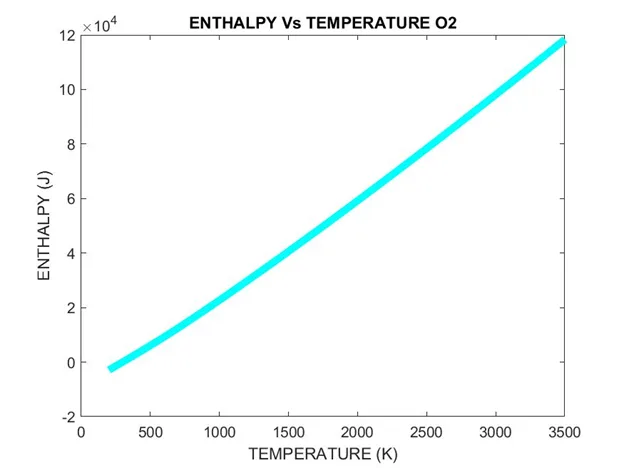
Extracting Data from NASA Thermo.dat File
MATLAB for Mechanical Engineers

Extracting Data from NASA Thermo.dat File

Learners are required to write a code that can read the NASA-II polynomial file and calculate thermodynamic parameters. They will have to extract the data from the NASA Thermo.dat …

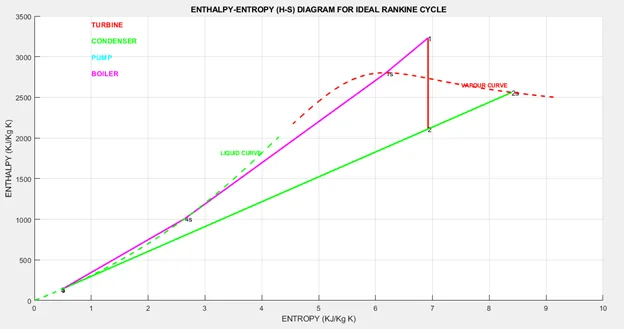
Extracting Steam Properties using Rankine Cycle Simulator
MATLAB for Mechanical Engineers

Extracting Steam Properties using Rankine Cycle Simulator

Learners are required to use the XSteam library file to determine the properties of steam under various conditions. They will have to find the Enthalpy and Entropy at various state…

Breaking Ice with Air-Cushion Vehicle
Python for Mechanical Engineers

Breaking Ice with Air-Cushion Vehicle

In this project, you will learn to use the Newton-Raphson method. Here, you'll understand the effects of using a relaxation factor and learn how to use plots and tables to visualiz…

Data Analysis
Python for Mechanical Engineers

Data Analysis

In this project, you will learn how to manipulate the data from a given text file and create plots for different variables based on user input.

Design and MBD Simulation on IC Engine Valve Train
Multibody Dynamics using SolidWorks

Design and MBD Simulation on IC Engine Valve Train

In this project, the student will model IC engine valve trains and assemble them. They will also calculate the cam lift required and design the cam to achieve the same.

Design and MBD simulation of Shaper Machine
Multibody Dynamics using SolidWorks

Design and MBD simulation of Shaper Machine

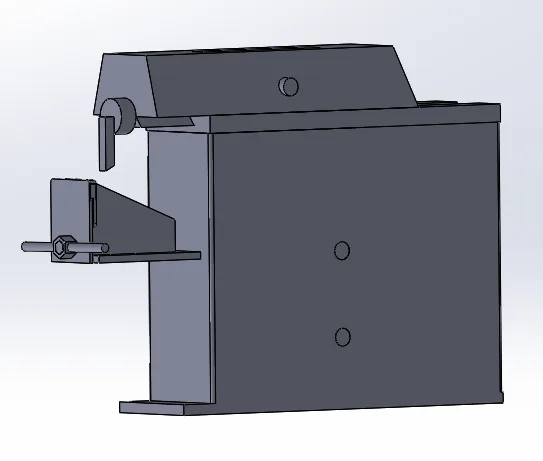
This project is about analyzing the motion and design optimization of a shaper machine. Here, the students will design the components of the shaper machine and optimize them to ach…

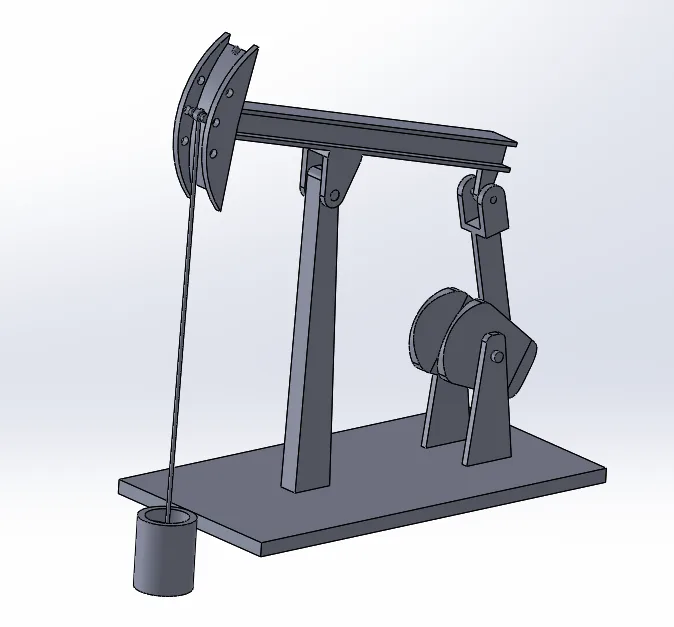
Design and MBD simulation of Pumpjack
Multibody Dynamics using SolidWorks

Design and MBD simulation of Pumpjack

In this project, the students will design all the parts of a pumpjack and assemble them. They will simulate the same for extracting the displacement data.

 Transient flow simulation of flow over a cylinder
Flow Simulation using SolidWorks

Transient flow simulation of flow over a cylinder

In this project, students will be asked to simulate a transient flow over a cylinder. They will employ external flow simulation techniques and analyze the results.

 Modeling and simulation of flow through flow-bench
Flow Simulation using SolidWorks

Modeling and simulation of flow through flow-bench

In this project, the students will study the valve flow for various valve lifts. They will run simulations and analyze the flow parameters.

Design and analysis of centrifugal pump
Flow Simulation using SolidWorks

Design and analysis of centrifugal pump

In this project, students will simulate the flow of water inside a centrifugal pump. They will be asked to analyze the flow and compare the relationship between pressure ratio and …

Buckling Analysis
FEA using SOLIDWORKS

Buckling Analysis

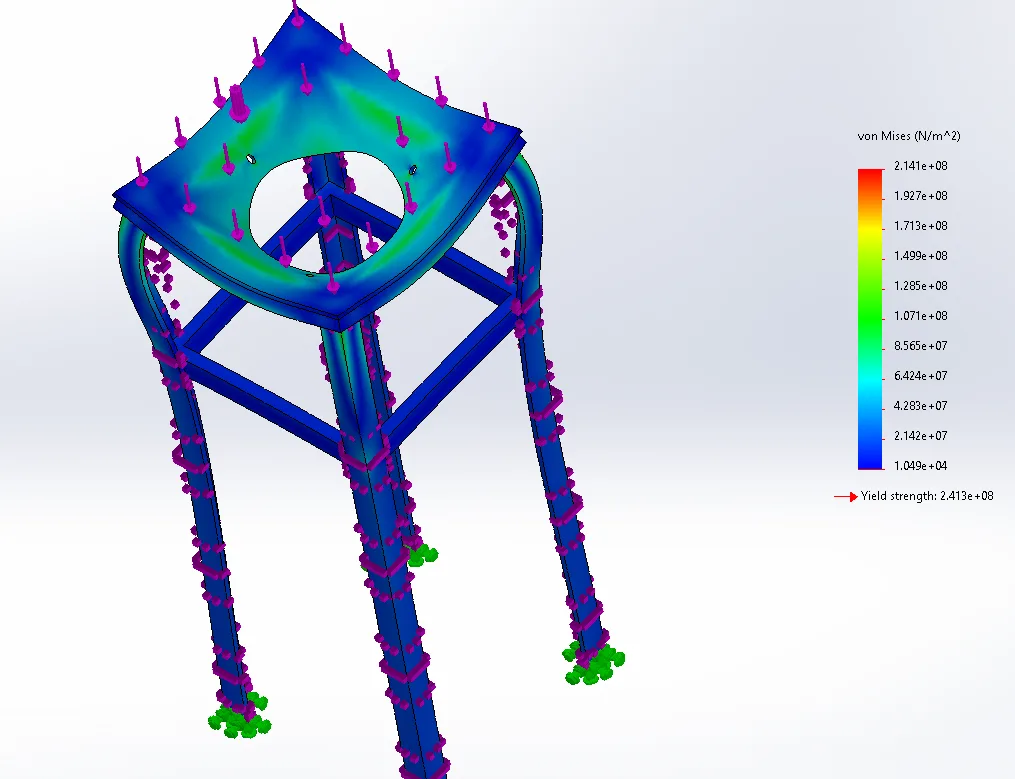
In this project, the students will be asked to perform buckling analysis on a cyclonic separator table.

Multibody Simulation of an IC Engine Piston Assembly
Multi Body Dynamics using SolidWorks (Engineering Analysis)

Multibody Simulation of an IC Engine Piston Assembly

In this project, the student will model the various components of an IC Engine. They will also perform motion analysis by using Solidworks Motion.

+ 1 more projects in the full syllabus

Fee

One fee.
Everything included.

Become job ready with our comprehensive industry focused curriculum for freshers & early career professionals

Premium
₹2,75,000
Inclusive of all chargesEMI from ₹14,375/month
  • Career Service Assurance
  • Personalized Career Services Mentorship
  • 1 Year Access
  • Personalized Page
  • Live Individual & Group Sessions
  • Personalized & Hands-On
  • Job-Oriented Industry Relevant Curriculum
Check eligibility →
FAQ

Questions,
answered.

Can you tell me the duration of this course at Skill-Lync?

The duration of this online certification course is five months.
Can I make the fee payment in instalments for this learning program?

Yes, the fees structure at Skill-Lync is pretty flexible.
Who can apply for this certification course online at Skill-Lync?

All mechanical engineering students and graduates can apply for this course.
Is there any age limit for a student to join the course?

There is no applicable age limit on a student for joining the course
Will I get proper doubt and queries solving support?

Yes, queries and doubts are duly answered by our technical support engineers.
Will I get any certifications upon course completion?

Yes, you will get a Skill-Lync certificate upon course completion.
Is this an online course?

Yes, this is a 100% online course.
Next step

Not sure it's
the right fit?

A counsellor will walk you through the syllabus, projects and fee options — and tell you honestly if another course suits you better.

Get the syllabus + a call back

We'll email the full syllabus and call within one working day.

By submitting you agree to our Terms and Privacy Policy.

Call usEnquire

Talk to a career counsellor

Free 20-minute call. We'll map the right course to where you want to work.

By submitting you agree to our Terms and Privacy Policy.