Mechanical · PG program

Post Graduate Program inComputational Fluid Dynamics

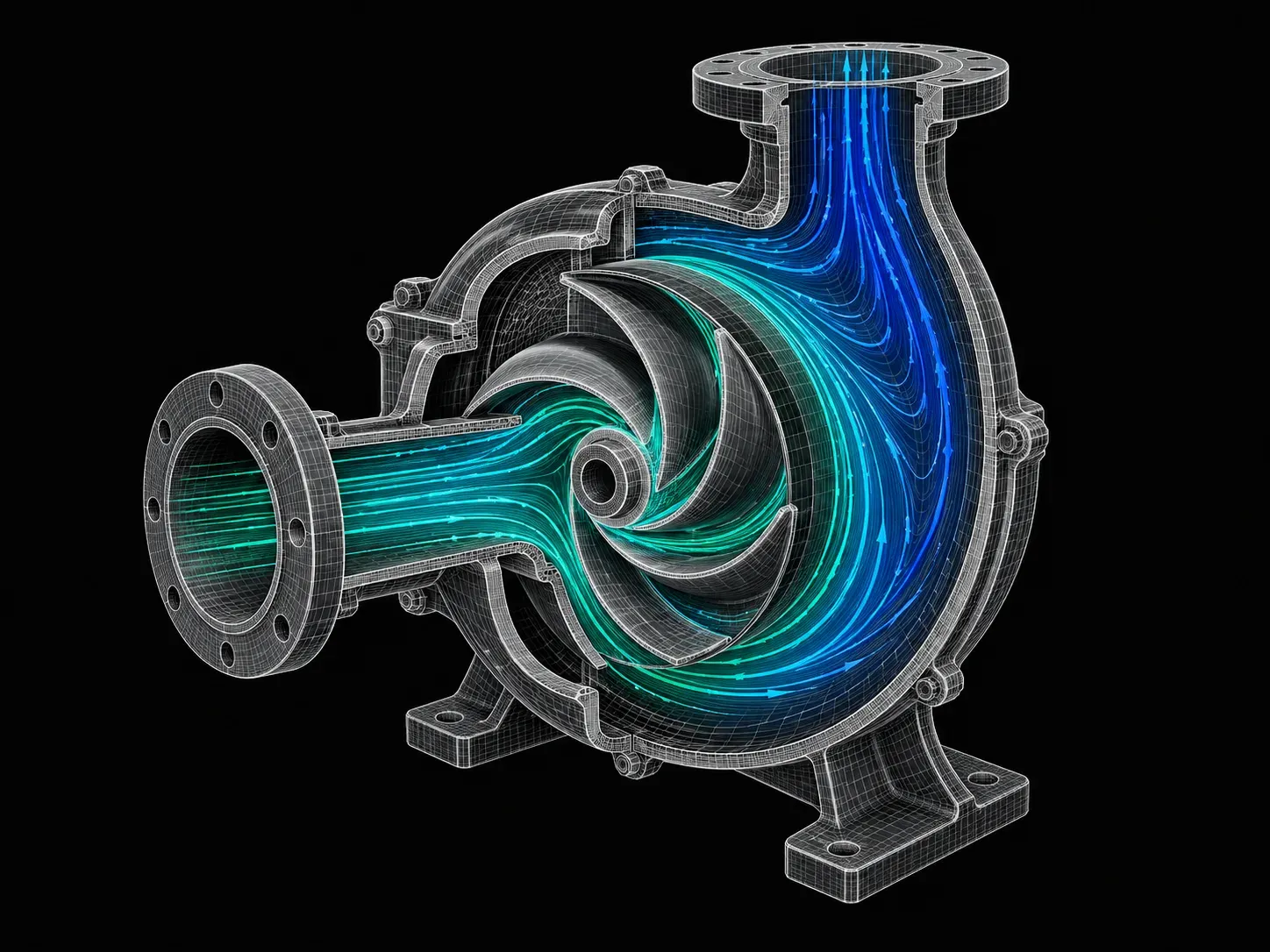
An exhaustive CFD certification course that covers everything from the basics of CFD solver development to its applications using Matlab/Octave, Python, CONVERGE-CFD, and Ansys Fluent. This CFD training course is ideal for beginners.

★ 4.8· 32 reviews

Duration
48 weeks
Content
125 hours
Courses
10
Projects
28
Mode
Online
Overview

What you'll
be able to do.

  • This course gives you hands-on training in CFD coding.
  • After completing this course, students will be able to write simple solvers and turbulence models in MATLAB and OpenFOAM framework.
  • They will be able to perform CFD meshing in ANSA and simulate and solve advanced CFD problems in different fields using CONVERGE.
  • This course enables them to understand and improve engine calibration, performance and emission using GT-POWER & GT-SUITE.
  • Key tools such as OpenFOAM, MATLAB, C++, ANSA, ANSYS Fluent, CONVERGE, GT-POWER and GT-SUITE are taught.

Why this program

  • Hands-on training in CFD coding
  • Ability to write simple solvers and turbulence models in MATLAB and OpenFOAM framework
  • Ability to become an advanced user of ANSYS Fluent and pre/post-processing utilities
  • Ability to perform advanced meshing in ANSA
  • Ability to simulate and solve advanced CFD problems in different fields using CONVERGE
  • Understanding and improving engine calibration, performance and emission using GT-Power & GT-Suite
  • CFD Application Engineer
  • CHT Engineer
  • Aerodynamics Engineer
  • CFD Engineer in Automotive companies
  • Engine Simulation Application Engineer
Tools you'll use
ANSYS FluentSpaceClaimCFD PostCONVERGEParaviewMATLABOpenFOAMOctaveGT POWERGT-SUITEANSAICEM CFDVisual Studio
Curriculum

10 courses,
78 modules.

Get the full syllabus ↓
  1. 01Advanced CFD Meshing using ANSA5 modules
    1. Introduction to ANSA GUI and ToolsW01
      • In this module, you will be introduced to the ANSA Software. You will learn the Graphical User Interface(GUI) of the ANSA tool.
      • You will get to know about different solvers and the types of analysis carried out using them.
      • You will be introduced to the basic tools that will help you with geometric cleanups and other deck setups in ANSA.
      • The topics covered in this module are,
        • Introduction to ANSA
        • ANSA GUI
        • Geometric tools and topology cleanup
        • Different tools used in the TOPO deck
    2. 2D (Surface) Meshing to Pressure valveW02
      • In this module, you will be introduced to the pressure valve model. You will learn to perform surface meshing on a pressure valve model.
      • The topics covered in this module are,
        • PID creation and PID assignment
        • Different selection techniques and visibility tools
        • Basic Topology cleanup
        • Basic tools used in surface meshing
    3. 3D (Volume) Meshing to TurbochargerW03
      • In this module, you will be introduced to the turbocharger model.
      • You will get to know, how to perform volumetric meshing to a turbocharger model.
      • The topics covered in this module are,
        • Geometry cleanup to define volumes
        • Various geometry checks
        • Surface meshing as per quality criteria
        • Volumetric meshing as per requirements
    4. CFD meshing to BMW M6 Model inside Wind tunnelW04
      • In this module, you will be introduced to the BMW M6 model.
      • You will learn how to perform CFD meshing on a BMW M6 model.
      • The topics covered in this module are,
        • Advanced topology cleanup to define volumes
        • Variable surface meshing part by part
        • Solving quality failed elements as per quality criteria
        • Symmetry operation for surface and mesh elements
        • Wind tunnel creation
        • CFD meshing for wind tunnel
    5. Surface Wrap to an Automotive AssemblyW05
      • In this module, you will be introduced to three different automotive models: engine, transmission, and gearbox.
      • You will learn how to perform surface wrap on an automotive assembly for CFD analysis of the outer flow.
      • The topics covered in this module are,
        • Geometry cleanups for the surface wrap.
        • Merging of different models into one GUI.
        • Surface wrapping for an assembly.
  2. 02Introduction to GUI based CFD using ANSYS Fluent9 modules
    1. Introduction to CFDW01
      • In this module, you will understand what CFD is and its uses. You will also be introduced to the basic governing equations solved and many schemes and algorithms used to stabilize and improve the accuracy of the solution.
        • Governing Equations of Fluid Motion
        • Numerical Discretization
        • Fluid Solver
        • Boundary Conditions
        • Post-Processing
    2. Simulating Laminar and Turbulent Flows in ANSYS FluentW02
      • In this module, the focus is to simulate basic compressible and incompressible flows using ANSYS Fluent. You will be introduced to the streamlined workflow on the Workbench tool, from geometry creation to the solution post-processing procedure. You will get hands-on experience in
        • Geometry Creation
        • Meshing
        • Boundary and Initial Condition Calculation
        • Setting up solution algorithms
        • Solving and post-processing
    3. Performing Steady State SimulationsW03
      • In this module, the focus is to simulate basic compressible and incompressible steady-state simulations. This provides you with an introduction to the solution setup procedure for a steady-state simulation. You will get hands-on experience in
        • Geometry created using SpaceClaim
        • How to set up Steady-State Simulations?
        • Checking for Convergence and understanding when the simulation converges for different boundary conditions
        • How to create Runtime Animation of Engineering Parameters?
        • Project 1: HVAC Simulation Inside a Mixing TEE
        • Project 2: Performing Parametric Study on Flow Inside a Gate Valve
        • Project 3: Performance Characterization of a Cyclone Separator
    4. Exploring Meshing strategiesW04
      • Meshing is an important component in CFD analysis. Improper meshing can lead to bad results. In this module, you will learn the different meshing techniques that can improve the solution accuracy with a balanced computational cost. More hands-on experience in
        • Methods of providing local refinement like Sphere of Influence, Body Sizing, etc.
        • Concept of Y plus and its importance
        • Inflation Layers and Controls
        • Mesh Dependence Test
    5. External AerodynamicsW05
      • You will learn the fundamentals of performing external flow analysis using ANSYS Fluent. It provides you with knowledge on boundary layer concepts, needs of Y plus, and wall functions. Here, we will focus on the following topics.
        • Setting up Virtual Wind Tunnels using the Enclosure Utility
        • Understand Vortices, calculating Downforce & the drag on a Vehicle
        • Y+ Estimation & Grid Refinement
    6. Conjugate Heat TransferW06
      • In this module, you will learn how to simulate solid-side heat transfer along with the fluid flow. Conjugate Heat Transfer (CHT) refers to simulating multiple modes of heat transfer. For example, in one of the projects, you will simulate the heat transfer in an exhaust manifold when hot exhaust products are flowing through it. When you complete this module, you will be able to do the following:
        • Extracting solid and fluid volumes
        • Creating Shared Topologies for Creating Conformal Meshes
        • Setting up Volumetric Heat Sources
        • Visualizing Heat Transfer Coefficient Distribution
    7. Discrete Phase ModellingW07
      • Discrete Phase Modelling (DPM) is used to model particles, fuel drops, coal, and any other type of suspended phase. You will work on problems like the Cyclone Separator, where you will incorporate the DPM approach to simulate how suspended impurities travel through a Cyclone Separator. You will get hands-on experience in
        • Different types of discrete phase boundary conditions and their effects
        • Methods of tracking the Discrete Phase Particles
        • Turbulence Intensity and Vortex Core Visualisation
    8. Introduction to User Defined FunctionsW08

      You will learn how to write a customized program, create different monitor points, and extract the relevant information you need to form a simulation.

    9. Basic Reacting Flows W09

      In this module, you will learn how to simulate reacting flows using ANSYS Fluent. This includes combustion applications.

  3. 03Introduction to CFD using MATLAB and OpenFOAM6 modules
    1. What is Computational Fluid Dynamics?W01
      • In this module, you will understand the basics and significance of CFD.
      • You will also learn what the Navier-Stokes equations are and how they are derived.
      • The following topics are covered this week.
        • CFD - An Introduction, Necessity, Advantages, and CFD Modeling Process
        • Deriving and understanding the Navier Stokes equations
          • Substantial Derivative
          • Continuity Equation
          • Momentum Equation
          • Energy Equation
          • Significance of the Reynolds number in the NS equations
    2. Mathemathics and Fluid Dynamics EssentialsW02
      • In this module, you will be writing solvers and introduced to different numerical methods.
      • The following topics are covered this week.
        • Basic Vector Calculus - Divergence, Gradient, and Curl
        • Taylor’s Series
        • Initial and Boundary Conditions
        • Classification of PDEs and their characteristics
        • Learning essential fluid dynamics quantities and their dimensional analysis
    3. Introduction to MATLAB and Basic CFD ConceptsW03
      • It is essential to establish a rigid foundation before plunging into the farther depths of CFD.
      • This is where you get introduced to MATLAB and learn the basic concepts of CFD by writing MATLAB scripts.
      • Here are some topics that we would cover:
        • Getting acclimated to the MATLAB interface
        • Numerical discretization and its types
        • FDM - Understanding different schemes with worked examples in MATLAB
        • Deriving own FD schemes using Taylor’s table
        • Solving ODEs in MATLAB using the ‘ode45’ solver
    4. Exploring CFD by Solving Standard CFD Problems using FDMW04
      • In this module, you will venture into the Finite Difference Approach to discretization and solve various benchmark CFD problems in MATLAB.
        • Solving coupled linear systems using iterative solvers
          • Jacobi
          • Gauss-Seidel
          • SOR
    5. Introduction to FVM and OpenFOAMW05
      • In this module, you will learn how to run a simulation on OpenFOAM and the significance of using an FVM approach.
      • These are the topics you would learn:
        • Finite Volume Method and Gauss Divergence Theorem
        • Understanding the Linux environment
        • OpenFOAM code organisation and case setup
        • Detailed blockMeshDict tutorial
    6. Solving Standard CFD Problems in OpenFOAMW06
      • In this module, you will be using OpenFOAM for exploring and simulating a wide variety of problems.
      • You will also create a platform that will enable you to start any simulation from scratch and establish confidence in your result.
  4. 04IC Engine Calibration using GT-POWER and GT-SUITE12 modules
    1. Introduction to GT-POWER and GT-SUITEW01
      • GT-POWER is the industry's first choice when reliable results are needed for engine thermodynamics and combustion/emissions development. The intelligent integration of modules within it [GEM 3D; Cool 3D; GT - VTD; GT - TAItherm ] coupled with Simulink, Star CD, Converge, Fluent and other codes facilitate easy solutions for complex tasks early in the development phase and provide unparalleled accuracy during the detailed design phase.
        • Need of a 1D thermodynamic simulation tool
        • Overview of GT-POWER, GT valve train, GT cool, GT drive, etc.
        • Introduction to GUI
        • Templates and libraries
        • Representation of engine parts
        • Implicit vs Explicit approach
        • Navier Stoke equation relevance
    2. SI Engine Modelling TechniquesW02
      • Over the past decade, there has been an increase in air pollution all around the globe, as well as a recognition that fossil fuels will not be available forever. This has inspired OEMs to develop electrified powertrains. But, this has also opened the door to investigating new technologies that could significantly improve the ‘old-fashioned’ combustion engine in both efficiency and emissions.
      • In this section, you will get an in-depth look at the functioning of SI Engine operations.
        • Challenges in SI engine modelling
        • Combustion modelling approach
        • Port injection and gasoline direct injection approach
        • Tumble modelling
        • Gas exchange modelling and analysis
    3. Case Study on SI EngineW03
      • Virtual prototyping is an efficient and effective way to test new ideas.
      • In this module, you will look into some aspects of the SI Engine, including the basics of fuel spray in the combustion chamber, spray and wall film models accounting for premixed and sooting diffusion combustion, detecting knock, and precise heat transfer modeling.
        • Engine specifications for modelling
        • Prediction of performance and emissions
    4. CI Engine Modelling TechniquesW04
      • Understanding the mechanics of modelling combustion in a CI engine. These solutions play an integral role in engine simulations to accurately predict performance, fuel consumption, and engine-out emissions. Various models are available to predict combustion and pollutant formation based on in-cylinder conditions, knock, cycle-to-cycle variation (CCV), and other related processes.
        • Challenges in CI Engine Modelling
        • DI Pulse Combustion Modelling Approach
        • Swirl Modelling
        • Turbocharger Modelling
    5. Case Study on CI EngineW05
      • To further our understanding by modelling an ‘On road’ application by calibrating critical CI Engine concepts such as ignition delay time for mixtures of air, fuel, and residual gases using detailed kinetics.
      • This challenge enables the user to understand the correlations for ignition delay (CI) or knock (SI) that consider the effect of pressure, temperature, equivalence ratio, residual gas fraction, fuel composition, etc.
        • Engine specifications for modelling
        • Performance and emission prediction
    6. Turbocharger and Supercharger ModellingW06
      • Turbocharging allows automakers to reduce engine size and emissions while continuing to deliver the power and performance consumers demand.
      • Students will be taken across the turbine and compressor mechanics to understand the fluid flow and to improve overall engine performance, reduce pollutant formation, optimise NVH and ensure component durability.
        • Fixed geometry TC modelling
        • Wastegate TC modelling
        • Variable geometry turbine modelling
        • Two stage turbocharger modelling
        • Supercharger modelling
        • eTurbo modelling
    7. Case Study on FRM BuilderW07
      • GT-POWER engine models and their validated solution methodologies, can be used by the controls system engineer for ECU development, calibration, and testing to generate a fast running, real-time capable engine plant model.
      • With seamless integration to Simulink and the most popular real-time software tools, controls engineers are empowered with the ability to run fully physical, crank angle resolved models, capable of predicting pressure wave dynamics and in-cylinder combustion in a real-time environment.
      • Advanced control strategies, such as combustion control, can now be tested with a detailed physical engine model at significantly faster computation speeds with minimum effort and maximum accuracy, predictiveness, and fidelity.
        • Introduction to FRM builder
        • Modeling of various engines using FRM builder approach
        • Crank-angle resolved, physically conservative formulation for accurate results
        • Built-in DOE and Neural Network trainer for MV model development
    8. Aftertreatment Modelling TechniquesW08
      • The starting point for the development and optimisation of exhaust gas aftertreatment systems is 1D simulation.
      • GT’s Quasi-steady state AFT solver offers unmatched modelling depth, simple model setup, and extremely short simulation times-faster than real-time if desired.
      • It solves the very demanding fluid flow, heat transfer, and chemical reactions taking place in the aftertreatment systems of modern IC engines by employing the most advanced set of physics and chemistry models.
        • An introduction to chemical kinetics
        • Modelling of precious metal catalysts
        • Pre-defined test cases and scenarios
    9. Case Study on 3-way Cat DOC DPF and SCR SystemW09
      • For the detailed 1D and 2D design of exhaust gas after-treatment components, GT-SUITE offers outstanding capabilities for modelling all relevant physics and chemistry. This makes it a crucial element in the design, development and optimization of both diesel and gasoline after-treatment devices.
      • Together with GEM 3D, it forms a unique and dependable 1D/3D solution that can be applied consistently throughout the layout, concept and detailed design stages in both component and system development to provide a seamless development approach with the reuse of models and results among tools, assuring maximum consistency and efficiency. The after-treatment system performance data integrated into in-vehicle models is used to predict drive cycle emissions.
        • Modelling 3-way cat con
        • Modelling DOC
        • Modelling DPF
        • Modelling SCR
    10. Optimization TechniquesW10
      • Every GT license includes full access to a built-in optimizer that allows optimization of any combination of model inputs (factors) to maximize, minimize, or target any single or multiple model outputs (responses).
      • Key features include Multiple local and global search algorithms to explore design trade-offs among multiple competing responses and constraints with the multi-objective Pareto optimization tool and the NSGA-III [Genetic search algorithm].
        • Design of experiments
        • Single-factor optimization
        • Multi-objective optimization
        • Case study on gas exchange optimization
    11. Discretization TechniquesW11
      • GEM3D is a 3D graphical pre-processor that combines building and importing tools used to create 1D GT-SUITE models from 3D geometries. From primitive components like pipes, flowsplits, etc. it can also be used to import 3D CAD models from other applications, like GT-SPACECLAIM.
        • Introduction to SPACECLAIM
        • Overview of GEM 3D
        • Discretizing intake manifold
        • Discretizing exhaust manifold
    12. Hybrid Engine ModellingW12
      • Build any hybrid configuration with any level of electrification, including but not limited to: 48-volt mild hybrids with an electric boost, strong power-split hybrids (HEV), parallel through-the road (TTR) plug-in hybrids (PHEV), or battery electric vehicles (BEV) using a comprehensive control library, including finite state machines in GT-SUITE, or co-simulate with Simulink to develop and optimise control algorithms.
        • Overview of hybrid system configuration
        • Modeling of P0 and P1 configurations
        • Built-in optimization and DOE tools to evaluate architectures, components, and control strategies.
  5. 05Introduction to OpenFOAM Development12 modules
    1. Introduction and Setting UpW01
      • In this week, the following topics are covered.
        • Introduction to OpenFOAM
        • Users, Future Opportunities
        • OS and Version Selection
        • Windows Subsystem for Linux
        • Basics of Linux
        • Test Case
        • Installing Opt and Debug Modes
    2. Basics of C++W02
      • In this week, the following topics are covered.
        • Setting up the environment: Visual Studio Code
        • Namespaces
        • Data Structures
        • Pointers
        • Static and Dynamic Arrays
        • STL - std::array and std::vector
        • Declarations and Definitions
        • Passing by Reference/Value
        • Function Parameters and Overloading
    3. Basics of C++W03
      • In this week, the following topics are covered.
        • OOP – Classes and Objects
        • Inheritance
        • Smart Pointers – auto, unique, and shared
        • Template Programming
        • Polymorphism
        • Operator Overloading
        • Abstract Classes, Virtual Functions
    4. High Level Programming 1W04
      • In this week, the following topics are covered.
        • Introduction to parallel programming MPI
        • Make files and Cmake
        • Library and class organization
        • Compiling a solver
    5. High Level Programming 2W05
      • In this week, the following concepts are covered.
        • 5 OpenFOAM Classes: Constructor/Destructor,Overloading,Inheritance & Polymorphism
        • Time dictionary
        • IOobject and objectRegistry
        • Fields Dictionary
        • Scalars, Vectors, and Tensors
        • Implicit & Explicit namespaces (FVM & FVC)
    6. FVM for OpenFOAM 1W06
      • In this week, the following topics are covered.
        • General Conservation Equation
        • Navier-Stokes Equations
        • Gauss Divergence Theorem
        • Discretization of the Source Term
        • Discretization of the Convective Term
        • Upwind
        • Linear Upwind
        • Flux Limiter (TVD)
        • Stability criterion - CFL condition
    7. FVM for OpenFOAM 2W07
      • In this week, the following topics are covered.
        • Gradient schemes
        • Green-Gauss Cell-Based
        • Green- Gauss Node Based
        • Discretization of the diffusion term
        • Laplacian schemes
        • Non-orthogonal meshes and solution
        • N-S Equations revisited
        • Collocated vs Staggered grids
        • SIMPLE algorithm
    8. FVM for OpenFOAM 3W08
      • In this week, the following topics are covered.
        • SIMPLE algorithm - Need for Under Relaxation
        • SIMPLEC algorithm - Consistent SIMPLE
        • PISO algorithm
        • PIMPLE algorithm
    9. Linear SolversW09
      • In this week, the following topics are covered.
        • Non-orthogonal correctors
        • From mesh to matrix
        • Linear solvers
        • Jacobi
        • Gauss-Seidel
        • Newton-Krylov family
        • Preconditioners
        • Smoothers
        • Solver tolerances
    10. Turbulence 1W10
      • In this week, the following topics are covered.
        • Basics of turbulence
        • RANS averaging
        • The k-epsilon model
        • The k-omega model
    11. Turbulence 2W11
      • In this week, the following topics are covered.
        • The k-omega SST model
        • Wall modeling and wall functions
        • Creating a turbulence model
    12. Temporal DiscretizationW12
      • In this week, the following topics are covered.
        • Discretization of the time term
        • Forward and backward Euler
        • Crank-Nicholson
        • Function Objects
        • Latex for Report Writing
  6. 06Introduction to Aero-Thermal simulation using ANSYS Fluent12 modules
    1. Introduction to FLUID FLowsW01
      • Types of fluid properties
      • Newtonian and Non Newtonian fluids
      • Description of fluid flows
      • Overview of CFD methods
    2. Introduction to AerodynamicsW02
      • Role of aerodynamics in design
      • Parameters of focus
      • Instruments used in aircraft
      • Similarity parameters
      • Aerodynamic forces and moments
    3. International Standard AtmosphereW03
      • What exactly ISA is
      • How to calculate the properties according to height
    4. Tetra/Prism generation in ICEM CFDW04
      • Be introduced to ICEM CFD
      • Understand the steps to setup your domain in ICEM CFD
      • Generate a mesh for your geometry
      • Assess the quality of the mesh
    5. Introduction to flow over airfoilW05
      • Be introduced to what an airfoil is
      • Understand the forces acting on an airfoil
      • Use ICEM CFD to generate the domain required to analyse the flow over an airfoil
      • Generate the mesh for two cases
        • Incompressible flow over airfoil
        • Compressible flow over airfoil
        • Assess the quality of the mesh
    6. Introduction to Turbulence modellingW06
      • Introduced to turbulence
      • Learn why it is important
      • Understand how to model turbulent flows
      • Understand the turbulence models available in commercial CFD packages
    7. Simulate the flow over a NACA0012 AirfoilW07
      • Learn how to setup your simulation for analysing aerodynamic forces on an airfoil
      • Analyse the results for various angles of attack
    8. Introduction to moving zonesW08
      • Learn about moving zones
      • Approaches to model moving zones
        • Moving reference frame
        • Moving mesh
    9. Comparison of Moving Reference and Moving mesh approachW09
      • Use a turbomachinery component to compare MRF and MM approach
      • Setup the simulation with appropriate parameters
      • Analyse the results
    10. Transient flow over air compressorW10
      • Work on a sector a large air compressor
      • Setup periodic zones in FLUENT console
      • Setup the simulation to analyse the turbomachinery component
      • Analyse the results
    11. Introduction to Computational AeroacousticsW11
      • Learn about acoustics
      • Learn about acoustic analogy methods
      • CAA methodologies
    12. Broadband Noise modellingW12
      • Use ANSYS Mesher to generate the mesh for your domain
      • Setup a symmetric model in FLUENT
      • Run the acoustic solver to analyse noise sources
  7. 07Advanced CFD for IC Engine Applications using CONVERGE6 modules
    1. CONVERGE Studio ModuleW01
      • In this module, you will learn how to set up a CFD simulation using CONVERGE CFD. You will be provided with step-by-step instructions on how to do the following:
        • CAD import and cleanup
        • Decomposing the model into boundaries and volumetric regions
        • Inputting valve timing
        • Choosing turbulence and combustion models
        • Running the case in a parallel environment
        • Post-processing
    2. Surface PreparationW02
      • In this module, you will learn surface preparation in complete detail. Specifically,
        • Setting up the piston motion profile
        • Boundary flagging
        • Setting up the intake and exhaust valves
    3. Region Initialization and Valve Motion SetupW03
      • In this module, you will learn the following concepts:
        • Initializing pressure, temperature, and species concentration in the intake, exhaust, and fire deck regions.
        • Disconnect triangles
        • Valve timing and the concept of minimum lift
        • Valve profile input
    4. Turbulence ModellingW04
      • In this module, you will learn how turbulence is modelled and simulated in a state-of-the-art CFD solver. You will learn about the different classes of turbulence models and understand their merits and demerits. In this module, you will also learn about,
        • RANS approach to model turbulence
        • The math involved behind RANS and its derivations
      • Learn the theory behind the various types of turbulence models available (RNG k-, k- SST, and so on) and recognise which model is appropriate for which type of application.
    5. Combustion ModellingW05
      • In this module, you will learn how the SAGE detailed chemical kinetics solver works.
      • In addition to this, you will also learn how to use the Shell CTC combustion model.
    6. Emissions ModellingW06
      • To design efficient engines, one needs to have a firm grasp of emissions modelling.
      • You will learn about the Hiroyasu soot model and the Zeldovich nox model and apply them in engine simulations.
  8. 08Advanced Aerodynamic Simulations using CONVERGE4 modules
    1. Preparing the Surface for Flow SimulationW01
      • In this module, you will learn,
        • To import your CAD designs into CONVERGE Studio for performing flow analyses.
      • The CAD geometry contains information on what the model is supposed to look like.
      • You will work on fixing any errors, if present, and then split the geometry into boundaries so as to set up the simulation.
      • This involves, but is not limited to:
        • CAD import and cleanup
        • Splitting the model into boundaries and flagging these boundaries
    2. Setting up the SimulationW02
      • In this module, you will learn about
        • Creating virtual wind tunnel
        • Setting the boundary conditions effectively
        • How to choose the right turbulence model?
          • K-Epsilon Vs. K-Omega SST
        • Understanding Y+ and choosing suitable grid sizes for our simulation.
    3. Physics ModellingW03
      • A student of aerodynamics needs to familiarise themselves with how different concepts in physics are captured by mathematical models.
      • Without this understanding, an engineer will not be capable of setting up an external flow simulation with accuracy. We will cover the following modules under physical modelling:
        • Turbulence Modelling
        • Conjugate Heat Transfer
        • Shock Capturing
    4. Extracting Aerodynamic QuantitiesW04
      • The main reason for performing an aerodynamic simulation is to extract vital information from solutions like the drag and lift on specific boundaries.
        • Understanding the wake and the effect this will have on the aerodynamic parameters.
        • Extracting information such as drag and lift force from Converge CFD.
  9. 09Advanced Turbomachinery Simulations using CONVERGE5 modules
    1. Converge Studio ModuleW01
      In this module, you will learn how to set up a CFD simulation using CONVERGE CFD. We will provide step-by-step instructions on the following:
      • CAD import and cleanup
      • Decomposing the model into boundaries and volumetric regions
      • Inputting valve timing
      • Choosing turbulence and combustion models
      • Running the case in a parallel environment
      • Post-processing
    2. Surface PreparationW02

      In this module, we will elaborate on surface preparation in complete detail. Here you will learn the following:

      • Setting up the moving boundaries
      • Geometry cleanup
    3. Regions and InitializationW03

      In this module, you will learn the following concepts:

      • Initializing pressure, temperature, and species concentration in different flow regions
      • Disconnecting triangles
      • While setting up the case, one will come across complex problems where there will be different zones where the value for any thermodynamic properties like Pressure or temperature will be different and set up the case accordingly, CONVERGE provides a very good feature of creating a region (volumetric region) in which there will be particular value for the pressure, a temperature that user will provide according to his needs.
      • A very good example of the application of regions and initialization is a SHOCK TUBE problem in which there are 2 chambers filled with fluid, one at high pressure and the other at low pressure and these 2 regions are separated with the help of the diaphragm. Now to set up such cases, a feature of Regions and Initialization seems to be important and useful.
      • After creating 2 regions, we need to provide initial values to both regions accordingly and this is how students will learn to create volumetric regions.
    4. Turbulence ModellingW04

      In this module, students will learn how turbulence is modeled and simulated in a state-of-the-art CFD solver. You will learn about the different classes of turbulence models and understand their merits and demerits.

      • Here, students will learn about the RANS approach to model turbulence.
      • You will get to appreciate the mathematics involved behind RANS and will learn the derivation part as well.
      • You will learn various turbulence models available like (RNG k-ε, k-ω SST, etc) and understand which model is suitable for which application.
      • Mostly, RNG k-ε suits best for Internal flows and k-ω SST suits best for external flows.
    5. Cavitation ModellingW05
      • In this module, you will learn how Cavitation can be simulated.
      • We will be focussing on the Volume of Fluid Method (VOF).
      • You will also learn about VOID FRACTION which is the basis of the VOF method.
  10. 10Hybrid Electric Vehicle Simulation Using GT-SUITE7 modules
    1. Introduction to Hybrid Electric VehicleW01

      In this video we will touch upon the topic- What is a Hybrid Electric Vehicle? It is vital that a student have knowledge on this topic before proceeding on with the course. In this video we will be covering-

      • Introduction to BEVs
      • Requirement of HEVs
      • Classification of HEVs
        -Classification based on powertrain
        -Classification based on degree of hybridisation
    2. Introduction to Battery Electric Vehicles and BatteriesW02

      Once we have a fair understanding of what a HEV is, we will move on to BEVs or Battery Electric Vehicles. Since most HEVs have a battery powertrain, it is vital that a student familiarises this topic. In this video we will be covering-

      • What are BEVs?
      • Degree of hybridisation
      • Components of BEVs
      • What are batteries?
      • Construction and Working of Lithium ion batteries
    3. Understanding Series, Parallel and Series-Parallel HEVsW03

      There are many classifications of HEVs. Since, the classification based on powertrain is the most widely used, we will be covering it in depth.

      • What is a powertrain?
      • Classification of HEV based on powertrain.
      • Explanation of Series HEV
      • Explanation of Parallel HEV
      • Explanation of Series-Parallel HEV
    4. Objectives of Modelling and SimulationW04

      The course is oriented towards “Simulation” of an HEV model. Most of us know what a 3D or 2D model/ simulation is. But, GT-SUITE is primarily a 1D modelling/simulation software suite. In this week, we will be having a discussion on the types of simulation and the specifics behind it. We will be covering-

      • What is modeling? What is the importance of modeling?
      • What is simulation?
      • Importance and examples of simulation
      • Types of simulation
      • What is the Navier-Stoke equation and how does GT-SUITE solve it?
    5. Introduction to GT-SUITEW05

      In this session, we will be showing you how to open GT-SUITE and explain the various features of the software. We will be covering-

      • What are the applications of GT-SUITE?
      • Softwares provided in GT-SUITE
      • Resources available in GT-SUITE
      • Templates. Models, and Examples in GT-SUITE
    6. Development of P0P4 HEV modelW06

      During this week, we will be importing an HEV model in GT-SUITE and explain the templates used in the model.

      • The basic theory behind IC engines and electric motors.
      • How to import a P0P4 model into GT-SUITE?
      • What are the various templates used in the P0P4 model?
      • What are the parameters used to define the templates?
      • Changing of the vehicle drive cycle.
      • Case setup
    7. Analysis of simulation results and conclusionW07

      In this week, we will take a look at the results we have obtained from the simulation.

      The following are the topics covered this week:

      • Modifications that can be done in case setup
      • “Maximum Simulation Duration Time” option
      • GT-SUITE GUI
      • How to access simulation graphs and results?
      • Report generation
      • How to study and correlate simulation graphs?
      • Vehicle state and supervisory controls.
Industry projects

28 projects
you'll ship.

Our projects are designed by experts in the industry to reflect industry standards. By working through our projects, Learners will gain a practical understanding of what they will take on at a larger-scale in the industry. In total, there are 28 Projects that are available in this program.

Steady and Transient Flow over a Throttle Body
Advanced CFD for IC Engine Applications using CONVERGE

Steady and Transient Flow over a Throttle Body

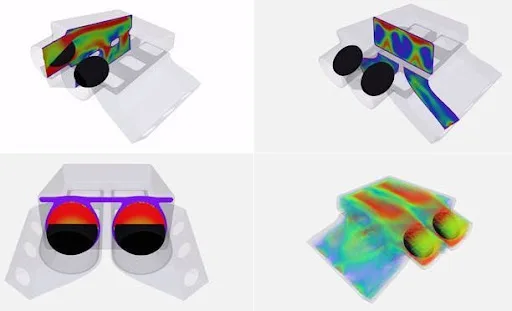
In this project, the students will simulate airflow through a throttle body under different conditions. They will also study the effect of valve dynamics.
Diesel Engine Characterization
Advanced CFD for IC Engine Applications using CONVERGE

Diesel Engine Characterization

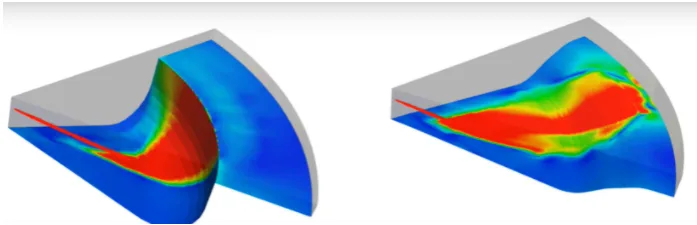
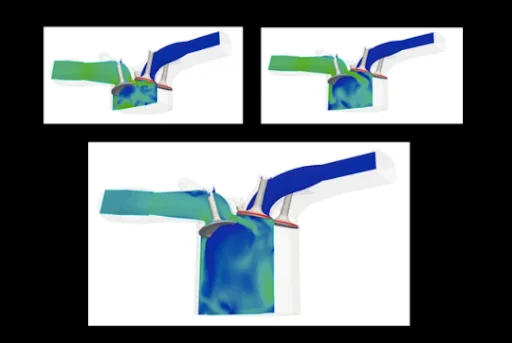
In this project, the students will run simulations of the CAT3410 engine using different piston bowls. They will also understand the effects due to changes in piston bowl shapes.

Port Fuel Injection Simulation
Advanced CFD for IC Engine Applications using CONVERGE

Port Fuel Injection Simulation

In this project, the students will perform the simulations of port fuel injection. They will analyse the data from the plots obtained.

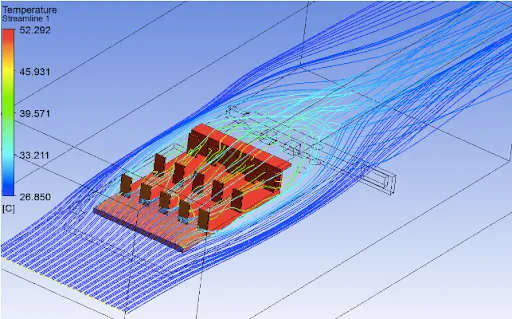
Conjugate Heat Transfer Analysis on a Graphics Card
Introduction to GUI based CFD using ANSYS Fluent

Conjugate Heat Transfer Analysis on a Graphics Card

In order to achieve effective cooling of the GPU, you will analyze the heat transfer coefficient and high-temperature concentration zones of the system.

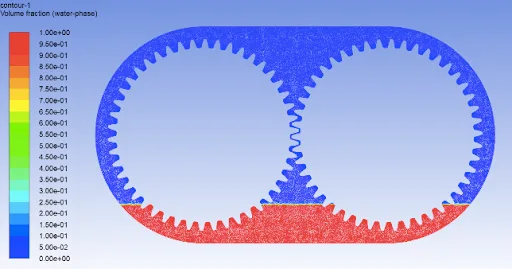
Oil Sloshing Analysis through Dynamic Meshing
Introduction to GUI based CFD using ANSYS Fluent

Oil Sloshing Analysis through Dynamic Meshing

In this project, you will define the motion of the gear using the pre-existing functions present in ANSYS Fluent and analyze the sloshing effect produced by lubricants in the gear …

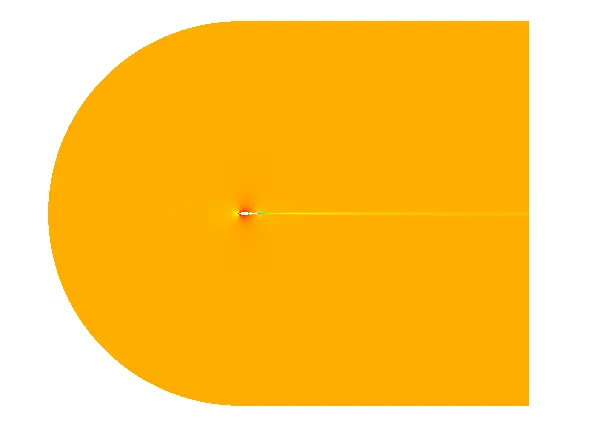
Aerodynamic Analysis on NACA 0012
Introduction to Aero-Thermal simulation using ANSYS Fluent

Aerodynamic Analysis on NACA 0012

In this project, the student will learn how to perform structured mesh in ICEM CFD. The pressure and velocity distribution are also studied in this simulation.

Transient Flow over the Axial Compressor
Introduction to Aero-Thermal simulation using ANSYS Fluent

Transient Flow over the Axial Compressor

In this project, the student will simulate the transient flow through an axial compressor.

Broadband Noise Modeling over Ahmed Body
Introduction to Aero-Thermal simulation using ANSYS Fluent

Broadband Noise Modeling over Ahmed Body

In this project, the student will simulate the acoustic effects caused due to external fluid flow over an Ahmed body.

Flow over an Airfoil NACA 2412
Advanced Aerodynamic Simulations using CONVERGE

Flow over an Airfoil NACA 2412

In this project, students will work on a NACA 2412 Airfoil and run cases for different angle of attacks (AOA). They will simulate to analyze the drag and lift force experienced by …

Modeling and Simulation of Flow around an Ahmed Body
Advanced Aerodynamic Simulations using CONVERGE

Modeling and Simulation of Flow around an Ahmed Body

In this project, students will create the Ahmed body geometry of 35 degree slant angle and set up the case in Converge Studio. They will then simulate to analyze the drag and the d…

Flow over the FSAE Racing Car
Advanced Aerodynamic Simulations using CONVERGE

Flow over the FSAE Racing Car

In this project, the students will simulate a FSAE racing car in two different conditions, one with plenty of turns and one with a straight track, in the Converge CFD software. The…

Performance Characterization of a Centrifugal Pump
Advanced Turbomachinery Simulations using CONVERGE

Performance Characterization of a Centrifugal Pump

In this project, you will perform a simulation of flow through a centrifugal pump and plot performance curves from the simulation results.

+ 16 more projects in the full syllabus

Placements

218 learners placed
from this program.

Companies
135
Median CTC
3.5 LPA
20254.5 LPA
Tessolve
Thermal Engineer

Vittanala K.
20253.5 LPA
KC.IRI
Project Engineer

Suhail S.
20243.5 LPA
RLE India
CAE Modular

Gopinath K.
20245.6 LPA
RGBSI
CFD Engineer

Sanjeev M.
20244.5 LPA
Adrasti
CFD Engineer

Balraj C.
20244.5 LPA
Adrasti
CFD Engineer

Sourav K.
Fee

One fee.
Everything included.

Become job ready with our comprehensive industry focused curriculum for freshers & early career professionals

Premium
₹2,75,000
Inclusive of all chargesEMI from ₹14,375/month
  • Career Service Assurance
  • Personalized Career Services Mentorship
  • 1 Year Access
  • Personalized Page
  • Live Individual & Group Sessions
  • Personalized & Hands-On
  • Job-Oriented Industry Relevant Curriculum
Check eligibility →
FAQ

Questions,
answered.

Who should enroll in this CFD online course?

Students and graduates of mechanical engineering and related streams of engineering can pursue this one of the best CFD courses online.

What software and tools are taught in this CFD certification course?

In this online CFD certification course, you will learn about various tools and software such as MATLAB, GT-POWER, ANSYS Fluent, Cantera, OpenFOAM, and Python.

Does this online CFD course include any project work?

Yes, this CFD software course includes industry projects which help you to gain confidence in solving real-time problems faced by industries.

How will the process of teaching-learning work in the online CFD courses?

You will be provided access to pre-recorded videos and assignments in this computational fluid dynamics course. Also, you will get mentorship support from a team of dedicated engineers.

Is there any provision for an internship in this mechanical engineering course?

Yes, if you are enrolled in the premium category, you will be entitled to an internship.

Can I pay the fee in installments for the Post Graduate Program in Computational Fluid Dynamics?

Yes, you can pay the fee for CFD online course in installments with a 0% EMI option.

What is the benefit of opting for the premium plan?

Apart from lifetime access, you will also get a dedicated support engineer and will get an internship of 3 months.

Can you tell me more about Skill-Lync?

Skill-Lync is among India's leading EdTech platforms dedicated to transforming engineering education. We equip young engineers with the latest skill sets and cutting-edge tools in new-age technologies.

The brainchild of two engineers from Chennai, Skill-Lync, is on a mission to bridge the skill gap between aspiring professionals and the industry's demands through job-oriented courses.

Next step

Not sure it's
the right fit?

A counsellor will walk you through the syllabus, projects and fee options — and tell you honestly if another course suits you better.

Get the syllabus + a call back

We'll email the full syllabus and call within one working day.

By submitting you agree to our Terms and Privacy Policy.

Call usEnquire

Talk to a career counsellor

Free 20-minute call. We'll map the right course to where you want to work.

By submitting you agree to our Terms and Privacy Policy.