DussehraFestive scholarship on Skill-Lync courses, this week onlyFestive scholarship is openOffer ends Wed, 21 Oct, 11:59 pm IST.
Dussehra 2026

Start your next chapter this Dussehra

Tell us where you want to work. A counsellor will match you to the right course and confirm the festive scholarship you qualify for.

  • Festive scholarship on course fees, confirmed on your call
  • Free 20-minute call to map the right course to your goal
  • Real industry projects and placement support with every course

Offer ends Wed, 21 Oct, 11:59 pm IST

3,905 engineers placed since 2019 · 1,277 hiring companies

By submitting you agree to our Terms and Privacy Policy.

You're on the list

Browse courses
Mechanical · Course

LS-DYNA for Structural Mechanics/FEA

LS-DYNA For Structural Mechanics and FEA

Duration
12 weeks
Content
19 hours
Projects
2
Mode
Online
Overview

What you'll
be able to do.

  • A rigorous understanding of how LS-DYNA works and how to work with the program to exploit its full capability.
  • Understanding the difference between implicit and explicit solver and their applications
  • Deals with complex industrial problems.
  • Contact and material modeling (including hyperelastic materials).
  • Gain industry-related best practices.
Tools you'll use
LS-DYNALS-PREPOST
Curriculum

8 modules,
built with industry.

Get the full syllabus ↓
  1. 01LS-DYNA for Structural Mechanics/FEA8 modules
    1. FEA Basics and SimulationsW01
      • In this module, you'll learn the basics of FEA, various types of simulations, and their significance, and also develop a mathematical understanding of the implicit and explicit schemes.
      • The topics that will be covered in this module are
        • Introduction to FEA
        • Type of FE Simulation
        • Explicit and Implicit mathematical definition
    2. LS-PREPOST Deep DiveW02
      • In this module, you will learn about the LS-PrePost and the LS-DYNA user manuals. You will also be learning about the file handling in LS-PrePost, an overview of various cards, and finally, running a Tensile-Test simulation.
      • These are the topics that are covered in this module.
        • Brief about the Pre-Process
        • Hands-on training on the LS-DYNA User Manual
        • Running an example
        • Post-processing the results
        • Input and output files in LS-DYNA
        • Keywords and input text editing
        • Multiple RUNs on the same file in the same folder
        • Hands-on with the output files (ASCII output) in the text editor.
        • Exploring binary and ASCII options in database keywords
        • Node keyword – Brief
        • Part keyword – Brief
        • Materials
        • Section
        • Control cards – default parameters
        • Contact
        • LS-PrePost
        • Building the solver deck for a simulation (Plate Model)
        • Post-processing the results
        • Modeling the cube under pressure
        • Modeling the tensile stress of a specimen
    3. Keywords, Timestep and moreW03
      • In this module, you will learn a few new keywords in detail.
      • You will learn about the hourglass energy, material keywords in LS-DYNA, methods for calculating Young’s Modulus, the basics of the timestep concept, and various control keywords.
      • These are the topics that are covered in this module.
        • Brief on keywords
        • Brief on *INCLUDE keyword
        • Insight of NHTSA
        • Hourglass energy
        • Materials introduction
        • Elasto-plastic material and various cards
        • Material testing
        • Calculation method for Young’s Modulus
        • Power law
        • Verification
        • Deploy
        • Timestep basics
        • Control Card
        • Control Timestep
        • Control Termination
        • Control Shell
        • Control Solid
        • Control Hourglass
        • Control Energy
        • Control Contact
        • Control Accuracy
        • Boundary Condition
        • Constrain
        • Specifying output files
        • Understanding contacts
        • Various types of contacts
    4. LS-PrePost GUI and Weld ModellingW04
      • In this module, you will learn in-depth about the LS-PrePost GUI. You will also be introduced to weld modeling in LS-DYNA and methods to model spot welds and debugging. You will also learn how to model a cross-section and its application.
      • The following topics are covered in this module:
        • LS-PrePost GUI
        • LS-DYNA GUI application
        • Node and element selection
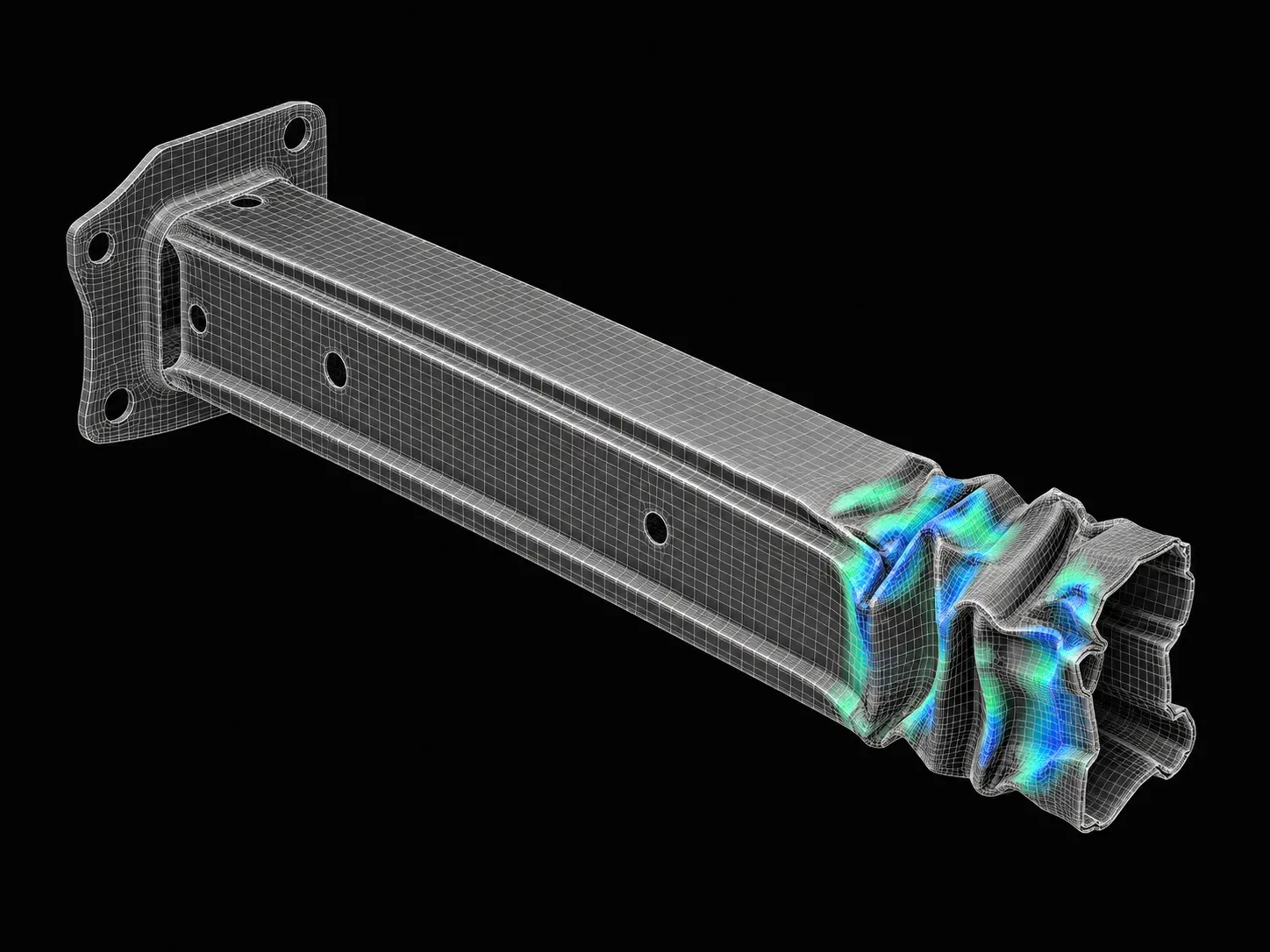
        • Application crash, metal forming
        • Element direction align
        • Post-processing
        • Node intrusion depending on the regulation
        • Introduction to Spot-Weld in LS-DYNA
        • Hands-on practice on Spot-Welds
        • Solving a simple problem to learn the Spot-Welds and then Post-Processing it.
        • Modeling Spot-Weld using Spot-Weld constraint card.
        • Modeling Spot-Weld using Spot-Weld generalize constrain card
        • Debugging Spot-Weld
        • Spot-Welds modeling using solid elements
        • Introduction to Cross-Section
        • Modeling a Cross-Section
        • Application of Cross-Section
    5. Implicit SimulationsW05
      • In this module, you will learn about the implicit problem and how to set up an implicit simulation. You will also learn about the memory allocation in LS-DYNA, the concept of convergence in implicit simulation, various keywords used in implicit simulation, MORTAR contact, and defining the loading in implicit simulations.
      • These are the topics that you will learn about in this module.
        • Introduction to implicit problems
        • Implicit and explicit comparisons
        • Memory in LS-DYNA
        • In core/out-of-core
        • Double precision and MPP.
        • The tensile test-simple implicit problem
        • Timestep in implicit problems.
        • Convergence in implicit.
        • Implicit keywords
        • Implicit and explicit switching
        • Timestep adjusting
        • Control-implicit-solver (Non-linear solver)
        • The implicit problem, hands-on with a bumper demonstration
        • Power law plasticity
        • MORTAR contact
        • MORTAR contact theory
        • SOFT card - intro
        • Implicit loading
        • Element formulation for implicit analysis
      • In this project, you will gain hands-on experience in using the *include, *INCLUDE_TRANSFORM, and *DEFINE_TRANSFORMATION and understand how to model a pedestrian head impact simulation and calculate the HIC value.
        • Overview of the pedestrian impact simulation
        • Understanding the HIC value
        • HIC calculation - LS-PrePost
        • Understanding *INCLUDE, *INCLUDE_TRANSFORM,*DEFINE_TRANSFORMATION
    6. LS-DYNA Best Practices & Types of AnalysesW06
      • In this module, you will learn about the best practices in LS-DYNA that are particularly relevant for CAE simulation engineers in the industry.
      • Also, the students will learn the concept of mass scaling in-depth and the difference between verification and validation.
      • The topics that will be covered in this module are as follows:
        • Best Practices in LS-DYNA
        • Setting up the model
        • How to decide the type of analysis (static, quasi-static, or dynamic)
        • Dealing with the coupled problem
        • Deciding the ELFORM for the problem
        • Solving the model types of errors and their fixes
        • MASS scaling
        • Post-Processing-Introduction (verification and validation)
        • Post-Processing a typical explicit model
    7. Material Modelling using LS-DYNAW07
      • This module mainly deals with material modeling using LS-DYNA. You will understand how to model a material card from the raw data from the material testing lab. You will understand in-depth material modeling techniques and will also learn how to model a hyperelastic material in LS-DYNA. You will also learn about the contact mechanics and the various contact types in LS-DYNA.
      • The topics covered in this module are,
        • Material introduction
        • Material testing
        • Modelling materials
        • Elastic-plastic materials
        • Material modelling from the raw data
        • Hands-on hyperelastic material ( Mat-law 77 )
        • Contact mechanics
        • Types of contacts
        • Full contact parameters
        • Contact parameter - SOFT
        • Segment projection
        • Initial penetration
        • Tied contacts
        • Contact output
    8. Crash and SafetyW08
      • This module focuses on the crash and safety domain where you will be introduced to the industry trends in crash and safety.
      • And the topics you will learn are,
        • Vehicle crash safety
        • Crash mechanics
        • Design for crash
        • The vehicle development process
        • Knowledge of simulation engineers
        • Regulation and NCAPS
        • Score calculation
        • Model preparation: Static vs Crashworthiness
        • General guidelines for crash model preparation
        • Mesh and mesh quality
        • Model organisation and integration
        • Parameterization
        • Forming data
Industry projects

2 projects
you'll ship.

Our projects are designed by experts in the industry to reflect industry standards. By working through our projects, Learners will gain a practical understanding of what they will take on at a larger-scale in the industry. In total, there are 2 Projects that are available in this program.

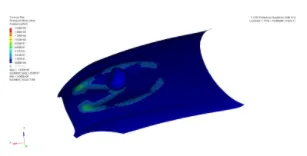
Pedestrian Head Impact Simulation on a Hood

Pedestrian Head Impact Simulation on a Hood

In this project, the students will simulate the pedestrian head impact on the hood. They will analyse the results for calculating the HIC value.
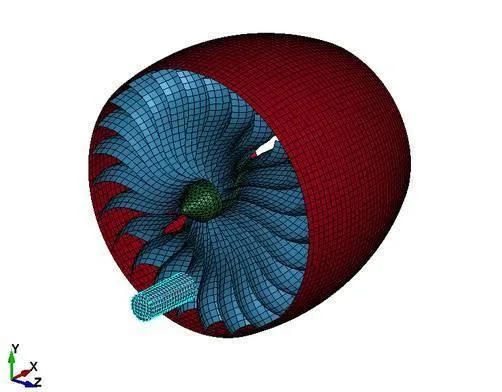
Bird Strike on an Aircraft Engine using Shell Elements

Bird Strike on an Aircraft Engine using Shell Elements

In this project, the students will set up the case for a bird strike on an aircraft engine using shell elements. They will simulate the same for results.

Fee

One fee.
Everything included.

Become job ready with our comprehensive industry focused curriculum for freshers & early career professionals

Premium
₹40,000
Inclusive of all charges
  • 1 Year Access
  • Personalized Page
  • Live Individual & Group Sessions
  • Personalized & Hands-On
  • Job-Oriented Industry Relevant Curriculum
Check eligibility →
FAQ

Questions,
answered.

Do I need to have any pre-requisites to attend the course?

You should be pursuing or have graduated with a B.E/B.Tech in mechanical or automotive engineering to join the LS-DYNA course.

Who will be teaching the course?

You can rest assured that the faculty is at the top of their field. The course material is also formulated in consultation with said industry leaders.

How do I resolve any doubts during the course duration?

You will receive one on one support during the duration of the course through a variety of modes. You can communicate via videoconferencing, WhatsApp messages/calls, individual online sessions, and in-person to resolve any course doubts. 

What are the potential salary prospects after taking this course?

Currently, CAE engineers with knowledge of LS-DYNA for structural mechanics can hope to earn up to Rs 4 lakhs and more annually. 

What projects will I undertake during the course?

You will get to take up two projects, namely: head impact and bird strike.

Will I have to pay the course fees in full upfront?

Instead of paying the entire course fees upfront, you can avail of the six-month 0% EMI option. 

Next step

Not sure it's
the right fit?

A counsellor will walk you through the syllabus, projects and fee options — and tell you honestly if another course suits you better.

Get the syllabus + a call back

We'll email the full syllabus and call within one working day.

By submitting you agree to our Terms and Privacy Policy.

Call usEnquire

Talk to a career counsellor

Free 20-minute call. We'll map the right course to where you want to work.

By submitting you agree to our Terms and Privacy Policy.