Week-3 Challenge: ADVISOR Tool
ANSWER -1:
- In this challenge we have to observe the EV_defaults with cargo mass is 500 kg with all other default conditions, can the vehicle travel for 45 km with FTP drive cycle.
- Open MATLAB Application and change the directory file path to the working folder.
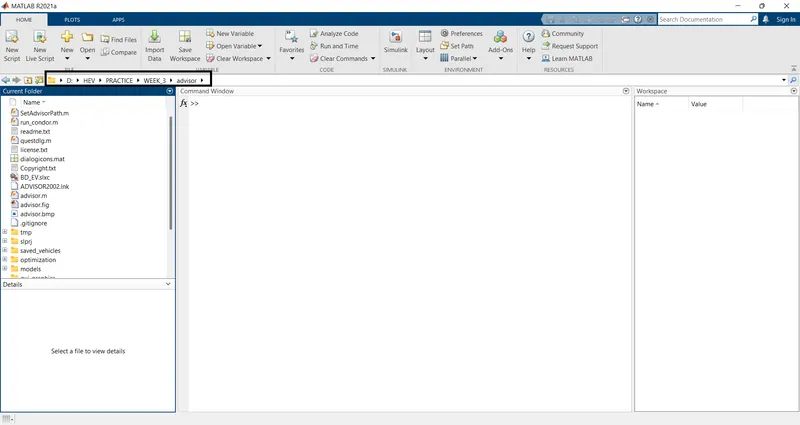
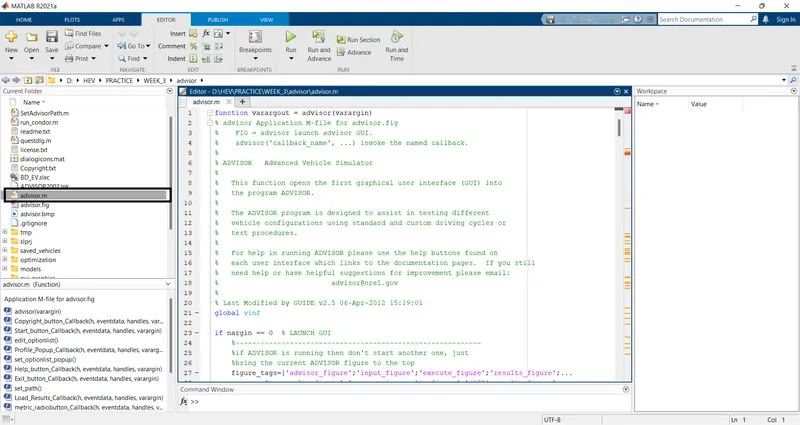
- Then open the Advisor M-script file and run the advisor file.
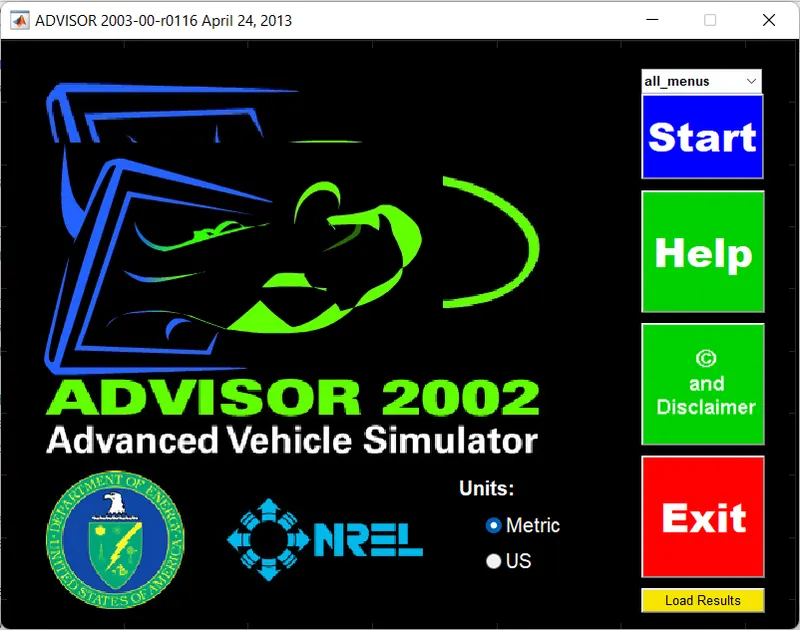
- Advisor tool dashboard window will open select the metrics and click on the start button.
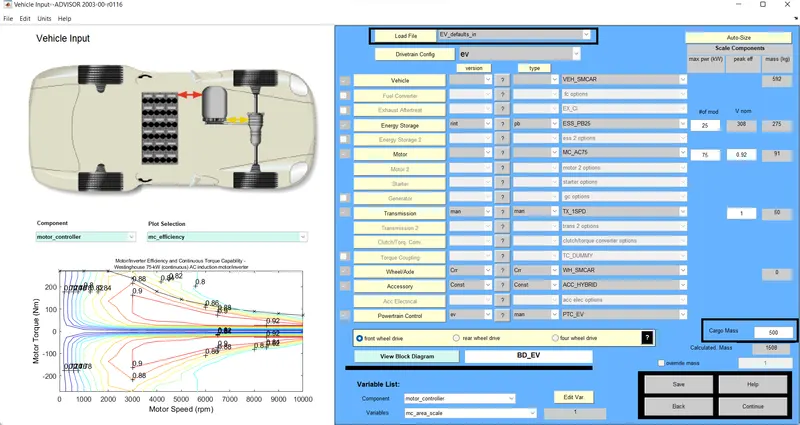
- Advisor window will open and the interface is shown below image.
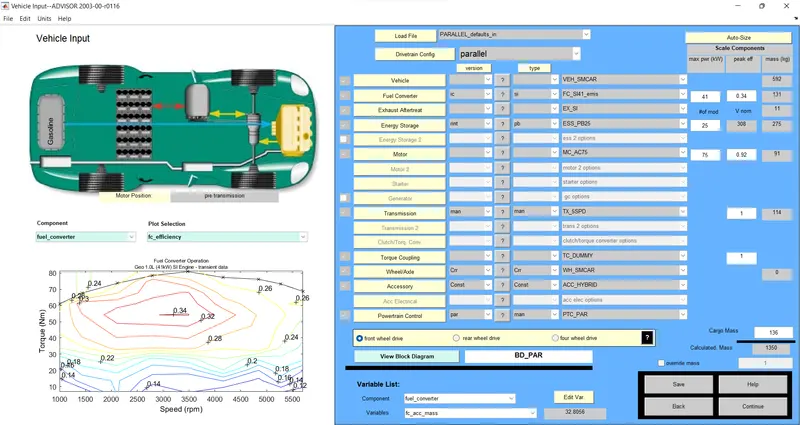
- Select the vehicle model from the load file then select the EV_defaults_in.
- Then change the vehicle Cargo mass to 500
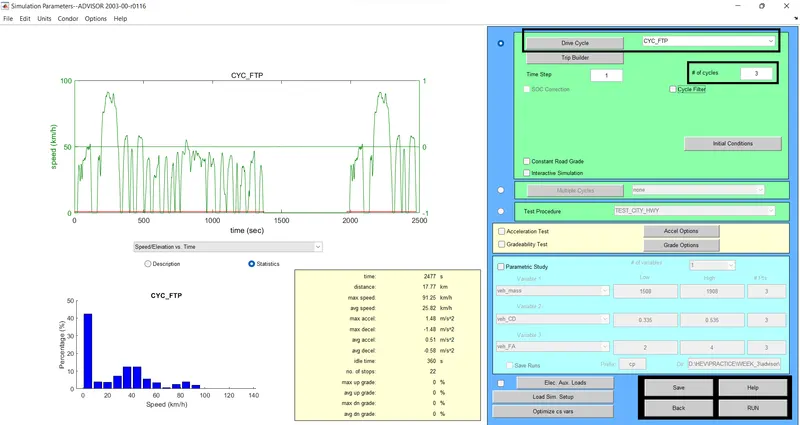
- Click on the Drive Cycle button a dropdown menu will open and select the FTP Driving cycle.
- Change the no. of cycles to 3. Then click on the Run button.
- After completion of the compilation results will be displayed in Graphs.
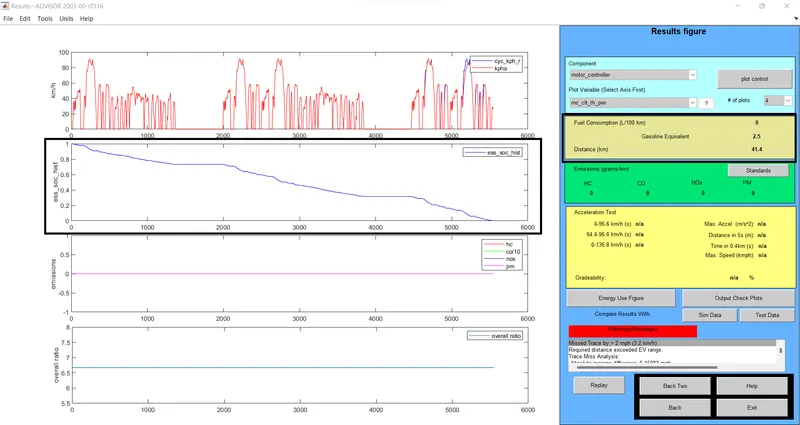
- When the EV vehicle is run with 500 cargo mass for 3 FTP driving cycles.
- The vehicle can run 41.4 km/s after this distance Battery SOC will be 0%.
ANSWER-2:
- Select the vehicle model from the load file then select the EV_defaults_in.
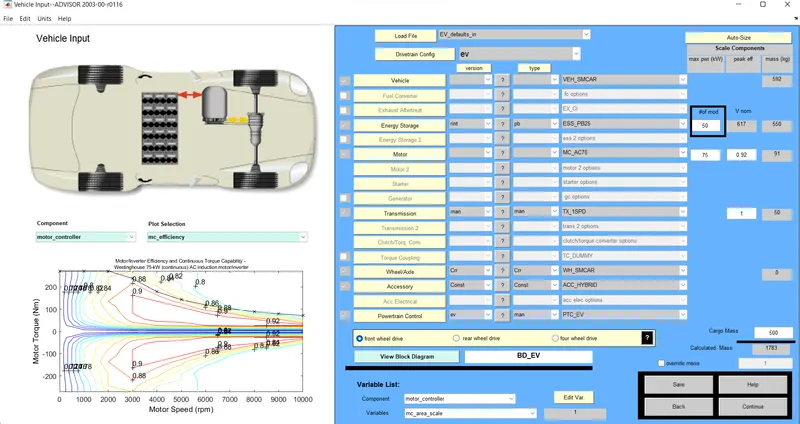
- Then change the vehicle Cargo mass to 500
- The battery percentage is changed to 50%.
- Click on the Drive Cycle button a dropdown menu will open and select the FTP Driving cycle.
- Change the no. of cycles to 3. Then click on the Run button.
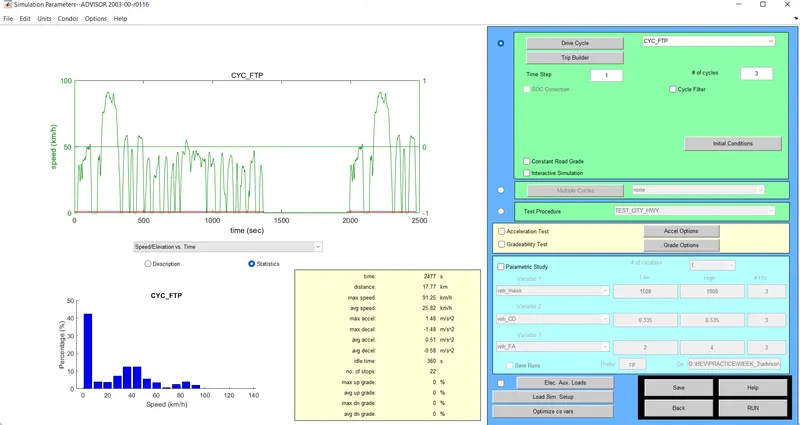
- After the compilation of the simulation results will be displayed in graphs.
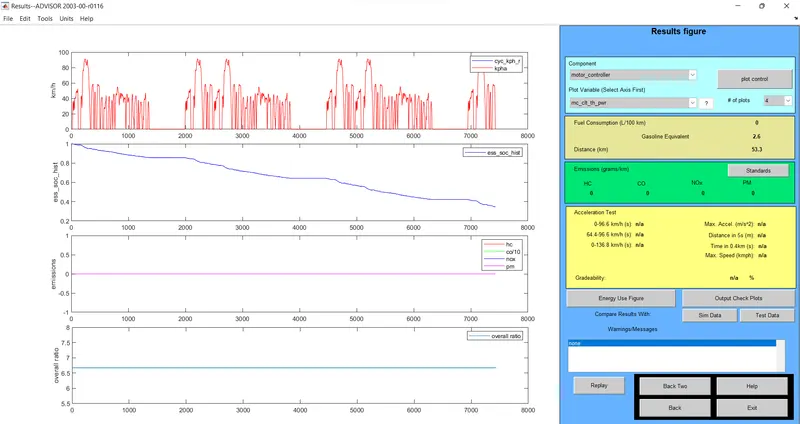
- Vehicle battery percentage is changed to 50%.
- Vehicle can run 53.3kmph and battery SOC is remains 30%.
ANSWER-3:
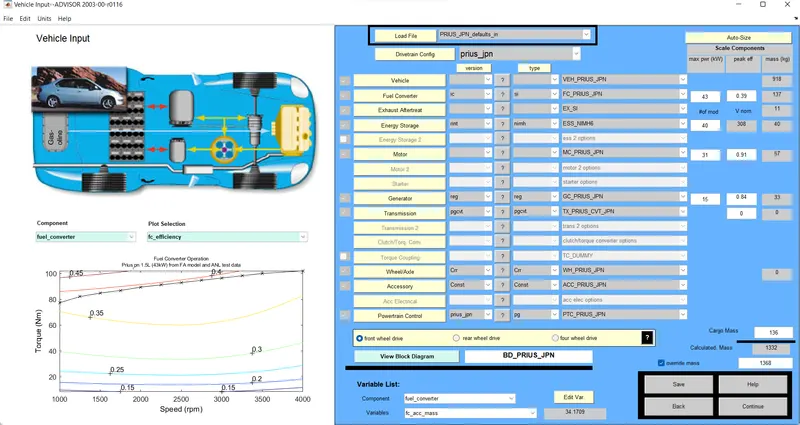
- Open the advisor tool, then select the vehicle model PRIUS_Jpn_defaults.
- Remain all parameters are unchanged then click on continue.
- Select the CYC_UDDS drive cycle then clicks on the gradeability check box and select the grade option.
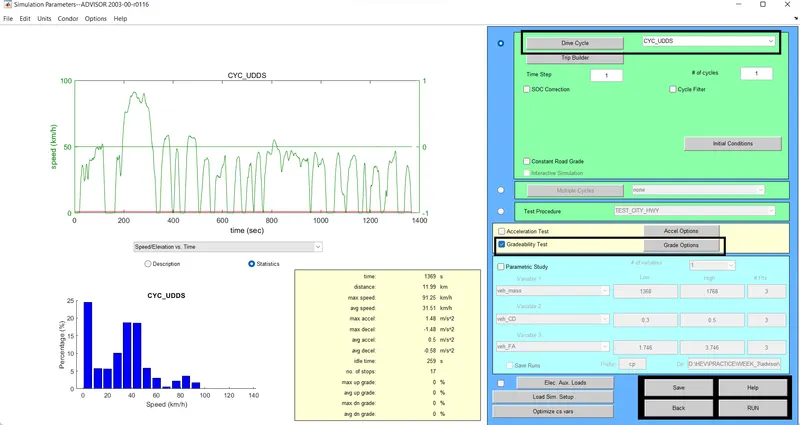
- Grade options window will open and change the speed of the vehicle to perform a Gradeability test for various speeds.
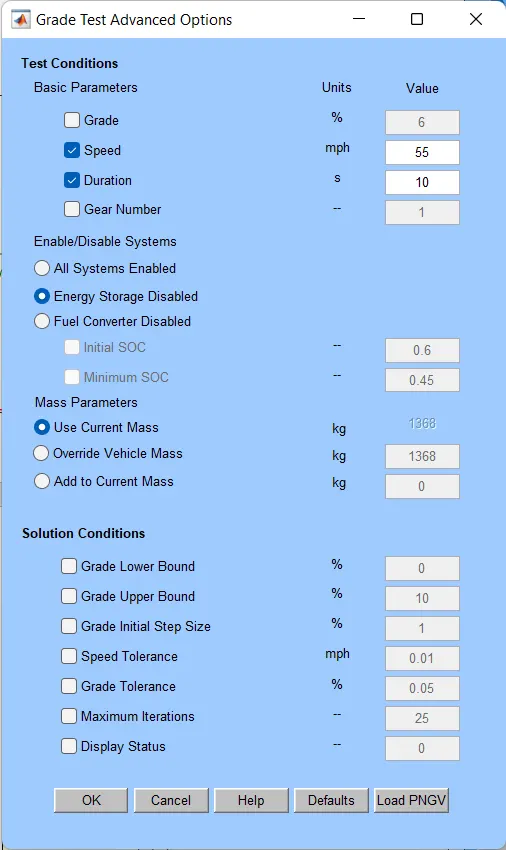
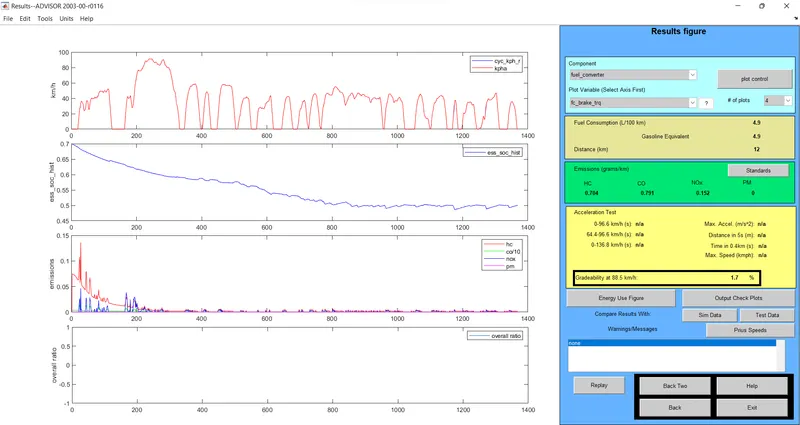
- After running the simulation. Results will be displayed as shown below in fig.
- When the speed is 88.5 km/h gradeability is 1.7%
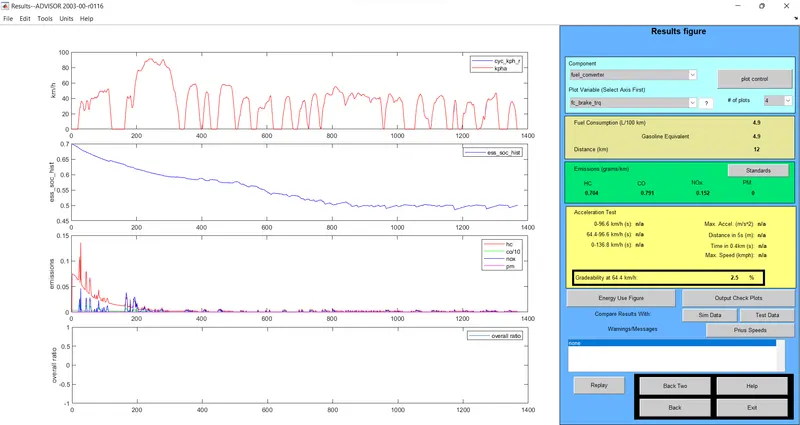
- When the speed is 64.4 km/h gradeability is 2.5%
- When the speed is 48 km/h gradeability is 2.5%
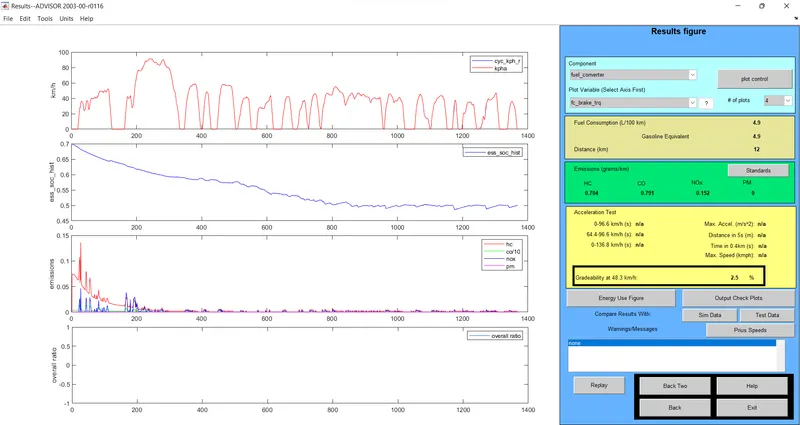
PRIUS_Jpn_defaults vehicle Graddeability test is conducted for various speeds.
|
S, NO |
SPEED in KM/H |
GRADEABILITY in % |
|
1 |
88.5 |
1.7 |
|
2 |
64.4 |
2.5 |
|
3 |
48 |
2.5 |
we can observe in this case when the vehicle SPEED decreases. vehicle Gradeability will increases.