Week 1: Channel flow simulation using CONVERGE CFD
SIMULATING CHANNEL FLOW USING CONVERGE CFD
l. INTRODUCTION
Channel flow is an internal flow in which the confining walls change the hydrodynamic structure of the flow from an arbitrary state at the channel inlet to a certain state at the outlet. The simplest illustration of internal flow is a laminar flow in a circular tube, while a turbulent flow in the rotor of a centrifugal compressor is an example of the most intricately shaped internal flow. Engineering devices employ channels with cross-sections of various geometrical shapes.
In this project, Converge Studio was used to establish a working idea of airflow simulation through a channel flow under certain parameters, which will be elaborated systematically in this report.
ll. OBJECTIVE
- Setup channel flow simulation.
- Run simulation for 3 different mesh sizes.
- Plot velocity and pressure contours for all 3 mesh sizes.
- Show plots for velocity, pressure, mass flow rate, and total cell count for all 3 mesh sizes.
lll. PROCEDURE
GEOMETRY:
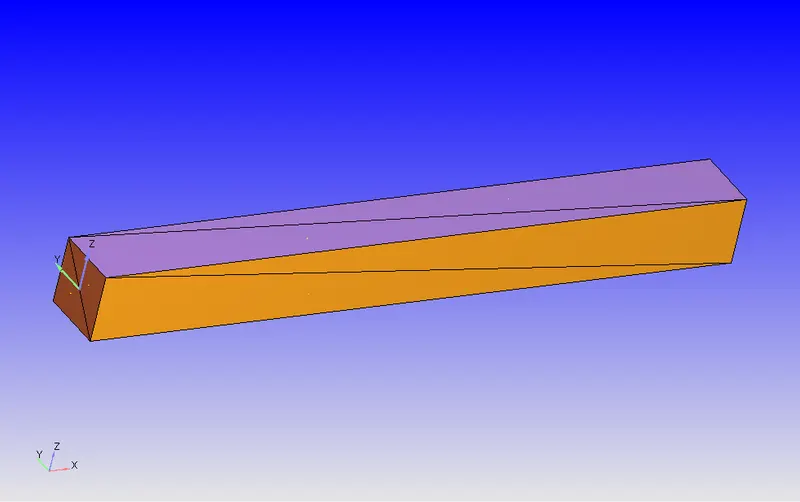
- Creating a geometry using the creation tool of Converge Studio.
- Running diagnosis to check if there are any open edges or faces.
- Checking the orientation of Normals, The normal should be such that their orientation is pointing towards the fluid flow.
BOUNDARY FLAGGING:
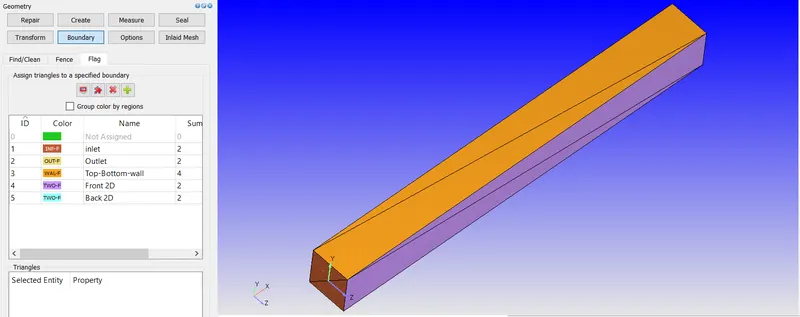
The boundaries are flagged. The converge studio basically uses triangular blocks to create geometry. So by selecting the triangles boundaries are Flagged
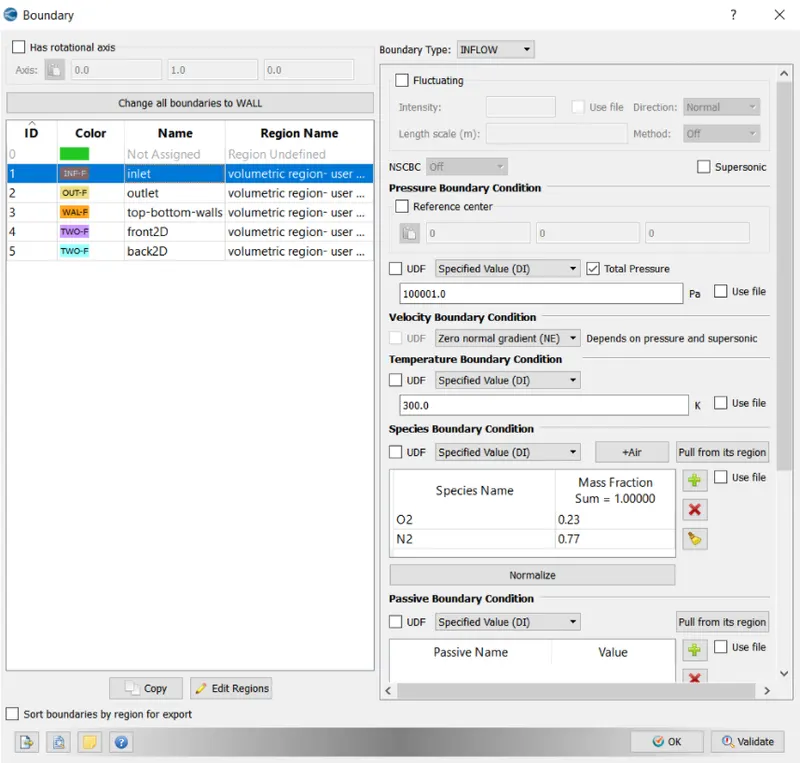
- Inlet
- Outlet
- Top and Bottom Walls
- Front2D
- Back2D
CASE SETUP:
- Application Type = Time-based
- Materials- Air
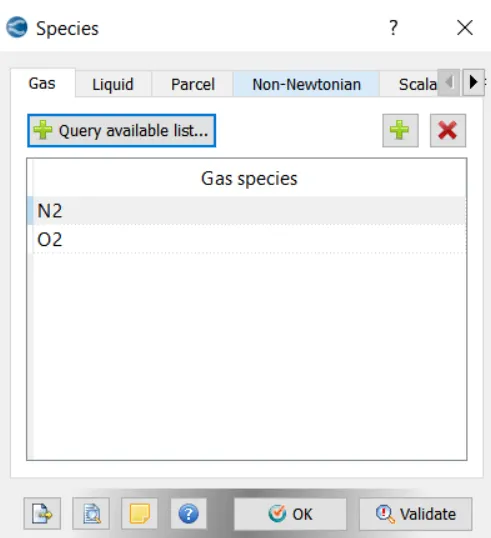
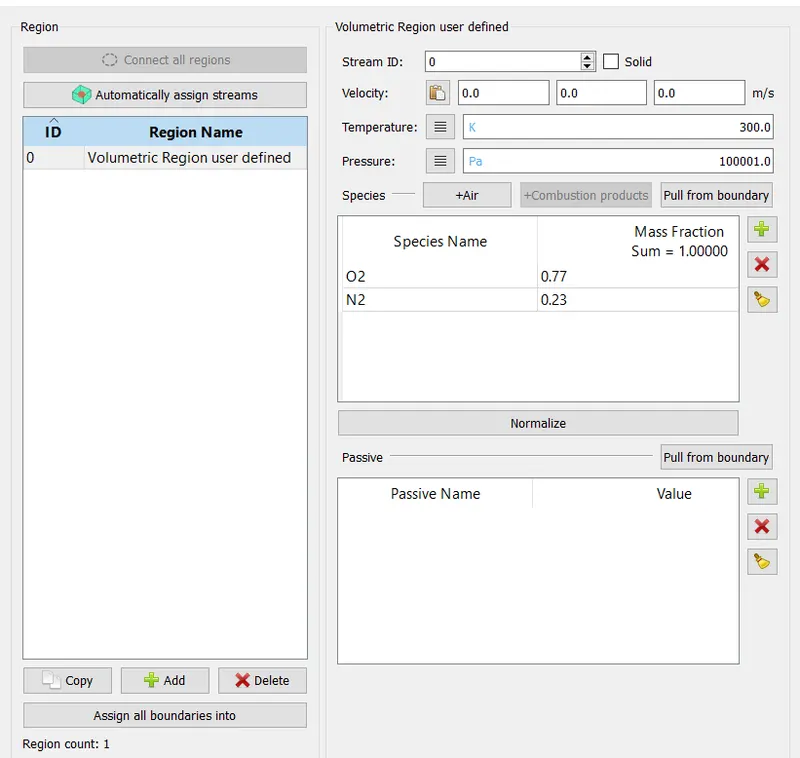
- Gas simulation is checked. The species are O2 and N2.
- Simulation Parameter-
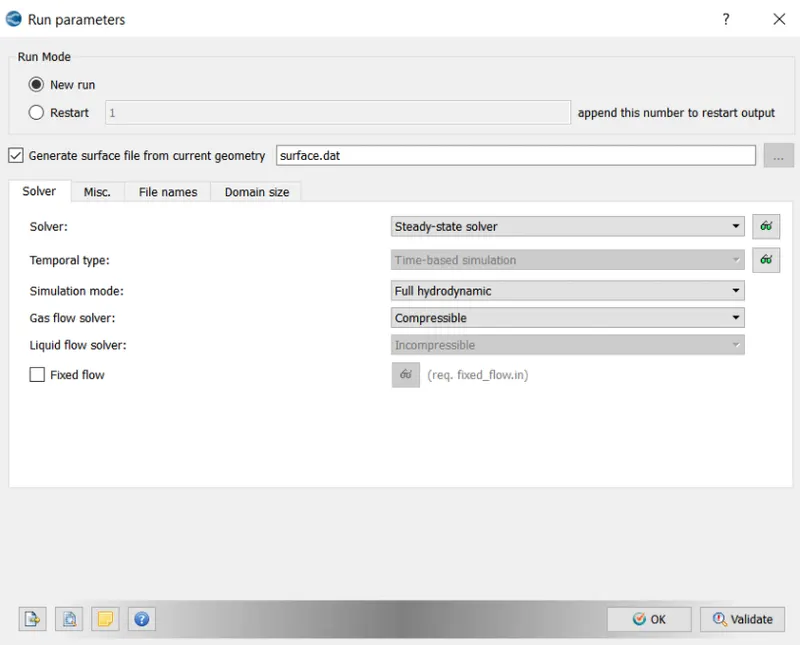
In Run Parameters- two main things to be considered
(a). Select the following solver settings.
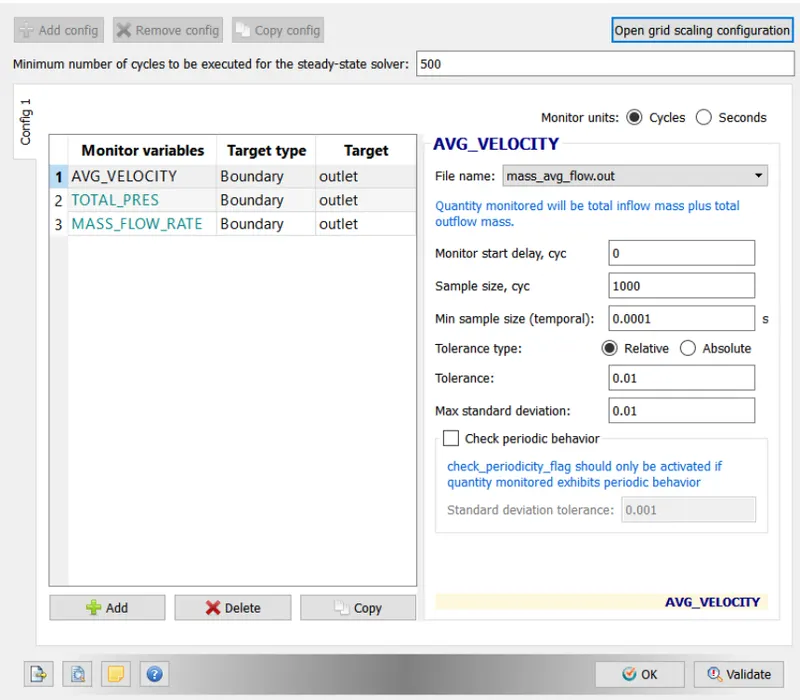
- Steady-State Monitor:
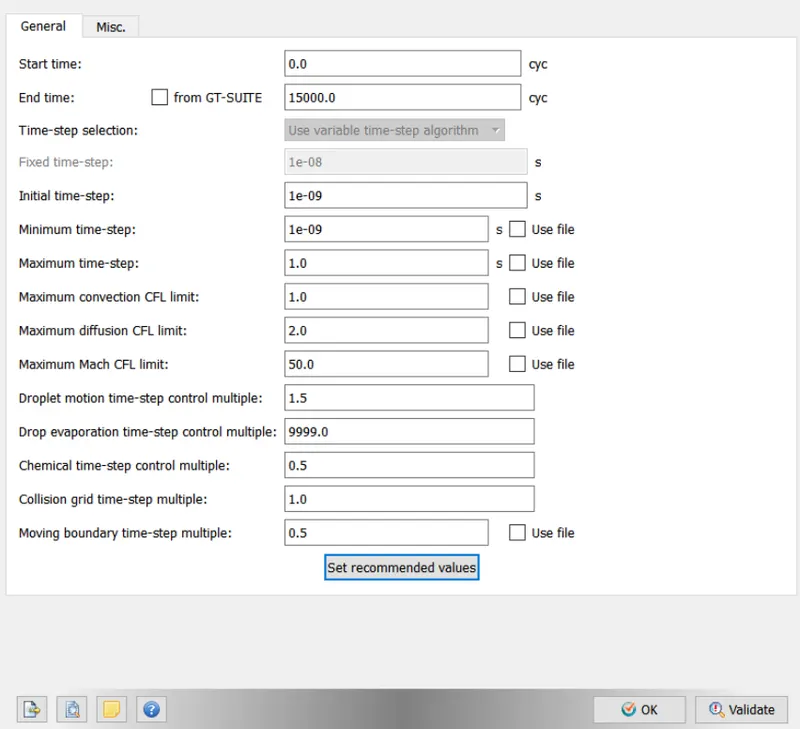
- Simulation Parameters:
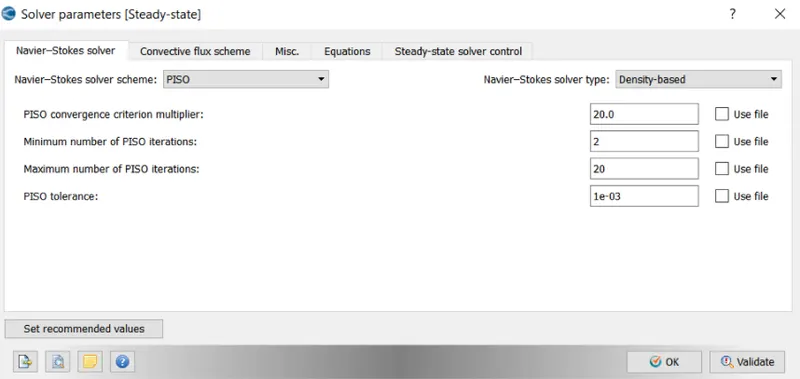
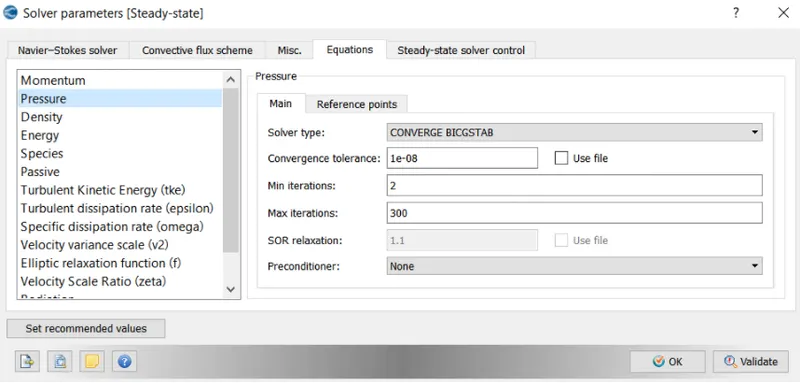
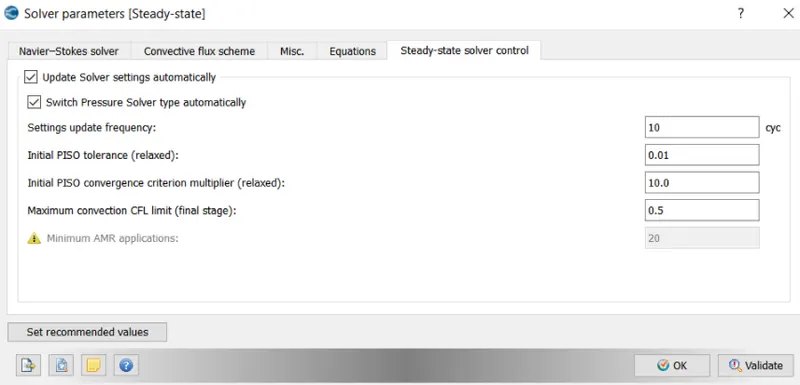
- Solver Parameters[Steady-State]
- Boundary Conditions-
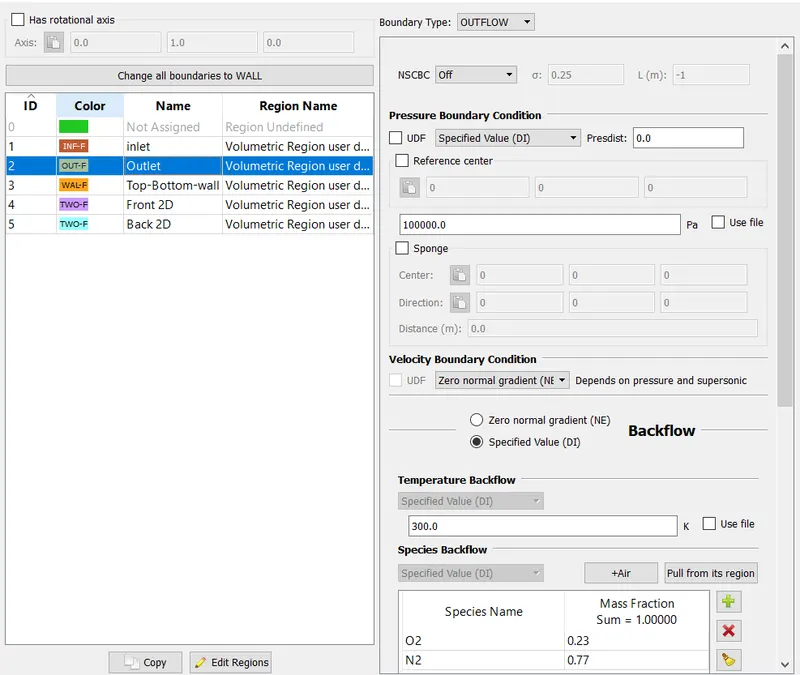
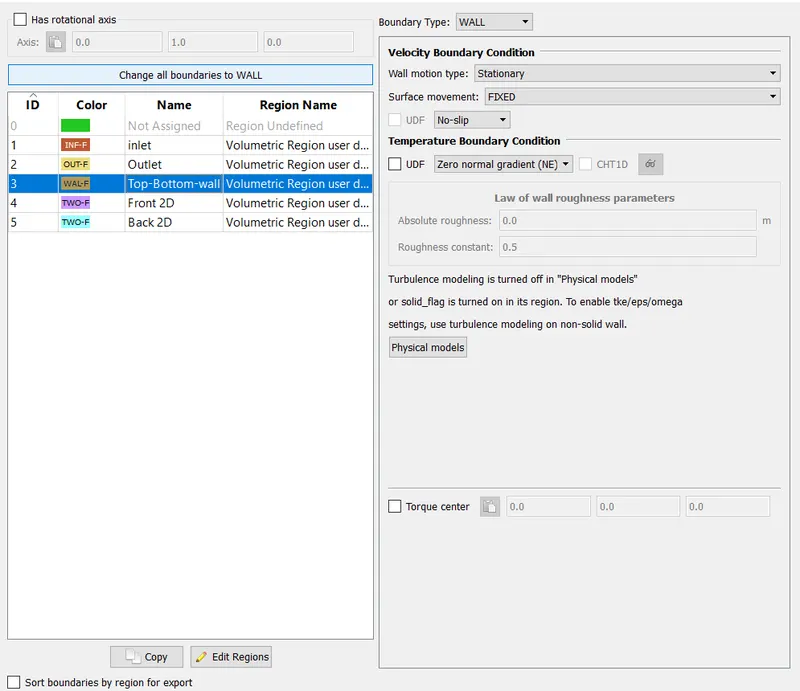
For Front2D and Back2D Boundary Type is TWO_D
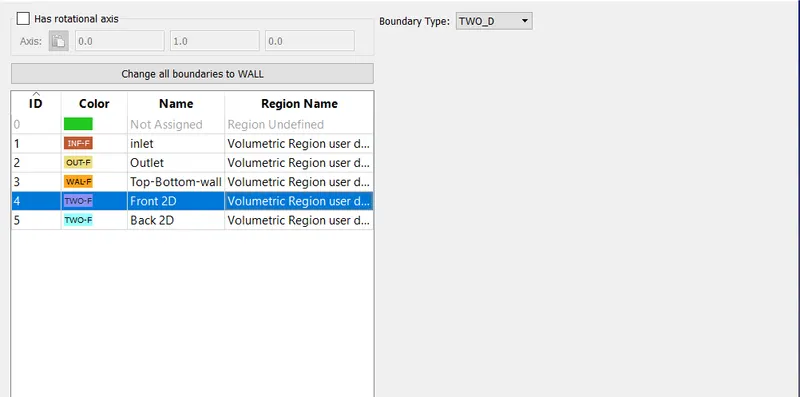
- Regions and Initialization:
- Physical Models: Uncheck Turbulence Modeling in this Case.
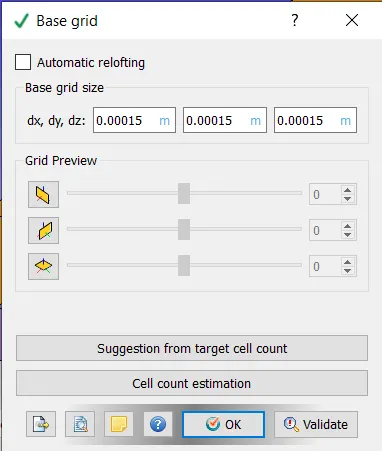
- Grid Control:
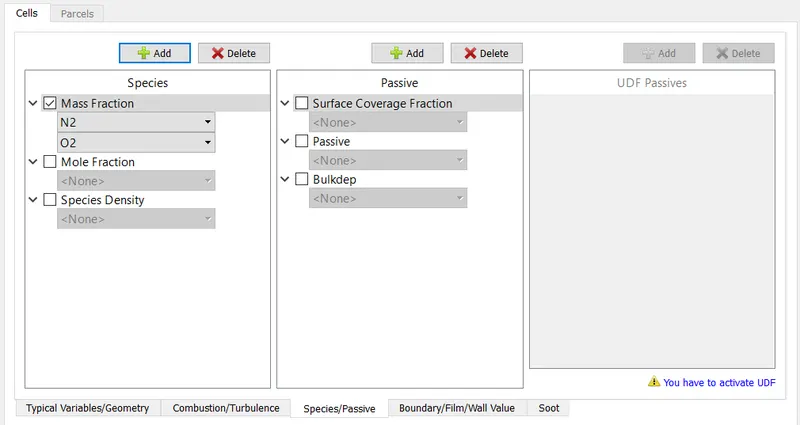
- Post Variable Selection:
- Output Files:
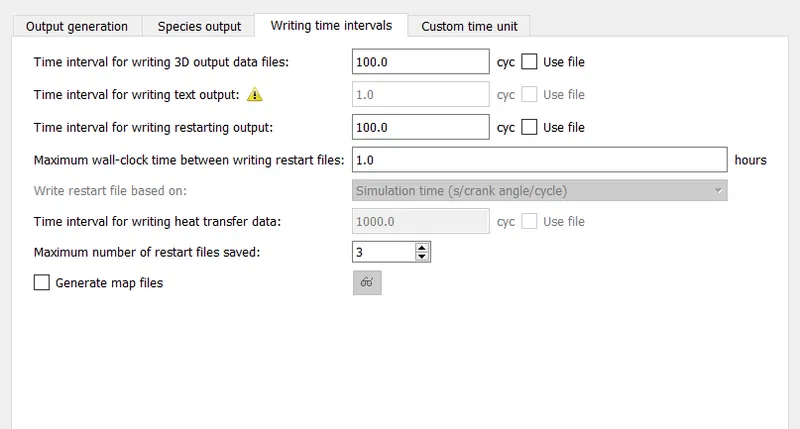
- Once the case setup is complete all the input files are exported to a specific folder
- Then Cygwin is used to solve the inputs and once the simulation is complete converge converts the result data into a format that can be read by Paraview.
- Post-processing is done in Paraview.
lV. RESULTS
1. Grid Size = 2e-4
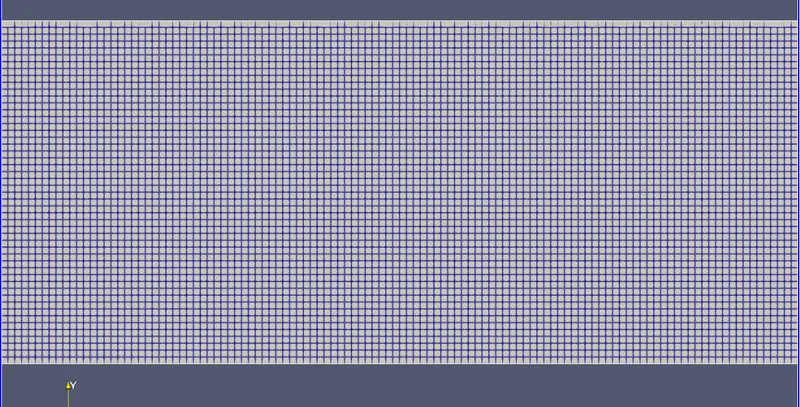
- Mesh
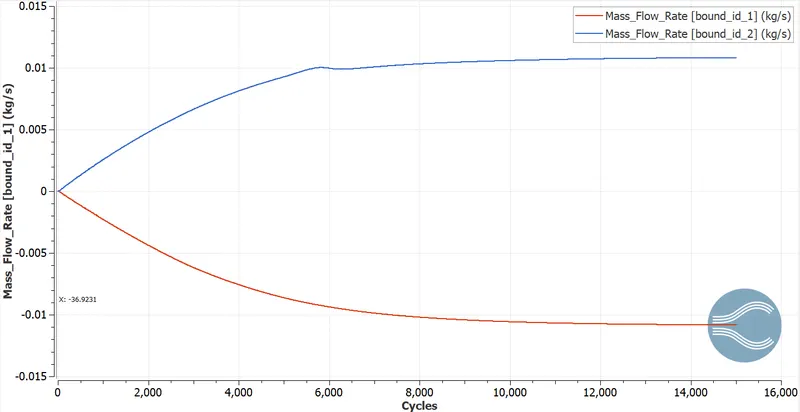
- Mass Flow Rate Plots
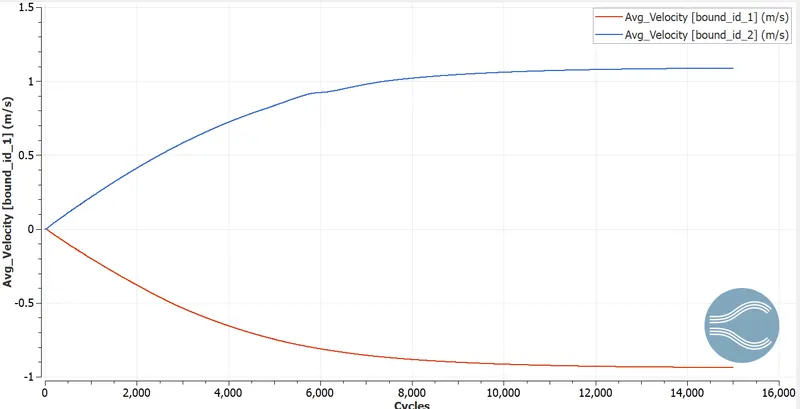
- Velocity Plots
- Pressure Plots
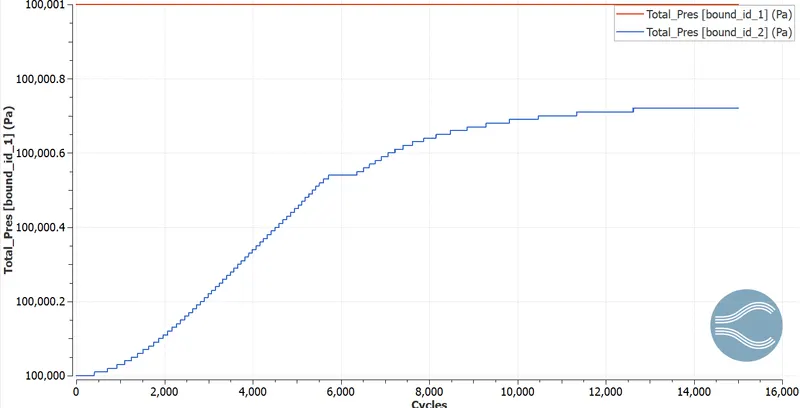
- Total Cell Count Plot
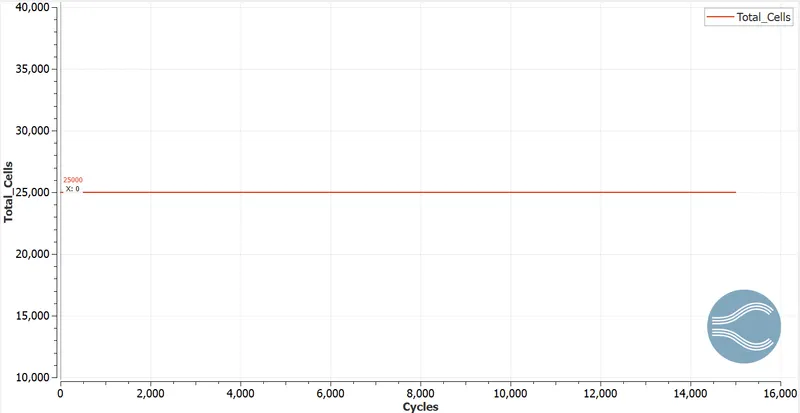
- Velocity Contours
- Pressure Contours
2. Grid Size = 1.5e-04
- Mesh
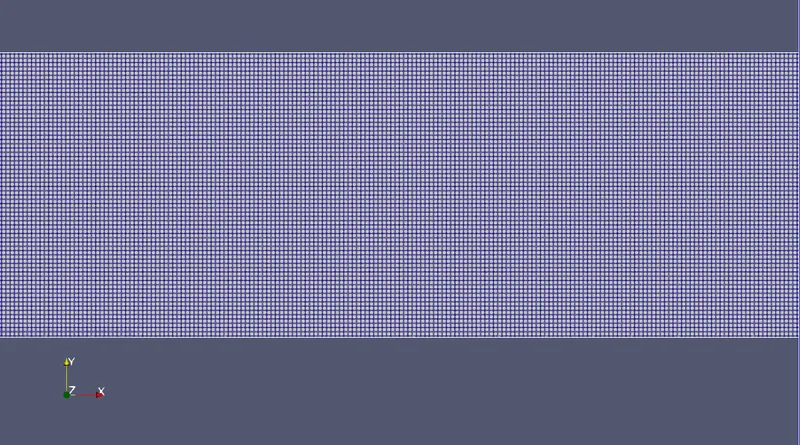
- Mass Flow Rate Plot
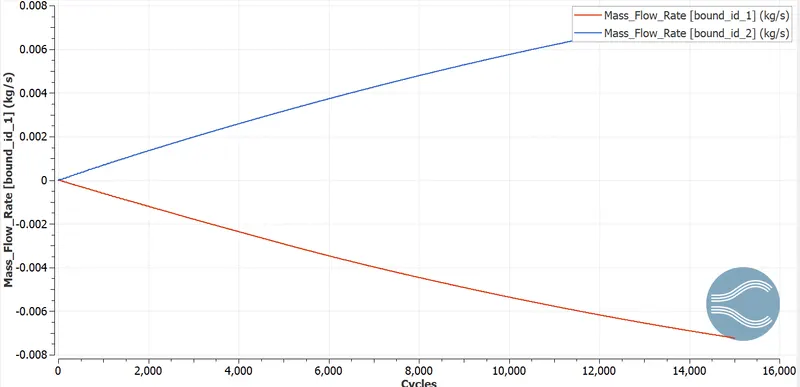
- Velocity Plot
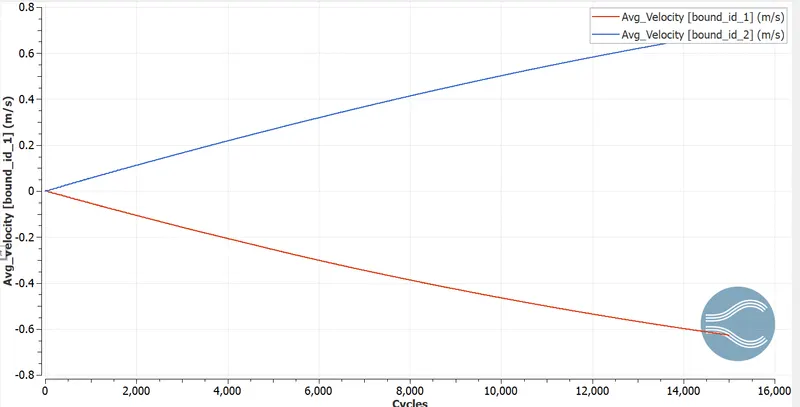
- Pressure Plot
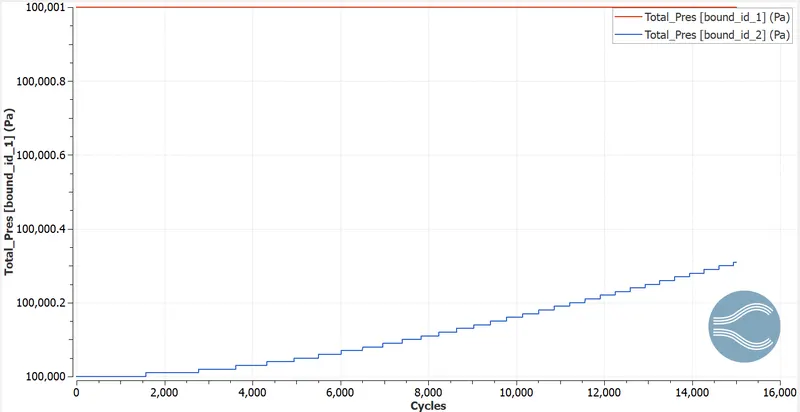
- Total Cell Count
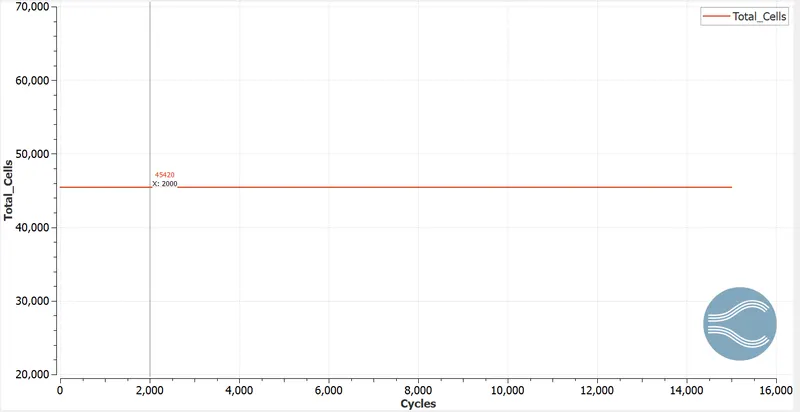
- Velocity Contours
- Pressure Contours
3. Grid Size 1.0e-04
- Mesh
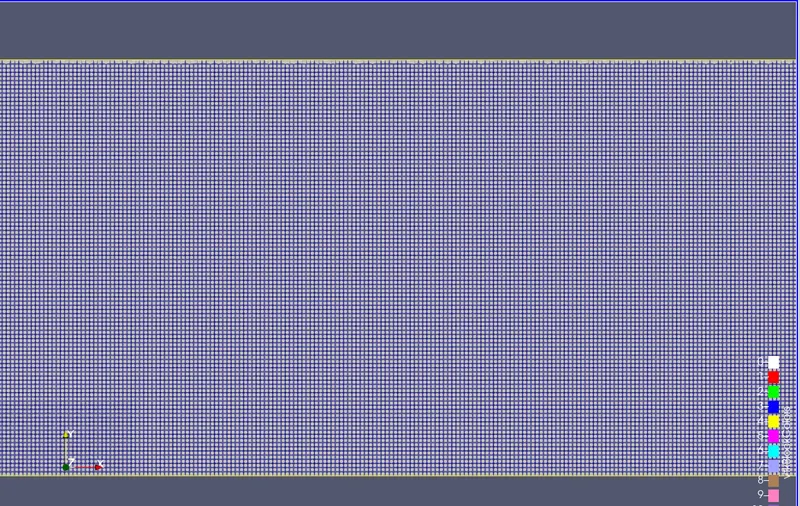
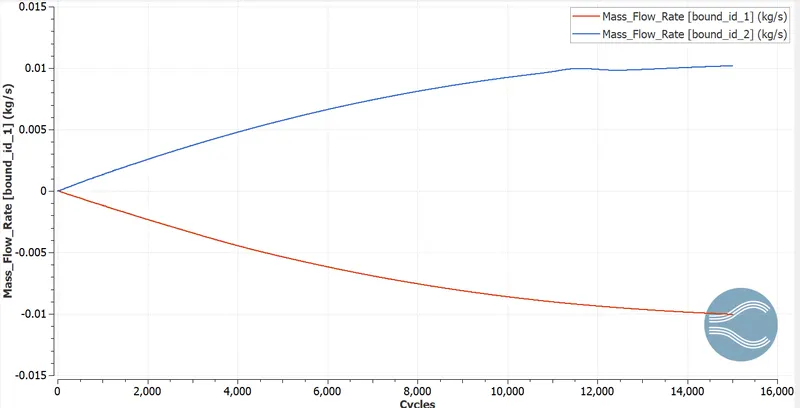
- Mass Flow Rate Plot
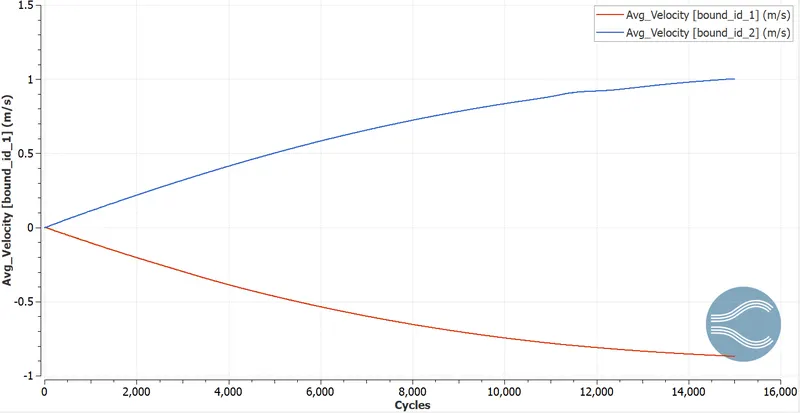
- Velocity Plots
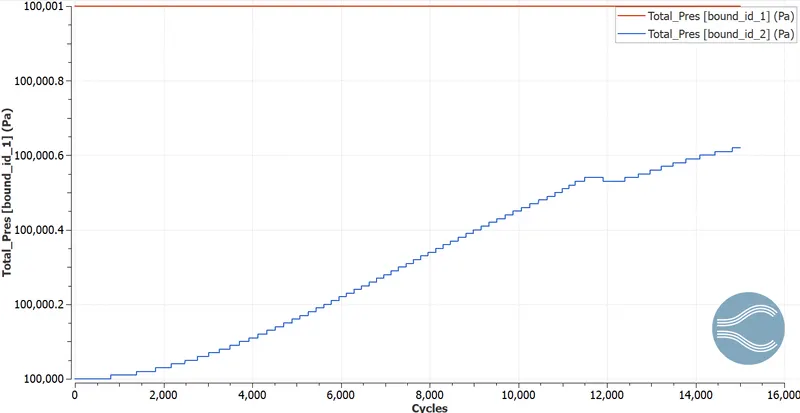
- Pressure Plot
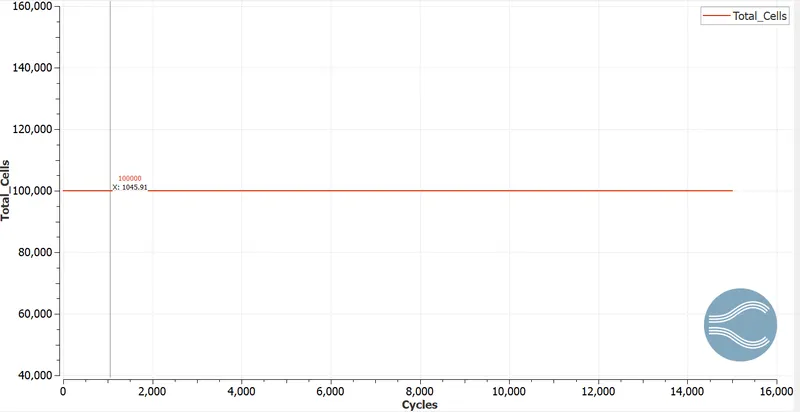
- Total Cell Count
- Velocity contours
- Pressure Contour
V. OBSERVATION:
- From the simulation performed it is clear that for mesh size(2e-4, 1.5e-4, 1.0e-4) the total cell count for each of the mesh is 25000, 45000, 100000 respectively. Hence as the mesh becomes finer and finer the total cell count increases, as the cell count increases the computational time also increases.
- It is observed that velocity in the initial case is highest but as the mesh is coarse it is generally not preferred to be accurate. In nest two cases it is calculated more accurately.
- The mass Flow Rate at the outlets for the refined cases is almost the same. When both inlets and outlets are compared we can observe a positive and a negative flow.
- As the mesh becomes finer, the velocity profile obtained is also much clear compared to the other 2 cases.
- Hence, as the size increases the results obtained are much clear and accurate
Vl. CONCLUSION:
The channel flow simulation using Converge CFD is performed. With different mesh sizes, accurate results are obtained.