Project

MATLAB Program to calculate Drag Force against a Cyclist

AIM:

To create a Matlab program to calculate drag force against a cyclist.

OBJECTIVES:

To understand the flow of air while cycling and calculate the drag force which is acting opposite to it with respect to velocity and drag coefficient. Plot graph of Velocity vs Drag force & Drag Co-efficient vs Drag force.

THEORY:

Drag Force is a force acting opposite to the relative motion of any object moving concerning a surrounding fluid. In this case, while cycling the cyclist experiences the drag force in terms of air that is moving in an opposite direction to it. This drag force depends on various factors such as Velocity, Drag Coefficient, Frontal Area & Density of Air.

FORMULA :

F = 0.5*rho*A*v^2*c_d

where,

  • F - Drag Force (N)
  • rho - Density of Air (kg/m^3)
  • A - Frontal Area (m^2)
  • v - Velocity of the Cycle (m/s)
  • c_d - Drag Coefficent

------- PROGRAM TO CALCULATE DRAG FORCE ACTING ON A CYCLE -------
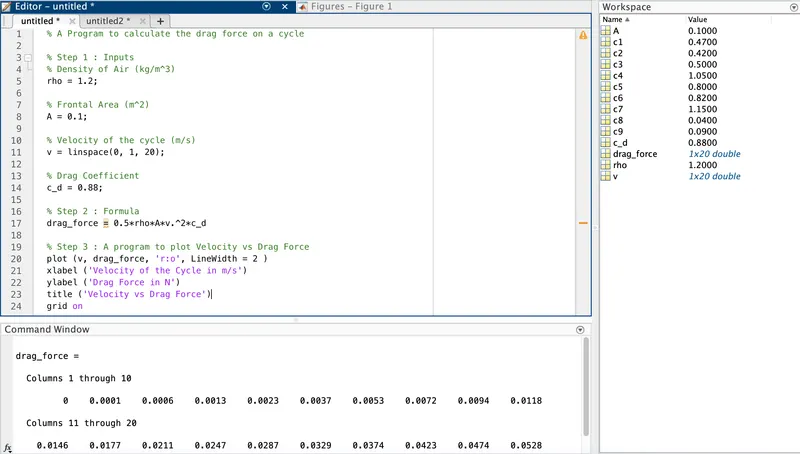
i) Write a program to plot Velocity vs Drag force.
% A Program to calculate the drag force on a cycle
% Step 1 : Inputs
% Density of Air (kg/m^3)
rho = 1.2;
% Frontal Area (m^2)
A = 0.1;
% Velocity of the cycle (m/s)
v = linspace(0, 1, 20);
% Drag Coefficient
c_d = 0.88;
% Step 2 : Formula
drag_force = 0.5*rho*A*v.^2*c_d
% Step 3 : A program to plot Velocity vs Drag Force
plot (v, drag_force, 'r:o', LineWidth = 2 )
xlabel ('Velocity of the Cycle in m/s')
ylabel ('Drag Force in N')
title ('Velocity vs Drag Force')
grid on

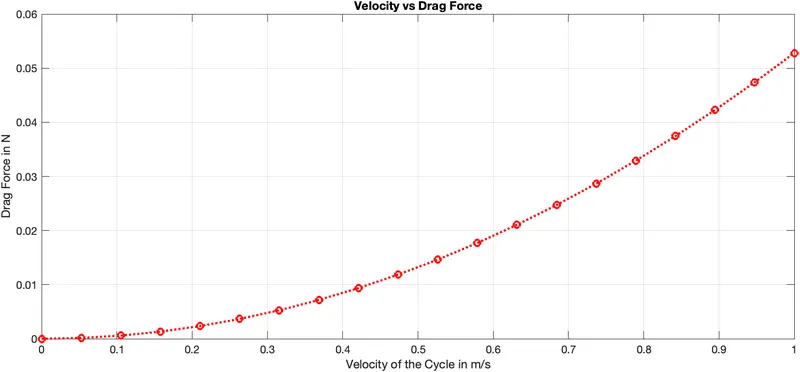
The above graph shows the variation of Drag Force concerning Velocity. Here, drag force is proportional to the velocity for low-speed flow.

ii) Write a program to plot Drag Co-efficient vs Drag force.

Drag Coefficient (c_d) varies for different shapes

(The above image Shape & Drag Coefficient is taken as a reference from Wikipedia)
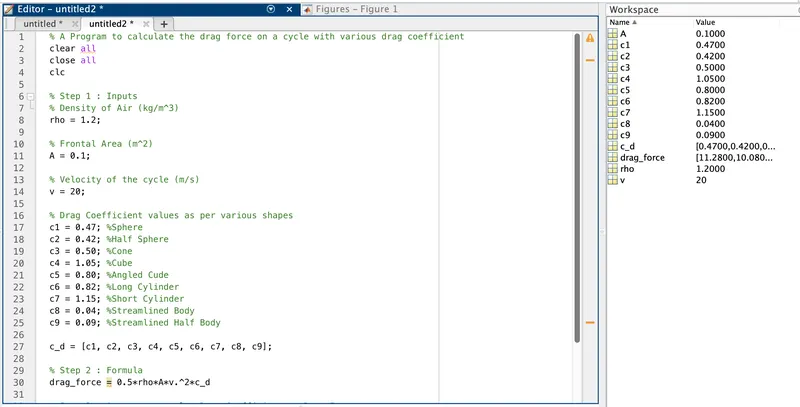
% A Program to calculate the drag force on a cycle with the various drag coefficient
clear all
close all
clc
% Step 1 : Inputs
% Density of Air (kg/m^3)
rho = 1.2;
% Frontal Area (m^2)
A = 0.1;
% Velocity of the cycle (m/s)
v = 20;
% Drag Coefficient values as per various shapes
c1 = 0.47; %Sphere
c2 = 0.42; %Half Sphere
c3 = 0.50; %Cone
c4 = 1.05; %Cube
c5 = 0.80; %Angled Cude
c6 = 0.82; %Long Cylinder
c7 = 1.15; %Short Cylinder
c8 = 0.04; %Streamlined Body
c9 = 0.09; %Streamlined Half Body
c_d = [c1, c2, c3, c4, c5, c6, c7, c8, c9];
% Step 2 : Formula
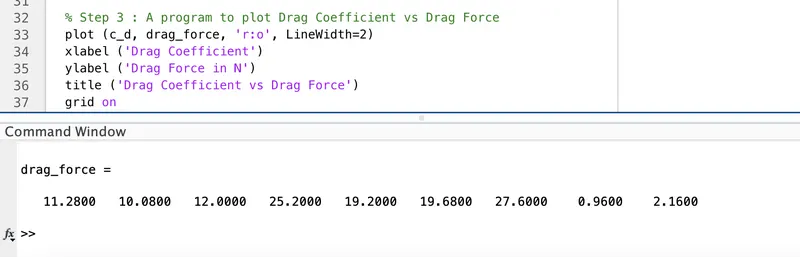
drag_force = 0.5*rho*A*v.^2*c_d
% Step 3 : A program to plot Drag Coefficient vs Drag Force
plot (c_d, drag_force, 'r:o', LineWidth=2)
xlabel ('Drag Coefficient')
ylabel ('Drag Force in N')
title ('Drag Coefficient vs Drag Force')
grid on

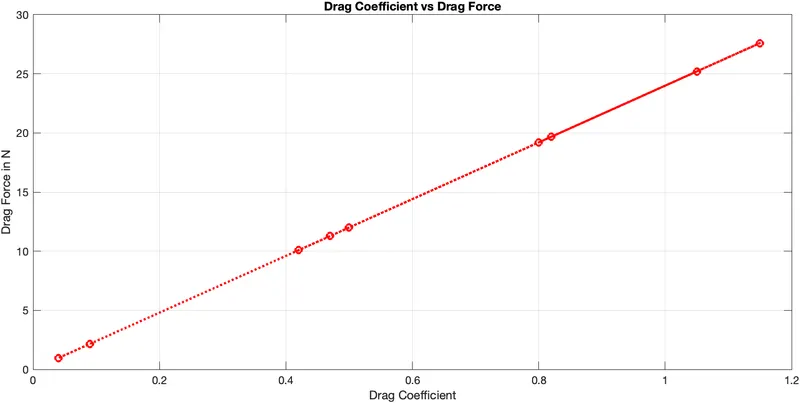
The above graph shows the variation of Drag Force concerning Drag Coefficient.

Your portfolio, next

Ship work like this
in your own course.

Talk to a career counsellor

Free 20-minute call. We'll map the right course to where you want to work.

By submitting you agree to our Terms and Privacy Policy.

Talk to a career counsellor

Free 20-minute call. We'll map the right course to where you want to work.

By submitting you agree to our Terms and Privacy Policy.