Week 3 - Exercise on Simulink Modeling (Part - 1)
Que. 1
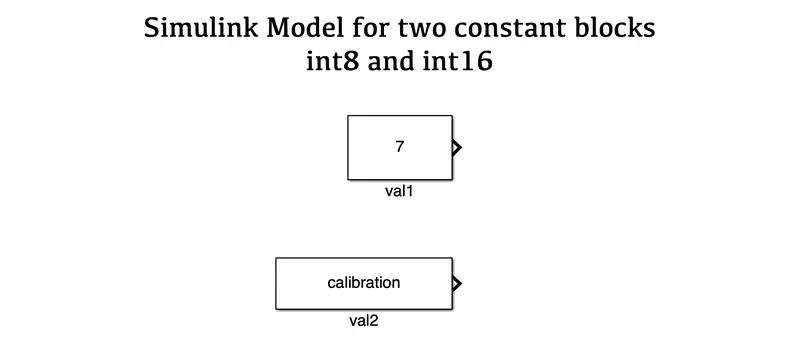
AIM: To create a Simulink model using two constant blocks as int8 & int16.
OBJECTIVES :
- To create two constant blocks named val1 & val2.
- To define the calibration value in the workspace.
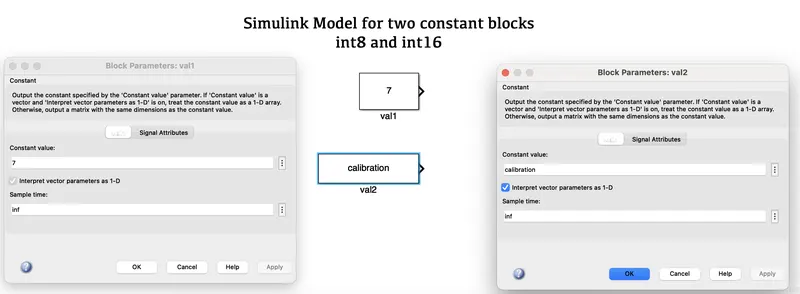
- To change the data type of the constant block as int8 & int16.
SIMULINK MODEL :
BLOCKS USED :
- Constant
RESULTS :

CONCLUSION :
As a result, using constant blocks as val1 & val2 we have performed the calibration with the help of a workspace and manually changed the blocks as int8 & int16.
Que. 2
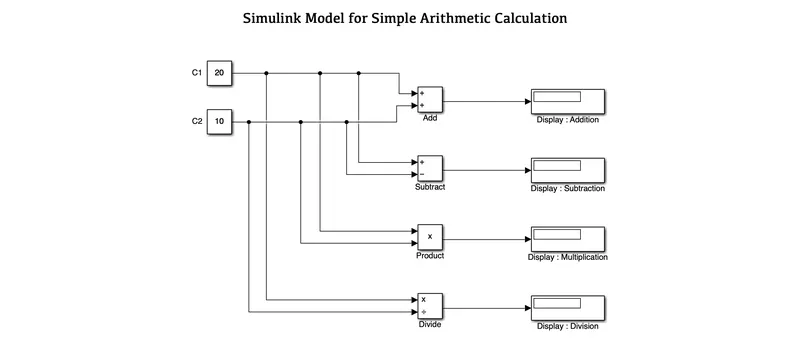
AIM: To create a simple arithmetic calculation model using Simulink block.
OBJECTIVES :
- To perform arithmetic calculations using two constant blocks.
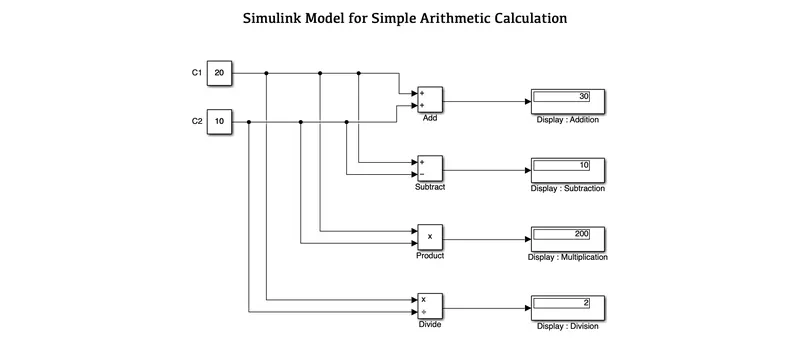
- To perform add, subtract, multiply & division operations.
SIMULINK MODEL :
BLOCKS USED :
- Constants
- Add
- Subtract
- Product
- Divide
- Displays
RESULTS :
CONCLUSION :
Hence we have performed all the given simple arithmetic operations such as add, subtract, multiply & divide operations using the given inputs.
Que. 3
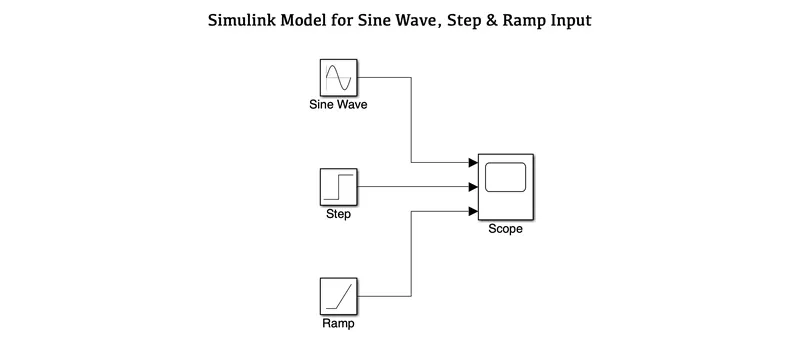
AIM: To create a Simulink Model to connect a sine, step & ramp blocks.
OBJECTIVES :
- To connect a sine, step & ramp blocks with the same output scope.
SIMULINK MODEL :
BLOCKS USED :
- sine wave
- step
- ramp
- scope
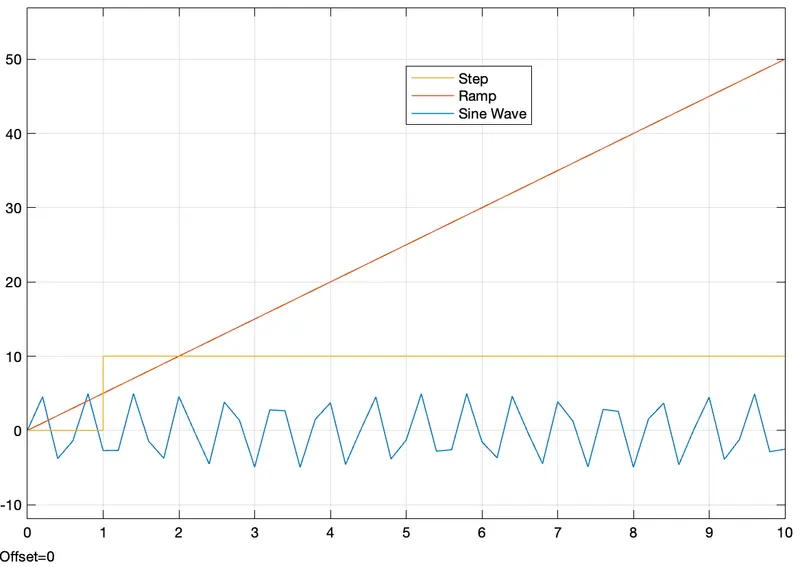
RESULTS :
CONCLUSION :
From the above graph, we can get an idea regards to each and every waveform of sine, step and ramp.
Que. 4
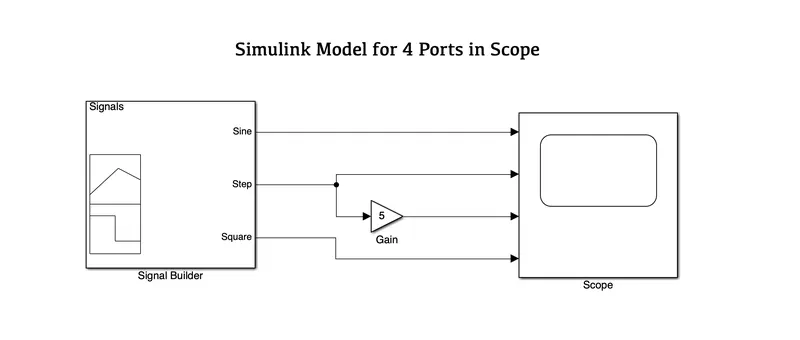
AIM: To create a Simulink model for sine, step and square signals using a signal builder.
OBJECTIVES :
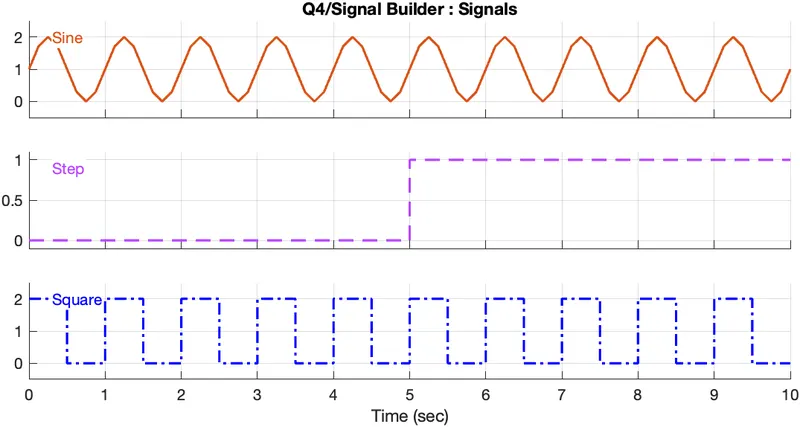
- To create a signal for sine, step and square input signals via the signal builder.
- To change the colours and its line style.
- Adding a Gain block to the step signal.
- To connect all the signals to a single scope.
SIMULINK MODEL :
BLOCKS USED :
- Signal Builder
- Gain
- Scope
RESULTS :
A]. Changing the colours of signals and their line style -
B]. Connecting signals to a single scope -
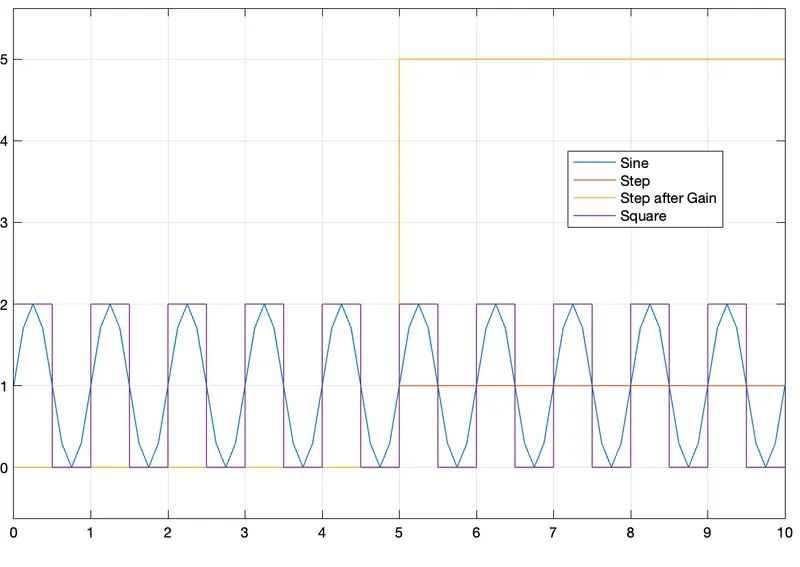
C]. Signals in separate format -
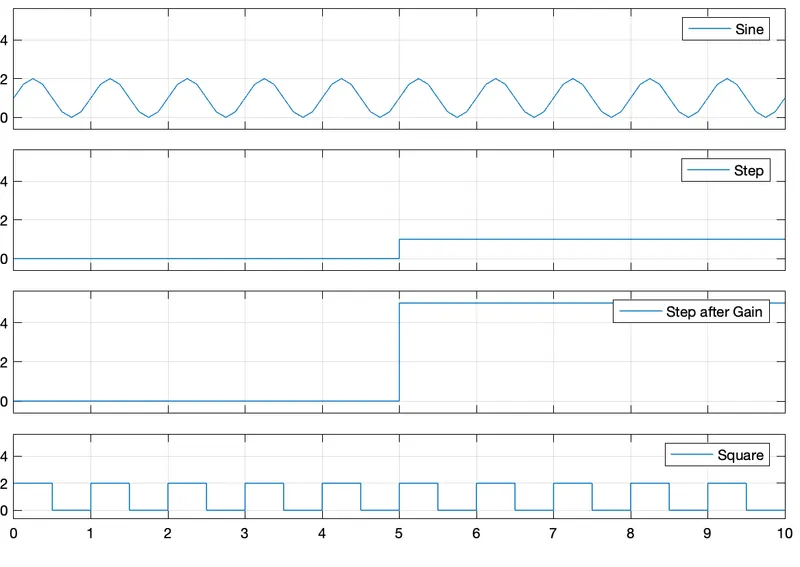
CONCLUSION :
Hence we have created a Simulink Model which gives input signals such as sine, step before and after gain and square signals which is connected to a single scope in the output.
Que. 5
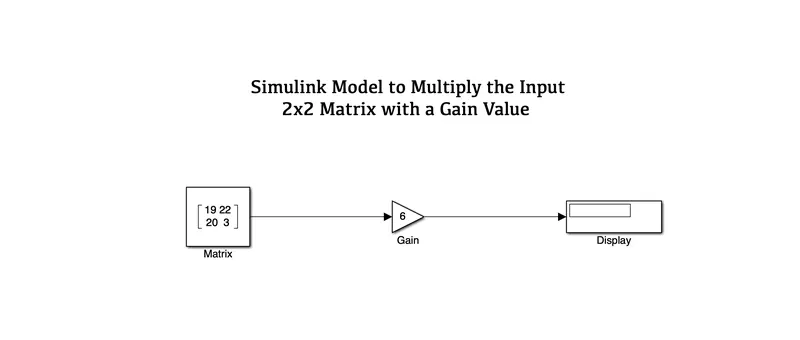
AIM: To create a Simulink model which performs multiplication of 2x2 Matrix.
OBJECTIVES :
- To create a 2x2 Matrix for multiplication.
- Add a Gain value of 6 and display the output.
SIMULINK MODEL :
BLOCKS USED :
- Constant
- Gain
- Display
RESULTS :
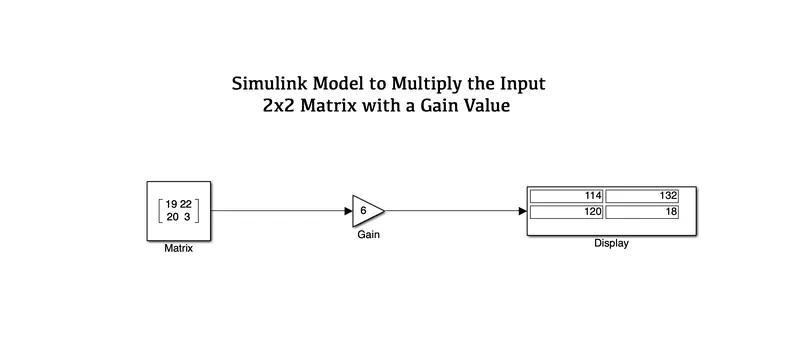
CONCLUSION :
As a result, we have created a Simulink model to multiply the 2x2 input matrix with a gain value and gives the result in the display bar.
- Rahul DFantastic