MATLAB Program to simulate the forward Kinematics of a 2R Robotic Arm
AIM:
To create a program in Matlab to simulate the forward kinematics of a 2R Robotic Arm.
OBJECTIVES:
- To solve and stimulate the forward kinematics of a 2R Robotic Arm along with the movement of the Manipulator.
- To create an animation of the 2R Robotic Arm based on its various movements.
THEORY:
A 2R robotic arm is a type of mechanical arm as shown in Figure 1. It consists of base support which is linked with two links and further to the manipulator. These links and manipulators are connected by joints which allows them to rotate in linear & rotational motion. As both the links are fixed which makes it rotates at 90 degrees concerning its axis.
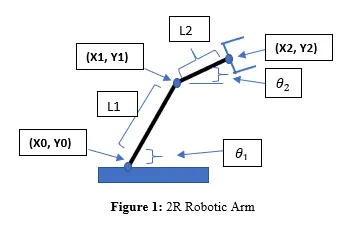
As per Figure 1 Robotic Arm consists of four components:
- Base support
- Link 1 (L1 or l1) which makes an angle theta1
- Link 2 (L2 or l2) which makes an angle theta2
- Manipulator
Here starting and end coordinate for
- Link 1 is represented as [X0 X1] [Y0 Y1] & [x0 x1] [y0 y1]
- Link 2 is represented as [X1 X2] [Y1 Y2] & [x1 x2] [y1 y2]
MATLAB PROGRAM:
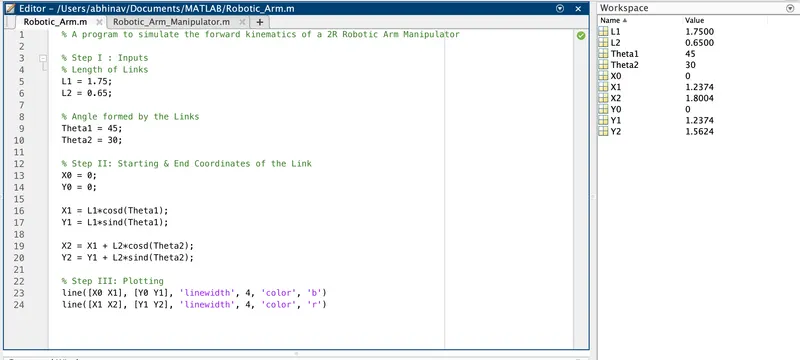
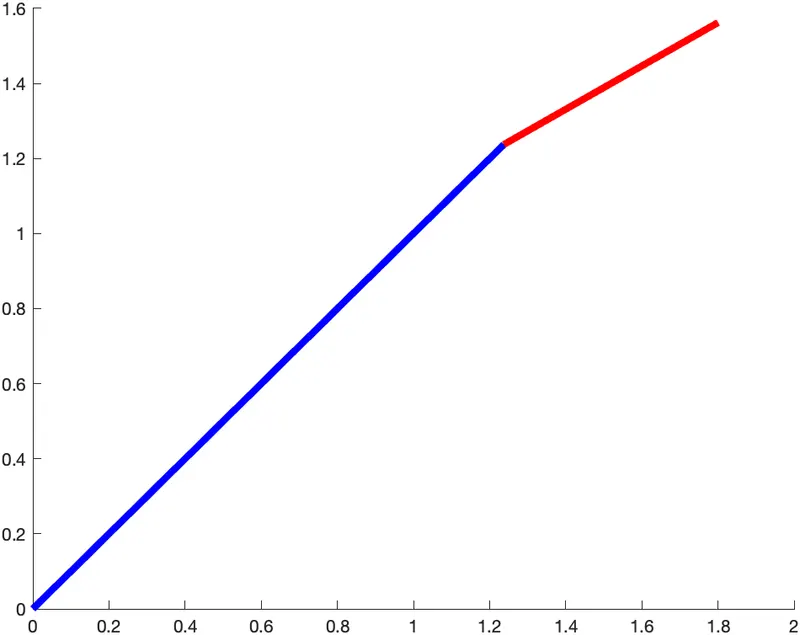
i] Program for fixed Theta1 & Theta2 :
% A program to simulate the forward kinematics of a 2R Robotic Arm Manipulator
% Step I : Inputs
% Length of Links
L1 = 1.75;
L2 = 0.65;
% Angle formed by the Links
Theta1 = 45;
Theta2 = 30;
% Step II: Starting & End Coordinates of the Link
X0 = 0;
Y0 = 0;
X1 = L1*cosd(Theta1);
Y1 = L1*sind(Theta1);
X2 = X1 + L2*cosd(Theta2);
Y2 = Y1 + L2*sind(Theta2);
% Step III: Plotting
line([X0 X1], [Y0 Y1], 'linewidth', 4, 'color', 'b')
line([X1 X2], [Y1 Y2], 'linewidth', 4, 'color', 'r')
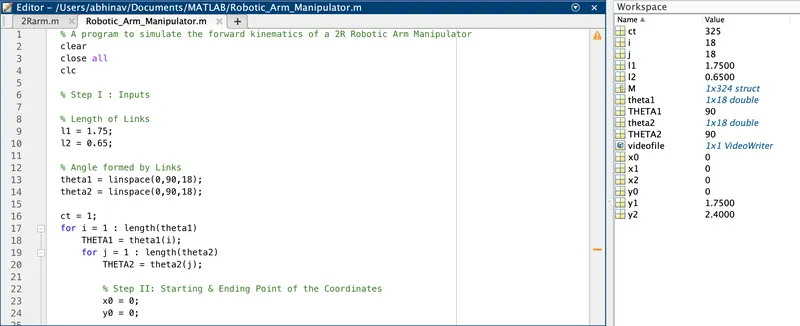
ii] Program for Multiple values of theta1 & theta2 :
% A program to simulate the forward kinematics of a 2R Robotic Arm Manipulator
clear
close all
clc
% Step I: Inputs
% Length of Links
l1 = 1.75;
l2 = 0.65;
% Angle formed by Links
theta1 = linspace(0,90,18);
theta2 = linspace(0,90,18);
ct = 1;
for i = 1 : length(theta1)
THETA1 = theta1(i);
for j = 1 : length(theta2)
THETA2 = theta2(j);
% Step II: Starting & Ending Point of the Coordinates
x0 = 0;
y0 = 0;
x1 = l1*cosd(THETA1);
y1 = l1*sind(THETA1);
x2 = x1 + l2*cosd(THETA2);
y2 = y1 + l2*sind(THETA2);
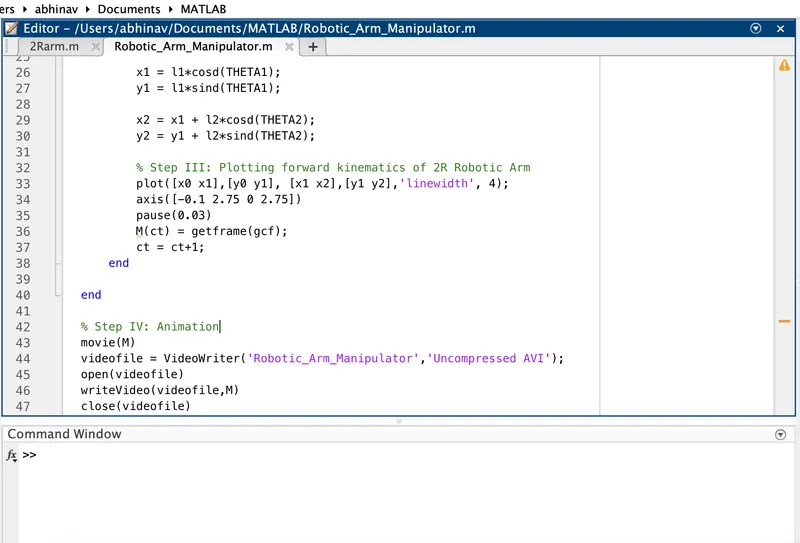
% Step III: Plotting forward kinematics of 2R Robotic Arm
plot([x0 x1],[y0 y1], [x1 x2],[y1 y2],'linewidth', 4);
axis([-0.1 2.75 0 2.75])
pause(0.03)
M(ct) = getframe(gcf);
ct = ct+1;
end
end
% Step IV: Animation of Robotic Arm Manipulator
movie(M)
videofile = VideoWriter('Robotic_Arm_Manipulator','Uncompressed AVI');
open(videofile)
writeVideo(videofile,M)
close(videofile)
ANIMATION OF 2R ROBOTIC ARM MANIPULATOR :
COMMANDS USED :
- Linspace - to get equally distributed values between the start and end coordinates.
- linewidth
- plot
- ct - counter command and it represents each frame
- pause - shows smoother animation based on desired time frames
- axis
- array - represented as M
- getframe - shows the current figure window
- movie - creates a video
- VideoWriter - helps to name the file along with its file format.
CONCLUSION :
Hence we have created the animation program in Matlab to simulate the forward kinematics of a 2R Robotic Arm based on various angles.