2-D Meshing on Bottle Cap Model
AIM: To perform a 2D meshing on the given bottle cap component with given quality criteria.
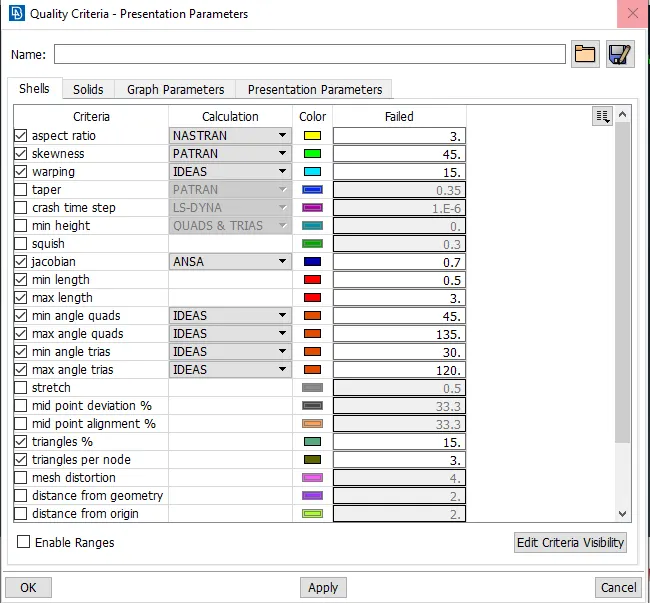
Given Quality criteria:
|
S.No |
Quality Criteria |
Value |
|
1 |
Target/Average length |
1 |
|
2 |
Minimum Length |
0.5 |
|
3 |
Maximum Length |
3 |
|
4 |
Aspect |
3 |
|
5 |
Warpage |
15 |
|
6 |
Skewness |
45 |
|
7 |
Jacobian |
0.7 |
|
8 |
Minimum Quad Angle |
45 |
|
9 |
Maximum Quad Angle |
135 |
|
10 |
Minimum Tria Angle |
30 |
|
11 |
Maximum Tria Angle |
120 |
|
10 |
Tria Percentage |
15 |
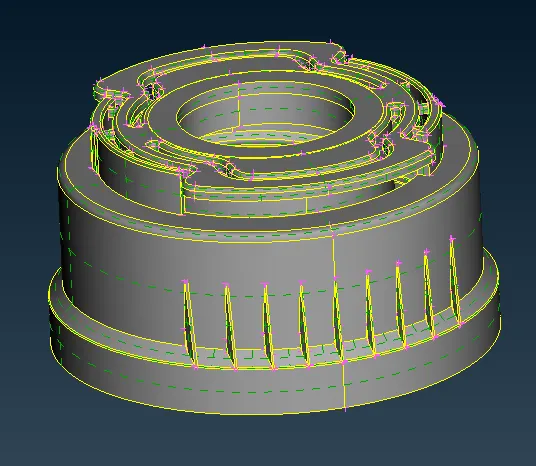
Given component:
Steps involved before meshing:
* Geometry cleanup.
*Extracting the mid surface.
*Meshing with given quality criteria.
Geometry cleanup:
* After importing the model we have to give topo to the entire component to stitch the surfaces.
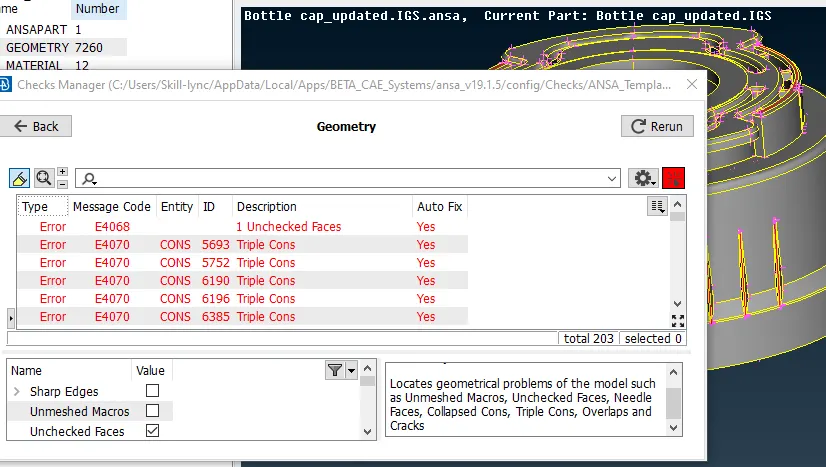
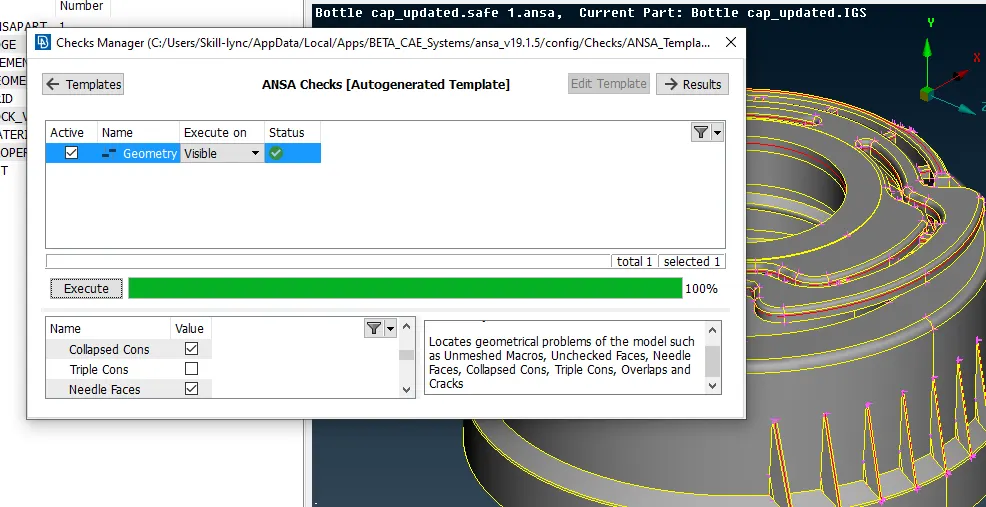
* Then go to the geometry check and fix the errors which we have in the dialogue box as shown below.
 |
 |
*After clearing the geometry we can go with the midsurface extraction.
EXTRACTING THE MID SURFACE:
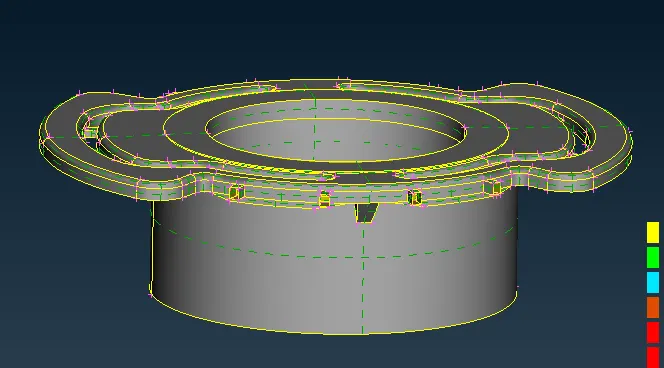
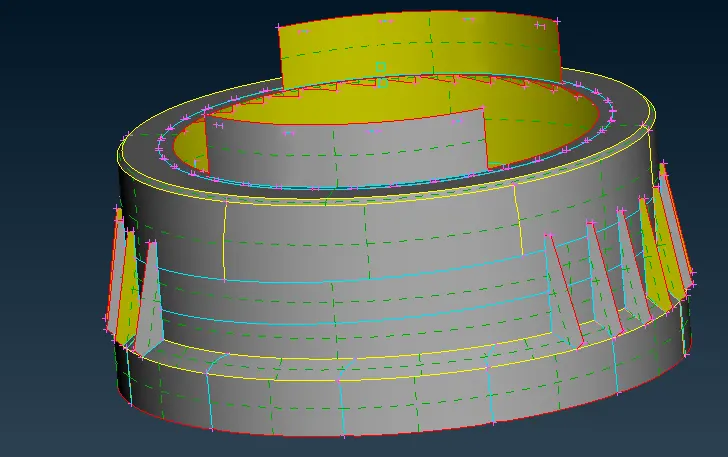
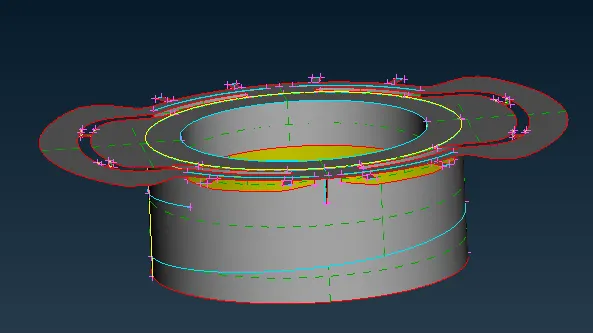
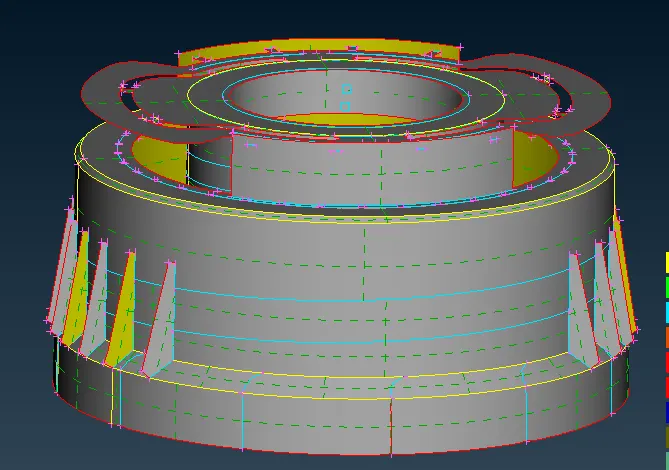
* Here there are more complicated areas so we can first divide the component into two parts upper part and lower part as shown in fig below.
*Then we can extract the mid surface using the offset, faces middle, curves middle options based on the geometry we have in a particular area.
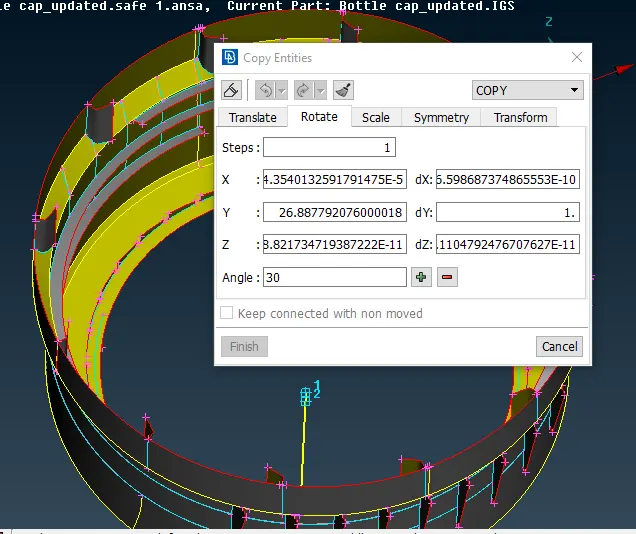
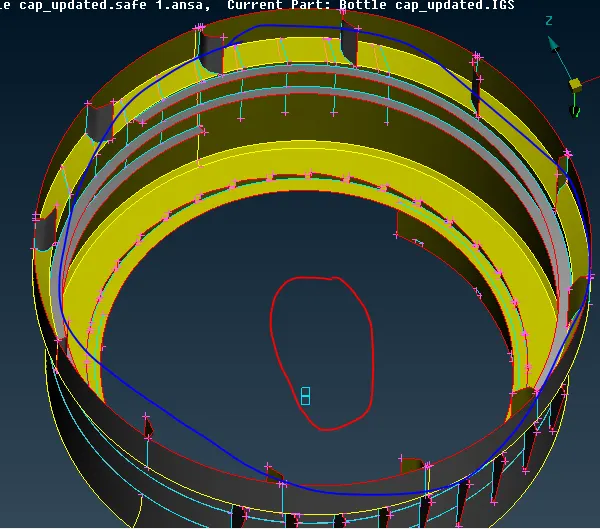
*Here especially we have the inner Ribs in order to take one by one we have to do that for all at a single shot using the rotate command with COG two points as shown in below.
*Here we should give the angle =360/no of parts.
Rotating command:
The mid surface of the top and bottom parts:
The final mid surface of the whole component:
MESHING PROCESS :
A mesh is a network that is formed of cells and points it can have almost any shape of any size and is used to solve partial differential equations. each cell of the mesh represents an individual solution of the equation when combined with foe whole network results in a solution for the entire mesh.
*Before going into the meshing we have to set the quality criteria parameters and Mesh parameters.
*In presentation parameters enable the tick to the % of elements and put the details of demand effect to all details.
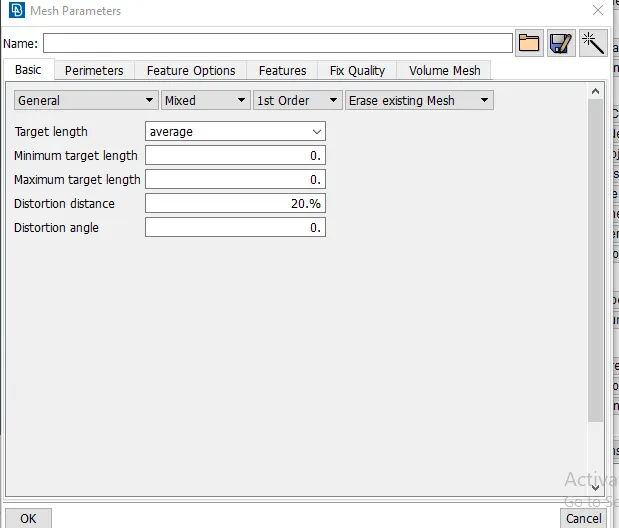
*In mesh parameters we should give the target element length, min length and max length as shown below images.
*In 2D meshing for midsurface we are going with mixed mesh flow with both quads and trais as per the given Quality criteria.
*Then we can go with the meshing here same as we divided to two parts of the midsurface like we can go with a mesh one after another for easy meshing.
*We have to use split, swap, paste, reconstruction, options to adjust the trais in a perfect way.
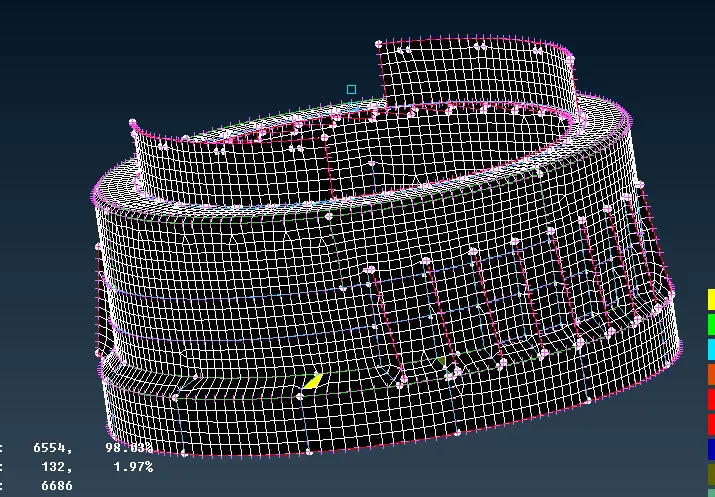
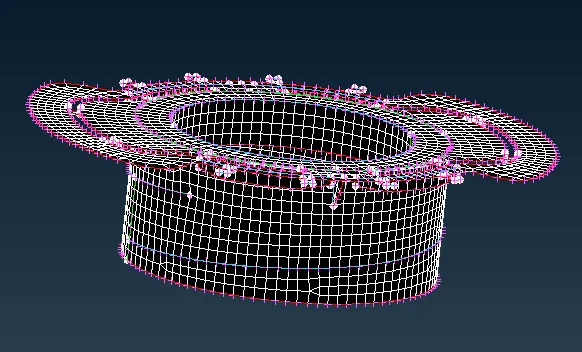
*We have to compromise on some areas of quality criteria let them fail for quality because those areas are min length issues.
Full component meshing:
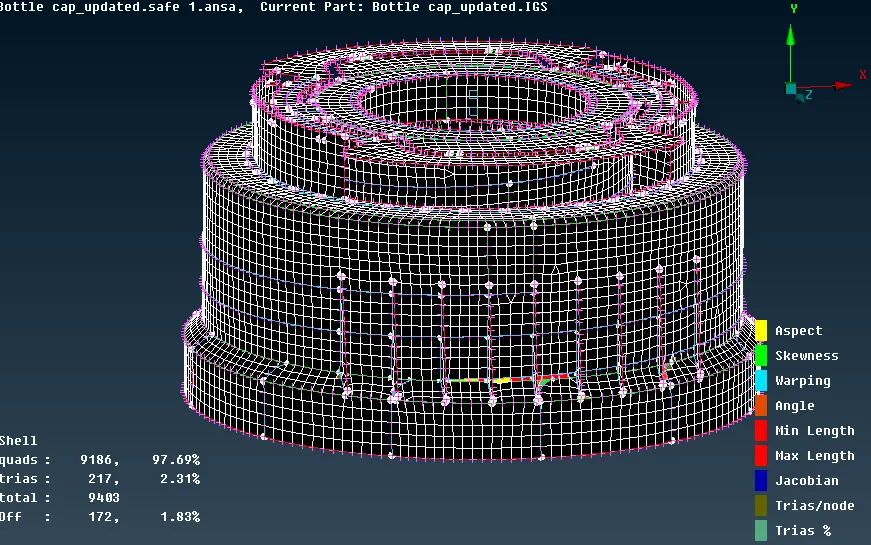
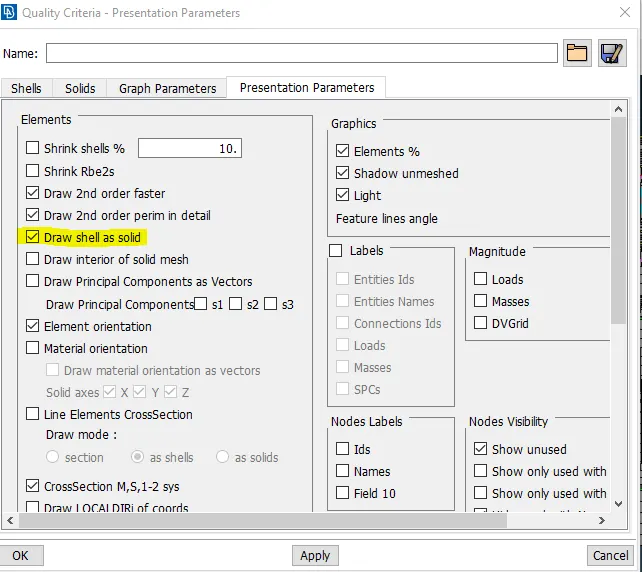
*After completing the mesh we have to assign the thickness to meshed components and enable the Draw shell as solid in the presentation parameters as shown the below.
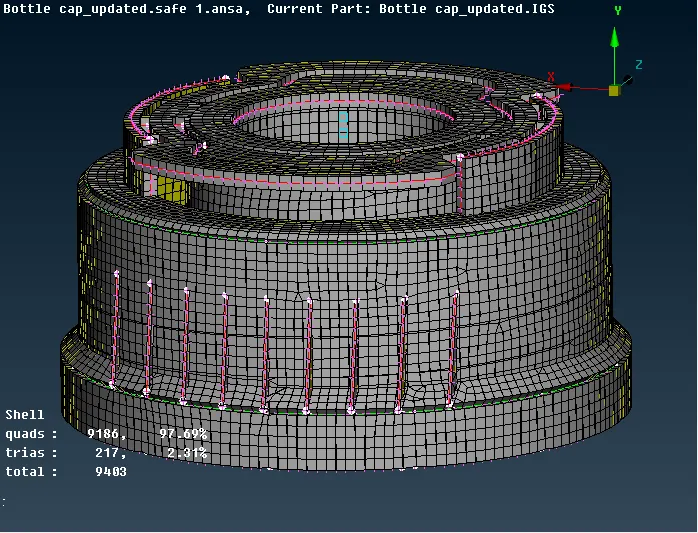
*After assigning the thickness draw shell as a solid is enable to the mesh component as shown below.
LEARNING OUTCOMES:
*In this challenge I understand how to obtain a better mesh flow over-complicated areas.
*Extracting the mid surface of the complex models.
*New rotating command is used in this model to obtain mid surfaces of the identical parts.
CONCLUSION:
The given bottle cap model is checked for the geometrical errors and taken the mid surfaces of component, it has meshed with the max quad percentage is 97.69% and trais percentage is 2.31% with given quality criteria and assigned the thickness.
Here link for the model
https://drive.google.com/file/d/18xc81TxgpHffYImvbmhOAfDcUS36uBZX/view?usp=sharing