Week - 3 Drop test Challenge
Aim: To create a complete input file deck from scratch for a drop test.
Software used: Ls-Dyna.
Given two parts Mobile and ground pannel:
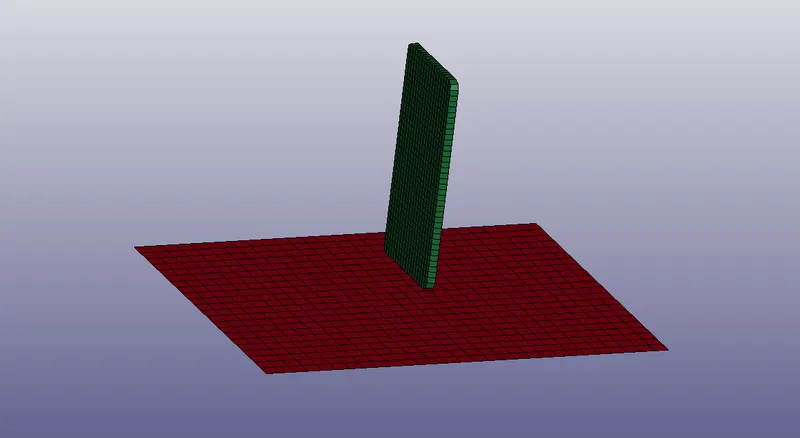
Procedure:
- First we have to Import the keyword file which is given then we have to give the required boundary conditions and material properties.
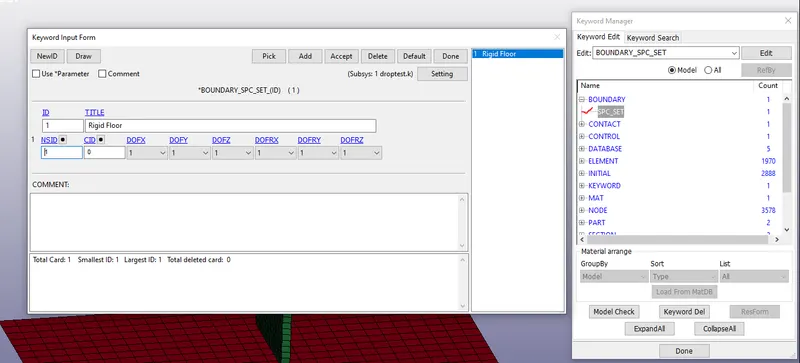
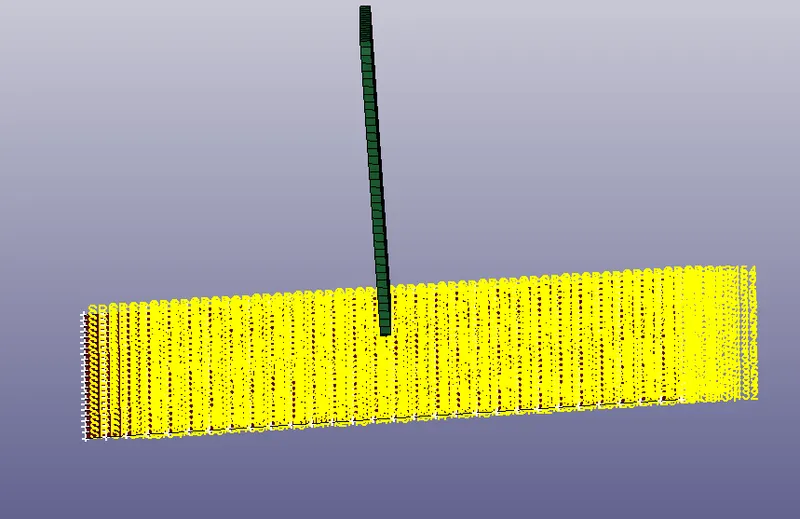
- Then we have to constrain the floor pannel with all Dof's fix for that goto keyword edit >Spc_set>select the nodes as shown in the below image.
Boundary conditions:
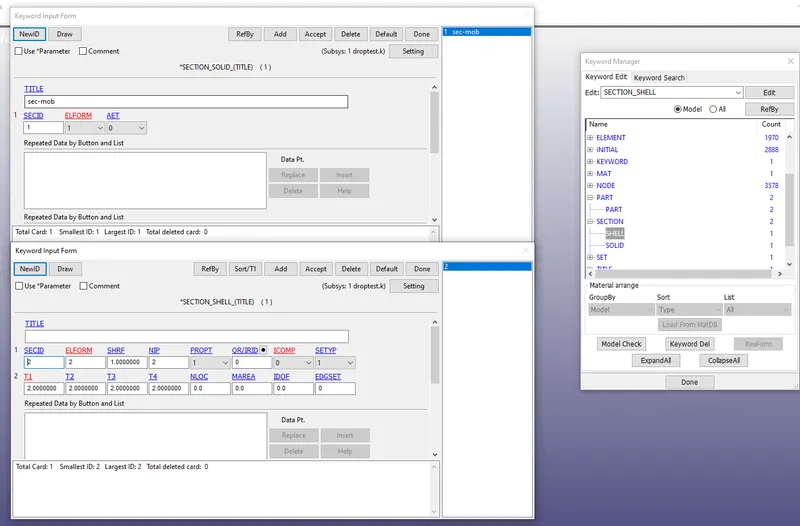
- Then we have to define the material properties & sections as shown in the below image.
- Basically sections define the type of elements,thickness and element formation.
Section:
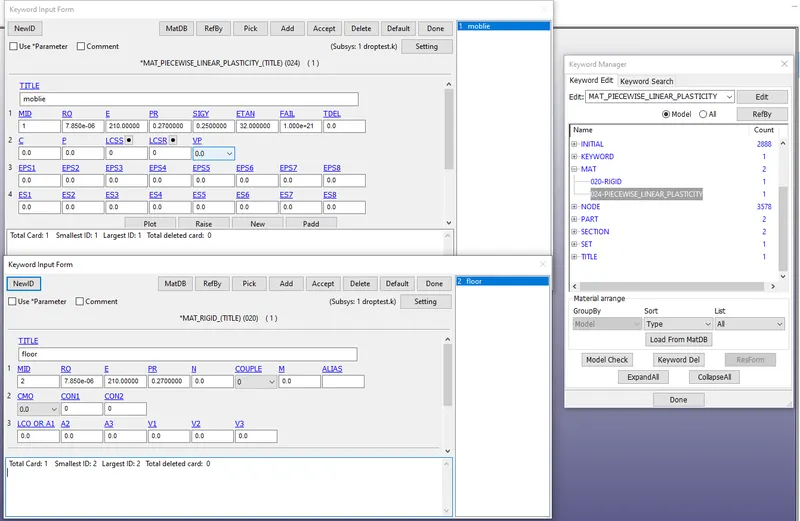
- When come to the materials here for mobile we define the steel material properties and for floor rigid property as shown in the below image.
Material Definition:
Velocity:
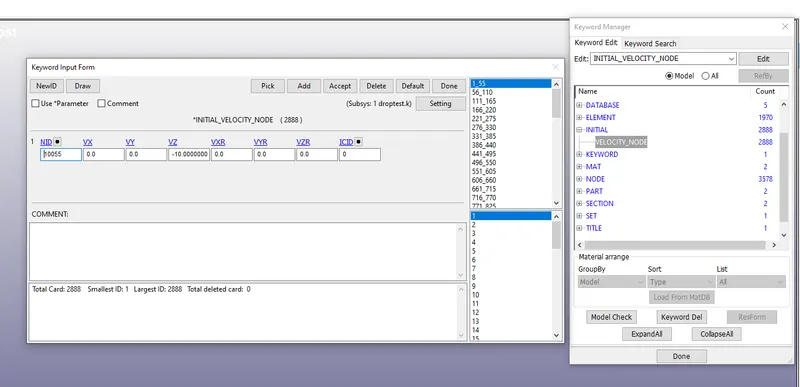
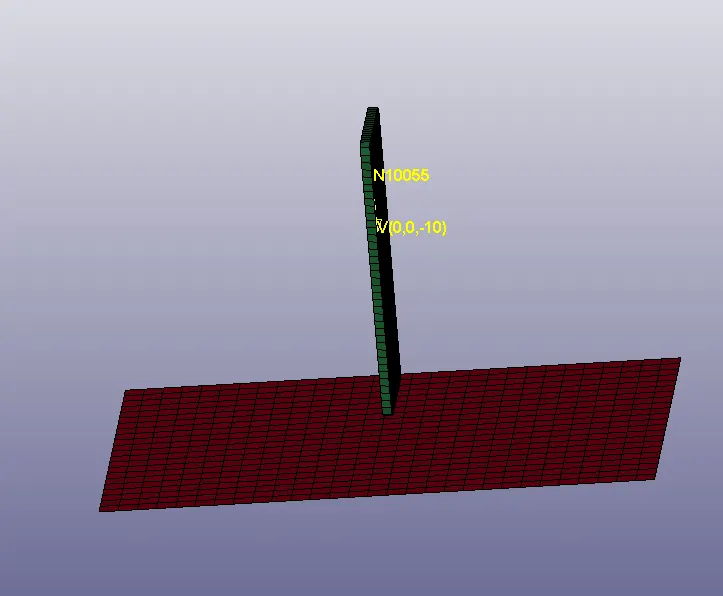
- We have to create the velocity to the mobile of 10mm/ms.
Contact:
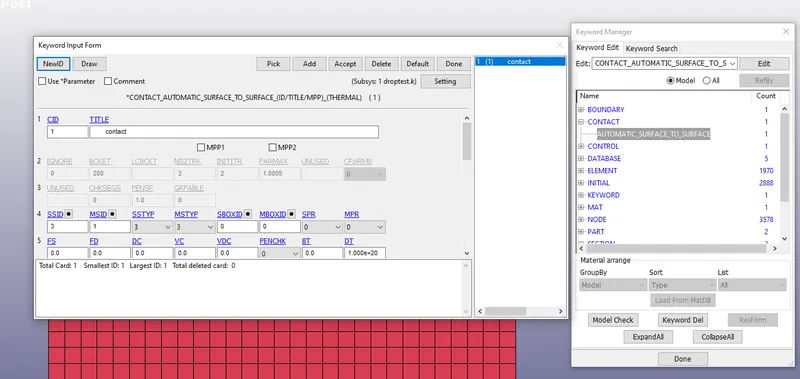
- Here we have to create the contact definition for the two parts .
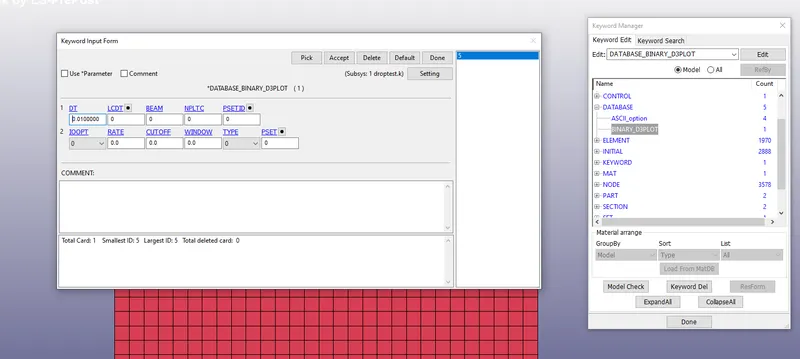
Data Base:
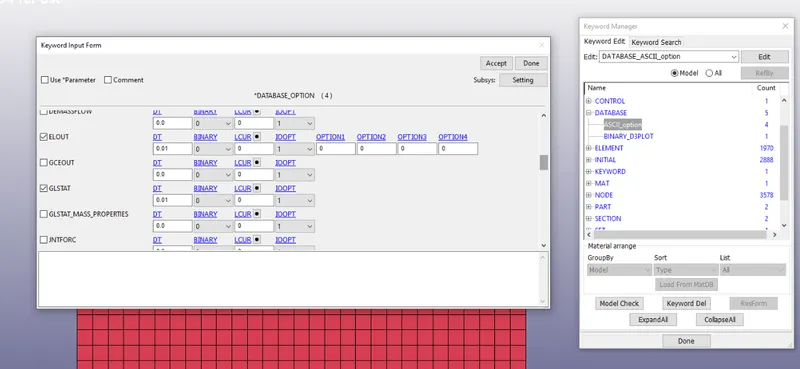
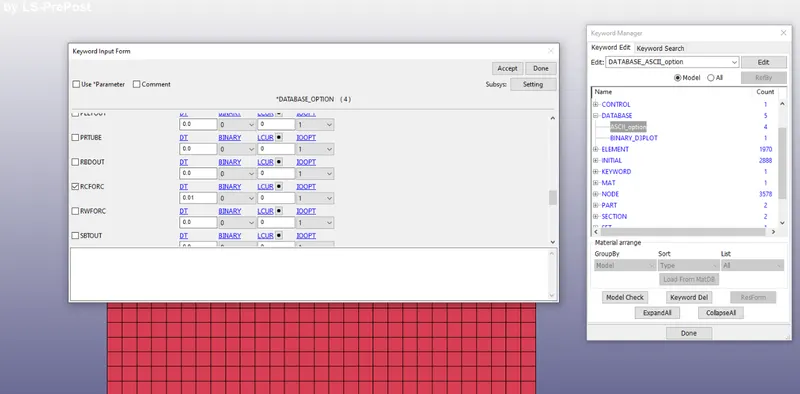
- Here we have to define the D3plot and AscII as shown in the below image.
- Here we have to define the GLSTAT,ELOUT,RCFORC.. etc required outputs.
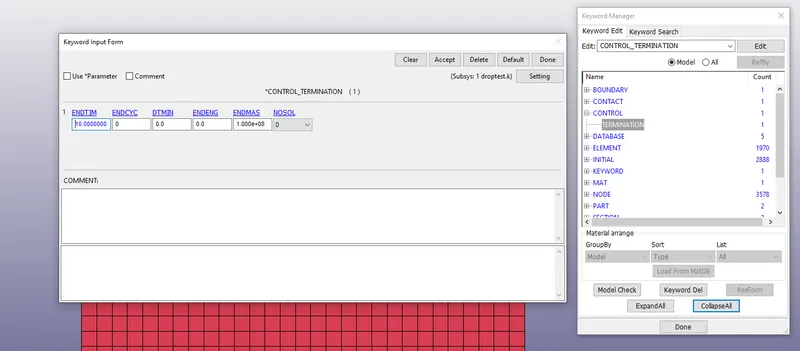
Termination time:
- Here we have to define the end time(10ms) of the simulation as shown in the below.
Kinetic energy,Internal energy & Total energy:
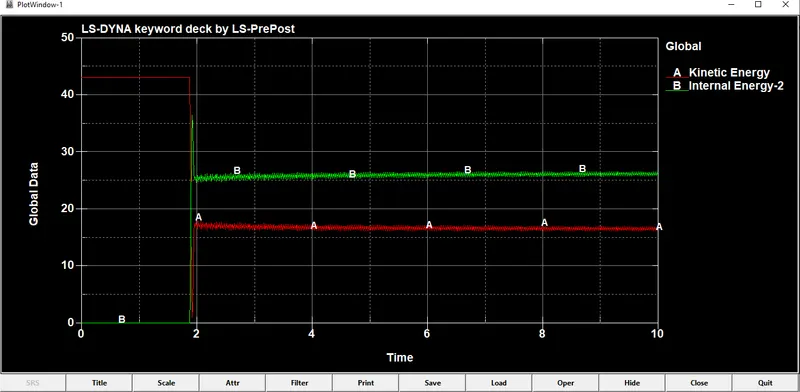
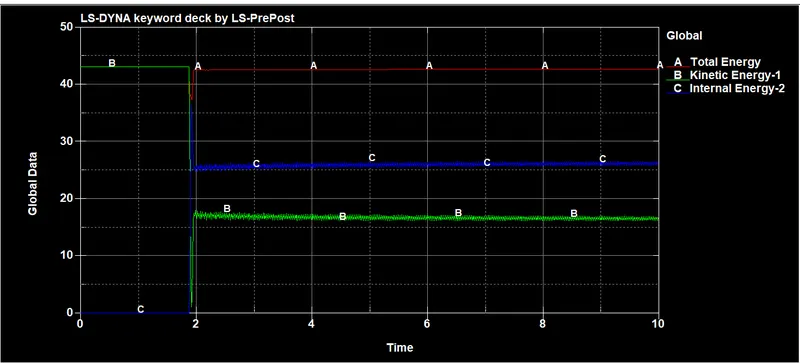
- As we seen in above plot the kinetic energy is decreasing after collision & fluctuating after 2ms.
- Internal energy is increased after collision and fluctuating after 2ms.
- Total sum of all the energies is contact energy.
Animation:
Conclusion:
- I understood how to create the boundray conditions for the given problem from scratch.
- Created the sections, Material properties,Defining contact..etc.
- Created the outputs with the help of binary polts,AsccII under Data base .
- I understood how to plot the graphs for required energies.