Wiring harness design in CATIA V5 - 3D modeling Week 7 Challenge
Wiring harness design in CATIA V5 - 3D modeling Week 7 Challenge
Aim:
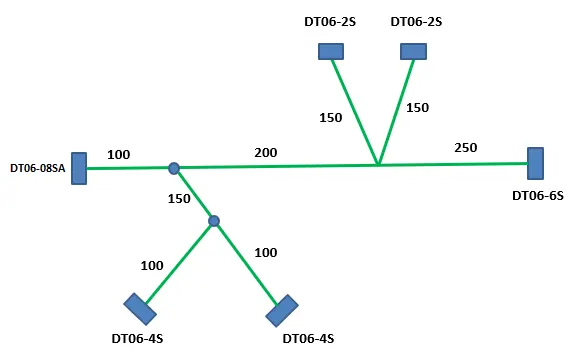
To create the flattened view for harness geomentrical bundle assy as per the above given structure.
Design methodology:
Step-1: To ensure all basic setting for Electric Harness Flattening.
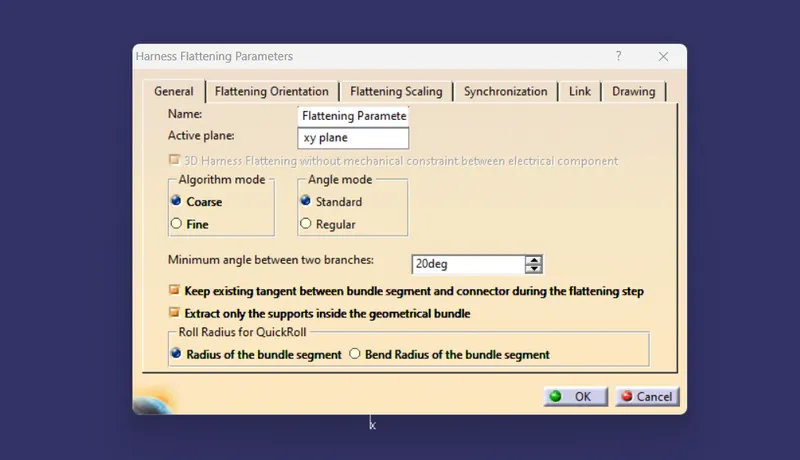
To ensure all the bundle segments are connected to each other, of already created harness assembly.
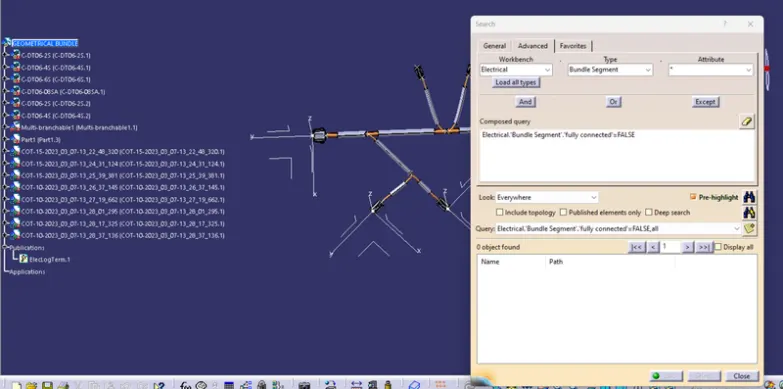
Step-2:Import the harness assembly
Bring the harness assembly into the newly created Flattening Product by using the "Extract" feature.
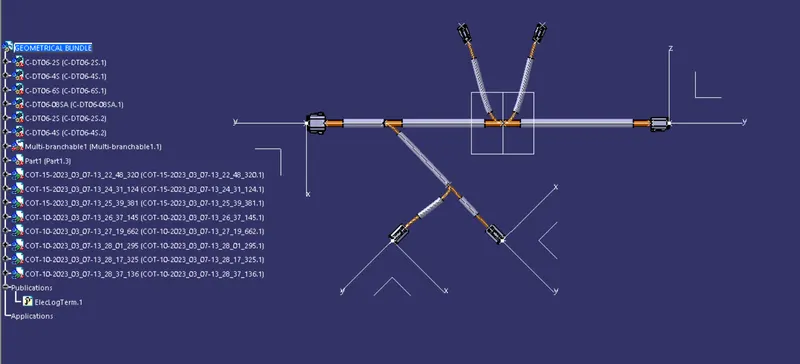
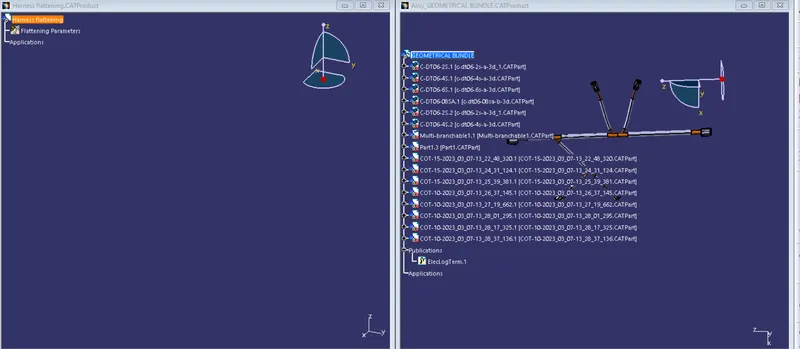
Step-3: Flatten the Harness assy
To flatten the harness we should select the flatten plane and then select all the branches present in the harness assembly as shown below.
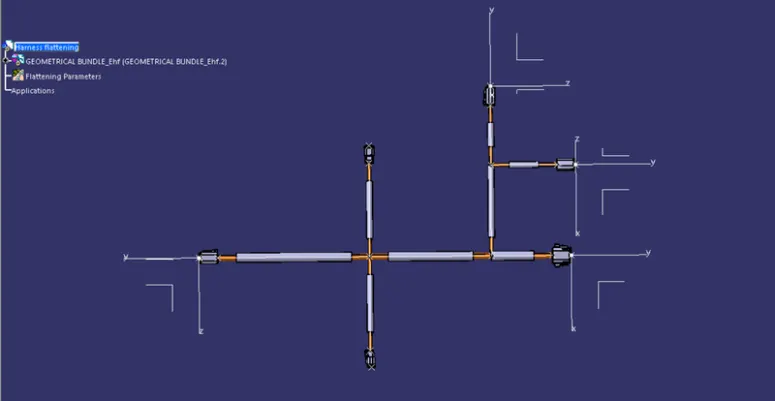
Step4: Roll the bundle segments
To Rotate, Roll or straighten the bundle segments by using the manipulator command bar. It is used to arrange the bundles along the automative components.
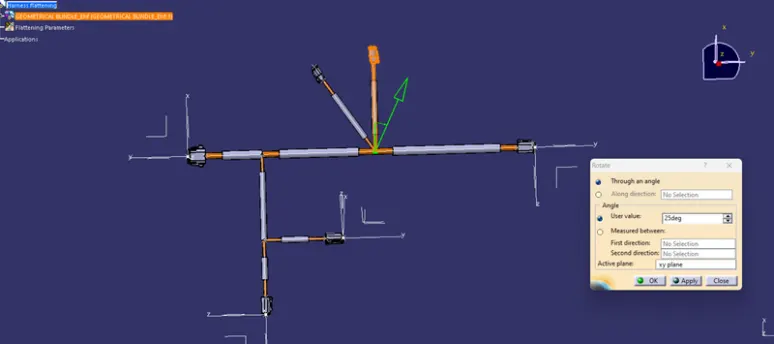
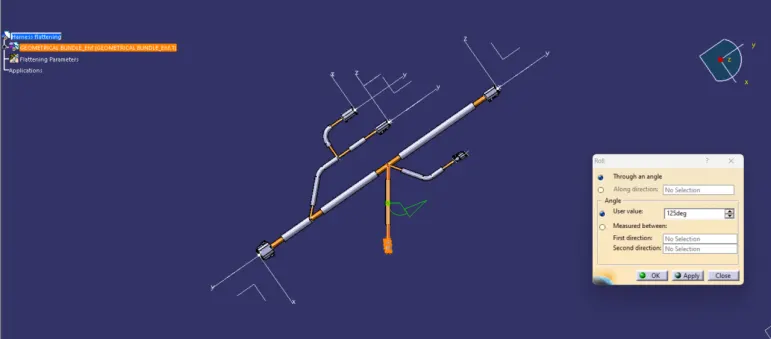
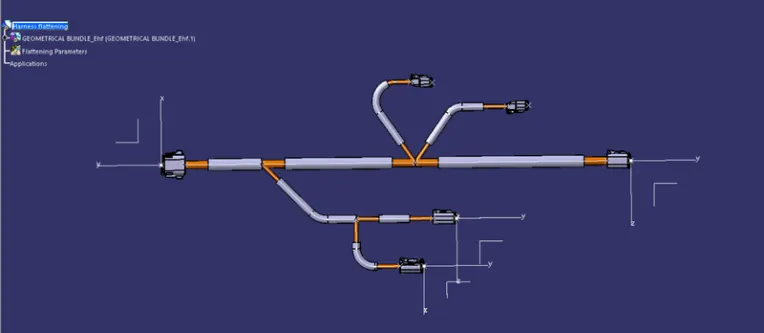
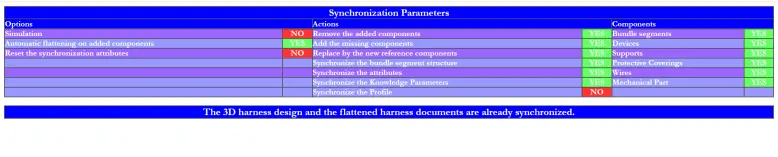
This flattened assembly is analys by using of Synchronize.
Step-5: Make new drawing file
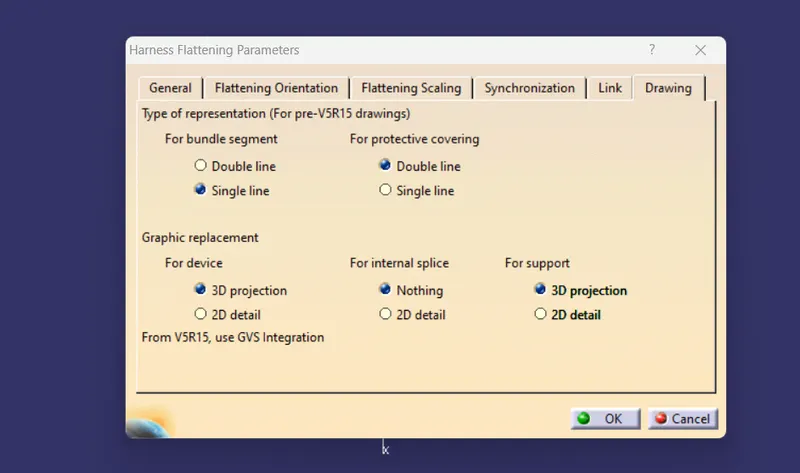
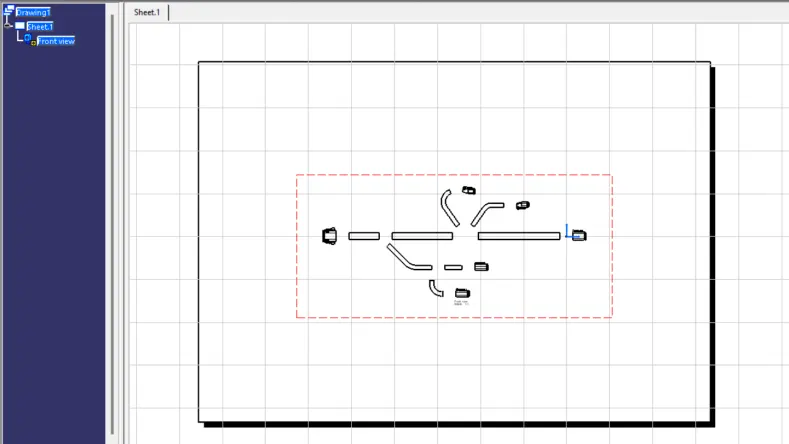
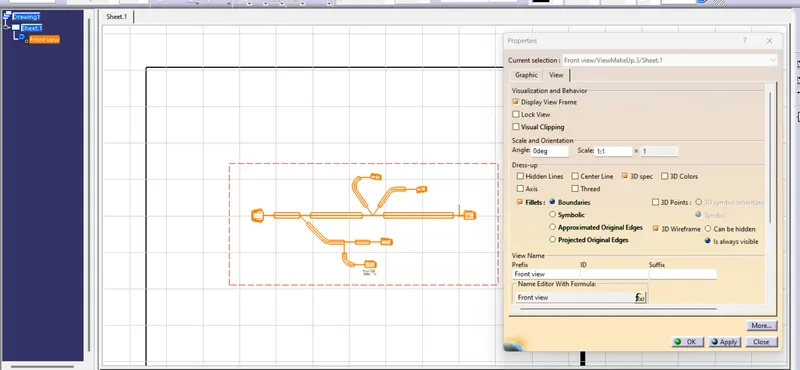
Flattened assy is to convert as a drawing for provide into 2d drawing parameters to the harness assembly engineer. Before Make a new drawing file, define the drawing parameters as shown below.
Conclusion:-
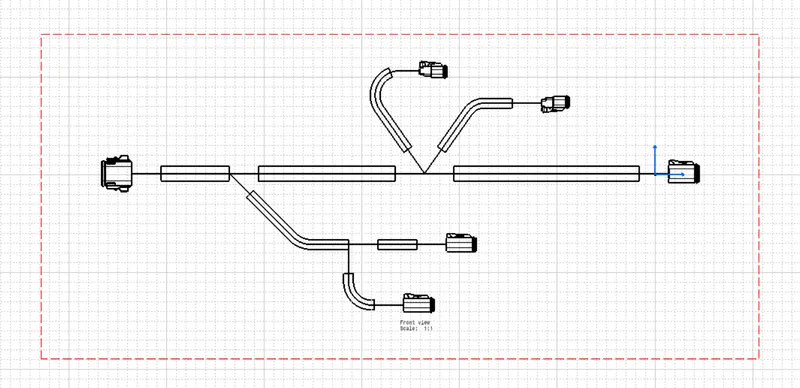
The final flattened drawing was produced for the wiring harness. As per requirement, different representation was given to the bundle segments and the protective coverings.