Wiring harness design in CATIA V5 - 3D modeling Week 4 Challenge
Wiring harness design in CATIA V5 - 3D modeling Week 4 Challenge
Aim:
To create the wiring harness along with the mentioned connectors( downloaded from TE.com) and with their properties at the desired or given position.
Designing Methodology:
step1: Connector Definition
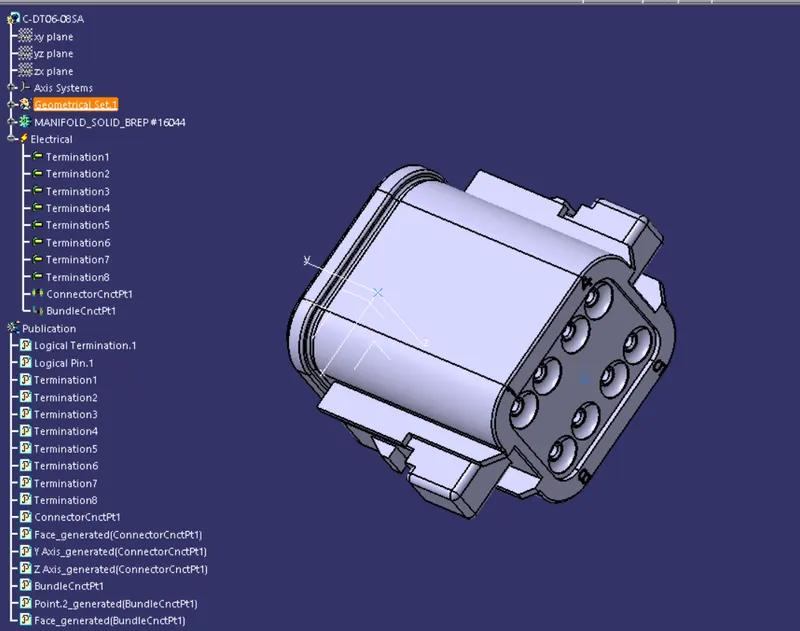
First downlod Cad files of all mentioned connectors from the TE.com. Than after give the geomentrical properties ( point and axis) at desired position of the components. which are connection connecting point and bundle connecting point.
connection connecting point and axis are pointed at connector meting point.
bundle connection point is create on the wire entry point.
Than switch to the Electrical part design workbench. Than give their Electrical properties by using of define connector comment.
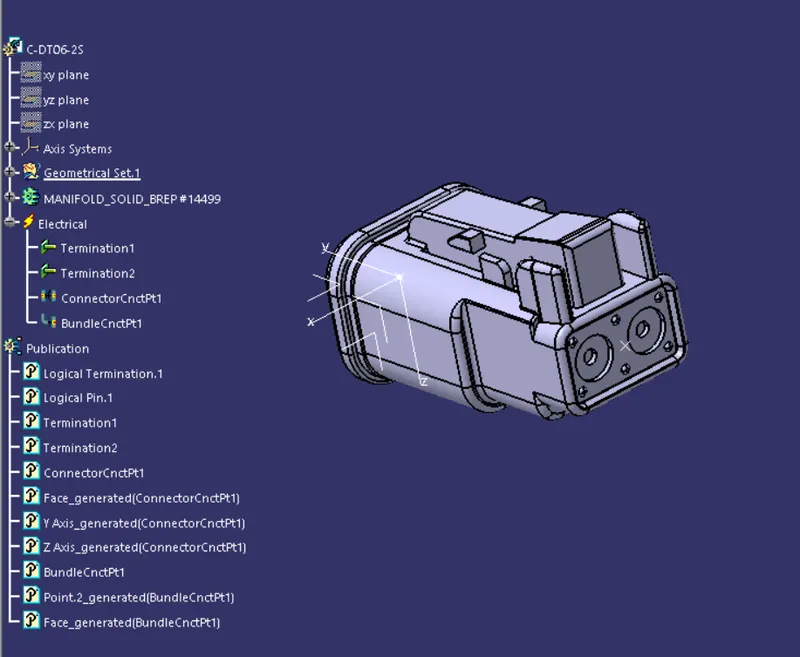
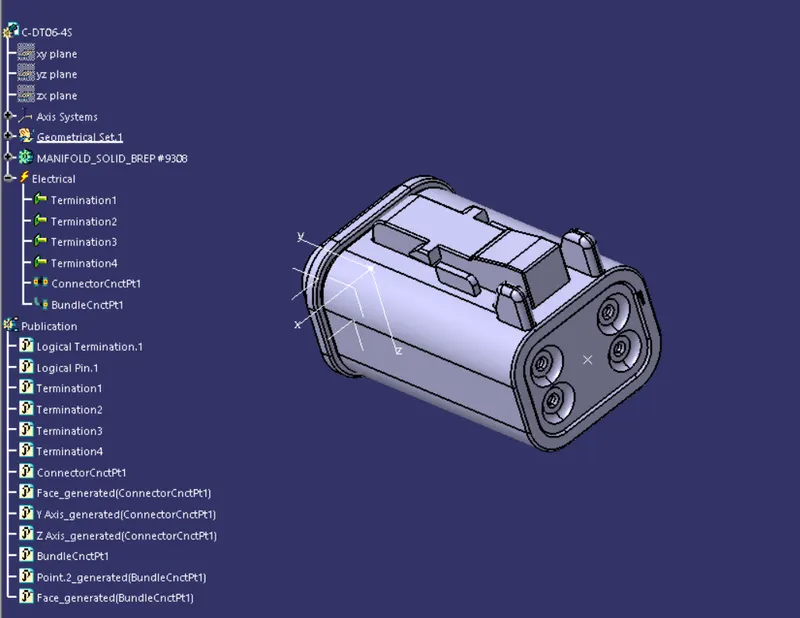
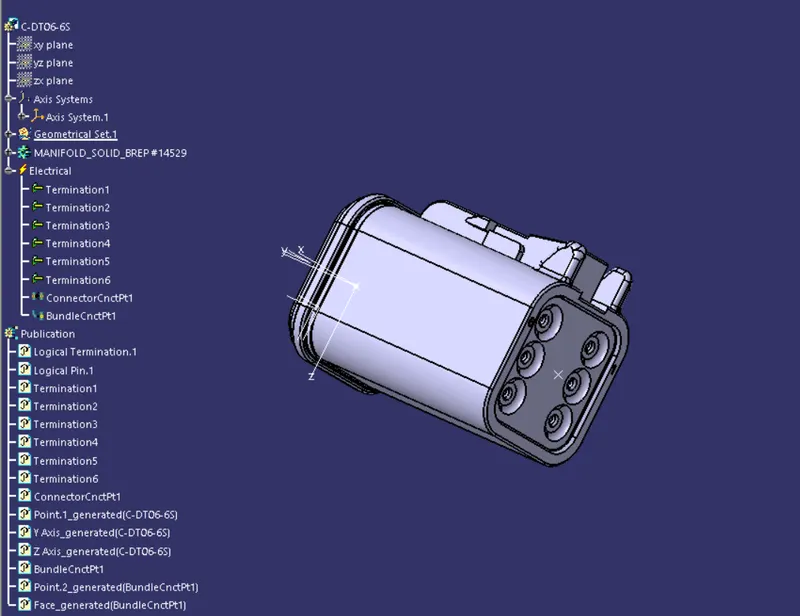
After that define the connection connector point and Bundle entry point as all are shown in following mention connectors below.
For DT06-2S:
For DT06-4S:
For DT06-6S:
For DT06-08SA:
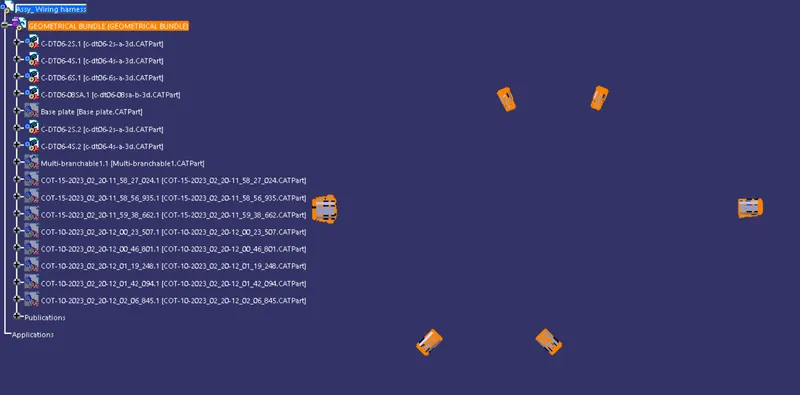
Step2: Preparation of Harness Assembly
Here the connectors are aligned at the following harness layout by using of the Assembly part workbench comments like, Manipulation, Translate or rotation, Snap, coordinate axis and Smart move.
Step3: Defining the wire Harness Routing
Befor strat harness routing, we move to the electrical assembly workbench and the assembly part as converted it to be a electrical assembly part by using of geomentrical bundle comment.
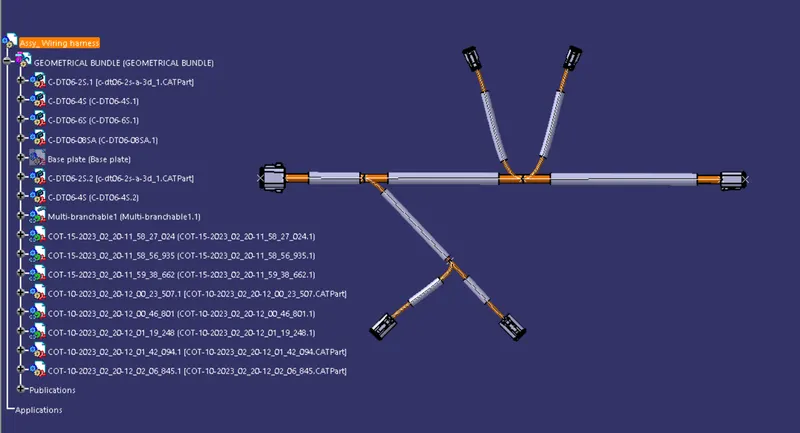
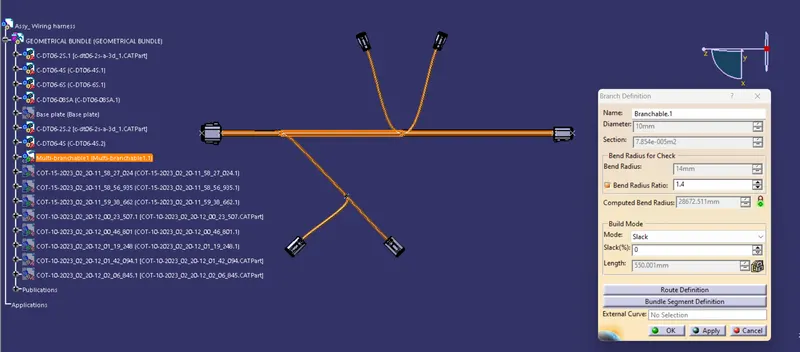
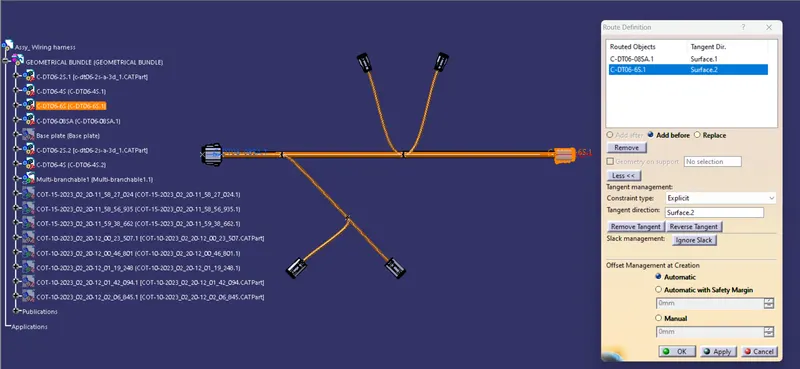
Than using the multi branch document for creating the bundle segment between connectors by using of bundle definition and route definition. It is shown in below image.
Step4: Creation of protection covering
After creation of bundle segments we have to provide the protection covering(Currocative Tubes) for each bundle segments. It also shown in below.