Wiring harness design in CATIA V5 - 3D modeling Week 7 Challenge
WEEK-7 FLATTENING AND 2D DRAWING
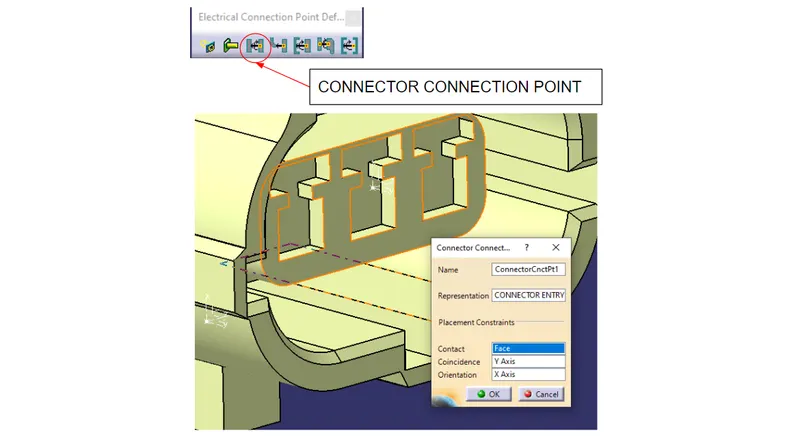
CONNECTOR CONNECTION POINT:
A connector connection point is used to specify how mating connectors are placed when making an electrical connection. Open any document containing a single insert connector where you want to place a connector connection point. Optionally, place a Contact constraint. for example, a surface or a point.
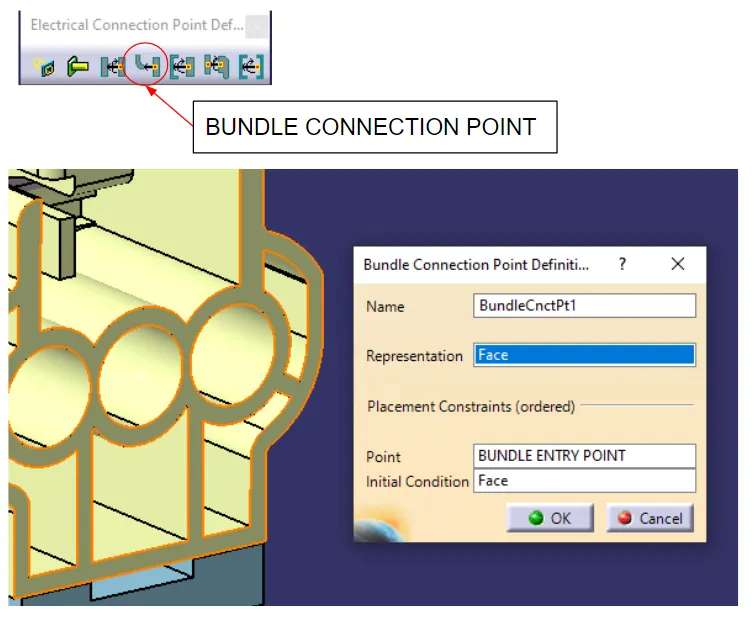
BUNDLE CONNECTION POINT:
To implement the transition of connections or cable connections from multi- to single-line representation, and vice-versa, so-called bundle connection points are used.
CONNECTOR CONNECTION POINT:
A connector connection point is used to specify how mating connectors are placed when making an electrical connection. Open any document containing a single insert connector where you want to place a connector connection point. Optionally, place a Contact constraint. for example, a surface or a point.
BUNDLE CONNECTION POINT:
To implement the transition of connections or cable connections from multi- to single-line representation, and vice-versa, so-called bundle connection points are used.
CAVITY CONNECTION POINT:
A cavity connection point is used to specify how a device is placed in a cavity when making an electrical connection.
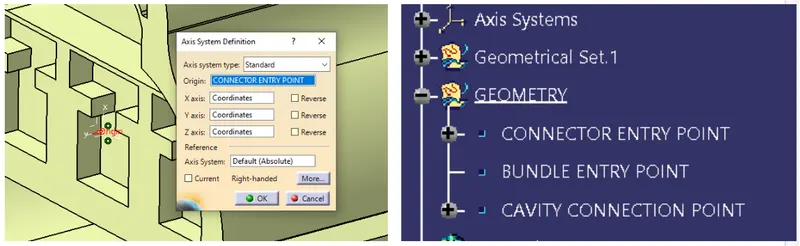
STEP 1: CREATING REQUIRED GEOMETRICAL PARAMETERS:
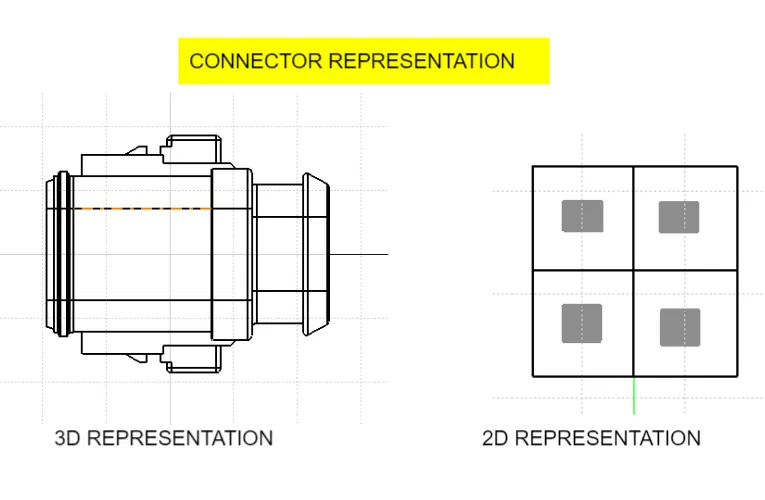
1. POINTS: Connector Connection Point, Bundle Connection point, Cavity Connection Point.
2. Axis System: At Connector Connection Point, At Bundle Connection Point
STEP:2 DEFINING ELECTRICAL DEVICE:
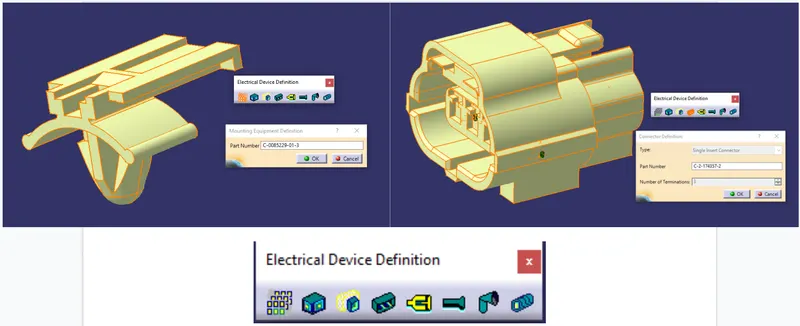
STEP:3 DEFINE CONNECTION POINTS
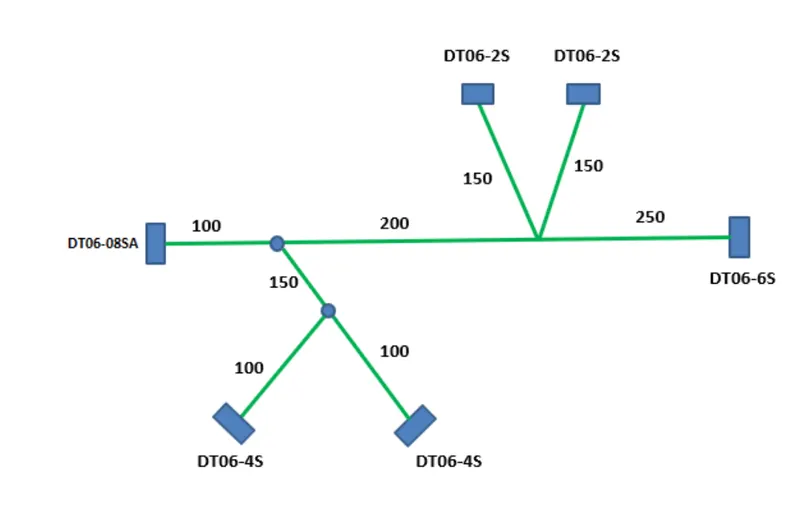
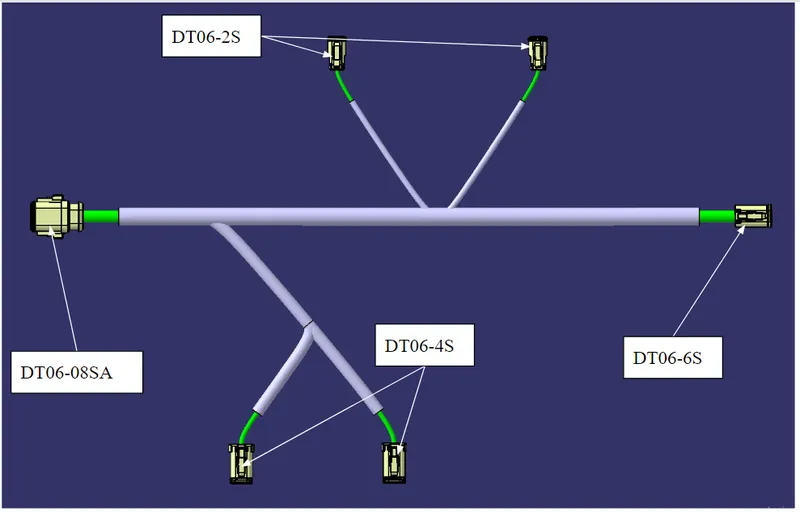
HARNESS ASSEMBLY:
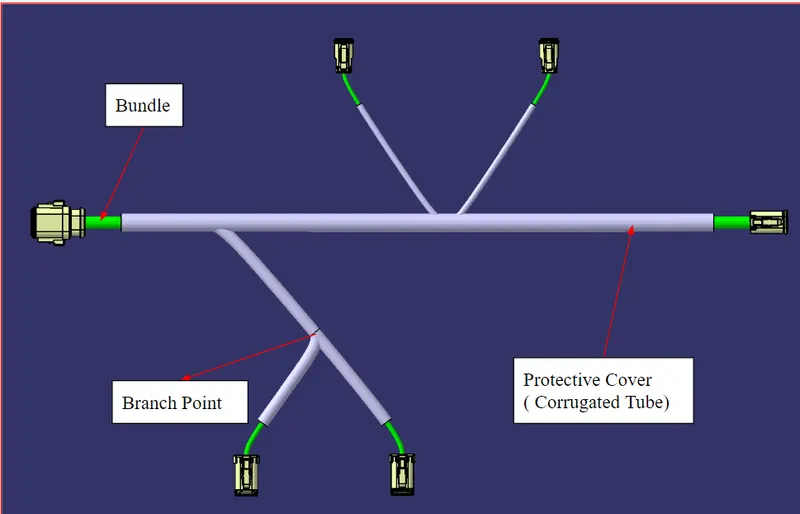
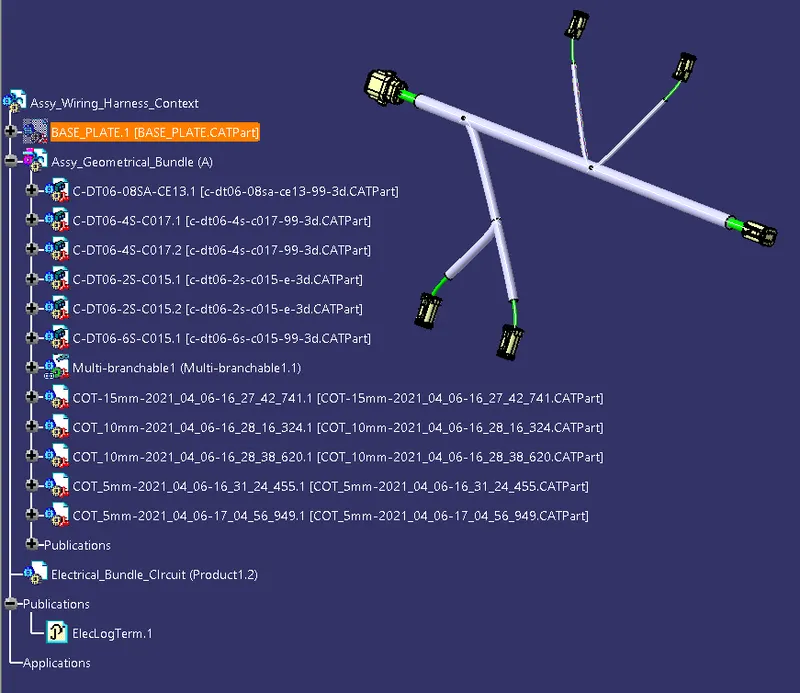
.
.
.
.
FLATTENING:
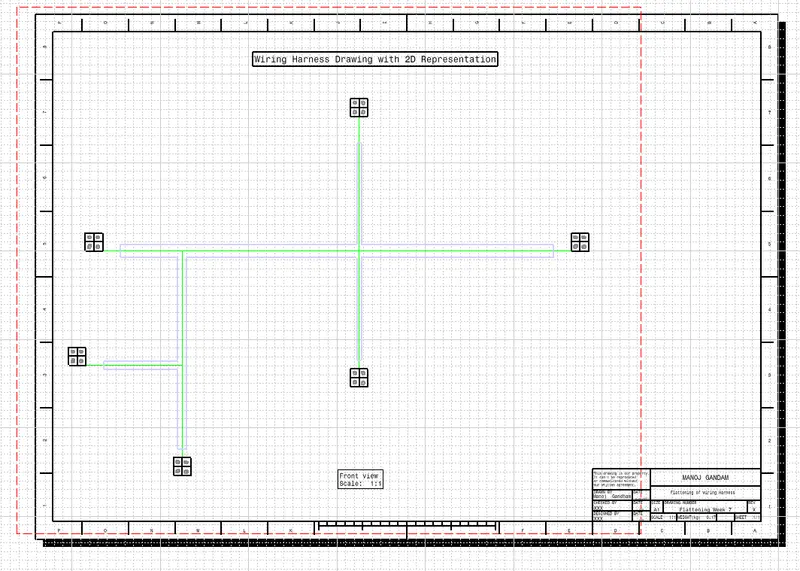
Electrical Harness Flattening is a product that is intended to flatten 3D harnesses in order to create associated 2D drawings. Filtering functionalities for wires are also available if you have an Electrical Wire Routing license.
Electrical Harness Flattening offers the following main functions:
- Flattens bundle segments or electrical and geometrical bundles
- Straightens bundle segments
- Rotates whole bundle segments or bends them at a defined point
- Rolls bundle segments
- Scales bundle segments by introducing fake lengths
- Updates your flattened view at any time during the session thanks to a synchronize option
- Allows you to select the type of representation for your drawing
- Allows you to annotate the wires in your drawing
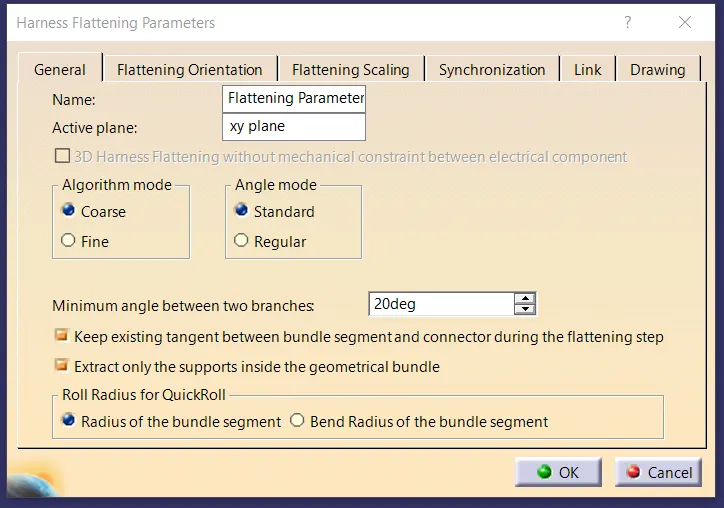
Harness Flattening Parameters
.
.
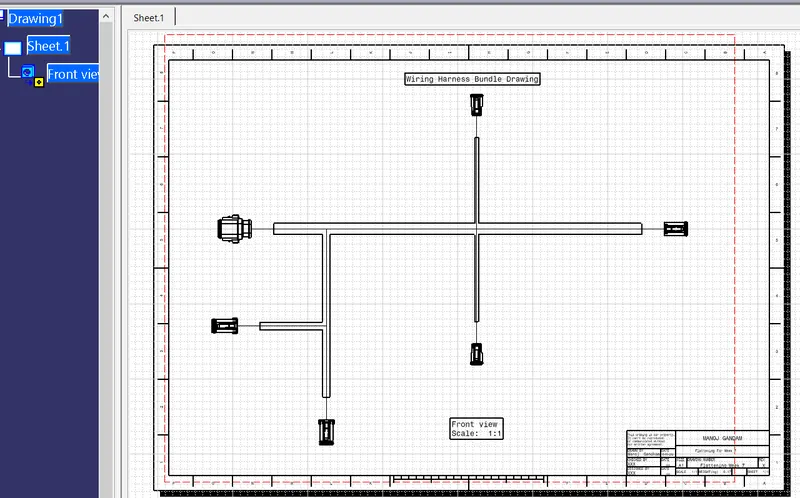
Drawing 1
.
Drawing 2