Week 9 - Project - A pillar Design with Master Section
AIM
The Aim of this project to develop A -piller a closed surface model by using of the master section and developed B side feature for locked the degree of freedom of the component. Here we can use B Pillar master section providing by the OEM Standards
oftware used- CATIA V5.
ABSTRACT-
The report details about the Design Life Cycle in Automotive Industry with a practical working model of A-PILLAR COVER on the A PILLAR of Car Interior. The report explains the steps followed in creating the tooling axis followed by detail methods in creating B-Surface, Class C Surface and to closed body. The Attachment features creation is also reported by following the design guidelines and finally analysis of Draft to prevent the failure and improve the feasibility of manufacturing the part in plastic injection moulding.
OBJECTIVE:
- To ensure proper tree structure is followed.
- Creating a tooling axis and following design rules.
- Creating CLASS B and C surface using CLASS A surface as an input.
- Following the master section for thickness and to create the closed volume.
- Following the master section to create Attachment features.
Given Class A Surface and Master Sections:
DESCRIPTION:
MASTER SECTION:
Master Sections are the guides for design requirements which shapes the component after technical styling of Class A Surfaces The body frame is mainly composed of floor longitudinal beams, upper side beams, door side beams, and front cover, the rear beam, A-pillar, B-pillar, C-pillar, and other load-bearing beam structures are composed..
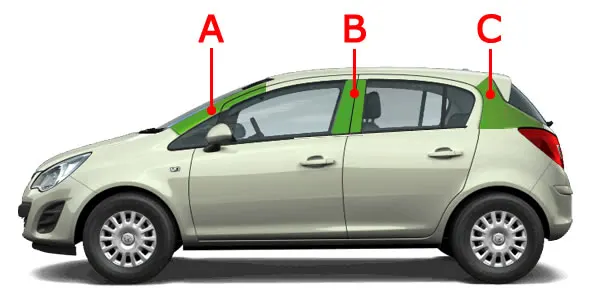
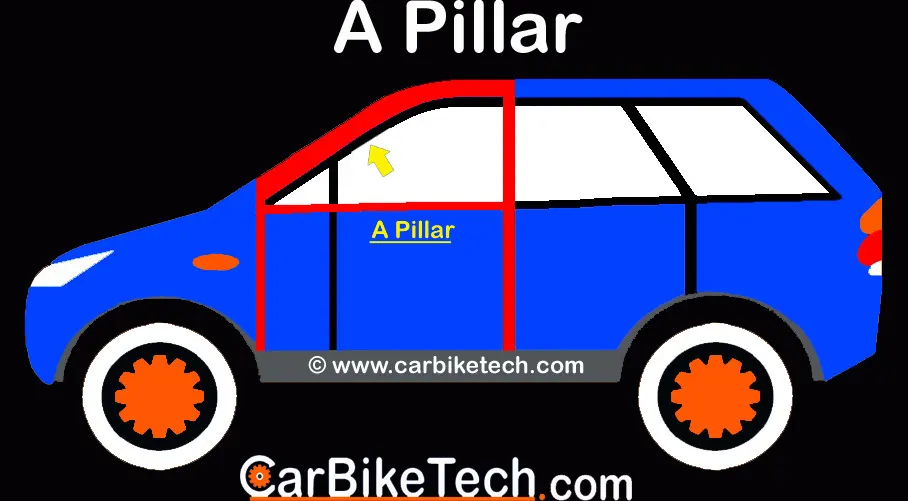
Master Sections are parameterized model of the vehicle body that outlines the guide for NPD Team.
In this Report B Pillar Cover Creation with detailed procedures of Surface Development and Attachment features are covered.
OVERVIEW DESIGN LIFE CYCLE AUTOMOTIVE INDUSTRY:
The Stages of Design Life Cycle are:
- Concept Sketches:Concept sketches are rough idea of free hand sketch obtained through styling team and will be used to prepare the Model. It is usually done through pen and paper and through the painting software. This will be used to generate the concept for preparing the model by incorporating various styles and information obtained through the stakeholders.
- CLASS A Creation: -After finalizing the concept the sketches are usually worked in software’s such as Autodesk Alias to create Class A Surface.
- Clay Modelling: -The Class A Surface is concurrently worked by clay modelers to brainstorm and benchmark the styling of the product and later the Concept is validated by bringing up a rough clay model and then it is passed on to the Design team for the preparation of New Product Design (NPD) CAD.
- NPD CAD-This where the development of surfaces to parts in CAD kick off and Design engineer’s involvement is vital in this stage. The Designers will work on the Input Class A surfaces which are validated from the Feasibility team.
PROCEDURE:
The procedure followed in creation of the plastic New Product Design are
- Tooling Axis
- B Surface Creation
- C Surface Creation
- Closed Body Creation
- B Side feature Creation
- Side core Axis creation
- Draft Analysis
The given Class A input is analyses to envision the part to manufacture and Tooling axis or Tooling Direction or Die line is the direction that mould pull apart in injection moulding. There are two mould pieces names core and cavity.
Thus, tooling direction determines Mould separation and also becomes vital in developing the plastic product which is drafted to desired nominal angle for feasible clearance and ejection of final part from the mould.
CREATION OF TOOLING AXIS:
The Steps Followed in creating Tooling Axis:
- A Reference Point is created along the Surface zero and new Axis system is created.
- The X Direction and Y direction along the Class A were used to create Tooling direction.
- Finally, the Tooling axis is created by bisecting the two lines which provide the Master section, and it is published. Class A Surface as input using surface operation commands Class B is developed.
- The tooling Axis determines the direction of Class C boundary swept with draft direction and Draft provide in tooling axis direction.
- When viewing from tooling direction normal all the parts that are drafted should be visible, so it gives a rough idea to determine product manufacturing in Injection moulding.
In A Pillar Model there are Two Tooling Directions one on Main tooling and other on Lifter Side that is used to eject the parts during injection moulding.
Lifter Axis is used because the Attachment feature is bounded by close walls.
Extract the sides of the Master Section.
INTRODUCTION
A-piller is a structure attached to or integrated with the front and rear ends of a motor vehicle, to absorb impact in a minor collision, ideally minimizing repair costs.
MATERIAL : (ABS)
ABS stands for Acrylonitrile Butadiene Styrene. ABS is an impact-resistant engineering thermoplastic & amorphous polymer. ABS is made up of three monomers: acrylonitrile, butadiene and styrene:
- Acrylonitrile:It is a synthetic monomer produced from propylene and ammonia. This component contributes to ABS chemical resistance & heat stability
- Butadiene:It is produced as a by-product of ethylene production from steam crackers. This component delivers toughness & impact strength to ABS polymer
- Styrene:It is manufactured by dehydrogenation of ethyl benzene. It provides rigidity & processability to ABS plastic
ABS offers a good balance of impact, heat, chemical and abrasion resistance, dimensional stability, tensile strength, surface hardness, rigidity and electrical characteristics. ABS plastic remains hard, rigid and tough even at low temperatures. It is available in fire-retardant, heat-resistant and palatable grades
- Injection Molding
- Pre-drying is not always needed for injection molding with a vented cylinder. In case drying is needed then 4 hours at 80°C is generally sufficient. Signs of moisture are stripes, streaks or bubbles in the molding and if any of these are seen then the materialshould be pre-dried
- Melt temperature: 210-270°C
- Mold temperature: of 40-70°C
- Material Injection Pressure: 50 - 100 MPa
- Injection Speed: Moderate - High
- Extrusion
- Pre-Drying: 3 hours at 70-80°C
- Extrusion temperature: 210 to 240°C
- Screw Design: L/D ratio of 25-30 is recommended
- MECHANICAL PROPERTIES OF ABS
|
10 - 50 % |
|
|
1.7 - 6 % |
|
|
1.6 - 2.4 GPa |
|
|
100 |
|
|
1.6 - 2.4 GPa |
|
|
29.8 - 43 MPa |
|
|
29.6 - 48 MPa |
|
|
200 - 215 J/m |
|
|
Toughness at Low Temperature (Notched Izod Impact at Low Temperature) |
20 - 160 J/m |
|
1.79 - 3.2 GPa |
OBJECTIVE
- To design A-pilleras per automotive industry Standard.
- Create tooling axis for the given CLASS-A surface.
- Create B Class and C Class surfaces
- Create final surface model and convert it into solid body using close surface command in the part design workbench.
- Perform draft analysis for both Class-A surface and Final part body.
Class A Surface is
- Visible surface and aesthetic look.
- Surface with textures.
- Surfaces provided by customer(OEM).
- Don't have any features like(rib, snap, bosses, etc) on class A surface.
- Class A surface is made from scanned data with different software like alias etc.
- Surfaces which are having CURVATURE CONTINUITY IS CALLED class-A.
Class B surface is
- Invisible Surfaces.
- Surface mostly don't have textures.
- Surface needs to be created according to the class-A surface.
- Having all features(Rib,boss,snap etc) in B-side surface only.
- Surfaces which is having TANGENT CONTINUITY IS CALLED class-B.
Class A Surface : Check the connectivity of the Class A Surface Ensure that there is no gap between the component, using join command. We can visually check it or by clicking boundary command. It has a boundaries outer. Therefore first check completed.
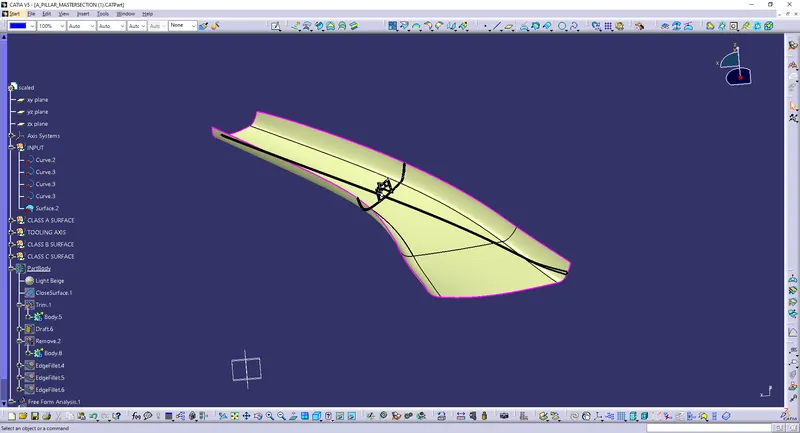
Class-A surface means visible surface. It gives the aesthetic of the component which is created by the styling team and gives to the part design engineer to create the part with all engineering aspects.
The first step is to check the continuity of the class A surface. This is to ensure that there is no gap between surfaces. If we find any then we should fix that first.
Class-A continuity check
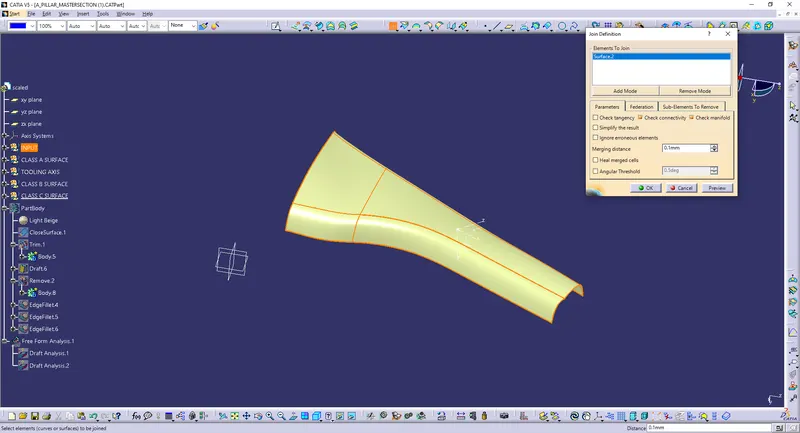
Analyse the class A surface through visual inspection.
To make sure that the given surface has no gap in between them. We can check it also with the help of Join or boundary commands.
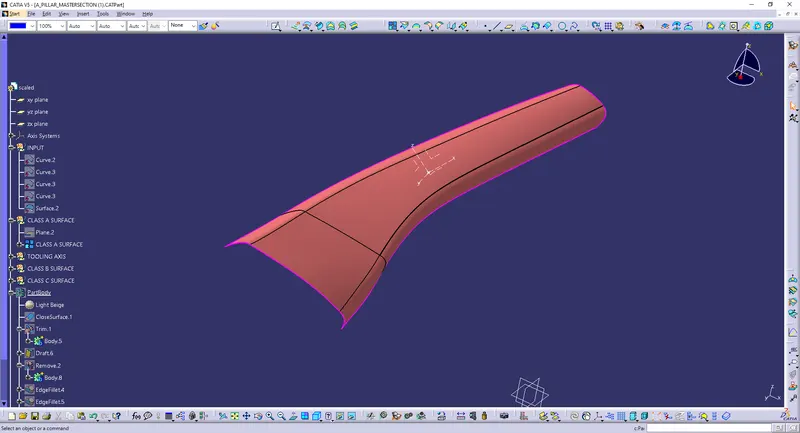
CREATION OF CLASS B SURFACE:
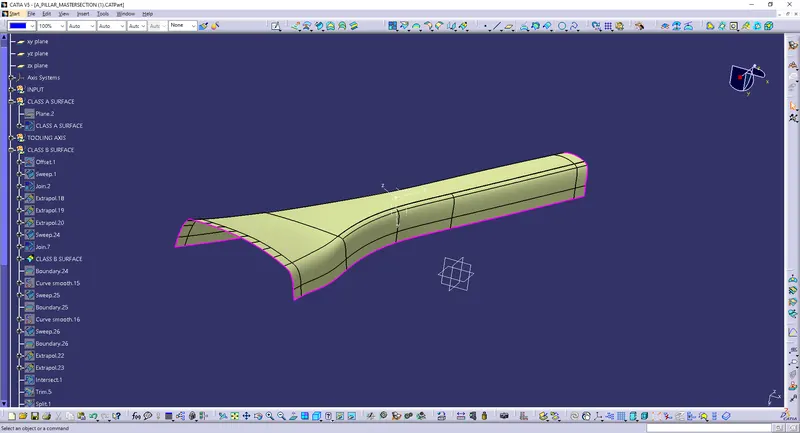
To create the Class B Surface, select the Class A surface and offset the surface to 2.5mm.
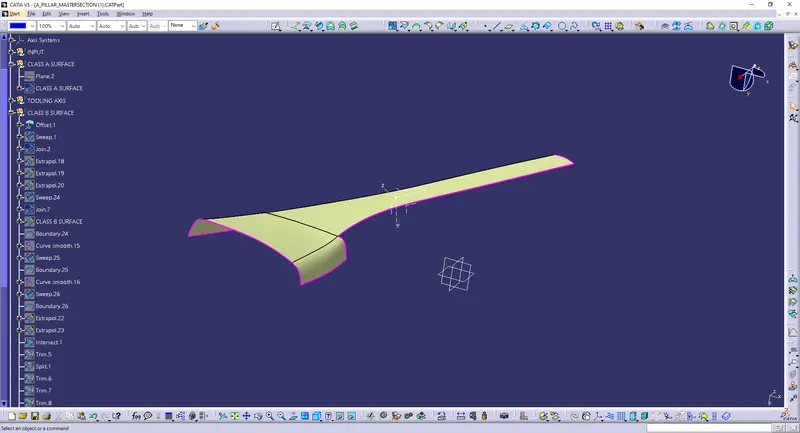
After offsetting the surface, we can observe that the CLASS B surface is having a patch / missing surface. This surface needs to be fixed by manually creating a surface.
To create a surface over the patch, we first need to extract the boundaries of that edges separately and using the “multi section” option a new surface can be created. Now join this patch surface with the offset surface to form a CLASS B surface.
So, to clear this use multi section surface option to close the gaps formed.The gaps formed is closed and the Class B Surface Formed is Ok.
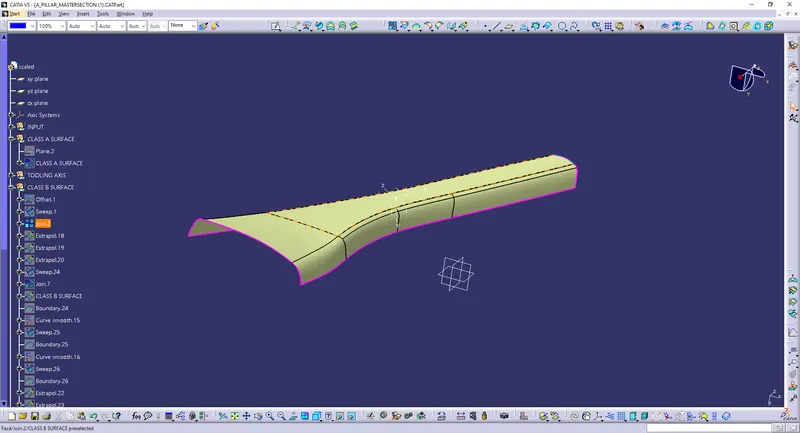
After creating the b-surface to extract the all sides.
CLASS C SURFACE CREATION:
To create a CLASS C surface, first extract the boundaries (all edges separately) of the CLASS A surface (the surface with FLANGE) as shown in below figure.
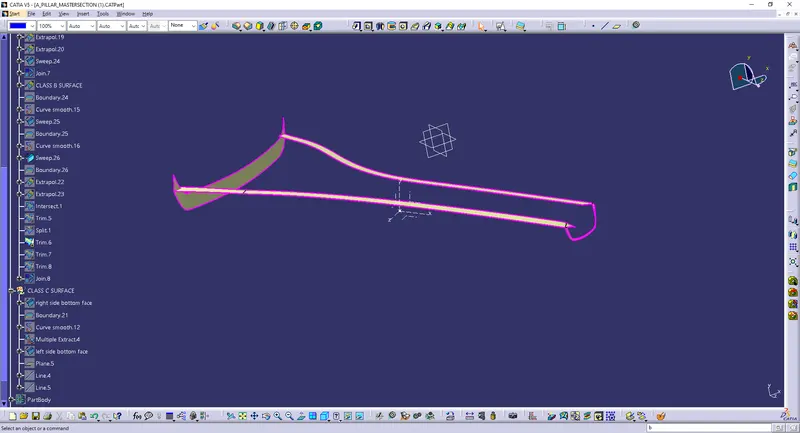
After extracting the boundary, we need to perform smooth (max. Deviation as 0.001mm) operation on it to create a continuous tangent surface.
Now using the ‘sweep’ option create the surface. To perform this operation, go to the Toolbar > Sweep > Profile type > Line > Subtype > With draft direction > Guide curve 1 - (select the extracted boundaries) > Draft direction - (select the tooling axis) > angle as 3 deg and give any suitable length and press ok.
Note: The boundaries of the CLASS A surface need to be extracted separately and the sweep operation also needs to be performed separately. It is not possible to create a C surface with a single sweep following the Draft Direction.
Once these sweep surfaces are created, trim them to join the surfaces. This will give us a CLASS C surface
FINAL TRIM:
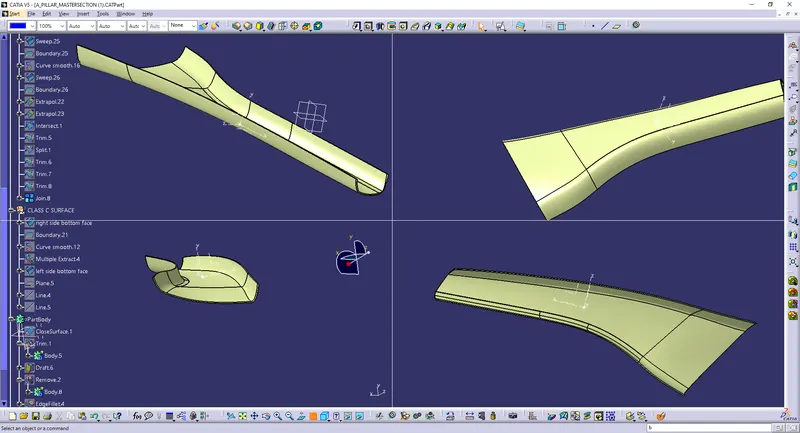
To create the A Pillar component, we need to join all these surfaces (i.e., CLASS A, B and C surfaces).
First join the CLASS A surface with the CLASS C surface and then trim this joined surface with the CLASS B surface to get the final output.
Creation of dog house
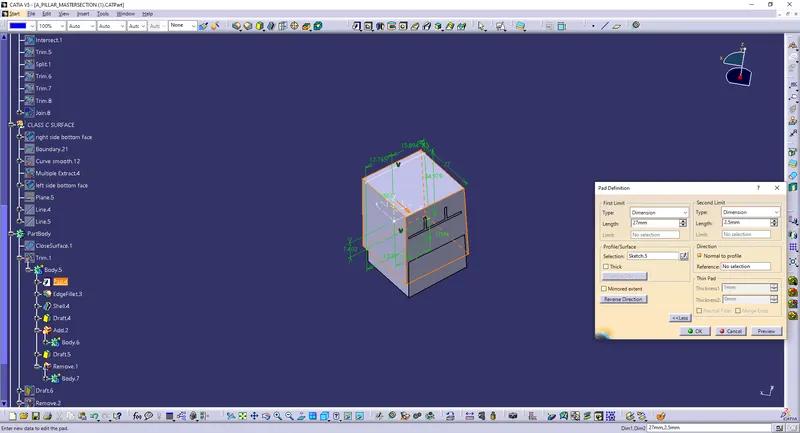
- Doghouses are created by following the design rules. For this, the sketch is created from the master section provided. It is then made into a closed body and is made into a part model.
- Shell operation is performed to get a hollow structure and then coring is done in order to avoid sink marks on the class A surface. Drafts are given for the surfaces as per design rules and proper fillets are also provided. As per the given master section, ribs and supporting features are also added to the doghouse.
- Then, the doghouse is added to the main body. All the sketches used are iso-constraint.
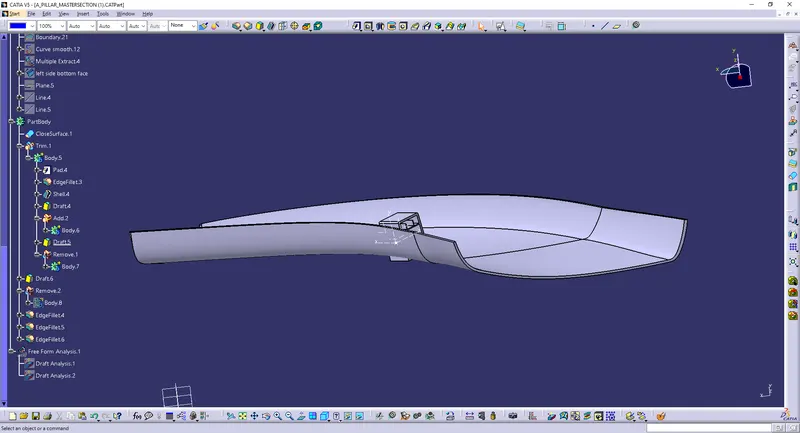
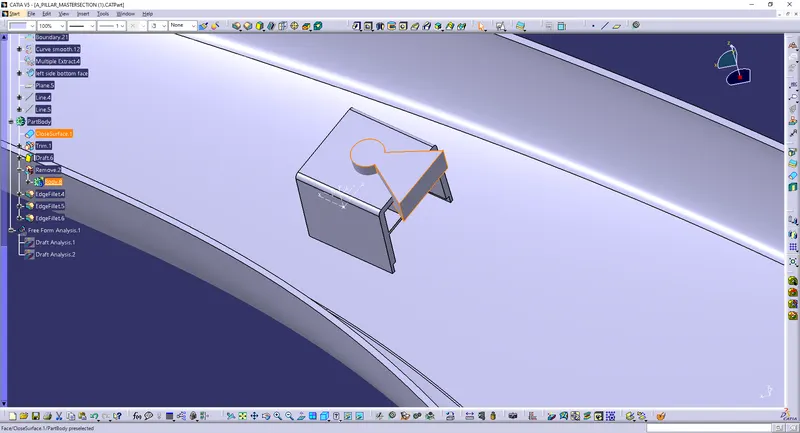
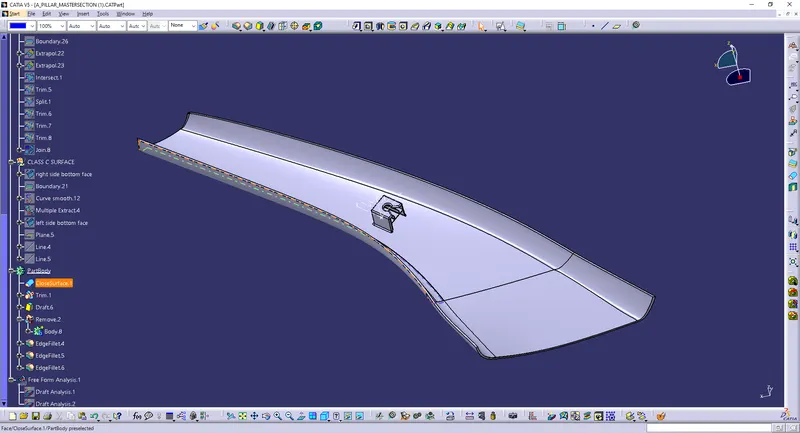
.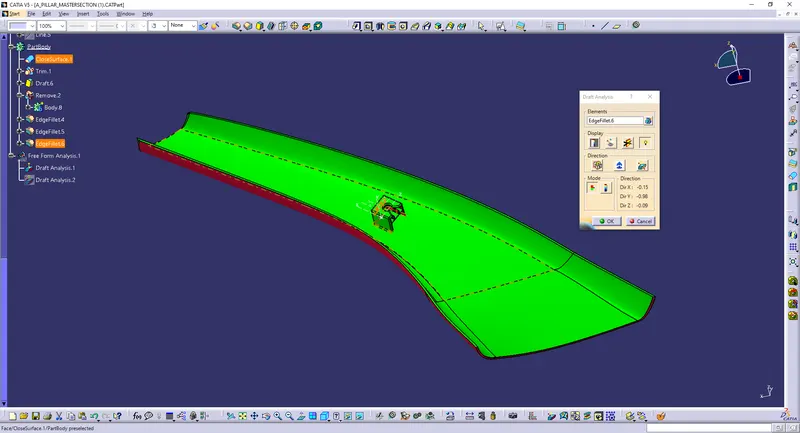
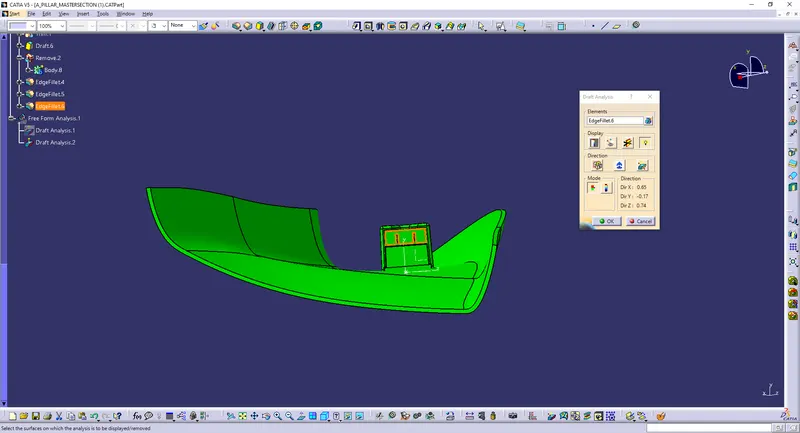
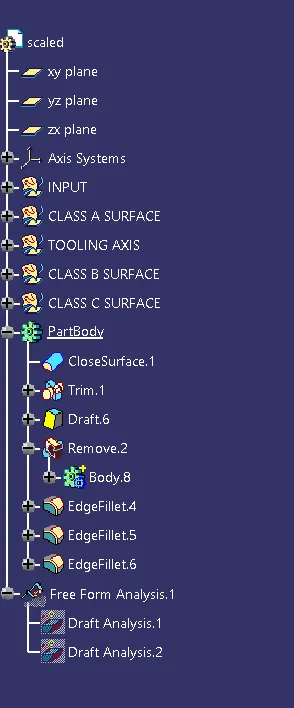
Screenshots of the tree structure with Geometrical sets having a proper name based on the sketches present inside of it.