Week 2 Challenge : Surface meshing on a Pressure valve
AIM:
To study surface meshing on given geometry, Making three different models with 3 different target lengths.
In this project, a pressure valve will be meshed in ANSA. The geometry has errors, and the project will be for three different mesh lengths. (1mm, 3mm and 5mm)
Objective:
To create the surface mesh for a given Pressure Valve.
Procedure:
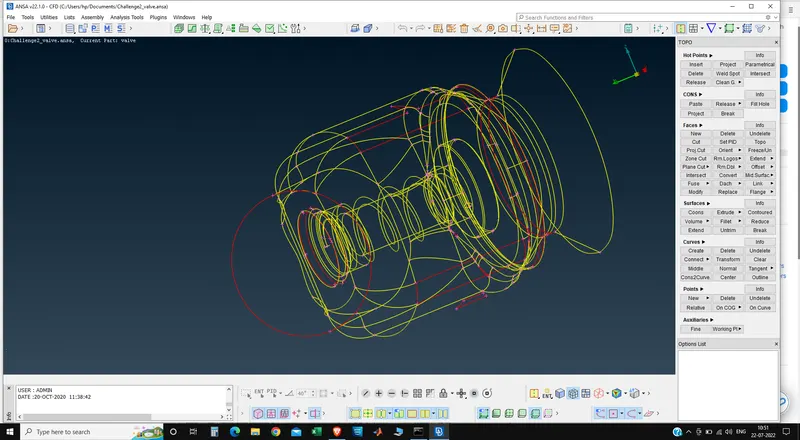
1) Import the given model into ANSA
2)After importing we seen below 1st image,
3)After importing we choose the option shadow and then below figure seen.
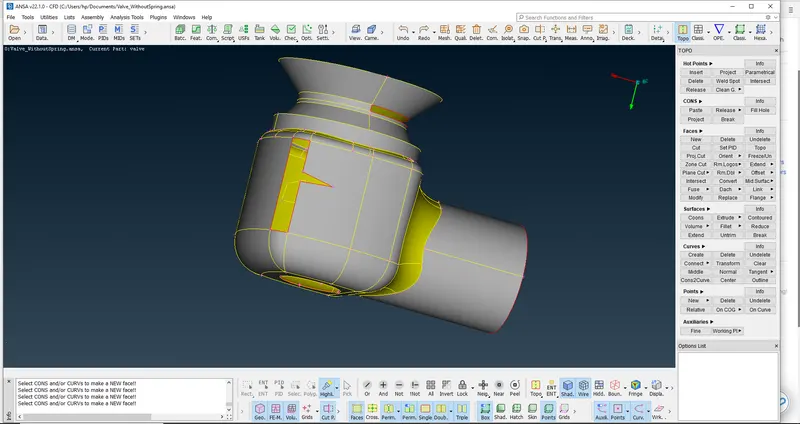
There are multiple holes in the geometry, which have to be fixed before the meshing process can start.
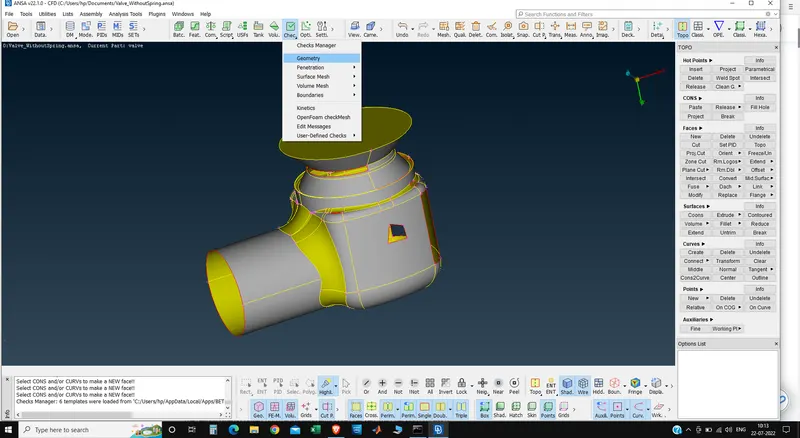
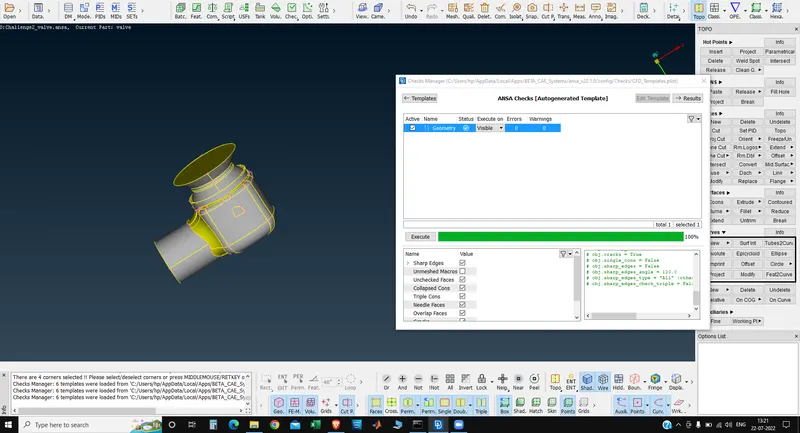
The geometry is checked using ANSA's inbuilt Geometry Checker tool, this is done by going to: Checks -> Geometry
The default type is chosen, and the following errors are checked. The checking process is started by clicking the Excecute button.
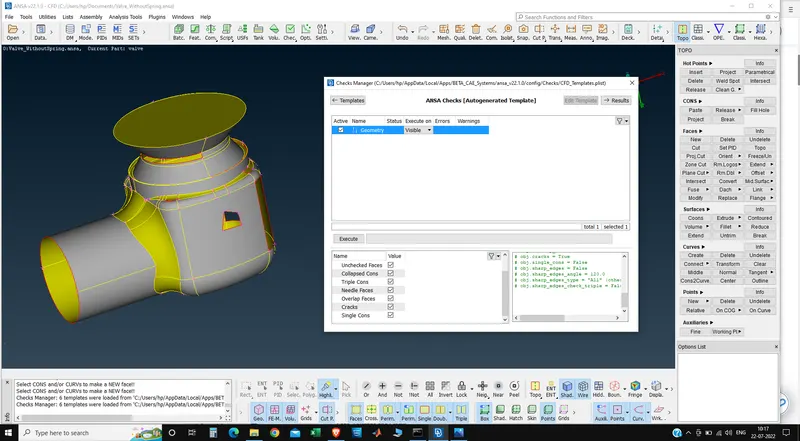
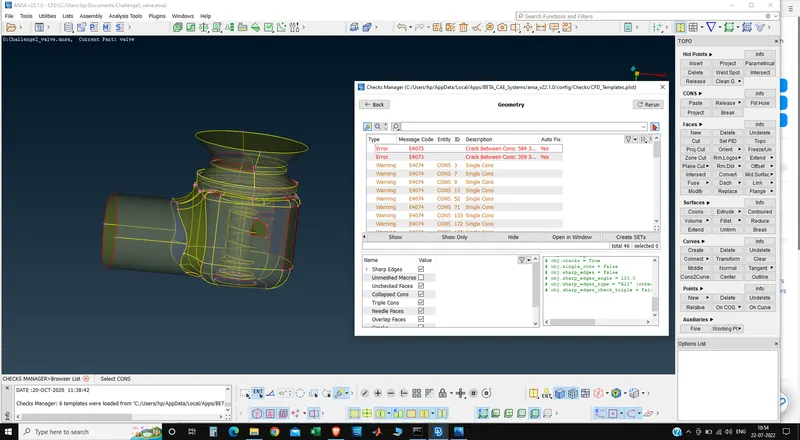
After executing we can find all the errors in the geometry, so we can work on them one by one
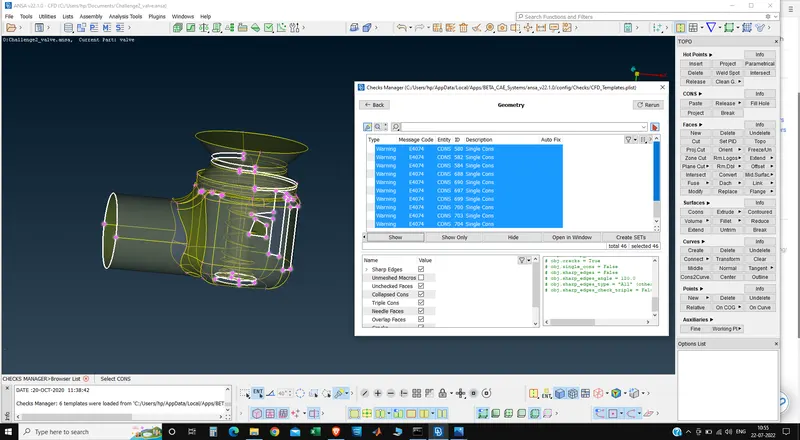
Above further inspection, the errors mostly consist of holes on the body's surface.
SINGLE CONES:
This all shows the open spaces in the geometry, to overcome them we have to fill them before meshing.
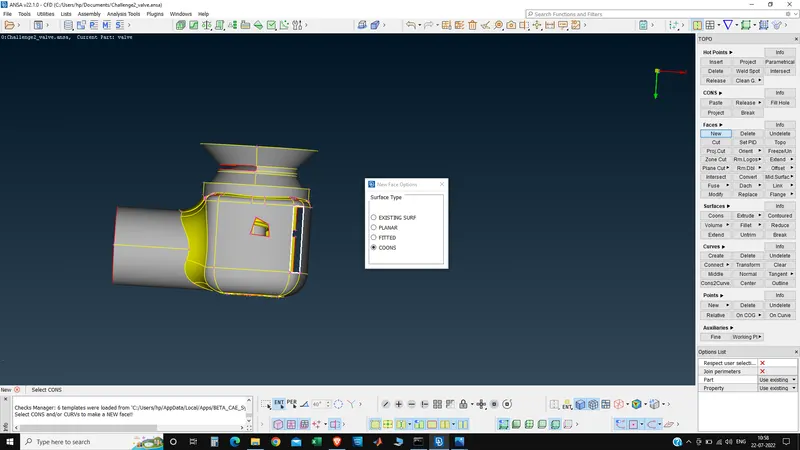
The holes in the surface can be closed by multiple methods, this is done by going to: TOPO -> Faces -> New -> - there are multiple methods here, and each method can be used depending on the type of hole to be patched.
The COONS method was most used method, and an example of where the method is used is shown below:
An example of where the EXISTING SURF method was used is shown below:
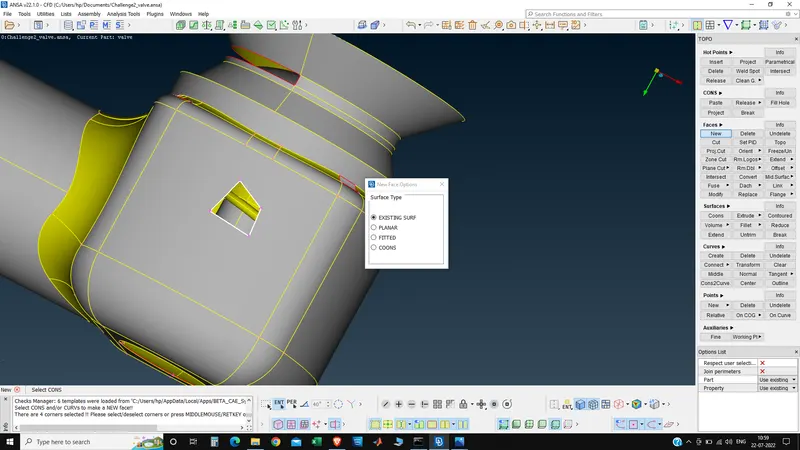
The EXISTING SURF can only be used when the hole is part of a larger face,
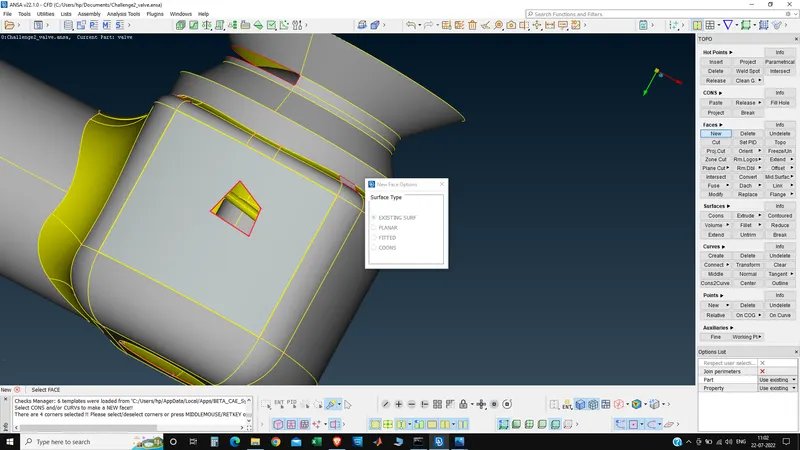
After all holes were patched, the geometry checking tool was run again to only find these errors:
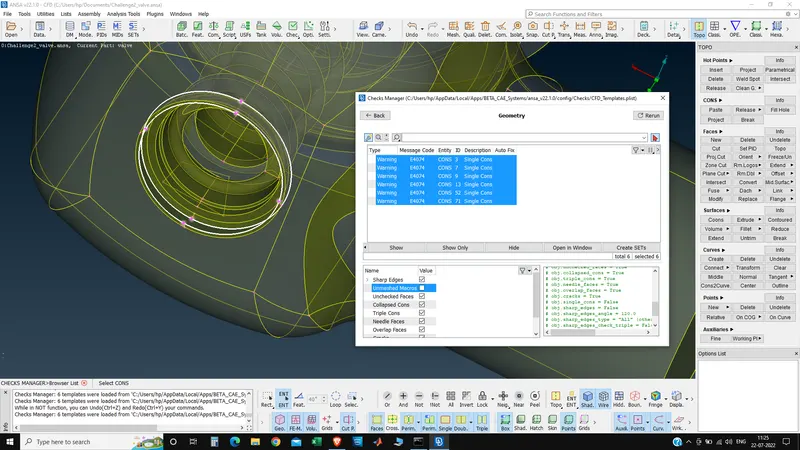
When we joint all the sufaces and there is no any error then we create the PIDS,
Creation of PIDs:
PIDs are user-defined selections of geometry, commonly used to designate sub-parts of the geometry. Such as wheels, body, door, rear wings, etc. in a car. They are used to generate PID specific meshes, with different mesh properties for each PID.
The PIDs are created by going to Properties -> RightClick/New -> PSHELL -> PSHELL
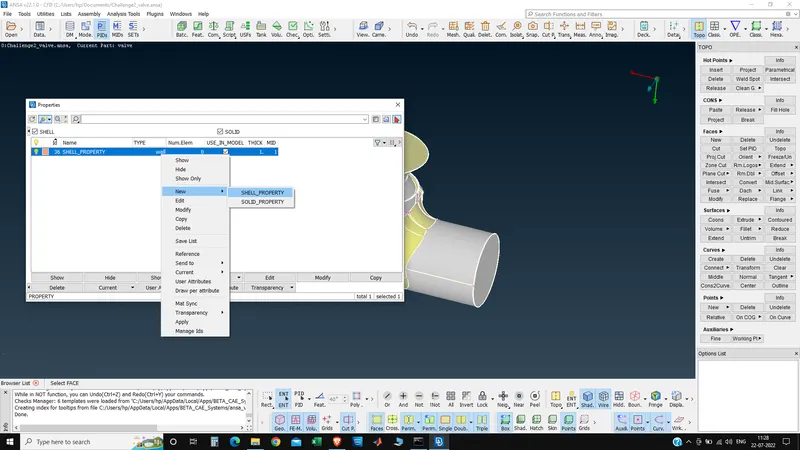
PIDs are created and the geometry is selected using multiple tools available in ANSA, such as ENT selection, PID_Region selection, lock, not, !not and or.
All the following parts of the valve were assigned a PID:
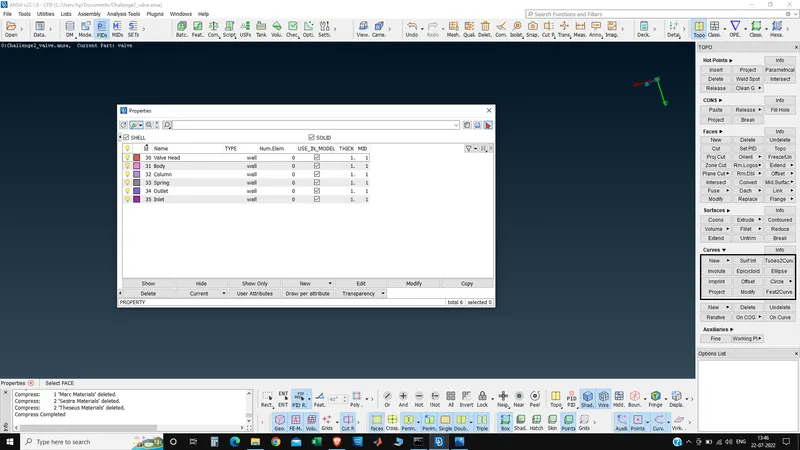
The preproccesing to the actual meshing process is complete. The mesh will be generated for 3 different sizes under the Classic Mesh Model:
Mesh Size: 1mm,
Go to Perimeters -> Length -> Perimeters, the whole geometry can be selected with the box select tool. After selection, the middle mouse button is pressed and mesh length (1mm) is entered.
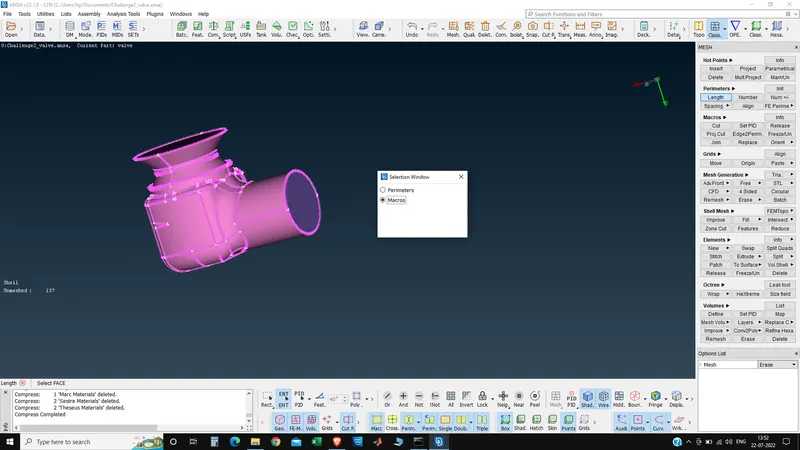
Entering mesh length in mm.
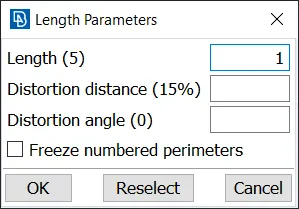
The same process is repeated for Perimeters as well.
This is where the quality of mesh will be defined, this is done by going to: Mesh Parameters. The target length is entered as 3 and the element type is set to Tria.
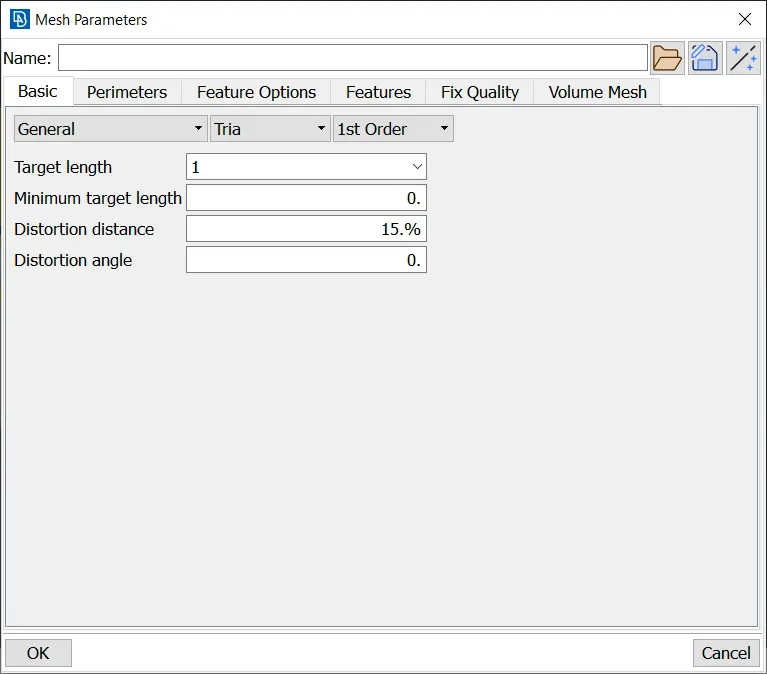
The quality of the mesh is defined in this step, this is done by going to Quality Criteria F11
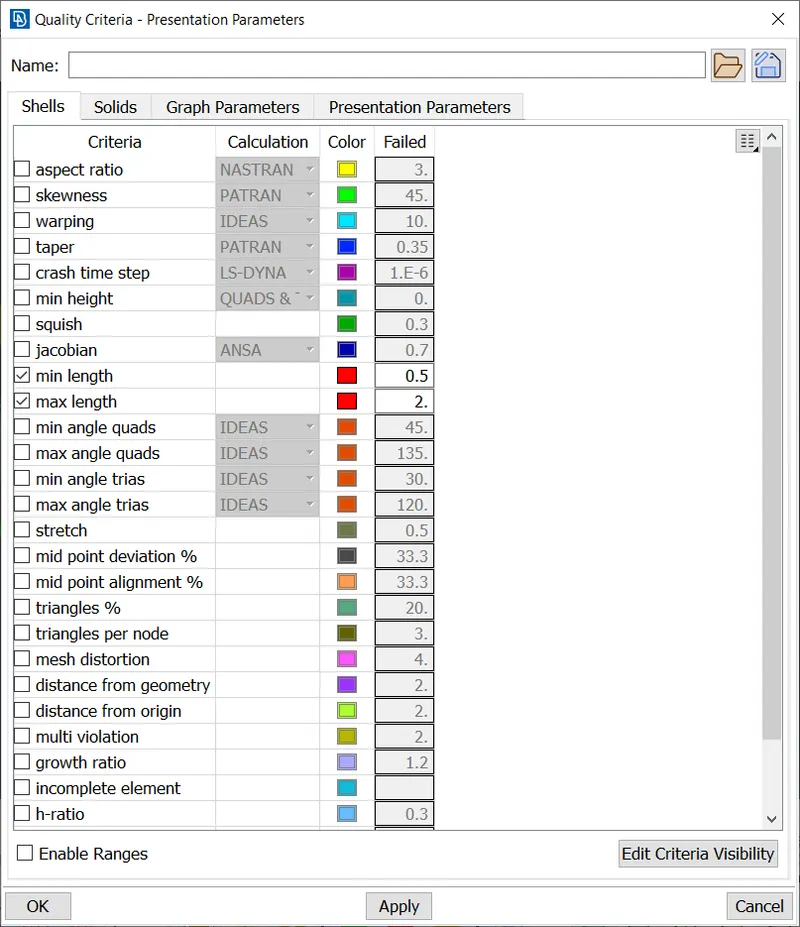
The mesh is generated for the following parameters using the spot mesh, this is done by going to Mesh Generation -> Spot Mesh -> Visible
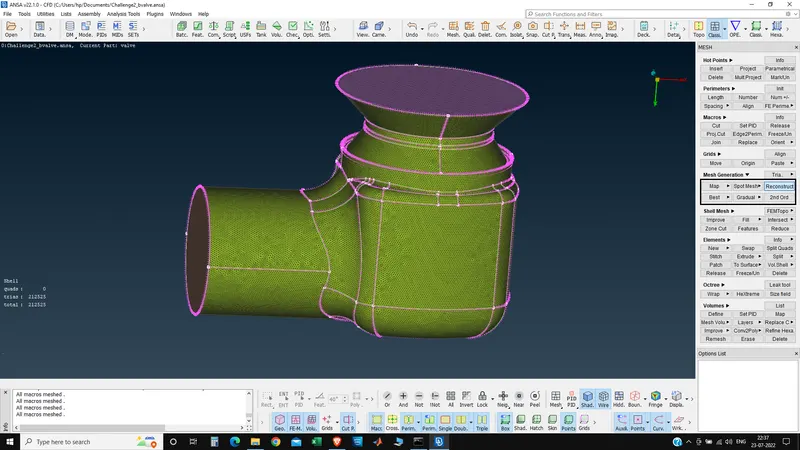
This mesh contains 212525 elements, all of them are triads.
Viewing the spring and valve head,
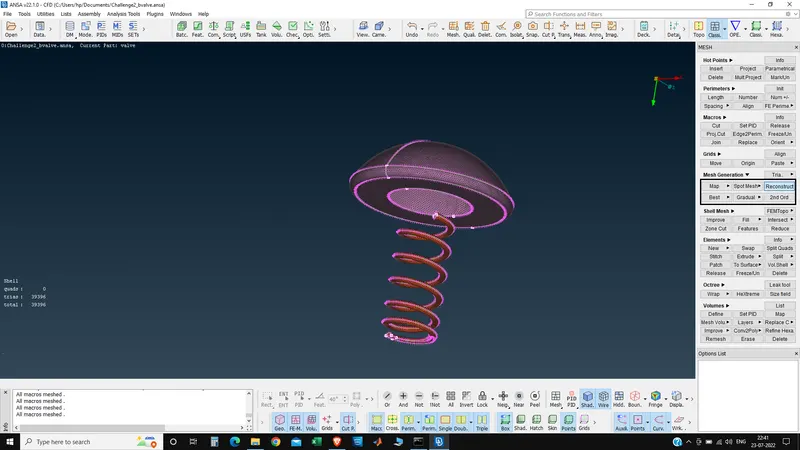
The curvature of the valve head and the spring are accurately captured for the 1mm mesh.
Mesh Size: 3mm
Go to Perimeters -> Length -> Perimeters, the whole geometry can be selected with the box select tool. After selection, the middle mouse button is pressed and mesh length (3mm) is entered.
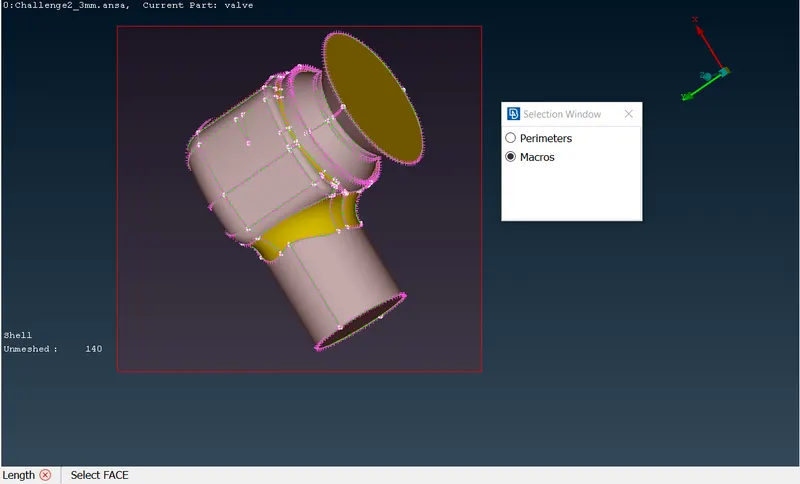
Entering mesh length in mm.
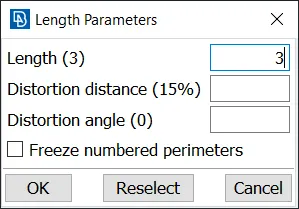
The same process is repeated for Perimeters as well.
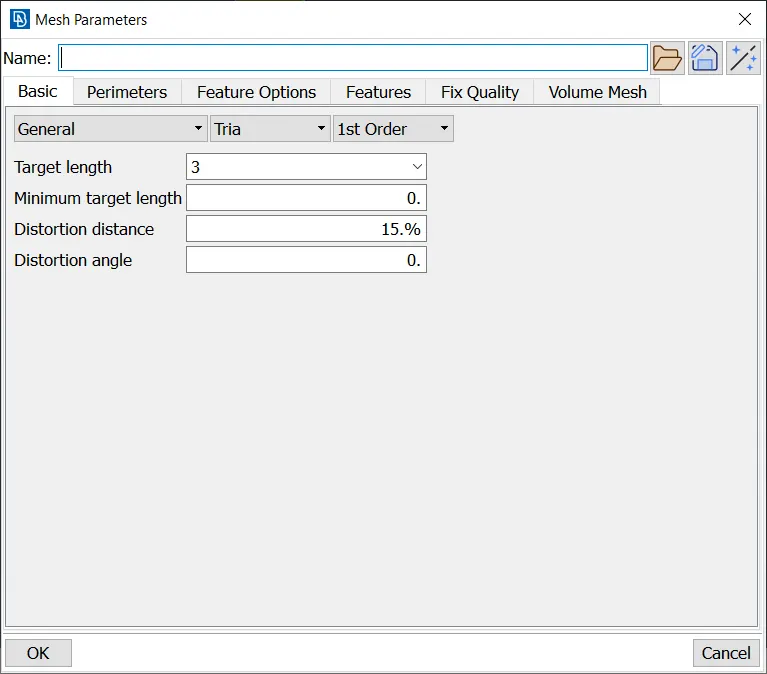
This is where the quality of mesh will be defined, this is done by going to: Mesh Parameters. The target length is entered as 3 and the element type is set to Tria.
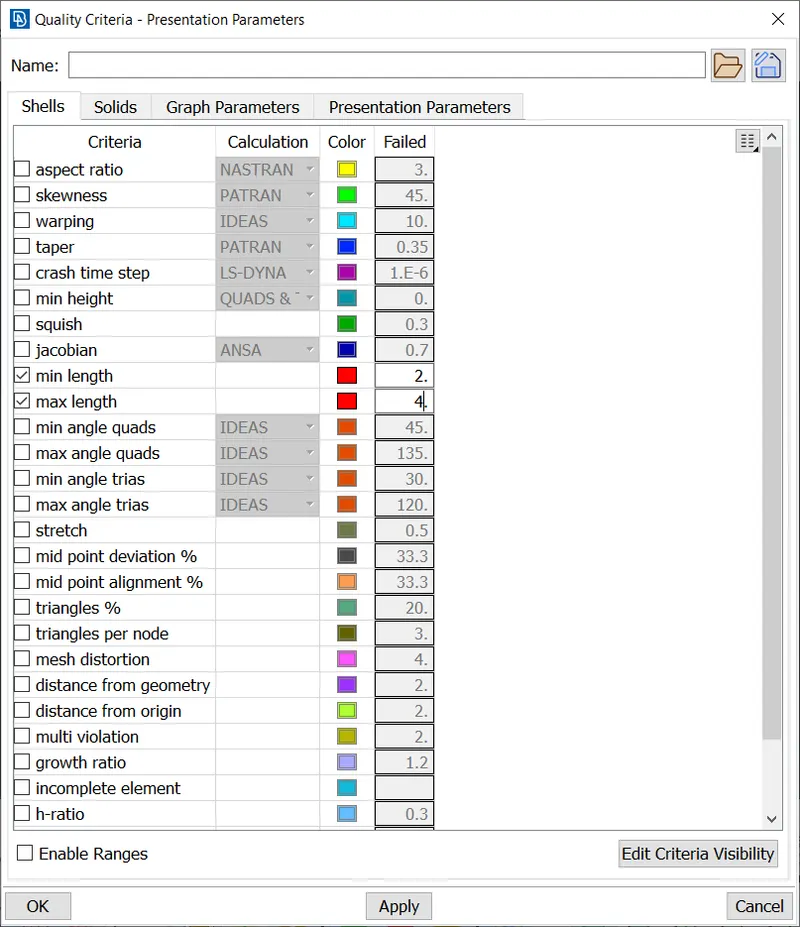
The quality of the mesh is defined in this step, this is done by going to Quality Criteria F11
The mesh is generated for the following parameters using the spot mesh, this is done by going to Mesh Generation -> Spot Mesh -> Visible
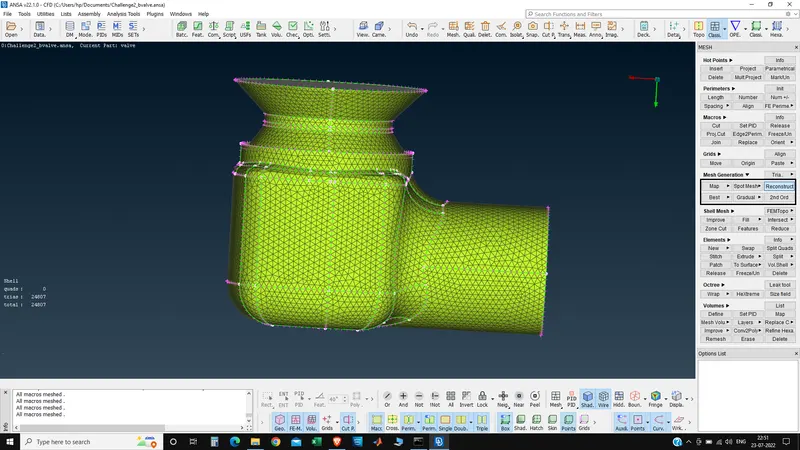
This mesh contains 24807 elements, all of them are triads.
Viewing the spring and valve head,
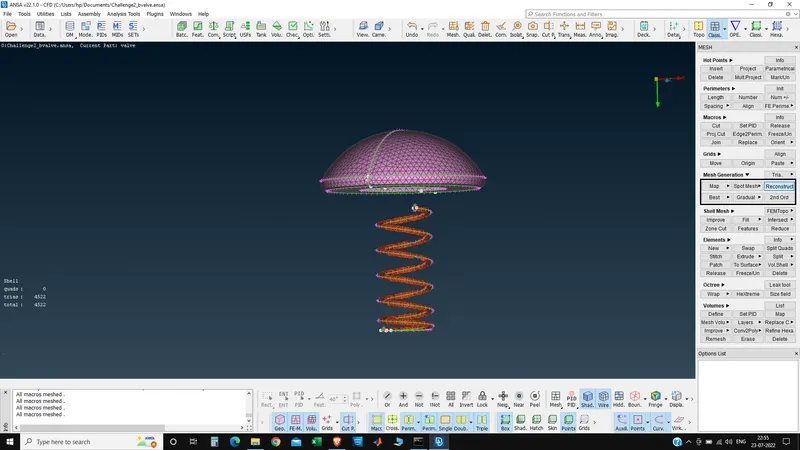
The curvature of the valve head and the spring are captured coarsely for the 3mm mesh. This mesh should be used as a baseline inital simulation and not for any quantitative results.
Mesh Size: 5mm
Go to Perimeters -> Length -> Perimeters, the whole geometry can be selected with the box select tool. After selection, the middle mouse button is pressed and mesh length (5mm) is entered.
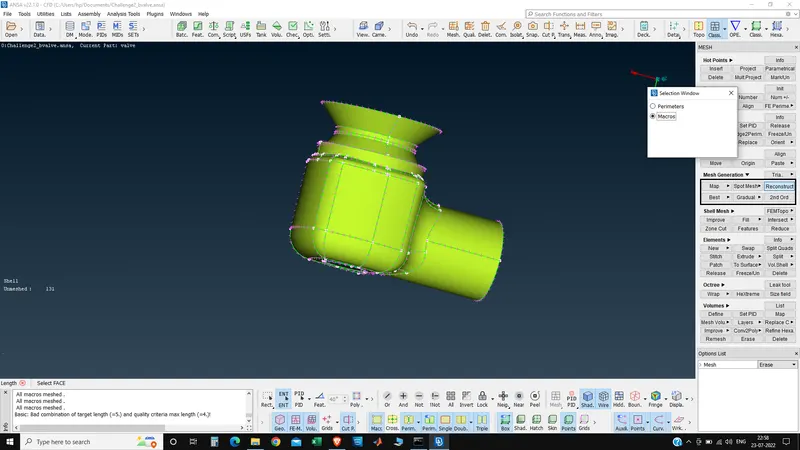
Entering mesh length in mm.
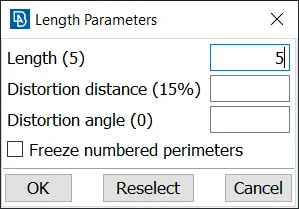
The same process is repeated for Perimeters as well.
This is where the quality of mesh will be defined, this is done by going to: Mesh Parameters. The target length is entered as 3 and the element type is set to Tria.
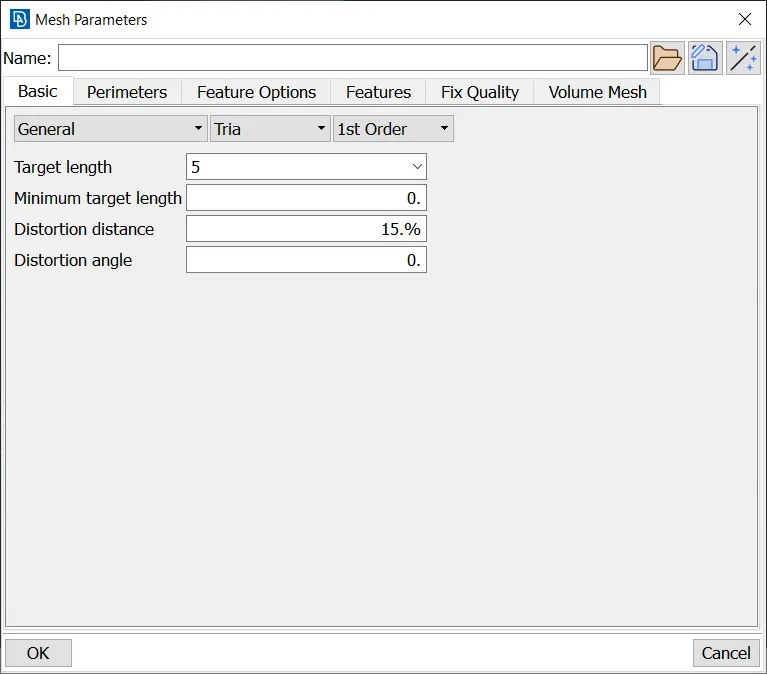
The quality of the mesh is defined in this step, this is done by going to Quality Criteria F11
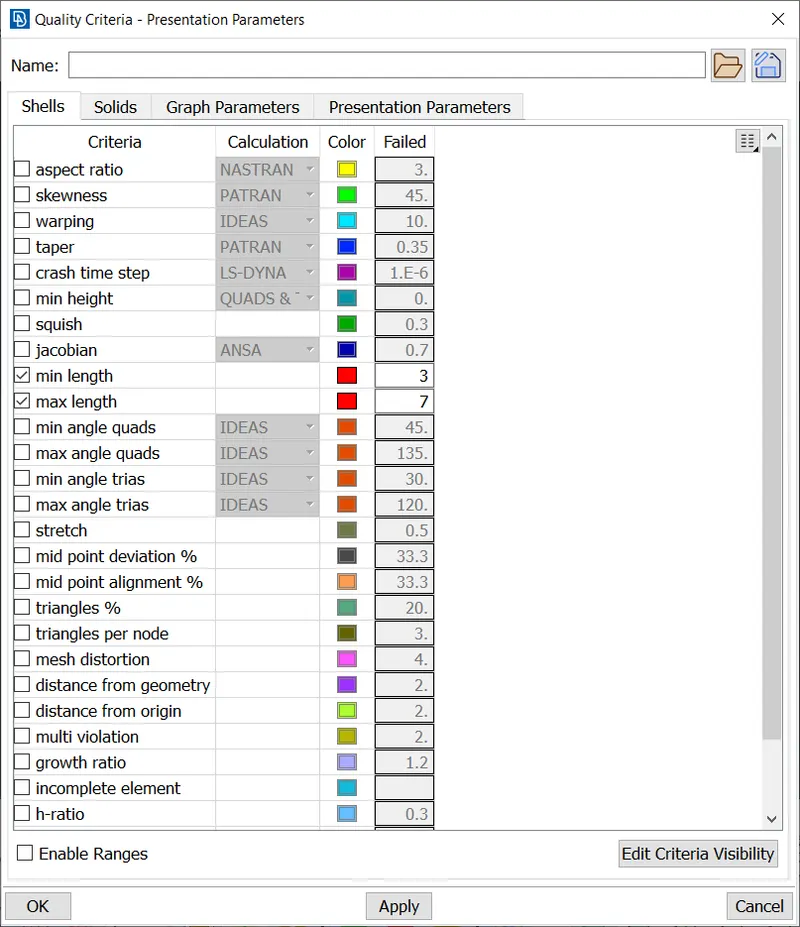
The mesh is generated for the following parameters using the spot mesh, this is done by going to Mesh Generation -> Spot Mesh -> Visible
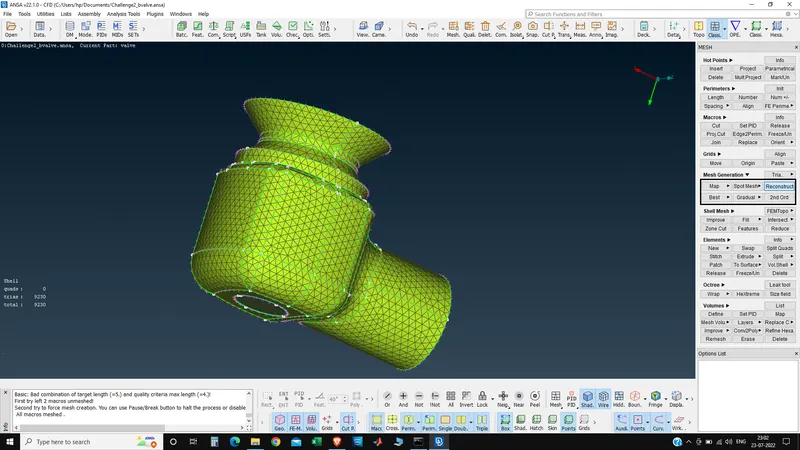
This mesh contains 9230 elements, all of them are triads.
Viewing the spring and valve head,
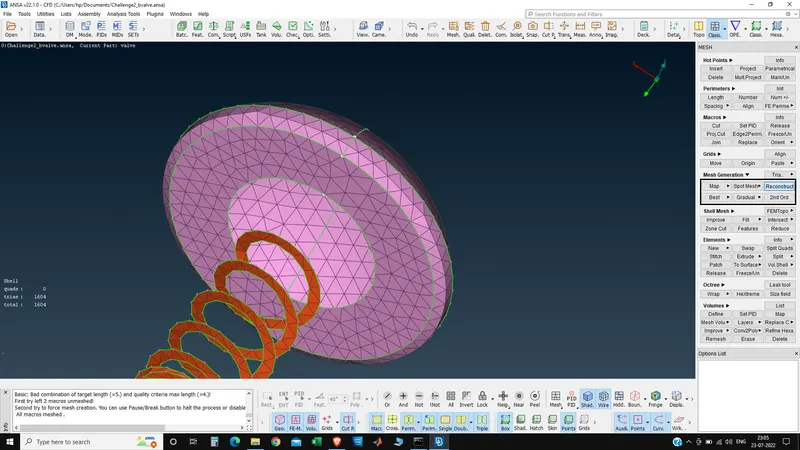
The curvature of the valve head and the spring are poorly captured for the 5mm mesh. The spring, instead of being of a circular cross section, is just a flat plate. This mesh should not be used for any purpose.
Conclusion:
1) The 1mm mesh gives the best result, and must be preferred for all quantitative purposes, With fine mesh size the accuracy increases but the time for calculation also increases.
2) We can make two different target length according to the size of parts and required accuracy, in this case the outer casing mesh size can be 3mm which is not so large and not that fine earthier for good and accurate result.
3) The 5mm mesh should not be used for any simulation due to poor capture of valve head and spring.
4) ANSA's geometry checking and fixing tool can be used to fix minor issues in the geometry.